How Mobile Scheduling Simplifies Event Staff Management
April 6, 2026

Managing event staff can feel overwhelming when relying on common scheduling problems like spreadsheets or endless email chains. Mobile scheduling platforms streamline the process, saving time and reducing stress. Here's how they work:
Platforms like Quickstaff help event managers save hours of work, reduce scheduling errors, and ensure smooth event execution. Plans start at $49/month with a 14-day free trial.
Setting up an event on a mobile platform is quick and simple. Managers just tap "New Event" on their dashboard and fill in the basics: event name, date, time, location, and required roles. For example, if you're organizing a 200-person wedding on June 15, 2026, at a Chicago venue, you might need 5 servers at $25/hour, 3 bartenders at $30/hour, and 2 setup crew members. The whole process takes less than five minutes from start to finish.
Templates make things even faster for recurring events. Once you've set up a wedding reception or corporate gala, you can hit "Save as Template" to store all the details - roles, shifts, venues, and even attached files like dress codes or instructions in PDF format. When a similar event pops up, you just open the template library, choose something like "Standard Wedding" or "Corporate Lunch", update the date and a few specifics, and publish. This feature can reduce setup time by 70-80%, especially for caterers or event vendors managing frequent weddings or corporate functions.
"Duplicate past events... and just update the details and you can schedule weeks of events in minutes!"
Templates not only speed up event creation but also make it easier to manage last-minute scheduling. Once events are set up and templates saved, the focus shifts to efficiently managing staff availability.
Tracking staff availability after setting up an event is just as seamless. Staff can update their availability directly through the "My Availability" feature by setting specific time blocks like "Available June 20-25, 2026, 3:00 PM - midnight" or "Unavailable July 4 weekend." These updates sync instantly, so managers can see changes in real time without needing to make a single phone call. Plus, integration with iOS and Android calendars allows staff to simply drag and drop their preferred times.
Managers can view a color-coded calendar that highlights availability: green for available staff, red for unavailable, and yellow for partial availability. For instance, searching "Bartenders available 06/15/2026" instantly shows matches, complete with filters for location radius (in miles) and certifications. Assigning staff becomes a breeze - managers can drag and drop to fill over 20 roles in seconds. These features significantly cut down on manual scheduling time, with event staffing platforms reporting a 60-75% reduction in time spent on scheduling. Some wedding vendors even manage to fill 90% of shifts within 24 hours, compared to the 48+ hours often required with manual methods.
Once you've figured out who’s available, choosing shift assignment software makes assigning shifts a breeze. Group your staff by roles like Server, Bartender, Photographer, or Setup Crew to match their skills to the tasks at hand. For instance, if a corporate gala requires 8 servers and 4 bartenders, (which you can calculate using an event staffing needs analyzer) you can simply filter the list of available staff by role and drag their names into the open slots. It’s a quick process that can be done in minutes - no need for endless phone calls or email chains.
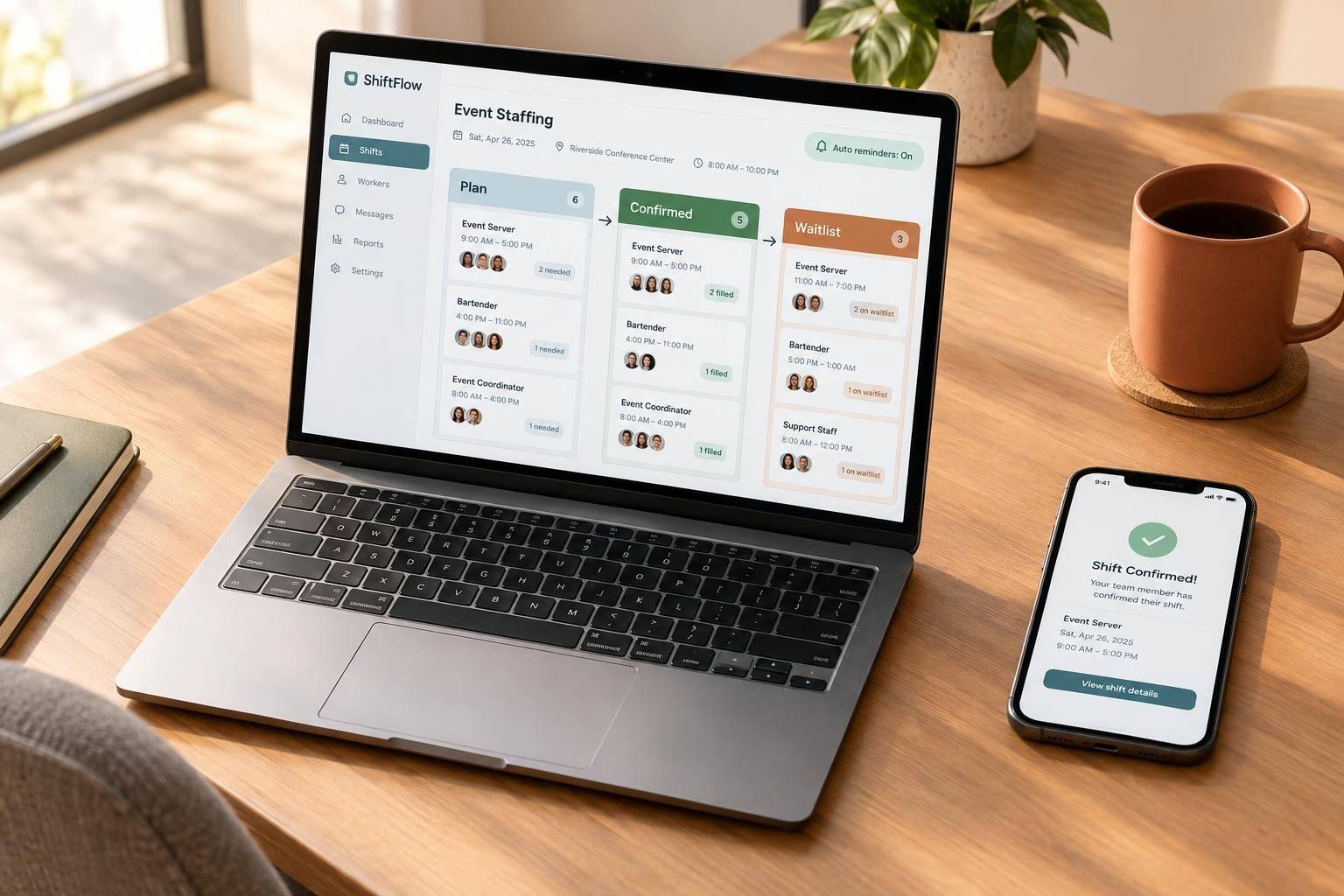
Once shifts are assigned, staff receive mobile invitations with all the details. Their responses are instantly reflected in the master schedule, completely removing the need for back-and-forth confirmations. With everything organized, managers can easily handle last-minute adjustments using automated waitlists.
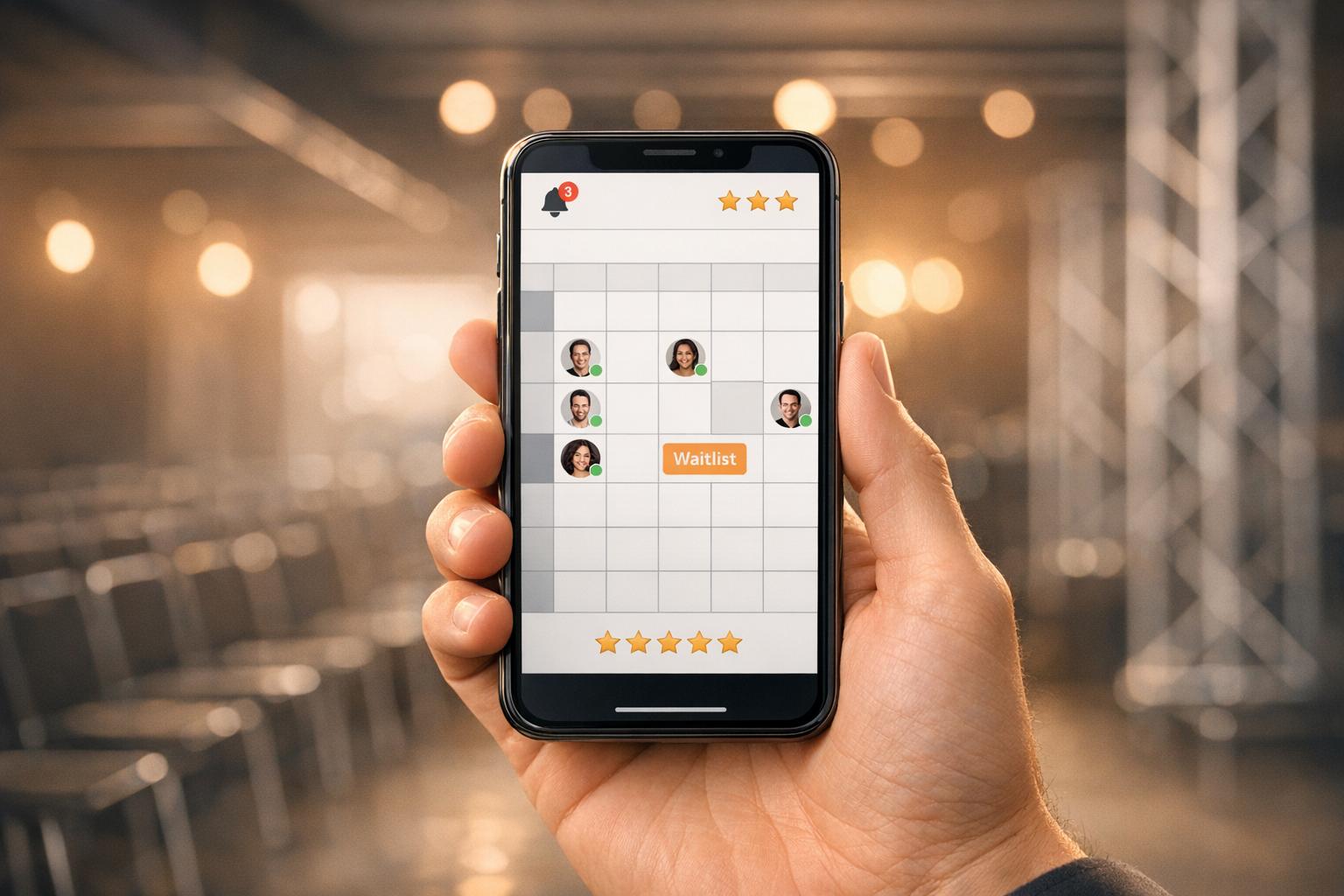
Dealing with last-minute cancellations used to mean frantic calls to find replacements. Now, mobile waitlist features simplify the process. You can proactively invite more staff than needed for an event. For example, if you need 5 servers for a wedding, you can invite 8 qualified individuals. Once the first 5 accept, the remaining 3 are placed on a waitlist. If someone cancels, the system automatically pulls from the waitlist to fill the gap.
This feature is especially useful for events where staffing is critical. Managers can quickly check which events are fully staffed (marked in green) and which still need attention (marked in red or yellow). Steven Townsend, an Event Manager, shared his experience:
"I used to be on the phone all the time to schedule staff. Now, within a few minutes, I can schedule all the staffing I need for my events"
With this system, last-second changes are no longer a headache - it’s all handled smoothly, ensuring your events stay on track.
Mobile scheduling platforms streamline communication by consolidating everything into one place. Instead of juggling endless phone calls or dealing with scattered emails, these platforms allow for targeted messaging. For example, you can notify just the bartenders about a menu change without overwhelming everyone else’s inbox. Staff members receive work invitations directly via email, complete with all event details, and can accept or decline shifts instantly from their phones. Plus, critical documents - like dress codes, floor plans, or event notes —essential items for any event day checklist - can be attached directly to the schedule, ensuring everything is in one spot rather than spread across multiple channels.
Tracy O., a Catering Company Manager, highlighted how this streamlined approach transformed her workflow:
"The Event Staff App makes scheduling those employees simple. Our managers and employees love the software because they can find all of the information they need in one place halving the time I spend on communications."
On top of that, automated notifications take the guesswork out of staying updated, eliminating the need for constant follow-ups.
Missed messages can lead to no-shows, throwing events into chaos. Automated SMS and email reminders solve this problem by keeping staff informed about their shifts, event updates, and other key details - without requiring any manual effort. These systems provide real-time updates, so staff can quickly access schedules, directions, and event notes right from their mobile devices.
Philippe S. shared how this feature has simplified his process:
"It saves me a ton of time in wasted back and forth phone call and emails that I normally used to do."
Mobile dashboards offer a way for managers to stay on top of events no matter where they are. With live updates on staff check-ins, shift progress, and event statuses, managers can quickly identify which events are fully staffed and which need immediate attention. This level of visibility ensures that potential problems are addressed before they grow into bigger issues.
Features like GPS tracking and task completion alerts are particularly useful for spotting and resolving issues in real time. For instance, if a bartender fails to check in at the start of their shift, the system sends an alert, allowing managers to quickly reassign a waitlisted staff member. According to the 2024 EventMB Industry Report, 72% of event managers report that real-time mobile tracking has improved their operational visibility, with a 25% faster resolution of issues.
A great example of this in action comes from Gourmet Events LLC, a catering company that, in June 2024, used Quickstaff's mobile monitoring system to manage 150 staff members across five weddings simultaneously. By utilizing GPS tracking and check-ins, they cut no-shows from 8% to just 1.2%. This helped them achieve a 98% on-time completion rate and save $45,000 in labor costs.
But the benefits of mobile tools don’t stop at real-time monitoring - they also simplify onboarding and performance evaluations.
When it comes to hiring temporary workers for weekend events, efficient onboarding is critical. Mobile apps make this process smoother by providing digital checklists, training modules, and e-signatures. New hires can review essential details like dress codes, floor plans, and role-specific instructions before they even arrive, cutting onboarding time from 45 minutes to under 10.
Performance tracking features within these apps also let managers monitor key metrics such as punctuality, task completion rates, and client feedback. After an event, managers can review ratings and time logs to pinpoint top performers for future assignments. Research from Staffing Industry Analysts shows that agencies using performance tracking tools see a 30% boost in staff retention by acting on feedback. Jennifer Manley, a Staffing Coordinator, shared her experience:
"My time spent scheduling has shrunk majorly, leaving me more time to focus on recruiting, on-boarding and training."

Quickstaff Pricing Plans Comparison: Features and Costs for Event Staffing
Quickstaff takes the hassle out of event staff management with a suite of tools designed for mobile efficiency. Staff receive work invitations via email and can respond with a single click, either accepting or declining shifts. They can also block off unavailable dates in real time, eliminating the risk of double-booking and reducing the need for manual follow-ups. This streamlined approach is also key to retaining the best event staff by respecting their time and preferences.
The Automagic Waitlists feature automatically fills positions as staff accept shifts and queues backup personnel for added flexibility. Managers can send updates through centralized messaging, targeting the entire team or specific roles like servers or bartenders. Staff can access essential event details - call times, locations, dress codes, and even floor plans - directly on their phones via PDF. Steven Townsend, an Event Manager, shared his experience:
"I used to be on the phone all the time to schedule staff. Now, within a few minutes, I can schedule all the staffing I need for my events."
These tools not only save time but also adapt to the demands of events of all sizes. By combining automation with ease of use, Quickstaff ensures efficient operations while keeping costs under control. These features are seamlessly built into Quickstaff's pricing plans, which are outlined below.
Quickstaff offers three straightforward plans tailored to different team sizes. Each plan includes core features like mobile access, one-click confirmations, and automated waitlists. A 14-day free trial is available, and no credit card is required.
| Plan | Monthly Price | Maximum Staff | Key Features |
|---|---|---|---|
| Boutique | $49/month | 35 staff | Unlimited events, mobile access, one-click confirmations, availability tracking, automated waitlists, assisted onboarding, customer support |
| Growing | $99/month | 70 staff | All Boutique features, designed for expanding teams and higher event volumes |
| Large | $249/month | 175 staff | All Growing features, optimized for large-scale event staffing operations |
For teams exceeding 175 staff, custom pricing is available. Quickstaff also integrates with popular calendar platforms like Google Calendar, iCal, Outlook, Yahoo, and Hotmail, ensuring everyone stays on the same page.
Managing event staff doesn’t have to mean juggling endless phone calls, scattered spreadsheets, or scrambling at the last minute. Mobile scheduling tools take the hassle out of coordination, saving event managers hours of administrative work every week. By automating invitations, tracking availability in real-time, and centralizing communication, these tools let you focus on what truly matters - delivering outstanding events.
The features we’ve discussed work together to create a seamless, efficient approach to event management. Mobile-friendly platforms speed up event creation with reusable templates, simplify shift assignments using automated waitlists, improve communication by centralizing event details, and provide real-time performance tracking for better operational oversight.
The impact of these tools is clear. Industry professionals have seen the difference firsthand. Kelly from The Abbot KC shared:
"The time that we have been able to save by using this scheduling software has allowed us to tackle the other issues that we face thereby improving our overall events!"
Mobile scheduling is changing the game for event management. Quickstaff brings all these features together in a mobile-first platform designed for caterers, wedding planners, event vendors, and staffing agencies. With plans starting at $49/month and a 14-day free trial - no credit card required - you can see how it works for your team with zero risk.
Take control of your time and simplify your workflow - check out Quickstaff's features today.
Switching from spreadsheets to a mobile scheduling solution like Quickstaff is a game-changer. Many users have shared how spreadsheets made managing schedules a slow and frustrating task. Quickstaff simplifies everything by combining scheduling, availability tracking, and communication tools into a single, mobile-friendly platform. No more tedious manual updates - Quickstaff makes the transition smooth and hassle-free.
Waitlists handle last-minute cancellations by automatically assigning available staff from the waitlist to cover open shifts. This process is powered by real-time updates and notifications within the scheduling platform, ensuring shifts are filled quickly and efficiently when unexpected changes occur.
To assess event staff effectively, focus on tracking important performance metrics such as productivity, punctuality, communication skills, and their overall impact on the event. Keeping an eye on these factors ensures a fair and well-rounded evaluation of their performance.