Mobile Role Assignments for Last-Minute Changes
January 27, 2026

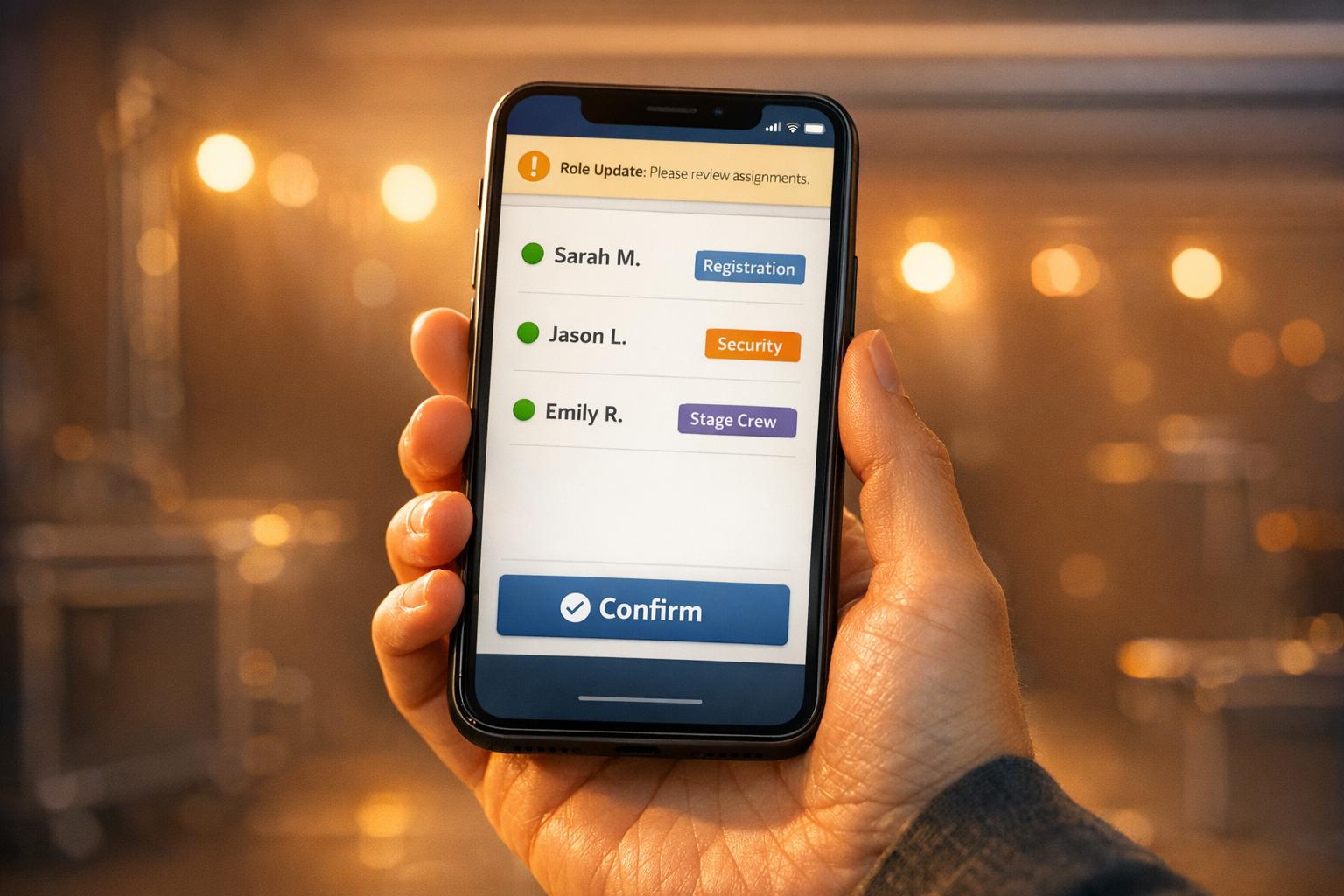
When last-minute staffing issues arise, managing replacements can feel chaotic. Traditional methods - like calling or texting staff - are slow and inefficient. Quickstaff simplifies this process with mobile tools, allowing managers to assign roles, communicate updates, and confirm shifts in minutes.
Key features include:
Quickstaff eliminates the guesswork and wasted time, helping ensure events run smoothly even when unexpected changes occur.

Quickstaff puts your scheduling tools right in your pocket, making it easy to stay on top of things, even when you're away from your desk. Whether you're walking through a venue or juggling tasks during an event, the mobile-friendly platform ensures you can access the event dashboard anytime. This comes in handy when unexpected issues arise, like a server calling in sick at the last minute. With just a few taps, you can quickly assign roles and keep everything running smoothly.
With Quickstaff, organizing your team is straightforward. Staff members are grouped by roles - waiters, bartenders, cooks, servers, and more. They can also mark their availability in real time, so you’ll know exactly who’s free when you need a replacement. This eliminates the guesswork and ensures you're only contacting qualified, available candidates.
Since 2013, Quickstaff has been the go-to solution for caterers and event vendors, helping schedule staff for over 20,000 events. The platform is so user-friendly that neither managers nor staff need formal training to get started. Plus, you can create as many custom roles as your business requires, whether it’s for a lead server, prep cook, or event setup team.
The mobile dashboard gives you a bird’s-eye view of your operation. You can see which events are fully staffed and which still need attention. If someone cancels, you won’t need to dig through spreadsheets - just check the dashboard to find available staff for that role. The platform also allows targeted communication. For instance, if you need a replacement cook, you can message only your kitchen staff, keeping your outreach focused and effective. This real-time access makes it easier to adapt to last-minute changes and keep your event on track.
Once you reassign a role, Quickstaff takes care of the follow-up. Invitations are sent automatically, and staff can confirm with a simple "Accept" or "Decline" button. Their responses appear on your dashboard almost instantly, so you’re always in the loop.
To reduce no-shows, you can schedule automatic reminders 24–48 hours before an event. If there are updates - like a change in start time or dress code - you can send targeted messages to the assigned staff instead of blasting your entire team. These updates are reflected on your dashboard in real time, keeping everyone in sync without unnecessary back-and-forth.

3-Step Process for Managing Last-Minute Staff Changes with Quickstaff Mobile
When a staff member unexpectedly calls out, time is of the essence. Quickstaff's mobile platform, accessible through any mobile browser, makes it easy to respond swiftly. Here's a quick guide to managing those last-minute staffing changes.
Start by accessing Quickstaff on your mobile browser. The main dashboard gives you a clear overview of your events and their current staffing levels. This makes it easy to spot which events are fully staffed and which need immediate attention. Use the Event Calendar to review upcoming shifts and pinpoint any gaps in coverage. Once you’ve identified the issue, it’s time to find a replacement.
After identifying where help is needed, filter your staff list by the specific role you’re looking to fill - whether it’s a server, bartender, or chef. Quickstaff will display only the team members who are available, saving you valuable time.
Select a replacement from the filtered list and send them an invitation. The invited staff member can respond right away with either "Accept" or "Decline", and the dashboard updates in real time to reflect their decision. To ensure a smooth transition, use the extra notes field to include important last-minute details, like dress code requirements or parking instructions. This way, the new team member arrives prepared and ready to go.
When a staff member calls out just an hour before an event, every second counts. Quickstaff's mobile dashboard streamlines the process, cutting out the endless back-and-forth of last-minute staffing adjustments. Instead of juggling phone calls or emails that might go unnoticed, managers can simply filter available staff by role, send out invitations, and get instant accept or decline responses - all from their mobile device. Real-time updates confirm new assignments on the spot, making the process seamless.
Tracy O., a catering company manager, highlighted how this tool transformed her routine:
"The Event Staff App makes scheduling those employees simple. Our managers and employees love the software because they can find all of the information they need in one place cutting my time communicating information to everyone down by half".
This level of efficiency allows for quicker action and clearer communication when it matters most.
Quickstaff ensures that everyone stays in the loop with SMS notifications that appear directly on staff members' lock screens. Whenever a role is reassigned, the system automatically notifies both the replacement and any affected team members. This eliminates the need for manual updates and reduces the risk of confusion over shift changes.
This streamlined communication system keeps everyone aligned and minimizes disruptions.
Unexpected situations are bound to happen, but Quickstaff's mobile access makes handling them far easier. Managers can reassign roles on the fly, ensuring the team stays informed and ready to adapt.
Philippe S. shared how Quickstaff simplified his process:
"It saves me a ton of time in wasted back and forth phone call and emails that I normally used to do".
With Quickstaff, managing last-minute changes becomes less of a headache and more of a quick adjustment.
Quickstaff makes those last-minute staffing adjustments easier, especially when time is short and every second counts.
Unexpected changes in staffing no longer have to throw your event into chaos. With its mobile-first design, Quickstaff turns what used to be a frantic scramble - relying on spreadsheets or endless phone calls - into a smooth and efficient process. Its skill-based matching system lets managers reassign roles in just minutes, all from the convenience of their phone.
The real game-changer here is the level of control and visibility it offers. By showing you who's available, who's checked in, and where coverage gaps exist - all in real-time - you can avoid reactive decision-making. Instead, you're equipped to make smart, informed choices that keep your event on track.
Whether you're managing a wedding, catering service, or large-scale production, Quickstaff delivers the flexibility to handle the unexpected. By taking care of the administrative headaches, it allows you to focus on what truly matters: creating outstanding events, no matter what challenges arise.
Quickstaff makes managing staff in real-time a breeze with its live availability tracking feature. Event managers can check and update staff statuses on the spot, making it easier to handle last-minute changes and keep communication flowing smoothly. Plus, its mobile-friendly tools ensure you stay connected and organized, even when things get busy.
Quickstaff is built to handle a wide range of events and staffing requirements. With features like live availability tracking, waitlists, and mobile-friendly communication tools, it seamlessly adjusts to different event types and staff roles. Whether you're organizing a wedding, running a corporate event, or coordinating a catering crew, Quickstaff streamlines scheduling and helps your team stay on the same page effortlessly.
Quickstaff is designed to reduce those stressful last-minute no-shows with tools like live availability tracking, waitlists, and mobile communication features. These tools let you keep tabs on your staff's availability in real time, quickly fill any unexpected gaps with backup options, and stay in touch with your team for instant updates and confirmations.
Since Quickstaff's platform is mobile-friendly, you can easily manage shifts and make adjustments on the fly. Whether it's a sudden change or a last-minute update, you’ll have the flexibility to keep your event running smoothly.