Top Tools for Managing Staff Availability
December 26, 2025

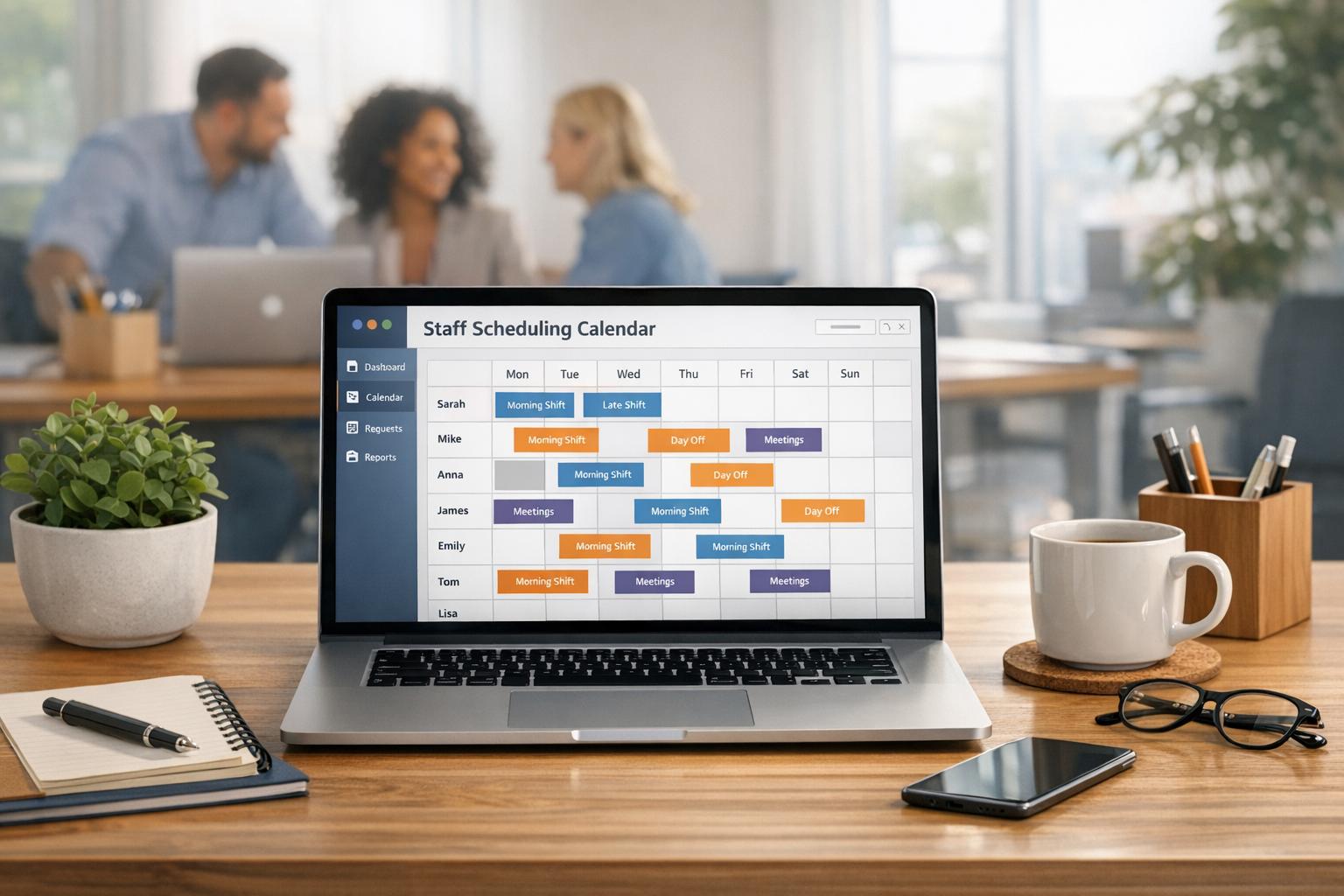
Managing staff availability can be a challenge, especially when dealing with flexible schedules, temporary workers, or multiple locations. The right scheduling tools can save time, reduce errors, and help businesses avoid costly no-shows or compliance issues. Here are six popular tools designed to simplify availability tracking and shift management:
| Tool | Key Features | Starting Price | Best For |
|---|---|---|---|
| Quickstaff | Real-time tracking, mobile access | $49/month | Event staff and freelancers |
| Homebase | Free basic plan, compliance tracking | $24/location/mo | Small businesses |
| When I Work | Auto-scheduling, team messaging | $2.50/user/mo | Flexible shift management |
| Connecteam | GPS tracking, AI scheduler | $29/month | Mobile teams, multi-location |
| 7shifts | Restaurant-specific tools | $29.99/mo | Restaurants and hospitality |
| Deputy | AI scheduling, compliance alerts | Varies | Large or growing businesses |
Choosing the right tool depends on your industry, team size, and scheduling needs. Each platform offers a free trial, so you can explore features before committing.
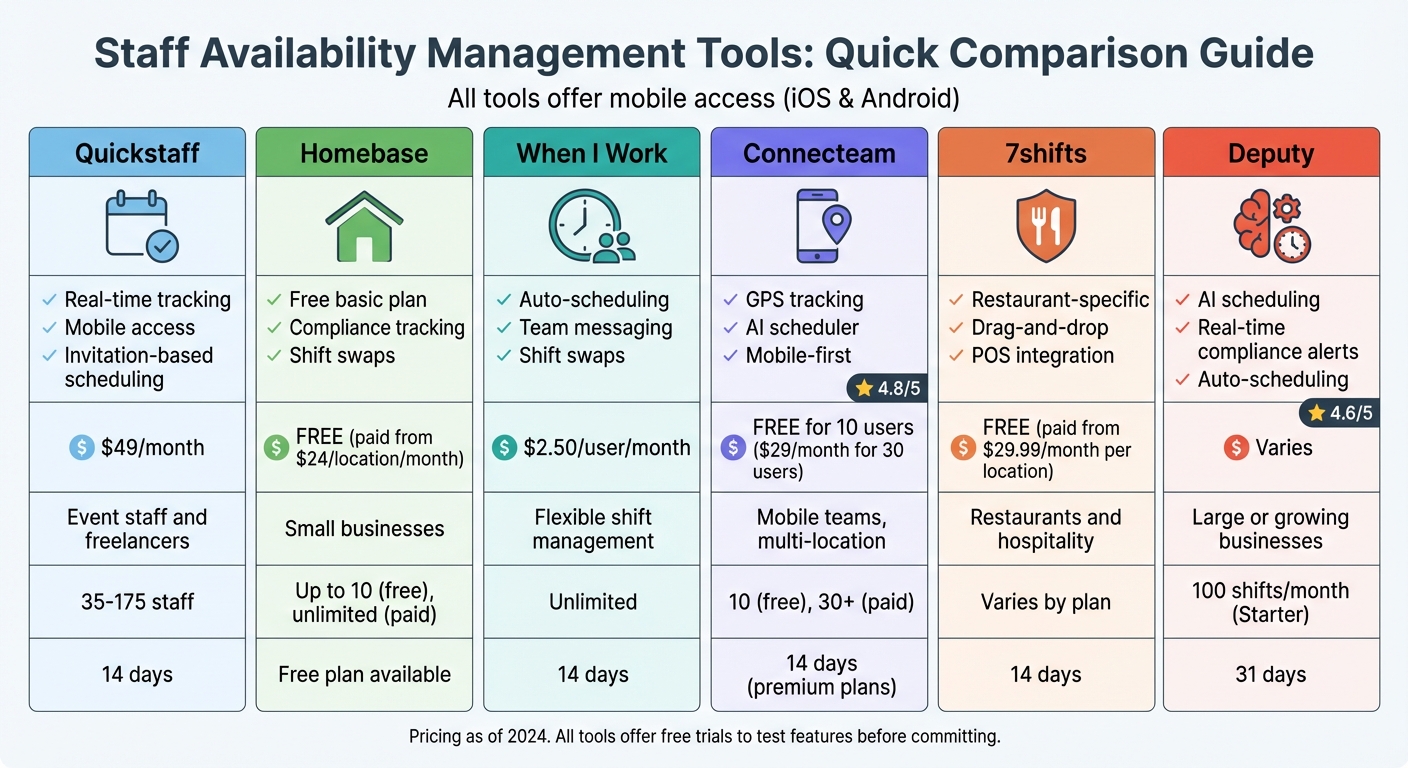
Staff Availability Management Tools Comparison: Features and Pricing

Quickstaff takes a straightforward approach to scheduling by using an invitation-based system where staff can select their shifts. This process is paired with real-time tracking of staff availability, making it easy to manage schedules efficiently.
Staff can indicate when they're unavailable through their personal portal. Managers then use the Availability Checker to quickly see which staff members are free for specific roles within a chosen date range. The system identifies conflicts in real time, flagging anyone already booked or unavailable before invitations are sent out.
If more staff accept a shift than needed, Quickstaff automatically creates a waitlist and notifies those on it. Managers can also place staff "On-Hold", reserving them without confirming an official booking.
Quickstaff is entirely online and optimized for mobile use. Staff can access their schedules, get directions, review event notes, and update availability from any device - no app download required. To avoid double-booking, they can sync their Quickstaff schedule with personal calendars.
Quickstaff offers simple, flat-rate pricing based on team size:
A 14-day free trial is also available for those who want to explore the platform.
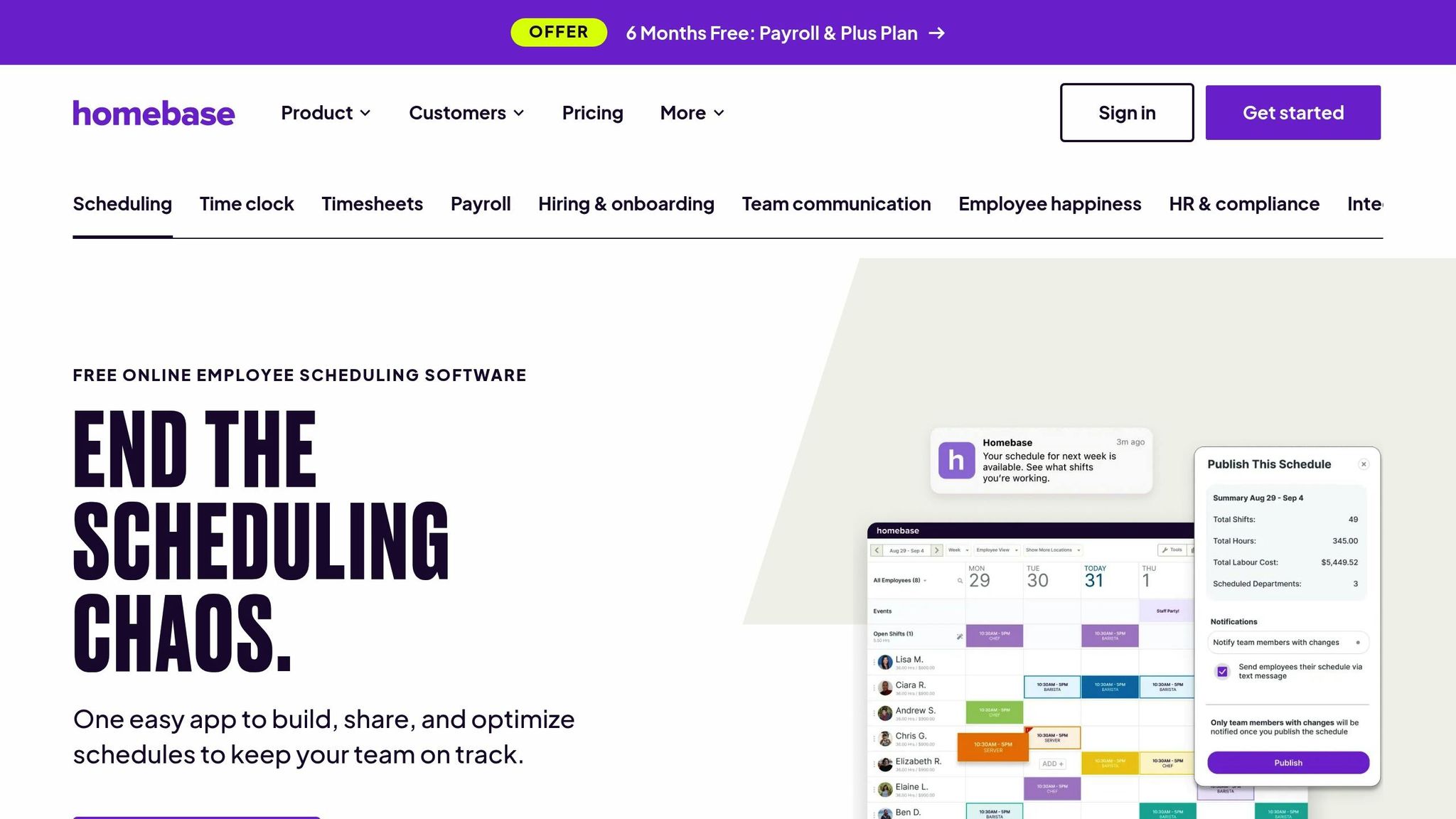
Homebase supports over 150,000 small businesses and connects with 2,000,000 hourly workers, offering a streamlined solution for managing employee availability and staying compliant with labor laws. Its features are designed to simplify scheduling and ensure adherence to workplace policies.
Homebase makes it easy for employees to submit their availability and time-off requests through its mobile app. Managers can quickly approve these requests, which then automatically sync with the schedule builder. The system also includes conflict detection, flagging double-bookings or scheduling errors before they become an issue. For added flexibility, employees can arrange shift trades or covers, with final approval resting in the hands of managers.
"Homebase gives them an easy way to communicate their availability that translates into an easy-to-see grid of available workers when we do our scheduling. Priceless!" - Theresa Fouquette, Owner, Bliss Small Batch Creamery
The platform helps businesses stay on top of labor laws by tracking required breaks and calculating overtime based on federal, state, and city regulations. Managers receive alerts when employees approach overtime limits or if punches are missed. For those using the All-in-One plan, additional features include access to HR advisors, customizable handbook templates, and notifications for expiring certifications or labor law changes.
With its mobile-friendly design, Homebase allows managers to make instant schedule changes and send push notifications and alerts. The time clock feature incorporates GPS, unique PINs, and photo capture to verify clock-ins, effectively preventing buddy punching.
| Plan | Monthly Price | Annual Price | Key Features |
|---|---|---|---|
| Basic | $0 | $0 | Up to 10 employees, basic scheduling and time tracking, POS integration |
| Essentials | $30 | $24 | Unlimited employees, advanced scheduling, team communication |
| Plus | $70 | $56 | AI-powered scheduling, PTO controls, departments and permissions |
| All-in-One | $120 | $96 | Employee onboarding, labor cost management, HR and compliance |
For businesses looking to streamline payroll, a fully-integrated payroll service can be added to any plan starting at $45/month.

When I Work caters to businesses of all sizes, from small cafes with 14 employees to large dental groups with over 750 staff members. It has earned accolades like the Workforce Management Solution Gold Globee and the Best Advance in HR or Workforce Management Technology for SMBs. Like Quickstaff and Homebase, it focuses on simplifying scheduling while ensuring seamless availability management.
Employees can use the app to input their preferred work hours and submit time-off requests, making it easy for managers to accommodate schedules. With a drag-and-drop calendar, conflicts are minimized, and the Auto Scheduling feature takes care of creating full schedules. It factors in employee availability, required skills, and shift demands. Staff can also swap or drop shifts, pending manager approval.
"I have been able to take my employee scheduling from 8 hours a week to merely 15 minutes a week thanks to how easy it is to use When I Work." - Donna Rea, Caring Transitions
This tool helps managers stick to labor budgets with features like overtime alerts and real-time notifications when employees are nearing work-hour limits. It also includes enforcement options to block early clock-ins and uses geofencing to confirm that employees are on-site. Additionally, labor cost forecasting provides a clear view of projected expenses, including overtime, as schedules are created.
With native apps for iOS and Android, both managers and employees can handle schedules on the go. Features like real-time shift alerts, GPS-based clock-ins, and built-in team messaging make mobile management straightforward and efficient.
| Plan | Price per User | Key Features |
|---|---|---|
| Single Location | $2.50 | Employee scheduling, time tracking, team messaging, auto-scheduling, standard labor reporting |
| Multiple Locations | $5.00 | All Single plan features plus unlimited locations, job sites, labor sharing, and custom role permissions |
New users can take advantage of a 14-day free trial. For payroll integration, When I Work works with providers like Rippling, with a $36/month base fee plus $6 per active user.
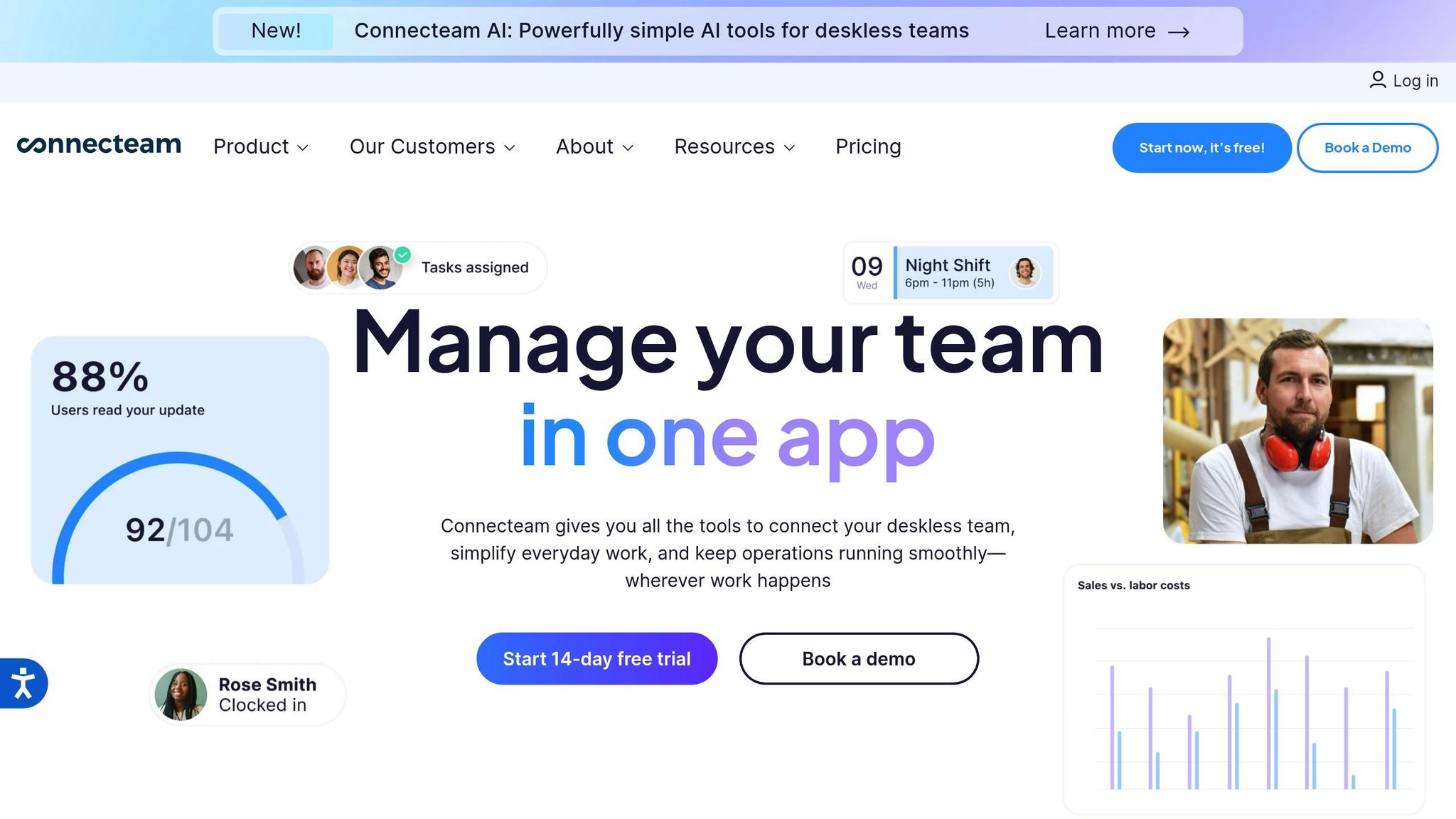
Connecteam supports over 1.2 million managers and employees across 60,000 companies in more than 90 industries, ranging from healthcare to construction. What makes this platform stand out is its AI-powered scheduler, which automatically assigns open shifts based on employee availability and qualifications. At Biggby Coffee, for example, 98% of employees rely on the app daily for scheduling and training. This modern solution streamlines staff management and keeps operations running smoothly.
Employees can easily submit their availability and request time off through the mobile app, which updates the manager's schedule in real time. The system flags potential conflicts, such as double-bookings or scheduling someone during their approved PTO. Managers can also post open shifts for eligible employees to claim, eliminating the need for manual assignments. For recurring schedules, shift templates can be saved and quickly added to the calendar, making the process even more efficient.
"Connecteam Scheduling is a game changer for managing and coordinating schedules across multiple stores!" - Paul, Regional Manager
Connecteam helps managers stay on top of labor laws with automated alerts for overtime limits. Overtime pay rates can also be customized to comply with state-specific requirements. The platform’s break compliance feature allows managers to create break templates - either mandatory or optional - based on local regulations, with alerts sent when breaks are due. Additionally, geofencing ensures employees can only clock in at authorized job sites, reducing time theft and ensuring accurate attendance.
The platform’s native apps for iOS and Android provide full functionality on the go, including a GPS-enabled time clock and integrated team messaging. With a 4.8/5 rating from 41,000+ reviews on the App Store and a 4.7/5 rating from 14,000+ reviews on Google Play, it’s clear that users appreciate the convenience and reliability. For instance, NAE Cleaning Solutions cut their software costs by 50% and saw a 98% drop in customer complaints after adopting Connecteam.
| Plan | Price | Key Features |
|---|---|---|
| Small Business | $0 (Free) | Up to 10 users, basic scheduling and time clock |
| Basic | $29 | First 30 users, AI scheduler, availability tracking, compliance alerts |
| Advanced | $49 | First 30 users, all Basic features plus advanced reporting |
| Expert | $99 | First 30 users, all Advanced features plus custom integrations |
For teams larger than 30, each additional user costs $0.50 per month. A 14-day free trial is available for all premium plans, giving businesses a chance to explore the platform’s features risk-free.
7shifts is a scheduling platform designed specifically for the restaurant and hospitality industry. Trusted by over 55,000 restaurants and 1.5 million professionals worldwide, it offers tools tailored to the unique needs of this sector. Its drag-and-drop schedule builder integrates with popular POS systems like Toast, Square, and Clover, enabling managers to forecast labor needs based on projected sales. This helps ensure accurate staffing for smoother operations. Tayler Book, Co-founder of Beechwood Doughnuts, shares:
I just copy over the schedule from the week prior, make whatever changes I need; it takes 15 minutes. 7shifts has given me time back to focus on the day-to-day operations.
The platform simplifies availability management through its mobile app. Employees can submit availability and time-off requests, which managers can approve instantly. To avoid scheduling mishaps, the system flags conflicts, ensuring no double-bookings or shifts during approved time off. The Shift Pool feature adds flexibility by letting staff offer or bid on open shifts, with final approval resting with managers.
7shifts helps users stay compliant with labor laws by flagging issues like potential overtime risks and labor law violations before schedules are finalized. On average, users save $589 monthly by preventing up to 341 labor violations. Features like custom break management and clopen shift prevention further ensure adherence to state regulations.
Both managers and employees benefit from 7shifts' mobile app, available on iOS and Android. Employees can check schedules, request changes, swap shifts, and chat with teammates anytime. Managers, meanwhile, can create and adjust schedules on the go, keeping everything running smoothly.
| Plan | Price | Key Features |
|---|---|---|
| Free | $0 | Basic scheduling for small teams |
| Paid Plans | Starting at $29.99 | Full availability tracking, Shift Pool, compliance alerts, and POS integrations |
7shifts' pricing starts at $29.99 per month per location, with no long-term contracts required. A 14-day free trial is also available for those who want to test the platform.
Deputy is used by over 385,000 workplaces worldwide, offering a platform that blends AI-driven scheduling with real-time availability tracking. Known for its efficiency, Deputy simplifies scheduling and ensures compliance with labor policies. It has earned a 4.6/5 rating on Capterra from 756 reviews, with many users highlighting how it cuts scheduling time from hours to just minutes.
With Deputy, employees can easily submit their availability and time-off requests through the app, giving managers instant visibility before creating schedules. The platform’s AI-powered auto-scheduling takes into account staff availability, training qualifications, and "stress profiles" to avoid assigning unworkable shifts. This streamlined process allows schedules to be created in minutes, all while ensuring that everyone is properly qualified and available for their shifts.
Deputy goes beyond scheduling by helping businesses stay compliant with labor regulations. It sends real-time alerts when employees approach overtime limits, enabling managers to adjust schedules and avoid penalties. The system also flags missed meal or rest breaks and ensures minimum rest periods between shifts. Jeremy Konko, Business Owner at The Platform Group Gallery, shares:
Deputy automatically enforces compliance with guaranteed minimum breaks between consecutive schedules.
Deputy’s mobile app, available on iOS and Android, makes life easier for both managers and employees. Managers can create schedules, approve shift swaps, and fill open positions with a single tap. Meanwhile, employees can clock in and out, check their schedules, and swap shifts with qualified teammates directly from the app. Sarah Aoki, Business Owner at Perfect Cleaning Solutions, explains:
Now, much of the day-to-day running of the business - from scheduling to holiday management to approving timesheets - is done directly from the Deputy app.
The mobile time clock also provides live updates, showing who is clocked in, running late, or on break, giving managers a clear view of current coverage. For example, Michelle Wilcox, Manager at University Veterinary Hospital, used these features to cut clock-in and clock-out errors by 50%.
| Plan | Best For | Key Features |
|---|---|---|
| Starter | Small teams | Up to 100 shifts and 100 timesheets per month |
| Premium | Growing businesses | Auto-scheduling and compliance alerts |
| Enterprise | Large organizations | Advanced features for complex scheduling needs |
Deputy offers a 31-day free trial with no credit card required. Pricing is tailored based on business size and the features selected.
Selecting the right staff availability management tool depends on how well it handles availability tracking, compliance with policies, and mobile accessibility. Each tool approaches these needs in its own way. The table below provides a quick overview of their core features.
Quickstaff uses an "Ask" model, allowing employees to block off dates and confirm shifts via email. This self-service system reduces scheduling conflicts and requires no training. It’s accessible from any device and offers pricing tiers: Boutique at $49/month (up to 35 staff) and Large at $249/month (up to 175 staff).
Homebase provides a free plan for basic scheduling, with paid options starting at $24 per location per month. Its iOS and Android apps enable employees to request time off and swap shifts easily.
When I Work simplifies shift management by letting employees swap or drop shifts directly through its app. However, all changes must be approved by a manager to ensure proper coverage and adherence to scheduling policies.
Connecteam focuses on mobile-first functionality, using GPS verification and geofencing to confirm on-site attendance and support policy compliance. It’s free for teams of up to 10 users, with premium plans starting at $29/month for up to 30 users.
7shifts is designed specifically for the restaurant industry, offering scheduling tools alongside overtime alerts and compliance features tailored to the unique needs of food service operations.
Deputy leverages AI-powered auto-scheduling to fill shifts efficiently based on staff availability and qualifications. It also provides real-time overtime alerts to help maintain compliance. Deputy offers a 31-day free trial and supports up to 100 shifts per month on its Starter plan.
The table below highlights how these tools address scheduling challenges and compliance requirements:
| Tool | Availability Tracking | Policy Compliance | Mobile Access | Starting Price | Staff Limits |
|---|---|---|---|---|---|
| Quickstaff | Employees block dates, confirm via email | Scheduling reviewed by managers | Web and mobile-friendly | Boutique: $49/month; Large: $249/month | 35 (Boutique) – 175 (Large) |
| Homebase | Self-service time-off requests | Built-in overtime alerts | iOS & Android apps | Free (basic); $24/location/month | Varies by plan |
| When I Work | Shift swaps or drops via app | Manager approval required | iOS & Android apps | Not specified | Varies by plan |
| Connecteam | Real-time tracking with GPS and geofencing | On-site verification supports compliance | Native iOS & Android apps | Free (up to 10 users); $29/month for 30 users | 10 users (free); 30+ (paid) |
| 7shifts | Restaurant-specific scheduling | Overtime alerts and compliance tracking | iOS & Android apps | Not specified | Varies by plan |
| Deputy | AI-powered auto-scheduling | Real-time overtime alerts | iOS & Android apps | 31-day free trial | 100 shifts/month (Starter) |
Availability software has revolutionized scheduling, cutting down the process from hours to just minutes. The real challenge lies in selecting a tool that fits your business model and team structure like a glove.
For businesses relying on temporary staff, such as event planners or freelance-heavy industries, invitation-based systems are a game changer. They allow workers to accept or decline shifts based on their availability, perfectly complementing the dynamic nature of freelance work. Restaurants, on the other hand, benefit from features tailored to their needs, like tip pooling and overtime alerts. Multi-location operations thrive with tools that offer seamless payroll and POS integrations, while small teams can dip their toes into scheduling software with free plans before scaling up.
When it comes to pricing, flexibility is key. Larger teams might find flat-rate pricing more economical, while smaller operations often prefer per-user models. Free trials are a smart way to explore the interface and functionality before making a commitment. And let’s not forget mobile accessibility - it’s a must-have, giving staff the ability to update their availability, check schedules, and receive notifications right from their smartphones.
The right scheduling tool doesn’t just simplify logistics; it turns scheduling into a strategic asset. By enhancing compliance, streamlining operations, and freeing up managers to focus on growth, it ensures your business runs smoothly and efficiently.
When selecting a tool to manage staff availability, focus on features that make scheduling easier and keep everything running smoothly.
Choose a platform with a centralized dashboard that lets you handle shifts, events, and staff profiles all in one spot. A tool with real-time availability tracking can prevent scheduling conflicts by ensuring shifts aren’t offered to unavailable employees - saving you both time and headaches. Accessibility matters too, so go for a mobile-friendly, cloud-based option that works effortlessly on any device and doesn’t require a steep learning curve.
Automation can be a game-changer. Features like notifications and reminders help streamline communication and cut down on no-shows. Additionally, compliance tools can help you stay on top of labor laws and company policies. Don’t forget to think about scalability and cost - you’ll want a solution that grows with your business without straining your budget. By keeping these priorities in mind, you’ll find a tool that boosts efficiency and keeps your team on track.
Modern staff management tools like Quickstaff simplify compliance with labor laws by weaving essential safeguards into the scheduling process. For example, managers can easily check each team member's approved availability before assigning shifts, ensuring no one is scheduled beyond their legal working hours. The platform also keeps tabs on actions such as shift creation, confirmation, and completion, providing accurate records for tasks like wage reporting, overtime calculations, and ensuring breaks are properly accounted for.
Because Quickstaff operates in the cloud, managers can access compliance data from any device, making it easier to consistently enforce policies like maximum weekly hours and required rest periods. By automating these tasks and maintaining dependable records, Quickstaff helps catering and event businesses across the U.S. adhere to federal and state labor regulations, all while minimizing the risk of costly violations.
Mobile access plays a key role for event staff and managers who are constantly on the move. With Quickstaff's mobile-friendly platform, you can handle tasks like updating availability, confirming shifts, or tweaking schedules right from your smartphone or tablet. This means you can adapt to changes on the fly - whether you're on-site, traveling, or juggling multiple events.
For freelance or on-call staff, last-minute schedule changes are common. Mobile notifications make it easy for team members to share their availability instantly, while managers receive real-time updates. This minimizes miscommunication, helps avoid missed shifts, and ensures smoother event operations with less hassle for everyone.