Event Staff Apps for Availability Tracking
December 5, 2025

Managing part-time and seasonal staff for events can be chaotic without the right tools. Apps designed for availability tracking simplify this process, helping event managers avoid scheduling conflicts, understaffed events, and strained client relationships. Here's what you need to know:
Quickstaff stands out for its event-focused features, user-friendly mobile interface, and flat-rate pricing. Whether you're managing a small catering team or a large staffing agency, these tools can transform how you handle scheduling and availability.

Quickstaff is a scheduling platform built specifically for U.S.-based caterers, wedding professionals, event vendors, and staffing agencies. Unlike traditional workforce management tools designed for full-time staff, Quickstaff focuses on event-driven workflows. Managers can create events, assign roles, and invite staff to confirm their availability, ensuring seamless coordination and avoiding double-booking.
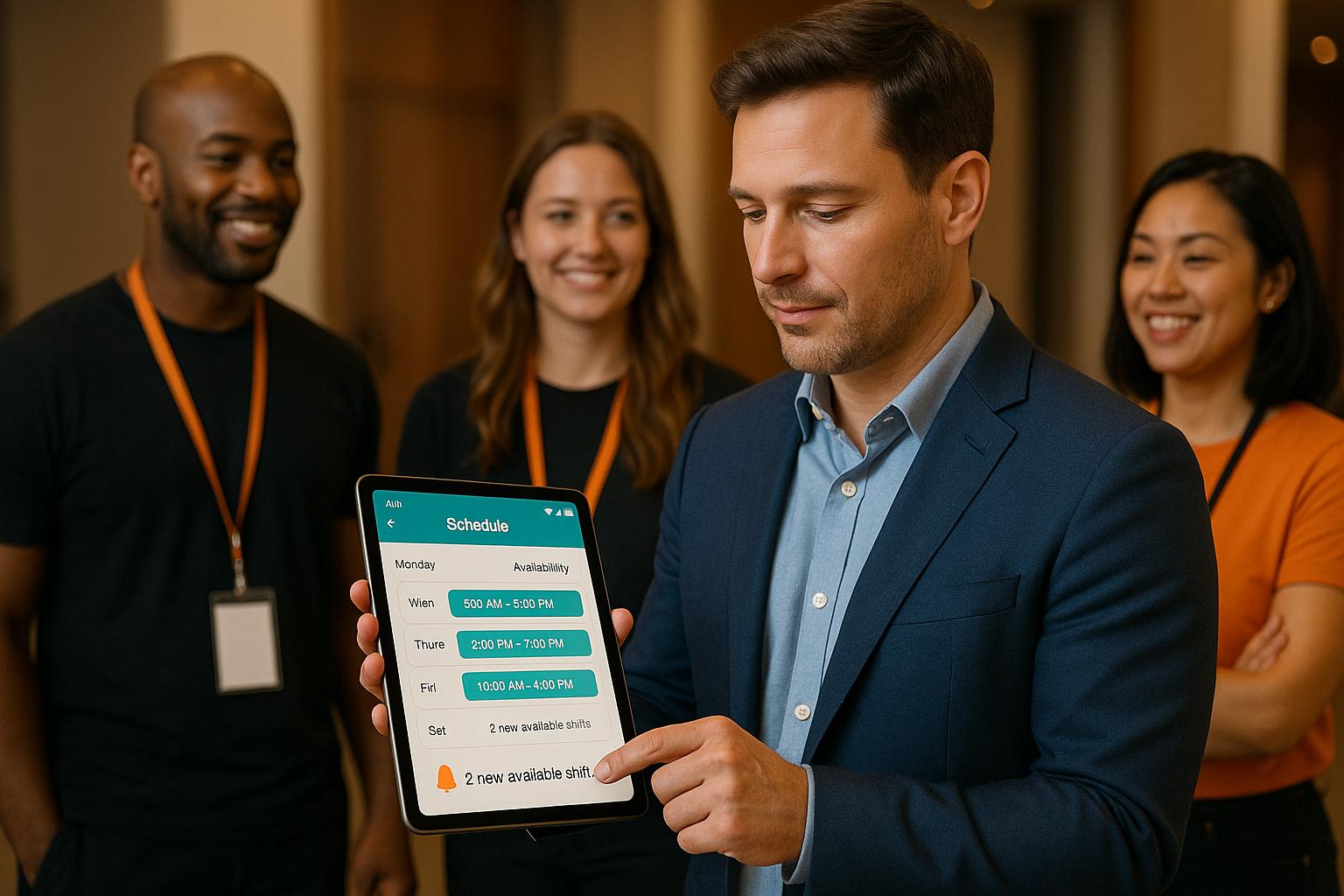
Quickstaff simplifies availability tracking by allowing staff to block off dates they’re unavailable. This keeps managers informed about who’s free for upcoming events. When a new event is added, coordinators can send invitations to selected staff, who can confirm or decline directly from their phones with just a tap. This self-service approach eliminates the hassle of endless calls and group texts, giving managers a clear picture of which roles are filled and which need attention.
The platform also includes a waitlist feature, which comes in handy when more staff accept an invitation than needed. Managers can place these extra confirmations on standby and quickly pull from the waitlist if someone cancels last minute. For recurring events - like weekly catering jobs or seasonal wedding weekends - managers can duplicate previous setups, reuse role templates, and send out fresh availability requests, saving time and effort.
Quickstaff also tracks staff responses over time, helping managers identify dependable workers. This insight allows coordinators to prioritize invitations for specific event types, minimizing overbooking and improving staffing predictions.
Steven Townsend, Event Manager, shared: "I used to be on the phone all the time to schedule staff. Now, within a few minutes, I can schedule all the staffing I need for my events. Quickstaff is easily the best event staff app out there."
Quickstaff is designed to be simple and intuitive for both managers and staff. New users can quickly get started by uploading their staff lists, defining event types and roles, and creating their first event using guided forms on the platform’s mobile-friendly dashboard. Managers can view an event calendar that highlights all upcoming events and current staffing levels, with sorting and filtering tools to pinpoint dates needing attention.
For staff, the platform provides an easy-to-navigate event list showing their assigned shifts. With one-tap options, they can indicate availability or confirm attendance. Mobile notifications ensure they stay updated about new events, changes, and reminders - essential for part-time workers balancing multiple jobs. Quickstaff also features unlimited messaging tied to specific events, allowing managers to send updates or reminders to targeted groups. This keeps communication organized and creates a clear record of who was informed and when - a huge advantage for managing large, rotating teams.
By focusing solely on event staffing, Quickstaff avoids the complexity of broader HR systems, making it an ideal choice for coordinators who may not be tech-savvy.
Jennifer Manley, Staffing Coordinator, explained: "My time spent scheduling has shrunk majorly, leaving me more time to focus on recruiting, onboarding, and training. The calendar makes it really easy for me to see what my week looks like. The sorting function helps me isolate events. Even the color and font choices used in the app are pleasing to the eye!"
Tina C, The Caterist, noted: "I have been using QuickStaff for almost 2 years and LOVE it. The staff is so receptive and responsive. They REALLY do care about their clients/customers!"
With its user-friendly design, Quickstaff streamlines staffing tasks while offering pricing plans that grow with your business.
Quickstaff’s pricing model is straightforward, offering three subscription tiers based on the size of your staff roster. All plans include essential features - availability tracking, event creation, waitlists, unlimited messaging, and guided onboarding - so you won’t face extra charges for necessary tools as your needs evolve.
| Plan | Monthly Price | Maximum Staff | Best For |
|---|---|---|---|
| Boutique | $49 | 35 staff | Small catering companies, boutique planners |
| Growing | $99 | 70 staff | Mid-sized vendors, growing staffing agencies |
| Large | $249 | 175 staff | Large agencies, multi-location operations |
This pricing averages out to about $1.40–$1.43 per staff member per month, making it competitive with other event scheduling tools, which typically range from $1 to $5 per user. Smaller teams can start with the Boutique plan and upgrade as their staff or event volume grows. Larger agencies benefit from centralized management, though it’s worth confirming that the 175-staff limit meets peak season demands.
Quickstaff offers a 14-day free trial with no credit card required, allowing businesses to test the platform with real events and staff before committing.
Kelly, The Abbot KC, shared: "The time that we have been able to save by using this staff scheduling software has allowed us to tackle the other issues that we face, thereby improving our overall events!"
Quickstaff’s pricing and features are tailored to streamline event workflows. For instance, a catering company can pre-schedule weekend events months in advance, assign roles like servers and bartenders, and send availability requests to its team. As responses roll in, managers confirm core teams, place extra volunteers on waitlists, and use mobile notifications to address last-minute updates. This replaces hours of manual coordination with efficient, app-based scheduling, freeing up time to focus on delivering exceptional events.
App 2 is a workforce management platform designed to cater to a variety of industries, including event staffing. While it’s not built exclusively for event professionals, it offers tools for scheduling, availability tracking, and basic HR needs, making it a useful option for managing temporary and seasonal staff. Let’s break down how App 2’s features align with the demands of event staffing.
App 2 includes a drag-and-drop scheduling tool that helps managers assign shifts based on staff availability and skill sets. The platform provides real-time updates on open slots and time-off requests, enabling coordinators to quickly address last-minute changes or fill staffing gaps.
One standout feature is the GPS-enabled time tracking, which lets staff clock in and out via their smartphones. Geofencing ensures that employees are physically on-site when clocking in. This, combined with mobile notifications, helps reduce no-shows and improves communication across teams. For large-scale events like festivals or conferences, App 2’s tools simplify onboarding and scheduling for new hires. However, it lacks event-specific features such as role templates or dedicated waitlists, which some event professionals might find limiting.
The platform is built with a mobile-first approach, making it convenient for both managers and staff who rely heavily on smartphones. The drag-and-drop interface is user-friendly, allowing employees to check their schedules, clock in and out, and communicate with managers with ease. The built-in group chat feature, which supports attachments, further enhances team coordination.
That said, while the basic functionalities are straightforward, mastering the platform’s more advanced tools may require some extra effort. Users managing complex events with multiple roles have also reported occasional technical issues and limited reporting capabilities.
When it comes to pricing, App 2 offers a free plan for teams of up to 30 users, making it an accessible choice for small event businesses exploring workforce management solutions. Premium plans start at $29 per month for 30 users, but costs can rise as team sizes grow, especially during peak event seasons when temporary staff are added.
| Plan | Monthly Price | Maximum Users | Key Features |
|---|---|---|---|
| Free | $0 | Up to 30 | Basic scheduling, time tracking, and communication |
| Premium | Starting at $29 | 30+ | Advanced scheduling, integrations, and extra modules |
The platform integrates with major payroll and HR systems, simplifying payroll processing and ensuring compliance with labor regulations. However, advanced features like HIPAA-compliant accounts may involve additional costs or setup. For growing event businesses, App 2 supports multiple time-clock configurations and offers optional modules to meet expanding needs. While it shares some features with tools like Quickstaff, App 2 stands out by offering additional time tracking and HR functionalities. Businesses should evaluate whether its broader workforce management capabilities align with their specific event staffing goals.
After diving into the details of Quickstaff and App 2, let’s take a look at App 3. Unfortunately, there isn’t much information available about this tool, making it hard to verify its event staffing features. Key aspects like availability tracking, ease of use, and pricing remain unclear. Without these details, it’s tough to gauge how well App 3 meets the needs of U.S. event businesses that rely on temporary and seasonal staff.
This lack of clarity highlights the importance of tools like Quickstaff, which stand out for their well-defined features and proven user experiences. For event coordinators, having access to reliable information is crucial when choosing scheduling solutions.
When selecting an event staff app for tracking availability, it’s important to weigh the trade-offs and find a solution that fits your team’s workflow. Different apps prioritize different features, meaning the ideal choice for a small catering business might not suit a large staffing agency managing hundreds of employees.
Here’s a comparison of Quickstaff, App 2, and App 3 across key areas like availability tracking, mobile usability, and pricing as your team grows:
| Feature | Quickstaff | App 2 | App 3 |
|---|---|---|---|
| Availability Tracking | Staff can block unavailable dates, and managers view real-time availability before scheduling. The system displays confirmed, tentative, and waitlisted staff for each event. | Limited details available; basic features mentioned, but workflow specifics unclear. | No verified information on availability tracking. |
| Mobile Usability | Mobile-friendly for staff and managers. Staff can check schedules, block dates, and get reminders. Managers can adjust schedules and track dashboards on the go. | Some mobile functionality reported, but user experience and reliability are not well-documented. | Mobile capabilities unknown. |
| Pricing (Small Teams) | $49/month for up to 35 staff. Includes all features, unlimited events, and assisted onboarding. | Pricing unclear; no transparent information for small teams. | No pricing details available. |
| Pricing (Mid-Sized Teams) | $99/month for up to 70 staff. Full feature set with no per-user fees. | Pricing details not readily accessible. | No pricing details available. |
| Pricing (Large Teams) | $249/month for up to 175 staff. Flat rate with all features included. | Pricing for larger teams not documented. | No pricing details available. |
| Free Trial | 14-day free trial, no credit card required. | Trial availability unclear. | Unknown. |
For event managers, these comparisons highlight practical benefits. For example, a wedding planner juggling multiple Saturday events can quickly check which staff are already committed, simplifying scheduling and reducing stress.
Smaller teams (fewer than 15 staff) often need tools that prioritize speed and ease of use. Quickstaff’s mobile-friendly design allows seasonal workers to confirm or decline shifts in seconds - no spreadsheets or endless phone calls required.
Mid-sized teams (30–60 staff) face challenges like back-to-back events and sending mass invites based on roles and availability. Quickstaff’s centralized event tracking helps managers spot scheduling gaps instantly, reducing the risk of overbooking.
Large teams or staffing agencies (100+ staff) need tools that can handle complex scheduling without hiccups. Quickstaff’s flat-rate pricing ensures predictable costs as teams grow, making budgeting easier.
One key trade-off lies in handling recurring versus one-time availability. Quickstaff prompts staff to update their availability for each event, which is ideal for part-time workers with varying schedules. While this ensures up-to-date information and fewer no-shows, it does require consistent updates from staff.
Mobile usability is critical during live events. Imagine a coordinator at a venue needing to replace a no-show server - having quick access to availability, sending invites, and confirming replacements is crucial, even with poor signal. Quickstaff’s mobile-friendly system ensures these tasks are smooth and efficient.
Quickstaff stands out with its clear feature set and straightforward pricing. Flat monthly fees with defined staff caps eliminate surprise charges, providing transparency for businesses.
However, the app alone isn’t enough for efficient scheduling. Best practices include encouraging staff to keep profiles current, using automated reminders to confirm shifts, and reviewing availability trends regularly. Quickstaff supports these practices by streamlining tasks like blocking vacation days and confirming last-minute shifts.
Ultimately, the right choice depends on your team’s size, comfort with technology, and event demands. Quickstaff’s strengths - such as its transparent pricing, user-friendly mobile interface, and proactive approach to availability tracking - make it a strong fit for U.S. businesses relying on temporary or seasonal staff. Evaluate each app’s features carefully to find the best match for your specific needs.
Quickstaff stands out as a top choice for event staff scheduling in the U.S., offering a streamlined way to manage temporary staff with features tailored to the needs of event businesses.
For small teams with fewer than 35 staff members, the Boutique plan at $49/month delivers the essential tools required to simplify scheduling. With a 14-day free trial and no credit card needed, you can test its capabilities with actual events before committing.
Jaime S., VP at Lisa's Catering, shared: "Prior to Quickstaff, I was using Excel spreadsheets to track my employees and their shift availability. My life changed the day I started using Quickstaff!"
Switching from manual processes to automated scheduling not only saves time but also eliminates the risk of errors. Quickstaff’s proactive approach to availability tracking ensures conflicts are resolved before they even arise - an invaluable feature for businesses of all sizes.
For mid-sized teams (30–70 staff), the Growing plan at $99/month provides centralized event tracking and mobile accessibility, making it a perfect fit. Coordinators frequently report spending less time on scheduling, allowing them to focus on other critical tasks like recruitment and training - thanks to Quickstaff’s user-friendly tools.
For larger teams or staffing agencies managing 100+ staff, scalability and reliability are non-negotiable. The Large plan, priced at $249/month for up to 175 staff, offers transparent pricing that scales with your team’s growth.
Tina C. from The Caterist remarked: "I have been using QuickStaff for almost 2 years and LOVE it."
What truly sets Quickstaff apart is its proactive method of managing availability. By asking staff to confirm their availability rather than assuming it, Quickstaff addresses one of the biggest hurdles in scheduling, as highlighted throughout this article.
In today’s fast-paced world, mobile usability is crucial. Quickstaff’s mobile-friendly design allows staff to update their availability on the go while giving managers the flexibility to make real-time adjustments during events.
With transparent pricing, a mobile-first approach, and proactive availability tracking, Quickstaff offers an all-in-one scheduling solution. Take advantage of the 14-day free trial to experience how easily you can manage your team’s availability, prevent conflicts, and simplify event rosters. The right tool should fit seamlessly into your workflow, enhancing productivity - not complicating it.
Quickstaff's waitlist feature takes the hassle out of managing event staff. If someone suddenly can't make it, the waitlist steps in with a backup option automatically. This saves you time and cuts down on the stress of last-minute scheduling hiccups.
With this tool, you’ll always have a dependable pool of staff ready to fill in, making it easier to handle unexpected changes and keep your events on track without any disruptions.
Quickstaff’s mobile notifications are designed to keep part-time event staff organized and in the loop by delivering real-time updates on schedules, event details, and any last-minute changes. This means staff always have the most up-to-date information right at their fingertips, cutting down on confusion and improving communication.
With tools like reminders and instant alerts, team members can easily track their availability and upcoming assignments, making it simpler to manage their commitments. This efficient communication system not only saves time but also boosts the coordination needed for smooth event execution.
Quickstaff provides a straightforward way to handle event staff scheduling, helping businesses save both time and money compared to doing it manually. While manual scheduling might look like a cheaper option upfront, it often comes with hidden costs - like the hours spent juggling staff availability, dealing with scheduling conflicts, and scrambling to manage last-minute adjustments.
With Quickstaff, businesses can cut down on administrative tasks, reduce mistakes, and streamline communication with their team. This not only simplifies event planning but also leads to smoother operations and long-term savings.