How Cloud-Based Scheduling Simplifies Event Staffing
January 27, 2026

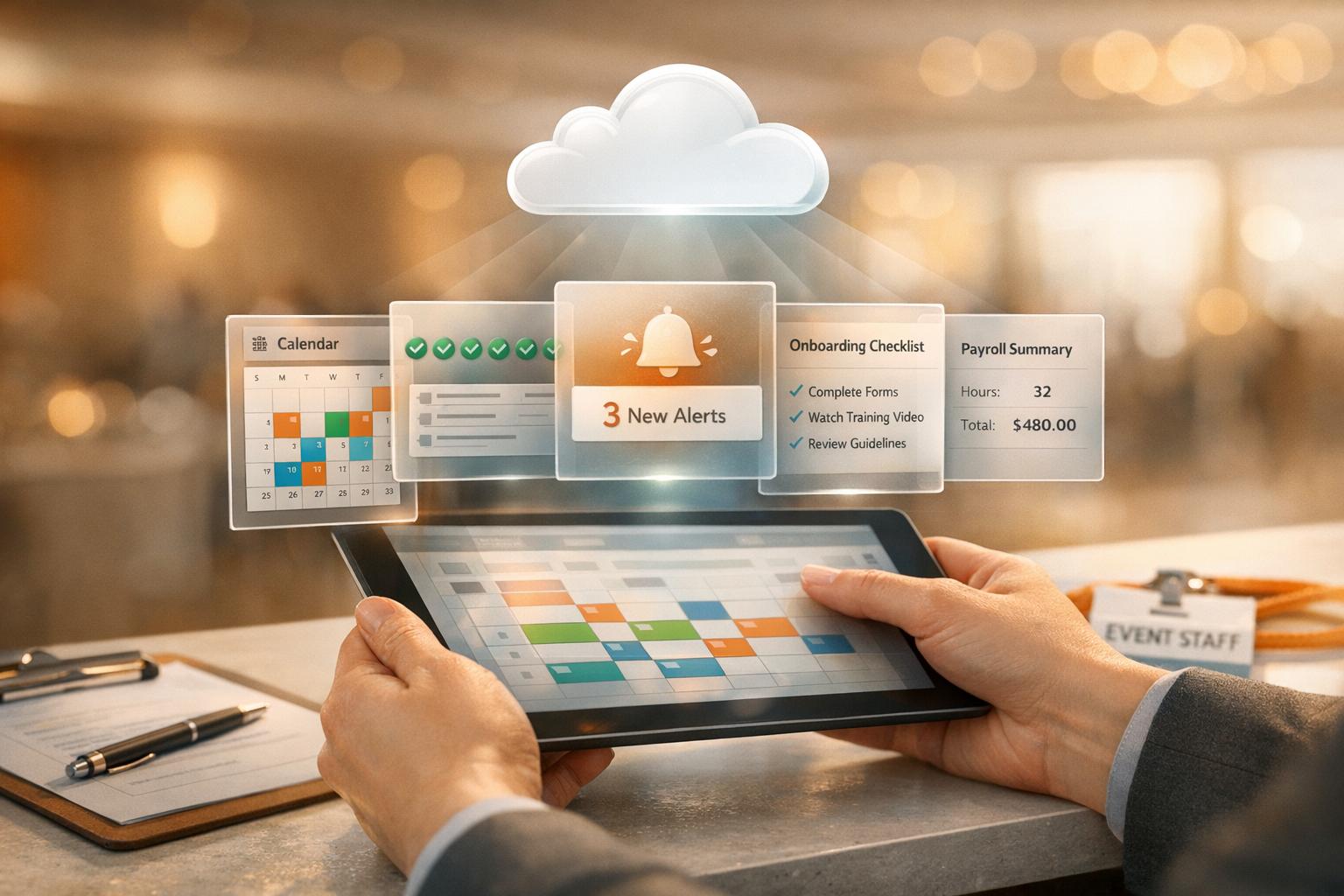
Cloud-based scheduling makes event staffing easier, faster, and more reliable. By replacing manual methods like spreadsheets and phone calls with automated tools, it reduces errors, saves time, and improves coordination. Here’s how it helps:
Switching to cloud-based tools cuts administrative time by up to 40% and reduces operational costs by 20–50%. It’s a smarter way to manage event staffing, ensuring smooth operations and better results.

Cloud-Based Scheduling Benefits: Key Statistics for Event Staffing
Cloud-based platforms take the hassle out of checking individual availability. With mobile apps, staff can block off dates they’re unavailable, instantly updating the manager’s view. This means no more back-and-forth calls or emails to confirm availability - managers know right away who’s free to work. It’s a simple way to avoid scheduling conflicts and save time.
These systems also sync with popular calendar tools like Google and Outlook, reducing the risk of double-booking. A single dashboard shows staffing levels for all upcoming events, making it easy to spot unfilled shifts. Since its launch in 2013, Quickstaff has been used to manage staffing for over 20,000 events. This centralized, real-time visibility is a game-changer for scheduling and sets the foundation for automated shift assignments.
"Prior to Quickstaff, I was using Excel spreadsheets to track my employees and their shift availability. My life changed the day I started using Quickstaff!"
– Jaime S, VP, Lisa's Catering
Once availability is clear, assigning shifts becomes a breeze. Cloud systems can filter staff by roles - servers, bartenders, setup crew - and automatically assign shifts. Managers can then send out invitations based on these roles and track confirmations through email or the app. This is especially useful for event staffing, where workers often manage part-time schedules across multiple gigs.
"I used to be on the phone all the time to schedule staff. Now, within a few minutes, I can schedule all the staffing I need for my events."
– Steven Townsend, Event Manager
When last-minute changes happen, these platforms step in to save the day. If someone cancels, the system quickly notifies qualified replacements, skipping the need for manual checks or frantic phone calls. Role-based filtering ensures only suitable staff are contacted, and mobile access lets them respond right away. A centralized dashboard keeps managers informed of understaffed events ahead of time, so they can act fast. Automated reminders and event notes also help ensure staff show up on time and know exactly what’s expected.
"The time that we have been able to save by using this staff scheduling software has allowed us to tackle the other issues that we face thereby improving our overall events!"
– Kelly, The Abbot KC
Cloud-based scheduling simplifies how teams stay connected by offering a centralized dashboard for all communication. Instead of juggling emails, texts, and calls, managers can send targeted messages - like updates for servers or bartenders - ensuring the right people get the right information. Automated invitations are sent via email, allowing staff to accept or decline shifts directly from their inbox. This setup also gives managers real-time visibility into event commitments. Plus, the platform’s built-in alert system ensures nothing falls through the cracks.
Automated notifications take the hassle out of keeping everyone informed. The system sends timely reminders for upcoming shifts, reducing no-shows caused by forgetfulness. Staff also receive instant updates when their time-off requests are approved or when shifts are swapped. These alerts - delivered via email, SMS, or app notifications - ensure employees stay informed no matter where they are. In fact, 84% of software reviewers highlight reminders as crucial for reducing attendance issues, while 90% of users value real-time notifications for smooth schedule management.
"Staff 'no shows' due to 'missed' messages and unanswered emails is not just frustrating, it also hurts your business!" – Quickstaff
When event details change, cloud-based systems update information instantly, keeping everyone on the same page. Whether it’s a venue change, a new dress code, or updated client instructions, managers can revise event notes in one central location. Staff can then access the latest details - like event notes, directions, or files - without worrying about losing critical information. These updates can also sync with personal calendars, such as Google or Outlook, for added convenience. By ensuring updates are sent only to relevant team members, the system avoids unnecessary clutter in everyone’s inbox. This real-time syncing of information helps teams execute events smoothly and keeps the entire process running efficiently.
Cloud-based scheduling platforms simplify the entire onboarding process by offering a self-service portal. Event managers can guide new hires through essential tasks directly from their smartphones. New staff can sign offer letters, upload identification, and complete tax forms like I-9s - all without touching a single sheet of paper.
These systems use role-specific workflows to assign onboarding checklists and compliance forms automatically. For example, servers and bartenders receive tailored training modules based on their roles. This eliminates the need for managers to manually track individual requirements. A great example is Veolia, which successfully onboarded over 10,000 field employees in one rollout, ensuring consistent training and compliance across a dispersed team.
"My time spent scheduling has shrunk majorly, leaving me more time to focus on recruiting, on-boarding and training."
– Jennifer Manley, Staffing Coordinator
The efficiency gains are impressive. HR teams save an average of 7 to 8 hours per week per team member, while digital onboarding processes are completed three times faster than traditional methods. Additionally, organizations report a 24% to 30% boost in data accuracy within just 90 days. These time savings and improved accuracy set the stage for even greater administrative efficiency.
With a centralized dashboard, tracking timesheets and staff availability becomes effortless. The system automates shift confirmations and provides real-time insights into staffing levels, eliminating the need for manual follow-ups. Managers can confirm staff availability for clients in as little as two minutes, streamlining the entire process.
Automation doesn’t just save time - it also reduces costs. Traditional scheduling methods often rely on spreadsheets and guesswork, leading managers to overstaff as a precaution. This practice can quickly eat into profit margins. Cloud-based systems, on the other hand, provide real-time, accurate data on staff availability, allowing managers to optimize schedules without overcompensating.
Beyond labor cost savings, automated onboarding slashes administrative workloads by up to 60%. This frees managers to focus on higher-value activities like building client relationships and driving business growth. Since 2013, Quickstaff has facilitated the scheduling of more than 20,000 events, proving how automation can scale with growing businesses.
"The time that we have been able to save by using this staff scheduling software has allowed us to tackle the other issues that we face thereby improving our overall events!"
– Kelly, The Abbot KC
Another major benefit is the creation of digital audit trails. Signed documents and completed training records are securely stored, simplifying compliance during external audits. This centralized system ensures that critical information doesn’t get buried in email threads, while giving managers the flexibility to handle administrative tasks from anywhere. By automating these processes, businesses not only streamline HR tasks but also ensure smoother event execution from start to finish.
With cloud-based scheduling, unverified staff assignments become a thing of the past. Employees are required to actively confirm or decline shifts through the app or email, creating a clear digital trail for accountability. Managers can instantly see which events are fully staffed and where there are gaps - all from a centralized dashboard.
The system also handles last-minute changes with ease by generating waitlists, ensuring there's always a pool of backup staff ready to step in. To further simplify scheduling, employees can sync their work shifts with personal calendars, like Google or Outlook, helping to avoid double-booking conflicts.
Performance analytics built into these platforms provide valuable insights into employee reliability. By tracking attendance patterns, managers can identify the most dependable team members, which helps prioritize invitations for future shifts. Some platforms even include time and attendance tracking to verify actual hours worked against scheduled shifts. This not only ensures payroll accuracy but also keeps an eye on punctuality. All of this real-time data feeds into better planning for upcoming events, making staffing decisions more strategic and efficient.
Cloud-based scheduling platforms don't just help with the present - they provide a wealth of historical data that manual methods simply can't match. By analyzing trends in staff availability and attendance, managers can anticipate potential shortages for specific dates and plan staffing levels accordingly. The system also tracks which events were fully staffed and which fell short, offering a clearer picture of where adjustments might be needed.
Quickstaff’s dashboard takes this a step further by highlighting top performers and tracking response rates to shift invitations. This allows managers to calculate the right number of staff needed for different event sizes, keeping costs in check and avoiding over-staffing, which can eat into profit margins.
"Quickstaff will help you hire an accurate number of event staff and help you figure out the most regular and well-performing employees with just a glance on our dashboard." – Quickstaff
Another benefit is the ability to track role-specific needs for various event types. For instance, if your past events consistently required a particular number of bartenders or servers, that data becomes a handy template for planning similar future events. This eliminates guesswork, speeds up the booking process, and allows managers to confidently confirm staffing levels with clients.
Cloud-based scheduling has redefined how event staffing is managed, turning what was once a tedious process into a more efficient and organized system. By bringing staff management into one central hub, automating repetitive tasks, and offering real-time updates, these platforms free up valuable time - time that can be redirected toward growing your business and strengthening client relationships. The days of juggling manual spreadsheets and endless phone calls are replaced with automated tools for invitations, reminders, and tracking, leading to fewer scheduling mishaps, reduced no-shows, and smoother event execution.
On top of better scheduling, centralized communication ensures your team is always on the same page. With a single platform housing all event details and updates, staff can access everything they need - like dress codes, directions, and special instructions - right from their smartphones. This level of accessibility boosts preparedness and confidence, improving performance across the board.
Accurate staffing tools also help avoid over-hiring, which protects your bottom line. Starting at just $49/month for teams of up to 35 members, these platforms quickly pay for themselves by cutting down on admin hours and enhancing event outcomes.
And let’s not overlook the power of data. With tools to track top performers, attendance, and staffing patterns, scheduling becomes a forward-thinking process. These insights help build stronger teams and guide smarter decisions for future events.
If you’re still stuck relying on spreadsheets or making endless phone calls to coordinate staff, now’s the time to make a change. Start your free trial today and see how automated, centralized scheduling can help you focus on delivering exceptional events.
Cloud-based scheduling makes event staffing easier by providing real-time tools to manage availability and communication. With these tools, managers can quickly check who’s available, cutting down on time spent on manual coordination. This ensures the right team members are assigned to the right roles, avoiding scheduling conflicts and simplifying the process for part-time or seasonal staff with irregular hours.
These platforms also enhance communication by sending automated notifications, reminders, and updates. Staff members stay informed about their shifts and any changes without the need for endless phone calls or emails. This reduces miscommunication and lowers the chances of last-minute cancellations, creating a smoother, more dependable staffing process for events.
Switching to cloud-based scheduling for event staffing can be a smart way to cut costs. Without the need for pricey hardware, servers, or constant maintenance, you can significantly lower both upfront and ongoing expenses. Plus, real-time updates and centralized management make processes smoother, reducing administrative overhead and boosting efficiency.
Features like availability tracking and automated reminders ensure fewer scheduling mistakes, helping you avoid wasted resources. These tools don’t just save money - they also free up valuable time, allowing you to concentrate on creating outstanding events.
Cloud-based scheduling makes handling last-minute staffing changes much easier by offering real-time updates on staff availability and automating essential tasks. Platforms like Quickstaff let event organizers quickly identify who’s available, speeding up the process of filling gaps caused by sudden absences or unexpected surges in demand. This cuts out the hassle of manual coordination.
Key automation features - like reminders, conflict detection, and availability tracking - help prevent common issues such as double-booking or assigning unqualified staff. By simplifying communication and providing flexibility, cloud-based scheduling allows you to adapt to changes quickly while keeping operations seamless and guests satisfied.


