How to Avoid Double Bookings in Event Scheduling
March 6, 2026

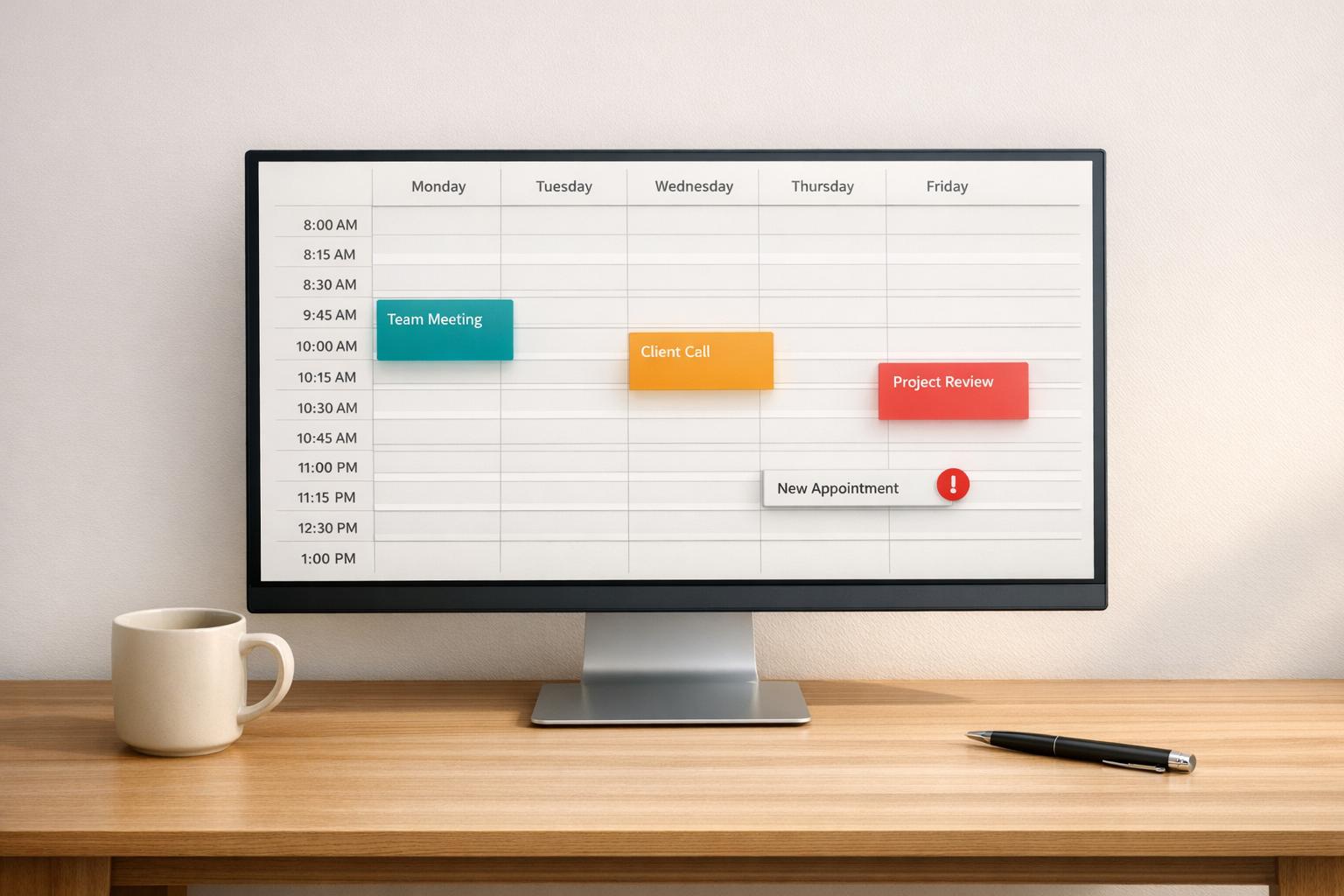
Double bookings can ruin your schedule, damage your reputation, and cost you clients. The good news? They’re entirely preventable. Here’s what you need to know:
Quickstaff simplifies event management with features like real-time updates, automatic conflict blocking, and role-based scheduling - all starting at $49/month with a 14-day free trial. Whether you manage small teams or large events, these scalable event scheduling strategies and tools can help you eliminate scheduling chaos.
Double bookings can be a headache, and understanding their root causes is the first step in preventing them. The main culprits? Human error, disconnected systems, and a lack of visibility into staff availability. These issues, if left unchecked, can easily lead to scheduling conflicts.
When scheduling relies on manual processes - like paper calendars, spreadsheets, or email chains - mistakes are almost inevitable. A wrong date might be entered, a cancellation could go unrecorded, or the same event might be added twice by accident. Things get even trickier when multiple team members make decisions in isolation. For instance, your sales team might promise a client a specific date, unaware that operations is already finalizing another booking for the same time slot.
Miscommunication often arises when team members book on behalf of others or reserve shared resources, like kitchen equipment or delivery trucks, without confirming availability. This lack of coordination can erode trust - 96% of clients say they’d switch to a competitor if they experience frequent cancellations or double bookings. These mistakes set the stage for the conflicts we’ll explore in later sections.
Managing multiple calendars that aren’t properly synced is another recipe for disaster. When teams rely on different platforms - such as online forms, emails, and texts - there’s no single source of truth for availability. Even when calendars are synced, delays in updates can lead to overlapping bookings. Many scheduling tools only check primary calendars, ignoring secondary ones that might contain personal or external commitments. To make matters worse, OAuth tokens (used to connect calendars) can expire without warning, halting synchronization and displaying outdated availability.
Scheduling conflicts often stem from failing to track real-time staff availability. Managers might block off time slots without confirming whether key personnel - like a head chef or specialized staff - are actually free. If staff only submit their availability once and don’t provide updates, scheduling becomes a guessing game. The same applies to essential equipment. Overlooking the availability of items like commercial ovens, transport vehicles, or event-specific gear can cause as much chaos as double-booking personnel. Without a centralized system to monitor both human and physical resources, these conflicts are bound to occur.
"The best way to safeguard your event booking process... is to create a seamless process with zero gaps as well as built-in redundancies for potential errors or bad data." - Amanda Knaebel, Planning Pod
Manual methods can work effectively when applied with consistency and discipline. The goal is to create systems that enhance visibility and accountability for every booking decision.
Using multiple tools like paper calendars, spreadsheets, emails, and text messages to manage schedules creates gaps that can lead to conflicts. For instance, if one person books an event on a Google Sheet while another uses a wall calendar, neither has a complete view of the schedule. To avoid this, establish a master calendar that consolidates all bookings, holds, and time-off requests in a single location.
"Any introduction of manual processes (i.e., a combination of paper-based and Web-based systems or multiple, non-integrated online systems) will inevitably introduce errors because the flow of information has a gap that must always be manually maintained."
– Amanda Knaebel, Planning Pod
Stick to a single path rule by ensuring all booking-related actions - whether adding, editing, or deleting entries - are done in one designated place. This could be a shared digital calendar, a physical planner at the front desk, or a master spreadsheet. Using a unified platform minimizes the risk of hidden scheduling conflicts.
Scheduling events back-to-back leaves no room for delays, setup, or cleanup. Adding buffer time between bookings helps absorb overruns and ensures smooth transitions between commitments. For typical office meetings, a 10–15 minute buffer is usually enough. For larger events or catering jobs, plan for 15–30 minutes to account for setup, teardown, and travel between locations.
In January 2026, The Chakra Tree yoga studio faced six scheduling conflicts per month due to double bookings and overlapping sessions. By implementing mandatory 15-minute buffers for all appointments and centralizing shift swap records, they reduced conflicts to fewer than one per month, eliminated cancellations, and boosted revenue.
"Buffer time is the extra space you build in before or after each meeting. It gives you room to reset, take notes, or deal with unexpected delays - and helps prevent one meeting from bleeding into the next."
– YouCanBookMe
For offsite events, include travel time plus an extra 10 minutes to account for unexpected delays. After introducing buffers, review your schedule consistently to ensure no conflicts remain.
A consolidated calendar and buffer times work best when paired with regular reviews. Set a routine - like reviewing the week ahead every Monday morning - to check for unresolved holds, typos, or overlapping commitments. This practice helps you catch potential issues before they escalate.
"Proactively catching errors before they become problems can save last-minute panic later."
– Cloud Catering Manager
Frequent reviews also help clear outdated or irrelevant entries, reducing visual clutter and making it easier to identify availability. This is crucial because 96% of clients will switch to a competitor if they experience frequent cancellations or rescheduling. Addressing conflicts early allows you to resolve them professionally without damaging client trust.

Manual vs Software Scheduling: Feature Comparison for Event Management
As your event business grows, relying on manual scheduling becomes a gamble. Scheduling software steps in to automate conflict detection, ensuring a single, accurate calendar. Did you know employees lose about 2.1 hours daily due to scheduling conflicts? That's nearly 26% of the workday wasted on inefficiencies tied to poor scheduling.
"Scheduling conflicts aren't a fact of life, they're a fixable systems issue."
– Patrick Hussey
Beyond saving time, software safeguards your reputation. Studies reveal that 96% of clients will jump to a competitor after frequent double bookings or last-minute rescheduling. And with 86% of executives citing poor communication and collaboration as a key factor in business failures, it's clear: a reliable scheduling system isn't optional - it's essential.
One standout feature of scheduling software is its ability to stop overlaps before they happen. By enabling "disallow overlapping" settings, the system ensures no event can be saved if it conflicts with an existing one. This proactive approach forces immediate resolution of conflicts.
Here’s how it works: when a time slot is selected, the software checks all existing bookings instantly. If a conflict pops up, it prevents the event from being saved until adjustments are made. Two-way synchronization takes this further by integrating with platforms like Google Calendar, Outlook, and iCloud. If one calendar marks a slot as "busy", it’s automatically blocked across all linked calendars. This real-time syncing not only prevents overlaps but ensures everyone sees the latest updates.
Real-time syncing builds on conflict-blocking by keeping all users on the same page with an up-to-date schedule. Cloud-based systems ensure that whether you’re on your phone, tablet, or computer, you’re always looking at the same calendar.
For teams coordinating across time zones, the software automatically adjusts for local display. This feature is a lifesaver for event organizers managing vendors and staff in different regions, avoiding misunderstandings about appointment times.
Another benefit? Shared resource management becomes seamless. You can view real-time availability for conference rooms, equipment, or even vehicles. The same applies to staff scheduling - quickly see who’s booked and who’s free to take on new events.
| Feature | Manual Approach | Software-Based Approach |
|---|---|---|
| Availability Check | Manually review multiple calendars or ask team members | Automatic two-way sync with Google/Outlook/iCloud |
| Double-Booking Prevention | Rely on memory or manual checks | Automatic conflict blocking on booking pages |
| Time Zone Handling | Manual calculations (prone to error) | Automatic time zone conversions |
| Buffer Management | Add manually (often forgotten) | Built-in default buffers for every event |
| Reminders | Inconsistent manual follow-ups | Automated email and SMS reminders |
Even with automatic blocking, conflicts can still sneak in - like when multiple users edit schedules at the same time or modify existing bookings. Advanced systems address this by sending detailed alerts. These include specifics about the conflicting appointments and even suggest alternative time slots for resolution. Some tools go a step further, prompting participants to reschedule directly. This reduces the need for endless back-and-forth communication.
"A well-timed reminder can also reduce stress by allowing for adequate preparation rather than rushing at the last minute."
– Cal.com
Client-side verification adds another layer of protection. Automated reminders give clients a chance to catch errors - whether it’s the wrong date, time zone, or location - before the event. Research shows SMS reminders boost attendance and cut down no-shows. Allowing clients to confirm or flag issues early gives you time to address them without scrambling at the last minute.
Customizing alert timings to fit your workflow is just as important. For example, you might set day-before alerts for preparation and one-hour reminders for immediate updates. Diversify notification types - like push messages, SMS, and email summaries - to ensure critical alerts are seen without overwhelming your team. This layered approach keeps everything running smoothly, minimizing the risk of double bookings.
Quickstaff steps beyond traditional scheduling methods by replacing spreadsheets, sticky notes, and endless phone calls with a streamlined dashboard. Since its launch in 2013, the platform has supported caterers and event vendors in managing staff for over 20,000 events. Instead of juggling multiple tools and hoping everything aligns, managers gain a real-time snapshot of events and staff availability. These features work seamlessly alongside the manual techniques discussed earlier.
Quickstaff’s event calendar makes scheduling straightforward by clearly displaying staff availability. For instance, if you’re organizing an event on Saturday, March 14, 2026, from 2:00 PM to 5:00 PM EST, the system immediately flags any conflicts - whether it’s overlapping bookings or staff marking themselves unavailable for personal reasons. Staff can block out dates for other commitments, ensuring they’re automatically excluded from conflicting shifts.
The calendar also integrates with popular tools like Google Calendar, iCal, Outlook, Yahoo, and Hotmail, giving team members a complete view of both work and personal schedules. Jennifer Manley, a Staffing Coordinator, highlights its convenience:
"The calendar makes it really easy for me to see what my week looks like. The sorting function help me isolate events to more easily see events."
In addition to improving visibility, Quickstaff optimizes staff allocation and manages waitlists efficiently.
Quickstaff assigns roles - like bartenders, servers, or cooks - ensuring every position is covered without overlap. Its Automagic Waitlist feature allows managers to invite extra staff as a backup. If someone cancels or declines, the system automatically pulls from the waitlist, but only if there’s no scheduling conflict. This ensures events remain fully staffed without risking double bookings.
"Prior to Quickstaff, I was using Excel spreadsheets to track my employees and their shift availability. My life changed the day I started using Quickstaff!"
– Jaime S, VP, Lisa's Catering
The dashboard also provides a clear overview of staffing status, showing which events are fully staffed and which need attention. This removes the stress of last-minute shift coverage.
Quickstaff’s mobile-friendly design lets staff accept or decline invitations on the go. As soon as someone responds, the manager’s dashboard updates instantly, ensuring real-time communication to avoid scheduling conflicts. Automated email invites and reminders keep everyone informed, minimizing the chance of miscommunication.
Event-specific details - like dress codes, directions, or instructions - can be attached directly to each event. This ensures staff have everything they need at their fingertips, reducing confusion. Kelly from The Abbot KC shares:
"The time that we have been able to save by using this staff scheduling software has allowed us to tackle the other issues that we face thereby improving our overall events!"
| Feature | How It Prevents Double Bookings |
|---|---|
| Block-out Dates | Staff mark unavailable dates, removing them from conflicting shifts |
| Calendar Syncing | Integrates with Google, Outlook, and iCal for unified scheduling |
| Role-Based Scheduling | Assigns specific roles (e.g., Server, Bartender) without overlap |
| Automagic Waitlist | Automatically fills cancellations with conflict-free staff |
| One-Click Confirmations | Updates the manager’s dashboard instantly when staff respond |
Quickstaff keeps things simple by basing its pricing solely on the size of your staff pool. Whether you're managing a small team or a larger workforce, all three standard plans - Boutique, Growing, and Large - offer the same full set of features. There are no extra fees for the number of events you run, no per-staff charges, and no hidden costs.
Here’s the breakdown:
If you have more than 175 staff members, you can request a custom quote by emailing vip@quickstaffpro.com.
Every plan includes essential features like assisted onboarding, conflict alerts, waitlist management, and real-time calendar syncing. Plus, Quickstaff offers a 14-day free trial - no credit card required. Opting for an annual subscription lets you save two months' worth of fees.
| Plan | Monthly Price | Staff Limit | Events | Managers | Core Features |
|---|---|---|---|---|---|
| Boutique | $49 | Up to 35 | Unlimited | Unlimited | All Included |
| Growing | $99 | Up to 70 | Unlimited | Unlimited | All Included |
| Large | $249 | Up to 175 | Unlimited | Unlimited | All Included |
| Custom | Contact for Quote | 175+ | Unlimited | Unlimited | All Included |
When picking a plan, focus on your staff size since all features are the same across tiers. You can upgrade your plan anytime by reaching out to customer support. Subscriptions are flexible - you can cancel anytime, and access will continue through the end of your billing cycle. Find the plan that matches your team size and start simplifying your scheduling process to prevent double bookings.
Double bookings can wreak havoc on your reputation, cost you valuable clients, and drain your team's productivity. The good news? They're entirely avoidable. Scheduling conflicts aren't random disasters - they're issues that can be solved with the right systems in place. By centralizing your schedules, syncing calendars in real time, and using automated conflict alerts, you can close the gaps that lead to overlapping bookings. Adding buffer times and limiting editing access are additional steps to keep your calendar error-free.
When you combine these strategies with tools like Quickstaff, you shift from reacting to problems to preventing them altogether. Quickstaff offers features like conflict-free calendar management, real-time staff availability tracking, and automated alerts to catch potential issues before they escalate. These tools, paired with best practices, create a smooth, error-free scheduling process that keeps your events running seamlessly.
Starting at just $49/month for up to 35 staff members - and with a 14-day free trial requiring no credit card - you can implement these solutions immediately without disrupting your current workflow.
The decision is clear: continue dealing with scheduling chaos, or choose a system that prevents it altogether. Quickstaff helps you streamline scheduling, safeguard your reputation, and enhance your team's productivity.
The quickest way to spot double bookings is by leveraging a scheduling system that offers real-time availability updates and automatic conflict detection. Tools with features like calendar synchronization and availability rules can block already reserved time slots, reducing the chance of overlaps. Keeping a close eye on your calendar and consolidating all appointments in one place helps catch conflicts early, allowing you to resolve them before they turn into bigger problems.
The suggested buffer time between events is 15 to 30 minutes. This window provides enough flexibility to manage unexpected delays and ensures smooth transitions. For events with more moving parts or added complexity, it’s wise to aim for the longer end of this range. Tailor the buffer time to suit the nature of your events and industry needs, helping you avoid overlaps and keep the schedule running smoothly.
Quickstaff streamlines last-minute staffing changes by using automated notifications to alert available team members instantly. This approach speeds up response times and helps avoid scheduling conflicts. By identifying who’s available and sending immediate alerts, it reduces the risk of errors and confusion during urgent replacements.





