Top 5 Benefits of Scheduling Software
December 24, 2025

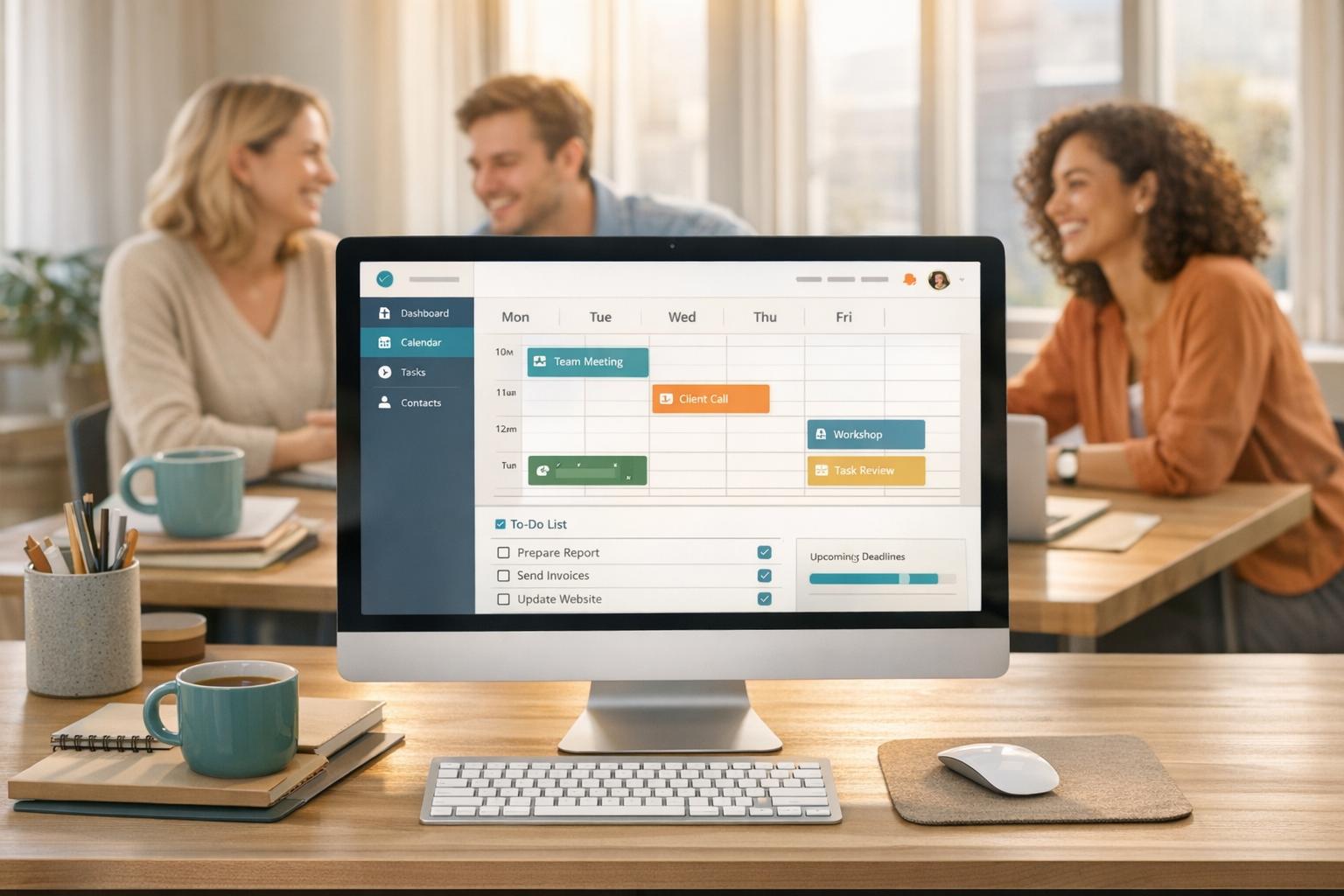
Scheduling software simplifies managing temporary staff for events like catering, weddings, and staffing agencies. It replaces manual tools like spreadsheets and phone calls with a centralized system that automates tasks, reduces errors, and improves coordination. Here’s how it helps:
Tools like Quickstaff make this process easy and efficient, helping businesses manage thousands of events with fewer headaches and more accuracy.
Scheduling by hand eats up hours that could be better spent elsewhere. Think about it: managing phone calls, text messages, and spreadsheets just to organize a single event is exhausting. Yet, 68% of employee work schedules in the U.S. are still handwritten. Even more surprising, only 18% of employers use a dedicated app for scheduling shifts. This leaves many event managers stuck in a loop of endless administrative tasks. Automation changes the game by turning this painstaking process into something quick and efficient.
With automation, there’s no need to contact each staff member one by one. Invitations and responses are managed instantly, slashing the time spent on admin work and freeing you up to focus on bigger priorities. Steven Townsend, an event manager, shared his experience:
"I used to be on the phone all the time to schedule staff. Now, within a few minutes, I can schedule all the staffing I need for my events."
And the time savings add up fast. Scheduling software users save an average of 4 hours per user in their first month. Why? Because the follow-up phase is practically eliminated, giving you more room to tackle strategic tasks. Jennifer Manley, a staffing coordinator, put it this way:
"My time spent scheduling has shrunk majorly, leaving me more time to focus on recruiting, on-boarding and training."
Automation doesn’t stop at scheduling. Mass notifications can update your entire team instantly, cutting out the need for individual messages. Plus, staff can manage their own availability, taking even more off your plate. Tools like Quickstaff make it easy to see the benefits for yourself with a 14-day free trial - no credit card needed.
Scheduling by hand can be a nightmare. Mistakes like double-bookings, overlapping shifts, and missed updates not only cause headaches but also waste valuable time and money. Trying to manage everything with spreadsheets, sticky notes, or text messages makes catching every conflict nearly impossible. In fact, double-bookings are reported as one of the most expensive errors in the rental and event industries.
Scheduling software simplifies this chaos by offering a centralized dashboard where all scheduling details are easy to see at a glance. The system automatically scans for potential conflicts, checking current bookings and blocked-out dates, so issues are flagged and resolved before they even happen.
These tools go a step further by automating conflict detection. They can match staff to shifts based on their skills and availability while ensuring compliance with overtime and break policies. Plus, integrations with iCal or Outlook allow employees to sync their personal calendars, reducing the risk of scheduling mishaps. The software also tracks resources like rooms and equipment, preventing double-bookings on that front too.
Take Quickstaff as an example - it has successfully managed the scheduling of over 20,000 events since 2013. This kind of centralized system creates a single source of truth, leaving no room for errors. The result? A smoother scheduling process, better coordination among staff, and added convenience through self-service features.
When communication is scattered, chaos isn't far behind. Important details can get lost, messages overlooked, and managers end up wasting hours chasing down responses. Scheduling software cuts through this clutter by bringing all communication into one central dashboard, making coordination smoother and more efficient.
Instead of relying on endless phone calls, managers can use the platform to send out digital invitations. Staff members can then accept or decline shifts with a single click, and the system handles the rest - tracking responses and updating the roster in real-time. What used to be a time-consuming task now takes just minutes.
The software also allows for targeted messaging with event-specific details like parking instructions, dress codes, or location maps. For example, if there’s a last-minute update for bartenders, managers can send a notification exclusively to that group, ensuring only the right people receive the information.
Automated reminders sent 24–48 hours before events significantly reduce no-shows. If event details change, managers only need to update the information once, and the system automatically notifies the affected staff members. In fact, one case study showed that using centralized management software cut last-minute event issues by over 50%. By eliminating the back-and-forth, managers can reclaim valuable time and focus on delivering outstanding events.
Traditional scheduling methods often leave managers buried in the hassle of tracking availability, making calls, and sending countless texts. Self-service features completely change this dynamic by giving staff the ability to manage their own schedules, significantly cutting down the administrative workload for managers. This approach not only saves time but also underscores the system’s efficiency in streamlining operations.
With self-service tools, staff can log their unavailable times directly into the system. This allows managers to focus only on team members who are actually available. From there, managers can send digital invitations, while staff can accept or decline with just one click. The system then updates the roster automatically in real time, eliminating the tedious back-and-forth communication that often accompanies scheduling.
Staff also gain 24/7 access to event details - such as dress codes, directions, and special instructions - through a mobile portal. This reduces the need for follow-up questions and clarifications. Plus, when employees sync their assignments with personal calendars like Google Calendar, they avoid double-booking conflicts, which helps prevent last-minute no-shows.
The software even takes care of waitlist management. If more staff accept an invitation than needed, the system automatically creates a waitlist. This seamless handling of scheduling logistics adds another layer of efficiency to event planning.
Managing multiple events without a centralized system often means juggling spreadsheets, endless phone calls, and guesswork. This is where centralized software steps in, offering a single, user-friendly dashboard that simplifies oversight. With this clear view, you can instantly identify which events are fully staffed and which need immediate attention - cutting down on administrative headaches and leaving less room for error. This kind of centralized visibility also lays the groundwork for real-time tracking.
Real-time tracking takes daily operations to the next level. Managers can easily see who has clocked in, who might be running late, and which shifts still need coverage - all without the hassle of extra calls or emails. For example, Child Care Staffing Inc. relies on this approach to manage substitute teachers across numerous NYC preschools. As Staff Manager Marlene Ross shared:
"It tells me who's where and when and how to pay them…I know if they're not punched in, or if they run late. And they can communicate with me in a one-stop shop. That level of organization is everything to me".
Without this centralized system, her company would have required two additional administrators - costing an estimated $100,000 annually.
The benefits don’t stop at real-time tracking. The software’s built-in reporting tools offer powerful insights that support better decision-making. Instead of relying on memory or scattered records, managers can access data on key metrics like no-shows, total hours worked by department, and labor costs compared to the budget. In one case, these insights helped a company adjust staffing based on labor and sales trends, saving over $200,000 annually in front-of-house labor costs.
For more complex operations, the ability to filter data by timeframe or location makes oversight even more manageable. Whether you’re coordinating a multi-day festival or staffing multiple venues, this centralized visibility ensures that every detail is accounted for. With everything in one place, managers gain the clarity and control they need to keep operations running smoothly - without drowning in administrative tasks.
Manual Scheduling vs Scheduling Software Comparison
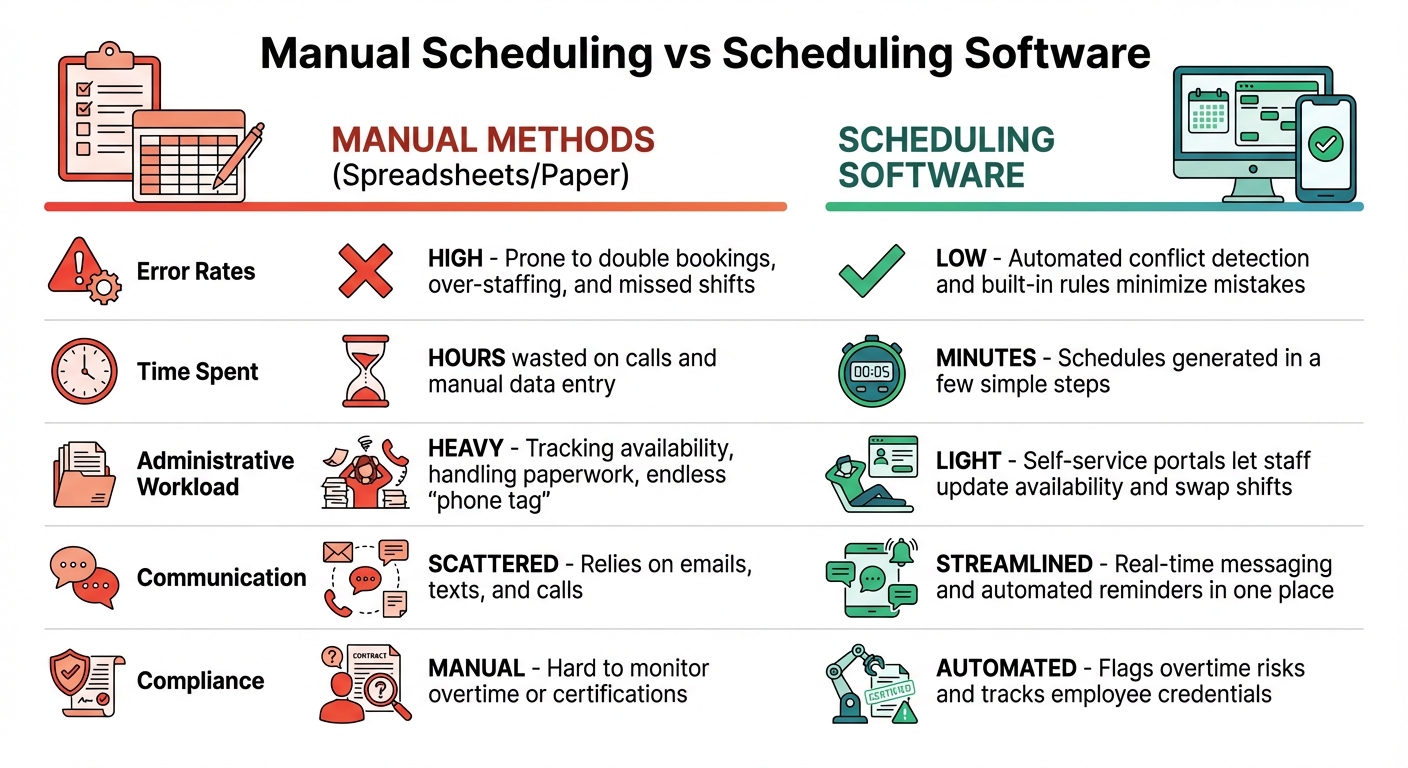
When deciding between manual scheduling and scheduling software, the contrast is striking. Manual methods - like spreadsheets, sticky notes, and phone calls - can devour hours of your time and leave you vulnerable to costly errors. Scheduling software, on the other hand, simplifies the process, automates repetitive tasks, and significantly reduces mistakes that could throw your plans off track.
Here’s a side-by-side look at how manual scheduling stacks up against software solutions:
| Factor | Manual Methods (Spreadsheets/Paper) | Scheduling Software |
|---|---|---|
| Error Rates | High; prone to double bookings, over-staffing, and missed shifts | Low; automated conflict detection and built-in rules minimize mistakes |
| Time Spent | Hours wasted on calls and manual data entry | Just minutes; schedules generated in a few simple steps |
| Administrative Workload | Heavy; involves tracking availability, handling paperwork, and endless "phone tag" | Light; self-service portals let staff update availability and swap shifts |
| Communication | Scattered; relies on emails, texts, and calls | Streamlined; real-time messaging and automated reminders in one place |
| Compliance | Manual; hard to monitor overtime or certifications | Automated; flags overtime risks and tracks employee credentials |
When managing multiple events and coordinating numerous staff members, the choice is clear. Sticking with spreadsheets can lead to chaos, while scheduling software provides the control and efficiency you need to stay on top of everything.
Modern scheduling software has completely changed the game for event management. By automating repetitive tasks, minimizing errors, centralizing communication, offering staff self-service, and providing real-time insights, it significantly reduces the administrative burden. In fact, businesses using such tools save an average of 166 hours on administrative tasks each year.
But it’s not just about saving time. Moving away from manual methods means less stress, fewer costly mistakes, and a smoother process for everyone involved. Features like mobile access, seamless shift swaps, and automated reminders make life easier for your entire team. When you eliminate the hassle of phone calls, spreadsheets, and manual data entry, you free up time to focus on what truly matters: building stronger relationships, delivering better service, and growing your event portfolio.
Take Quickstaff as an example. Since 2013, it’s been used to schedule staff for more than 20,000 events. With plans starting at $49/month and a 14-day free trial that doesn’t require a credit card, it’s easy to see how scheduling software can provide the relief your business needs. Automation takes care of the tedious tasks, self-service empowers your team, and centralized management keeps everything organized - transforming scheduling from a daily struggle into a quick, stress-free process.
Scheduling software eliminates the hassle of double bookings by organizing all assignments in a real-time dashboard. It spots overlapping time slots instantly and flags any conflicts, ensuring that staff or venues aren’t accidentally scheduled for multiple events at the same time.
By simplifying this process, the system not only cuts down on errors but also saves time, making life easier for event organizers and keeping operations running smoothly.
Quickstaff’s self-service portal makes it simple for staff to manage their schedules. From updating availability and marking off unavailable dates to checking confirmed shifts, everything is conveniently accessible in one spot. Plus, automated notifications ensure team members stay informed and organized.
Designed with a mobile-first approach, the platform lets staff handle these tasks anytime and from anywhere, offering both convenience and clarity in scheduling.
Centralized communication keeps everyone on the same page by offering a single source for up-to-date information. No more digging through scattered emails or dealing with confusing miscommunications. Managers can easily share schedule updates, send reminders, and confirm shifts - all without switching between multiple tools or platforms.
With everything - staff availability, shift details, and event logistics - organized in one dashboard, teams stay aligned. This reduces errors and minimizes last-minute scrambling. The result? Better coordination, saved time, and more energy focused on delivering a smooth and enjoyable guest experience.