Top Tools for Catering Shift Management
March 8, 2026

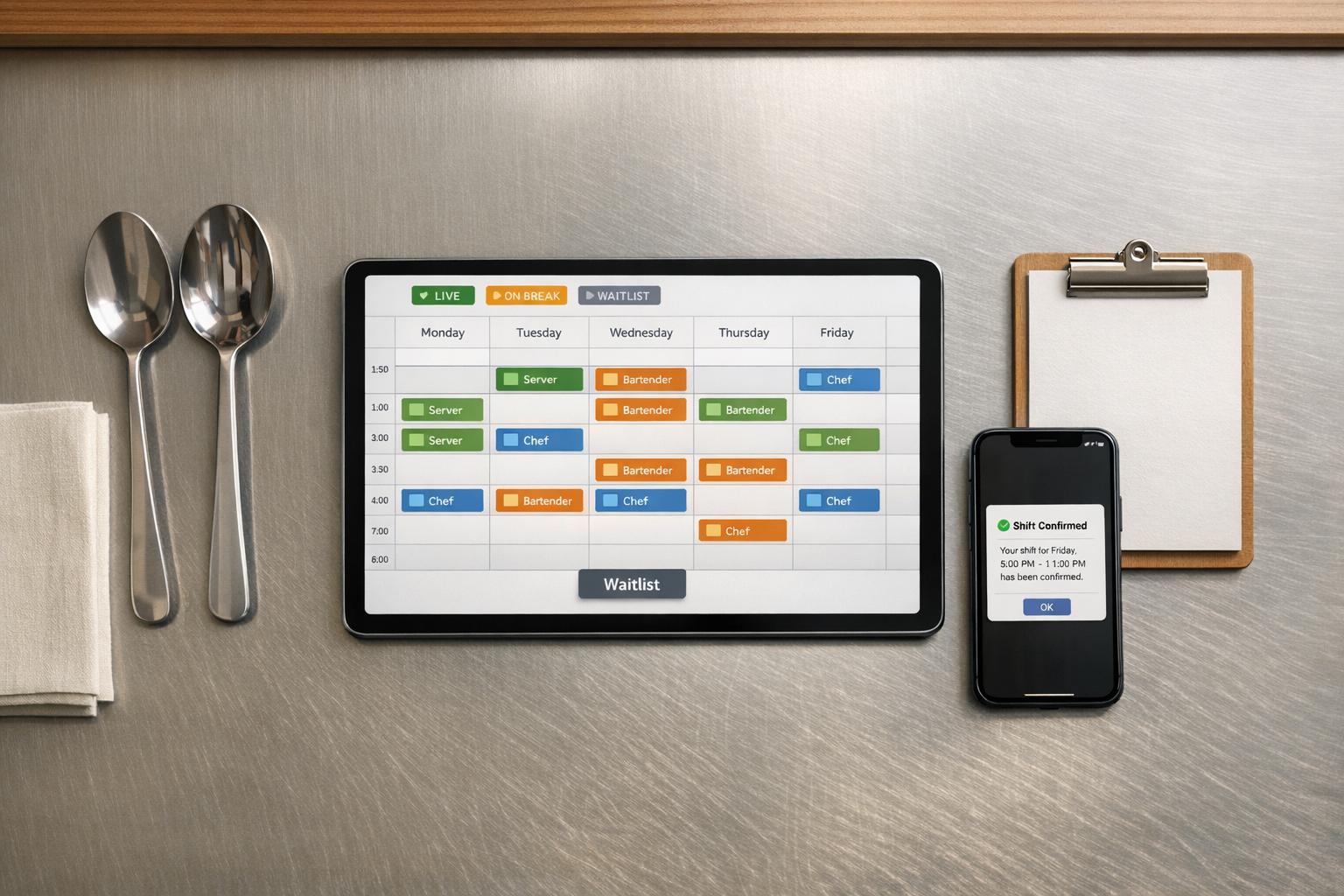
Managing catering shifts is complicated. With multiple events, part-time staff, and constant changes, traditional tools for last-minute catering staff scheduling like spreadsheets or group chats fall short. Shift management software solves this by centralizing scheduling, automating updates, and improving communication. Here's what you need to know:
The right tool can transform how you manage shifts, saving time and reducing stress.

Top Features to Look for in Catering Shift Management Software
Catering operations come with unique challenges that standard restaurant scheduling tools just can't handle. Unlike restaurants with fixed locations and predictable hours, catering thrives on event-based scheduling, mobile accessibility, and real-time coordination across multiple venues. The right software should eliminate the chaos of group texts and spreadsheets, giving you centralized control over scheduling.
At its core, catering shift management software needs to excel at handling availability and assignments. The best platforms allow staff to specify time windows, like "Saturday 8:00 AM–6:00 PM", instead of relying on simple yes/no availability. This eliminates endless back-and-forth messaging and gives you a clear picture of who’s available before you start building your schedule.
To avoid headaches, choose software that flags double-bookings for staff, vehicles, and equipment (like hot boxes or chafers). It should also let you categorize staff by roles or skill sets - whether you need fine dining servers, lead bartenders, or kitchen runners - to ensure the right people are assigned to each event.
Self-service features are a huge time-saver. When staff can block off unavailable dates or update their availability through a mobile app, you won’t waste time scheduling people who can’t work. Some software even offers a "shift invitation" system, where you invite staff to work specific shifts, and they can accept or decline - a perfect solution for managing part-time or on-demand workers.
Once scheduling is streamlined, the next priority is clear and efficient communication.
Goodbye to endless calls and texts. Look for software with built-in messaging and automated notifications to keep everyone on the same page. Automated reminders sent 24–48 hours before an event can significantly reduce no-shows while ensuring staff remember their assignments. A great platform will also show you who has viewed and confirmed their shifts in real-time, giving you the chance to fill gaps well before the event.
Role-specific messaging is another must. With role-based broadcasting, you can send updates to just the bartenders or servers without spamming the whole team. Plus, centralized event details - like location, dress code, and special instructions - should be easily accessible in the app to minimize miscommunication.
"The biggest thing is the ease of communication with the staff... Now it's the push of a button and we could send a notification to everyone on the staff for a shift with a change or a reminder." - Paul Marcinowski, Director of Operations, Arc Hospitality
Keep an eye on confirmation rates as a performance indicator. If fewer than 80% of your team confirms their shifts within a day, it’s a sign that communication needs improvement.
With scheduling and communication covered, mobile access ensures your team stays connected no matter where they are.
Catering managers are rarely tied to a desk, and your staff is always on the move. That’s why a mobile-first design is a must. Staff should be able to accept or decline shifts, update their availability, and get push notifications for last-minute changes - all from their phones.
Mobile time tracking is another game-changer. Integrated time clocks using GPS, QR codes, or face recognition let staff clock in and out from their devices, reducing errors and cutting down on manual data entry. For off-site events, GPS geofencing ensures employees are at the right venue before they can clock in, adding an extra layer of accountability.
With these features in place, your catering operations can run smoother, faster, and with fewer headaches.

When it comes to managing multiple events, temporary staff, and last-minute changes, Quickstaff is a game-changer for catering businesses. Unlike restaurant-oriented software with fixed shifts, Quickstaff uses an invitation-based system that allows on-demand staff to confirm their availability for specific events.
The platform simplifies scheduling with a catering staff scheduling checklist and role-based organization. You can assign staff to positions like Server, Bartender, or Kitchen Assistant and send invitations only to those roles. Staff receive email invites with a single-click response, and if more people accept than needed, an automated waitlist steps in to create a backup roster. This feature proved invaluable for a Chicago catering company during the busy summer 2025 wedding season. Managing 200 shifts, they cut scheduling time from 10 hours to just 2 hours weekly and reduced cancellations by 40%.
With availability tracking, staff can update their schedules via a mobile app, so you know exactly who’s available before confirming bookings. The system also lets you duplicate past events, copying details like menus, venues, and dress codes, making it easy to plan weeks of work in minutes.
Centralized communication is another highlight, as automated reminders - sent 24 to 48 hours before events - include role-specific updates, ensuring staff are informed without being overwhelmed by unnecessary messages.
"I used to be on the phone all the time to schedule staff. Now, within a few minutes, I can schedule all the staffing I need for my events." - Steven Townsend, Event Manager
The mobile-friendly platform also integrates with major calendar providers, helping staff stay on top of their shifts.
Pricing is simple and transparent: $49/month for up to 35 staff (Boutique), $99/month for up to 70 staff (Growing), and $249/month for up to 175 staff (Large). All plans include unlimited events, messaging, reminders, and waitlists with no hidden fees or per-user charges. Plus, a 14-day free trial - no credit card required - lets you test the platform risk-free. Since its launch in 2013, Quickstaff has helped caterers manage staffing for over 20,000 events, making it a trusted choice for small to medium catering businesses, wedding planners, and event vendors working with temporary teams.
Start by pinpointing your biggest scheduling issues. Are you spending too much time on phone calls? Struggling with frequent no-shows? Losing hours on tasks that drain your budget? These are the kinds of challenges that a good tool should help you fix.
Next, think about your team size and how often you host events. For example, if you manage a team of 35 and only handle occasional events, a $49/month plan might be enough. But for larger teams or more frequent events, look for options that scale without charging per user. Instead of focusing only on your current headcount, consider tools that can grow with your business. This way, you can prioritize features that truly fit your needs.
Once you’ve outlined your challenges, look for software designed specifically for catering. Unlike restaurant shift management, catering requires event-focused scheduling. The right tool should allow staff to confirm shifts - accepting or declining based on their availability for individual events. This feature is especially helpful for managing temporary or rotating workers.
Another key feature to look for is role-based filtering. For instance, you should be able to tag staff by their skills - whether they’re fine dining servers, bartenders, or kitchen runners. This helps ensure you assign the right people to high-profile events. For reference, industry guidelines recommend one server per 20 guests for plated service and one per 30 guests for buffet service. A reliable tool will help you create rosters that align with these ratios, so every event runs smoothly.
Put the tool to the test with what Turnozo calls the "Monday Morning Test." Can you quickly answer these four questions: How many events are scheduled this week? Are all events fully staffed? Who hasn’t confirmed their shifts? And who’s available as backup?
"On Monday morning, can you answer these questions in under 60 seconds? ... If you can't answer all four quickly, your scheduling system isn't a system. It's a prayer."
- Turnozo
Before committing, test the mobile app with a small core group. Check if it provides easy access to schedules, notifications, and clock-in features. Most platforms offer free trials, which give you a chance to verify these essentials. Try running the software alongside your current system - whether that’s a spreadsheet or group chat - for a week. This trial period can reveal any gaps and ensure the tool meets your specific scheduling needs.
Managing catering shifts doesn’t have to involve endless phone calls, tedious manual data entry, or frantic last-minute staffing changes. With the right software, you can completely transform how you handle scheduling, share event details, and track staff availability - saving you precious hours every week.
When selecting a tool, focus on features tailored specifically to the catering industry. Unlike generic scheduling tools, catering-specific software is designed with the unique demands of event-based businesses in mind, where staff work on an on-demand basis rather than fixed shifts. Key features to look for include role-based invitations, automated waitlists, and real-time availability tracking - all of which help you avoid the frustration of contacting staff who are unavailable.
For example, Quickstaff offers an invitation-based system that simplifies how staff accept or decline shifts. Since its launch in 2013, Quickstaff has helped caterers and event vendors schedule staff for over 20,000 events. Users frequently highlight the time it saves - Jennifer Manley, a Staffing Coordinator, shared:
"My time spent scheduling has shrunk majorly, leaving me more time to focus on recruiting, on-boarding and training".
Quickstaff also provides straightforward pricing with three flexible tiers and no hidden fees for additional features. Plus, you can try it risk-free with a 14-day trial - no credit card required.
Purpose-designed software like Quickstaff centralizes event details, automates reminders, and gives you a clear dashboard view of which events need your attention. This streamlined process allows catering teams to focus less on administrative tasks and more on delivering outstanding events every time.
Catering shift software comes packed with tools designed to simplify managing staff schedules. One standout feature is real-time availability tracking, which helps prevent scheduling conflicts by showing who’s available at a glance. Another is automated scheduling tools that assign shifts based on factors like roles, guest count, and employee skills - making it easier to match the right people to the right tasks.
Effective communication tools are also a must. Features like mobile notifications, reminders, and direct messaging keep staff informed and connected. Plus, options for waitlists, shift swapping, and managing last-minute changes make it easier to adapt to the fast-paced nature of catering work. Together, these tools ensure smoother operations, even in unpredictable environments.
Shift invites and waitlists play a key role in cutting down no-shows by improving communication and ensuring staff stay committed. Shift invites let staff know about available shifts, giving them the chance to confirm their availability. On the other hand, waitlists act as a safety net, lining up interested staff who can step in if someone cancels.
These tools encourage accountability, make scheduling more efficient, and help ensure every shift is properly staffed. The result? Fewer disruptions and smoother event operations overall.
When exploring a free trial of event staff scheduling software like Quickstaff, focus on testing the features that matter most for your operations. Check out tools like real-time staff availability tracking, shift assignment, and communication options (such as mobile messaging). See how the platform handles last-minute changes - this can be a game-changer during busy events.
Make sure the software is easy to use, performs well on mobile devices, and fits seamlessly into your current workflow. These factors are key to ensuring it meets your scheduling needs effectively.





