Event Staff Briefing Study: Common Gaps and Fixes
August 7, 2026

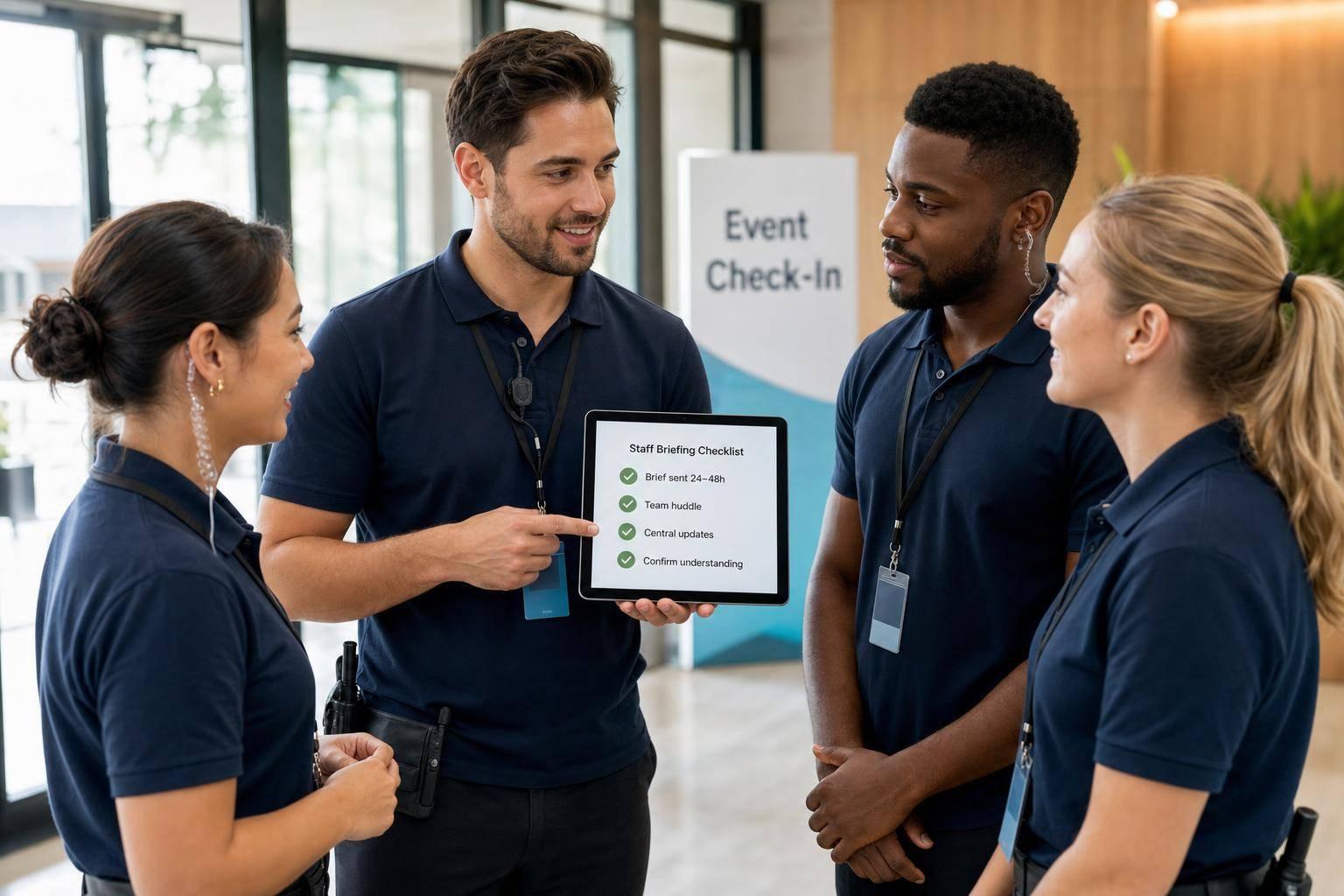
Most event briefing problems come from five misses: unclear roles, late or rushed briefings, scattered updates, skipped safety steps, and no check that staff understood the plan. In this study, I found that the fixes are simple and repeatable: send one short written briefing 24–48 hours early, run a 10–20 minute live huddle before doors, review safety and reporting lines, and end with a quick teach-back. One cited study also showed structured briefings cut communication failures from 3.95 to 1.31 per case - a 64% drop.
If you want the short version, here it is:
Bottom line: I’d treat event briefings less like a speech and more like a short checklist-driven handoff. That keeps staff aligned, cuts floor confusion, and lowers the odds of missed safety steps.
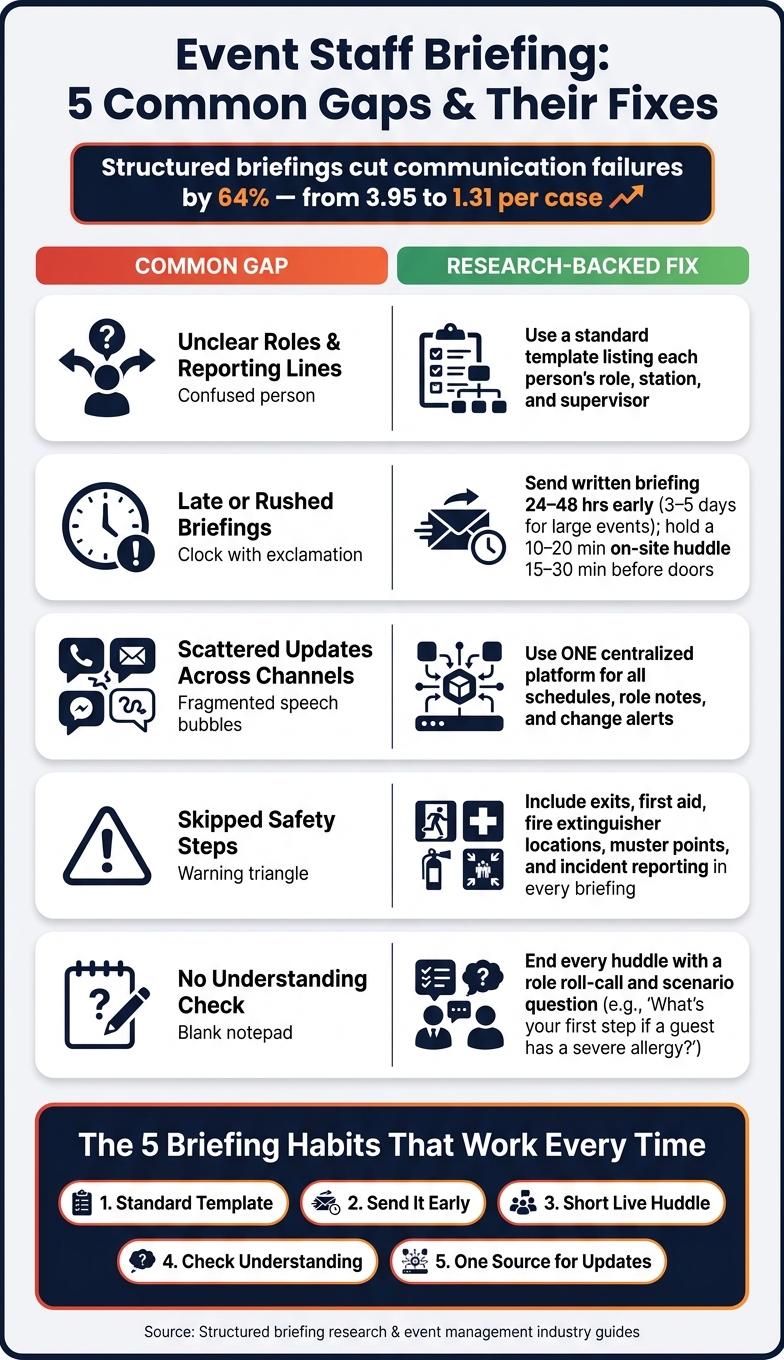
Event Staff Briefing: 5 Common Gaps & Fixes
Once the basics are in place, most event guides and training manuals point to the same must-have briefing items.
A strong briefing should cover the event name, client goals, call times, each person’s role, and who reports to whom. It should also walk staff through the full event timeline, not just the guest-facing schedule, so they know what’s happening behind the scenes and when. Service priorities, venue restrictions, access rules, and equipment handling notes should be part of that same briefing.
Safety information is NOT optional. Every briefing should include emergency contacts, exit locations, first-aid kit locations, fire extinguisher locations, muster points, and the steps for reporting an incident. Staff also need both general safety rules and role-specific safety instructions.
Timing matters just as much as what’s in the briefing. Abastio’s event briefing guide recommends sending a written briefing two full days before the event, then holding a live team huddle 30 minutes before guests arrive. Oxford University's event management toolkit suggests briefing key staff and vendors about one week ahead, then following up with a meeting to answer questions and confirm expectations before event day.
The briefing should also leave time for Q&A, so staff can clear up anything they don’t understand before doors open.
The gap between a structured briefing and an informal one comes down to consistency. If everyone on the floor gets the same information, roles stay clearer, safety steps are less likely to get missed, and reporting lines are easier to follow.
| Briefing Type | Typical Characteristics | Typical Result |
|---|---|---|
| Structured | Standard template, set timing, covers roles, safety, timeline, and Q&A | Shared understanding and fewer on-site surprises. |
| Informal / Ad hoc | Verbal, loose, and inconsistent | Uneven knowledge, skipped safety steps, unclear reporting lines. |
| Partial / Incomplete | Some parts covered, others skipped because of time pressure | Role confusion and missed safety steps during service. |
Using event staff apps for availability tracking can help prevent these logistical oversights. The next section shows where those gaps start to cause problems in practice.
When key parts of a briefing are missing, the same problems show up again and again. Industry reports and case examples point to one pattern: most event-day breakdowns come from briefing gaps, not bad staff attitude.
The most common failure is simple: people don’t know their job in that moment. Staff show up without knowing where to stand, who they report to, or what they’re supposed to handle. Front-of-house staff end up hovering near entrances while registration tables back up, because nobody clearly assigned check-in, line control, or guest greeting. In catering and wedding settings, vague shift duties create the same mess. No one takes charge of handoff tasks like flipping a ceremony space into a reception, resetting the bar after cocktail hour, or timing dessert service, and guests can see the cracks.
When supervisor names and escalation paths aren’t spelled out, staff default to radio chatter and guesswork when something goes wrong. That slows response time and pulls managers into floor-level problem solving instead of letting them watch the whole event.
Role confusion is only part of it.
A briefing held in a loud setup zone or a tight hallway doesn’t do much good. Staff can’t hear well, can’t ask questions, and can’t flag details that are old or wrong. And when the briefing happens right before service starts, there’s no room to pause, fix mistakes, or adjust assignments.
So even if the plan on paper is solid, poor delivery can still leave people flat-footed.
Long updates buried in group texts or email chains often don’t get read. If the message doesn’t clearly show what changed, people skim it or skip it. Then they arrive working off old information.
Safety steps are often the first thing dropped when time gets tight. Even if those steps exist in a manual, they may get cut from the live briefing because managers focus on visible guest-facing setup instead of safety walk-throughs. OSHA standards are clear: hazard communication and safety information must be given and understood, not just written down somewhere. That’s how staff end up blocking emergency exits with gear or handling a medical issue in different ways because nobody confirmed who leads and what the process is.
The gap that gets missed most often is assumed understanding. Managers wrap the briefing and move on without checking whether staff can repeat their role, reporting line, or emergency steps. One Canadian operating room team study found that structured briefings reduced communication failures per case from 3.95 to 1.31 - a 64% reduction. Same basic lesson here: giving information isn’t the same as making sure it landed.
These failures usually come back to one thing: how briefing details are gathered, shared, and checked.
These gaps usually come from broken-up communication and one-way delivery. The main problem isn't missing information. It's that the information gets delivered in pieces.
A lot of event teams don't keep briefing details in one place. The run-of-show goes out by email. A supervisor drops last-minute changes into a group chat. Someone else shares another update out loud on-site. When details are split across texts, email, and verbal updates, staff can end up with mixed instructions for the same event.
Temporary staff often feel this the most. They may hear updates at different times from different supervisors, and staggered arrival times mean some people are still working from older information.
Even when every detail is accurate, the briefing can still fall apart if communication only goes one way.
A common pattern is a single long briefing that tries to cover roles, timing, safety, and client expectations all at once. Staff often don't get much room to ask questions.
That creates two problems.
First, people hit information overload when too much gets packed into one pass. Staff usually hold on to the points that feel most immediate, like pay or end time, while missing less obvious instructions such as the order of service or backup plans.
Second, a one-way briefing can make it feel like questions aren't welcome, especially when the session is rushed. Part-time, seasonal, and multi-role staff may stay quiet even when they're unsure, especially if they don't know the supervisor well or don't want to look inexperienced.
Without that check-back, people start guessing or leaning on coworkers. That's when role mix-ups, late updates, and missed safety steps keep showing up again.
The fixes below go straight at those failure points.
Fix missing role notes with a reusable template. Build one that covers event basics, roles, timeline, safety, and escalation. Keep it short - two to three pages - with bullets and bold callouts.
Send the briefing 24–48 hours in advance. For larger events, send it 3–5 days ahead so staff have time to read it, flag questions, and get ready mentally. Then hold a short live huddle - about 10 to 20 minutes, held 15 to 30 minutes before doors open - to walk the space, confirm roles, and cover any last-minute changes.
End each huddle with a simple understanding check. One easy option is a role roll-call, where each person says their assignment and who they report to. That helps bring confusion to the surface before service starts. Scenario questions help too: "If a guest mentions a severe nut allergy, what's your first step?" Teach-back is useful for the same reason. When staff repeat their assignment, gaps show up before service begins.
Scattered channels - group texts, emails, and verbal on-site updates - are where last-minute changes slip through the cracks. The fix is simple: choose scheduling tools and treat it as the ONLY official source for schedules, role assignments, and updates. If a change is not in that platform, staff should not treat it as official.
Quickstaff keeps assignments, notes, reminders, and change alerts in one mobile-friendly place, so staff aren't bouncing between email, texts, and verbal instructions. Managers can attach event notes directly to individual assignments, which means staff see role details and briefing info right next to their shift. Automated reminders send key details to staff phones 24–48 hours before call time, and schedule changes go out as targeted alerts through the same system, with a time-stamped record showing who was notified and when.
Use this map to match each common failure to one action.
| Briefing Gap | Research-Aligned Fix | Owner | Expected Result |
|---|---|---|---|
| Servers don't know table assignments | Add "Roles & Stations" to template; review in pre-event huddle | Event captain or banquet manager | Faster setup, fewer overlaps, even coverage |
| Bartenders unsure on ID checks and last call | "Alcohol & ID Policy" section in template; two scenario questions in huddle | Bar lead or event lead | Consistent carding, fewer risky pours |
| Brand ambassadors don't know key talking points | "Key Messages & FAQs" page attached in scheduling platform, linked in shift confirmations | Account manager + staffing coordinator | Accurate messaging, fewer client escalations |
| Rental crew misses updated load-in time | All schedule changes pushed via centralized platform with SMS reminders | Operations manager or warehouse lead | Fewer late arrivals, more on-time openings |
| Staff unsure who to call when a guest is injured | Safety & escalation section in briefing; huddle names first and backup contact explicitly | On-site event lead or planner | Faster incident response, reduced risk exposure |
Most briefing failures come back to the same few issues: unclear roles, bad timing, scattered updates, skipped safety details, and no check to make sure staff understood the plan.
Across research and hands-on event work, the same five habits keep showing up: use a standard template every time, send it early, run a short focused huddle, check for understanding before doors open, and keep all official updates in one place. The point isn't to make briefings longer. It's to make them repeatable, clear, and easy to act on.
An effective staff briefing template should be short, clear, and easy to scan so the whole team stays on the same page. It should cover the event timeline, spell out roles and responsibilities, and explain how the team will communicate during the event.
Key details should include:
Use active check-ins instead of just sending the briefing and hoping people read it.
Have staff confirm they reviewed the briefing at least 24 hours before the event. Then run a mandatory 10-minute on-site meeting 30 minutes before start time so people can ask questions and clear up anything that feels fuzzy.
During the event, use Quickstaff to send clear instructions and track acknowledgments. After the event, hold debriefs or one-on-ones to catch any gaps that still slipped through.
Use one mobile-friendly hub for live updates instead of scattered texts or phone calls. Quickstaff helps you sort available staff by role, send replacement invites to the right people, and track responses fast.
For urgent changes like shift or location updates, send instant alerts and add the key details in the notes, like dress code or parking info. It also helps to keep waitlists and backup contacts ready.





