How to Keep Event Staff Motivated On-Site
July 10, 2026

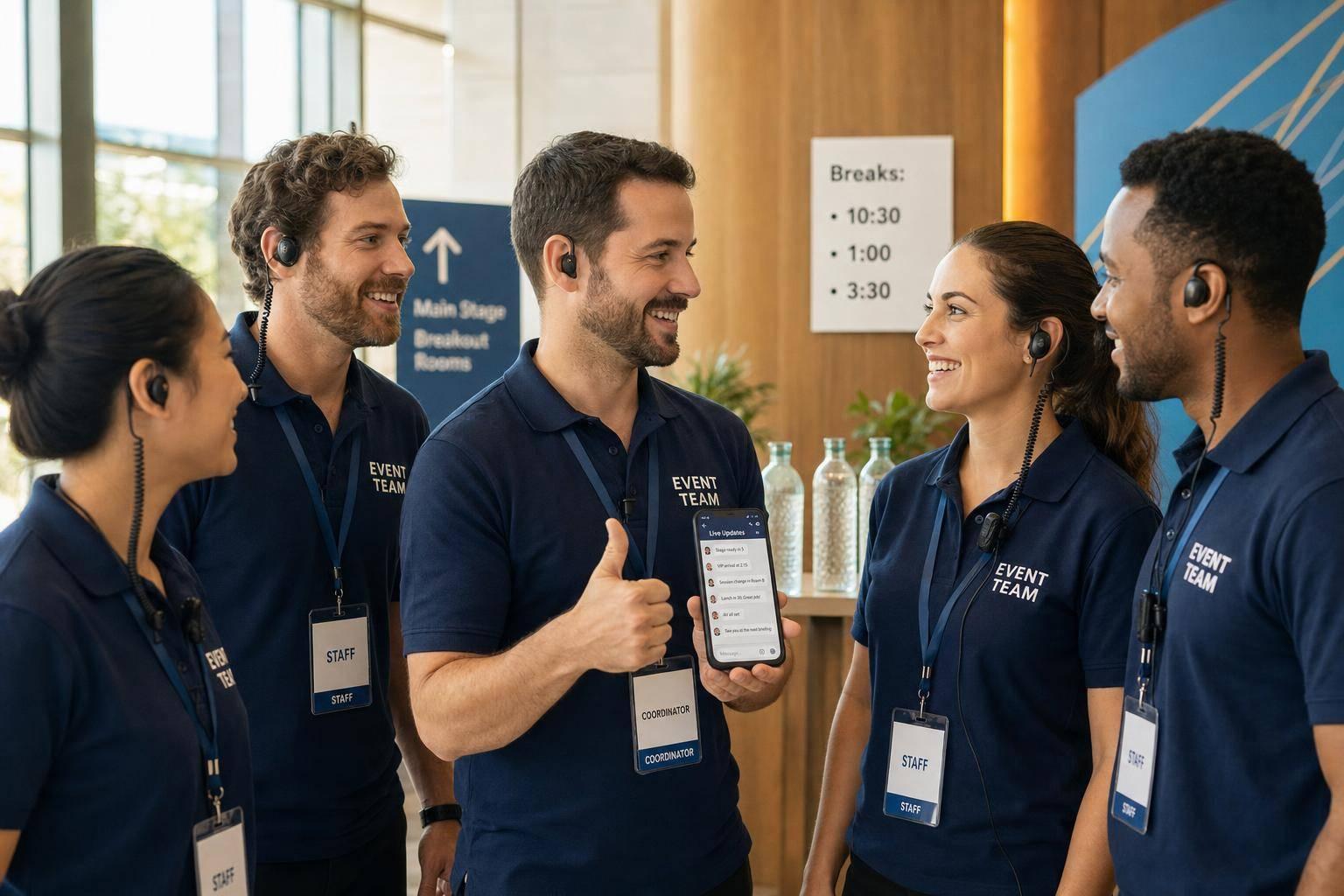
If I want staff to stay sharp during an event, I focus on three things: clear direction, fast praise, and enough rest to keep energy up.
That means I:
This matters because staff engagement has a direct effect on service. Research from Gallup has often found that teams with higher engagement show better attendance, lower turnover, and stronger performance. Using event staff scheduling software can help maintain this consistency. In events, that can mean fewer mistakes, less confusion, and a smoother shift.
I don’t need a long pep talk on-site. I need a short system people can follow under pressure:
The core idea is simple: when people know the plan, hear useful feedback in the moment, and get a chance to reset before they hit a wall, they tend to stay focused longer and do better work.

5-Step System to Keep Event Staff Motivated On-Site
Once the goals are set, communication is what keeps the team moving together. If staff aren’t sure where they need to be, who’s leading, or what changed, they burn time guessing instead of doing the job. At events, confusion drains energy fast.
Use 10 to 15 minutes before the shift to cover the basics: call time, roles, timing, dress code, break plan, and who handles problems. Then repeat the top three priorities and ask if anyone has questions. That last step matters. It gives staff psychological safety, so they leave the briefing feeling clear and steady, not anxious.
Quickstaff can keep role assignments, call times, dress code, and service notes in one mobile place.
After the briefing, keep every live change in one channel so no one is working from old information.
A single briefing isn’t enough. Once the event starts, updates need one clear source. Mixed messages slow everything down. If directions come through radios, texts, and verbal instructions at the same time, someone will follow the wrong one.
Pick one main channel for live updates - radios, text, or in-app messaging. Use the other options only as backup. Mixed messages create stress. One channel cuts that down.
Once the team is on the same page, recognition helps keep people locked in during service. Most employees don't get immediate praise on a steady basis, so you have to do it on purpose. The fastest way? Say something right away, and make it specific.
The best recognition happens in the moment, not hours later when the night is over. A fast, specific comment as you pass someone on the floor - "Nice move redirecting those guests around the buffet backup, that kept the line flowing" - lands much better than a generic "great job" at the end of the shift.
Call out the things that matter while they're happening:
You can also use short 1- to 2-minute huddles to point out a few wins without slowing down service.
Then back up that praise with small rewards that feel fair and useful.
Verbal praise should happen all through the event. But a small tangible reward for a standout moment helps it stick. That can be something simple, like a $10 to $25 gift card, a better staff meal, or first pick of future shifts.
Tools like Quickstaff can help you handle shift-based rewards without making it messy. You can note top performers and give them early access to upcoming shifts before the schedule opens to the rest of the team. That makes the process clear and fair.
Tie each reward to a specific action so staff know what earned it. "You earned first pick next month because you caught that seating issue before guests arrived" has a lot more impact than handing out a reward with no explanation.
Recognition works best when staff also have the energy to keep delivering.
Recognition helps people stay engaged. But it stops working when the team is running on empty.
That’s why energy management matters. If people are tired, overheated, or stretched too thin, even a well-run shift can start to slip. The basics make a big difference here: break timing, hydration, and workload balance.
Set up three break types before the shift begins. Use fixed breaks that are built into the schedule, add short floating breaks during slower moments, and keep micro-breaks open at the station level.
This works best when it’s planned early, not after people are already dragging. Put water near every workstation. Adjust the rest area for heat or cold so people can actually reset for a few minutes.
Once you’ve covered breaks and hydration, the next step is workload balance. That usually means rotating stations instead of leaving the same person on the hardest task for too long.
Move staff between heavier and lighter tasks every 60 to 90 minutes. That helps reduce fatigue and keeps coverage balanced across the team.
It also makes the shift feel more manageable. One person doesn’t get stuck doing the toughest assignment for hours, and the team stays steadier as energy dips over time. Scheduling tools can make that rotation plan much easier to run on-site.
Use Quickstaff to assign roles, build break windows, track availability, and keep backup coverage ready. Set reminders to confirm station assignments, rotation timing, and break policy before staff arrive.
When roles are clear, break times are set, and backup contacts are easy to find, staff can stay focused instead of scrambling.
On-site motivation comes down to three things: clarity, recognition, and energy management.
In practice, that means five repeatable actions: define what motivated performance looks like before the shift, brief staff clearly on roles and timing, send live updates through one primary channel, recognize strong work the moment it happens, and protect energy with planned breaks and fair workload distribution.
Put together, these habits help the shift run smoothly and keep staff engaged.
They also reduce turnover, cut onboarding and training time, and bring reliable staff back.
Start small:
Quickstaff can help keep schedules, breaks, and updates in one place. The result is steadier service from start to finish.
If your team ignores update channels, the problem is often simple: too many messages or vague rules about where to look.
A central platform like Quickstaff can help by sending direct, mobile-friendly updates and reminders in one place. That cuts down on noise and makes it easier for people to know what matters.
It also helps to keep messages role-based, so only the staff who need an update get it. On top of that, use pre-shift briefings to spell out which tools are for live updates and which ones are meant for escalations. That way, no one has to guess in the middle of a busy shift.
Rewarding event staff doesn't have to mean big gestures or a huge budget. What matters most is sincere, steady, personal recognition.
That can be as simple as:
Work-related perks can help too. A LinkedIn endorsement, for example, can give someone a morale boost while also helping their career.
Quickstaff can help you track staff contributions, so recognition stays steady and feels meaningful instead of random.
Rotate staff when needed so the same people aren’t stuck with the toughest shifts. That matters most for late nights, weekends, and holidays, where uneven scheduling can wear people down fast and hurt morale.
During the event itself, rotate roles to help limit fatigue. Build in regular breaks, use floaters to cover gaps, and have team leads check in every 15 to 20 minutes for signs of stress or burnout. If plans change on the fly, Quickstaff can help update rotations and assignments in real time.