Ultimate Guide to Staff Appreciation Events
July 6, 2026


If your team feels like "just another shift", they'll leave. In event work, turnover can top 70% a year, and staff who get recognition are 3.7x more likely to accept future shifts.
If I had to sum up this guide in a few lines, it would be this:
A few numbers make the case fast:
Here’s the short version of what matters most: pick a format your staff can attend, ask them what they want, make the recognition specific, and measure whether attendance and shift pickup improve after the event.
| Area | What I’d focus on |
|---|---|
| Purpose | Thank staff and help keep them on the team |
| Timing | Post-season or during work hours, often Friday afternoons |
| Format | Onsite lunch, outing, virtual event, or appreciation week |
| Recognition | Public awards, peer nominations, handwritten notes |
| Logistics | Calendar, reminders, waitlist, shift conflict checks |
| Results | Attendance, repeat turnout, shift acceptance, turnover over 6 to 12 months |
For managers looking to grow their operations, maintaining high retention is the first step toward scalable event scheduling.
This guide lays out how I’d plan the event, run it without schedule problems, and use the results to make the next one better.
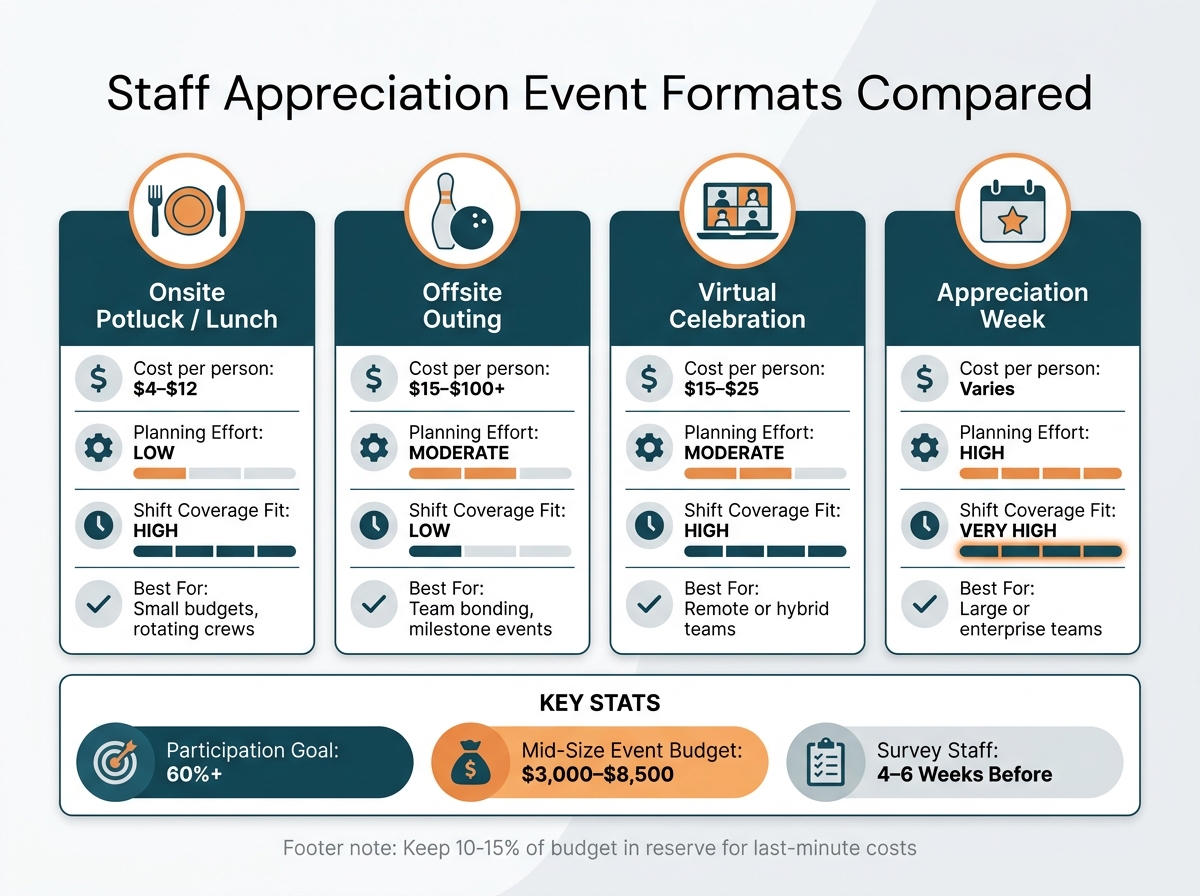
Staff Appreciation Event Formats: Cost, Effort & Coverage at a Glance
Start with the basics: why you're hosting the event, how much you can spend, and when it should happen. That sounds simple, but it shapes almost every other choice. A small end-of-season dinner for a tight-knit team won't cost the same as a milestone party for a larger staffing agency.
Per-person costs can vary a lot. A simple ice cream social usually runs $2–$5 per person, a pizza party comes in around $4–$12, and a happy hour can climb to $20–$50 per person. If you're planning a mid-sized event, sample budgets often fall between $3,000 and $8,500 once you add up venue costs ($500–$2,000), catering ($1,000–$3,000), entertainment ($500–$1,500), and awards or prizes ($300–$1,000).
One small move can save you a headache later: keep 10–15% of the budget in reserve for surprise costs. Extra rentals, late guest adds, or last-minute food changes have a way of showing up.
Once the budget is locked in, pick a date that gives people the best shot at showing up. National Employee Appreciation Day, held on the first Friday in March, gives you an easy starting point. But for event-based teams, a post-peak gathering often makes more sense because people can breathe again after the busiest stretch. Hosting during work hours, especially on Friday afternoons, can also help attendance since staff don't have to choose between the event and their personal time.
After the date is set, the next step is choosing a format that won't create scheduling problems.
| Format | Cost (per person) | Planning Effort | Shift Coverage Fit | Best For |
|---|---|---|---|---|
| Onsite potluck/lunch | $4–$12 | Low | High - can rotate across shifts | Small budgets, rotating crews |
| Offsite outing (bowling, escape room) | $15–$100+ | Moderate | Low - fixed time, requires travel | Team bonding, milestone events |
| Virtual celebration | $15–$25 | Moderate | High - async options available | Remote or hybrid teams |
| Appreciation Week | Varies | High | Very high - multiple windows | Large or enterprise teams |
The best option is often the one that asks the least from people. If your team works rotating shifts, an onsite lunch may be much easier to pull off than an offsite activity with a fixed start time. On the other hand, if you're marking a big win or major milestone, an outing can feel more like a real event and less like another lunch in the break room.
For distributed or hybrid teams, don't let remote staff become an afterthought. Mailing curated appreciation packages, usually $15–$25 per person including shipping, is a simple way to include them in the experience.
Even a well-priced event can miss the mark if it doesn't work for the people it's meant to thank. That's why staff input matters.
A short survey sent 4–6 weeks before the event is one of the best planning moves you can make. Ask what would make people more likely to attend and what would make them want to come back next season. That kind of input can cut wasted spend and help you avoid the classic problem of low turnout.
It's also smart to think about who gets left out without anyone meaning to. Shift workers, remote staff, and employees who prefer more private recognition all need to be part of the plan. When you collect RSVPs, include space for dietary needs and confirm vegan, gluten-free, and allergy needs ahead of time.
A good target is at least 60% participation. That doesn't mean every event has to be packed. It means the setup, timing, and format should give most people a fair chance to join.
Once you pick the format, bake recognition into the event itself. Food and venue help shape the mood. But recognition is what makes people feel seen. A good appreciation event should leave staff thinking, my work was noticed.
The best recognition events use a mix of public awards, peer shout-outs, and manager-led praise. Each one reaches people in a different way.
For manager-led recognition, specificity matters. A simple way to do it is Name, Action, Impact: say who the person is, what they did, and why it mattered. That kind of praise is clear. It also reinforces the actions that keep event teams steady and dependable.
Peer nominations fill a gap managers often can’t cover on their own. They shine a light on the behind-the-scenes work that can slip by unnoticed. A simple pre-event nomination form can help staff call out a coworker for an "Unsung Hero" or "Best Problem Solver" award. That makes it easier to spot the person who quietly covered a tough shift or stayed late to finish setup so they don’t get overlooked.
A Gratitude Wall or Shout-Out Board helps too. It gives staff a low-pressure way to leave notes without having to speak in front of a group.
Awards work best when they point to the actions your team needs most. For event-based teams, these categories tend to work well:
These awards do more than praise people. They also show the team what counts. If someone gets recognized for covering a hard shift without complaining, everyone sees that reliability matters and isn’t just taken for granted.
Give managers a heads-up at least four weeks before the event. Ask them to prepare written recognition for each team member. A vague speech can drain the energy from the moment.
People respond to recognition in different ways, so the event should make room for both public and private appreciation.
| Feature | Public Recognition | Private Appreciation |
|---|---|---|
| Impact | High visibility; reinforces values across the team | Feels more personal and sincere |
| Comfort Level | Can be stressful for introverted employees | High comfort level for all employees |
| Inclusivity | Gives the whole team a shared moment of recognition | Allows for a deeper one-on-one connection |
| Long-term Value | Builds cultural momentum and employer brand | Strengthens the individual manager-employee bond |
One of the highest-impact, lowest-cost things you can do is give a handwritten card from a supervisor that mentions a specific project or skill the employee showed. It’s simple, but it lands. Pair that with a public moment for people who are comfortable with it, and you cover both ends of the spectrum without pushing anyone into a spotlight they didn’t ask for.
Once recognition is mapped out, the next step is using budget-friendly staff scheduling tools to protect attendance and keep reminders in order.
Treat appreciation events the same way you treat client bookings: keep a close eye on attendance, coverage, reminders, and who owns each task.
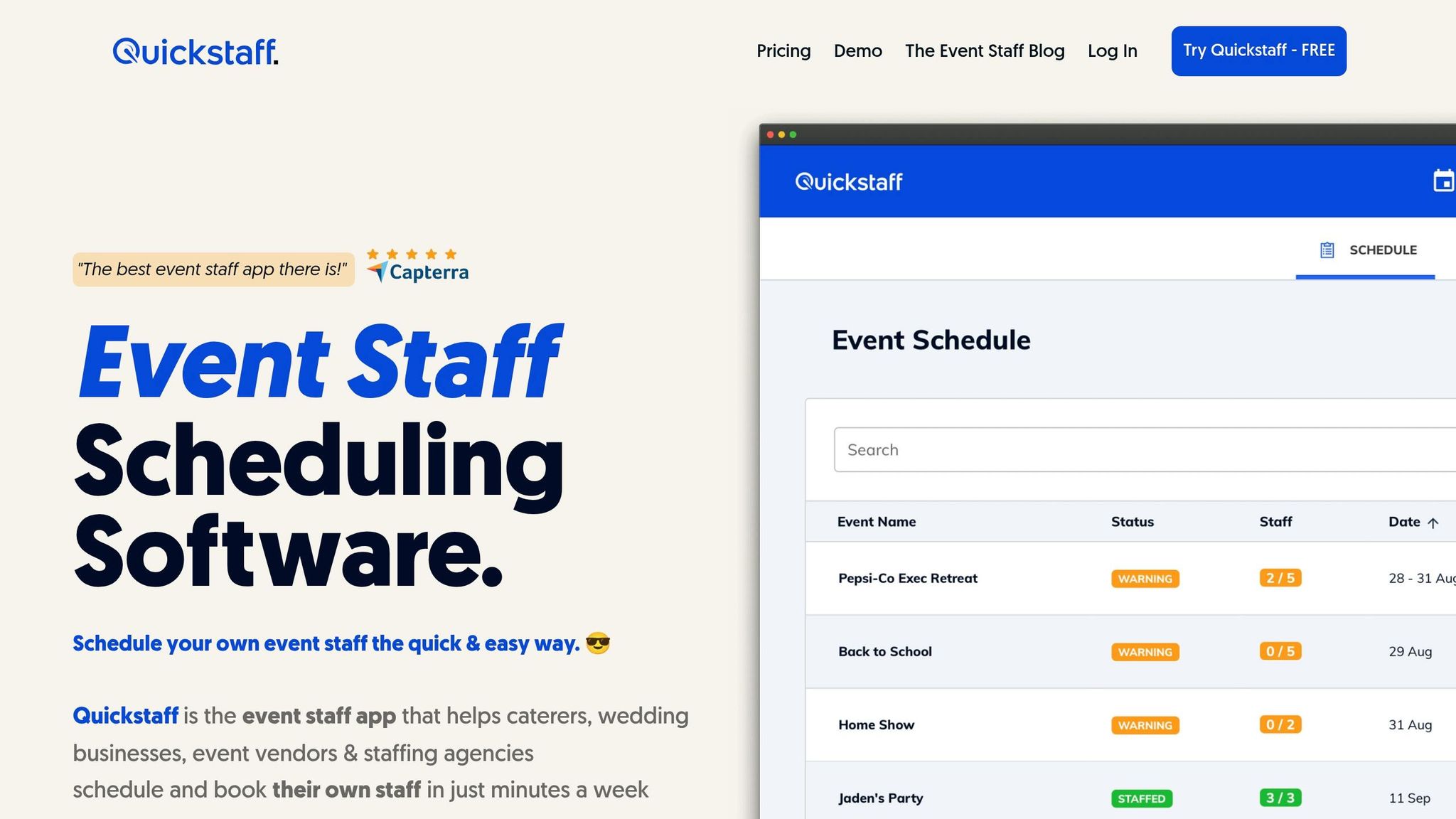
Start with attendance, then move to shift coverage and reminders. The biggest scheduling problem with appreciation events is double-booking. If a server is scheduled for a Saturday wedding and also invited to the afternoon celebration, that conflict needs to be spotted before event day, not in the middle of the rush.
Quickstaff helps by putting the appreciation event on your central calendar right next to active client bookings. That makes it easier to check availability, avoid shift conflicts, and send mobile reminders so staff don’t miss the event. If space is limited, the waitlist can help fill open seats without a scramble.
A simple reminder cadence works well here: send one reminder a week before the event and a final reminder a few days before. That timing can help boost attendance and cut down on last-minute scheduling gaps.
If you host a post-season celebration each year or a monthly recognition lunch, rebuilding the whole event every time eats up hours you don’t need to lose. Instead, duplicate repeat events. Copy a past appreciation event with its roles and setup, then change only what’s different. That’s a lot easier for teams juggling client work and internal events at the same time.
Role-based scheduling helps here too. You can assign staff to internal roles like "Setup Crew" or "Activity Host" just like you would for a client event. People show up knowing what they’re responsible for, which keeps the day moving without confusion. It also makes plan selection more straightforward.
Once your process is in place, choose the plan based on staff count and how many events you run. All plans include event creation, availability tracking, waitlists, messaging, and reminders.
| Plan | Price | Staff Capacity | Best For |
|---|---|---|---|
| Boutique | $49/month | Up to 35 staff | Small catering teams or single-location vendors |
| Growing | $99/month | Up to 70 staff | Mid-size event businesses with seasonal staff spikes |
| Large | $249/month | Up to 175 staff | Large staffing agencies or multi-location event operations |
After the event, move from planning mode to measurement mode. One simple way to judge an appreciation event is to compare the RSVP rate with actual attendance. Use participation rate as your starting point, then look at attendance, repeat attendance, and shift acceptance after the event. That gives you a clear read on whether the format, timing, and accessibility are working for your team.
Headcount only tells part of the story. The bigger picture shows up over time. Are the same staff members coming back for recurring events? How does post-event shift acceptance compare with your pre-event baseline? It also helps to track turnover trends over 6 to 12 months and compare retention between staff who attended and those who didn't.
Keep feedback simple. A two-question post-event survey - "What did you enjoy most?" and "What would you change?" - can give you useful input without adding much admin work.
Short surveys and manager debriefs can show what staff liked and what got in the way of taking part. Ask managers what they noticed about team energy and participation. Those observations help explain the mood and the reasons behind engagement without turning the process into a pile of paperwork.
Use those notes to fine-tune the next event's timing, format, and recognition mix.
Another metric worth watching is how fast staff volunteer for planning roles. If people are eager to help organize the next event, that's a strong sign the culture of appreciation is starting to stick.
Running one good appreciation event is a solid start. Doing it on a steady basis is what can help move the needle on retention and engagement. Set a purpose, set a budget, pick a format your team can manage, build in recognition, use Quickstaff to coordinate, and measure the results.
Track attendance, feedback, and retention after each event, then reuse the format that performs best.
Staff appreciation events work best when they’re part of a bigger habit of steady recognition, not just a once-in-a-while get-together.
An annual Appreciation Week, often held around the first Friday of March, can serve as a strong anchor point for the year. Then, monthly events can help keep people engaged and make recognition feel like a normal part of work, not a special occasion that comes and goes.
Quickstaff can help simplify scheduling and track milestones over time.
Make appreciation easy for everyone to join throughout the week. Give people more than one way to take part, so no one gets left out. For remote or hybrid teams, use digital tools to keep peer recognition in one place and visible across time zones.
If you have night shifts or teams in more than one location, run mirror events so the experience stays consistent. Send gifts to remote staff ahead of time, and make sure each team member gets the same recognition. If scheduling gets messy, Quickstaff can help coordinate staff across shifts and events.
Track event participation and employee feedback next to long-term retention trends. That gives you a clearer view of what’s working. To show impact, compare event results with key metrics over time, like turnover, absenteeism, and engagement scores.
Consistent, specific recognition is tied to lower turnover. And when scheduling and event data live in one place, it’s much easier to link recognition efforts to stronger team loyalty.





