Cloud-Based Staffing: Security Best Practices
July 3, 2026

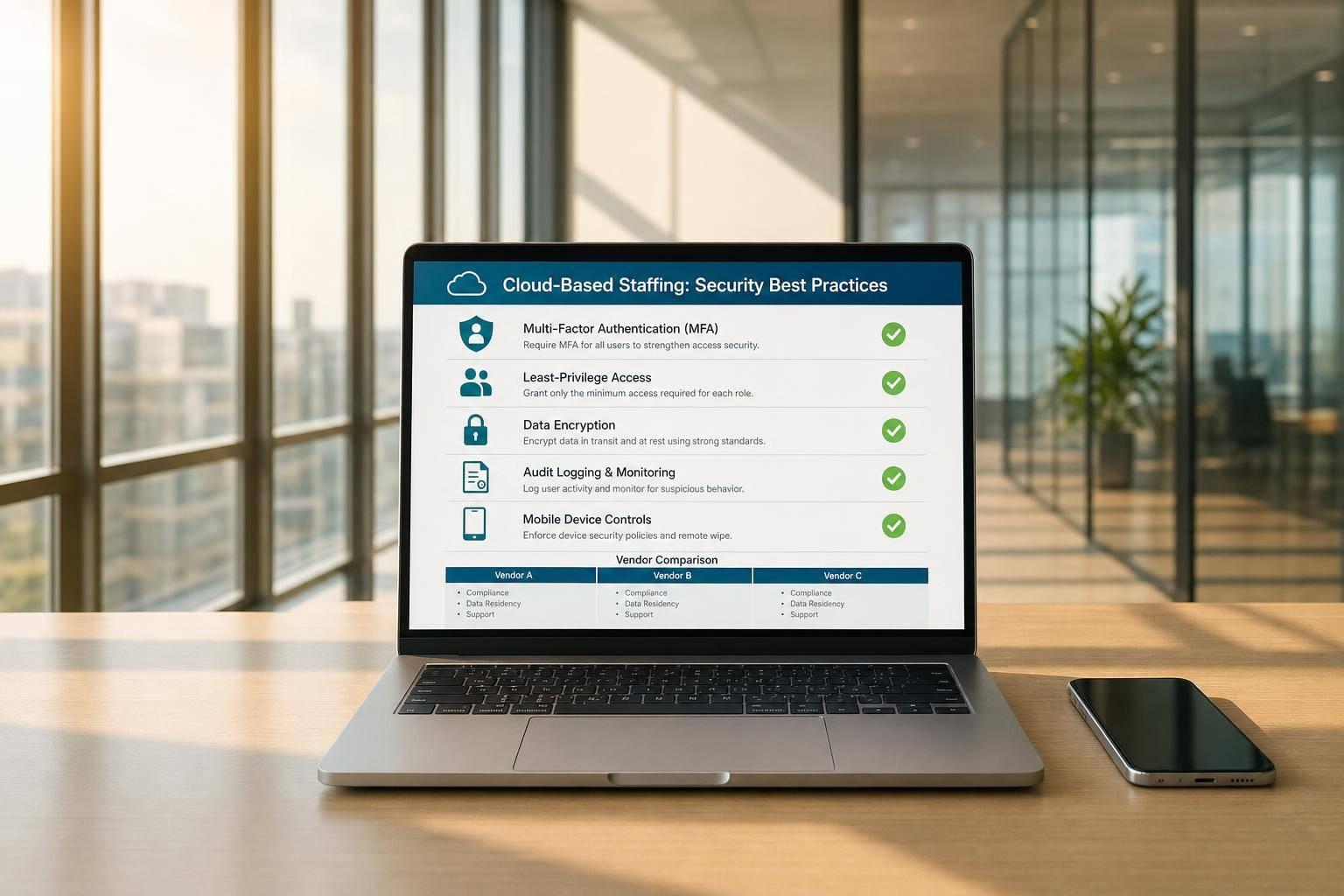
One weak login can expose schedules, payroll data, IDs, and worker records at the same time. That’s the core issue with cloud staffing tools.
I’d judge these platforms on 4 checks first: access control, data protection, audit logs, and mobile/integration risk. The article reviews Quickstaff, Event Staff App, Shifts by Everee, When I Work, and Connecteam through that lens, with a plain goal: help you spot where risk is low, where it isn’t, and what to ask before you buy.
Here’s the short version:
The piece also points to a sharp warning sign from the market: in March 2026, Mercor’s breach exposed 4 TB of data, including Social Security numbers, passport scans, and facial biometrics after a supply-chain attack. And in late 2025, 44.5% of first cloud intrusion paths were tied to third parties.
If I were buying a staffing platform today, I’d treat these as the non-negotiables:

Cloud Staffing Platforms: Security Comparison at a Glance
| Platform | Access Control | Data Protection | Audit Logs | Mobile / Integration Risk |
|---|---|---|---|---|
| Quickstaff | Role-based access; needs permission reviews | Verify encryption for profiles, schedules, and messages | Should track shift and booking changes; confirm exports | Mobile login and API key control need close checks |
| Event Staff App | Least privilege, MFA, time-bound access | TLS 1.3, AES-256, retention limits, purging | Immutable logs with alerts | High risk from shared and unmanaged devices |
| Shifts by Everee | 2FA for all; TOTP for admins; SSO/SCIM | AES-256, TLS 1.2+, tenant split, field-level encryption | Immutable logs and alerts | Web-based MFA setup adds friction in the field |
| When I Work | MFA supported; SSO/provisioning should be confirmed | TLS, AWS hosting, backups, PCI payment encryption | Logging and monitoring in place | Device policy and API review matter most |
| Connecteam | RBAC, MFA, admin SSO, IP limits; manual provisioning risk | 256-bit encryption in transit; Azure hosting; backups | Activity log; ask for full SOC 2 report | Offline sync gaps and linked workflows can spread issues |
Bottom line: I’d pick the platform that locks people out fast, limits what each role can see, keeps a clear record of changes, and doesn’t let mobile or third-party tools turn one mistake into a big data leak.
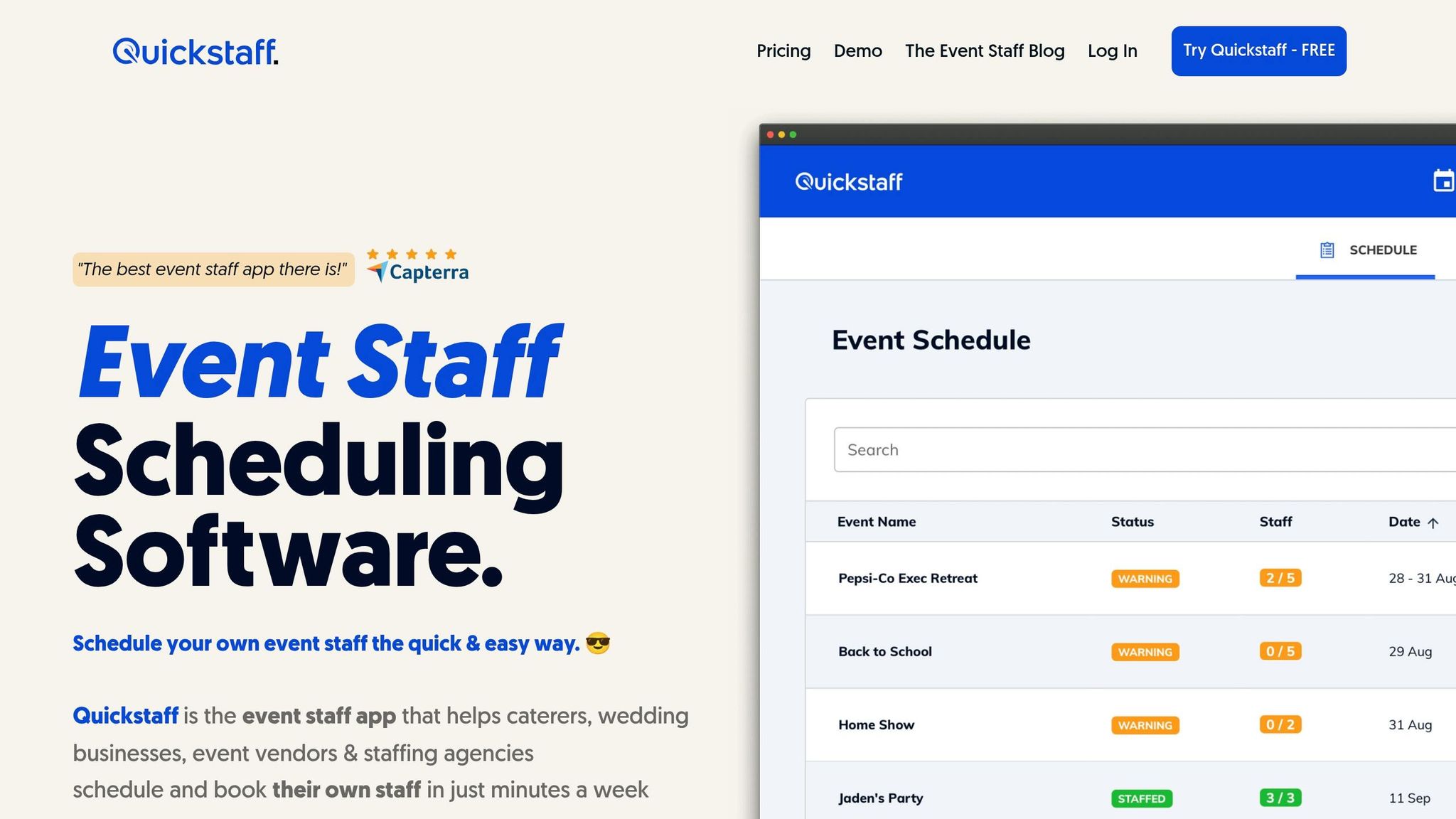
Quickstaff is built for temporary event staffing: caterers, wedding vendors, and event agencies. In that kind of setup, teams move fast, shifts change at the last minute, and workers often come and go from one event to the next. That puts the biggest risk on access control, data handling, and mobile login security. Start with roles. Permission sprawl is one of the fastest ways event and payroll data ends up in the wrong hands.
Quickstaff’s event creation and staff scheduling by roles give teams a solid base for role-based access control. Use those roles to limit who can view worker records, schedules, and sensitive documents. It sounds simple, but this is where many teams slip: someone gets access for one event, then keeps it long after they need it. Review permissions before and after each event assignment.
Once access is locked down, the next thing to check is how data moves through the system.
Quickstaff handles worker profiles, scheduling data, and team communications through mobile access. Confirm how Quickstaff encrypts worker profiles, schedule data, and in-app messages at rest and in transit, including on mobile devices. If your staff is checking shifts from parking lots, kitchens, or hotel lobbies, that mobile layer matters a lot.
Protected data also needs a record of who touched it and when.
Quickstaff logs should show who changed a shift, approved a booking, or opened an event record. Require exportable logs for compliance reviews and incident response. Quickstaff’s centralized event management can help with audit review, but agencies should verify that logs are available for compliance review or incident investigations.
That matters when something goes sideways. If a schedule changes, a booking gets approved by mistake, or a record is opened by the wrong person, you need a clear trail instead of guesswork.
Quickstaff’s mobile-friendly design is useful for field work, but mobile access also puts more pressure on credential security. Require app-based or hardware-key MFA for all users. Rotate API keys on a fixed schedule, such as every 90 days.
Before connecting payroll or messaging tools, verify:
Those checks may feel like extra work up front, but they can save a lot of trouble later.
Event Staff App is only as secure as the controls it puts around short-term users and mobile access. The main issue is simple: can the platform lock down temporary staff without slowing people down at check-in, dispatch, and shift changes? That’s the bar. It needs to protect short-term access without turning shift management into a bottleneck.
Use role-based access control with least privilege, time-bound access, and mandatory MFA for every account. Instead of leaving static access in place long after a shift ends, use time-bound, location-aware permissions that expire when they should. Short assignments should come with short access windows.
Protect staffing data - worker profiles, schedules, availability, and payroll records - with TLS 1.3 in transit and AES-256 at rest across databases, files, and backups. Add retention limits and automated purging so old records don’t sit around longer than needed.
Keep immutable logs of access, queries, and transfers in one place, and flag unusual activity in real time. That becomes especially important when you need to track who viewed, changed, or exported worker, schedule, or payroll records.
Credential stuffing makes mobile login security a top concern. Staff and managers will sign in from public, shared, and unmanaged devices, so you can’t assume the device is safe. Treat every mobile device as untrusted until it passes posture checks, and use MDM for remote wipe and app whitelisting.
The next platform moves these controls into a different set of mobile and integration tradeoffs.
Everee splits admin and worker sign-in, and it puts tighter rules around administrator access. For staffing agencies, that’s a big deal. The people who handle schedules, pay, and worker records usually need stricter controls than everyone else.
Everee requires two-factor authentication for every account. Admins must use TOTP, while workers can use TOTP, SMS, or email. SSO and SCIM help teams manage access in one place and speed up deprovisioning when someone leaves or no longer needs access.
Everee uses AES-256 for data at rest, TLS 1.2+ for data in transit, and tenant-level segregation. It also uses field-level encryption for sensitive worker and payroll data. Live schedule status is delayed by 5 to 20 minutes, which helps limit roster exposure.
Once access is locked down, logs become the next line of defense.
Immutable logs track data access, role changes, and payroll updates. The system also sends automated alerts for suspicious activity.
After visibility, the next risk is how users sign in on mobile devices.
MFA has to be set up in the web app, which can add friction for teams onboarding workers in the field. At the same time, just-in-time access and session-based controls help cut down the attack surface.
That setup tends to work best when admins can manage identity from one central place, which sets up a different set of tradeoffs in the next platform.
When I Work focuses on the basics done right: MFA, encrypted traffic, backups, and logging.
When I Work supports mobile MFA and updated access controls. If you need automated provisioning or SSO flows for temporary staff, check those features directly during the evaluation process.
When I Work enforces TLS for all data in transit across web and mobile, runs on a hardened AWS setup, and performs daily backups with regular reliability testing. Credit card transactions use PCI-compliant payment encryption. The platform also uses data minimization.
When I Work uses logging and monitoring, along with regular infrastructure updates.
Treat personal devices as untrusted. That’s the safest starting point.
Enforce MDM enrollment, disk encryption, and screen-lock timeouts at the network layer. Watch third-party integrations and API access closely too. Third-party weaknesses drove 44.5% of initial cloud intrusion vectors in late 2025.
So before rollout, put most of your attention on device policy and API governance.
Connecteam is a mobile workforce platform built for teams that spend more time in the field than at a desk. It reports SOC 2 Type II and ISO/IEC 27001 certifications, but a July 2026 SaaSPosture review gave it a 37/100 (D+) score.
Connecteam supports role-based access control, configurable 2FA/MFA, Microsoft Azure Active Directory SSO for admins, and IP restrictions on request. For Kiosk app users, it can require a selfie at login to confirm identity.
There is a catch, though. Manual provisioning and limited API automation can leave old accounts behind, which increases orphaned-account risk. That becomes a bigger issue when temporary workers join and leave fast.
Connecteam uses 256-bit encryption in transit and runs on Microsoft Azure. It also backs up data in the cloud.
Once you know how data is stored and moved, the next step is to look at what you can track after the fact.
The Activity Log tracks system events. During procurement, ask for the full SOC 2 Type II report, not just the certification claim.
This is where things can get messy. Connecteam's Operations Hub ties together scheduling, time tracking, and payroll, which means one weak link can affect more than one workflow. If an integration is compromised, the blast radius gets bigger fast.
Independent testing also found that shifts created offline may fail to sync after reconnection. That can lead to data loss or records that don't match.
Before making critical schedule changes, verify that sync has finished and the latest updates are showing across devices.
Once you step back from each platform review, the big issue becomes pretty simple: which controls happen on their own, and which ones still rely on an admin remembering to do the work?
| Platform | Security Strengths | Key Risks |
|---|---|---|
| Quickstaff | Centralized scheduling limits data sprawl; role-based access reduces over-permissioning | Mobile access and permission sprawl are the main risks; confirm MFA options and audit log retention directly |
| Event Staff App | Time-bound, location-aware permissions reduce standing access; TLS 1.3 and AES-256 specified | Credential stuffing on mobile login; personal and unmanaged devices treated as trusted by default |
| Shifts by Everee | TOTP-enforced MFA for admins; SCIM and SSO support faster deprovisioning; field-level encryption for payroll data | MFA setup requires web app access, which adds friction for field onboarding |
| When I Work | TLS in transit, hardened AWS infrastructure, daily backups with reliability testing, PCI-compliant payment encryption | SSO and automated provisioning for temporary staff need direct vendor confirmation |
| Connecteam | SOC 2 Type II and ISO/IEC 27001 certified; Azure-hosted with 256-bit encryption; selfie-based kiosk login | Manual provisioning leaves orphaned accounts; offline sync failures can create record mismatches; independent testing scored 37/100 |
The main gap isn't role-based access control on its own. It's whether access gets revoked automatically.
Platforms with SCIM provisioning can shut off access the second a termination or contract-end event fires. That's a big deal. If a system depends on manual deactivation, there's a window where a former worker may still get in.
Ask vendors one direct question:
"What is your SLA for revoking access after a staff member is offboarded?"
MFA is the other clear dividing line. App-based authenticators are now the enterprise standard. SMS-based verification is still common, but it's a risky fallback because of SIM-swapping. If a platform only gives you SMS, treat that as a red flag before signing anything.
A lot of teams focus on the main database and stop there. That's not enough.
The less obvious issue is whether encryption also covers backups and temporary staging locations. Some vendors protect production data well but leave backup snapshots with weaker protection. You need to ask about both, plainly and directly.
If a platform uses AI-assisted scheduling or matching, check whether your data feeds shared vendor models. Buyers should be able to opt out and still keep core product use intact.
Logs need to do more than exist. They should be exportable, kept long enough to help during an investigation, and tied to a clear escalation path.
A practical baseline is 12 to 24 months of exportable logs. When you're vetting a platform, confirm who gets alerts when unusual activity shows up and what happens after hours. If something goes wrong at 11:30 PM on a Saturday, you don't want a vague answer.
SOC 2 Type II is a useful signal, but only if the report is current. If it's older than the last 12 months, it tells you less than people think. Ask for the full report, not just the badge, and review any findings with the vendor's remediation plan.
Mobile access gives teams speed, but it also brings more device risk. Platforms that support remote wipe and automatic data expiration do a lot to reduce exposure from local caching.
For Quickstaff users running event staff across many engagements, the day-to-day issue is simple: does scheduling data stay inside a controlled system, or does it leak into side channels when payroll or communication tools get involved? That matters more than it may seem at first.
Platforms that move data through encrypted, real-time API connections are safer than platforms that still lean on CSV exports or emailed spreadsheets.
These differences help sort platforms by how well they cut off access, keep data contained, and lower mobile and integration risk.
Once you’ve compared budget-friendly platforms, zero in on the controls that matter most for your day-to-day work. Security isn’t handled by the vendor alone. The vendor secures the platform itself. You still own access, identities, and the data you store inside it.
Start with the basics that should be non-negotiable:
Then use the comparison above to line those controls up with your staffing model.
| Buyer Scenario | Primary Security Priority | Key Check |
|---|---|---|
| Mobile-heavy event staffing | Device security | MDM with remote wipe; encrypted local data caching |
| Multi-site teams | Identity governance | Centralized SSO with automated role-based provisioning |
| Payroll-heavy teams | Data and payment control | AES-256 encryption; dual authorization for payments |
| Regulated teams | Compliance readiness | Current SOC 2 Type II report; documented BAA; verified data residency |
| High-turnover teams | Automated offboarding | Confirmed "time-to-lockout" SLA when staff are terminated |
For event staffing, the main goal is containment. You want schedules, worker data, and permissions kept tightly scoped. That means keeping scheduling and staff data in one central place and limiting access to need-to-know roles.
Pick the platform whose controls line up with your workflow, risk level, and mobile use.
Start with identity and access controls first. They deal with the attack paths teams run into most often.
Put MFA on every account, bring identity management into one place with SSO, and set up RBAC with least privilege so people can only reach the data they need for their jobs. If an account gets taken over, that smaller access scope helps contain the damage.
Staff access should be removed as soon as a temporary role ends.
To make that happen, set access as time-bound from day one, with hard expiration dates. If automated revocation isn’t possible, or if an employee moves into a new role, remove extra or unneeded access within five business days.
Mobile devices can increase staffing risk because they blur the line between personal and work tech. And when that line gets fuzzy, sensitive candidate data can end up sitting next to personal apps and unsecured spaces.
The risk gets worse in a few common situations:
That’s where things can go sideways fast. A device that feels convenient for day-to-day work can also become an easy path to expose private staffing data if basic controls aren’t in place.