Data Security Training Checklist for Staffing Teams
June 29, 2026

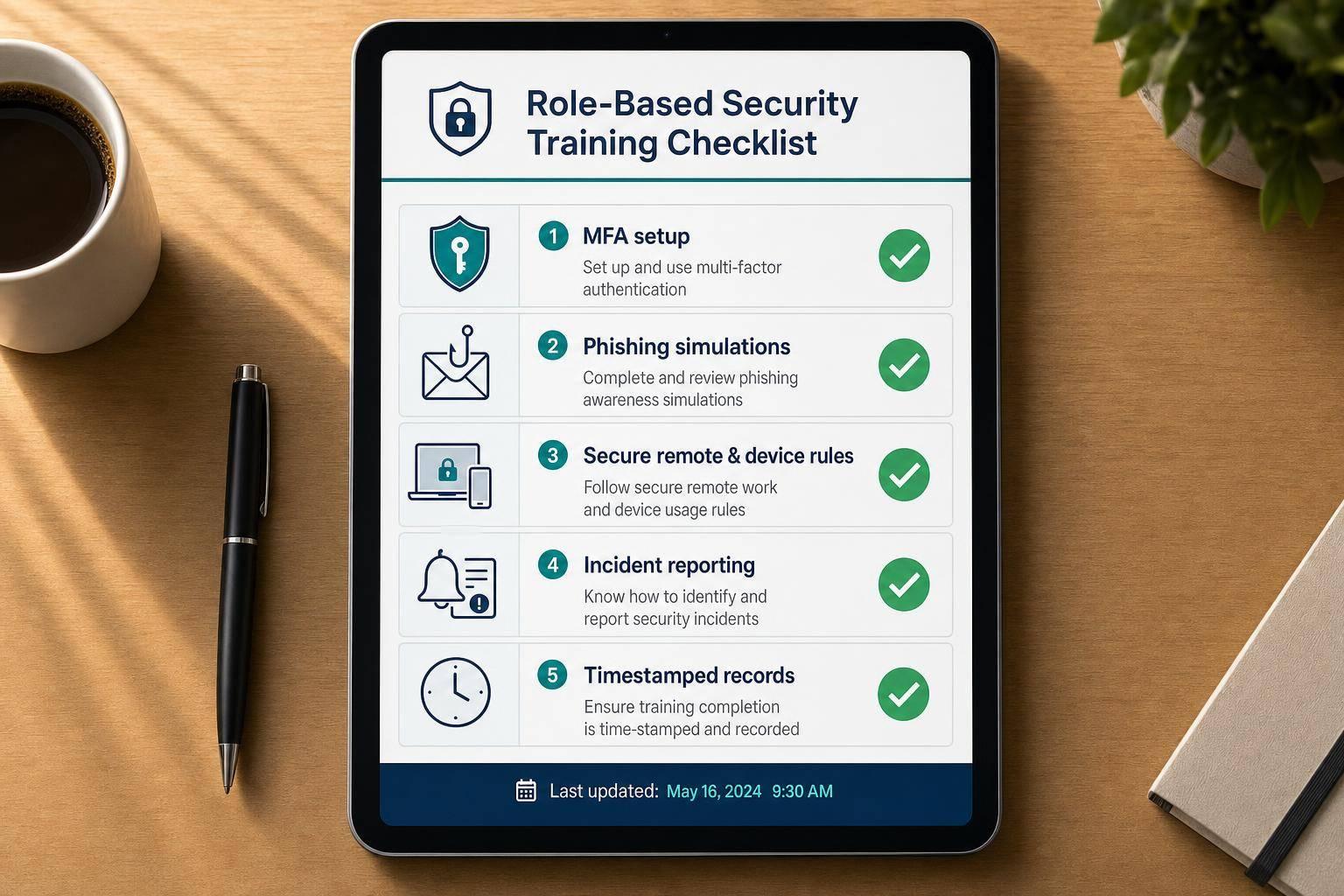
If staff touch candidate or client data, training needs to happen before login access starts. For staffing teams, that means checking role-based access, signed policy records, MFA use, phishing awareness, mobile and remote work rules, and a clear incident reporting path. It also means keeping proof of training with dates, scores, and acknowledgments.
Here’s the short version of what I’d check:
A few numbers show why this matters:
This article lays out a plain checklist I’d use to make sure staffing employees know the rules, follow them in daily work, and have that training documented if anyone asks for proof.

Data Security by the Numbers: Why Staffing Teams Can't Skip Training
Before anyone gets system credentials, confirm three things: their role, their policy acknowledgment, and their training completion. Then map where sensitive data enters your systems, who handles it, and what each role can see or work with. That map should drive training by role, not just by job title.
Each staffing role handles different kinds of data. So access should match the job and stop there. RBAC helps limit access to only what a person needs to do their work. A recruiter doesn’t need payroll details. An on-site supervisor doesn’t need the full candidate database.
Use this role matrix to set both access and training:
| Staffing Role | Data Access Level | Required Training Topics |
|---|---|---|
| Recruiters | Candidate PII, resumes, AI screening tools | Safe use of AI screening tools, data minimization, data privacy (CCPA/GDPR), phishing |
| Account Managers | Client MSAs, fee structures, billing info | Data Processing Agreements (DPAs), secure file sharing, encryption in transit |
| Payroll/Finance | SSNs, bank details, pay rates, tax forms | Encryption at rest, secure file transfer, incident reporting |
| IT/Operations | Admin logs, admin settings, ATS/CRM | RBAC management, incident response, MFA/SSO configuration, audit trails |
| On-site Supervisors | Shift schedules, basic contact info | Minimum Necessary Standard, physical security (lock screens), incident reporting |
You should also name a Privacy Officer and a Security Officer before rollout. Put both assignments in writing and spell out their reporting lines.
Once roles are set, connect each one to the policy set that employee must review and accept.
Training doesn’t hold up well if it points to policies that were never written down or never acknowledged. Before access is granted, each employee should review and e-sign policies that cover:
Keep those signed acknowledgments with the training record. If an audit comes up, you may need to show more than the existence of a policy. You may need to show that a specific employee read and accepted it on a specific date.
"A staffing firm that trained its workers but cannot produce timestamped, role-specific records of that training is in the same legal position as a firm that never trained them." - Colton Hibbert, Coggno
Your training records should include the employee’s name, role, course version, completion timestamp, assessment score, and a signed attestation. For HIPAA-covered workflows, keep these records for at least six years.
It also helps to separate internal staff records, such as recruiters and account managers, from placed worker records. That makes it much easier to respond when a regulator or client asks for something specific.
If your agency handles protected health information, match training to HIPAA basics. If you work with California residents, include CCPA awareness. And if client data is governed by a service agreement, make sure a Data Processing Agreement (DPA) is signed before any employee gets access to that client’s records.
Once access is approved, the next job is simple: make sure employees know what to do, and what not to do, during a normal workday. These are the baseline habits every staffing employee should follow day to day. To keep it practical, this section looks at three areas.
Saving resumes to a desktop, sending sensitive forms through personal email, or keeping candidate spreadsheets outside the approved system can create risk that's tough to spot and even tougher to fix. Every resume, shift note, and client file needs to stay inside approved channels.
Train employees to collect sensitive documents only through encrypted portals or secure submission forms, not through standard email. Files should be saved only to approved cloud or network locations. If someone prints PII, it should be shredded as soon as it's no longer needed.
Staff should also follow the Minimum Necessary Standard for every task: use only the data needed for the task in front of them, nothing more. For example, if a recruiter is confirming a shift, they may need a candidate's contact details, but not the full onboarding file.
| Risk Area | Daily Action |
|---|---|
| Send sensitive files through secure portals only; avoid personal email or unsecured messaging apps | |
| Data Storage | Save to approved cloud or network locations; no local downloads or personal cloud services |
| Physical Documents | Shred printed PII immediately after use |
| Data Access | Apply the Minimum Necessary Standard for every task |
About 68% of data breaches involve a human element - employee error, weak credentials, or social engineering. That's why this part of staffing security training matters so much.
When it comes to passwords, don't force 90-day resets. Frequent password changes often lead people to use weak, easy-to-guess patterns. A better approach is to train staff to use a company-approved password manager and set one strong, different password for each system. Then change it only if there's reason to think the account has been exposed.
MFA should be turned on for every system. Any banking or payment change should also be verified by calling a known number. MFA is estimated to block 99% of phishing-related account compromises. Add one hard rule on top of that: never share credentials. If someone needs more access, they should request it through IT.
Phishing in staffing doesn't always look like the usual scam email. It may show up as a fake resume attachment, a spoofed client message asking for an urgent bank account update, or a fake missed-shift notice. Staff need to spot the versions that match their day-to-day work.
For any request tied to payment or banking changes, the protocol is clear:
"If you receive an email asking you to update a vendor's banking information, do not act on it until you have called that vendor directly using a number you already have on file. Never use a phone number provided in the email itself." - Scott Wilson, SVP & Global Chief Security & Privacy Officer, People2.0
That out-of-band verification step is one of the best defenses against Business Email Compromise (BEC), which led to $2.77 billion in reported losses in 2024.
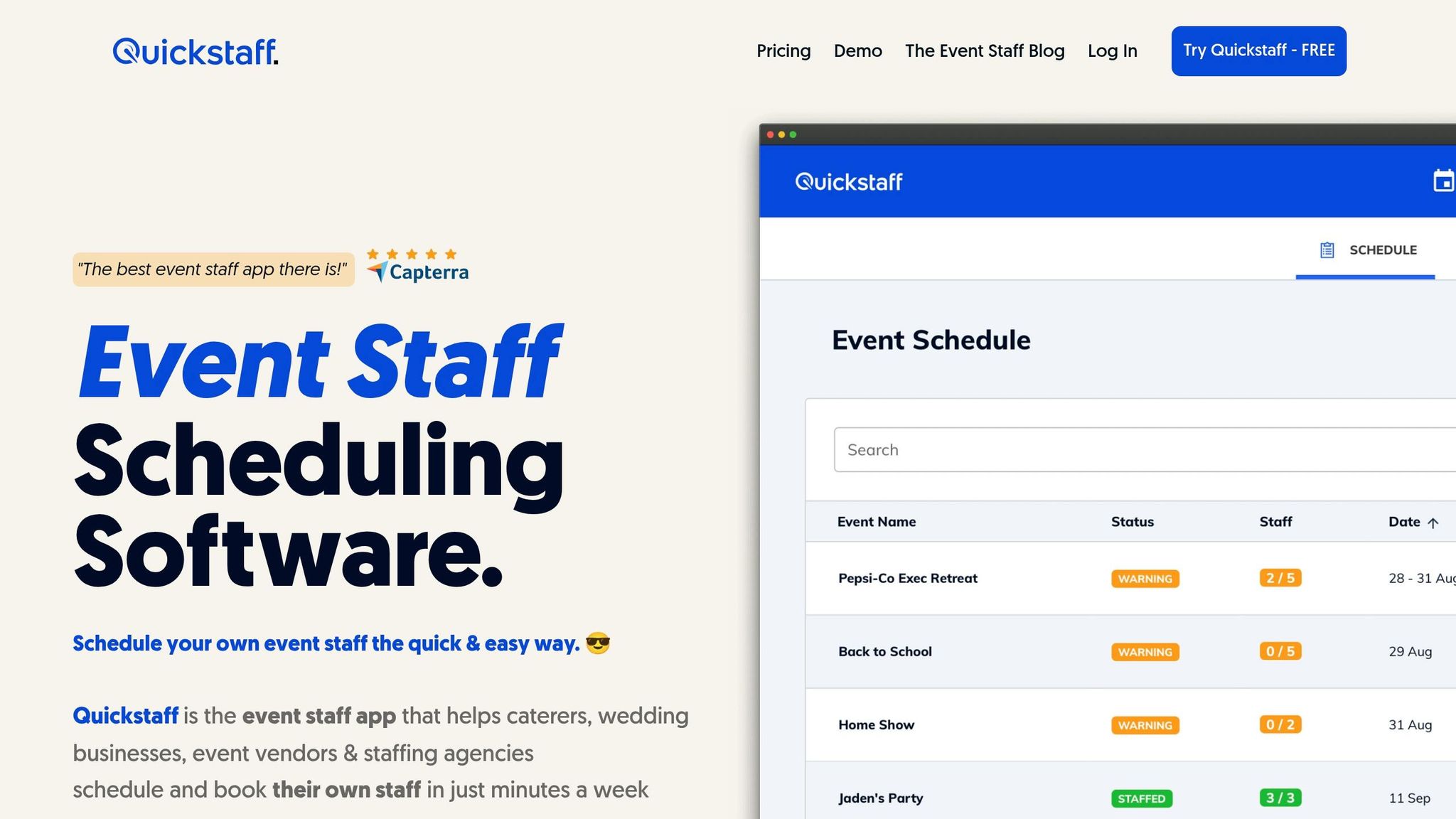
ATS and scheduling tools like Quickstaff store sensitive scheduling and communication data. So the way employees log in and use these platforms matters just as much as the data rules they agree to.
Train staff to access systems only from secure networks. Set session timeouts so an inactive account on a shared device doesn't stay open for the next person who walks up. Turn off browser autofill for credentials, since it can expose logins on shared or compromised devices.
Before assigning tasks or sending messages, check each user's permission level. And when staff need to communicate, they should use Quickstaff's messaging tools or other approved channels, not personal email or unsecured messaging apps.
Audit logs show who accessed what and when. Employees should know those logs exist. It helps build accountability, and it gives managers a way to spot odd activity before it turns into an incident.
The same rules apply on shared devices, mobile logins, and venue networks. A phone in the field can create just as much risk as a desktop in the office.
Once day-to-day habits are in place, staff need to use those same habits outside the office too. That matters because remote work and on-site event work bring different kinds of risk.
Working from home adds weak spots that a managed office network usually doesn't have. Start with the basics. Require employees to change default router passwords and make sure home Wi-Fi uses WPA3 encryption.
Remote devices also need to stay patched and up to date. For any off-network login to an ATS, scheduling platform, or client database, require a VPN or zero-trust access, with MFA turned on for off-network access.
"Human error remains the leading cause of breaches. Agencies must train employees on phishing and social engineering, educate teams on safe data handling, and reinforce policies for remote work." - Phil Cohen
Home offices need a couple of extra guardrails too. Use a clean desk policy at home. And keep printed resumes, onboarding packets, and contracts locked up until they’re shredded.
That same mindset should carry over on the road.
On-site events create more chances for data to slip out. A phone left at a check-in table, a laptop screen in plain view, or a login over venue Wi-Fi can expose sensitive information fast.
Train staff to use short auto-lock timeouts on any device used at an event. Any device that handles PII should have full-disk encryption and a strong screen lock. If staff use personal devices for work, MDM should separate work data and allow remote wipe.
For any task that involves a staffing platform, candidate data, or client files, require a VPN or a secure hotspot. Staff should also know how to cut down shoulder surfing by angling screens away from bystanders and using privacy screens in public or shared spaces.
If a device is lost or stolen, it needs to be reported to security right away so IT can begin a remote wipe.
| Scenario | Training Action | Technical Control |
|---|---|---|
| Device lost or stolen | Report it immediately to security contact | Remote wipe via MDM |
| Working at a venue | Use VPN or a secure hotspot; avoid public Wi-Fi | Endpoint encryption |
| Unattended device | Lock the screen every time you step away | Auto-lock timeout |
| Printed rosters on-site | Shred after use; never leave documents out | Secure disposal (shredding or burning) |
After employees know how to protect data in each work setting, the next step is teaching them how to report incidents and revisit that training on a regular basis.
The last checklist step is making sure staff can spot a problem, report it fast, and handle the same kind of issue again the next time it happens.
If a device goes missing, an email goes to the wrong person, or a login attempt looks off, staff need to report it right away. In staffing, an incident doesn't have to mean a major breach. It can be something smaller but still risky, like a resume sent to the wrong client, a suspicious login alert in your ATS, an unauthorized data export, or a lost mobile device at an event. People should know what counts as an incident and exactly how to report it without stopping to guess.
The process should feel routine, not like someone is about to get blamed. Keep it simple with one clear path, such as a "Report Phishing" button or a single security contact email. If a device is lost or stolen, staff should report it to IT within 60 minutes so the team has time to remote wipe it before data is extracted.
Use a set schedule: before access is granted, once a year, and after any policy, system, feature, or incident change.
Monthly phishing simulations can cut employee click rates from 32.4% to below 5% within 12 months. That's a big shift. Add short quizzes and the occasional tabletop exercise so people don't just sit through training - they practice what they'd do in a lost-device or misdirected-resume situation.
An LMS helps here. It can automate expiry alerts and keep timestamped, role-specific completion records.
"A staffing firm that trained its workers but cannot produce timestamped, role-specific records of that training is in the same legal position as a firm that never trained them." - Colton Hibbert, Compliance Specialist
Use this table to spot role-based gaps.
| Training Topic | Target Role | Compliance Driver | Frequency |
|---|---|---|---|
| Phishing & MFA | All Staff | Cybersecurity Best Practices | Monthly simulations |
| Candidate Data Handling | Recruiters & HR | GDPR, CCPA, HIPAA | Annual |
| Incident Reporting | All Staff | Breach Notification Rule | Onboarding & post-incident |
| Remote/On-site Security | Event Staff & Remote Recruiters | NIST SP 800-50 | Annual |
| Privileged Access | IT & System Admins | NIST CSF, SOC 2 | Annual |
| Wire Fraud/BEC | Finance & Executives | FBI IC3 Best Practices | Annual |
Once reporting and testing are in place, training turns into a repeatable control instead of a one-and-done task.
One session won't do the job. Staff need training before access, clear policies, coverage of core security habits, guidance for remote and on-site risks, fast incident reporting, and completion reviews on a fixed schedule. Each part supports the others.
For staffing teams, repeated training is what keeps data handling steady.
Come back to this checklist during onboarding, after any incident, and at least once a year. That rhythm helps protect sensitive data without getting in the way of day-to-day work.
All internal team members need role-based security training that fits the data they can access and the work they do. That includes recruiters, account managers, HR, operations, IT, finance, and clinical teams.
This training should also cover contractors, volunteers, and temporary staff under your organization’s control. When you match training to jobs like sourcing, screening, onboarding, and payroll, people get guidance tied to their day-to-day tasks. That keeps the training focused and helps cut insider risk.
Keep one central, time-stamped record for each employee and every training session. That way, if you ever need to show compliance, the proof is in one place instead of scattered across folders, emails, or LMS exports.
Your records should include:
For HIPAA-covered organizations, keep these records for at least six years.
At a minimum, data security training should be refreshed annually. That said, a more frequent, steady approach tends to work better.
For staffing teams, training should begin during onboarding. After that, reinforce it with quarterly sessions, monthly micro-training, and regular phishing simulations.
It also needs updates when big policy shifts happen, when the organization changes, or when new security threats show up.