Incident Reporting vs. Escalation: Key Differences
June 30, 2026

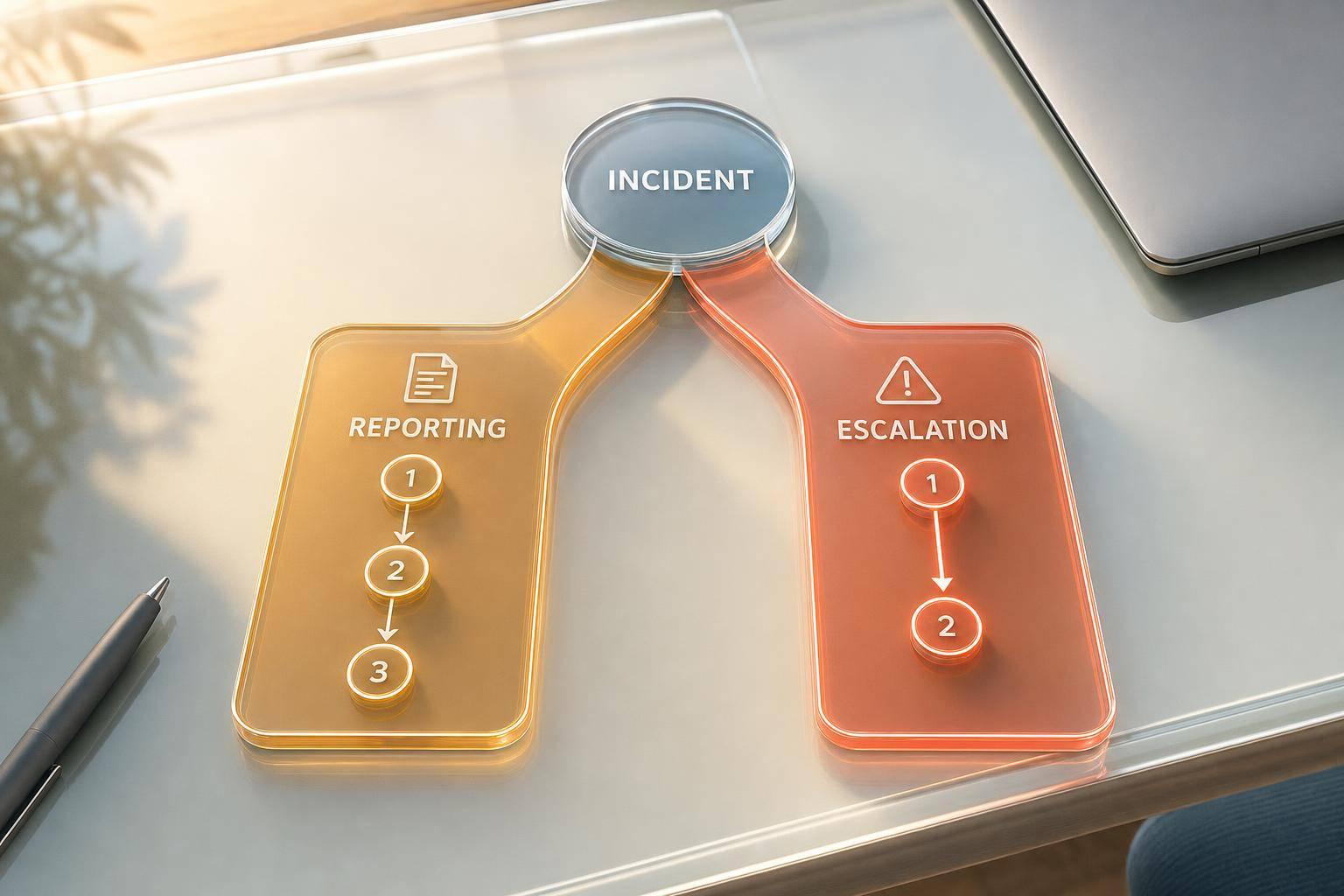
If I had to sum it up in one line: reporting writes down what happened, escalation gets the right person involved right away.
If you run events, you need both. One creates the record for follow-up, insurance, and review. The other moves an active issue to someone with more authority or the right skills. In many cases, you do both - but not at the same time and not for the same reason.
Here’s the short version:
A few common examples:
Studies of workplace and event safety processes often show the same pattern: when staff delay reporting or send issues up the chain too late, response time slips and post-event review gets harder. That’s why clear steps and scalable processes matter.
| Criteria | Incident Reporting | Incident Escalation |
|---|---|---|
| Main purpose | Creates a factual record | Alerts someone who must act |
| Timing | During or after the incident is under control | At once when a trigger is met |
| Who starts it | Staff member who saw or handled the issue | Current responder or supervisor |
| Output | Form, log, photo record, witness notes | Call, radio alert, message, command handoff |
| Best used for | Injuries, damage, near-misses, policy issues | Medical events, security threats, fire, crowd danger, tech failure |
| End result | Paper trail and follow-up record | Active response and decision-making |
The simple rule I’d use: record every incident, but don’t wait to escalate a serious one.
The rest of this piece breaks down where each step fits, what should trigger escalation, and how to connect both in a clean workflow.
Incident reporting is the standard record of what happened, where, when, who was involved, and what staff did next. It covers incidents like injuries, damage, outages, security issues, hazards, and near-misses. A solid report helps with follow-up, claims, legal review, and post-event analysis.
Use a standard form so each report includes the same core details. This is a vital part of an event day preparation kit to ensure nothing is missed during high-pressure situations. That keeps records clear and makes them easier to review later.
Every report should answer the same basic questions: what happened, when, where, who was involved, and what was done about it.
| Report Field | What to Document |
|---|---|
| Date & Time | Exact date and time in U.S. format, such as 9:05 p.m. on July 1, 2026 |
| Location | Precise area, such as "near the poolside bar" or "Zone B, Row 4" |
| Involved Parties | Full names, roles, and contact information for guests, staff, contractors, or other affected people |
| Narrative | A neutral account based only on observed facts |
| Witnesses | Names, contact details, and exact statements from witnesses |
| Actions Taken | Immediate steps such as first aid, cleanup, supervisor notification, or calling emergency services |
| Evidence | Photos of the scene, damaged equipment, CCTV timestamps, and other supporting records. Do not photograph injured individuals without explicit consent. |
Stick to facts and leave out guesses or blame. For example, instead of writing "the guest was drunk", write "the guest was observed stumbling and using offensive language."
A report only helps if staff know when to file one.
Report incidents involving injuries, illness, property damage, security threats, operational failures, crowd-safety hazards, policy violations, and near-misses. If you're not sure, file the report.
Once an incident is documented, the next step is simple: does it need an immediate handoff?
Escalation is the immediate handoff of an active incident to the person or team with the authority, expertise, or resources to act when the first responder can't resolve it alone. Unlike incident reporting, which records what happened, escalation is a real-time call to action that shifts ownership while the situation is still unfolding.
Escalate when an incident is too serious, urgent, or broad for on-site staff to control. These triggers help staff decide when that handoff needs to happen right away.
| Escalation Trigger | Examples | Who to Notify |
|---|---|---|
| Medical Emergency | Loss of consciousness, severe allergic reaction, serious injury | On-site Medical Lead / EMS |
| Security Threat | Violence, theft, aggressive behavior, suspicious packages | Security Director / Police |
| Crowd Safety | Dangerous surges, crushing, unsafe crowd density | Safety Officer / Operations Center |
| Environmental Hazard | Fire, structural danger, severe weather | Fire Marshal / Site Manager |
| Digital Threat | Data breach, POS failure, ransomware | IT Lead / Cyber Liaison |
The escalation path usually moves from frontline staff to supervisors, then to senior management or outside authorities. In plain terms, if a zone usher sees a guest having a medical episode, they should already know exactly who to call without stopping to think it through.
For severe incidents like major injuries, active security threats, or fire, staff should skip normal routing and contact event management or emergency services directly.
Keep the contact tree current so staff can reach the right person fast.
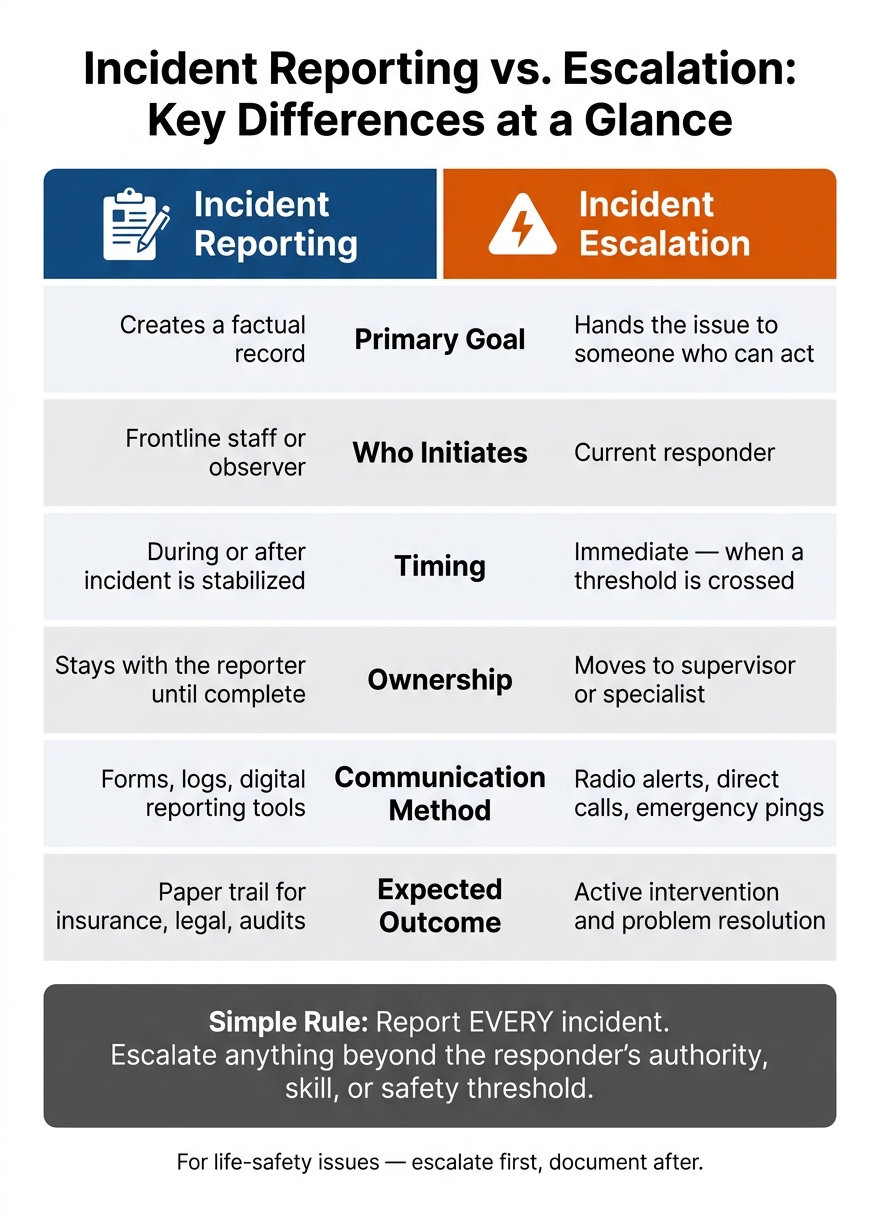
Incident Reporting vs. Escalation: Key Differences at a Glance
Once the chain of command is clear, the next step is simple: decide whether the issue needs a record, a handoff, or both. That distinction matters in the moment. Staff often have to decide fast whether to log the incident, pass it to someone else, or do both.
Incident reporting records what happened. Incident escalation decides who needs to act next. They often happen together, but they are not the same thing.
The difference shows up most clearly in three areas: purpose, timing, and ownership.
| Dimension | Incident Reporting | Incident Escalation |
|---|---|---|
| Primary Goal | Creates the record | Hands the issue to someone who can act |
| Who Initiates | Frontline staff or the person who observed the event | The current responder |
| Timing | During or immediately after the incident is stabilized | Immediate, or when a defined threshold is crossed |
| Ownership | Stays with the reporter until complete | Moves to a supervisor or specialist |
| Communication | Standardized forms, logs, or digital reporting tools | Direct radio channels, urgent radio alerts, or emergency pings |
| Expected Outcome | A factual record for insurance, legal, and safety audits | Active intervention and resolution of the problem |
Put plainly: reporting keeps the record; escalation transfers the response.
The working rule is straightforward: report every incident. Escalate any incident that goes beyond the responder's authority, skill, or safety threshold. If there's any doubt, report it.
A simple way to think about it:
That means reporting is the paper trail, while escalation is the handoff that gets action moving.
The next step is building a workflow that connects reporting and escalation without delay.
Reporting documents the incident. Escalation moves it to the right person for action. Those are not the same thing, and your workflow should treat them that way.
A simple chain helps: observe, report, stabilize, then escalate through a central Ops Center that reviews incoming reports and dispatches responders. That setup keeps reporting, response, and handoff from getting mashed into one step.
Just as important, everyone needs to know their job. If roles are fuzzy, people hesitate. Or worse, they all jump in at once.
| Role | Responsibility |
|---|---|
| Frontline Staff | Observe and report facts; stabilize the immediate area |
| Supervisors | Assess the situation and decide if it stays in-zone or moves up the chain |
| Ops Manager | Coordinates between departments, including Medical, Security, and Tech |
| Event Leadership | Approves show stops, evacuations, and external messaging |
| Comms Lead | Handles all external messaging to attendees and media |
Communication rules matter too. Keep radio traffic split by purpose: one channel for emergencies and another for general operations, so routine chatter doesn't block a time-sensitive alert. Approved emergency code words also help teams signal severity over open frequencies without causing public panic.
For documentation, train every staff member on the Five Ws: who was involved, what happened, where it occurred, and when it happened. Then add how conditions may have played a part, if known. Each report should also include a time-ordered record of actions taken so logs stay factual and consistent.
When an issue needs urgent escalation, use a short flash report template. That gives executive teams ONLY verified, high-priority details in the first minutes of a crisis.
After the event, those same records should feed review and training. Use the incident log in the After-Action Review (AAR) within one week.
This is where the paperwork starts to pay off. An AAR reviews the log for patterns, like repeat incidents in the same zones or missed escalation triggers. Those patterns can point to changes in staffing plans, venue layout, or team training before the next event.
Quickstaff can centralize rosters, roles, and team communication.
Incident reporting and escalation work best as a pair: reporting captures the facts, and escalation moves the response to the right decision-maker.
Reporting means documenting an incident so there’s a clear, formal record for safety, legal, or accountability reasons.
Escalation means moving an issue up the chain of command when it’s beyond the current responder’s authority or ability to handle.
Here’s the simple difference: reporting happens for every incident. Escalation happens when the issue is severe, unresolved, or tied to safety and needs fast action.
Escalate incidents through your pre-set chain of command. In most cases, frontline staff should report the issue to their direct supervisor, who then passes it to the event manager.
For serious incidents, like major injuries, security threats, or medical emergencies, contact management right away. If you're not sure how serious something is, report it early. It's better to speak up fast than lose time waiting.
If you're not sure whether to escalate, report it anyway. There's no penalty for flagging something that turns out to be a non-issue. But if you miss a serious concern, the fallout can be much worse.
When a situation feels unclear or could cause material harm, it's usually smarter to escalate early rather than wait. A false alarm is easier to deal with than a problem that grew in the dark.