How to Write Effective Event Staff Briefings
March 11, 2026

A clear and organized staff briefing is the key to running a successful event. Without it, your team may face confusion, missed tasks, and unnecessary delays. A well-prepared briefing ensures everyone knows their roles, schedules, and protocols, allowing the event to flow smoothly from start to finish.
Here’s what you need to include:
A structured briefing not only saves time but also empowers your team to handle responsibilities confidently, reducing stress and improving overall performance. By preparing thoroughly and using event staff scheduling software, you can keep everyone informed and focused on delivering a seamless event experience.

7-Step Process for Creating Effective Event Staff Briefings
Start your event briefing by tackling the basics: What’s the event? When and where is it happening? Who’s attending? These foundational details ensure everyone is on the same page and ready to execute their roles effectively.
Kick things off with the essentials: the event name, the client or brand it represents, and the type of event - whether it’s a corporate gala, product launch, or fundraising dinner. Then, move on to the logistics: the event date, guest arrival and departure times, and the full venue address. Be sure to include the venue name, staff entry points, check-in areas, and parking instructions. Using scheduling tools for caterers to manage these details prevents confusion during setup, like staff wandering around trying to find the right entrance.
"An event brief is a master document that covers all of the key elements of an event... its overarching purpose is to ensure that everyone working on planning and organizing the event is aligned toward the same goal." - Nicole Menendez, Eventbrite
Next, outline the event format - whether it’s in-person, virtual, or hybrid - and provide an estimated headcount. Describe the audience demographics, such as C-level executives, college students, or families. Always list a slightly higher attendee estimate to stay prepared. If VIPs or media will be present, note this upfront so staff can handle the event with the right level of professionalism.
Finally, add a quick overview of the event’s mission and tone. Is it a formal, informative gathering or a lively, celebratory affair? This context helps your team understand the purpose behind their work and how they contribute to the bigger picture. Keep this summary brief - just one or two sentences that capture the essence of the event.
Once you've nailed down the event basics, the next step is pairing your staff with the right roles. This isn’t just about filling spots on a schedule - it’s about aligning each person’s skills with the tasks that will make or break your event. Careful role assignment is key to keeping everything running smoothly.
Start by pinpointing the event’s critical moments. Don’t spread your team evenly across the venue; instead, focus on where the action happens - like check-in rushes, transitions between activities, or when VIPs arrive. As one event CEO put it:
"I don't build staffing plans for the easy hours. I build them for the 15 minutes where check-in backs up, the client's asking questions, and everyone's looking at us to fix it."
From there, assign roles based on expertise to make sure every team member is in their element.
Think of roles as specific tasks, not just job titles. For example, someone handling "Registration" needs to be quick and comfortable with tech, while "Wayfinding" requires a friendly, patient communicator.
"Recognize the unique skills of team members and assign tasks accordingly. For example, assigning a confident communicator to handle VIP guests ensures better outcomes and motivates staff through empowerment." - Hospitality Institute
Pair tech-savvy staff with digital check-in systems. Assign those with strong interpersonal skills to greet VIPs. And don’t forget to include flexible floaters who can step into any role during busy moments.
After matching roles to skills, make sure expectations are crystal clear. Research shows that clearly defined roles can improve organizational performance by 30%. Create a briefing document that outlines each team member’s role, shift schedule, reporting structure, and key protocols. Include instructions for handling common issues like technical glitches, guest complaints, or medical emergencies. You should also prepare an event day kit to ensure your team is ready for any situation. Add 2–3 brand talking points to ensure consistent messaging.
"A 10-minute rundown before doors open can prevent hours of confusion and stress." - Michael DiPeri, HMG Plus
Also, include contact information for on-site managers so staff know exactly who to reach out to with questions or concerns. These detailed role definitions ensure everyone knows their responsibilities, helping the event run like clockwork.
A well-structured event timeline is your guide for the day, covering everything from setup to teardown - not just when guests arrive. It should include bump-in logistics (supplier arrivals and setup), staff briefings, safety checks, sound checks, the main program, and bump-out (breakdown and load-out). This kind of detailed schedule ensures every task is accounted for, aligning with your team's assigned roles so that everyone knows not just what to do, but also when to do it.
Start by locking in key time slots and activities, such as venue access windows, event start and end times, and any scheduled performances or speeches. From there, work backward from the event's start time to plan preparatory tasks. For example, if the event begins at 10:00 AM, you might schedule staff arrival by 8:30 AM, a team briefing at 9:00 AM, and final checks by 9:30 AM to avoid last-minute chaos. Build in a buffer of 15–30 minutes every 2–3 hours to handle unexpected delays. As Rachella Thomas, Founder of Event Kit, explains:
"Great timelines allow enough breathing room for when real-world stuff hits".
To avoid bottlenecks, stagger supplier arrivals based on the order of operations. For instance, infrastructure setup comes first, followed by AV equipment, and then styling.
Your schedule should also account for staff-related tasks like check-in times, distributing uniforms, staggered meal breaks, and post-event debriefs. During shift transitions, schedule overlapping coverage to ensure smooth handoffs and prevent service gaps.
Pinpoint pressure points where things could go wrong - such as registration rushes, keynote transitions, or meal service changes. Staff these moments for peak demand rather than average flow. For example, calculate the number of team members needed during the busiest 30-minute window and assign floaters to these high-pressure areas instead of spreading them thin across the venue.
Prepare a backup plan for handling issues during these critical times. For instance:
Include "if/then" triggers in the schedule, like "If the check-in line exceeds 20 people, move Floater A to Registration", so your team can act quickly under pressure.
Make sure the schedule is easy to access and understand. Use a color-coded spreadsheet or a lightweight, mobile-friendly PDF. Print physical copies for the bump-in team, and include a "Resources" section with links to live documents like the run-of-show and project trackers. Clear visuals are essential when your team is working under tight deadlines and high stress.
Once your timeline is finalized, the next step is organizing staff contact details and defining reporting lines to ensure smooth communication throughout the event.
Once your schedule is finalized, the next step is ensuring smooth communication during the event. This means compiling a detailed directory of staff contact information and clearly defining the reporting structure.
A well-organized contact list is essential to avoid confusion when on-site issues arise. Your briefing document should include each team member's full name, job title, mobile number, and assigned zone. Make sure to gather this information before the event begins - trying to collect it during setup can lead to unnecessary stress and delays. Don’t forget to include the on-site manager’s contact details, especially if this person differs from the recruiter who initially hired your staff.
Clearly outline the reporting structure by creating an escalation plan that specifies who handles guest requests, complaints, and emergencies. For larger teams, consider assigning captains or team leads to specific areas like Registration, the VIP Lounge, or the Main Floor. This not only prevents radio channel overload but also ensures every zone has a dedicated point of contact. Additionally, include external contacts - such as venue management, security, medical services, and key vendors - so your team knows exactly who to call in urgent situations.
To make this information easy to access, organize it in a simple shift grid that includes Role, Staff Name, Shift Time, Reports To, and Zone/Station. Print copies for areas with poor reception and share a digital version through tools like Quickstaff for instant updates. Streamlined communication like this can improve team efficiency by up to 25%.
With your contact list and reporting structure in place, you're ready to tackle the next step: outlining logistics and operational details.
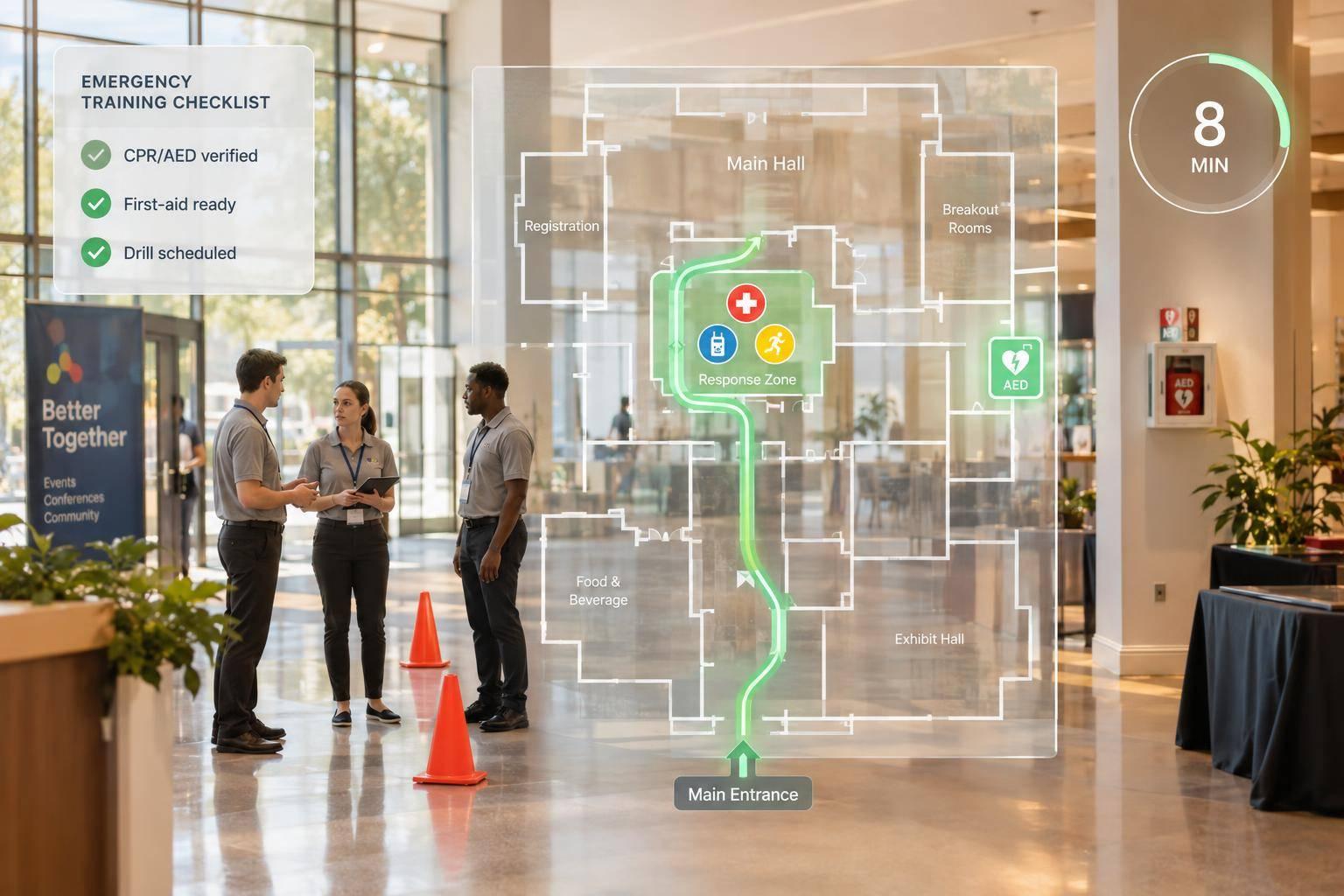
The backbone of any successful event lies in its logistics. Start by creating a detailed site map that clearly marks essential areas like entry points (e.g., "Gate A"), Registration, Main Floor, VIP sections, Back-of-House, restrooms, storage, and vendor loading docks. For catering teams, ensure the map highlights kitchen access points and expo line locations. Tailor arrival instructions and access protocols to fit each staff role.
Parking and arrival details should be role-specific. For example, setup crews can use the loading dock with required permits, registration staff should park in a designated staff lot near the guest entrance, and roles without equipment responsibilities might be encouraged to use public transportation. Clearly define check-in times and locations, staggering arrivals to maintain efficiency - setup crews first, followed by registration staff, and floaters arriving closer to peak guest times.
For each role, create a checklist of equipment needs. Registration staff might require tablets, power banks, and badges, while catering teams may need infrared thermometers to monitor food safety (above 135°F for hot items and below 41°F for cold items). Include radio channel assignments, Wi-Fi credentials, and any audiovisual or lighting setup instructions. As Michael DiPeri from HMG Plus wisely points out:
"The most consistent predictor of smooth service is a solid pre-shift briefing."
Safety protocols are non-negotiable. Emergency exits, first aid stations, and shelter-in-place routes should be clearly marked on the site map. Develop an escalation plan: minor issues go to staff, medium concerns to service captains, and major emergencies to the event lead or 911. Include weather contingency plans, incident reporting guidelines, and key security or medical contact numbers. For high-pressure situations, adopt the 15-30-60 backup rule: redeploy floaters within 15 minutes, activate standby staff within 30 minutes, and have full replacements ready within 60 minutes.
To streamline communication, organize key details by role. For instance, registration staff only need check-in instructions, while the kitchen crew requires catering guidelines. Provide a concise "30-second snapshot" for each role, summarizing their check-in gate, shift time, zone assignment, and relevant safety protocols. This focused approach ensures that team members can quickly access the information they need without unnecessary confusion.
Once you've nailed down the schedule and logistics, it's time to focus on the finer details that ensure everything runs smoothly. Pre-event preparation is where it all begins, and it should start well before the big day. Confirm staff schedules and shift assignments using budget-friendly scheduling tools 1–2 months ahead to give your team plenty of time to plan. As the event draws closer - around 1–2 weeks out - conduct training sessions on event technology like check-in apps, review key product talking points, and test all equipment, including microphones, tablets, batteries, and audiovisual gear. On the day of the event, staff should arrive 15–30 minutes early to handle any last-minute hiccups and join a final briefing. The Breakroom App underscores the importance of this step:
"Gather every staff member 30–45 minutes before service starts for a comprehensive briefing. This isn't optional for large events".
During these briefings, cover essential logistics like gate access, parking or transit options, on-site manager contact information, and uniform requirements. Address any unique needs, such as designated break areas or specific policies on food and alcohol consumption during the event. Be sure to also review emergency protocols and discuss contingency plans for unexpected scenarios, like sudden weather changes or technical issues.
When the event wraps up, post-event instructions become just as important to maintain order and professionalism. Assign specific breakdown tasks ahead of time - don’t rely on vague "general help" directives. For instance, designate individuals to manage linens, count glassware, and inventory equipment. After teardown, hold a debriefing session 15 to 30 minutes after the event ends to allow staff to share feedback while the experience is still fresh. This practice, as noted by the Workstaff Team, ensures actionable insights:
"Setting a deadline shortly after the event helps capture details while they're still fresh and relevant".
Wrap up the process by finalizing post-event reports and conducting performance reviews within 48 hours. Send thank-you notes to team members or partners within 3 days. Lastly, document lessons learned and update your briefing templates within 1 to 2 weeks to incorporate feedback for future events. By following this structured approach, you can turn the post-event phase into an organized and efficient process that sets the stage for even better results next time.
Effective communication can make all the difference when running an event. Without a clear plan, staff can waste valuable time searching for answers, and critical issues might slip through the cracks. Start by choosing a centralized communication channel - whether it’s a messaging app or event management software. This ensures updates reach everyone simultaneously, avoiding the chaos of juggling multiple platforms and keeping everyone on the same page.
Next, build on your contact lists by establishing a clear communication hierarchy. Assign a primary contact for updates and issue reporting. As Grant Morningstar, CEO of Eleven8 Staffing, explains:
"When staff know where to go and what to do, there are fewer onsite questions".
Include this person’s name and phone number in your briefing document for easy access. This designated point of contact simplifies real-time communication and ensures that urgent issues are addressed promptly.
Set clear procedures for reporting issues, delays, or emergencies in real time. For urgent updates, SMS is a highly effective option, with an impressive 98% open rate within the first 3 minutes. For less urgent matters, use email with concise subject lines to avoid overwhelming inboxes. You might also want to create dedicated task-specific channels - for example, separate ones for logistics, catering, or security. This way, the right people receive the right information without unnecessary noise.
Before the event kicks off, hold a final briefing 15 minutes in advance to review these communication protocols. This live check-in complements your written briefing and allows staff to ask any last-minute questions. As Mohau Vuma from Encore Nationwide points out:
"Digital briefings must be reinforced with a live touchpoint".
Consider setting up a physical "communication hub" at the venue - a designated table or area where lead team members are always available for in-person decisions or updates.
Finally, tools like Quickstaff can simplify the entire process. With features like scalable event scheduling, staff assignments, and unlimited messaging, you can send instant updates, track who’s seen critical information, and keep everything running smoothly. By including these protocols in your briefing document, you’ll ensure your team stays connected and ready to respond as the event unfolds. A well-structured communication plan keeps everyone informed and minimizes confusion when it matters most.
A well-prepared staff briefing document is the backbone of any successful event. By following this guide and including basic event details, clear role assignments, detailed schedules, contact information, logistics, and communication protocols, you equip your team with the clarity they need to handle their responsibilities with confidence. As Rachella Thomas, Founder of Event Kit, aptly states:
"A well-written brief is one of the most underrated tools in event planning. It sets expectations, aligns your team, and gives vendors and stakeholders the clarity they need to deliver".
Taking just 10 minutes to review key points before the event begins can save hours of potential confusion and stress later. This quick alignment ensures your team is prepared for high-pressure moments - whether it’s a backed-up check-in line or a last-minute client request - allowing them to focus on execution instead of scrambling for answers.
Modern tools like Quickstaff make the entire briefing process more efficient. With features like centralized management, streamlined scheduling, and mobile-friendly access, briefing documents can be shared instantly, keeping everyone connected and informed throughout the event. These tools don’t just improve communication - they enhance the overall precision of your event planning.
When your briefing document is thorough, easy to access, and well-structured, it eliminates onsite uncertainty. Your staff works more effectively, managers spend less time addressing repetitive questions, and the event runs with the level of professionalism your clients expect. That’s the impact of a well-crafted briefing document.
A staff briefing should be short and to the point, ideally lasting between 10 and 15 minutes. This timeframe is enough to address essential topics such as an overview of the event, individual roles, responsibilities, timelines, and expected standards. Keeping it concise helps avoid overwhelming the team while ensuring everyone is on the same page and ready to contribute to a successful event.
If there’s a last-minute change in roles, start by identifying which key positions are impacted and focus on filling those first. Tools like Quickstaff can help you locate available team members, send out reminders, and confirm replacements efficiently. Make sure to communicate any updates to your team right away. Provide clear and detailed instructions to avoid misunderstandings or delays. Once the event wraps up, take some time to review what occurred. This reflection can help you fine-tune your backup plans and processes for smoother handling of future events.
Before the event kicks off, make sure your team knows exactly what’s expected of them. Detailed briefings are key - cover roles, responsibilities, and any specific expectations so everyone is on the same page.
Once the event is underway, keep communication flowing. Tools like centralized platforms or real-time messaging apps can help streamline updates and coordination. It’s also crucial to ensure your team is aware of the timeline, the service style being used, and any last-minute updates or adjustments.
Finally, provide clear instructions on how to handle unexpected issues. This helps maintain consistency and keeps the event running smoothly, no matter what comes up.