Post-Crisis Review for Event Staffing Teams
August 4, 2026

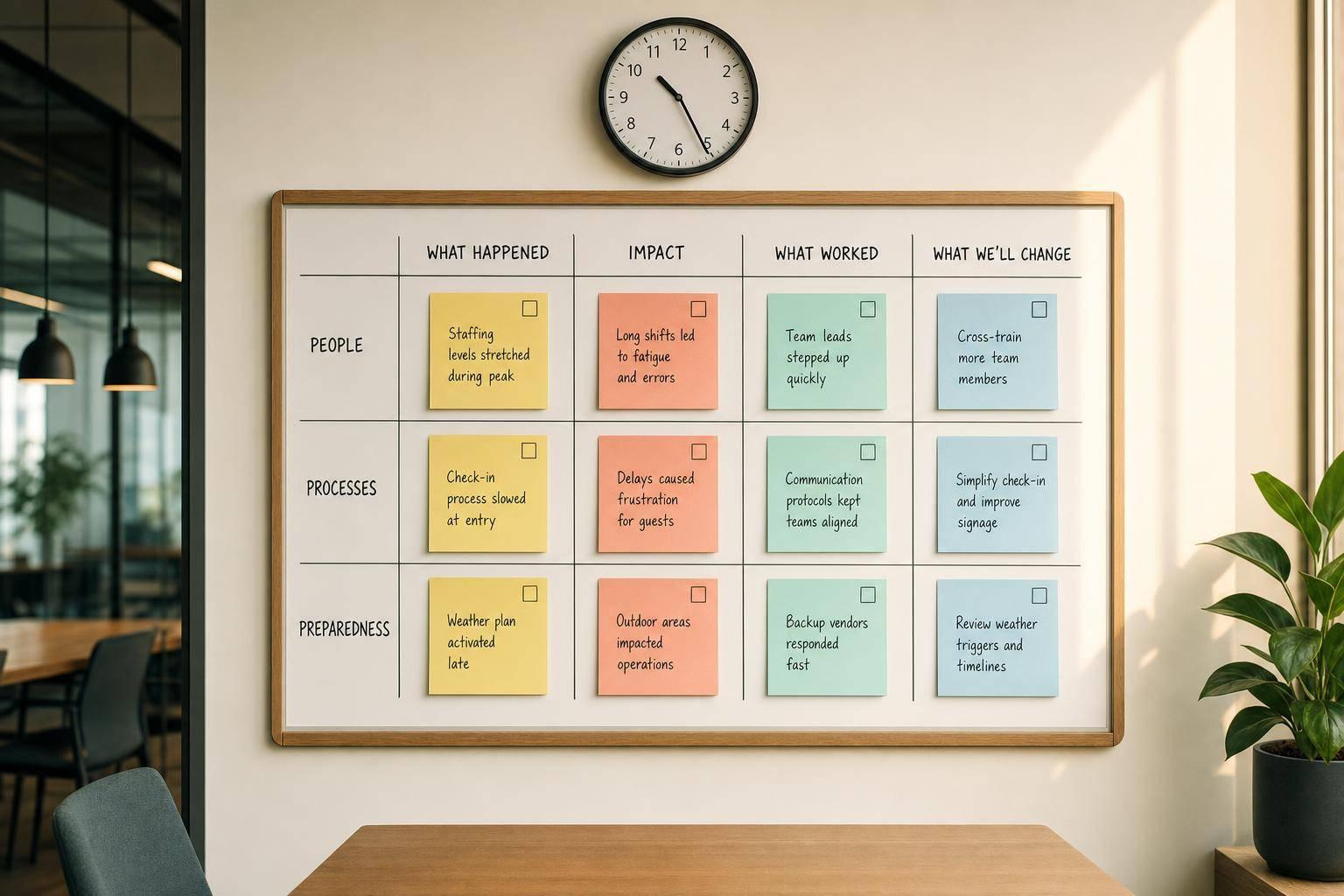
If I wait too long to review a staffing problem, I lose the facts that matter. The fix is simple: I run a 20–30 minute review within 24–72 hours, rebuild the timeline, find the gaps in updates, role ownership, and replacements, and leave with named owners and due dates.
Here’s the article in plain terms:
A few numbers stand out. Memory drops fast after a shift, so the 24–72 hour window matters. And when teams search for replacements by text or spreadsheet, it can take 30–60 minutes to fill one gap. That delay can hit service right away.
| Area | What I check | What I change |
|---|---|---|
| Updates | Which message went out, who saw it, what happened next | One owner, one channel, one template |
| Roles | Who owned each task during the issue | Clear lead for coverage and client updates |
| Replacements | How long coverage took and where the log failed | Event staff availability tracking apps and in-system replacement tracking |
| Follow-up | Whether fixes were assigned | Action tracker with owner and due date |
| Next event | Whether the change worked on-site | Mark it Tested Live |
The goal isn’t a long meeting. It’s a short review that leads to clear fixes before the next shift or event.
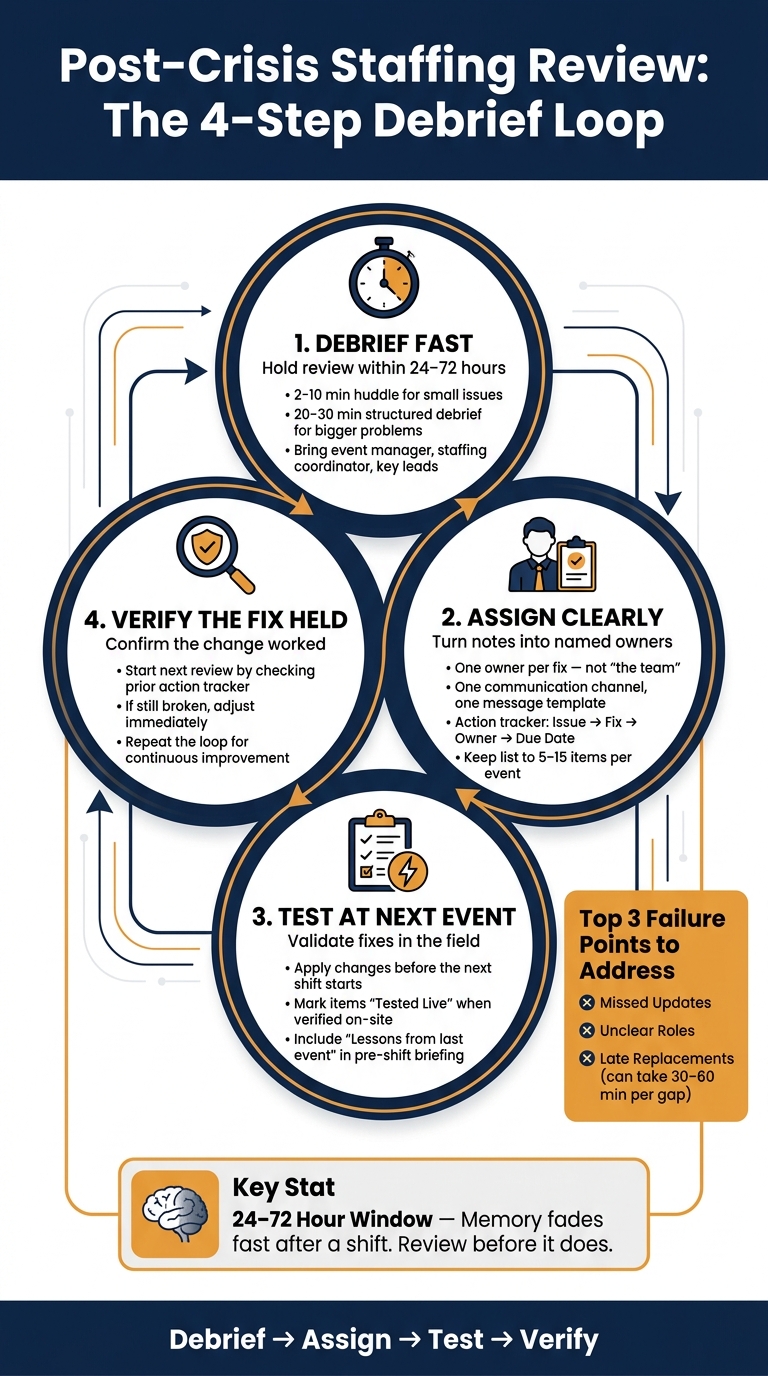
Post-Crisis Staffing Review: The 4-Step Debrief Loop
Most staffing crises don’t start with one huge mistake. They usually come from a string of small misses: scattered messages, fuzzy ownership, and slow coverage.
Start by finding where the message trail fell apart. In many cases, the issue is simple: there are too many channels and no single owner.
One manager texts a new call time. Another calls key staff. A third updates the scheduling app. That’s when things go sideways. Some staff miss the update. Others show up at the wrong venue.
In the review, map the chain clearly:
That gives you a clean view of where the breakdown happened.
When nobody is sure who owns a task, decisions slow down fast.
A floor captain waits for the manager to approve moving two servers to the bar. But the manager is busy with the venue because of a power issue. While that’s happening, the bar line keeps growing. The holdup wasn’t the staffing move itself. It came from having no designated coverage lead.
The same problem shows up with client communication. A supervisor assumes the planner is updating the client about a timing delay. The planner assumes the venue manager is handling it. The client hears nothing and feels ignored.
That’s why the review should ask who owned each task. If the answers don’t match, you’ve found the point where responsibility broke down.
No-shows, early departures, and sudden headcount changes are part of the job. The bigger problem is not being able to see, fast, who’s available.
When managers rely on memory or a spreadsheet, finding a replacement can take 30–60 minutes of one-off calls and texts, even with last-minute scheduling tools. Teams that use a live availability list can fill the gap much faster, and the effect is immediate on the floor.
Then there’s documentation. This is where a lot of reviews lose the thread.
Without a basic incident log showing who was reassigned, when, and by whom, the review leans on memory instead of facts. Record who was reassigned, when, and why. Otherwise, it’s hard to isolate the coverage delay.
Missing records of communication and staffing decisions make it almost impossible to pinpoint where the process failed and what needs to change next. Those misses should turn into the checklist for the debrief that follows.
Once you’ve spotted missed updates, fuzzy role ownership, and slow replacements, the next step is simple: use a review format that matches the size of the incident. For most event staffing teams, that usually means either a structured debrief or a same-day huddle. If the incident affected several roles or slowed coverage, start with the fuller review.
This format is best for bigger incidents. Hold it within 24–72 hours of the event, while the details are still fresh. Bring in the event manager, staffing coordinator, and key on-site leads. Keep the group small so the conversation stays on track.
Choose one person to guide the discussion and one person to take notes in a shared document. Then walk through the staffing plan, rebuild the timeline, and compare planned staffing with what actually happened. Call out what worked, where things broke down, and give each fix one owner and one due date. The goal is to trace each issue back to a specific message, role gap, or replacement delay.
Wrap up with a short 2–3 minute recap of the action items, owners, and deadlines so everyone leaves with the same view of what happens next.
For smaller incidents, a 2–10 minute huddle works well right after service stabilizes and before staff head out—a critical time for retaining the best event staff. It gives you a quick way to lock in details before memory starts to fade. Pull in the event manager or lead, along with key supervisors and, if it helps, one frontline representative, then ask a few direct questions.
Write down the answers before people leave. Use those notes to tighten communication ownership and replacement steps before the next event.
If the review shows communication drift, fix it with a rule, not another reminder. Take what came out of the debrief and set one communication owner, one channel, and one message template.
Assign one crisis communications lead for all staff updates. When multiple supervisors send separate messages, staff end up with mixed instructions.
Then choose one channel for all schedule-critical updates. In a fast-moving situation, staff shouldn't have to watch texts, emails, and group chats all at once. Once that channel is locked in, use the same short template every time: what changed, which roles are affected, what staff need to do, where to report, and when the next update will arrive. End each update with the next message time.
Use Quickstaff as the shared record for changes, roles, and replacements. Put the new protocol inside one shared system so each update, role change, and replacement follows the same record.
The table below links the most common post-crisis issues to the cause behind them, the process fix, and the Quickstaff feature that backs it up:
| Problem | Root Cause | Process Fix | Quickstaff Feature Supporting the Fix |
|---|---|---|---|
| Staff miss a last-minute schedule change | Updates sent through personal texts instead of a central system | Require all schedule changes to be logged in the schedule before being communicated | Centralized event details with staff can see assigned shifts on mobile |
| Multiple supervisors send conflicting instructions | No designated communication lead | Assign one communications owner per event | Event record with a single source of role assignments and shift notes |
| Staff arrive unclear on their assigned role | Role details shared verbally or not at all | Include written role summaries in every event record | Role and shift assignments visible to staff on their phones before arrival |
| Late replacements confirmed verbally but never logged | No central system updated after a cancellation | Confirm every replacement inside the schedule | Availability tracking and waitlists to identify and fill open slots quickly |
| Replacement search takes too long after a no-show | Managers manually call through a contact list | Maintain a pre-vetted on-call pool and use it immediately | Waitlist tools that let managers send replacement requests through the platform instead of calling staff one by one |
When a staff member cancels, use Quickstaff's availability tracking and waitlists to fill the role, confirm the replacement, and update the schedule in one place. That gives you a process the team can use again, not just a one-off fix. It also leaves a clear timeline for the next review.
When the debrief wraps up, the next step is simple: turn notes into assigned work. Raw observations don't fix anything on their own. A short action list does.
Start with the issues that affect guest safety, service quality, or legal risk. Those come first. Then turn the rest into a tight list with owners and due dates.
For each issue that comes out of the debrief, write one action line with four fields:
Use MM/DD/YYYY format for dates. Assign each item to a specific role, not a vague label like "team", so there's no confusion about who owns it. Keep the tracker to 5–15 items per event. That's enough to address the main problems without turning the list into a wish pile.
For example, if multiple supervisors sent mixed directions during a venue delay, the action line could look like this:
Problem: Conflicting texts sent to servers and bartenders during venue delay. Fix: Designate one communications owner per event and use a standard update template. Owner: Staffing Coordinator. Due: 08/20/2026.
Each action should connect to the next event date so the team has a clear deadline tied to live work, not some random date on a calendar.
Use these four status flags:
If an item is marked Tested Live, note which event was used to validate it. That way, you're not just saying a fix was completed on paper. You're showing it worked in the field.
Then take those same fixes and work them into role sheets and briefings.
Once actions are assigned, put the lessons straight into the tools your team uses before each shift. Update role sheets so every staff member can see their main duty, backup duty, and who to report incidents to in one place.
Pre-shift briefings should also carry one short line called "Lessons from last event." Use that line to flag one or two recent changes tied to missed updates, unclear roles, or late replacements. For instance: all event updates go through the Staffing Coordinator by text.
The table below shows how common debrief findings turn into direct process changes:
| Process Area | Previous Approach | New Approach After Debrief | Action Owner |
|---|---|---|---|
| Crisis Communication | Multiple supervisors sending separate texts and emails | Single communication owner; one primary channel; standard update template | Staffing Coordinator |
| Backup Roles | Backup coverage decided ad hoc by on-site lead | Predefined backup roles per station; backup list attached to event brief | Event Operations Manager |
| Late Replacements | Last-minute calls from office phone; no documented priority list | Replacement pool tagged as high-risk event ready; replacements managed via event staff scheduling software | Scheduling Specialist |
| Pre-Event Briefings | Informal verbal briefing; no written role sheet | Standardized briefing script and role sheets sent 24 hours before the event | Training & Compliance |
| Post-Event Review | No formal check on whether prior fixes were applied | Each review starts by checking whether the changes from the last action tracker were applied | Event Operations Manager |
Test each change at the next event. If a backup role still confuses people, adjust it right away instead of letting the same problem show up again.
After the debrief, one thing matters: what changes before the next event. A post-crisis review has one job. It should lead to fixes that are in place before the next shift starts, not weeks later when everyone has moved on.
Keep the debrief short and tied to the next event. Walk out with named owners and clear deadlines, not a fuzzy list of things to improve.
The same problems tend to show up again and again: missed updates, unclear roles, and late replacements. The fix is simple: one owner, one channel, and a live backup list. Put updates and replacements in Quickstaff so everyone knows where to look. That’s why the review should end with assigned fixes, not more talk.
The review means nothing unless it drives action. The action tracker turns notes into work:
And here’s the hard truth: if a change isn’t tested at the next event, it’s still just a note on paper.
Repeat the loop: debrief fast, assign clearly, test at the next event, and verify the fix held. Debrief, assign, test, verify.
Include all event staff. If the operation was large, bring in reps from each agency too. That way, you can spot coordination gaps, check whether staffing matched what the event actually needed, and gather fresh feedback on workload and communication while it’s still top of mind.
Keep the conversation open and blame-free. People are far more likely to share useful feedback when they don’t feel like they’re being put on the spot. Quickstaff can also help by keeping communication records, roles, and event details in one place for review after service ends.
Start with a team debrief within 48 hours, while the details are still fresh. Put your baseline metrics, like no-show rates and shift acceptance, next to what happened during the crisis. Then use Quickstaff logs to spot where the process slipped, whether that was alerts, message delivery, or acknowledgments.
After that, review the decision and deployment logs to find weak spots in staffing depth or role clarity. Focus first on issues that kept coming up, like late replacements or missed updates. Use what you find to revise briefs, templates, and alert triggers so the same problems don’t keep showing up.
Test whether staffing levels and documentation line up with what the event actually needed. It’s one thing to have a plan on paper. It’s another to see if the team, notes, and backup instructions hold up once things start moving.
Check communication and alert systems too. Use non-emergency ping messages to measure how fast messages arrive, whether the wording is clear, and how well the escalation process works when someone doesn’t respond right away.
Review metrics such as punctuality, task completion, and response times to find slow spots. Those numbers can show where delays started, who was overloaded, and which steps caused friction.
Also confirm that the command structure, role assignments, and contingency procedures were clear and workable for the event’s scale. If people had to guess who was in charge or what to do next, that’s a sign the setup needs work.





