After Action Report Examples for Event Teams
July 27, 2026


Most event problems repeat for one reason: teams don’t write down what happened in a format they can use next time.
If I had to sum up this guide in one line, it’s this: a good event AAR should show the plan, the problem, the timeline, the people involved, and the next fix in one place. This article covers how to do that for catering teams, wedding teams, vendor teams, and staffing teams with short examples you can copy.
Here’s the full idea in plain English:
The article also walks through sample reports for:
One point stood out to me: the guide pushes teams to finish the write-up within 24–48 hours. That matters because memory drops fast after an event, and small details like where the issue happened, who made the call, and when service got back on track are often the first things people forget.
If you want a short takeaway before reading: use one repeatable template, keep notes short, and turn every problem into a named follow-up task with a due date.
| Team | Common issue in the article | Key fields to log |
|---|---|---|
| Catering | Meal service delay | Equipment status, ingredient gaps, guest delay |
| Wedding | Ceremony moved by weather | Timeline shift, vendor notices, guest movement |
| Vendor | Late load-in, power issue | Load-in timing, booth power needs, tech response |
| Staffing | No-shows, unclear stations | Staff ratio, reminders, assignment sheet timing |
That’s the core of the piece: one simple format, four team use cases, and a follow-up tracker that turns notes into action.
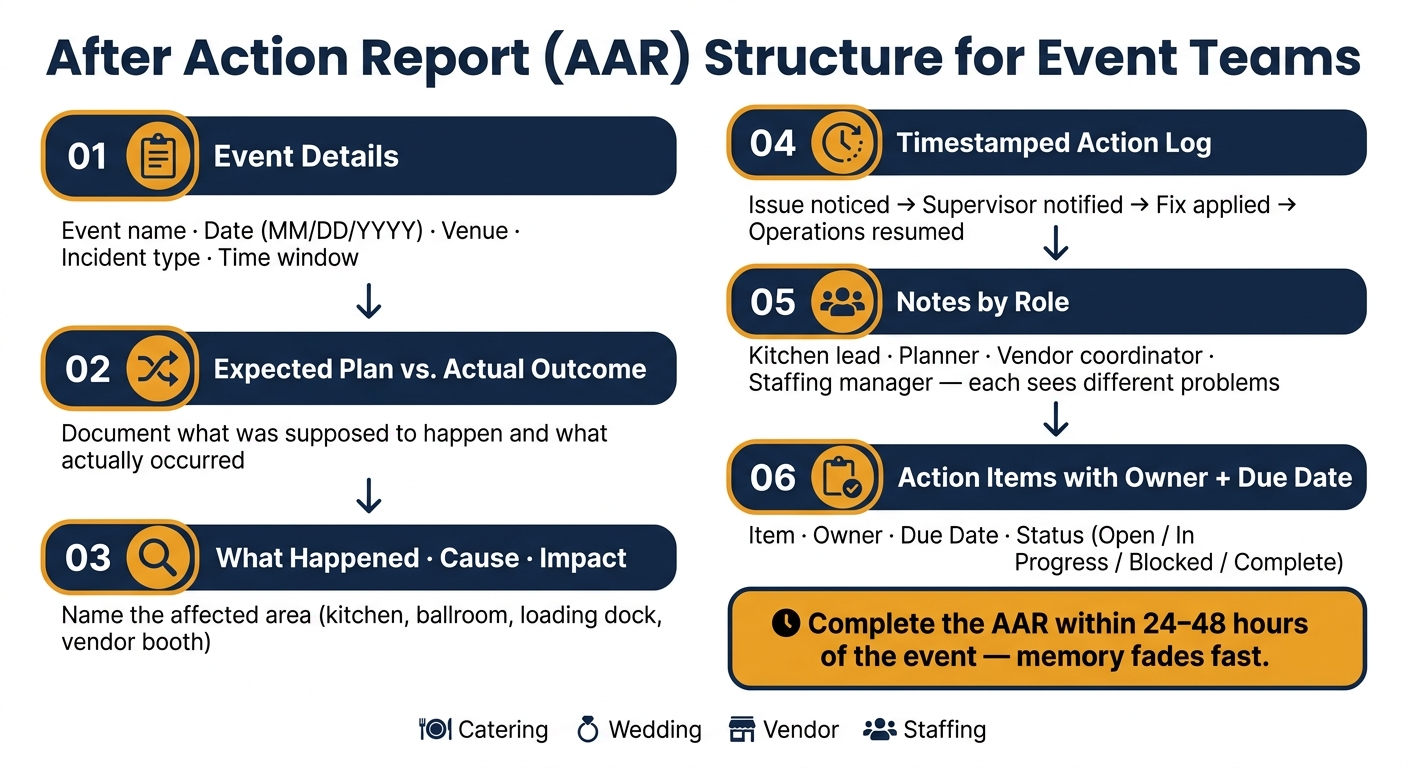
After Action Report (AAR) Structure for Event Teams
Start every AAR with a standard header that includes the event name, date, venue, incident type, and event window. Keep the date and time in U.S. format throughout, like 07/28/2026 and 3:30 PM.
Then add an Expected Plan vs. Actual Outcome section. This makes the gap plain: what was supposed to happen, and what actually happened. It gives the report a clear frame before you move into the sample catering, wedding, vendor, and staffing reports below.
Use three simple fields:
Also name the affected area, such as kitchen, ballroom, loading dock, or vendor booth row. That small detail matters. It makes reports easier to sort by zone and easier to review later when patterns start to show up.
This format also helps with accountability, insurance review, and root-cause analysis.
"Proper incident reporting creates accountability, creates evidence for insurance and legal purposes, enables you to address root causes, and demonstrates professionalism." - TempGuru
Use a short, timestamped sequence to show how the issue moved from discovery to response:
Include the decision maker, note any guest impact, and record whether the issue was escalated beyond the supervisor level.
The header stays the same across teams, but the event-area fields change based on who is filling out the report. Use only the fields that fit the incident type.
| Incident Type | Catering Fields | Wedding/Vendor Fields | Staffing Fields |
|---|---|---|---|
| Service Delay | Kitchen equipment status, ingredient availability | Timeline shift, vendor arrival time | Staffing ratio, check-in efficiency |
| Safety/Medical | Floor condition, PPE use | Guest contact info, witness statements | Workers' comp status, training record |
| Equipment Failure | Rental vendor name, power source | Loading dock access, tech support | Tool/uniform preparedness |
| Behavioral | Alcohol service cutoff time | Security intervention, ejection reason | Performance rating, supervisor notes |
The next section applies these fields to real event-team examples.
Use these sample formats as a starting point. Then match the fields to the type of incident you're documenting.
Each example below uses the same core AAR fields. That makes it easier for teams to reuse one format across different event types.
Catering Team - Meal Service Delay
| Field | Details |
|---|---|
| Event Name | Sample corporate dinner |
| Date | MM/DD/YYYY |
| Venue | Main ballroom |
| Incident Type | Service Delay |
| Time Window | Evening service |
| What Happened | Meal service ran late because kitchen equipment failed. |
| Cause | Equipment checks were incomplete during setup, and no backup was staged. |
| Impact | Guests were seated longer than planned, and the service flow had to be adjusted. |
| On-site Action | The kitchen lead changed the prep approach and resumed service. |
| Change Next Time | Add equipment testing to the pre-event checklist and stage backup equipment for larger events. |
| Follow-Up Owner | Kitchen Lead |
| Follow-Up Due | MM/DD/YYYY |
Lead note - Kitchen Lead: Log equipment status at load-in and flag any unit that wasn't tested. Lead note - Floor Lead: Document the exact time service paused and what guest-facing action was taken.
Wedding Team - Ceremony Delay Due to Weather
| Field | Details |
|---|---|
| Event Name | Sample outdoor wedding |
| Date | MM/DD/YYYY |
| Venue | Outdoor ceremony site |
| Incident Type | Weather Disruption |
| Time Window | Ceremony and reception |
| What Happened | Weather delayed the ceremony, and guests moved indoors. |
| Cause | The weather forecast was checked earlier in the day, but conditions changed before the ceremony. |
| Impact | The timeline shifted and the guest experience was affected. |
| On-site Action | The wedding coordinator moved the event indoors and venue staff reset chairs. |
| Change Next Time | Add a weather recheck to the run-of-show checklist before the ceremony. |
| Follow-Up Owner | Wedding Coordinator |
| Follow-Up Due | MM/DD/YYYY |
Coordinator note - Planner/Coordinator: Record vendor notification times and any timeline changes. Coordinator note - Day-of Coordinator: Note which guests needed direct assistance during the move and whether signage was sufficient.
Vendor Team - Late Load-In and Power Issue
| Field | Details |
|---|---|
| Event Name | Sample trade show |
| Date | MM/DD/YYYY |
| Venue | Exhibit hall |
| Incident Type | Late Load-In / Equipment Failure |
| Time Window | Show day |
| What Happened | A vendor arrived late, and a power issue cut booth power. |
| Cause | The load-in schedule was not confirmed in writing, and the booth's power needs were not fully planned. |
| Impact | Nearby booth setup was delayed, and show-floor activity was interrupted. |
| On-site Action | The technical lead rerouted power, and the vendor coordinator notified show management. |
| Change Next Time | Confirm load-in timing in writing and map power requirements before show day. |
| Follow-Up Owner | Vendor Coordinator |
| Follow-Up Due | MM/DD/YYYY |
Lead note - Technical Lead: Document circuit assignments and any overload indicators. Coordinator note - Vendor Coordinator: Rate vendor punctuality and flag for agency feedback using a 1–5 scale.
Staffing Team - No-Shows and Assignment Gaps
| Field | Details |
|---|---|
| Event Name | Sample gala fundraiser |
| Date | MM/DD/YYYY |
| Venue | Ballroom |
| Incident Type | No-Shows / Unclear Assignments |
| Time Window | Call time through opening hour |
| What Happened | Some staff missed call time, and a few were unclear on station assignments. |
| Cause | Confirmation messages were sent, but no same-day reminder went out, and the assignment sheet was distributed late. |
| Impact | Staffing levels were below target at the start of the event, and coverage had to be reassigned quickly. |
| On-site Action | The staffing manager called backups and reassigned experienced staff. |
| Change Next Time | Send assignment sheets earlier and add a same-day check-in reminder at 2 hours before call time. |
| Follow-Up Owner | Staffing Manager |
| Follow-Up Due | MM/DD/YYYY |
Manager note - Staffing Manager: Log no-shows with timestamps and update roster ratings. Lead note - Team Lead: Note which staff required reassignment and whether the coverage gap affected guest service.
"Too often, staffing feedback is only shared when something goes wrong. But consistent post-event evaluation helps you identify standout team members for future events and catch recurring issues before they become patterns." - HMG+
Use this version when you want one standard report for any incident.
EVENT DETAILS
Event Name:
Date (MM/DD/YYYY):
Venue / Zone:
Time Window:
Report Completed By:
Report Date:

OBJECTIVES
Plan:

INCIDENT SUMMARY
What happened:
Cause:
Impact:
Severity level (Level 1 / 2 / 3):

TIMELINE
[Time]  -  Issue noticed
[Time]  -  Supervisor notified
[Time]  -  Action taken
[Time]  -  Normal operations resumed

ROLES INVOLVED
Name / Role / Action taken

WHAT WORKED
(List 2–3 specific things that went well)

WHAT DID NOT WORK
(List 2–3 specific breakdowns or gaps)

ON-SITE ACTION
What was done on-site to resolve the issue?

MANAGER NOTES
Witnesses, environmental factors, and escalation details

CHANGE NEXT TIME
Change next time:

FOLLOW-UP ITEMS
Item | Owner | Due Date | Status
Store the template in a shared folder and complete it within 24–48 hours after the event.
Use the same format to assign follow-up work by role and keep reporting consistent.
Role-based notes show who spotted the issue first, who escalated it, and what got in the way of the fix. That matters, because the person on the floor often sees a very different problem than the person managing the event from the top level.
Before you assign follow-up work, get each role's point of view. Keep the questions open-ended so people can explain what happened in their own words.
Ask each lead:
Then use those answers to fill in the "what worked", "what failed", and "what changes next time" fields.
Each role tends to notice different friction points. A bar lead may focus on stock and rush timing. A venue manager may spot layout or weather problems first. A staffing coordinator may see call-time confusion before anyone else does. That difference is the whole point.
| Role | Note Prompts |
|---|---|
| Catering Captain / Bar Manager | Were timelines followed? Was the bar or station kept stocked? What resource gaps (ice, glassware, staff) existed during peak rush? |
| Wedding Planner / Venue Manager | Who noticed the timeline shift first? What environmental constraints (weather, layout) hindered the response? |
| Staffing Manager / Coordinator | Did staff arrive on time and in correct attire? Were instructions clear before call time? Who was the first to report a staff shortage or injury? |
| On-Call Lead / Security | What was the communication flow during the escalation? Was the area secured effectively? What support was missing from venue staff or local authorities? |
Add time of day, lighting, floor condition, and crowd density to every note.
After that, turn each note into one tracked action with a clear owner and due date. If a note says the bar ran short on glassware during a 10:00 PM rush, the follow-up shouldn't stay vague. It should become a task someone owns.
Use this tracker:
| Follow-Up Item | Owner | Due Date | Status | Related Incident |
|---|---|---|---|---|
| Update backup staff list for high-risk shifts | Staffing Manager | 08/15/2026 | Open | Understaffing at 07/28 Gala |
| Repair broken floor transition in Ballroom B | Venue Lead | 08/10/2026 | In Progress | Trip hazard near buffet |
| Clarify bar restock protocol in staff handbook | Bar Manager | 08/05/2026 | Complete | Beverage shortage at 10 PM |
| Conduct 911/Emergency huddle for new hires | Event Director | 08/12/2026 | Blocked | Medical emergency response delay |
Use only these four status labels: Open, In Progress, Blocked, Complete. Update every item after each review so the tracker stays current instead of turning into shelfware.
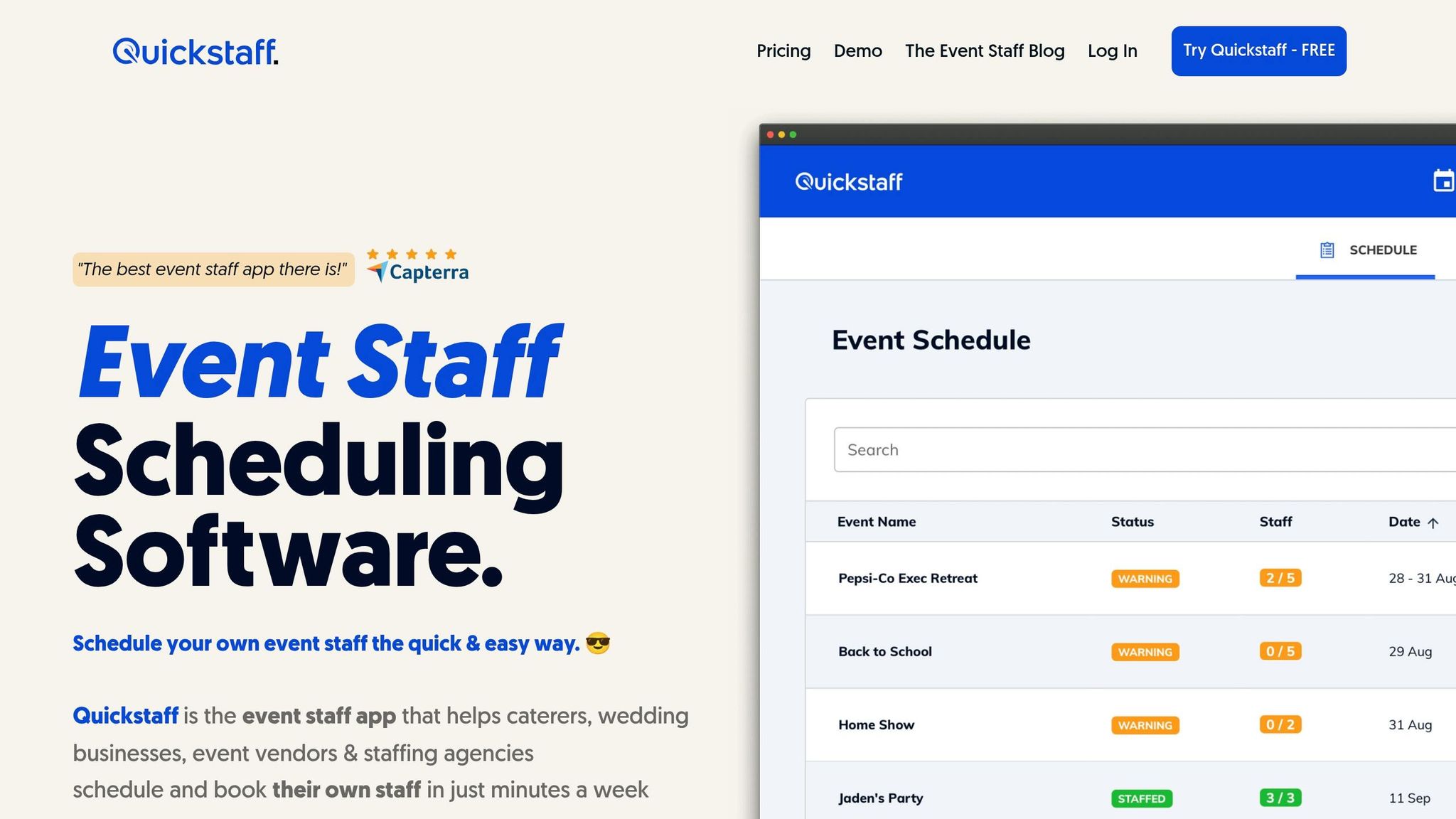
Once the tracker is filled out, the next move is simple: assign reminders and make staffing updates. Quickstaff helps teams turn AAR follow-up items into day-to-day scheduling and communication changes.
That includes availability tracking, waitlists, role-based scheduling, automated reminders, and one place for event details. So instead of letting action items sit in notes, teams can push them straight into the work that needs to happen next.
The template, role notes, and tracker only do their job if your team uses them the same way every single time. That means keeping the same core parts in place: an incident summary, a clear timeline, role-based notes, and a follow-up tracker with a named owner on each item.
That setup works across catering, wedding, vendor, and staffing teams. The structure stays the same. What changes is the lens each team brings to it, and then the field details shift based on that team’s work.
Handle the internal debrief within 24–48 hours, then send vendor and agency follow-ups after.
Put simply, a format only works when people come back to it and use it again.
Use a tiered process.
Start with your internal leadership team - event coordinators, venue managers, and operations staff - ideally within 24 hours of the event.
Then debrief external partners, such as individual contractors, staffing agencies, and venue vendors.
If issues came up, collect statements from the staff involved. Then follow up with private one-on-one check-ins within 24 to 48 hours.
An effective After Action Report (AAR) doesn't need to be a formal 10-page document. But it does need enough detail to surface clear next steps and help your team avoid making the same mistake twice.
Stick to what you can observe and verify:
If you're writing about an incident, add the basics that people will need later: who was involved, a short timeline, what actions were taken, and how the issue was resolved.
After the After Action Report is finalized, shift from review to action. Give each follow-up item a clear owner and a due date so the feedback doesn’t just sit on the page.
Then update internal resources with lessons learned, best practices, and key challenges. Share the parts that matter with external partners, and use those takeaways to improve contingency plans, training, and scheduling for future events.