Predictability Pay vs. Overtime Pay for Event Staff
October 30, 2026

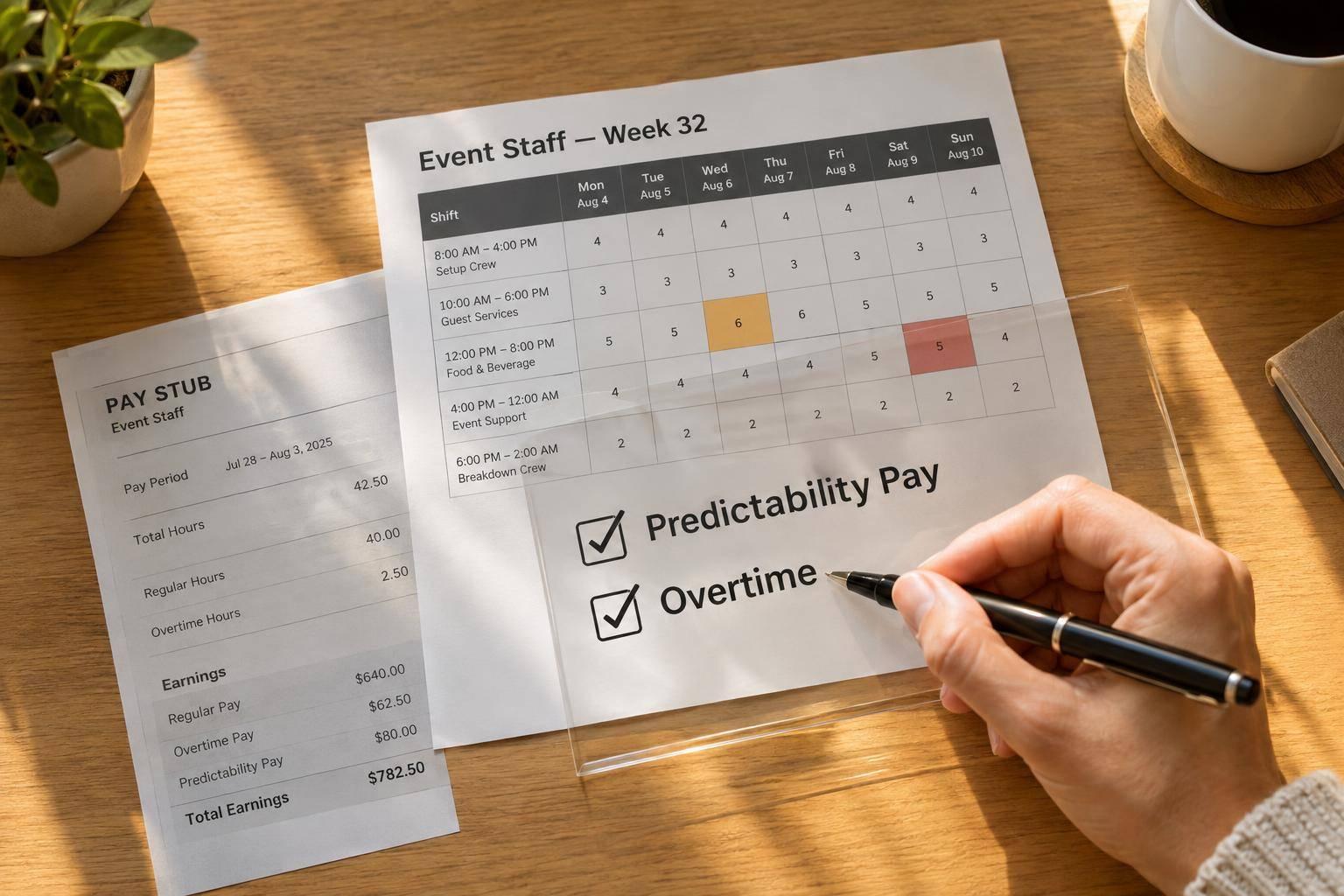
A late schedule change can trigger predictability pay AND overtime. I check both separately: one depends on covered schedule changes; the other generally requires 1.5 times the regular rate for hours worked over 40 in a workweek under federal law.
Here’s what I check before closing payroll:
Quick Comparison
| What I check | Predictability pay | Overtime pay |
|---|---|---|
| Trigger | A covered schedule change within a protected notice period | Hours worked exceed the applicable threshold |
| Coverage | Depends on state or local rules and exceptions | Generally, covered nonexempt employees under federal law; state rules may differ |
| Calculation | Required premium or lost-hours formula | Generally, at least 1.5 times the regular rate after 40 weekly hours |
| Unworked hours | May still require payment | Generally don’t count toward federal overtime |
| Payroll treatment | Check regular-rate treatment and payment deadlines | Calculate hours, regular rate, and any lawful credits separately |
My bottom line: <u>check each pay obligation on its own</u>, even when both come from the same schedule change.

Predictability Pay vs. Overtime: Check Both Separately
| Issue | Predictability pay | Overtime pay |
|---|---|---|
| Trigger | A covered employer adds, cancels, reduces, extends, or moves scheduled hours within a legally protected notice period | Hours worked exceed the overtime threshold |
| Coverage | Depends on jurisdiction, industry, employer size, worker eligibility, location, and applicable exceptions | Generally covers nonexempt employees covered by the FLSA; state law may cover more workers |
| Measurement | Usually based on notice timing, the type of change, and the applicable premium or lost-hours formula | At least 1.5 times the regular rate for qualifying hours over 40 in a workweek |
| Purpose | Pays for reduced schedule predictability | Pays for overtime hours |
| Employer obligations | Give required advance notice, honor decline rights where applicable, calculate the correct premium, and meet the payment deadline | Track all hours worked, calculate the regular rate correctly, pay overtime, and keep payroll records |
| Payroll treatment | A schedule-change premium; record it separately and check how it affects other wage calculations | A wage premium for excess hours; record it separately and include required compensation in the regular rate |
Predictability pay does not replace overtime. Handle each obligation separately. Only offset overtime if the governing law allows it.
To assess predictability pay, first check whether the schedule change falls within a protected notice period.
Some jurisdictions count added time, canceled shifts, and moved start or end times as covered schedule changes.
Check coverage, notice timing, who requested the change, any exception or waiver, the premium formula, and the payment deadline. Using tools for last-minute catering staff scheduling can help track these variables automatically.
An employee-requested swap may follow different rules than an employer-directed change. Document who initiated it, and check whether current applicable law recognizes a mutual agreement or written waiver.
The same schedule change can also trigger overtime if it pushes total weekly hours over the threshold.
Use a fixed 168-hour workweek and count actual hours worked across events for the same employer. Do not average hours across weeks to avoid overtime.
The regular rate isn't just base wages. It can also include nondiscretionary bonuses, commissions, shift differentials, and other pay for employment.
Working a weekend, holiday, or scheduled day off does not automatically trigger federal overtime. State law may set stricter rules.
Check each schedule change twice: Did it trigger predictability pay? Did actual hours trigger overtime? These are separate payroll checks. The table assumes a covered, nonexempt employee under federal rules. State or local law may differ.
| Scenario | Predictability pay | Overtime | Required verification |
|---|---|---|---|
| Late-added shift; 38 actual weekly hours | Possibly | No federal overtime | State or local coverage, notice deadline, exceptions, hours actually worked |
| Late-added shift; 42 actual weekly hours | Possibly | Yes - 2 federal overtime hours | Change timestamp, workweek boundaries, time records, regular rate, permitted credits |
| Unchanged schedule; 42 actual weekly hours | No qualifying change on these facts | Yes - 2 federal overtime hours | Original schedule, actual hours, employee classification |
| Late cancellation or reduction; hours not worked | Possibly; cancellation or reporting-time pay may also apply | No federal overtime for unworked hours | Cancellation timing, whether the employee reported, actual hours, applicable exceptions |
| Employee-requested swap | Usually no; verify the governing rule | Depends on actual hours worked | Who initiated the change, approval trail, voluntary acceptance, time records |
| Change made with proper notice; 38 weekly hours | Generally no | No federal overtime | Notice compliance, other scheduling requirements, state requirements |
A canceled or shortened shift can still require payment, even if the employee does no work. But unworked hours usually don’t count toward federal overtime. Keep the original shift, change notice, reason for the change, and any reporting-time record.
For swaps, document who requested the change, who approved it, and when it took effect. An employee-requested swap may still trigger scheduling compliance rules. Check the applicable exception, including any emergency or seasonal provisions, and review both employees’ resulting hours for overtime.
Before finalizing pay, confirm the regular rate and any lawful overtime credit. Don’t assume a separate predictability payment satisfies the overtime requirement.
After you determine whether predictability pay, overtime, or both apply, match each payment to the correct payroll rule. Before closing payroll, verify the work location, classification, status, and workweek, and document what each payment covers. Check notice periods, reporting-time pay, overtime thresholds, and any offset rules. Meeting federal requirements may not satisfy stricter state or local rules.
Once you classify a payment, check whether it changes the regular rate or allows an overtime credit. Calling a schedule-change payment a “premium” does not exclude it from the regular rate. Review its purpose and calculation against the applicable exclusions. A state-law exclusion does not create an FLSA exclusion. Likewise, a federal regular-rate exclusion does not automatically allow an overtime credit.
Some FLSA premiums for work beyond set daily or weekly limits, or on specified days, can be excluded from the regular rate and credited toward overtime. A qualifying contract-based premium for work outside established hours generally requires pay of at least 1.5 times the bona fide rate for similar work.
Keep regular-rate calculations, overtime due, premium codes, and credits separate in payroll records. Ask wage-and-hour counsel to review unclear classifications before applying recurring payroll treatment.
Use your scheduling system to record the changes that drive each payment. Quickstaff supports event creation, role-based scheduling, availability tracking, waitlists, reminders, and mobile communication. Use it to document scheduling - not to replace timekeeping or payroll. Do not use it to calculate legal premiums or determine compliance.
Keep original shifts, change timestamps, notices, acknowledgments, accepted or declined assignments, cancellations, replacements, time records, workweek totals, and payment calculations. Follow federal retention rules and any longer state or local requirements.
Payroll requires two separate checks: schedule-change pay and overtime are separate obligations. Before closing payroll, review each covered schedule change apart from overtime hours.
When both apply, check regular-rate treatment and any allowed overtime credit separately. If the rules are unclear, consult wage-and-hour counsel. Event staff scheduling software records support payroll, but they don’t make an exclusion or credit lawful. Document each check and pay each amount under the correct rule.
Labor laws apply based on where employees physically work. At each event site, follow the applicable local ordinances, state laws, and federal requirements.
When state and local rules overlap or differ, you generally must follow the standard that gives employees the greatest protection. Track and meet wage, break, scheduling, and notice requirements in every city where your staff work.
Use a weighted average to find the regular rate: add weekly earnings from all tasks, including shift premiums and nondiscretionary bonuses, then divide by total hours worked. Count all compensable time, including setup and teardown.
For hours worked over 40, calculate additional overtime pay as: overtime hours × 0.5 × the regular rate. Check how applicable wage laws treat schedule-change premiums.
Document the oversight, why the adjustment is needed, and any hours or premiums owed, such as Predictability Pay or lost-hours pay. Process the premium as a separate correction using a dedicated pay code.
If you can’t verify disputed hours before the payroll cutoff, resolve the discrepancy, document the correction, and include payment in the next payroll cycle, consistent with applicable wage laws.