On-Call Time Under FLSA: Event Staff Guide
October 9, 2026

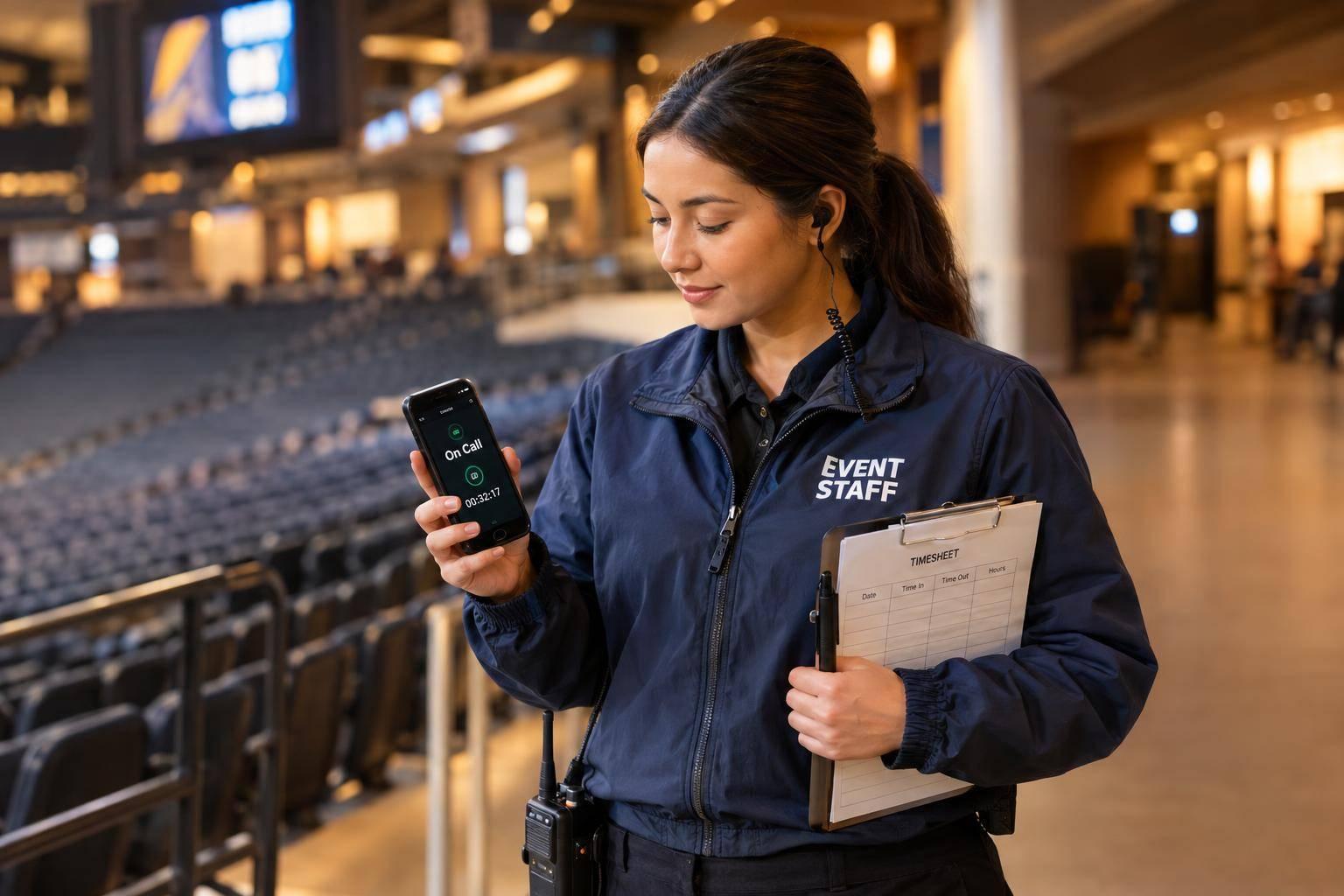
On-call event staff may need to be paid even when they aren’t doing a task. I start with one question: Can they use the time freely? Required venue waiting is generally paid; at-home availability is usually unpaid unless employer restrictions limit personal use.
Here’s what I check before payroll closes:
My rule of thumb: <u>Track what staff must do, not just when they’re scheduled.</u> Scheduling tools can help organize records, but it does not decide whether time must be paid.
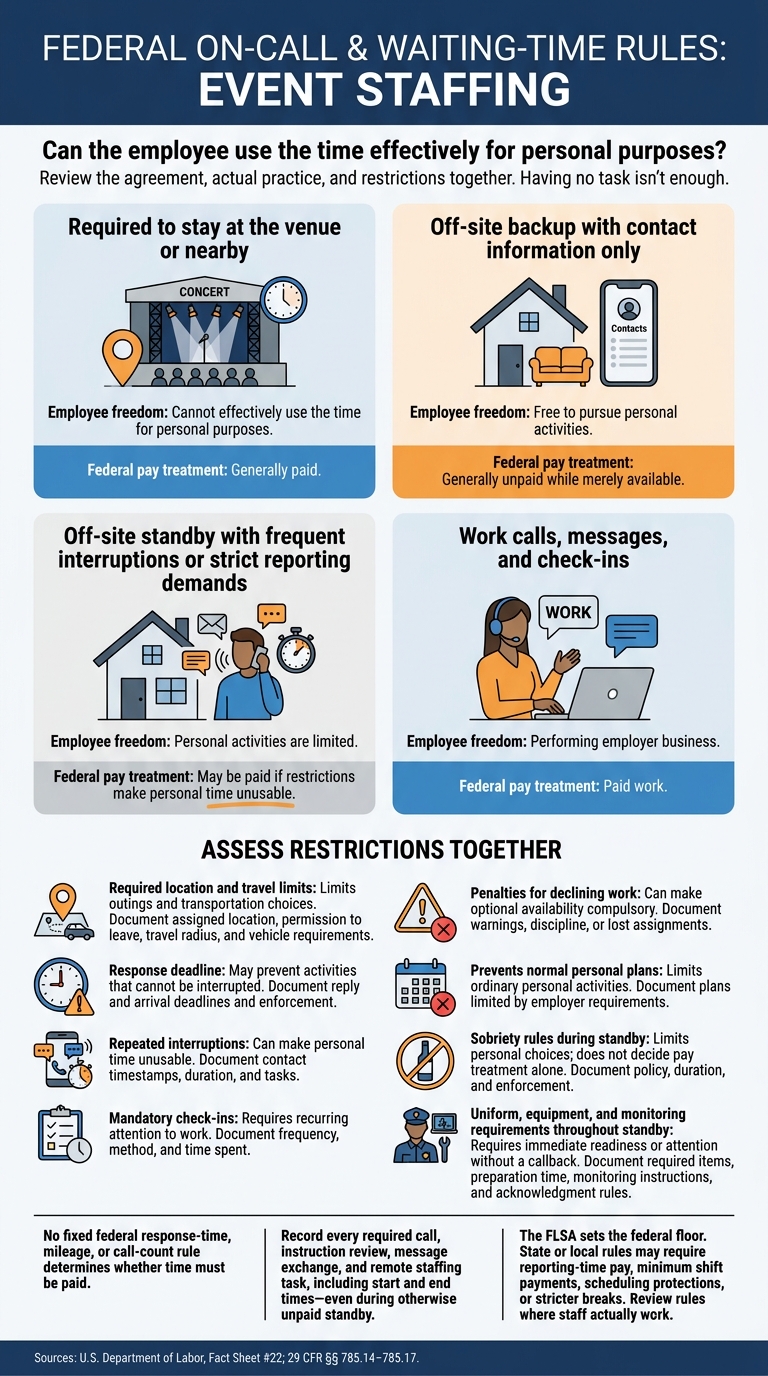
FLSA On-Call Pay: Paid Waiting vs. Unpaid Availability
DOL guidance and 29 CFR §§ 785.14–785.17 require employers to review the agreement, actual practice, and time restrictions for event crews. No fixed federal response-time, mileage, or call-count rule determines whether time must be paid.
Use the rules below to assess when event standby counts as paid time.
Waiting is part of the job when employees must remain available for work. Waiting is unpaid off-duty time only when staff are relieved of their duties and have enough time to use it effectively for personal purposes. Having no task isn’t enough.
The key question: How much control does the employer have over the worker’s time? Using event staff scheduling software can help track these control factors and automate availability checks.
| Event-coverage situation | Employee freedom | Federal pay treatment |
|---|---|---|
| Required to stay at the venue or nearby | Cannot effectively use the time for personal purposes | Generally paid |
| Off-site backup with contact information only | Free to pursue personal activities | Generally unpaid while merely available |
| Off-site standby with frequent interruptions or strict reporting demands | Personal activities are limited | May be paid if restrictions make personal time unusable |
| Work calls, messages, and check-ins | Performing employer business | Paid work |
Record every required call, instruction review, message exchange, and remote staffing task, including start and end times - even during otherwise unpaid standby.
Review restrictions together, not in isolation. Document how each rule is enforced during event coverage. The more the rules limit personal freedom, the more likely the time must be paid.
| Restriction | Effect on personal freedom | Facts to document |
|---|---|---|
| Required location and travel limits | Limits outings and transportation choices | Assigned location, permission to leave, travel radius, and vehicle requirements |
| Response deadline | May prevent activities that cannot be interrupted | Reply and arrival deadlines; enforcement |
| Repeated interruptions | Can make personal time unusable | Contact timestamps, duration, and tasks |
| Mandatory check-ins | Requires recurring attention to work | Frequency, method, and time spent |
| Penalties for declining work | Can make optional availability compulsory | Warnings, discipline, or lost assignments |
| Prevents normal personal plans | Limits ordinary personal activities | Plans limited by employer requirements |
| Sobriety rules during standby | Limits personal choices; does not decide pay treatment alone | Policy, duration, and enforcement |
| Uniform, equipment, and monitoring requirements throughout standby | Requires immediate readiness or attention without a callback | Required items, preparation time, monitoring instructions, and acknowledgment rules |
The FLSA sets the federal floor. State or local rules may also require reporting-time pay, minimum shift payments, scheduling protections, or stricter breaks. Review standby policies under the rules for the location where event staff actually work.
Use the prior section’s control test to assess common event-staff setups: How much control does the employer have over the worker’s time?
Hypothetical staffing situation Restrictions Likely federal pay treatment Facts requiring review Backup server is reachable from 2:00 p.m. to 6:00 p.m. May shop, attend appointments, or decline the assignment without discipline The availability window is likely unpaid; actual work is paid Response deadline, call frequency, required uniform or equipment, and whether the worker must remain nearby Replacement server must report within 15 minutes Must stay within 10 minutes of the venue, answer quickly, and could lose future assignments for declining The standby period may be paid if the restrictions leave no real personal time; actual response and work is paid Distance limits, call frequency, enforcement practices, transportation, and whether the worker can use the time personally Worker waits at a designated nearby location Must stay close enough to report immediately May be paid if the worker cannot use the time freely Exact location, reporting demands, and whether the worker may leave
Record calls, assignment messages, required acknowledgments, and preparation separately.
Mandatory checklists, loading employer equipment, and travel between job sites during the workday may all be work time.
For on-site waiting, focus on whether the worker can leave and use the time freely.
Hypothetical wedding shift: Guest service starts at 5:00 p.m., but servers must report at 4:15 p.m. for a mandatory briefing and table setup. Record the 4:15 p.m. start, not just service time. Arriving 30 minutes early voluntarily, doing no work, and being free to leave is generally unpaid.
Waiting for late guests, a delivery, or a supervisor’s instructions is generally paid when staff must stay ready to work. That also applies when cleanup is done but employees must wait for a supervisor to release them.
Record when the delay started, whether staff could leave, and the actual release time. Using a phone while waiting does not make the time unpaid.
Once staff are on site, pauses count as paid time if they remain on duty. A gap between tasks is not a break when the worker must stay ready. Short rest breaks of about 5–20 minutes are generally paid. Meal periods are unpaid only when the employee is fully relieved of duty.
Interval type Duty restrictions Federal pay treatment Gap between setup and service Must monitor equipment or remain ready for assignments Paid on-duty waiting Short rest break, typically 5–20 minutes Temporarily stops active tasks Generally paid Bona fide meal period, generally at least 30 minutes Completely relieved of all duties Generally unpaid Meal with guest monitoring or required calls Still responsible for work while eating Not an unpaid bona fide meal period Genuine off-duty gap Clearly released, with enough time for personal use before returning Generally unpaid, depending on the facts
Review related duties separately. Required training and event briefings generally count as work.
Once on-call time is classified, payroll must record it correctly.
Review each employee’s actual hours within the fixed seven-day workweek. Include all compensable time across assignments: standby, waiting, prep, intersite travel, service, cleanup, calls, and release delays. For nonexempt employees, calculate overtime after 40 hours at 1.5 times the regular rate. Count every minute worked, and check whether standby pay belongs in the regular rate based on what the payment covers.
Check stricter state and local rules separately, including overtime, reporting-time, predictive-scheduling, meal-period, and minimum-wage requirements. Accurate totals depend on time records made when the work occurs.
Schedules are a starting point - not proof of hours worked. Each week, compare them with time punches, employee corrections, supervisor reports, messages, call logs, venue records, and assignment changes. Record the employee, event, role, supervisor, and workweek, then reconstruct the timeline using the table below. Keep availability, required presence, duties, and restrictions as separate facts.
| Event | Data to capture | Payroll question | Reviewer |
|---|---|---|---|
| On-call assignment | Window, location, response deadline, restrictions, role, supervisor | Did restrictions leave the worker free to use the time personally? | Staffing coordinator and payroll |
| Assignment or client contact | Timestamp, duration, messages, calls, instructions | Was compensable communication counted? | Supervisor |
| Venue check-in through departure | Arrival, preparation, service, cleanup, task gaps, delayed release, departure | Were all work and required waiting included? | Venue supervisor |
| Break or meal period | Start, end, duty relief, interruptions | Was an unpaid meal duty-free? | Supervisor |
| Cancellation or reassignment | Notice time, location, continuing restrictions, new task | Was the worker released or still on duty? | Staffing firm and event business |
| Weekly payroll closeout | Total hours, rates, premiums, corrections, approvals | Are totals complete and overtime correct? | Payroll reviewer |
Put responsibilities in writing. One party records on-site time; another collects corrections and combines hours across client events. Both resolve discrepancies before weekly payroll closes.
Keep original entries, edits, reasons for changes, messages, reviewer names, and approval dates. Federal rules generally require retaining payroll records for at least three years and wage-calculation documents, such as time cards and work schedules, for at least two years. Follow longer state retention requirements and any applicable litigation hold or investigation-related preservation requirement.
Scheduling tools help organize the records, but payroll must still use actual time worked.
Quickstaff supports scheduling, availability tracking, messaging, and event records. These tools help teams review assignments and changes alongside actual time logs. Software helps maintain records; it does not decide pay.
After classifying waiting time and correcting payroll records, run this checklist before final approval and before payroll closes.
If any answer is unclear, pause payroll until the arrangement has been reviewed.
No, not necessarily. Under the Fair Labor Standards Act (FLSA), on-call time counts as hours worked when employees must stay on-site or face restrictions that keep them from using that time for personal activities.
A stipend paid under a union agreement or contract for being reachable doesn’t replace the federal requirement to pay for on-call time that qualifies as hours worked.
Staffing firms and caterers are often joint employers under the Fair Labor Standards Act, meaning they share responsibility for wage compliance. The staffing firm usually handles payroll, while the caterer directs work on-site.
When federal law requires payment for on-call time, both employers can be liable for unpaid wages or overtime. A written agreement should clearly spell out each party’s duties to help keep records and payments accurate.
Under federal law, on-call time is generally unpaid when employees can use that time for personal activities. But any hours worked before a cancellation must be paid.
Check collective bargaining agreements for reporting-time guarantees. These often require 3 to 4 hours’ pay when a cancellation happens after the contract’s cutoff. Also check state and local rules, which may set stricter reporting-pay requirements than federal law.