On-Call vs Standby Rules for Union Crews
August 20, 2026

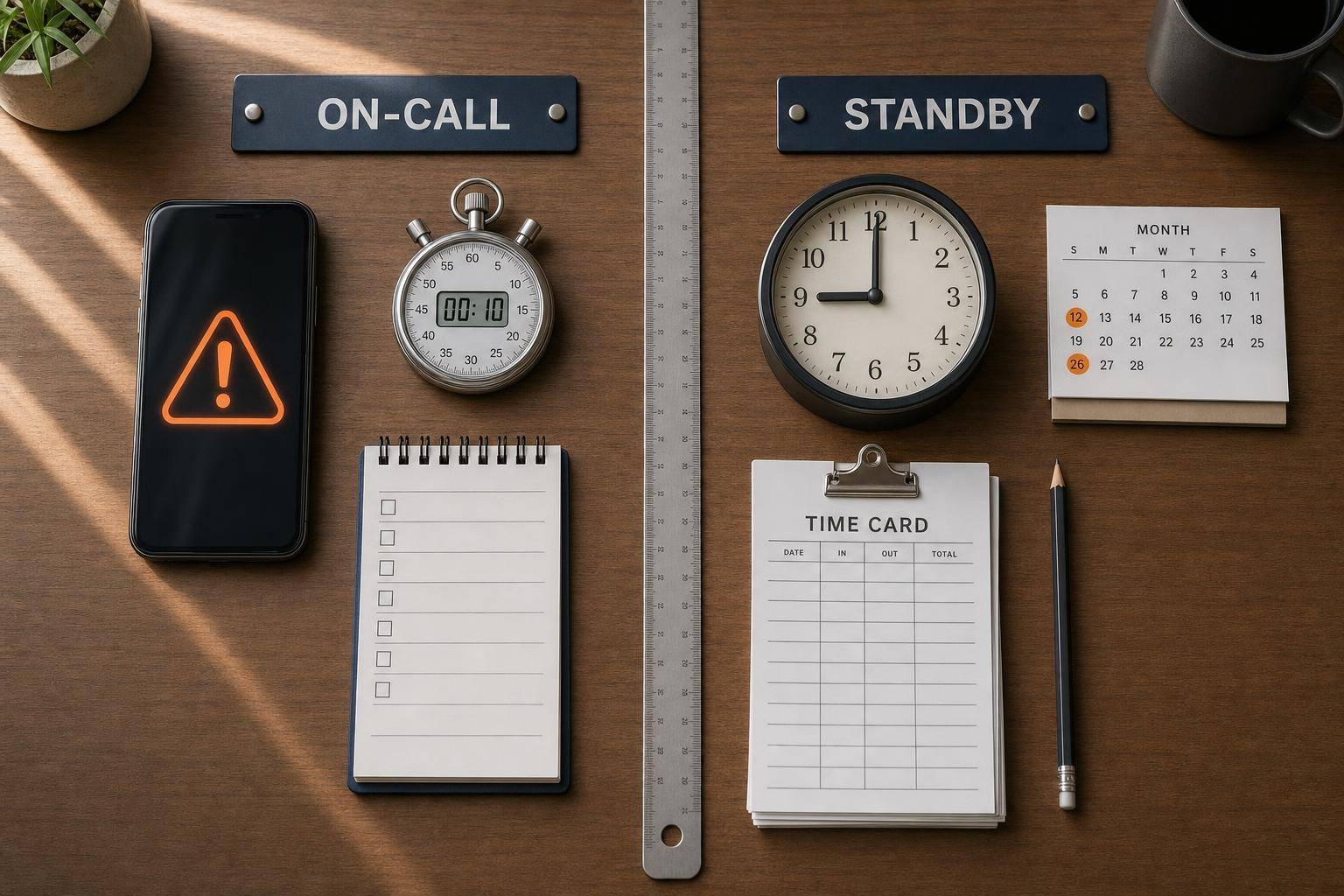
On-call and standby are not the same, and mixing them up can cost you money. If a union worker can use their time for personal things and report in 30 to 60 minutes, that is often on-call. If they must stay on-site or close by and respond right away or within 10 to 15 minutes, that is usually standby.
Here’s the short version:
If I had to boil the article down to one point, it would be this: the more control you place on a worker’s time, the more likely that time must be paid. That one rule shapes staffing, payroll, and grievance risk. Using scheduling software for catering can help manage these complexities.
For event operators and caterers, this affects day-to-day choices like:
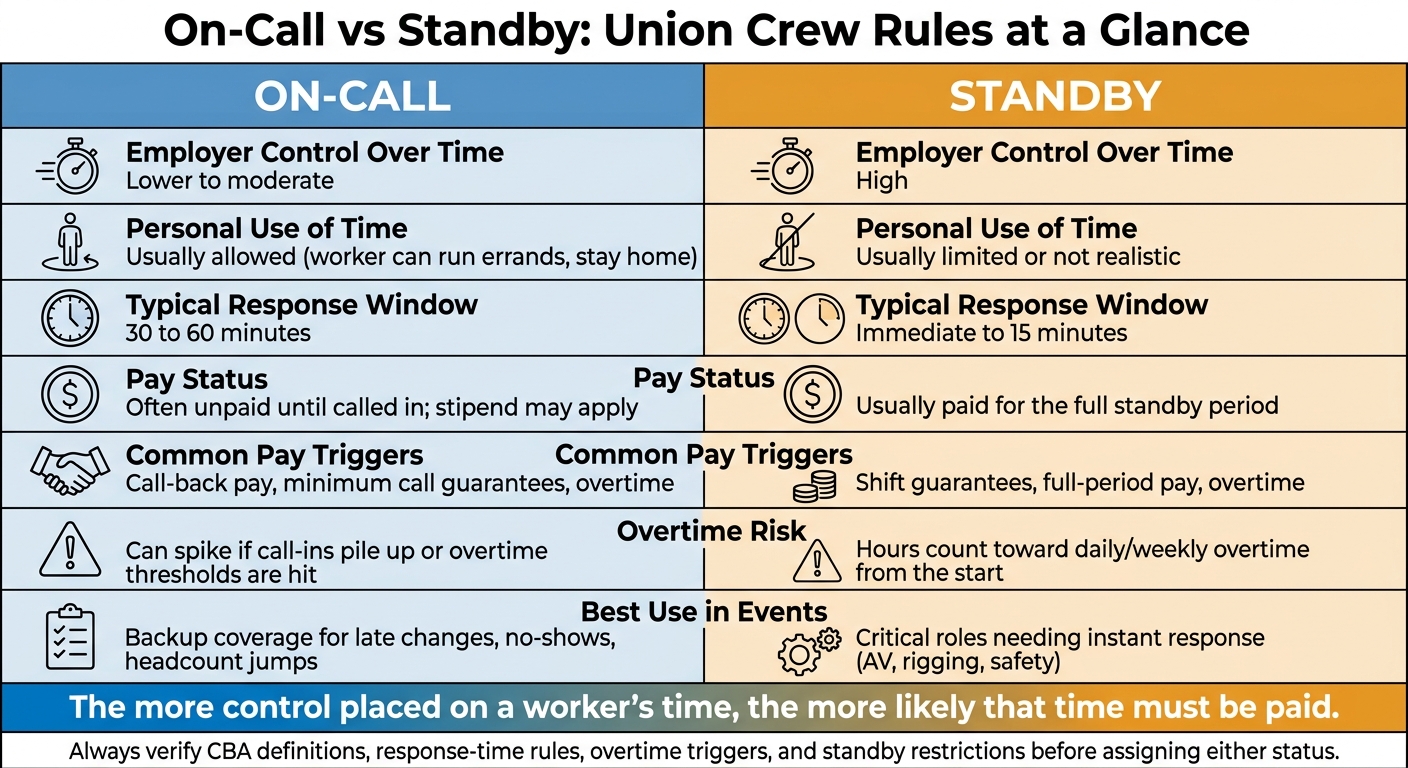
On-Call vs Standby: Union Crew Rules at a Glance
| Factor | On-Call | Standby |
|---|---|---|
| Worker freedom | More personal time allowed | Very limited personal time |
| Typical response time | 30 to 60 minutes | Immediate to 15 minutes |
| Pay status | Often unpaid until called in, though stipends may apply | Usually paid from the start of standby |
| Common extra pay | Stipend, call-back minimums, overtime | Full-period pay, shift guarantees, overtime |
| Best use | Backup labor for uncertain demand | Instant coverage for urgent roles |
In plain terms: use on-call for backup coverage, and use standby when delay is not an option. Before I assign either one, I would check the CBA, local wage rules, response-time limits, overtime triggers, and any pay guarantees tied to the shift.
An on-call union crew member is usually expected to stay reachable, be ready to take an assignment, and report within a set time window if called in, while still being free to use that time for personal purposes. In most cases, that time is unpaid if the worker can still go about normal personal activities. The big issue is employer control: the more control the employer has over that time, the more likely pay comes into play.
A common union on-call rule is simple: stay reachable and report within a 30- to 60-minute window if the CBA allows it. Under that setup, workers can often stay home, run errands, or handle day-to-day tasks, so long as they can get back in time.
On-call time turns compensable when the limits get tight enough that the worker is, in practice, waiting for work instead of using the time freely for personal life. A very short response window, such as around 15 minutes, can push the setup closer to tethered work than off-duty time. Put plainly, loose limits usually mean unpaid time. Tight limits can change the pay picture fast.
Even when federal law does not require pay for on-call time, union contracts often add a small hourly premium, sometimes with a daily cap, to account for the hassle of staying reachable. Some agreements use a flat daily stipend instead.
Once a worker is called in, pay usually starts when the work starts or at the report time set by the CBA. Many union agreements also include minimum call-back guarantees, often two hours at the overtime rate, so even a short job can still trigger decent pay.
Depending on the contract and local law, other rules may also matter, including:
Standby status usually comes with tighter limits than basic on-call status, and that often means higher pay.
In event work, standby is what you use when you need instant coverage. The worker may need to stay on-site or remain within a short radius, ready to jump in right away. That level of control changes both pay and staffing. The big distinction isn't only where someone waits. It's how much of that worker's time the employer controls.
Some union agreements go even further. They narrowly define which roles can be put on standby, or they ban standby for certain classifications altogether. If you manage events across more than one venue, check each local CBA closely. What flies in one hall may be off-limits in another.
Standby usually means staying on the premises or close by, with immediate access to communication and transportation. Response windows are often immediate to 10 to 15 minutes.
For events and catering staff scheduling, standby comes into play when even a short delay could create an immediate service problem and the worker has to stay close enough to act at once. That tighter control also changes how managers plan backup coverage. This is a key component of scalable event scheduling for large-scale productions.
Standby costs more than on-call for a simple reason: pay starts when the worker enters standby status, not only when they're called in to work. Many CBAs pay for the full standby period through a flat rate or block payment.
And the base standby rate is only part of the story. Other CBA rules can stack on top of it:
That's why standby isn't just a backup plan on paper. It's a direct budget item.
Next, compare standby and on-call side by side.
After the pay rules, the next step is staffing. This is where the split between on-call and standby starts to shape day-to-day planning in union event and catering work.
| Factor | On-Call | Standby |
|---|---|---|
| Employer control over time | Lower to moderate | High |
| Personal use of time | Usually allowed to a meaningful degree | Usually limited or not realistic |
| Typical response window | Often 30 to 60 minutes when the contract allows | Immediate or near-immediate |
| Usually compensable | Depends on restrictions and contract language | Usually yes |
| Typical pay treatment | Possible stipend, with paid time starting at call-in or report time | Usually paid for the full standby period |
| Common pay triggers | Call-back pay, minimum call guarantees, overtime | Shift guarantees, overtime, full-period pay |
| Best use in events | Backup coverage for late changes or no-shows | Critical coverage where instant response is necessary |
Use on-call when demand may shift. Use standby when you need someone ready NOW.
On-call gives you a leaner base crew. You keep a small backup group reachable by phone, then bring people in if plans change. If banquet headcount jumps at the last minute or a server calls out, you may be able to add help within a 30- to 60-minute response window without paying workers to wait around with nothing to do. That setup fits catering deliveries with uncertain add-ons and event setup crews where overruns might happen, but don't always happen.
Standby works the other way. You're paying for ready-to-go coverage, so the worker is already on site or close enough to step in at once. During a high-profile gala, a union banquet captain on standby at the venue can jump in if a bar line gets out of hand or a station breaks down. For live shows, AV techs and riggers on standby may need to respond right away to safety-related problems. A lot of operators split the difference: standby for safety-sensitive roles like AV or rigging, on-call for backup labor.
On-call can cost less on slow nights, but it's harder to predict. If call-ins pile up or workers hit overtime, labor costs can jump fast. Standby costs more from the start, but it's simpler to budget because you're paying for the full standby window whether anything goes wrong or not.
Compliance can get messy on either side. Call someone "on-call" but tell them to stay near the venue and respond instantly, and you've probably turned that time into compensable standby without paying for it. Mislabeling on-call as standby, or skipping contract caps or overtime triggers, can lead to grievances and back pay.
Before you assign either status, check the CBA, local wage rules, and the response time the job actually needs.
Use on-call for flexible backup and standby for immediate coverage. Before you assign either one, check the CBA.
With that distinction in place, use this checklist before you build the shift.
Before assigning either status to a union crew member, review these contract points:
Once those rules are set, documentation matters. It's much easier to manage status, hours, and assignments when everything is logged in one place. Quickstaff (quickstaffpro.com) can help centralize status tags, availability, reminders, and assignment records.
Clear records of status, hours, and assignments also make pay disputes and grievances easier to defend.
Under the Fair Labor Standards Act, on-call time is paid when an employee has to stay on the employer’s premises or faces limits so tight that they can’t use that time for personal activities in any meaningful way.
On the other hand, if the employee only has to carry a pager or leave a phone number and can otherwise go about their day, that time usually isn’t paid.
But once they’re called in and start working, those hours are compensable. And they also count toward weekly overtime.
Use standby when a role is central to the event, but the workload is hard to pin down. That often happens when demand can swing, like a late guest-count spike or a last-minute staff no-show.
It also fits events with multiple moving parts, where one delay can throw off the whole schedule. In Quickstaff, you can review gaps by role and day to spot those moments. Sometimes a standby waitlist is the smarter move than paying for extra fixed payroll across the full event.
Before assigning on-call or standby status, make sure your written agreement and day-to-day practices don’t create an employee relationship based on control. That can happen if you set arrival times, fixed schedules, uniforms, task order, or service protocols.
You should also check timekeeping and pay. Nonexempt workers must be paid overtime at 1.5× their regular rate for hours over 40 in a workweek, plus any state daily overtime that applies. Keep accurate records in case of an audit.