How to Forecast Staffing Costs for Events
April 24, 2026


Staffing costs can quickly escalate if not carefully planned. Hidden expenses like overtime, last-minute replacements, and agency markups can increase budgets by 15–25%. For example, a $5,000 staffing estimate could balloon to $7,000 due to overlooked fees like per diems or union costs. To avoid surprises, follow these steps:
Pro tip: Always include a 10–15% contingency buffer to handle unexpected costs. Efficient staffing not only saves money but ensures smooth event operations.

Event Staffing Cost Breakdown: Base Wages vs Total Costs with Hidden Expenses
Take a close look at past events to compare what you scheduled for staffing versus what was actually needed. Start by pulling payroll records from similar events. This will show you how many staff members worked, which roles they filled, and how your initial estimates matched reality. This kind of analysis can uncover patterns in overtime, extra shifts, and other gaps using scheduling tools for last-minute shifts, giving you a solid foundation for improving future staffing plans and budgets.
Dive into previous staff rosters to analyze filled roles, hourly rates, and payment methods. Pay extra attention to areas where operations slowed down or bottlenecks occurred. Post-event reports are another goldmine of information. For example, check metrics like guest wait times during peak check-in or bar queues. If wait times during busy periods went over 5 minutes, you were likely understaffed - studies show transaction abandonment rates spike to around 20% at that threshold.
If you lack internal data, use industry guidelines to establish a baseline. Here are some standard ratios:
Once you’ve gathered this data, make sure to adjust it for current market conditions.
Inflation and wage growth are key factors to consider. As of February 2026, inflation is at 2.4% year-over-year, but certain categories like childcare (6.1%), healthcare (5.5%), and dining out (3.7%) are climbing faster. Meanwhile, national wages are increasing by about 3.8% annually. However, a simple percentage adjustment isn’t enough - context matters.
For instance, geographic location has a big impact on wages. If your previous event was in a Tier 2 city like Dallas but the next one is in New York City, you’ll need to increase your wage estimates by 15–25%. On the flip side, moving to a Tier 3 city like Phoenix or Nashville could allow for a 10–15% decrease.
Don’t forget to account for agency markups. If your historical data only includes base wages, you’ll need to add 18–25% to cover things like insurance, payroll taxes, and compliance costs. Also, include premiums for specific scenarios:
After reviewing historical data, the next step is to figure out how many staff members you'll need for your event. This depends on several factors: event type, guest count, service style, and duration. For example, a 500-person plated dinner requires significantly more staff than a 500-person cocktail reception.
Start by identifying every role your event demands. A corporate conference might need registration staff, ushers for session transitions, AV technicians, and zone leads. A trade show could require booth staff for lead capture, floor coordinators, and accreditation teams. Weddings often need servers for plated meals, bartenders, setup crews, and VIP attendants.
For larger events, divide the venue into zones and assign a lead to each area. For instance, a 500-person conference could be split into areas like Registration, Main Floor, Breakout Rooms, VIP Lounge, and Back-of-House. Each zone lead ensures accountability and prevents gaps in coverage.
Adjust your plans for specific complexities, such as VIP handling or manual payment processes. VIP lounges, for example, often need a tighter staffing ratio of 1 staff member per 25–50 guests compared to standard areas. Daniel Muersing, Founder of Event Staff, emphasizes this point:
I don't build staffing plans for the easy hours. I build them for the 15 minutes where check-in backs up, the client's asking questions, and everyone's looking at us to fix it.
Once you've outlined the roles, translate these into exact staffing numbers using an event staffing needs analyzer based on the size and structure of your event.
With roles in place, you can calculate how many staff members you'll need. Start with industry-standard ratios, adjusting them to fit the specifics of your event. Here's a quick guide for common roles:
| Role | Service Type/Condition | Staff-to-Guest Ratio |
|---|---|---|
| Registration | Manual Check-in | 1:50–75 |
| Registration | QR Code Scanning | 1:150 |
| Server | Plated Dinner | 1:8–16 |
| Server | Buffet | 1:25–30 |
| Bartender | Beer & Wine Only | 1:75–80 |
| Bartender | Full Open Bar | 1:40–50 |
| Security | Standard Event | 1:100–150 |
| Usher | Indoor Event | 1:100 |
| Usher | Outdoor Event | 1:75 |
Plan staffing for peak periods, such as when doors open, during lunch transitions, or after a keynote session. These are the moments when bottlenecks are most likely to occur. Studies show that wait times over 5 minutes during these busy windows can lead to a 20% abandonment rate.
Include a 15% buffer to account for unexpected surges or no-shows. For smaller events, this buffer is even more critical. A single no-show at a 50-person event has a much greater impact than at a larger one.
Lastly, stagger shift start times to ensure smooth operations. Setup crews should arrive first, followed by registration staff before doors open, and floaters just ahead of peak arrival times. This phased approach ensures everyone is in the right place at the right time.
To figure out your base labor costs, multiply the number of staff by their hourly rate, the length of their shifts, and the number of shifts. For larger events, you might use a blended hourly rate to account for different roles and pay scales.
Breaking down individual wage rates and factoring in overtime will give you a clearer picture of your core labor expenses.
Start by determining the base hourly rates. General event staff, such as greeters or ticket checkers, typically earn between $22 and $40 per hour. More specialized roles, like supervisors or bilingual staff, may command rates between $35 and $60 per hour. For example, if you’re hosting a 100-person event where staff work 8-hour shifts at a blended rate of $35 per hour, the base labor cost would amount to roughly $28,000.
Under U.S. federal law, employees working over 40 hours in a week are entitled to 1.5 times their base pay. For instance, if a staff member earns $20 per hour and works 50 hours in a week, their total cost would be calculated as (40 × $20) + (10 × $30) = $1,100 - a 10% increase. Even small delays, like a 30-minute overrun, can lead to overtime charges or trigger a minimum billing block of four hours. To avoid surprises, use scheduling software and plan for an extra hour before and after the event for briefings and cleanup. Additionally, some cities, such as New York, Los Angeles, and San Francisco, require overtime pay for shifts exceeding 8 hours in a single day.
Hourly wages are just one part of the equation. Employer-related expenses, like payroll taxes and insurance, significantly impact the total cost. These additional costs, often referred to as the "W-2 employer burden", typically add 18–28% to base pay.
Here’s a breakdown of common employer burdens:
| Cost Component | Rate |
|---|---|
| Employer FICA | 7.6% |
| Workers' Compensation (avg) | 3.5% |
| General Liability Insurance | 2.5% |
| FUTA (Federal Unemployment) | 0.6% |
| SUTA (State Unemployment) | 3.2% |
| Admin & Payroll Processing | 2.8% |
| Total Employer Burden | 20.3% |
In addition to these payroll-related costs, you’ll need to budget for other expenses like training ($50–$150 per staff member), uniforms and equipment ($20–$80 per shift), and agency fees, which typically range between 18% and 25% of base pay. If you’re hiring staff at the last minute - within the same week of your event - rush fees of 15% to 30% may apply. For events in Tier 1 markets like New York, Los Angeles, or San Francisco, you should also account for an additional 15% to 25% due to higher minimum wages and living costs.
As Megan Hayward, Founder & CEO of TempGuru, explains:
The W-2 employer burden (FICA + workers' comp + GL + FUTA/SUTA) adds 18–28% above base pay - someone always pays it.
To safeguard against unexpected expenses, include a contingency buffer of 10–15%. This buffer can help cover overtime, last-minute staff additions, or no-shows, ensuring you’re prepared for any surprises.
Even with careful planning, unexpected changes can throw a wrench in your staffing budget. To stay prepared, build on your earlier estimates by factoring in uncertainties and location-specific expenses that could inflate costs. Hidden expenses like no-shows, compliance issues, and overtime often add 15–25% to staffing budgets.
Adding a 10–15% contingency buffer is a smart way to handle unforeseen costs like replacement staff for no-shows, last-minute additions, or unexpected overtime. Megan Hayward, Founder & CEO of TempGuru, emphasizes:
Better to have budget surplus than discover you're over budget mid-event.
This flexibility is crucial, whether you're dealing with catering staffing challenges or external factors.
Staff absences can lead to significant expenses. Replacing a staff member can cost up to 33.3% of their base salary. To avoid last-minute panic, have a backup system in place.
Daniel Muersing, Founder of Event Staff, suggests following the 15–30–60 Backup Rule: at 15 minutes, redeploy floaters to cover the gap; at 30 minutes, call in standby staff; and at 60 minutes, have a replacement ready or restructure the zone. This approach provides clear decision points, reducing the stress of on-the-spot decisions.
Position floaters strategically in "pressure zones" like registration desks or catering stations. This ensures they can step in immediately if needed, rather than wandering aimlessly. Keep at least one backup staff member on standby specifically for no-shows, and plan your staffing levels based on peak activity rather than average flow.
Your event's location plays a big role in determining staffing costs. Markets are generally divided into three tiers based on cost of living and minimum wage laws. Tier 1 cities like New York, Los Angeles, and San Francisco often see staffing costs 15–25% above the national average. Tier 2 cities like Dallas, Atlanta, and Chicago are closer to the baseline, while Tier 3 cities like Phoenix or Nashville can offer a 10–15% reduction in costs.
Union requirements can further complicate budgets. Cities such as Chicago, New York, and Las Vegas often require working with labor unions, which may involve additional administrative fees or higher pay rates. Always confirm union coordination fees with venues before finalizing your budget.
For multi-day events or remote locations, consider travel-related expenses like transportation, meal per diems, and lodging. Travel fees can range from $25–$75 per staff member. Hiring local staff can help you avoid these costs, potentially saving 10–15% of your budget. Additionally, venue-specific challenges - like slow freight elevators, nearby construction, or complex layouts - can increase labor hours and costs, so factor these into your planning as well.
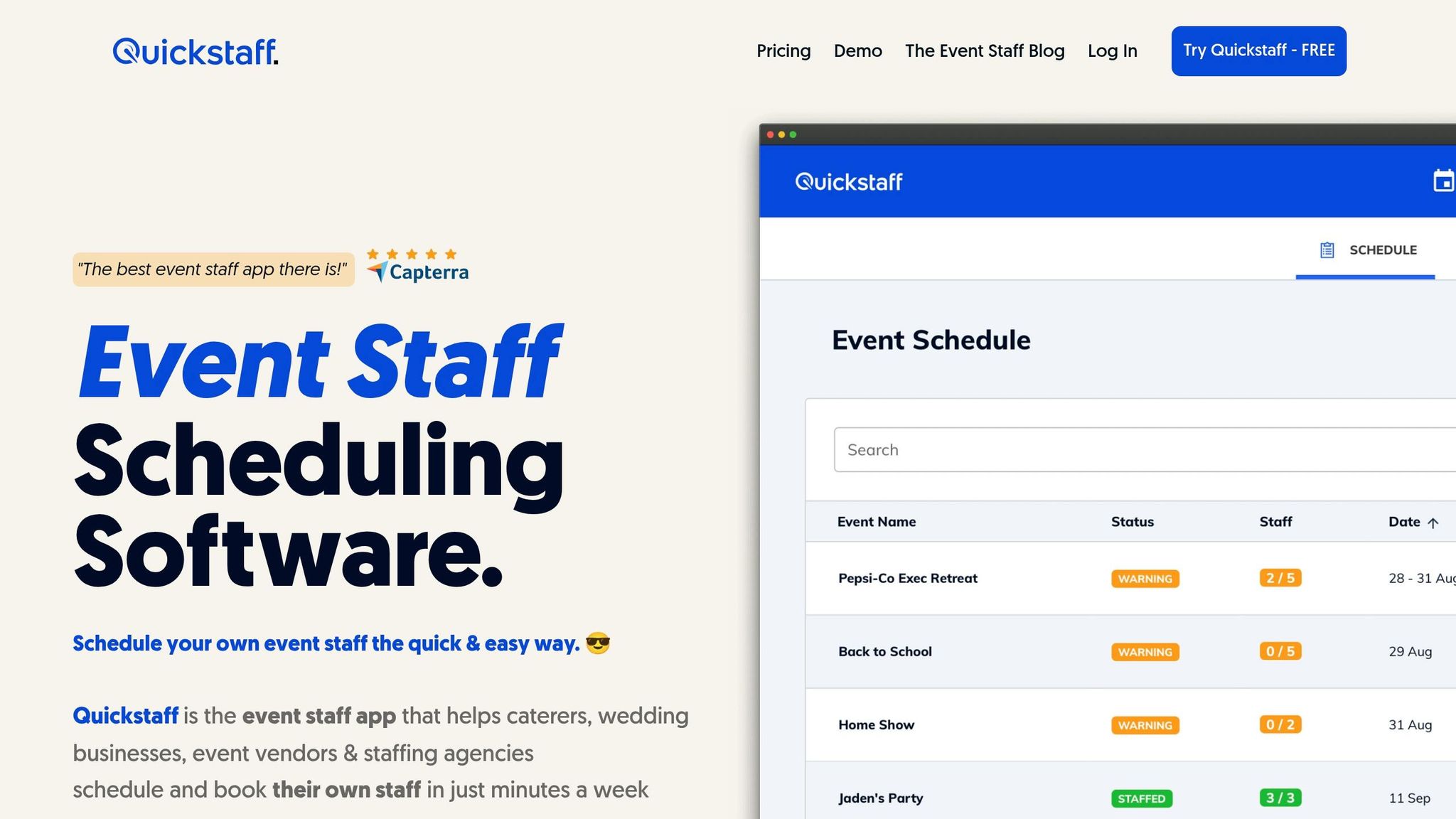
Relying on manual spreadsheets and phone calls can make it tough to predict costs accurately. Booking staff with less than two weeks' notice often adds a hefty 20–30% premium to labor costs. That’s why having real-time insights into staff availability is essential for keeping budgets in check.
Quickstaff takes the guesswork out of scheduling by allowing staff to block off dates when they’re unavailable. This ensures managers only see workers who are ready to take shifts, reducing the risk of overestimating labor capacity. A centralized event calendar provides an at-a-glance view of which events are fully staffed and which still need attention, helping you spot and fill gaps early - avoiding costly last-minute staffing premiums.
Jennifer Manley, a Staffing Coordinator, highlights the benefits:
My time spent scheduling has shrunk majorly, leaving me more time to focus on recruiting, on-boarding, and training. The calendar makes it really easy for me to see what my week looks like.
Quickstaff also lets you plan months ahead, giving you the ability to provide clients with staffing quotes in minutes. With role-based messaging, you can contact specific groups - like servers or bartenders - without notifying your entire team, making it easier to fill gaps quickly.
But Quickstaff doesn’t stop at scheduling; it also helps refine your budgeting process.
Using Quickstaff’s Event Shift Cost Estimator, you can calculate labor expenses upfront. The tool accounts for different pay rates based on roles, such as servers, bartenders, or photographers, giving you a clear picture of actual costs. For recurring events, you can replicate successful staffing setups from past events to create accurate forecasts in just minutes.
Jaime S., VP at Lisa’s Catering, shares their experience:
Prior to Quickstaff, I was using Excel spreadsheets to track my employees and their shift availability. My life changed the day I started using Quickstaff!
Staff receive work invitations via email and can respond immediately, letting you know who’s committed. This real-time feedback eliminates uncertainty and helps prevent budget overruns. Plus, time tracking features allow you to compare estimated costs with actual hours worked, improving the accuracy of future projections.
When the event wraps up, the final invoices often reveal unexpected costs that go beyond your initial estimates. This is why reviewing actual results is crucial - it helps you fine-tune your projections and improve accuracy for future events.
Take the data from your pre-event planning and compare it to what actually unfolded. Start by requesting detailed invoices from your staffing providers. This will allow you to identify discrepancies, such as differences between the scheduled hours and the hours actually worked. Even minor delays, like a 30-minute overrun, can lead to additional charges, such as a 4-hour minimum pay requirement.
Pay close attention to the difference between planned shift durations and the hours billed, particularly overtime. If staff clock out later than expected, it could indicate inefficiencies that drive up costs. Additionally, look at role-specific trends. For example, if certain positions - like security or registration - regularly exceed estimated hours, it's a sign that your future forecasts need adjusting.
Megan Hayward, Founder & CEO of TempGuru, offers a practical tip:
Audit every position on your staffing sheet and ask: 'Is this the most expensive person who can effectively do this job?' Often you'll find positions bloated with more experience or skill than necessary, creating budget waste.
Refining your staffing projections is an ongoing process, especially for recurring events. Keep a centralized record of your actual spending to identify patterns and make better decisions next time. Tools like Quickstaff can help you track time and estimate costs, making it easier to align your forecasts with reality.
Key metrics, like staff costs as a percentage of revenue, are worth monitoring. If these costs consistently exceed 35%, it might signal overstaffing or reliance on premium rates. Also, evaluate how often you dip into your contingency buffer. If your 10–15% safety margin proves insufficient, adjust it based on the complexity of the event.
Daniel Meursing, CEO of Event Staff, emphasizes the importance of efficiency:
The cheapest staff is rarely the one with the lowest hourly wage; it's the one that keeps your timeline intact.
Regularly analyzing variances - such as rush fees or overtime - will help you make precise adjustments to your future projections. By consistently improving this process, you can achieve better budget control and ensure smoother events.
Accurate staffing cost forecasts require a mix of detailed data analysis and reliable forecasting tools. When planning staffing costs for events, it’s not just about finding the lowest hourly rate - it’s about understanding the true costs involved. This means accounting for every expense beyond base wages to get a full picture of staffing expenses. As Daniel Muersing, Founder of Event Staff, explains:
The true cost to hire event staff isn't the hourly rate; it's the cost of failure. A poorly staffed event leads to lost revenue and brand damage.
The best forecasts are built on data-driven insights and historical trends. By analyzing past events, you can identify problem areas - like roles that often exceed estimated hours - and refine your projections accordingly. Tools like Quickstaff simplify this process by offering real-time availability tracking and automated cost calculations. This takes the guesswork out of staffing and ensures you allocate the right number of people at the right time.
Investing in quality staffing doesn’t just add to your expenses - it helps control costs in the long run. Regularly comparing your forecasts to actual results and fine-tuning your methods over time can turn staffing from a variable expense into a predictable, profit-driving strategy.
Rely on solid data, account for every variable, and leverage precise tools to keep staffing costs under control.
When calculating event staffing costs, don't just focus on hourly wages. You also need to factor in additional expenses like employer taxes (FICA), workers' compensation, general liability insurance, and federal and state unemployment taxes (FUTA/SUTA). These extra costs can increase the base pay by approximately 18–28%. By including these in your calculations, you'll get a clearer picture of your total staffing budget.
To figure out how many staff members you'll need for your event, consider using tools like staffing calculators or budget templates. These tools can help you estimate the right headcount by factoring in details like the number of attendees, the type of event, and the venue's capacity. By taking a closer look at these specifics, you can ensure your event runs smoothly without the risk of being understaffed. Planning based on data makes it easier to align your staffing needs with both your budget and the scale of your event.
The size of your staffing contingency hinges on how large and complex your event is. A good rule of thumb is to set aside 10-20% of your total staffing budget to handle unexpected situations or busy times, such as check-in rushes or addressing client questions. For bigger or more intricate events, you might need to bump up that percentage to make sure everything runs smoothly during key moments.





