Outdoor Event Safety Checklist for Staff
August 21, 2026

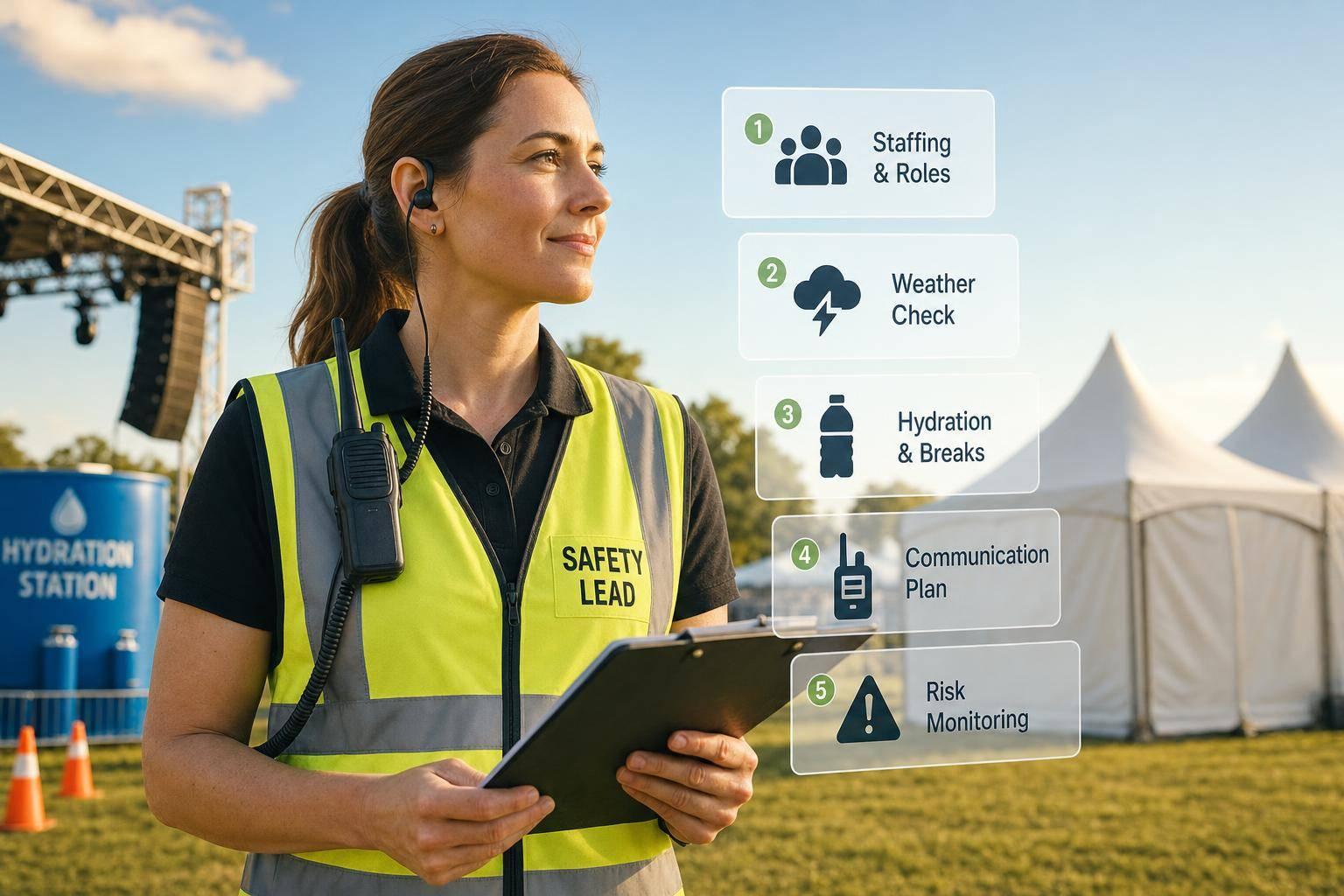
Most heat deaths happen on the same day as the heat exposure. That’s why I’d treat staff safety as its own job, not just part of guest planning.
If I were running an outdoor event, I’d focus on five things right away: lock the staff roster, set weather and lightning triggers, verify water and shade, confirm first aid and emergency routes, and keep a live watch on radios, crowd flow, and fatigue. The goal is simple: every worker knows where to go, who to call, and what to do before gates open.
Here’s the article in one plain-English snapshot:
A few numbers stand out:
What I like about this checklist is that it turns a long event day into a short set of clear checks: plan it, verify it, watch it, and log it. That keeps staff safer and cuts confusion when weather or crowd conditions change.
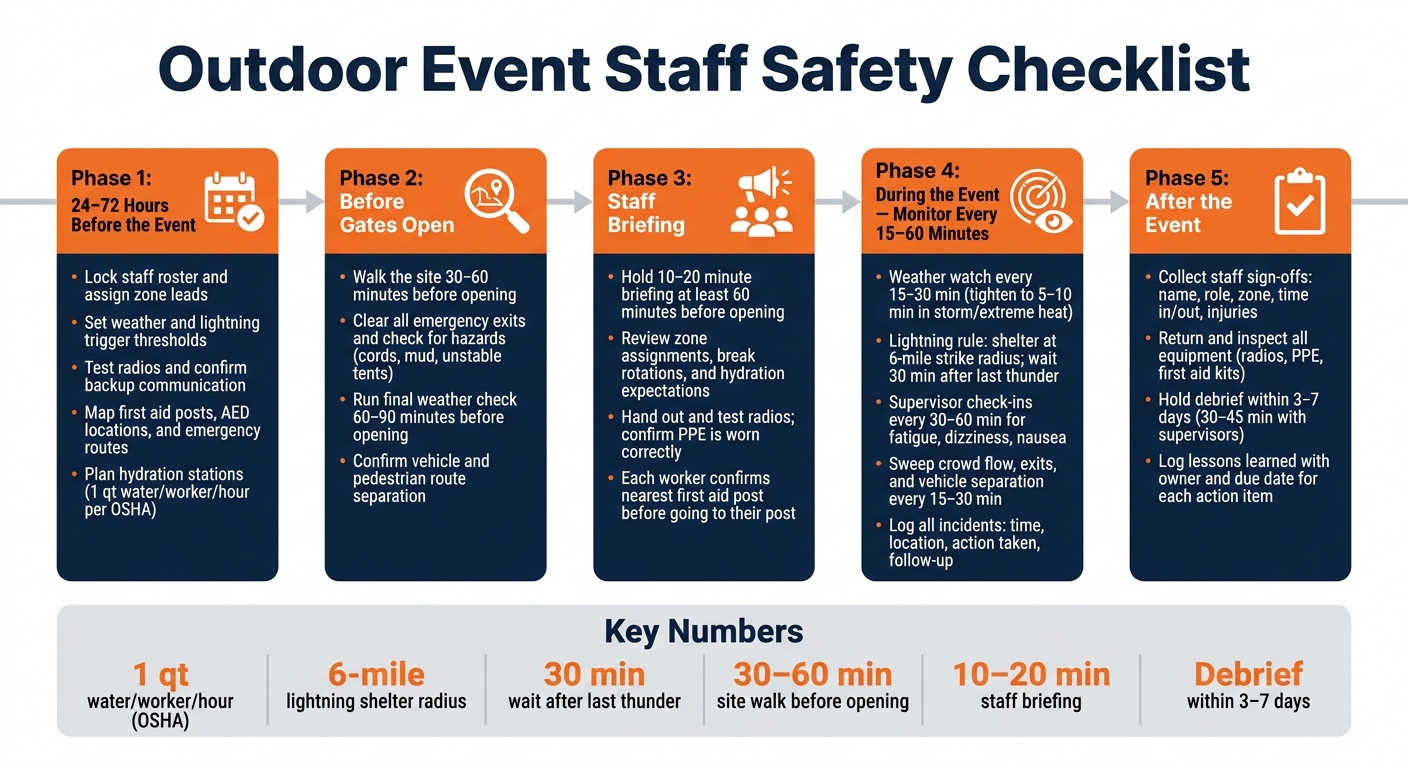
Outdoor Event Staff Safety Checklist: 5-Phase Timeline
Use the 24- to 72-hour window to lock down staffing, effective communication, and emergency access before on-site work starts.
Lock the roster and double-check who is assigned to each zone: entry gates, parking, stage, food and beverage, first aid, and crowd management. Every shift should have a named team lead. Break coverage and peak-period posts should be assigned before event day, not figured out on the fly.
Set radio channels or talk groups by function, then test coverage in all key areas, including remote activity spaces and parking. Make sure every lead has a charged radio and a backup option, like a spare battery or backup phone. Keep radio traffic short and in plain language, and spell out who is watching the main safety channel. Do not count on mobile networks alone. When crowds pile in, service can fail.
Give each team lead a one-page briefing sheet with their duties, escalation paths, and the point person for each incident type, including medical issues, weather, crowd flow, and lost guests. Pair that with a one-page contact list in both print and digital form. It should include the command post number, event manager, medical lead, weather monitor, security lead, and backup phone numbers for each.
Once staffing and communication are set, move to weather triggers and heat controls.
Check the forecast before event morning. Review the expected heat index, storm risk, wind limits for tents or temporary structures, and the chance of lightning during event hours. Write down exact action thresholds so staff aren't making judgment calls under pressure. For lightning, many event protocols use a 6-mile strike radius as the trigger to shelter and require a 30-minute wait after the last thunder before exposed operations resume.
Match PPE to the role. High-visibility vests, closed-toe shoes, hats, sunscreen, gloves, and rain gear should be assigned to the people who need them, not left sitting in a supply pile. For evening events, add flashlights or headlamps with spare batteries.
Hydration needs the same level of planning. OSHA guidance recommends at least 1 quart of water per employee per hour in hot conditions. Lock in the number of water stations, assign refill duty, and set up staff-only hydration apart from guest concessions. Mark shade and cool-down spots on the site map, whether that's tents, pavilions, or air-conditioned vehicles, and assign rest breaks ahead of time.
After weather and heat controls are in place, map emergency routes and safety posts.
The pre-event packet should spell out first aid post locations, AED locations if available, the nearest hospital address, EMS/fire/police contact numbers, staff entry points, evacuation routes, assembly areas, and emergency vehicle access lanes. Put these on paper and map them by zone so staff can direct responders fast, even without phone service.
Scheduling coverage is part of safety planning. Make sure every safety-critical post has both a primary and a backup person assigned. Also check that no one is double-booked during peak arrival windows or weather-sensitive periods.
With coverage, routes, and emergency access set, the next step is day-of verification before gates open.
With your pre-event plan in place, the morning of the event is about one thing: making sure those safety steps are actually set up on site.
Start the site walk 30–60 minutes before opening and follow a fixed route map. Check entry and exit points first. Every emergency exit should be unlocked, clearly marked, and clear of equipment, trash bins, or vehicles.
Then move through the busiest areas, including queues, food courts, stage areas, and restrooms. Look for uneven ground, loose cables, hoses, extension cords, wet or muddy patches, unstable barriers, and unsecured tents or canopies. If cords cross walkways, use cable ramps. Also make sure vehicle and service routes stay separate from public walking areas. Document each hazard, assign someone to fix it, and confirm the fix before the gates open.
After the site walk, run the final weather check 60–90 minutes before opening using the National Weather Service and any on-site monitoring tools you have. Record the current heat index in °F, wind speed in mph, gusts, precipitation timing, and lightning risk. Then compare those conditions with your event's trigger points. If conditions are getting close to those thresholds, update break schedules, shift staff where needed, and cover the change in the opening briefing.
The all-staff briefing should last 10–20 minutes and begin at least 60 minutes before opening. Keep it tight and clear. Confirm zone assignments and team leads, review break rotations and hydration expectations, go over weather action steps, and explain emergency procedures in plain language. Finish by naming the first contact for medical, weather, and security issues.
After the briefing, hand out radios and test every channel. Each person should sign out a radio with their name, role, and radio ID, then call in from their assigned post to make sure the channel works and the audio is clear. Critical posts like front gates, medical, stage, and event control should also have a backup radio or phone.
Check PPE at the same time. Make sure it is on site and worn by the right people for each role. Keep spare PPE at a central point so you can fill gaps fast.
Next, check the support stations that help staff stay safe during the shift. Go to each water station in person and make sure it is filled, clean, and easy to reach from every staff zone. Shade tents and cool-down areas should be stable, clear of stored items, and not overcrowded. First aid posts should be staffed by qualified personnel, stocked with first-aid and heat-illness supplies, clearly signed, and marked on staff route maps. Keep emergency access routes from those posts to main exits or ambulance gates free of vehicles, staging gear, and crowd pinch points.
For staff sign-in, each worker should log their arrival time, name, role, and zone, then confirm they attended the safety briefing. Supervisors should also make sure each worker knows the nearest first aid point before sending them to their post.
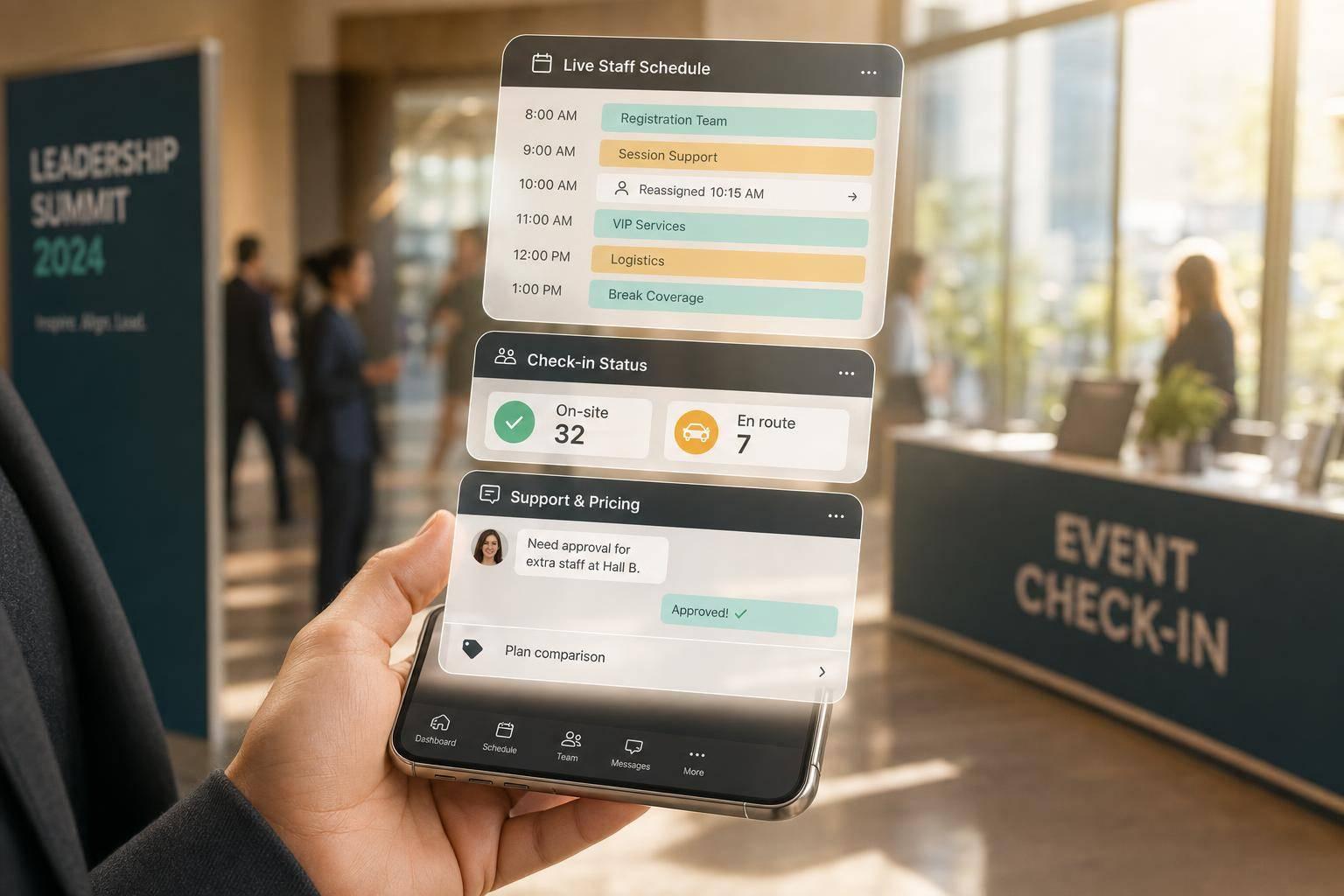
If you're using Quickstaff, use it to track check-ins, zone assignments, and uncovered posts in real time. That record also helps during post-event review.
Once the gates open, move into active monitoring. Use this checklist every 30 to 60 minutes.
At this stage, don’t just look at current conditions. Watch for changes.
Assign one person to weather watch for the entire event. Check radar, alerts, heat index, wind, lightning, and air quality every 15 to 30 minutes. That includes on-site warning signs like sudden gusts, darkening clouds, or sharp temperature jumps. If there’s storm risk or extreme heat, tighten that to every 5 to 10 minutes. Log every check with the time, conditions, and any action taken.
Then act on it. Use the weather watch to trigger rest breaks, water access, and relocation changes right away.
Use your heat plan the same way. If temperatures climb, change break schedules. In high heat:
Supervisors should also do short check-ins every 30 to 60 minutes. Ask simple questions about energy, dizziness, nausea, or fatigue.
Train supervisors to spot early signs of heat stress: dizziness, headache, confusion, nausea, cramps, or unusual quietness or irritability. If mild symptoms show up, move the person to shade or a cooled area, give them cool water, and reassess before sending them back to work. If you see severe signs - confusion, vomiting, loss of balance, or hot or dry skin - treat it as a medical emergency and call first aid or EMS.
During live operations, radio traffic can get messy fast. Keep messages short. Use one format: who you are, where you are, what you need. Set aside a dedicated emergency channel or code phrase for urgent issues. If someone calls an emergency, all other traffic stops until the situation is under control.
Require immediate reporting for:
Record every safety-related incident with the time, location, what happened, what was done, who was notified, and any follow-up needed. Keep the log simple and consistent so it’s easy to use during the post-event review.
As conditions shift, make sure people and routes stay separate and every key post stays covered.
Visually sweep entrances, exits, food lines, restrooms, and stage-front areas at least every 15 to 30 minutes. Look for bottlenecks, moved barriers, blocked routes, equipment or vendor carts narrowing lanes, or guests drifting into staff-only areas. If pressure starts to build, rework queues, move staff to guide traffic, or open another entrance or exit.
Check vehicle and pedestrian separation every 30 to 60 minutes, and again after major deliveries. Pay close attention to service roads, loading zones, parking lot access points, and any place where vehicles and people may cross paths. Make sure barriers, cones, and signs are still in place. Confirm that vehicle control staff are at their posts and wearing high-visibility vests. If that separation fails, stop vehicle movement in the area, fix the barrier, and log the issue.
Maintain a live staffing board that shows, in real time, who is covering each critical post. Critical posts should include water stations, first aid liaison, weather watch, entry control, vehicle access control, and stage-front monitors. No one should leave a critical post until relieved. If a gap appears, address these common scheduling problems by assigning the nearest trained staff member, notify the area supervisor, and log both the gap and the time coverage was restored.
After the event, wrap up the paperwork before people leave the site. That means collecting staff sign-offs, incident notes, and equipment returns while the day is still fresh. Use the incident log, staffing record, and post assignments from event day to finish the review cleanly.
Each staff member should sign off with their name, role, zone, time in, time out, breaks, and any injuries, near misses, or delayed heat symptoms such as headache, nausea, or dizziness.
Use one equipment return point and assign one staff member to log every return. It keeps things simple and cuts down on missing gear. Every radio, high-visibility vest, cooling towel, and first aid kit bag should be logged out at the start of the event and checked back in at the end. Inspect each item as it comes back:
Go back to the same zones and posts that needed the most attention during the event. Within three to seven days, hold a 30- to 45-minute debrief with supervisors and key leads. Review weather, hydration, shade, routes, radios, and first aid access. For each area, note what worked, what failed, and what needs to change. Keep near-miss reporting non-punitive, and allow anonymous entries for unsafe behavior or ignored protocols.
Then turn each action into a clear task with an owner and due date. Track those actions in a simple change log along with the event date, conditions (high temperature in °F, heat index, attendance), incident counts, and staff-reported safety scores. Over time, this data shows whether checklist updates are cutting heat stress, crowding problems, and communication breakdowns. Specific owners and due dates help make sure things don’t slip through the cracks.
Quickstaff can attach post-event checklists to each event record and send end-of-shift forms before staff leave site.
The Safety Officer should keep an eye on weather conditions throughout the event and flag any changes to the Operations Chief. The Operations Chief then passes that update to the Event Commander.
Using Quickstaff to assign roles and keep communication in one place can make that chain of command easier to follow and help staff stay informed.
A critical staff post is any role with life-safety or emergency duties during an incident.
That can include Incident Commander/Command staff, Zone Lead/response teams, the designated 911 caller, EMS/medical responders, and staff responsible for emergency actions such as stopping operations, starting evacuation or hold decisions, and accounting for staff at the muster point.
Each post should be clearly named, tied to the event’s emergency escalation chain, and listed with clear radio and contact instructions.
Assess the guest right away. If they seem lightheaded, tell the zone lead within 1 minute. If they don't get better within 5 minutes, escalate to the medical team or call 911.
If the guest is unresponsive to voice and touch, treat it as a major medical emergency. Notify the zone lead within 1 minute, call 911 within 3 minutes, use the designated medical/operations radio channel, and document the guest’s location and status.