

Your staff keep their own blockouts up to date from their phone, so before you send a single work offer you can see who is free, who is booked and who can't make it.
Start your free 14-day trial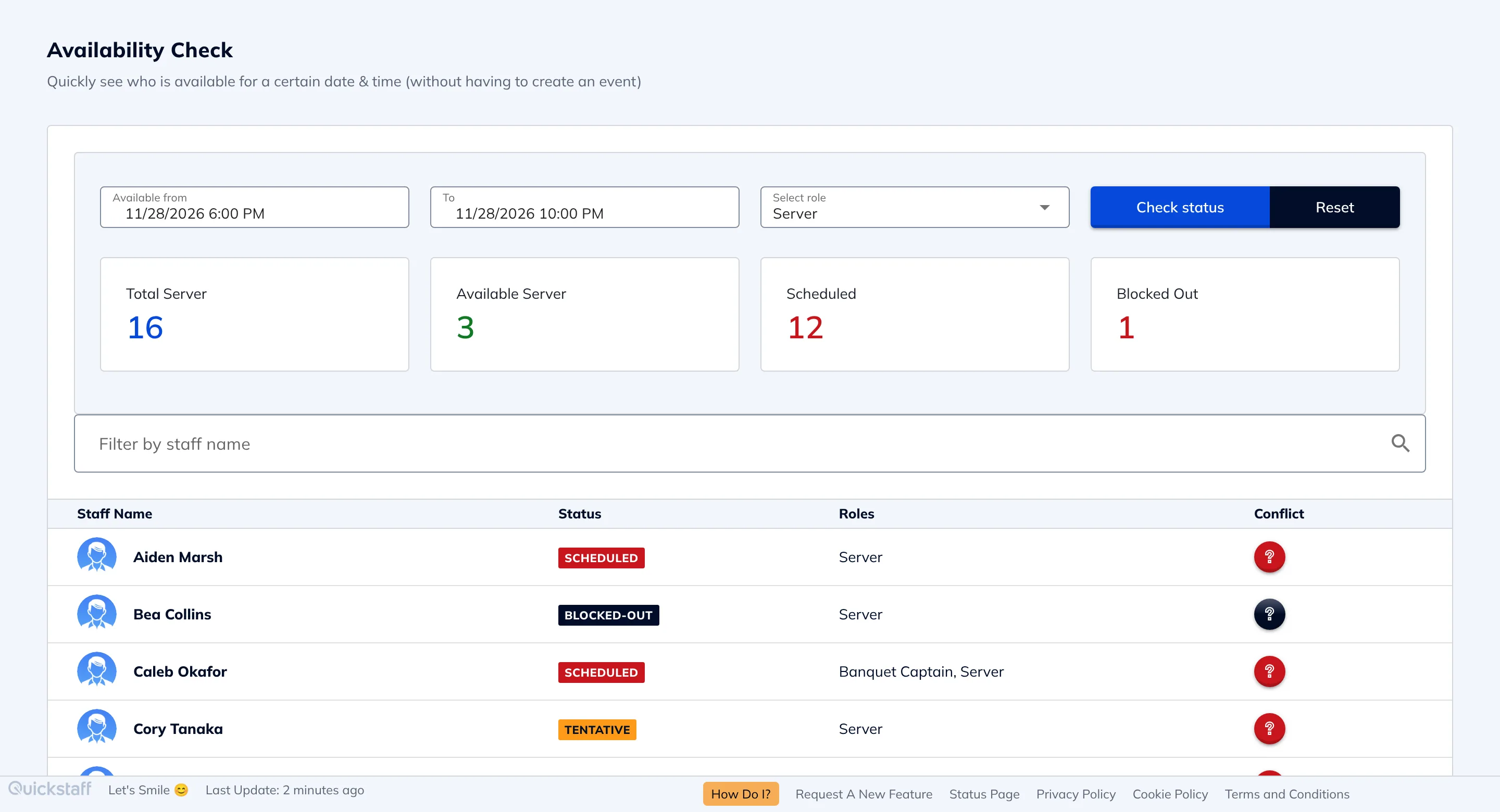
Event staff are part-time and busy. They have other jobs, classes and family plans, and their availability changes every week.
Most managers collect it by text or in a shared spreadsheet, then ask again before every event. Half the replies come late, and you still end up offering a shift to someone who told you a month ago they were away.
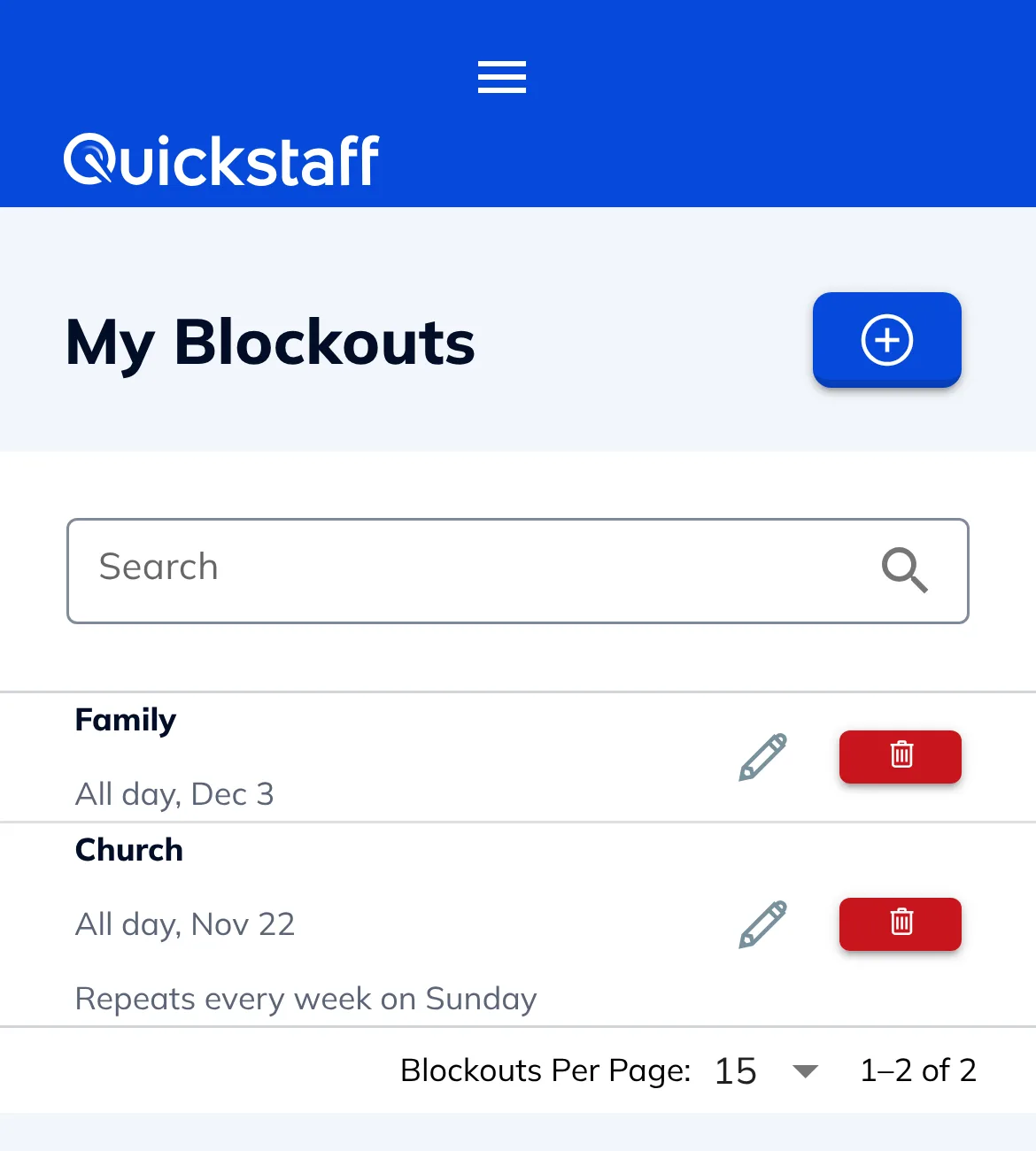
Staff add blockouts themselves: a single day, a few hours, or a repeat like every Sunday. They can edit or remove them any time, so you're not chasing updates.
Availability Check shows, for a time window and a role, how many people are available, scheduled or blocked out, and each person's status, without creating an event first. Someone who is only waitlisted elsewhere shows as tentative, because they can still be booked.
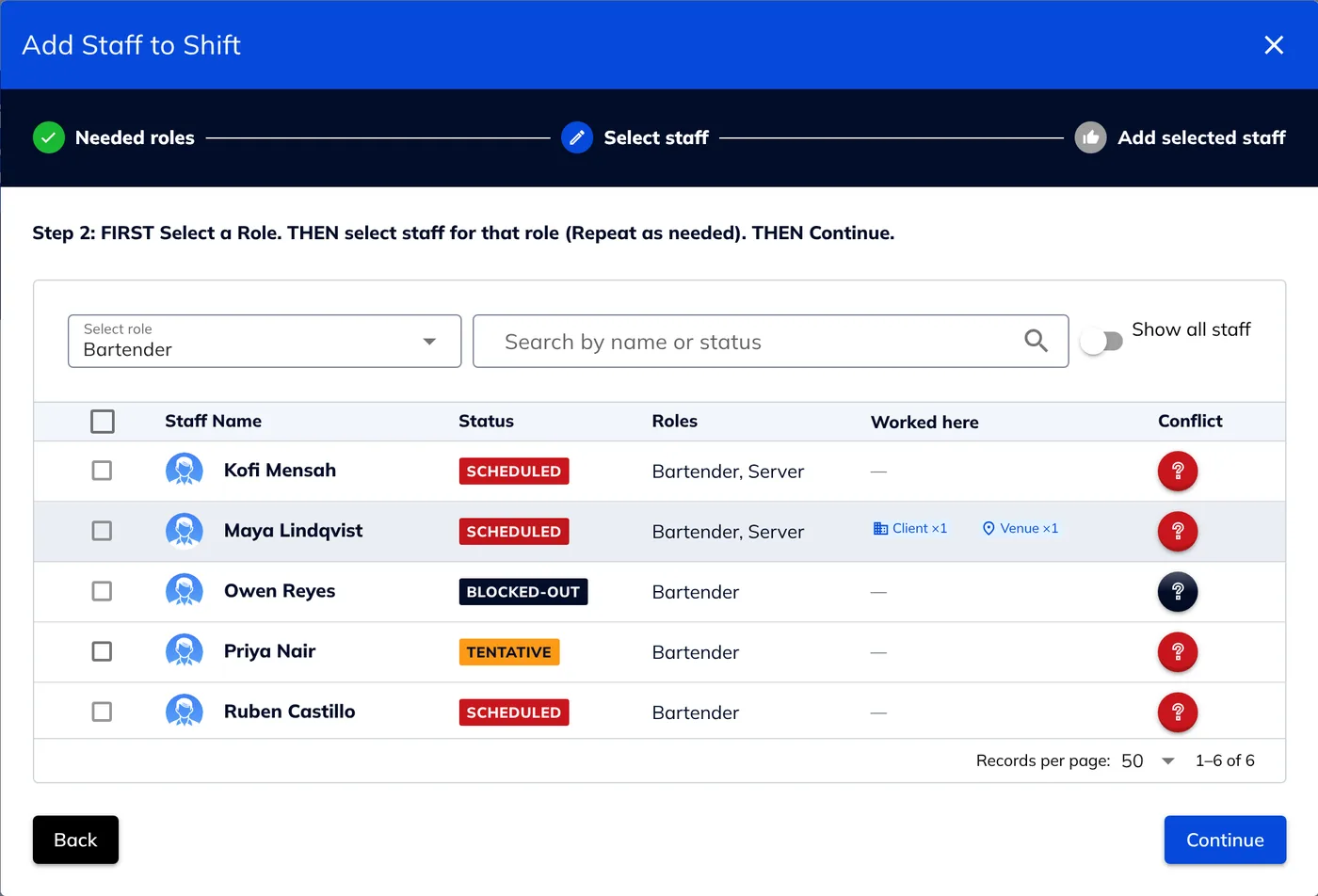
When you add staff to a shift, anyone who has blocked out that time or is already booked on an overlapping shift is flagged with the reason and, by default, can't be selected. If your team needs overlaps, you can switch this off and Quickstaff will warn you instead.
When staff decline a work offer, Quickstaff offers to block out that time for them, so the same date doesn't come back to them again.
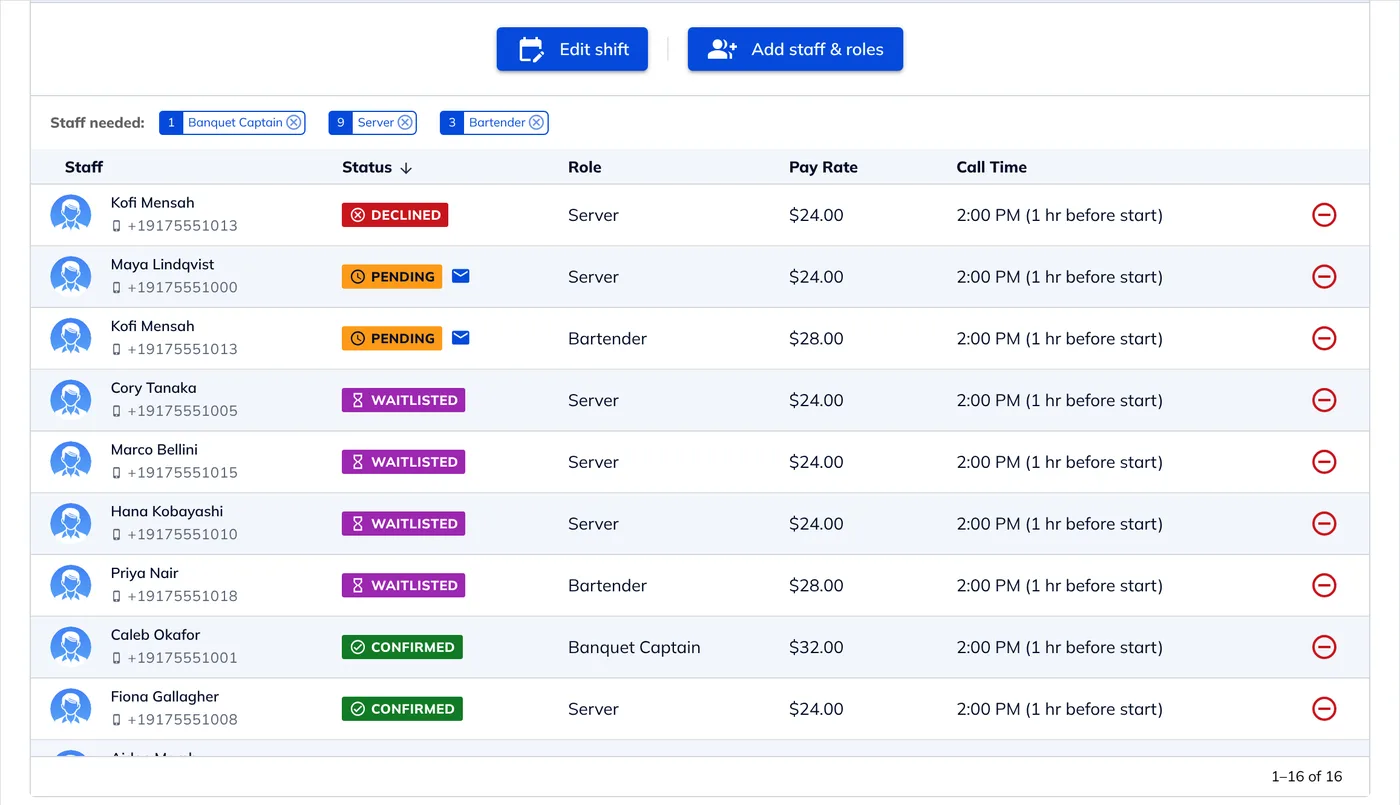
Turn on the acceptance limit and, once a shift is full, later acceptances go on its waitlist, so you have a list of people who already said they can work if someone drops out.
Staff don't need to install anything. They sign in from any phone browser to see their schedule and manage their blockouts, and each work offer arrives by email with buttons to accept or decline.
They can also add a confirmed shift to Google Calendar, Outlook, Yahoo or any calendar that takes an .ics file.

I used to be on the phone all the time to schedule staff. Now, within a few minutes, I can schedule all the staffing I need for my events.
Every plan includes every feature, with no per-staff fees: $49 a month for up to 35 staff, $99 for up to 70 and $249 for up to 175. Larger teams get a custom quote. Try it free for 14 days, no credit card needed. See pricing.
For more on keeping track of who can work, read our guide to the top tools for managing staff availability.
No. Staff sign in from any phone browser to add their blockouts, and their work offers arrive by email.
Yes. A blockout can repeat, for example every Sunday or every Tuesday evening, so staff don't have to re-enter their regular commitments.
They're flagged when you add staff to the shift, with the reason they gave, and by default they can't be selected. The same goes for anyone already booked on an overlapping shift.
Yes. Availability Check takes a date, a time and a role and shows who is available, who is already scheduled and who has blocked out that time.
If they add a reason, such as "Out of town" or "Other job", you see it next to their name.
$49, $99 or $249 a month for up to 35, 70 or 175 staff, with every feature included. Larger teams get a custom quote.
Yes. Every plan has a 14-day free trial, and you don't need a credit card to start.


