

Quickstaff helps catering companies schedule servers, bartenders and captains for every event, with no double bookings and reminders that send themselves.
Start your free 14-day trial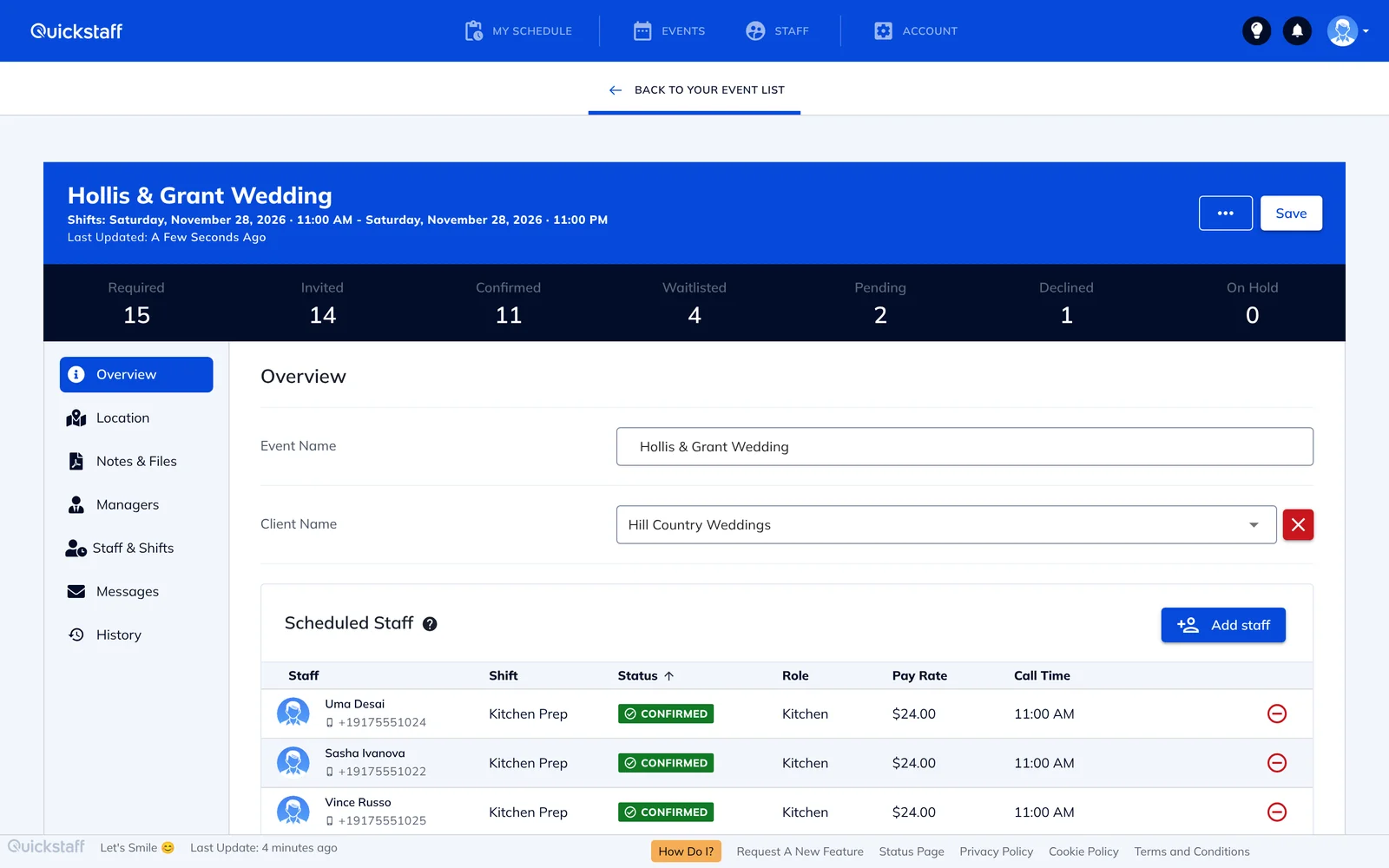
Catering schedules change all week. A client adds forty guests on Thursday, a captain calls in sick on Friday, and on Saturday morning you're still not sure the bar is covered.
Most caterers run this on a spreadsheet and a lot of texting. It works until the season gets busy, and then the same questions come back every week: who said yes, who never answered, and do we have enough staff for tonight?
Quickstaff won't let you book the same person for two shifts that overlap. Anyone already booked at that time, or who has blocked out the date, is flagged and can't be selected until you release them. If your team needs overlaps, you can switch this off and Quickstaff will warn you instead.
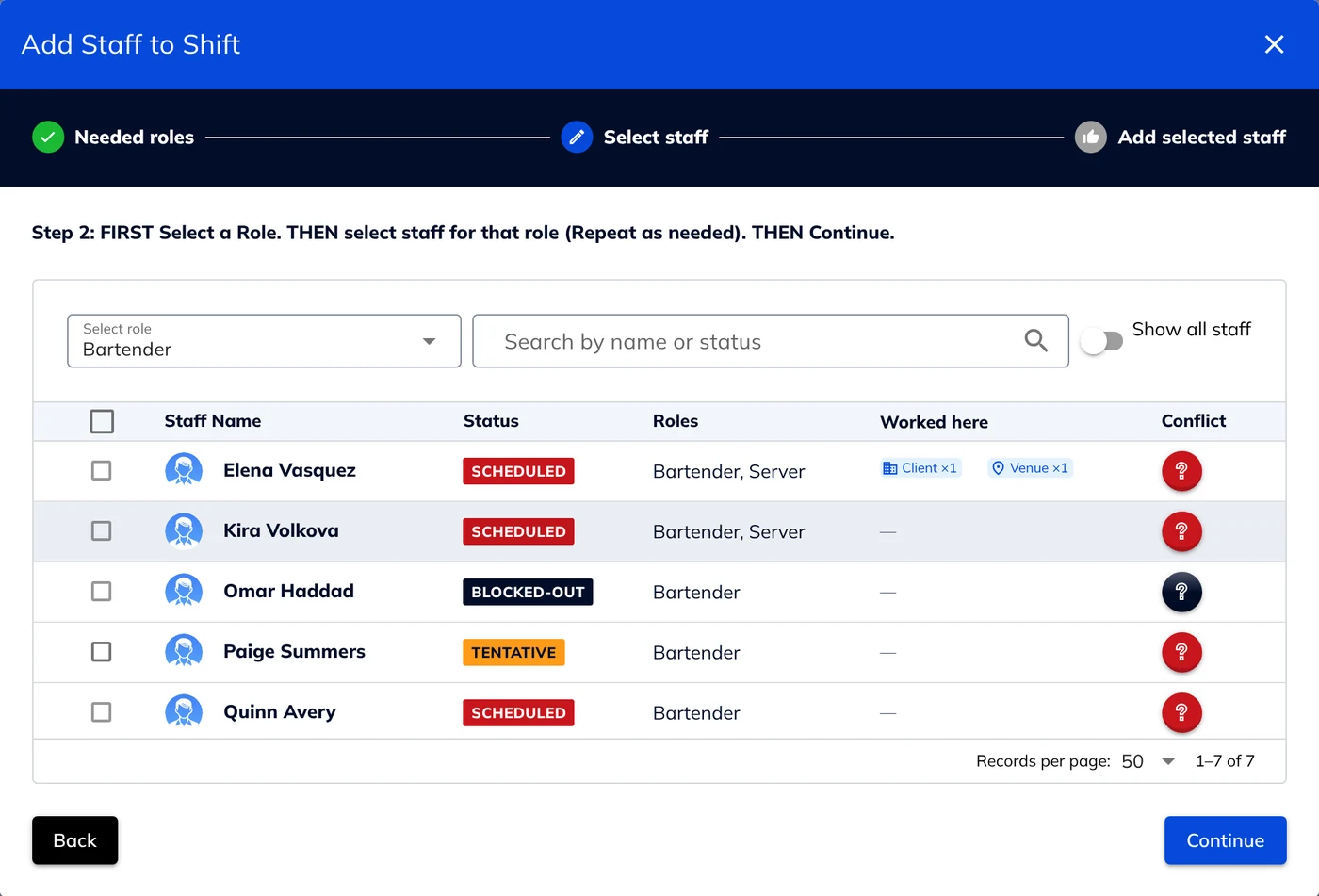
Set a reminder once and Quickstaff emails it automatically before the event, to confirmed staff or to anyone who hasn't replied yet, for the roles you choose and with your own message.
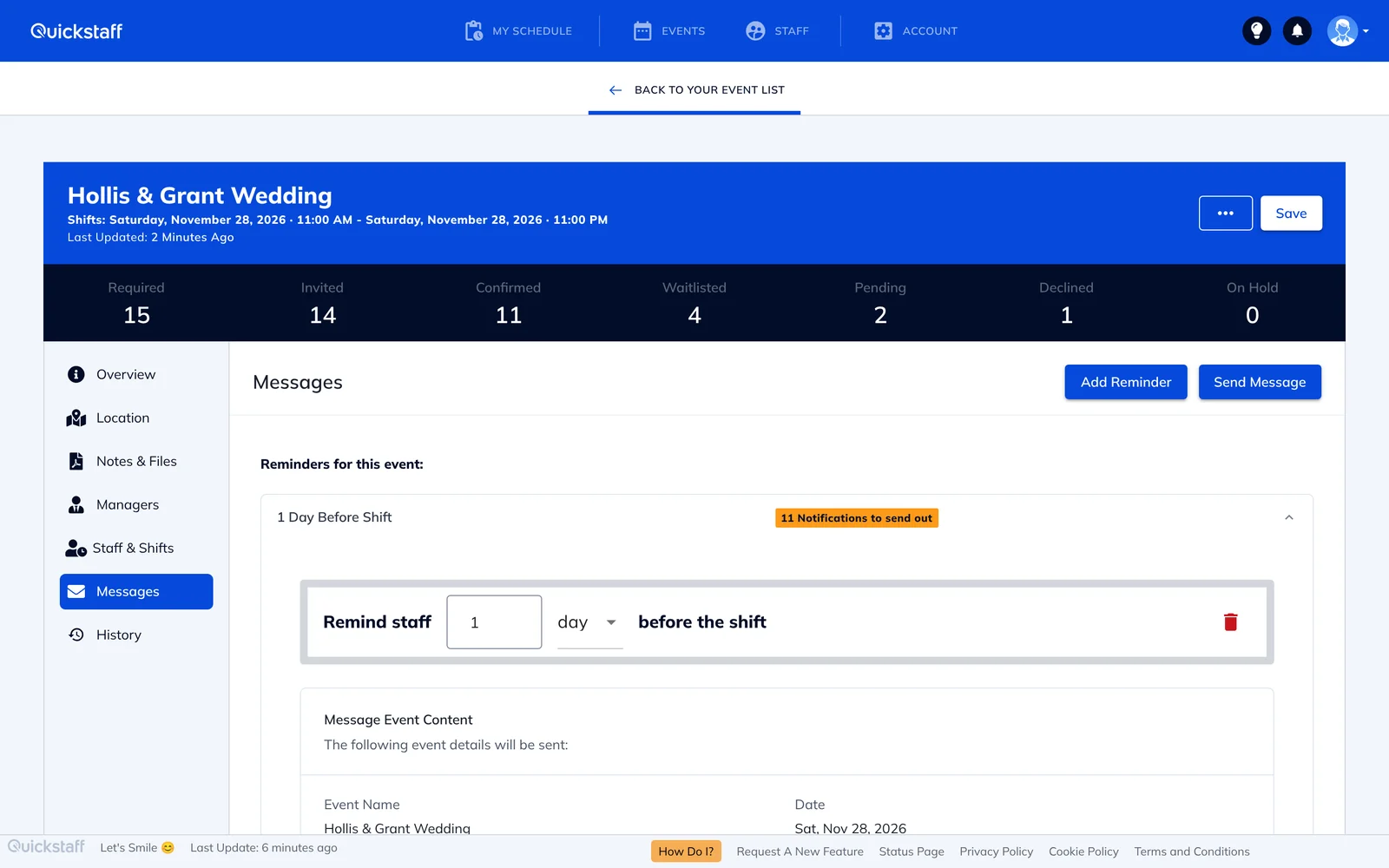
Set up the roles you staff, such as server, bartender, captain or kitchen, and invite only the people who work them.
Duplicate a past event or save one as a template, so a repeat booking takes minutes instead of an hour.
When an event's times or details change, send an update in one step. Quickstaff works out which staff are affected and shows you a preview before it goes out.
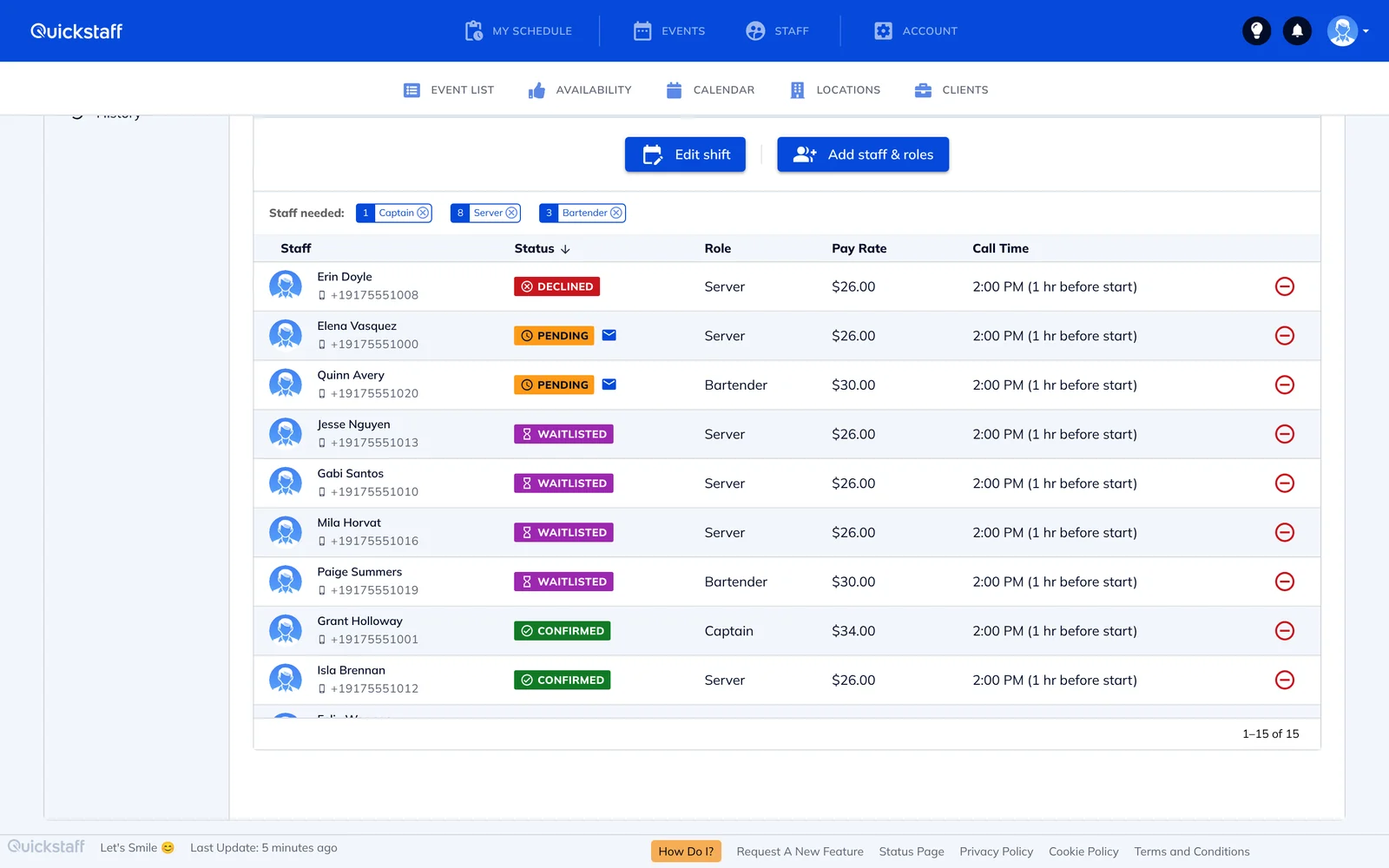
When a shift is full, later acceptances go on its waitlist. If a confirmed person drops out, you get an email that lists who is on the waitlist, so you can move someone in.
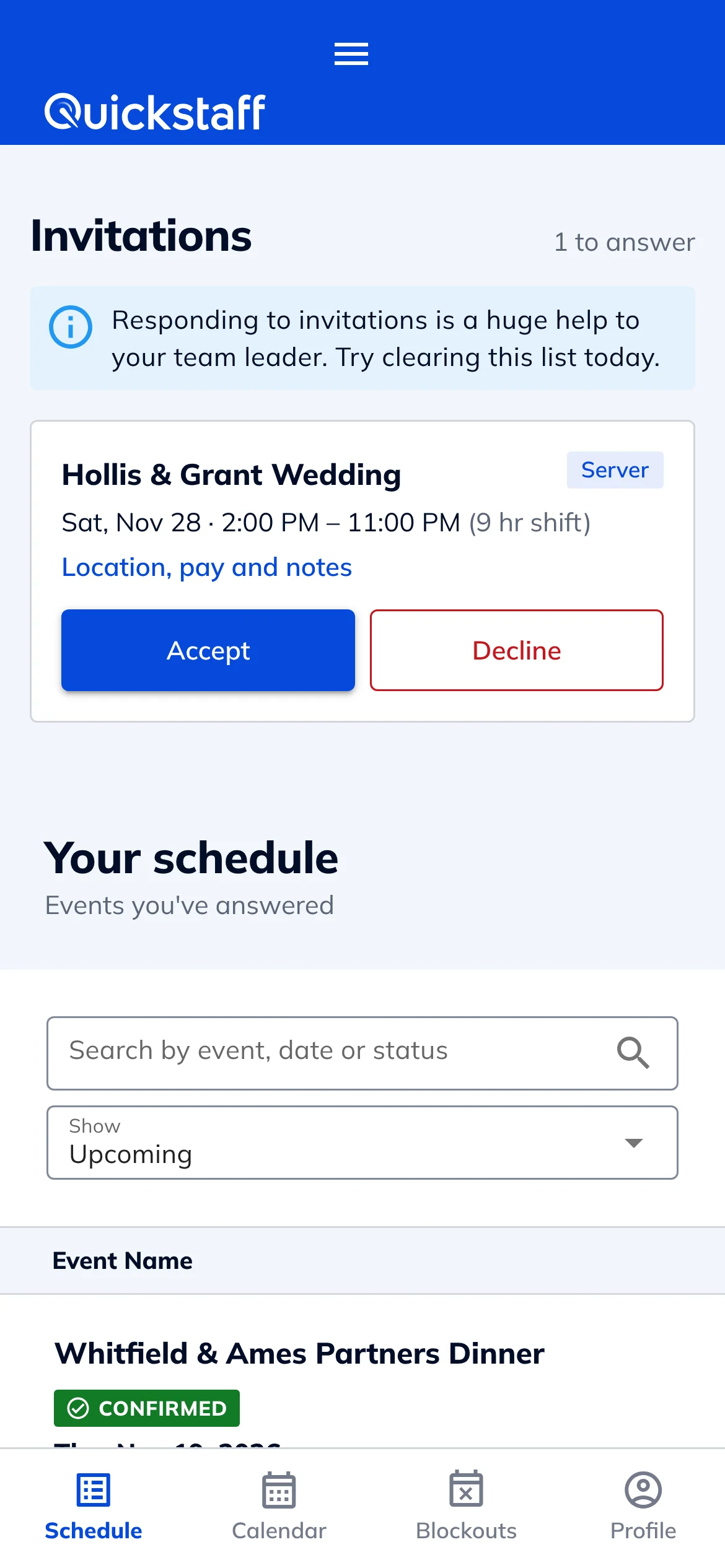
Staff don't need to install anything. Each invitation arrives by email with the event details and buttons to accept or decline, and it works in any phone browser.
From their phone, staff can see their upcoming schedule, mark the dates they can't work (including recurring ones, like every Sunday), and add a shift to Google Calendar, Outlook, Yahoo or any calendar that takes an .ics file.
I used to be on the phone all the time to schedule staff. Now, within a few minutes, I can schedule all the staffing I need for my events.
Every plan includes every feature, with no per-staff fees: $49 a month for up to 35 staff, $99 for up to 70 and $249 for up to 175. Larger teams get a custom quote. Try it free for 14 days, no credit card needed. See pricing.
Not sure how many people a menu needs? Our guide to how many servers you need per guest covers the usual ratios by service style.
No. Staff get their invitations by email and accept or decline in their phone's browser.
Yes. By default, anyone already booked for an overlapping shift, or who has blocked out that time, can't be selected for a new shift until you release them from the other one. You can allow overlaps in your team settings if you need to.
Yes. Set a reminder on the event once, choosing how long before it goes out, who gets it and what it says, and Quickstaff emails it on time without you doing anything else.
Yes. You can duplicate a past event or save it as a template and create new events from it.
No. Invitations, reminders and change notices all go by email.
$49, $99 or $249 a month for up to 35, 70 or 175 staff, with every feature included. Larger teams get a custom quote.
Yes. Every plan has a 14-day free trial, and you don't need a credit card to start.


