

Quickstaff helps event staffing agencies schedule their own pool of temporary staff across clients, locations and roles, with no double bookings and reminders that send themselves.
Start your free 14-day trial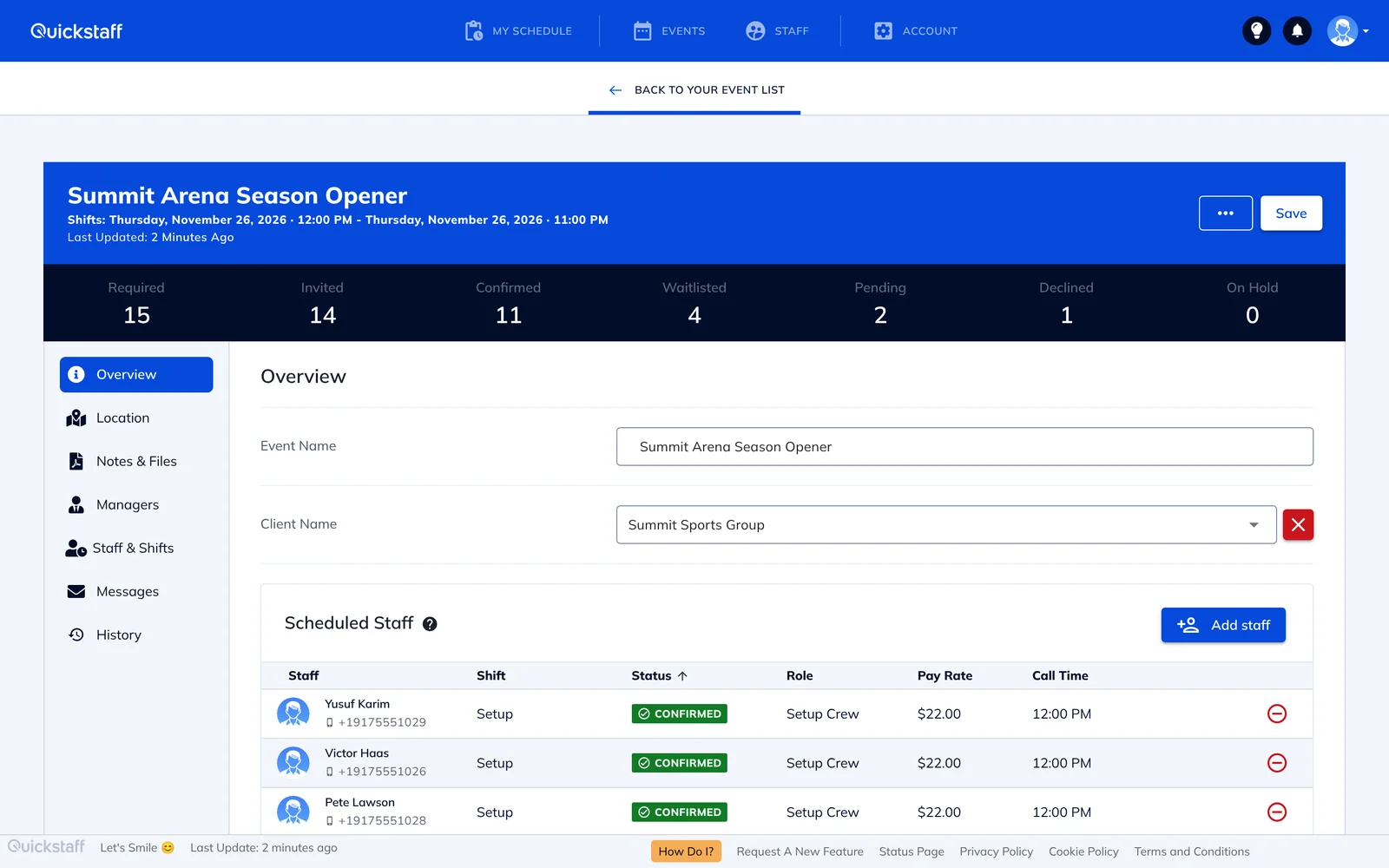
For an event staffing agency, every booking starts the same way. A client needs twelve servers and four bartenders on Saturday, and you need to find out who is free. That usually means a spreadsheet, a round of phone calls and a group chat that nobody reads to the end.
By the time you know who said yes, someone has dropped out, another client has added a shift, and you are back on the phone. The work grows with every client you add.
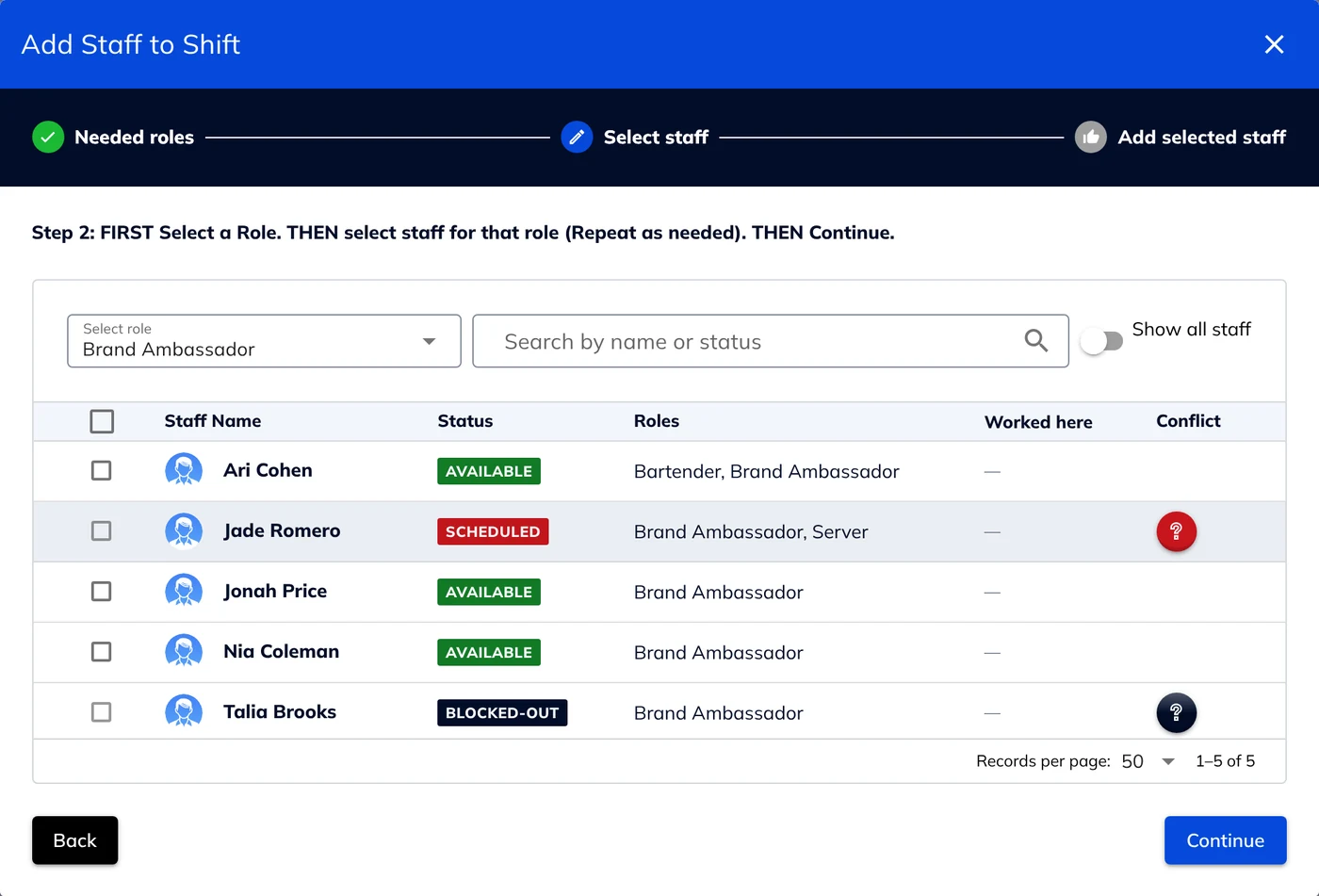
Quickstaff won't let you book the same person for two shifts that overlap. Anyone already booked at that time, or who has blocked out the date, is flagged and can't be selected until you release them. If your team needs overlaps, you can switch this off and Quickstaff will warn you instead.
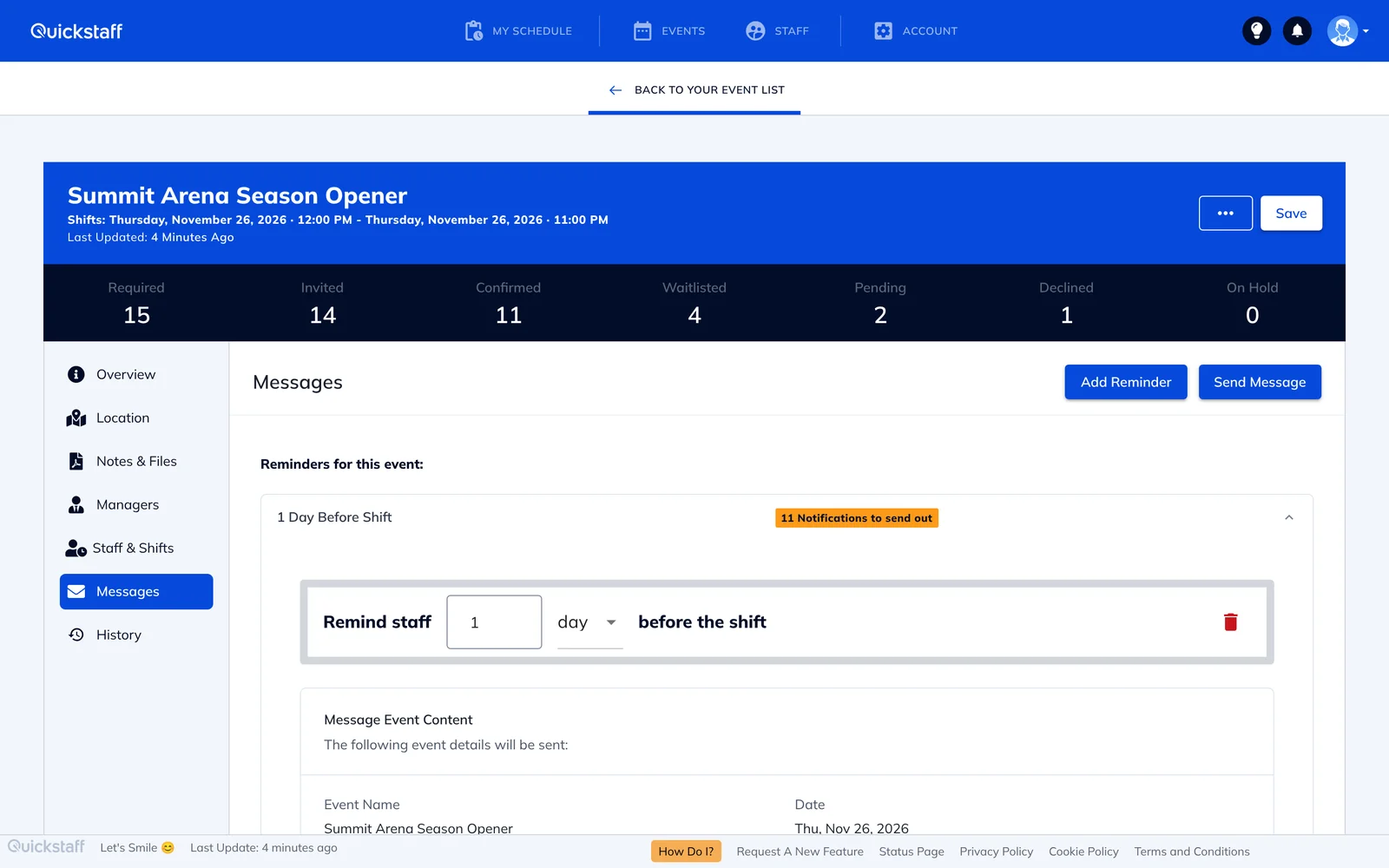
Set a reminder once and Quickstaff emails it automatically before the event, to confirmed staff or to anyone who hasn't replied yet, for the roles you choose and with your own message.
Keep all your staff in one list with the roles each person can work, and attach each event to a client and a location, so the same pool serves every account.
Send as many email broadcasts as you need to all your staff, or to everyone in a role, when you need to fill shifts quickly.
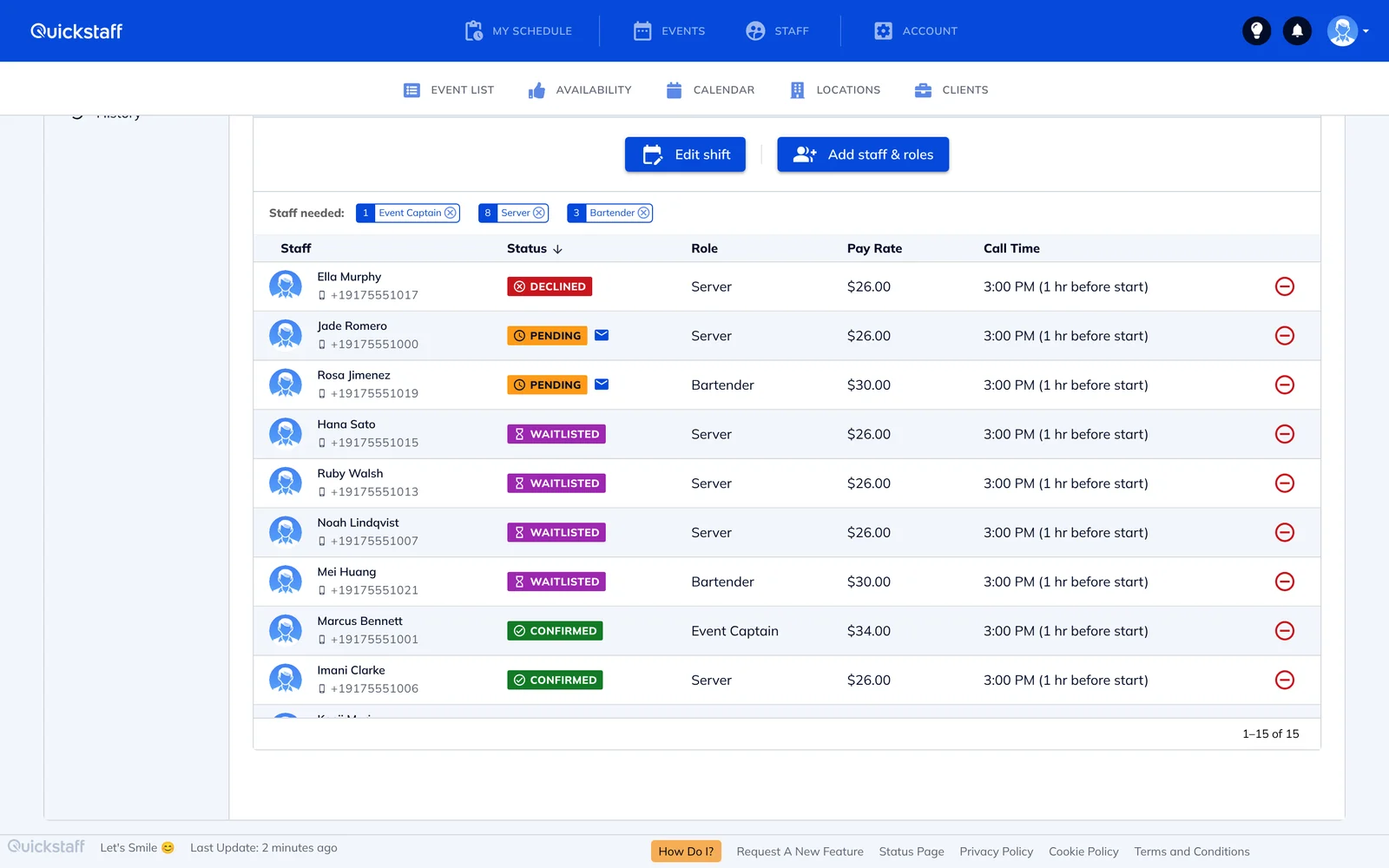
When a shift is full, later acceptances go on its waitlist. If a confirmed person drops out, you get an email that lists who is on the waitlist, so you can move someone in.
Add your existing pool in one go from a spreadsheet of names and emails, with phone numbers, addresses and pay rates if you have them, and download reports as PDF with the events each person has worked.
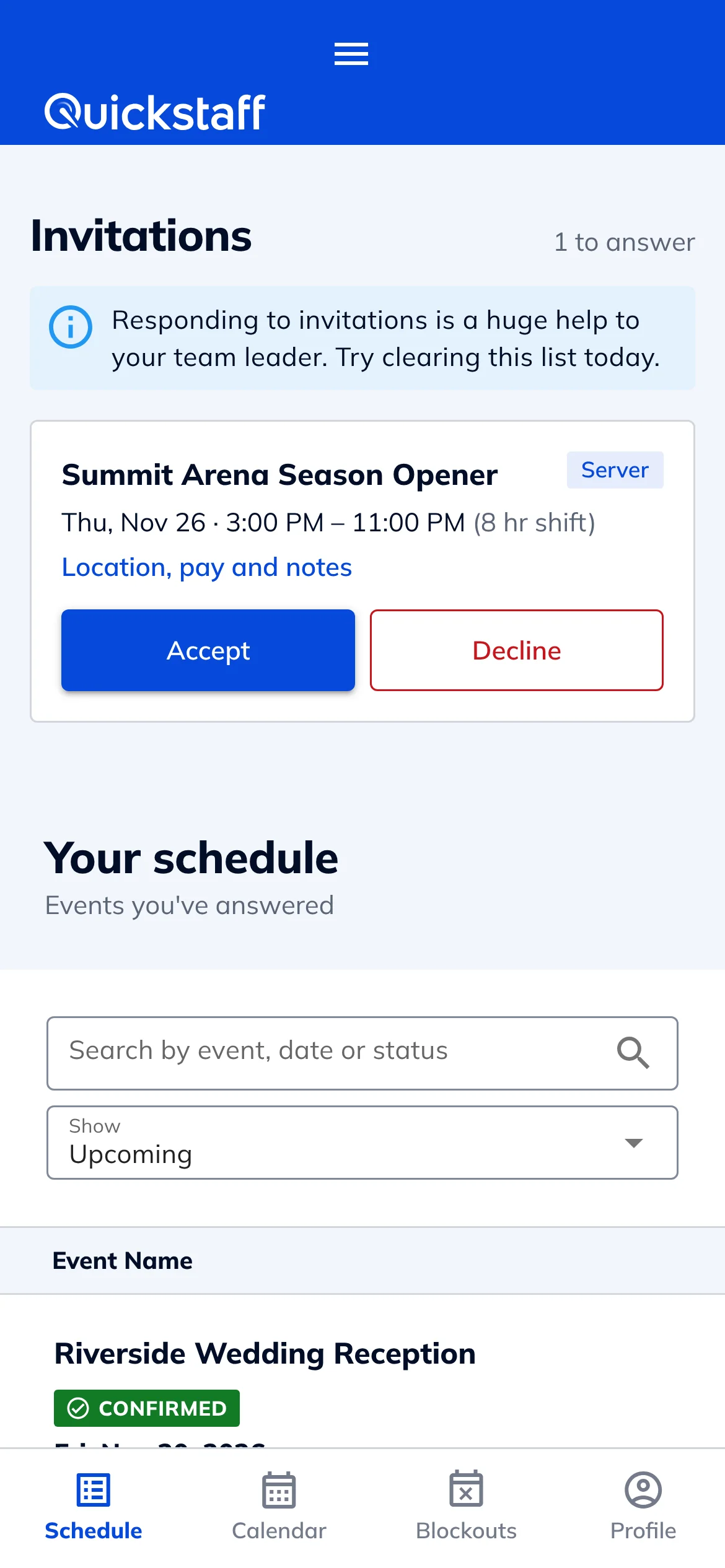
Staff don't need to install anything. Each invitation arrives by email with the event details and buttons to accept or decline, and it works in any phone browser.
From their phone, staff can see their upcoming schedule, mark the dates they can't work (including recurring ones, like every Sunday), and add a shift to Google Calendar, Outlook, Yahoo or any calendar that takes an .ics file.
My time spent scheduling has shrunk majorly, leaving me more time to focus on recruiting, on-boarding and training. The calendar makes it really easy for me to see what my week looks like.
Every plan includes every feature, with no per-staff fees: $49 a month for up to 35 staff, $99 for up to 70 and $249 for up to 175. Agencies with a larger pool get a custom quote. Try it free for 14 days, no credit card needed. See pricing.
No. Staff get their invitations by email and accept or decline in their phone's browser.
Yes. By default, anyone already booked for an overlapping shift, or who has blocked out that time, can't be selected for a new shift until you release them from the other one. You can allow overlaps in your team settings if you need to.
Yes. Set a reminder on the event once, choosing how long before it goes out, who gets it and what it says, and Quickstaff emails it on time without you doing anything else.
Yes. Each event is attached to a client and a location, and one staff pool serves all of them.
Plans cover up to 35, 70 or 175 staff. If your pool is larger, contact us for a custom quote.
No. Invitations, reminders, broadcasts and change notices all go by email.
Yes. Every plan has a 14-day free trial, and you don't need a credit card to start.


