How Analytics Improve Event Staff Allocation
May 4, 2026


Event staffing can make or break an event. Too few staff, and operations fall apart. Too many, and budgets suffer. Analytics offers a smarter way to plan staffing by using data to predict demand, track real-time needs, and measure post-event results. Here's what you need to know:
Using analytics ensures staffing aligns with actual event needs, protecting revenue and improving guest experiences. Keep reading for actionable methods and tools to optimize your event staffing strategy.

Key Event Staffing Analytics Metrics and Performance Benchmarks
Getting staffing right starts with understanding when and where demand is highest. Registration trends give you a clear picture of when attendees are signing up, helping you identify peak times to bolster your registration and support teams. By analyzing these trends, you can avoid those hectic, understaffed check-in moments that can derail the attendee experience.
Another key metric is attrition rates, which measure the percentage of registered attendees who don’t actually show up. Knowing your event’s average attrition rate helps you plan staffing for catering and on-site services more accurately. Use the formula 1 – (total registrations / total attendees) to calculate this rate. This simple step ensures you’re not overstaffing or wasting resources, keeping your budget in check. Together, these metrics allow for scalable event scheduling decisions that align with your event’s unique needs.
Pace reports are another valuable tool, using historical data to predict attendance trends and prepare resources for peak periods. Combine this data with projected utilization to fine-tune your staffing plans. As Allie Galloway, Director of Brand and Content Marketing at Momentus Technologies, explains:
"Event analytics helps organizers move beyond guesswork and understand exactly what worked and what did not".
Understanding crowd dynamics is only half the battle - measuring staff performance is just as important for keeping operations running smoothly. Real-time session attendance tracking and interactive dashboards make it easy to adjust staffing on the fly, ensuring efficient crowd management.
Attendee feedback and satisfaction scores offer direct insights into how well staff performed in specific roles or zones. Productivity metrics, such as the number of meetings held, calls made, or demonstrations conducted, provide a clearer picture of staff effectiveness. For sales and booth staff, keep an eye on lead conversion rates - the percentage of attendees who become Sales Qualified Leads (SQLs). This data reveals whether your team is successfully identifying high-value prospects. Jaime Marchwinski, Product Marketing Manager at The Events Calendar, emphasizes the importance of this approach:
"Hard numbers help you demonstrate the value of your event... you need to back it up with data".
When you're in the middle of an event, waiting for post-event reports isn't an option. Real-time analytics give you instant updates on check-in numbers, session attendance, and crowd flow, allowing managers to respond quickly and effectively. For instance, if registration lines are getting too long or a session is about to hit capacity, live dashboards show exactly where staff need to be redirected. Some advanced systems even go a step further, offering specific action recommendations. As The RegFox Team wisely points out:
"By the time you're reading a post-event report, the chance to act has already passed."
Shared dashboards ensure everyone on the team is on the same page. Tools like heatmaps and engagement metrics help pinpoint high-traffic areas, while automated alerts for sudden spikes in check-ins trigger pre-planned responses. This means staff can be reallocated in real time to prevent bottlenecks. These live insights make it possible to act before problems escalate.
While real-time data helps you react, predictive analytics allow you to plan ahead. Techniques like ARIMA, regression models, ensemble methods, and exponential smoothing can forecast attendee flow patterns and help you prepare for unexpected changes. For example, if a surge in attendance is predicted, you can adjust staffing levels using tools for last-minute scheduling or coordinate with vendors in advance. Establishing strong communication with suppliers during the planning phase ensures these insights can be acted on quickly. As KDM Events puts it:
"What will affect the outcome the most is how well you planned for it, how well you perform under pressure, and how timely this issue is communicated to you when it does occur."
Heat maps take the uncertainty out of managing crowds by providing clear, visual data. These tools highlight where attendees are gathering, how long they stay, and which areas are underutilized. Instead of relying on intuition, managers can monitor real-time crowd density through a dashboard and quickly deploy staff to busy spots like congested entrances or crowded concession stands.
This technology helps address bottlenecks before they escalate. For instance, if a food stall becomes overcrowded, staff or mobile vendors can be reassigned to reduce wait times and boost sales. As Mapsted explains:
"Event analytics gives owners and managers proof, not guesses."
Manual head counts are being replaced by automated systems. A leading people-counting provider has tracked over 10 billion individual counts across 50,000 locations, helping organizations streamline operations. Automation saves time and delivers actionable data instantly. Additionally, historical heat maps from past events assist in predicting staffing needs, identifying which gates or booths will experience peak traffic and when.
These insights not only enhance crowd management but also improve overall workflow by tracking both staff and attendee movements.
Movement tracking builds on heat mapping data, offering a detailed view of how people navigate your venue. Tools like RFID wristbands, mobile apps, and sensors automatically collect data, flagging areas that need more attention or are overstaffed. When "dead zones" are identified, staff can be reassigned to busier areas to maintain balance.
This data becomes crucial during unexpected surges. For example, if a vendor or session suddenly draws a crowd, movement tracking enables quick decisions to send additional staff or supplies in real time. This approach aligns with the proactive staffing strategies discussed earlier. Geofencing adds another layer of efficiency - virtual boundaries around VIP sections or high-risk zones trigger alerts when overcrowding occurs, allowing security teams to act before issues arise. Chris Wadsworth, President of Traf-Sys Inc., captures this advantage:
"People-counting data turns guesswork into strategic decisions."
Post-event analysis of movement data helps optimize future layouts. If some areas consistently draw heavy foot traffic while others remain quiet, adjustments can be made - expanding popular zones and reducing unused space for the next event.
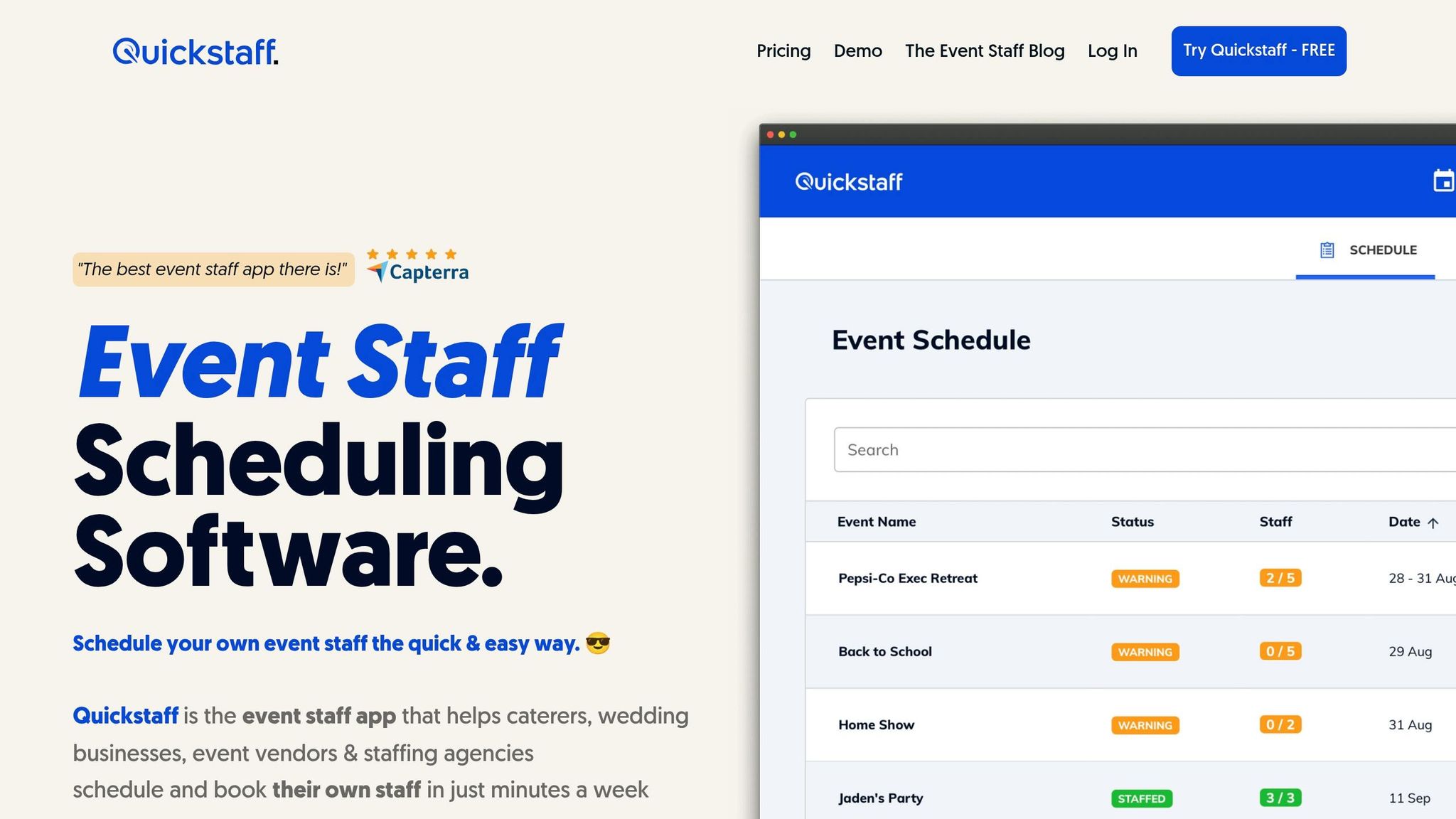
Quickstaff takes live and predictive analytics and turns them into actionable insights for scheduling. With real-time availability tracking, managers can see staff block-out dates and potential conflicts before sending out invitations, cutting out the hassle of guesswork and manual follow-ups. The Automagic Waitlists feature handles overflow seamlessly - if some staff decline, the system automatically fills gaps, ensuring events are fully staffed without last-minute chaos. Additionally, the platform allows role-specific allocation, letting managers assign staff by expertise - whether it’s a Server, Event Bartender, or Photographer - so every event is covered by the right professionals. Jennifer Manley, a Staffing Coordinator, shared her experience:
"My time spent scheduling has shrunk majorly, leaving me more time to focus on recruiting, on-boarding and training."
Another standout tool is the Duplicate Past Events feature, which lets users replicate successful staffing setups for recurring events. Together, these benefits of using event staff scheduling software work in harmony with real-time analytics to simplify staffing decisions and improve event execution.
Quickstaff doesn’t just help with scheduling - it also ensures smooth communication, which is critical for avoiding no-shows and confusion on event day. With automated communication loops, the platform tracks invitations and sends reminders, along with key event details like dress codes, directions, and schedules, straight to staff devices. Steven Townsend, an Event Manager, highlighted the convenience:
"I used to be on the phone all the time to schedule staff. Now, within a few minutes, I can schedule all the staffing I need for my events."
The mobile-friendly design and role-specific messaging ensure that only relevant team members receive updates, keeping inboxes clean and focused. This centralized communication system has been a game-changer for many, including Kelly from The Abbot KC, who noted:
"The time that we have been able to save by using this staff scheduling software has allowed us to tackle the other issues that we face thereby improving our overall events!"
Quickstaff also empowers managers to respond to client questions about future staffing availability in just two minutes, a vast improvement compared to traditional manual tracking.
The true measure of analytics-driven staffing lies in the results after the event concludes. Post-event reviews should focus on ROI, comparing actual staffing costs to forecasts, and evaluating overtime expenses. Any gaps between projected and actual costs can reveal inefficiencies that might otherwise go unnoticed.
Attendee satisfaction is another key metric. Use surveys to assess experiences at critical points, like arrival wait times and service quality. Additionally, track overall attendance, incident response times, and staff turnover rates. For instance, when entry gate staffing is optimized using analytics, wait times decrease, and satisfaction scores improve. Research shows that peak wait times exceeding 8 minutes per 1,000 guests can lead to a 10–15% drop in spending on food, drinks, and merchandise. Similarly, incident response times above 3 minutes can increase liability risks and spark negative online feedback. If staff attrition rates between events exceed 25%, it often signals hidden costs from retraining and the loss of valuable institutional knowledge.
By tracking these metrics, event managers can pinpoint areas for improvement and better understand the efficiency gains achieved. These insights pave the way for fine-tuning analytics-driven scheduling for future events.
The impact of improved staffing efficiency becomes evident through these post-event metrics. The benefits are tangible and measurable. As Daniel Muersing, Founder of Event Staff, puts it:
"Event chaos is expensive. We treat staffing as an engineering problem: model the risks and deploy a system of controls."
For example, transaction abandonment rates at busy bars or concessions often hit 20% when wait times exceed 5 minutes. By leveraging data - such as ticket scanning technology and anticipated arrival patterns - event managers can fine-tune staffing levels at entry points and service areas to keep wait times manageable.
Platforms like Quickstaff have also demonstrated significant time savings, translating directly into efficiency improvements. Features like availability tracking and automated waitlists help eliminate scheduling mistakes and reduce the time spent on manual coordination. This allows managers to focus on higher-level strategies, leading to smoother operations and better financial outcomes for events.
Event staffing has come a long way from relying on static ratios and guesswork, or by using an event staffing needs analyzer. Thanks to data analytics, it’s now a measurable and predictive system that enables smarter decision-making. By monitoring metrics like guest wait times, transaction abandonment rates, and incident response times, managers can make adjustments that cut costs and improve attendee satisfaction.
Switching from reactive planning to data-driven scheduling makes a big difference. Predictive insights and real-time adjustments not only protect revenue but also enhance the guest experience. For example, even small improvements in wait times can lead to increased spending and happier attendees. This blend of data and action transforms event management into a proactive process.
Tools like Quickstaff make it easier to implement analytics-based scheduling. Features such as availability tracking, automated waitlists, and centralized event management reduce errors and save time, freeing managers to focus on strategic decisions instead of tedious administrative work.
Post-event evaluations play a crucial role in refining staffing strategies. By analyzing what worked and what didn’t, managers can continuously improve future events, building on past successes and avoiding repeat mistakes. Over time, this creates a system that gets more efficient with every event.
Incorporating analytics into staffing turns what was once an overhead expense into a strategic asset. With predictive modeling, real-time updates, and thorough post-event analysis, every decision becomes data-driven, every dollar is optimized, and every attendee walks away with a better experience.
To make the most of your event staff, it’s essential to keep an eye on key factors like staff availability, attendance rates, and task completion times. These metrics help you schedule effectively, evaluate reliability, and spot areas where efficiency might be slipping. Additionally, tracking staff utilization rates ensures you’re not overloading or underusing your team.
Tools such as Quickstaff can simplify this process. With features like centralized scheduling and real-time updates, you can make smarter, data-backed decisions and keep your event running smoothly.
Live analytics dashboards let you keep a finger on the pulse of your event by tracking attendee behavior, crowd density, and session popularity as they happen. This data empowers event managers to make fast, informed decisions, like reallocating staff to areas that need extra support. The result? Better crowd management and fewer operational hiccups.
By keeping an eye on real-time metrics, you can respond to shifting demands quickly, ensuring smoother operations and creating a more enjoyable experience for everyone involved.
To effectively predict staffing requirements, start by collecting data on key factors such as attendee numbers, engagement levels, resource usage, venue occupancy rates, and historical performance trends. This information provides valuable insights into demand, helping you allocate staff more efficiently and avoid over- or under-staffing.





