How to Create Learning Paths for Event Staff
April 28, 2026


Creating learning paths for event staff is about building clear, step-by-step training programs that help your team grow their skills and meet career goals. A structured approach ensures consistency, boosts productivity, and improves retention. Here's how to do it:
Investing in clear learning paths not only develops your team but also strengthens event success by ensuring everyone is prepared and aligned for their specific roles.

5-Step Process for Creating Event Staff Learning Paths
Before developing a training program, it’s essential to assess your team’s current skills. This helps you understand what they excel at and where they need improvement. Without this step, you risk wasting resources on training that doesn’t address the real gaps.
Start by examining HR records, performance reviews, and incident reports. Look for trends in metrics like customer satisfaction, order accuracy, and punctuality. Using scheduling tools for caterers can help track these metrics more effectively. These measurable data points can highlight consistent strengths and recurring issues across your team.
Supervisors and event coordinators can offer valuable insights into less quantifiable areas, like teamwork, attitude, and stress management. For instance, a supervisor might notice that certain employees struggle to handle multiple guest requests at once, which could indicate a need for better multitasking or prioritization skills.
To go deeper, consider using tools like DISC analysis or the Myers-Briggs Type Indicator (MBTI). These assessments provide a clearer picture of communication styles and personality traits, helping you build stronger team dynamics for complex events.
Once you’ve reviewed records and observations, it’s time to gather direct input for a more complete understanding.
Your staff often knows where they feel underprepared. Encourage them to share their thoughts through self-assessments. These not only highlight overlooked areas for improvement but also show employees that their growth matters to you.
For a broader perspective, use 360-degree surveys to collect feedback from managers, peers, and even clients or vendors who interact with your team during events. Client feedback, in particular, offers an external view of your team’s performance. Post-event debriefs and client surveys can uncover recurring issues. To make feedback actionable, apply the SBI framework - identify the Situation, the Behavior, and the resulting Impact. This approach turns vague complaints into clear, usable data.
After gathering all this input, create a detailed list of essential skills for your event staff. These should include customer service, safety procedures, operational knowledge (like setup processes or inventory management), and situational judgment.
Customize the skills list for different roles. Entry-level staff should focus on mastering basic tasks, while leaders need to develop advanced abilities like managing event flow, resolving issues in real time, and spotting problems - like staff fatigue or line buildup - before they escalate.
To prioritize training, use a Difficulty-Importance-Frequency (DIF) chart. This tool helps rank skills based on how challenging, critical, and frequent they are. Focus first on skills that rank high in all three areas.
This prioritized list will act as a roadmap for designing an effective training program. It also serves as a foundation for building a scalable event scheduling system that aligns staff skills with specific event requirements.
After identifying skill gaps, the next step is turning those into clear, measurable training objectives. Vague goals like "improve customer service" won't provide much direction. Instead, use the SMART framework - objectives should be Specific, Measurable, Attainable, Relevant, and Time-bound. For instance, a goal like "Complete digital guest list software certification by May 15, 2026" gives employees a clear target and deadline to work toward. Tailoring these objectives to individual roles ensures they’re meaningful and effective.
This step builds on the earlier assessment, transforming training needs into actionable career goals.
With the event planning industry expected to grow by 13.5% between 2025 and 2029, 40% of event planners report skilled labor shortages as a major challenge. Setting precise learning goals helps address this by developing talent in-house rather than relying solely on external hiring.
Once objectives are defined, customize them for each role to ensure they align with specific responsibilities. Different positions require different skill sets, so it’s important to focus on what matters most for each. For example:
Breaking training into role-specific goals ensures that employees concentrate on skills that directly impact their job performance.
This approach also supports career advancement. For instance, a server who excels at multi-course plating and wine pairing could progress to a Floor Manager role. Similarly, a staff member adept at identifying real-time bottlenecks might grow into an Operations Manager position. Aligning goals with both current tasks and future opportunities keeps training relevant and forward-looking.
"By implementing SMART goals in any project or task, you increase your chances of success significantly as everyone involved understands their role in achieving the larger picture." – Events101
Once role-specific goals are set, tie them to broader career development to boost retention. Employees often leave when they don’t see opportunities to grow. Showing a clear path from their current role to more advanced positions can inspire them to stay and invest in their training. For example, map out the certifications or skills needed to move from an entry-level event hand to a team lead, and from there to an event coordinator.
Career progression is a powerful motivator. Take a hospitality host, for instance - mastering VIP guest logistics and conflict resolution could pave the way to roles like VIP Relations Manager or Event Concierge. Discussing these pathways during performance reviews or coaching sessions reinforces the connection between training and long-term growth.
Using a cascading approach helps align individual, departmental, and organizational goals. For instance, if your company aims to boost client satisfaction by 20%, the department might focus on reducing event setup errors, while an individual staffer works on mastering catering staff scheduling procedures and leading a small team. This ensures that as employees grow, their development directly contributes to overall business success.
After setting clear learning goals, the next step is to create a structured program that employees can realistically complete. The trick is to break training into manageable chunks instead of overwhelming staff with lengthy, disorganized courses. Research shows that 70% of a manager's skills come from job experience, 20% from feedback and collaboration, and only 10% from formal learning. This highlights the importance of combining structured lessons with hands-on application.
Your training should progress logically, starting with foundational skills and advancing to more complex tasks. For example, begin with basics like event setup or check-in procedures before tackling advanced scenarios such as managing VIP arrivals or handling unexpected changes. This step-by-step approach builds confidence as employees master each level.
Organize training into focused segments. For instance, under "Event Safety", you might include a section like "Managing Crowd Barriers" with clear goals such as "Complete digital guest list certification" or "Demonstrate proper wine service technique". These targeted objectives provide actionable takeaways.
Use the DIF (Difficulty, Importance, Frequency) analysis to prioritize training. If staff frequently handle guest check-ins but rarely deal with VIP services, focus more on check-in systems and less on concierge protocols. Shorten sessions to 30 minutes instead of 45 to keep content concise and relevant. For longer programs, include breaks or "energizers" every 90 minutes to maintain focus.
Once training is divided into clear sections, use a variety of methods to cater to different learning styles.
Relying on just one format, like videos or manuals, won't work for everyone. People learn differently, so mix up your methods. Use video tutorials to demonstrate techniques, written guides for reference, role-playing exercises for real-world scenarios, and hands-on practice during actual events.
Interactive methods like group discussions or role-playing can improve retention. For example, after a video on conflict resolution, have staff role-play situations like handling guest complaints about seating or food service delays. This active participation helps employees absorb the material more effectively.
Gamification can also make training more engaging. Add features like badges for completed modules, progress bars, or tiered status levels as employees gain new skills. These small rewards keep employees motivated and invested in their learning journey. For more tips on managing your team, visit The Event Staff Blog.
"The integration of everyday life (the 70%) is so strong that participants often feel that participation in the program is like being at work rather than attending a course." – Leadership Pipeline Institute
Provide practical job aids, such as "how-to" worksheets, quick-reference guides, and flowcharts, that employees can use during events. For example, a laminated guide on setting up a buffet or troubleshooting AV equipment can be a handy on-the-job resource.
Set clear deadlines to keep training on track. Without a timeline, training can easily take a back seat to busy event schedules. Break the program into phases - 30-day, 60-day, and 90-day milestones - to allow employees to absorb information gradually without feeling overwhelmed.
| Training Phase | Typical Duration | Focus Area |
|---|---|---|
| Orientation | Week 1 | Company policies, safety, and basic roles |
| Integration | 30 Days | Core skills and hands-on practice |
| Proficiency | 60 Days | Advanced scenarios and independent tasks |
| Long-term Growth | 90 Days+ | Leadership skills and specialized certifications |
Mandatory training, like safety certifications, should have strict deadlines. For optional professional development, offer flexible, self-paced timelines. Automated reminders can help employees stay aware of upcoming deadlines. With nearly 50% of employees citing learning opportunities as a reason to stay with an employer, and 76% saying continuous training increases their loyalty, providing a clear schedule is essential.
Make sure staff have dedicated time for training instead of expecting them to fit it around their regular workload. Encourage them to block time on their calendars for development. If a deadline is missed due to work commitments, document the reason and set a new completion date to keep progress on track.
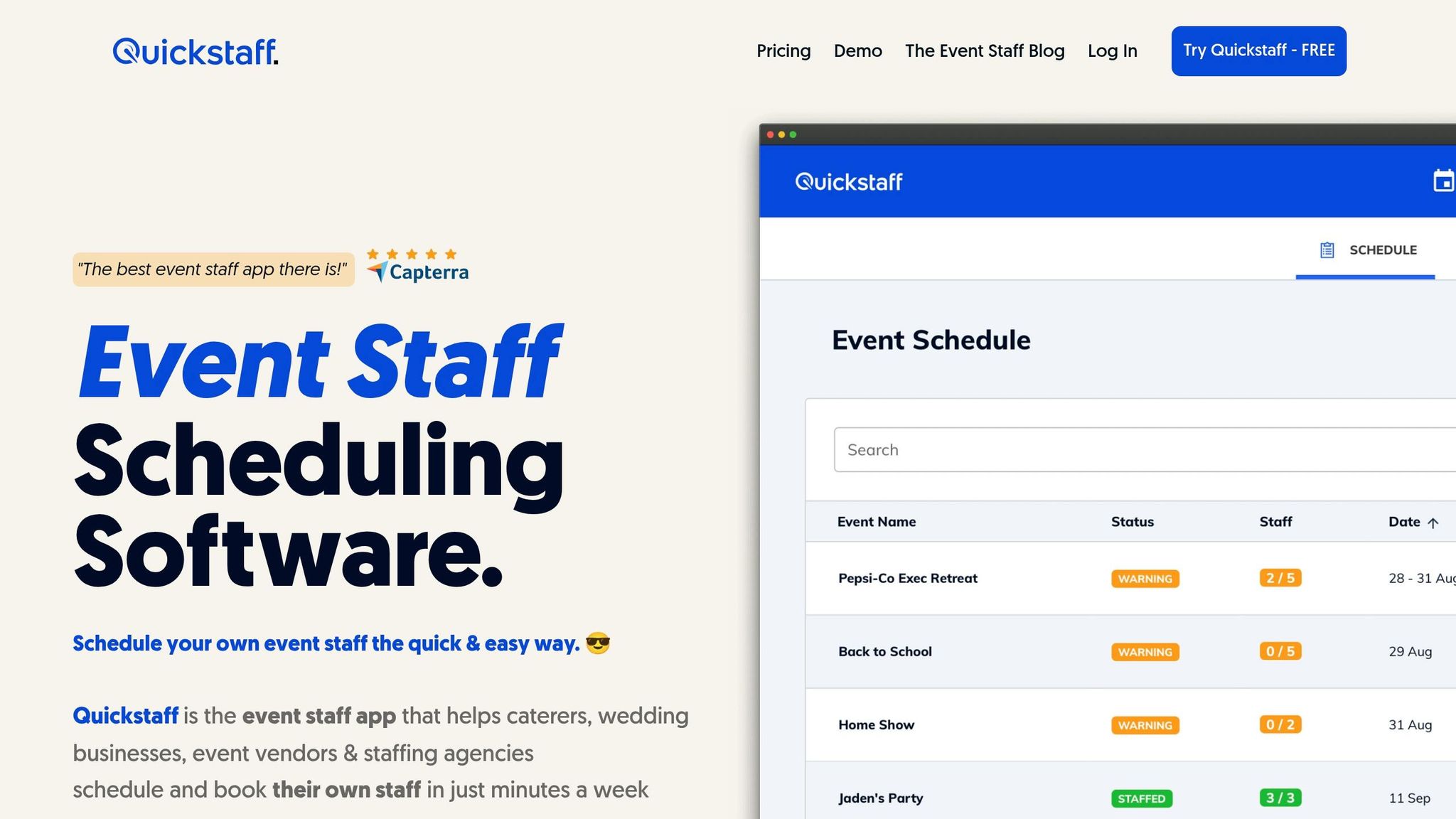
Once you've designed your training program, Quickstaff makes it easy to assign, track, and coordinate learning paths for your event team.
Quickstaff allows you to schedule your team based on specific roles - like Server, Event Bartender, Photographer, or Trainee - so training materials reach the right people. You can create training sessions directly in Quickstaff and attach key resources, such as PDF manuals, dress codes, or instructional guides, using the "Attached Notes & Files" feature. This ensures your team has all the necessary information ahead of time.
Need to send targeted training updates? Quickstaff lets you message specific groups, like bartenders preparing for a new wine service certification. Include training links and deadlines to keep everything organized. As Jennifer Manley, a Staffing Coordinator, shares:
"My time spent scheduling has shrunk majorly, leaving me more time to focus on recruiting, on-boarding and training."
Once training assignments are in place, you can easily track progress.
Quickstaff’s centralized worker database keeps everything in one place - team roles, contact information, and event histories. With just one click, staff can confirm their training attendance. Automated reminders and commitment tracking give you instant updates, making it easy to follow up when needed. Kelly from The Abbot KC highlights the benefits:
"The time that we have been able to save by using this staff scheduling software has allowed us to tackle the other issues that we face thereby improving our overall events!"
With a clear view of progress, scheduling training becomes even simpler.
Quickstaff also helps you avoid conflicts by tracking staff availability and block-out dates. This ensures training sessions are scheduled when team members are free, avoiding overlaps with active shifts. Use the centralized event calendar to find gaps between events, and the "Duplicate Past Events" tool to quickly reschedule recurring training sessions. Plus, the mobile-friendly interface lets staff update their availability in real-time, keeping your scheduling data accurate and up-to-date.
Once training programs are up and running, the next step is to fine-tune them based on actual results. By gathering feedback and analyzing performance data, you can ensure the training stays relevant and effective, providing the benefits of using event staff scheduling software to streamline operations.
Ask for feedback as soon as the training ends. Use quick online surveys with a mix of multiple-choice and open-ended questions through tools like Google Forms or SurveyMonkey. Incorporate mid-event check-ins using mobile surveys or tablets to gather real-time insights. This approach helps you identify any immediate gaps while staff are still applying what they’ve learned.
"Feedback works best when it is expected and wanted"
Make feedback a routine part of the process rather than an occasional request. Follow the Three C's for effective feedback: keep it Concrete by asking for specific examples, Constructive by focusing on solutions, and Caring by using respectful communication. Always close the loop by thanking employees and explaining what changes will be made based on their input.
Track metrics like completion rates and pre-/post-training assessments to evaluate both immediate improvements and long-term retention. Studies show effective training can increase profit margins by up to 24%. Check back weeks or months later to assess how well employees retain what they’ve learned - without regular practice, about 75% of new information is forgotten within six days. Monitor how quickly employees become proficient in new skills and whether they’re applying those skills during events.
"If you can't measure it, you can't improve it"
Use the insights you’ve gathered to make targeted updates to your training. For example, if completion rates drop during certain modules, consider breaking the content into shorter, more digestible segments using microlearning techniques. If feedback indicates that a particular section isn't relevant to daily tasks, replace it with hands-on, practical training. Regularly review and adjust learning paths to address new skill gaps. Organizations that invest in training are 59% more likely to grow, and 76% of employees are more likely to stay with companies that provide ongoing development opportunities. Keep refining your training programs to ensure they lead to meaningful behavior changes and better results during events.
Creating structured learning paths for event staff provides a clear direction for skill development, boosting both individual performance and overall team success. These paths act as a guide, ensuring that staff members grow in their roles while contributing to the organization's goals.
"A well-designed learning path ensures that no one in your organization is left wandering in their development journey." - GoSkills
The benefits are hard to ignore. Learning paths keep employees engaged by offering clear progress markers and manageable milestones. They simplify the process of learning complex event skills by breaking it into smaller, more approachable steps. Plus, they establish accountability with defined deadlines and expectations - an essential feature in an industry where timing is crucial. From assessing skills to assigning targeted training, each step strengthens your team’s ability to shine at live events.
To take this a step further, pair these learning paths with event staff scheduling tools. Quickstaff makes managing training effortless by helping you assign roles, share training materials, and send targeted updates when skill gaps arise. As Jennifer Manley, a Staffing Coordinator, shared:
"My time spent scheduling has shrunk majorly, leaving me more time to focus on recruiting, on-boarding and training."
When designing a learning path, it's important to outline the key skills and knowledge required for the role. Structure the path in a step-by-step format to ensure gradual and meaningful development. Focus on core areas like customer service, communication, safety protocols, and any necessary technical abilities.
Include a mix of training modules and hands-on experiences to help employees build real-world expertise. For roles with opportunities for career advancement, map out advanced skills and leadership development options. This could include preparing staff for responsibilities like team leadership or specialized positions, giving them a clear roadmap for growth within the organization.
To evaluate how effective a training program is, you need to look at two key areas: how much knowledge participants gain and how well they use their new skills in their daily work. The Kirkpatrick Model is a popular framework for this. It breaks evaluation into four levels: reaction, learning, behavior, and results.
It's also important to create assessments that test how employees apply their training to real-world situations. By consistently gathering data on both knowledge improvement and practical application, you can see whether the training is achieving its intended goals.
To arrange training sessions without interfering with event shifts, consider scheduling them during non-working hours. This could mean holding sessions before events, during breaks, or after shifts. Breaking training into flexible, modular segments can make it easier for staff to complete lessons at their own pace. Clear communication about the training schedule and aligning it with staff availability helps ensure operations run smoothly while keeping disruptions to a minimum.