How to Cross-Train Event Staff for Better Coverage
December 23, 2025

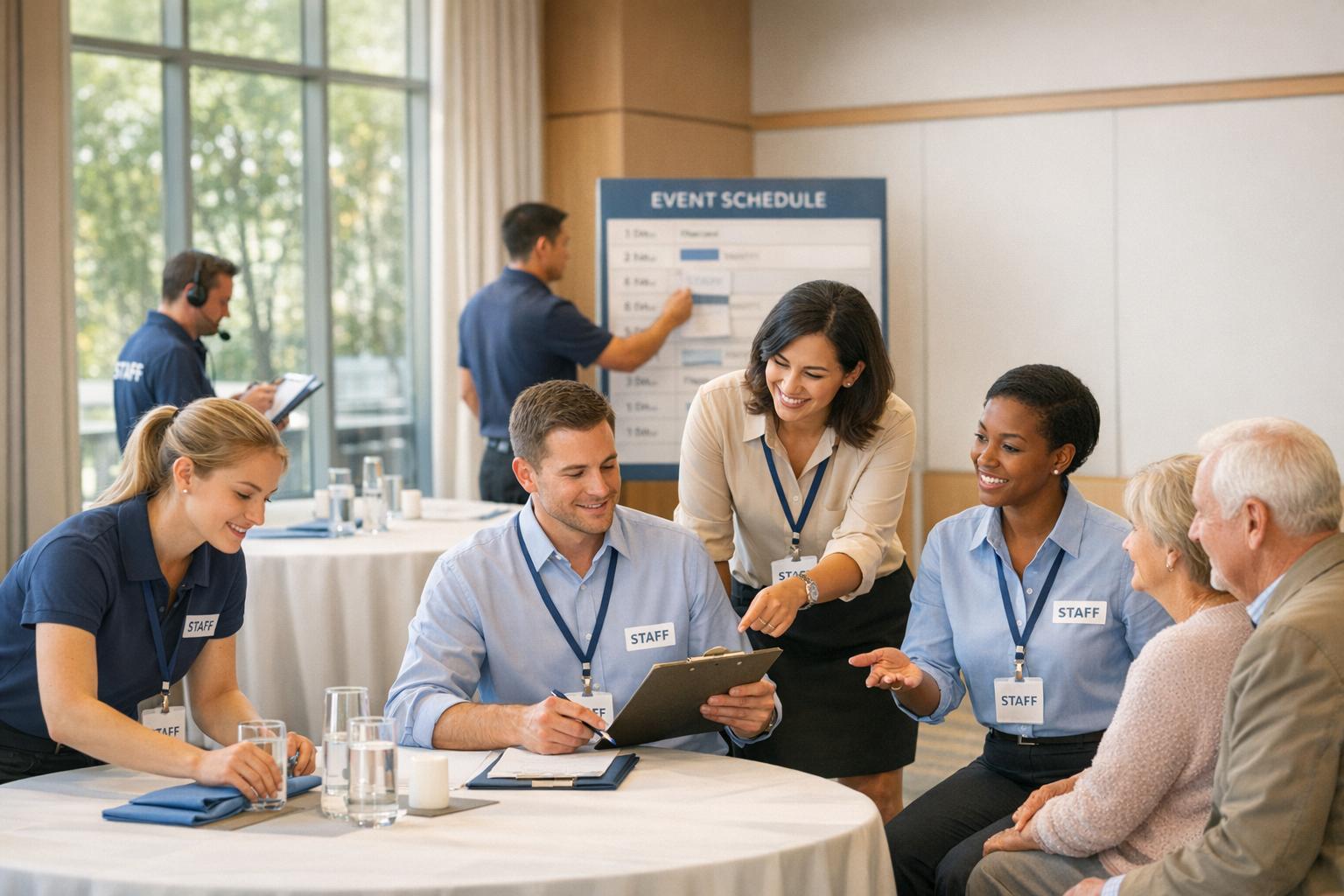
Cross-training event staff is a smart way to handle unpredictable staffing issues and ensure smooth operations. By training employees to perform multiple roles, you can address last-minute cancellations, no-shows, and unexpected gaps. This approach boosts team flexibility, reduces bottlenecks, and improves overall service quality. Here's a quick breakdown of how to implement cross-training effectively:
Cross-training not only fills gaps but also creates a stronger, more reliable team. Tools like Quickstaff can streamline the process by tracking roles, scheduling training, and reducing coordination challenges. Start with critical roles, align training with staff interests, and focus on consistent practice to see lasting results.
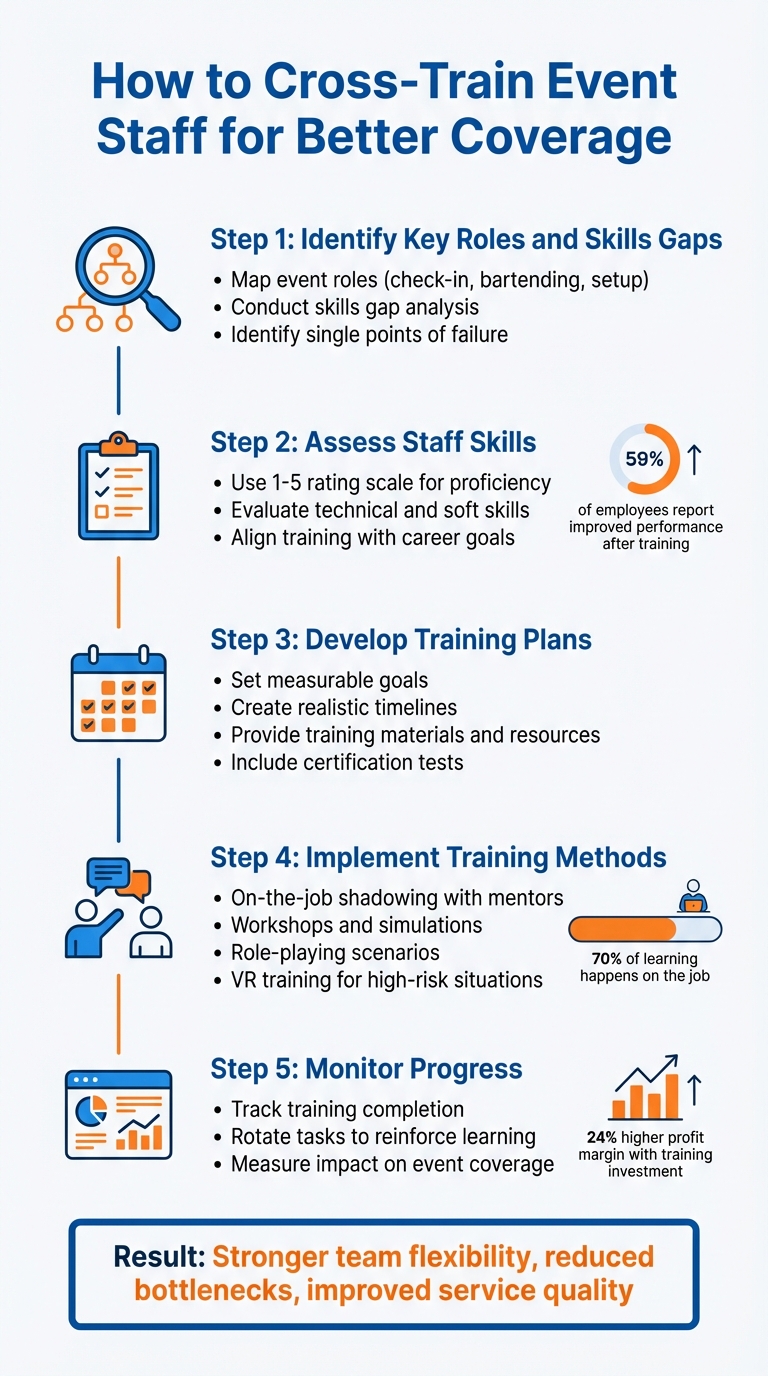
5-Step Cross-Training Process for Event Staff
Before diving into cross-training, it’s crucial to understand the roles your event requires and identify where your team may lack the necessary skills. Think of it as creating a roadmap: you need to know the destination (fully staffed and skilled teams) and the starting point (current roles and abilities). Without this clarity, training efforts can feel like shooting in the dark.
Start by listing every role your event needs. Break these into categories like front-of-house (check-in staff, bartenders, servers, crowd control), back-of-house (catering crew, setup teams, cleanup staff), and operations (event administration, equipment operators, security, parking management). Depending on the event, you might also need specialized roles, such as timekeepers or lifeguards.
Next, document the specific tasks for each role. For example:
"Finding a person who can both use the Eventbrite Organizer app to check-in guests but also be personable, engaging, and professional is the true challenge." - Bar Crawl USA
To ensure efficiency, study your venue layout and determine exactly how many people are needed in each area. This prevents understaffing in critical zones while avoiding unnecessary hires. For each role, separate duties into essential skills (non-negotiables) and bonus skills (nice-to-haves). This way, you can focus on what truly matters without overwhelming team members with unrealistic expectations.
Once you’ve mapped out roles, it’s time to assess your team’s capabilities. Build a grid that matches team members to key tasks. For each role, list the top 10 essential responsibilities and note who is trained to perform them. This helps you quickly identify weak points, such as tasks where only one person is skilled - a single point of failure.
For example:
To make this analysis more actionable, use a 1-5 rating scale to measure proficiency. Someone rated a “2” in cash handling, for instance, shouldn’t be relied on during peak hours. Beyond technical skills, consider “event logic” - the ability to prioritize and problem-solve under pressure. You can test this through simulations, like running a mock check-in scenario where the technology fails. This helps pinpoint who thrives in high-pressure situations.
Once you've pinpointed where your team has coverage gaps, it's time to decide who’s best suited to fill them. This isn’t just about assigning tasks randomly - it’s about aligning the right people with the right opportunities based on their skills, interests, and potential for growth.
Start by creating a comprehensive skills checklist that outlines which roles each team member is familiar with and their proficiency levels. A simple rating system, like 1 to 5, can help you gauge competency. For instance, someone rated "3" in bartending might handle slower shifts well but may not be ready for high-pressure events.
Don’t stop at technical skills. Consider soft skills and problem-solving abilities - things like staying composed under pressure, anticipating needs, and working independently. Staff with experience in hospitality (think bars, restaurants, or hotels) often excel in these areas, as they’re used to fast-paced, customer-facing roles.
It’s also crucial to understand each team member’s career aspirations and role preferences. As John Yurkschatt, Director of IT at Direct Consulting Associates, explains:
"Recognition in the form of training and development works wonders for employee motivation because it's proof the company is investing the necessary time and resources for employees to acquire new skills".
When training aligns with individual goals, employees are more engaged and motivated. Research backs this up - companies that invest in staff training see a 24% higher profit margin, and 59% of employees report that training programs boost their performance.
With this insight, you’ll be better equipped to identify the right candidates for cross-training.
Start with mission-critical roles that lack backup coverage. For example, if only one person knows how to operate your POS system or manage check-in software, those roles should be your top priority. Next, think about task criticality - which roles would cause the biggest disruptions if left unfilled?
Focus on team members with a strong track record of reliability and performance. Cross-training requires time and resources, so it’s smart to invest in those who’ve already proven their value. Keep the training relevant to their current expertise. As Kishan Patel, CEO of Kunai, puts it:
"Contextualize any technology concepts to the individual's business context. If they're deep in the world of banking, and you're teaching them using manufacturing as an example, you're going to lose them before you get them to turn on a computer".
For example, a server learning bartending makes sense - it’s a natural progression. But asking that same server to manage sound equipment? That’s a leap too far.
Lastly, consider availability and the learning curve. Some roles are easier to pick up quickly, while others require months of training. If you’re preparing for an event in two weeks, choose candidates who can get up to speed fast. For more complex roles, focus on team members who show long-term potential and an interest in leadership. This way, you’ll not only cover immediate needs but also build a stronger team for the future.
Once you've identified who’s training for which roles, the next step is creating a clear, actionable plan. Without structure, even the best intentions can fall apart.
Start by clarifying the purpose of your training. Are you addressing immediate skill gaps or building long-term flexibility within your team? For instance, if an event is just two weeks away and you need backup bartenders, your timeline will be tight. On the other hand, preparing future team leaders allows for a more extended, deliberate training schedule.
Define specific, measurable goals for each role. Instead of vague directions like "learn the register", aim for concrete outcomes, such as: "Complete POS training and process 20 error-free transactions." Be realistic about how long it will take to master each skill - rushed training often leads to errors down the line.
"Take your time when cross-training employees. You want to make sure they receive quality training that will benefit the company in the future. Remember, it's quality over quantity, so don't be in a rush to complete the training process." - Savannah McIntosh, Purplepass
To ensure the training sticks, incorporate certification tests at the end of each training block. This approach not only confirms that employees understand the material but also boosts their confidence before they take on live responsibilities.

Coordinating training sessions alongside busy schedules can feel like a juggling act. That’s where Quickstaff comes in. This platform simplifies the process with tools like role-based assignments and availability tracking, all from a centralized dashboard.
Here’s how to get started: Create a "training event" in Quickstaff, such as "Bartender Training", and assign it to the relevant team members. The system automatically checks their availability and sends invitations through the mobile app. Staff can accept or decline directly, and they’ll receive automated reminders one to two days before the session.
If demand for a session exceeds the available spots, Quickstaff’s waitlist feature fills any cancellations automatically. You can also use its broadcast messaging tool to share training materials, event layouts, or instructional videos in advance.
"My time spent scheduling has shrunk majorly, leaving me more time to focus on recruiting, on-boarding and training." - Jennifer Manley, Staffing Coordinator
Quickstaff’s pricing starts at $49 per month for teams with up to 35 staff, $99 per month for teams up to 70, and $249 per month for teams as large as 175. All plans include full access to the platform’s features.
Training sessions are more effective when paired with clear, detailed resources. Provide written manuals that include step-by-step instructions, photos of equipment setups, and troubleshooting tips. For tech-heavy roles like POS operators or check-in staff, share login credentials ahead of time so they can familiarize themselves with the system.
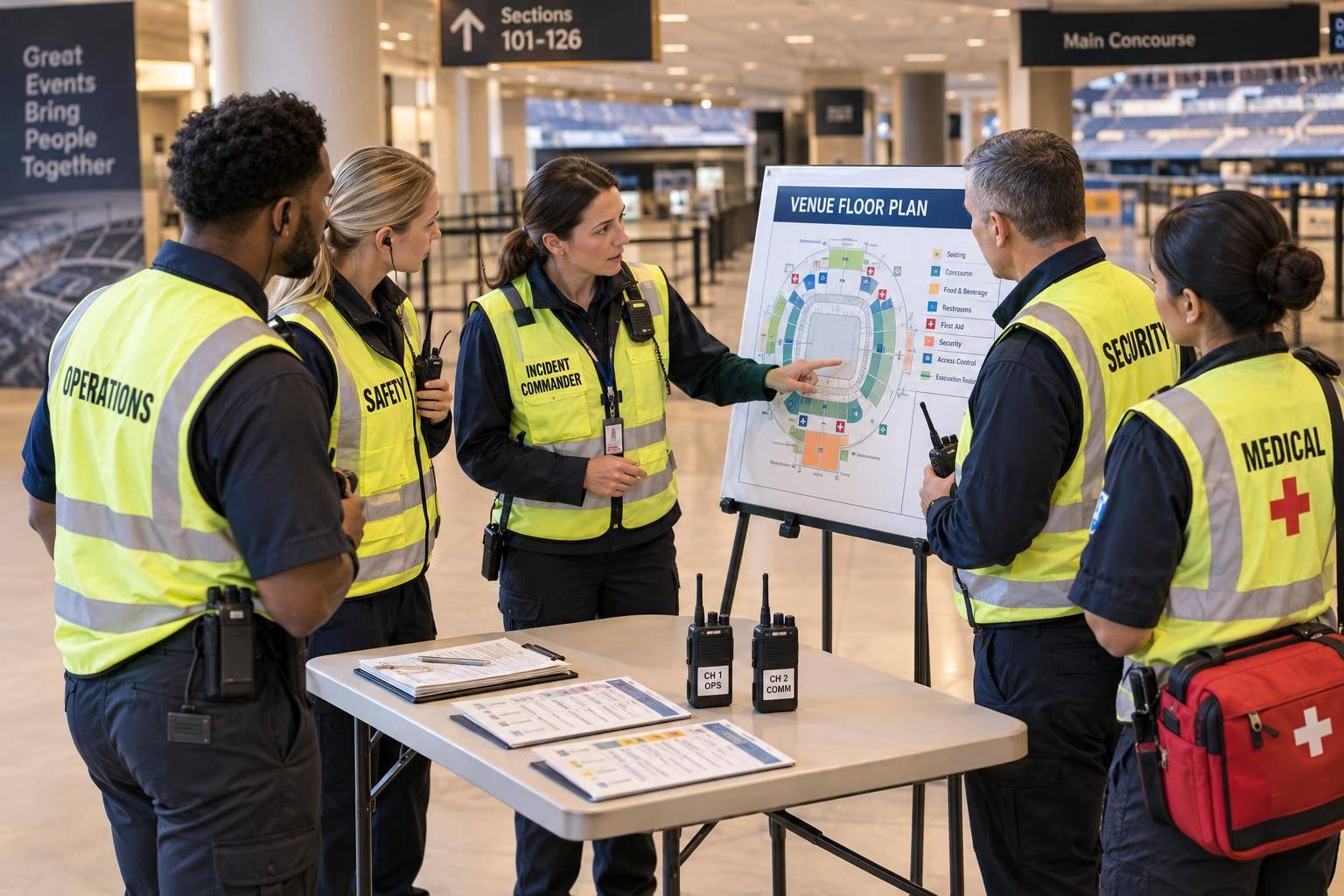
Visual aids like event maps and floor plans are also invaluable. They help staff understand the venue layout and their responsibilities within it. To keep things practical, consider creating an "event day kit" checklist. Include items like safety pins, zip ties, gaffer tape, portable chargers, and a printed timeline. These small details ensure staff feel prepared and confident in their roles.
For critical or high-pressure positions, explore VR simulations. These offer a safe way to practice without the risk of real-world mistakes.
Lastly, include an organization chart in every training manual. This ensures that if issues arise - like a bartender encountering a POS error - staff know exactly who to contact for support.
With a solid plan, the right tools, and comprehensive resources, you're ready to move forward with focused training methods.
Combine live experiences with structured practice to create an effective training program for event staff.
Learning by doing is one of the most effective ways to train event staff. Shadowing experienced team members during live events helps trainees develop what’s often referred to as "event logic" - the skill of anticipating needs and solving problems on the fly. Watching a seasoned lead handle unexpected challenges, like a last-minute equipment failure or a guest complaint, provides insights that no manual can fully convey.
Pairing trainees with mentors is key to this approach. Choose mentors who not only have expertise but also the patience to guide others. During events, trainees can observe how their mentors prioritize tasks, communicate with the team, and maintain composure under pressure. After observing, trainees should step into the role themselves under supervision, with mentors providing immediate feedback.
"We are usually there assisting, training, and helping with the set-up and check-in process at least for their first event. They want to see how we do it - and we want to show them how we do it and want it to be done."
- Bar Crawl USA
Bar Crawl USA, a large-scale event organizer, integrates this method by giving new leads a detailed playbook a week before their first event. This allows time to review and ask questions. During the event, new leads shadow the owners to gain real-time insights into decision-making. To keep staff engaged and accountable, they offer compensation ranging from $25 to $100 per hour or 10% of event profits. This approach has contributed to a staff retention rate exceeding nine years.
Hands-on training like this bridges the gap between understanding the theory and applying it in real-world situations. To complement this, structured simulations can prepare staff for technical and emergency scenarios.
While on-the-job training is invaluable, workshops and simulations provide a safe space to practice skills without the risk of real-world consequences. These controlled environments are ideal for testing technical knowledge and problem-solving abilities.
Design simulations that closely mimic actual event challenges. For instance, create scenarios where staff must troubleshoot issues like a check-in app displaying incorrect login credentials or manage crowd flow while escorting a VIP to a designated area. Emergency drills, such as locating fire extinguishers, handling intoxicated guests, or responding to security breaches, can also be practiced in these sessions.
Role-playing guest interactions is another essential component. Practice scenarios like addressing common complaints or accommodating special accessibility requests. After each exercise, hold feedback sessions to review what went well and identify areas for improvement.
For high-risk or costly scenarios that are hard to replicate, consider using VR platforms like Tale Spin or Warp VR. These tools immerse staff in lifelike situations, offering valuable experience in a safe, virtual setting.
To wrap up each workshop, conduct a certification test to ensure staff have mastered the material before moving on to live assignments. This step not only confirms readiness but also boosts confidence.
"Certification tests administered after each section of learning will help trainers and upper management determine how well the individual has grasped the material."
- Savannah McIntosh, Purplepass
Studies show that 59% of employees report improved performance after training, and 41% say training helps them manage time more effectively. These results highlight the value of a well-rounded training program.
Tracking the success of cross-training programs involves more than just checking off completed sessions; it’s about confirming real-world performance and ensuring staffing flexibility.
Quickstaff’s dashboard makes it simple to assign team members to specific roles - like waiter, bartender, or setup crew - and monitor their performance in real time. You can even create custom roles with the Staff Role Generator, such as "Bartender-in-Training" or "Lead Server Candidate", to reflect training progress. Real-time tracking allows you to see which staff members have committed to shifts in their new roles and whether they’ve completed them, turning training plans into actual event coverage. The dashboard also highlights top performers, giving you a clear view of who has mastered new responsibilities.
"My time spent scheduling has shrunk majorly, leaving me more time to focus on recruiting, on-boarding and training."
- Jennifer Manley, Staffing Coordinator
The "On-Hold" feature lets you reserve staff for specific training events or shadow shifts, ensuring they’re available when needed. Additionally, the Availability Tool allows you to filter by role, making it easy to see if your cross-training efforts are expanding the pool of qualified staff for key positions.
Once you’ve tracked progress, the next step is task rotation to solidify these newly acquired skills.
Skills learned during cross-training can fade if not regularly practiced. Rotating roles ensures that staff stay sharp and proficient. Research shows that 70% of learning happens on the job, 20% through collaboration, and only 10% via formal training.
For example, during an event, you could assign a staff member to kitchen prep for the first two hours and then shift them to serving for the remainder of the shift. This approach reinforces their training while giving you greater scheduling flexibility. The key is to balance rotation periods - long enough to build confidence but short enough to maintain focus on their primary role.
Temporary lead roles can also be assigned to test adaptability. For instance, a cross-trained server could take charge of managing break schedules or coordinating with the kitchen. These opportunities not only uncover hidden strengths but also identify who’s ready for more responsibility.
"The best way to cross-train is to have an employee shadow a colleague for a short time to learn the part of the job you want them to absorb."
- Barbara Mitchell, HR Consultant and Author
After rotating tasks, evaluate how these efforts impact overall event coverage.
To assess the success of your cross-training program, track how many roles each staff member can perform and whether service delays due to absences have decreased. Studies show that companies investing in on-the-ground training see a 24% higher profit margin, and cross-trained employees collaborate 6.11% more than those without similar training.
A cross-training matrix is a valuable tool for visualizing your team’s skills. It maps out primary and secondary abilities, helping you identify gaps in coverage before they become issues. Additionally, monitor internal mobility rates to see how quickly you can shift existing staff into new roles compared to hiring externally. These metrics demonstrate how addressing skill gaps enhances your team’s adaptability.
Set clear, measurable standards for each task, such as "can check in 50 guests in 15 minutes", to ensure evaluations are objective and consistent. Follow up with one-on-one interviews to gather feedback and fine-tune your training process.
"Cross-training not only helps improve overall productivity and efficiency, but it also creates a sense of teamwork and collaboration among our employees."
- Billy Parker, Director, GiftDelivery.co.uk
The numbers speak for themselves: 59% of employees say training programs improve their performance, and 41% report better time management as a result. If you’re seeing fewer last-minute staffing emergencies and more consistent service quality, your cross-training program is delivering results.
Cross-training isn't just about plugging staffing gaps - it turns your event team into a dynamic, adaptable asset. When your staff can step into various roles seamlessly, you’re no longer scrambling to cover last-minute absences or risking a dip in service quality.
It also deepens your team's understanding of the event process, encouraging empathy and collaboration. Take Moe's Original BBQ as an example: by training kitchen staff to handle front-of-house tasks like bagging to-go orders, they achieved higher catering sales and reduced employee turnover. This kind of flexibility underscores the value of the cross-training strategies we've explored in this guide.
"Cross-training is a cornerstone of our workforce strategy... it enhances employee versatility, allows us to adapt swiftly to changing demands, and cultivates a shared sense of ownership in our collective success."
- Dhanvin Sriram, Founder, Prompt Vibes
Of course, having the right tools makes all the difference. Quickstaff simplifies the process by letting you assign custom training roles, track progress, and rotate staff effortlessly. Its dashboard provides a clear snapshot of who’s qualified for what, so you can deploy the right person at the right time with confidence.
To get started, focus on your most critical roles, choose motivated team members, and create structured training plans. As your team becomes more versatile, you’ll experience fewer staffing headaches, smoother events, and a workforce that’s more engaged and invested. That’s the real power of cross-training.
To figure out which event staff roles to focus on for cross-training, start by taking a close look at your team and how each role contributes to the event's success. Make a list of the roles you typically schedule - think waitstaff, bartenders, setup crew, AV technicians, and coordinators. Then, identify which roles are tied to essential tasks like guest check-ins, food service, or equipment setup. These are the positions that have a direct impact on the event's flow and the experience of your guests.
Next, consider potential risks, such as roles that often face no-shows or last-minute cancellations. These are the areas where coverage gaps are most likely to occur. Pay attention to positions with overlapping skill sets - for example, a bartender who can step in as waitstaff or a setup crew member capable of handling basic AV tasks. Once you've identified these key roles, narrow it down to 3-5 critical positions to start your cross-training efforts. This approach will help you build a more flexible team and ensure smooth event operations.
To monitor how well your cross-trained event staff are progressing, start by establishing specific goals and measurable benchmarks for each skill. For instance, you might set a target like completing event setup within 15 minutes or independently managing 10 guest check-ins. A training matrix can help you keep track of these objectives, showing which team members are trained for specific tasks and highlighting any skill gaps. This tool serves as a quick reference for managers to assess readiness.
Regular evaluations, such as quick drills or shadowing sessions, are crucial for measuring performance against these goals. These sessions not only help identify areas for improvement but also provide a chance to deliver feedback and celebrate successes - both of which can boost morale and encourage staff retention.
Leveraging tools like Quickstaff can streamline the process. These platforms centralize training progress, availability, and performance metrics, making it easier to stay organized. Features like automated reminders and reports ensure you’re aware of when additional training or support is needed, keeping your team ready for smooth event operations.
Cross-training prepares event staff to handle responsibilities beyond their usual roles. For example, a bartender might learn how to assist with event setup, or a front-of-house team member could step in to manage registration. This adaptability ensures that operations run smoothly, even when unexpected absences or sudden spikes in demand occur. The result? Fewer delays, quicker problem-solving, and an overall better experience for guests.
But the benefits don’t stop there. Cross-training can also have a positive impact on employee morale. When staff are given opportunities to grow and develop new skills, they feel valued and more engaged in their work. This often leads to higher job satisfaction and lower turnover rates. Plus, as employees gain insight into their colleagues’ roles, teamwork and communication naturally improve.
Tools like Quickstaff make cross-training even more effective. Managers can use these platforms to tag and schedule employees based on their expanded skill sets, ensuring the right people are in the right roles. It’s a win-win: smoother event operations and a team that feels appreciated and empowered.