Role-Based Scheduling Tools for Catering Staff: Comparison
July 25, 2026

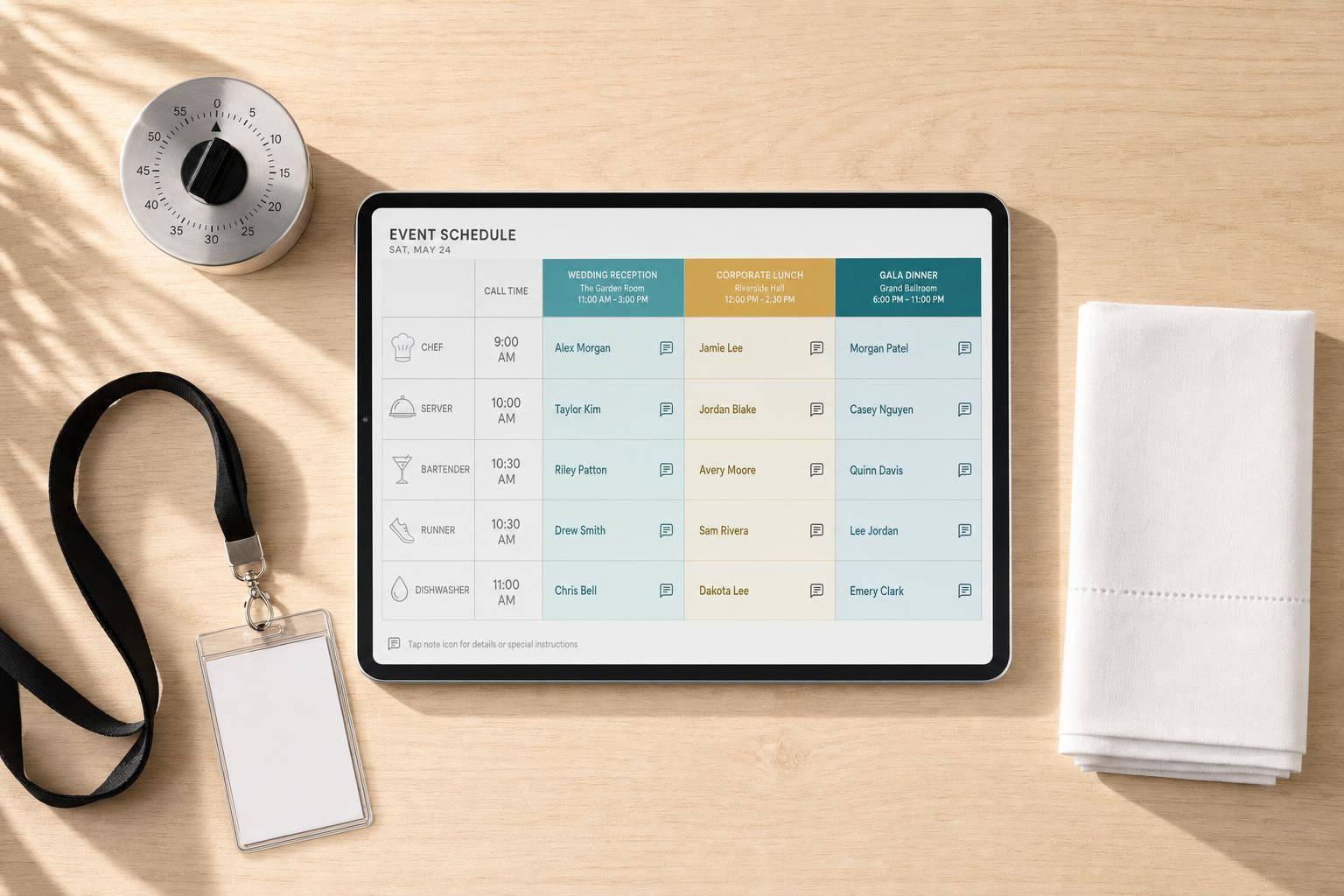
If you run catering events, a basic shift app is often not enough. I’d focus on 4 things first: role assignment, job notes, call times, and multi-event visibility.
Here’s the short answer:
Why these 4 points matter:
A simple way to think about it:
The main takeaway: the best tool is the one that matches how your crew works on event day, not just how a weekly schedule looks on a screen.
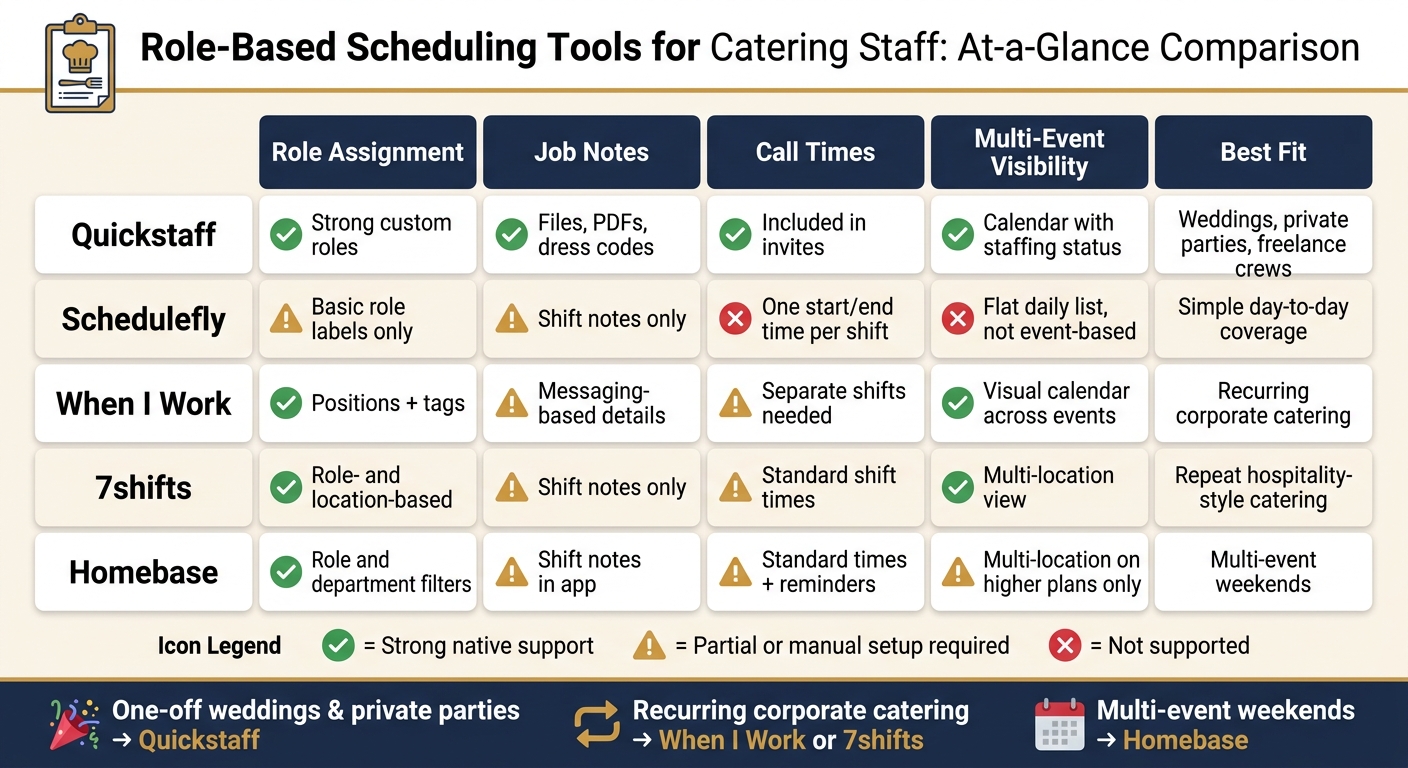
Catering Staff Scheduling Tools Compared: Role Assignment, Job Notes & More
| Tool | Role Assignment | Job Notes | Call Times | Multi-Event Visibility | Best Fit |
|---|---|---|---|---|---|
| Quickstaff | Strong custom roles | Files, PDFs, dress codes, event notes | Role details included in invites | Calendar view with staffing status | Weddings, private parties, freelance crews |
| Schedulefly | Basic role labels | Shift notes | One start/end time per shift | Flat daily list, not event-based | Simple day-to-day coverage |
| When I Work | Positions + tags | Messaging-based details | Separate shifts needed for staggered arrivals | Visual calendar across events/locations | Recurring corporate catering |
| 7shifts | Role- and location-based assignment | Shift notes | Standard shift times | Multi-location view | Repeat hospitality-style catering |
| Homebase | Role and department filters | Shift notes in app | Standard shift times + reminders | Multi-location support on higher plans | Multi-event weekends |
A lot of catering teams deal with 5+ crew types on one event, which requires a catering staff scheduling checklist to manage, and even a small timing miss can cause delays. So when I compare these catering scheduling tools, I’d care less about generic scheduling features and more about whether the app keeps each event clear, staffed, and easy to scan.
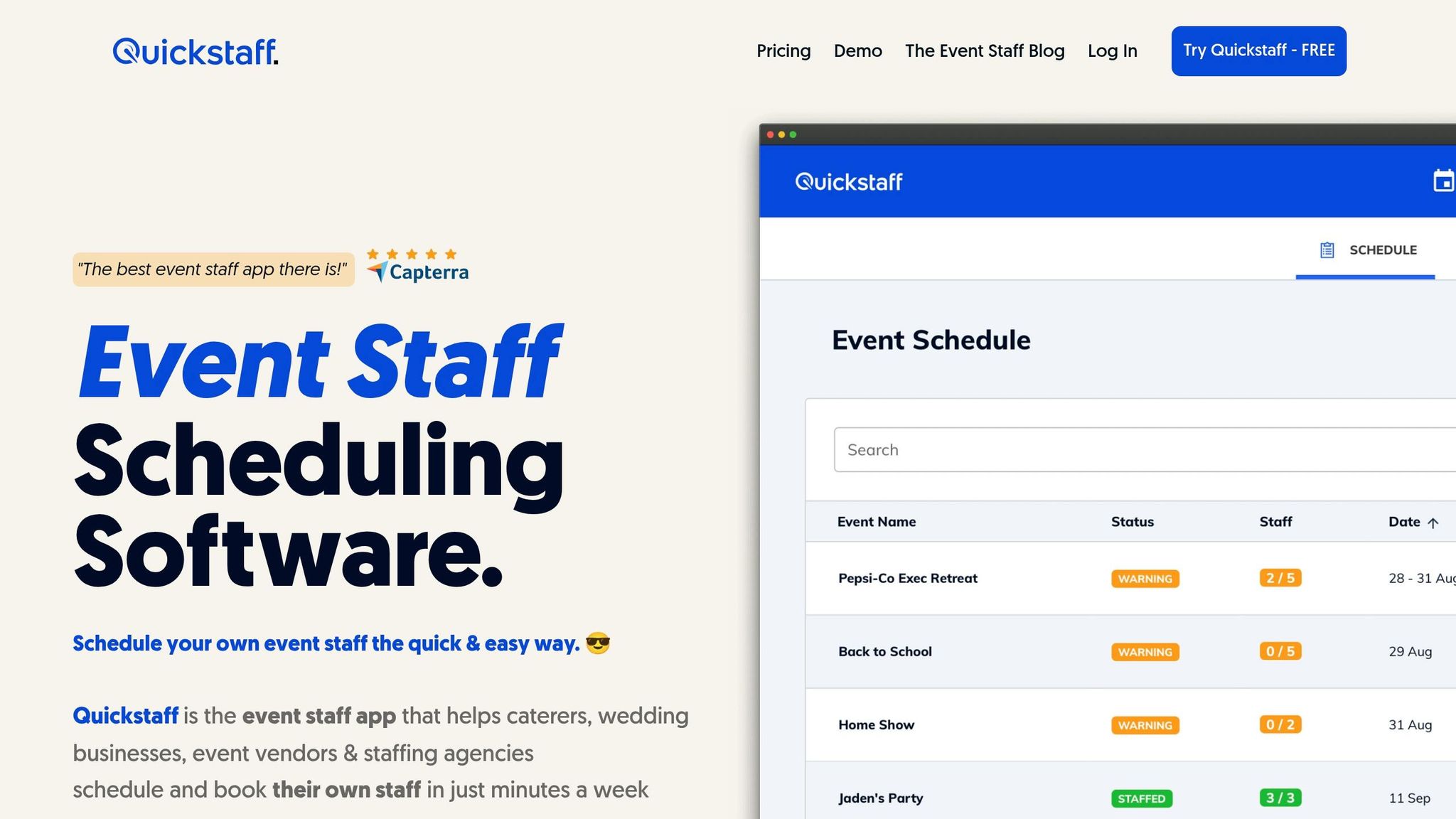
Quickstaff is built for caterers and other event teams that book temp staff by role. For catering teams, that matters a lot. You need each role, note, and call time tied to the right event, or things can get messy fast.
Quickstaff lets managers set up unlimited custom roles and invite staff based on the exact role each event needs. So if you need servers, bartenders, captains, or cooks, you can keep those groups separate and organized. Managers can also sort staff by role and send updates only to the people affected when plans change.
Each event can include notes and file attachments, like PDFs, dress codes, client details, and location info. Staff can check everything in the mobile dashboard before the event, which cuts down on back-and-forth.
Invitations include the role, location, and call time. Managers can also send reminders one or two days before the event, which helps keep everyone on the same page.
The event calendar shows upcoming events and staffing status and availability in one view. That makes it easier to spot coverage gaps across the schedule before they turn into last-minute problems. You can also use a staffing needs analyzer to ensure your headcount matches the event size.

Schedulefly is a scheduling tool made for restaurants, bars, and similar businesses. It leans toward basic shift scheduling, not event-by-event planning. For catering teams, that means it can work at a simple level, but it starts to feel limited when you need to manage many roles across many events at once.
Its strong point is shift-level ease. Its weak point is event-level coordination.
Schedulefly lets managers assign role labels like Lead Server or Bartender to individual shifts. But it does not show role-based filtering or certification tracking.
Managers can add Shift Notes for things like dress codes, entry instructions, and menu details.
Each shift uses one start time and one end time. So if your team needs separate call times or setup times, Schedulefly does not split those out.
Schedulefly’s Crib Sheet dashboard shows shifts and notes for a given day. But it does not group them by event. So if you’re running more than one event, everything still shows up in one flat list.
That makes it workable for simple day-to-day coverage. For event-heavy catering schedules, though, it can get messy fast.
When I Work does a good job with role-based catering shifts, but event-specific setup is still mostly manual. That tradeoff shows up most in roles, notes, call times, and how teams view several events at once.
Use Positions for roles like Server, Bartender, and Cook. Use Tags for certifications and location eligibility. Visual flags make it easy to see who matches a shift's requirements.
Managers can share shift details through built-in messaging. That's handy for updates and reminders. But if your catering team relies on detailed event instructions, you'll likely need extra coordination outside the basic message flow.
Call times run through standard shift start times. The mobile time clock shows when staff clock in, which helps with accountability. If you need staggered call times, you'll have to create separate shifts. So if one event has several roles with different arrival windows, expect some manual setup.
This manual setup helps most when several events are happening at the same time. The visual calendar lets managers see multiple events and locations in one place. A dedicated Catering schedule and Job Sites labels also help separate venues, and drag-to-assign makes weekend staffing faster.
"Fast event staffing with visual schedules and drag-to-assign shifts." - ZipDo
The main limit shows up in more complex catering workflows. It handles basic role scheduling well, but multi-role event plans often need manual configuration.

Like the tools above, 7shifts covers the benefits of event staff scheduling software without much trouble. Where it stands out is repeatable hospitality workflows, not event-based rosters. That means it tends to fit recurring hospitality schedules better than one-off catering events.
7shifts supports role- and location-based assignment. So coordinators can slot servers, bartenders, cooks, and captains across venues without much friction.
Schedule notes stay attached to each shift, which helps keep the right context close to the assignment. If your team needs detailed event-by-event instructions, though, you may still end up handling some of that by hand.
Call times follow standard shift start times, and staff can get automated reminders. That works well for day-to-day scheduling, but more complex event plans still need manual setup. For larger operations, following a guide to scalable event scheduling can help automate these manual tasks.
Multi-location scheduling lets managers handle staffing across several venues in one workflow. In plain English, it's easier to manage multiple venues at once, but it's less exact for single-event catering plans.
It tends to work best when catering shifts repeat across venues and follow a set event format. So its fit comes down to one thing: whether your team is scheduling repeated venue shifts or distinct event plans.

Homebase is a general-purpose hourly scheduling tool. It can handle basic catering crew planning, but it isn't built around event-first workflows. If your team needs simple role-based scheduling more than event-specific planning, Homebase keeps things easy to use.
Managers can group staff by role and job type. They can also filter the schedule by role or department, which makes it easier to coordinate different crew types at the same time. That same setup carries over to notes and call-time planning.
Managers can add shift notes with event instructions, and staff can read those notes in the mobile app.
Managers can set shift start and end times, send reminders, and use GPS, photo, or PIN clock-ins to confirm that staff arrived on-site.
Higher-tier plans include multi-location scheduling, which helps managers keep track of several venues at once. More complex catering workflows still need manual process design. That's the tradeoff here: Homebase stays simple, but that simplicity can become limiting when schedules get more complicated.
Each tool here fits a different kind of catering work. The best pick comes down to three things: how many events you run, what kind of crew you use, and how much control you need by role on event day. This summary turns role assignment, job notes, call times, and cross-event visibility into simple best-fit scenarios.
Here’s how each tool lines up with the catering workload it handles best.
| Tool | Best For | Main Strengths | Main Limitations |
|---|---|---|---|
| Quickstaff | Single-event weddings and private parties | Invitation-based model; custom role setup; automated waitlists | Email only; no native mobile app; no built-in time tracking |
| When I Work | Recurring corporate drop-offs | Strong self-scheduling; easy availability capture | Role assignments need manual setup |
| 7shifts | Restaurant-style catering operations | Mobile-first communication; shift swapping; labor cost control | Location-based pricing model; event rosters need extra setup |
| Homebase | Multi-event Saturdays and weekend coverage | Role filtering; GPS clock-in; multi-location support | Event workflows need manual setup |
The scenarios below show what those feature differences look like in day-to-day catering work.
Quickstaff is the clearest fit here. Its invitation-based model - instead of straight manager assignment - lines up well with how many wedding caterers staff freelance-heavy events. That matters when you’re filling servers, bartenders, captains, and kitchen help for one-off jobs.
The biggest plus is simple: role separation, event details, and last-minute coverage sit in one place. So if someone drops out the night before, you’re not bouncing between manual vs digital staff scheduling methods just to patch the schedule.
When several events hit on the same Saturday, you need to see everything at once. Homebase makes sense for that kind of weekend coverage because it supports multi-location scheduling without making managers rebuild assignments from scratch every time.
Its tradeoff is pretty clear, though. It works better as a general scheduling tool than as a planner built around events from the ground up. So it can handle the workload, but you may need more manual setup to shape it around catering flow.
Repeat client work changes the priority. At that point, the job is less about deep event detail and more about speed, repeatability, and keeping the schedule easy to manage.
When I Work and 7shifts both fit that kind of repeat schedule well. When I Work keeps things simple with self-scheduling and availability capture, though role assignments still need to be set up by hand. 7shifts adds mobile communication, swap management, and labor cost control, which can help a lot with active teams, but pricing can climb as the number of sites grows.
Here’s the short version of what helps catering teams move faster - and what tends to get in the way.
| Tool | Pros | Cons |
|---|---|---|
| Quickstaff | Built for event staffing; event attachments and notes stay with the job; automatic waitlists | Email-only communication; no native mobile app; no SMS |
| When I Work | Mobile-first interface; staff can claim open shifts; strong availability capture; recurring shift templates | No native catering workflows; event grouping requires manual tagging or location labels |
| 7shifts | Strong mobile communication; shift swapping with manager approval; calendar-based scheduling | Catering-specific rosters need extra manual setup |
| Homebase | GPS-verified clock-in; integrated messaging; multi-location scheduling; solid shift swap controls | Event-specific workflows require manual work; forecasting still requires manual input |
These tradeoffs map back to the same four needs discussed above: roles, notes, call times, and multi-event visibility.
Event-based tools do one thing especially well: they keep notes, files, and role instructions tied to a single event, so the whole crew sees the same details in one place.
That matters more than it may sound at first. In catering, small details can make or break service. A parking note, a uniform change, a client request, or a revised load-in time can’t just live in someone’s inbox.
The "Ask" model is another clear plus for catering. Instead of assigning shifts and just hoping people show up, tools like Quickstaff invite staff to accept or decline. For teams that rely on freelance crews and on-call workers, that setup fits how staffing often works in practice.
Automatic waitlists push that one step further. If more staff accept than needed, the extra people move to a waitlist on their own, without a manager having to reshuffle names by hand.
This gap shows up most when several events are happening at the same time. The issue isn’t scheduling speed. It’s the loss of event context.
Shift tools track hours, not event context. So the missing details usually get added by hand, often through a separate message or a note field that staff might miss.
Cross-event visibility is another weak spot. Picture a busy Saturday with three events running side by side. A manager needs to spot, fast, which events are fully staffed and which still have open roles. General schedulers tend to focus on location-based coverage, which helps - but that’s not the same as seeing that a corporate dinner is still short two servers at 12:00 p.m.
Pick a tool that can handle role sorting, job notes, call times, and multi-event visibility. Those four features shape what happens on event day.
Role sorting helps place servers, bartenders, captains, and cooks in the right spots. Job notes give each crew member the details they need before they arrive, so you don't have to chase people down with repeat messages. Accurate call times show who needs to be on-site and when. Multi-event visibility lets you see which events are fully staffed and which still have holes during a packed day.
Use those priorities to match your team size and event load to the right setup.
| Operation Type | Best Fit | Key Reason |
|---|---|---|
| Small boutique caterers | Quickstaff | Invitation-based workflows fit freelance-heavy rosters and keep event coordination simple. |
| Growing regional teams | When I Work, 7shifts, Homebase | Mobile self-service, shift swaps, and automated reminders help larger part-time or W-2 crews stay in sync. |
| High-volume catering teams | Tools with GPS clock-in and multi-venue visibility | Real-time attendance tracking and coverage checks matter when several events run at the same time. |
The main decision comes down to this: do you need acceptance-based staffing, mobile self-service, or real-time attendance control?
Start with the biggest source of event-day stress. If last-minute no-shows are the issue, focus on automated reminders and waitlists. If people show up in the wrong role or head to the wrong venue, put role sorting and detailed job notes at the top of the list. Then choose the tool that fixes your biggest scheduling problem first: no-shows, wrong-role assignments, or missed event details.
The most important features help catering teams handle shifting event needs without things falling apart. Look for role-based scheduling, skill matching, clear job notes, call times, and real-time views that show overlapping events and last-minute changes.
It also helps to have mobile access, availability tracking, event-based communication, and automated waitlists. Those tools make staffing much easier to keep in order. Quickstaff supports these needs with mobile-friendly event creation, staff invitations, and waitlist management.
Start with your team’s biggest operational gaps, not a feature list. If availability is tough to collect, look for event-by-event tracking. If compliance is the problem, put tools first that store documents and send expiration alerts.
For catering teams, choose software with role-based scheduling, mobile access, and centralized communication so staff can see assignments, call times, and the latest event notes in one place.
Use event-based scheduling when your team is mostly freelance or part-time and your work revolves around one-off events instead of daily repeat shifts.
It works well for catering and event businesses because every event has its own staffing needs, availability checks, role assignments, and details like call times, dress codes, and location-based assignments.





