Top Tools for Multi-Location Event Staff Scheduling
June 24, 2026

If you run events across more than one venue, one shared system beats spreadsheets every time. In this guide, I look at the main tool types that help with shift coverage, site alerts, check-in, messaging, and live staffing views so you can keep each location staffed and informed.
Here’s the short version:
If I were comparing options, I’d focus on four things first:
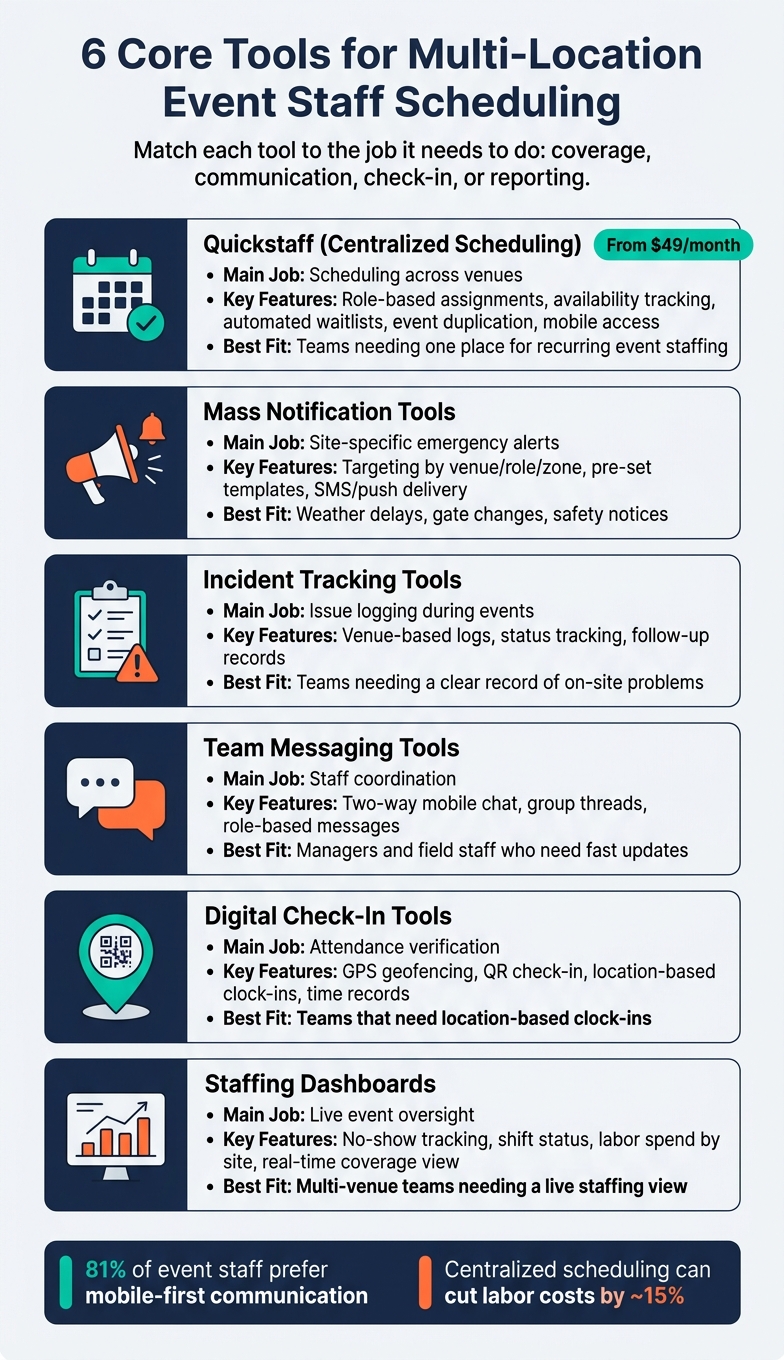
6 Core Tools for Multi-Location Event Staff Scheduling
| Tool or Tool Type | Main Job | What I’d Check First | Best Fit |
|---|---|---|---|
| Quickstaff | Event staff scheduling across venues | Roles, availability, waitlists, event duplication, mobile access | Teams that need one place for recurring event staffing |
| Mass notification tools | Site-specific alerts | Targeting by venue/role, templates, SMS/push delivery | Weather delays, gate changes, safety notices |
| Incident tracking tools | Issue logging during events | Venue-based logs, status tracking, follow-up records | Teams that need a clear record of on-site problems |
| Team messaging tools | Staff coordination | Two-way mobile chat, group threads, role-based messages | Managers and field staff who need fast updates |
| Digital check-in tools | Attendance proof | GPS, geofencing, QR check-in, time records | Teams that need location-based clock-ins |
| Staffing dashboards | Live event oversight | No-shows, shift status, labor spend by site | Multi-venue teams that need a live staffing view |
My takeaway is simple: pick tools based on the job you need done, not just the feature list. For most teams, that means using a setup that keeps coverage, communication, attendance, and reporting tied together from the start.
For multi-location events, the main test is simple: can the tool keep every venue staffed, informed, and ready when plans change? That matters a lot more than flashy extras that barely touch day-to-day work.
A good tool gives managers one live view across every site. They should be able to check coverage, attendance, staffing levels, and assigned workers without bouncing between tabs or digging through old spreadsheets.
Role-based filters help a lot here. You can sort by job type - bartenders, security staff, AV techs - and see who’s working where on a given date or shift. For bigger venues, zone views make things easier too, since managers can scan staffing by area instead of trying to piece it together in their heads. But seeing the schedule is only half the job. When something changes, the right people need to know right away.
The tool should let you send alerts fast, and only to the people who need them. That means targeting by location, role, or zone.
Here’s why that matters: if Venue B has a gate change, the security team there needs the update. The catering crew at Venue A does not. A good system keeps teams informed without turning every notice into noise.
It also helps to have SMS, push notifications, or in-app messaging. That lines up with how people already work, especially since 81% of event staff prefer mobile-first communication over call lists or email. Fast alerts are especially handy for:
Once that part is covered, the next thing to check is how well the tool works on mobile and how quickly it reports what’s happening on-site.
Admins need full mobile scheduling access. Not a stripped-down version. Not a clunky desktop screen squeezed onto a phone. If managers are moving between venues, they need to make schedule changes from their phones without fighting the app.
If check-in accuracy is a big deal, look for geofenced or GPS-verified clock-ins. That way, staff can only punch in when they’re at the right venue, which cuts down on guesswork and bad time records.
Reporting matters too. Venue-level breakdowns should show attendance, shift completion, and labor spend by site. Managers need that info while the event is still in motion, not hours later when the shift is over.
For U.S.-based teams, check overtime tracking and meal-break tracking for U.S. compliance. Those details can become a mess fast if the system doesn’t handle them well. Use these points to scan the comparison table below.
The tools below cover scheduling, alerts, check-in, messaging, incident tracking, and live visibility. Put simply, they map to three main jobs: scheduling, alerting, and on-site coordination.
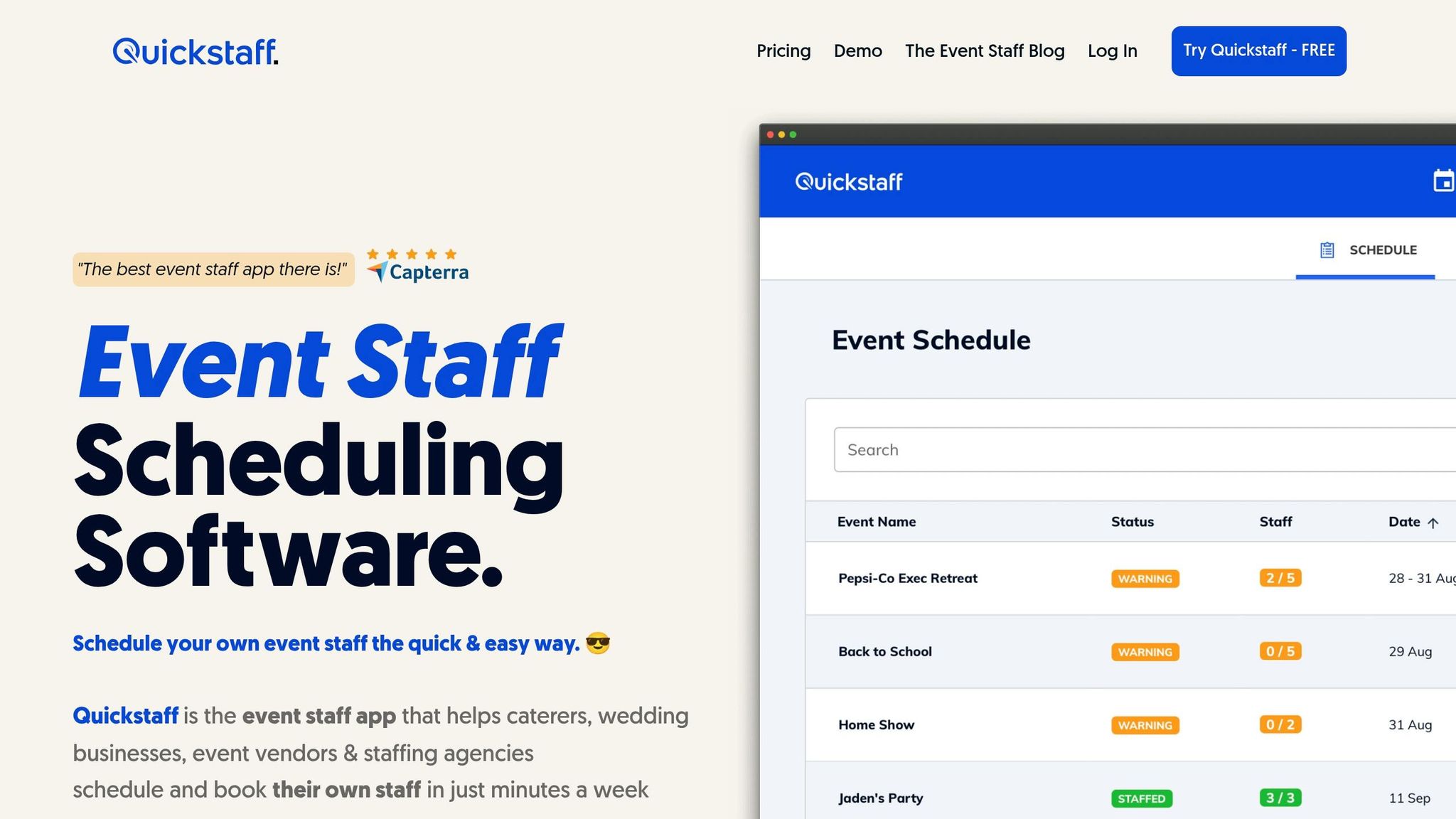
Quickstaff brings recurring event schedules into one place for caterers, wedding teams, vendors, and staffing agencies managing staff across multiple venues. It supports role-based scheduling, availability tracking, automated waitlists, unlimited messaging, and a mobile-friendly interface.
That means you can duplicate recurring events, assign people by role, and fill shifts with less back-and-forth. If you're juggling several venues at once, that kind of setup can save a lot of time.
Plans start at $49/month for up to 35 staff on the Boutique plan, $99/month for up to 70 staff on Growing, and $249/month for up to 175 staff on Large. Every plan includes unlimited events and assisted onboarding.
For day-of changes, scheduling works best when it's paired with alerting tools that reach ONLY the right venue or role.
When a weather delay, safety issue, or access change hits just one venue, targeted alerts help you contact only the on-duty team that needs that update. That's the big win here. You avoid blasting everyone with messages that don't apply to them.
Pre-set templates also help managers send targeted alerts fast, which matters when time is tight and people are already moving.
These tools take over once staff are on site and the event is in motion.
Incident tracking gives managers a clear place to log venue-specific issues, like safety hazards or equipment failures, so teams can deal with them in the moment and review them after the event.
Team messaging gives managers and mobile staff a two-way, in-app way to coordinate instead of leaning on phone calls or outside group texts. A dedicated message channel cuts down on one of the biggest day-of headaches.
Digital check-in uses GPS geofencing or QR code verification to confirm that staff are physically at the right venue before they clock in. That check-in data then feeds straight into the live staffing view.
Staffing dashboards show live coverage across locations, including no-shows and labor spend.
Use the table below to match each tool type to your workflow.
Don’t just compare feature lists. Compare workflows.
The better way to judge these tools is to tie each function to the job it needs to do: coverage, communication, check-in, or reporting. Then score each workflow by location.
| Function | What to Look For | Quickstaff Coverage |
|---|---|---|
| Shift Coverage | Role-based scheduling, availability tracking, automated waitlists, event duplication | Centralized scheduling with roles, waitlists, and event duplication |
| Site Alerts | Targeted emergency alerts by venue or role, pre-set templates | Messaging and reminders included |
| Attendance Verification | GPS or QR-based check-in tied to a specific venue | Mobile-friendly access |
| Mobile Access | Full scheduling access on mobile, not a stripped-down view | High - mobile-friendly interface |
| Reporting | Attendance, shift completion, and labor spend by location | Moderate - venue-level reporting |
Start with the biggest gap in your current process.
If your main problem is filling shifts across venues with scalable event scheduling, focus on role-based scheduling and automated waitlists. Those features deal with the issue head-on.
If reporting matters more, look for venue-level views that show attendance, shift completion, and labor costs while the event is still in progress. That kind of visibility helps you spot problems before they snowball.
For emergency communication, put targeted alerts near the top of your list. You don’t want every staff member getting every message. You want the right venue or role to get the update fast.
When you can, keep scheduling, alerts, and check-in inside the same workflow. It cuts down on friction. Once you know which functions matter most, map them to your locations, roles, message templates, and backup channels.
Once you’ve picked the right tool, the next step is simple: set the ground rules that help it work at every venue.
Start by setting up each location on its own. A single roster usually won’t fit every site, and that’s where teams get into trouble. Build each venue separately, and keep a 5–10% standby buffer above confirmed headcount so you can handle no-shows without a last-minute scramble.
Next, make roles and escalation paths clear. Tag staff by both skill and location, then map out a simple chain of command from frontline staff to local supervisors to a central coordinator. That way, when something shifts mid-event, people know exactly who to contact instead of wasting time figuring it out. It also helps to send a standard briefing 36 hours before the event so staff can check site details ahead of time.
Once roles and messages are in place, test your backup channels before event day. Big venues can overload phone networks, so don’t rely on one line of communication. Use backup options like:
That extra layer can make all the difference when things get busy fast.
These setup steps help turn scheduling software into day-of-event control.
Centralized scheduling cuts coordination overhead by keeping availability, assignments, and communication in one place. It also works best when the system is mobile, so staff can confirm shifts, get reminders, and update availability while they’re on the move.
Quickstaff supports role-based scheduling, alerts, and mobile check-in with role-based assignments, availability tracking, automated waitlists, unlimited messaging, and mobile access. The payoff can be big: centralized scheduling can reduce overtime by 80% and save nearly 11% in total costs.
With a centralized event staffing platform like Quickstaff, one team can manage many venues in the same system. There isn’t a fixed cap.
When scheduling, staff availability, and event details all live in one place, coordinators can handle multiple locations, clients, and projects at the same time. That gives them a clear view across the board and helps cut down on double-bookings.
Before you roll out scheduling tools across multiple locations, get everyone working from one shared view instead of piecing things together from scattered spreadsheets, messages, and notes.
Start by building a workforce database that includes staff profiles, certifications, skills, and performance history. That gives managers a clear picture of who can do what, where, and when.
It also helps to standardize scheduling rules across venues. Set clear rules for how scheduling should work, spell out each location’s staffing needs, and make sure managers and staff know how to handle shifts, changes, and updates without confusion.
Quickstaff brings this into one place by helping teams centralize event creation, scheduling, availability tracking, and communication.
Choose based on the biggest issue slowing your team down:
When all three sit in one system, it’s much easier to handle the full staff lifecycle without bouncing between tools.