Features to Look for in Mobile Scheduling Platforms
May 11, 2026

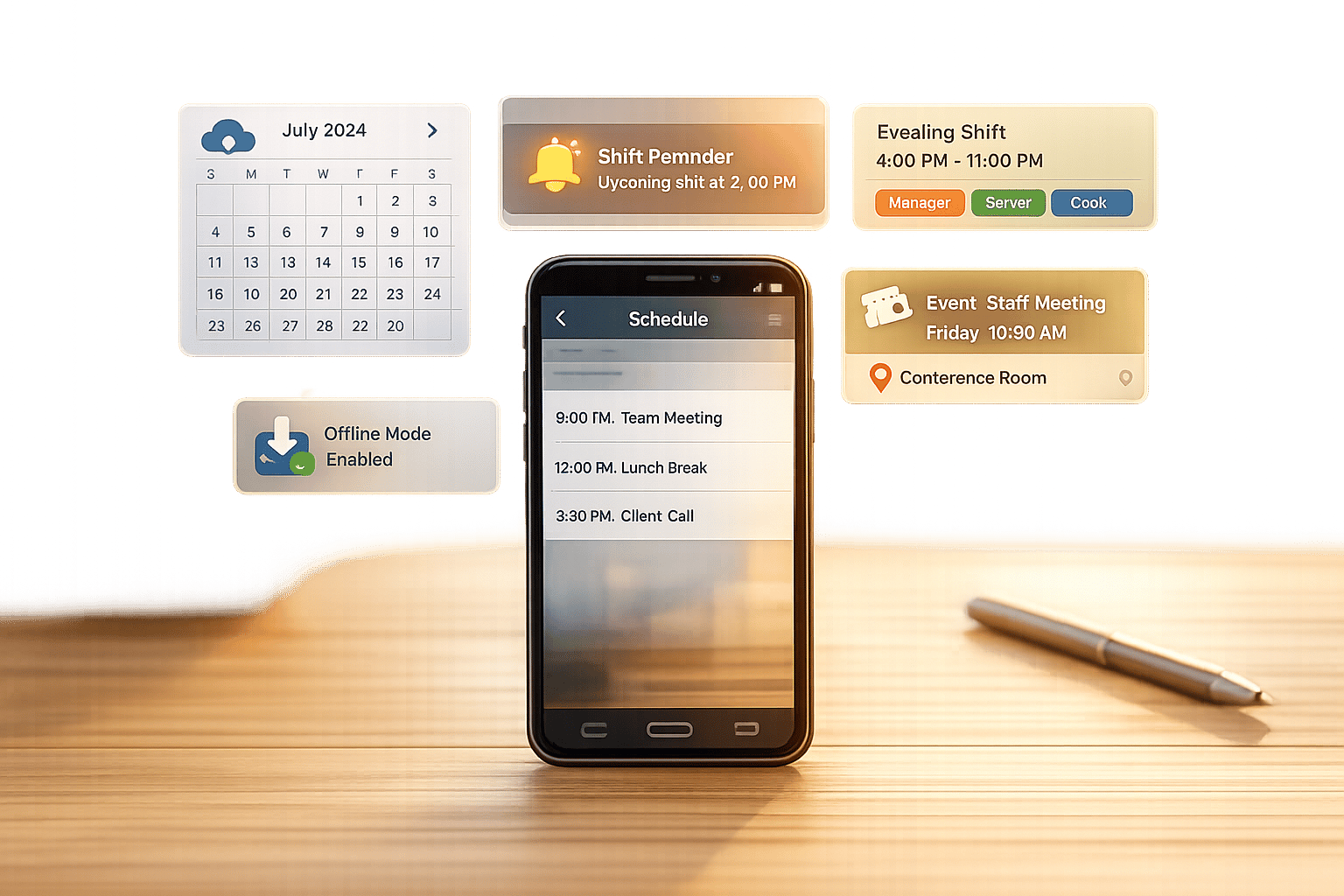
Managing event staff schedules just got easier. Mobile scheduling platforms help streamline shift planning, improve communication, and reduce errors. These tools save managers time and empower employees with self-service options like updating availability, trading shifts, and receiving instant updates.
Key features to consider:

Essential Features of Mobile Scheduling Platforms for Event Staff
When it comes to mobile scheduling platforms for event staff, some features can make a huge difference in how effectively they function. With the right tools, managers can save around 6 hours each week by giving employees the ability to handle their own availability and appointments. Let’s dive into the features that are essential for improving efficiency and keeping event operations running smoothly.
Seamless calendar syncing is a must. Two-way integration with tools like Google Calendar, Outlook, and iCal ensures that any updates - whether made by staff or managers - are reflected instantly. This prevents issues like double-booking or outdated schedules. For example, when a staff member blocks time on their personal calendar, the scheduling platform automatically adjusts to reflect that change.
Jennifer Manley, a Staffing Coordinator, highlights the value of this feature:
"The calendar makes it really easy for me to see what my week looks like. The sorting function helps me isolate events more effectively".
Managers also benefit from multi-staff calendar views, which let them quickly assess staffing levels across various events and locations. And because the syncing is cloud-based, any schedule changes are instantly pushed to mobile devices, keeping everyone on the same page.
Automated reminders are a game-changer, cutting down appointment no-shows by up to 75%. These alerts - whether sent via SMS, email, or push notifications - ensure that both staff and managers stay on top of upcoming shifts, last-minute updates, and schedule changes.
Customizable reminders, like those sent 24 hours and 1 hour before a shift, help keep assignments front and center. Including critical details such as venue locations and role requirements ensures staff arrive ready to perform. For operations prone to last-minute changes, push notifications are vital for keeping everyone informed. Some platforms even go a step further by sending no-show alerts to managers, enabling them to address common scheduling problems immediately.
Real-time visibility into staff availability is key to avoiding scheduling conflicts. By allowing employees to update their working hours, submit time-off requests, and block out dates directly through their mobile devices, managers get accurate, up-to-date information for assigning shifts.
Role-based scheduling takes this a step further by matching the right person to the right task. Whether you need bartenders, security personnel, or sales leads, this feature ensures that roles are filled with qualified individuals. Automated waitlists also come in handy when primary staff members are unavailable, filling open shifts quickly and efficiently. Platforms with these capabilities can even boost profits by up to 30%.
When it comes to managing events, staying connected in real time is non-negotiable. Event professionals are constantly on the move - juggling venues, coordinating staff, and dealing with last-minute surprises. That’s why mobile-specific features go beyond being a luxury; they are critical for keeping everything on track.
A mobile app should offer the same capabilities as the desktop version. This means managers can handle tasks like approving requests, managing shifts, and checking schedules no matter where they are. For staff, mobile access allows them to check their schedules, update availability, and receive notifications instantly. Considering that 80% of the global workforce operates without a desk - think event venues, retail spaces, or construction sites - mobile functionality plays a big role in keeping operations efficient.
Offline access is another must-have. When cell service is spotty, data caching ensures staff can still view shift details. Push notifications with read receipts also help confirm that updates are seen and acknowledged promptly.
When mobile access is seamless, it sets the stage for an easy-to-navigate interface.
A complicated app can slow things down, especially for temporary event staff who need to get the hang of it quickly. Ideally, basic tasks like viewing shifts, submitting availability, or requesting swaps should be learnable within 15 minutes.
As CrewHR Resources puts it:
"Desktop-first tools assume you have a reliable internet connection, a physical keyboard, and twenty uninterrupted minutes to build a roster. Mobile-first tools assume you are standing in a stockroom, holding a coffee, operating with one hand, and facing interruptions." – CrewHR Resources
The best mobile interfaces are designed for quick, one-handed use. Actions should take no more than three taps. Features like color-coded shifts, drag-and-drop tools, clear menus, and integrated search options make navigation effortless. Tools like Quickstaff demonstrate how a well-thought-out mobile interface can help both managers and staff handle scheduling tasks efficiently, cutting down on time spent troubleshooting or training. This ensures event staff scheduling is quick and easy for the whole team.
Building on scheduling features, additional tools can simplify event management even further. A well-rounded platform helps you handle event creation, communication, and tracking - all from one place. This reduces administrative work and keeps operations running smoothly.
Creating recurring events shouldn’t mean starting from scratch every time. Tools that allow event duplication make it easy to copy previous events - complete with staff assignments, roles, and other details. You can then tweak dates or specifics as needed. To avoid mix-ups, look for platforms that include automated duplicate detection to prevent accidental redundancies. Long-term data storage is another must-have, letting you access and reuse past event details whenever necessary. These features work hand-in-hand with scheduling tools to improve overall efficiency.
Keeping all event-related communication in one place is key. In-app messaging ensures conversations stay organized and easy to access. Custom booking forms can gather critical details upfront, like dietary restrictions, certifications, or availability windows, so your team is ready for anything. Branded booking pages with unique URLs can also boost your professionalism and build trust with clients. As Reservio points out:
"Having a way of notifying your team of created or upcoming bookings can reduce errors on your side and significantly improve your customer experience".
A unified dashboard gives you a bird’s-eye view of all your events, helping you spot issues like resource conflicts or double bookings before they become problems. Much like real-time mobile updates, these dashboards provide a comprehensive snapshot of your operations. Kelly from The Abbot KC shared:
"The time that we have been able to save by using this staff scheduling software has allowed us to tackle the other issues that we face thereby improving our overall events!".
Centralized tracking also delivers valuable insights, such as peak times, popular services, and staff performance trends. These data points enable smarter decision-making for future events. Quickstaff demonstrates how combining schedules, staff information, and communication in one place can help event businesses regain control and clarity.
Pick tools that cut down on manual tasks and help your team stay connected. Features like calendar syncing and automated reminders can prevent double-bookings and no-shows, while mobile access lets you manage schedules on the go - whether you're at the venue, in the office, or somewhere in between.
Beyond that, real-time updates, self-service options, and centralized tracking can replace messy spreadsheets and scattered group chats with one reliable system. Managers using these tools have reported saving up to 6 hours a week on administrative tasks, giving them more time to focus on running successful events.
Customizable communication tools and role-based scheduling also ensure that the right details get to the right people instantly. This keeps event-related conversations clear, organized, and easy to access, helping reduce mistakes and boost accountability across your team.
Key features for scheduling event staff focus on adaptability, mobile access, and streamlined processes. With adaptable scheduling, shifts can be quickly created or adjusted to accommodate changing event requirements. Mobile access ensures staff can check schedules and updates anytime, keeping everyone informed. Tools like QR code or self check-in make attendance tracking easy, providing real-time updates and minimizing manual work for a smoother workflow.
Most scheduling apps rely on an internet connection to provide real-time updates and access to your schedules. That said, some apps might let you view previously loaded schedules or use basic features without being online. It’s worth checking your app’s settings or documentation to see if offline access is available.
Scheduling software can be a game-changer when it comes to avoiding double-bookings and no-shows. Features like automated reminders and notifications ensure staff stay informed and can confirm their attendance ahead of time. With real-time updates and flexible scheduling, conflicts can be spotted and resolved quickly.
On top of that, tools such as self check-in or QR code check-in make attendance tracking a breeze. These options allow staff to confirm their presence effortlessly, cutting down on missed shifts and keeping everything running smoothly.





