How to Assign Event Staff by Venue and Distance
August 22, 2026

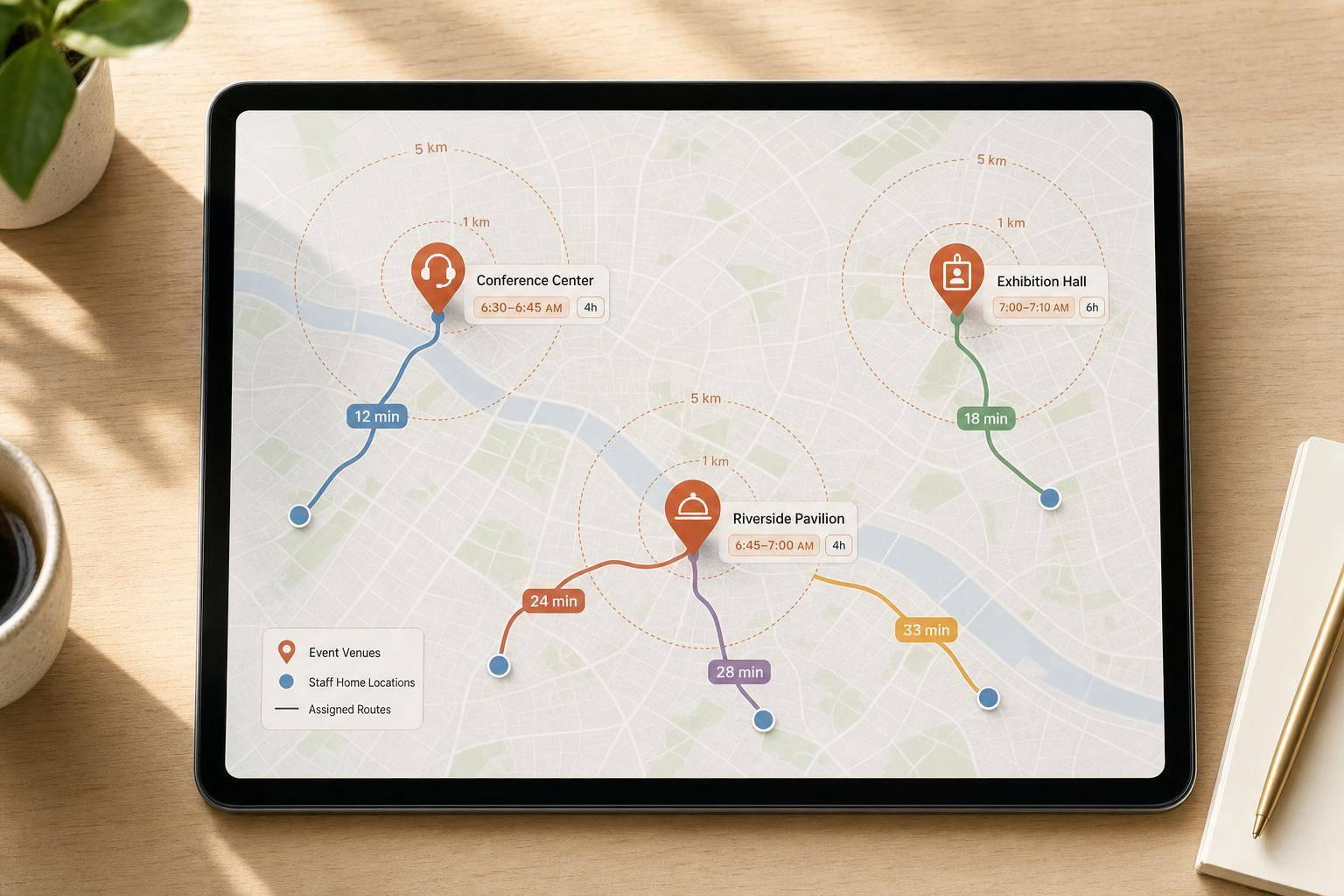
The short answer: I assign event staff in this order: role fit, commute time, arrival window, shift length, and venue access. That cuts down on late arrivals, weak shift coverage, and staff driving too far for too little pay.
If I had to boil the whole process down, it would look like this:
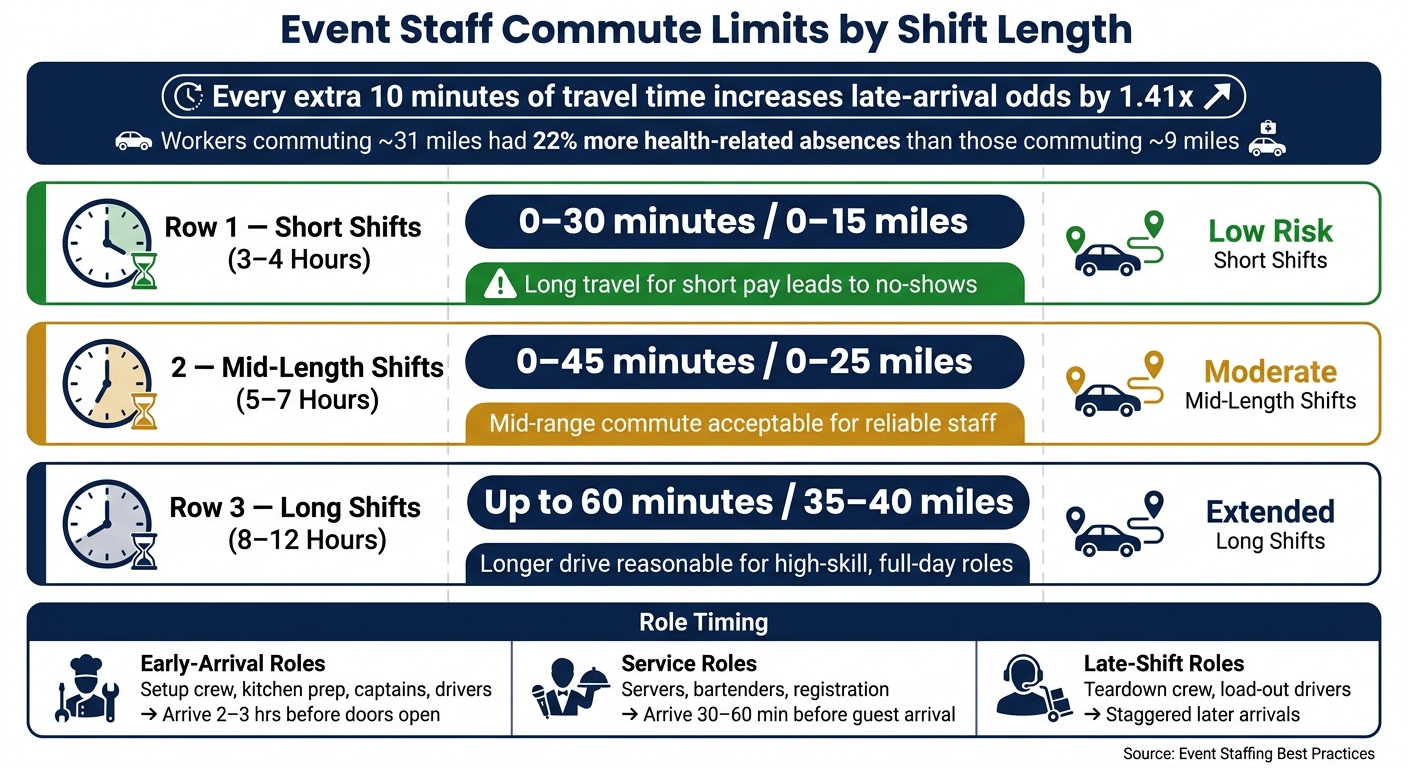
A few numbers make the point fast. A worker with a one-way commute of about 31 miles had 22% more health-related absences and 30% more other absences than someone commuting about 9 miles. And every extra 10 minutes of travel time can increase late-arrival odds by 1.41x. Using tools for last-minute scheduling can help mitigate these risks when gaps occur.
So when I build a schedule, I don’t just ask, “Who’s free?” I ask:
Here’s the simple rule set I’d use:
I’d also watch timing by role:
Bottom line: the best staffing plan is a repeatable, scalable event scheduling system. If I keep the same five inputs in front of me - venue, home base, drive time, arrival window, and role fit - I can make better assignments with fewer same-day problems.
Let’s get into the full process.
Event Staff Commute Limits by Shift Length
Before you build a schedule, start with two things: a clean venue record and an up-to-date staff profile. That groundwork matters because it helps you assign the nearest qualified person to each shift instead of guessing and fixing problems later.
For every venue, log the full address, call time, load-in point, parking or drop-off instructions, access notes, and work zone. Big properties like hotels, estates, and convention centers often have more than one entrance. If someone shows up at the wrong door, they can burn a lot of time just trying to reach the work area.
It also helps to note if staff need to walk across a large property, take elevators, or move between buildings. Small detail? Not at all. Those extra steps can turn an on-time arrival into a late clock-in. When you keep this in the venue record, you can spot harder arrivals before you assign the shift.
Use the same fields for every venue. Stick to the same U.S. date and time format too - for example, August 23, 2026, 3:00 p.m.. That way, you can scan records fast and compare locations without retyping or second-guessing details. It also makes venue records much easier to reuse for one-day, weekend, and recurring schedules.
Each staff profile should include the worker’s usual home base, any secondary base such as a commissary or warehouse, and a commute limit in minutes, with miles as a backup field. If they often start from another location, save that regular alternate start point too.
Set commute limits by role, not just by map distance. A short banquet shift may need a tighter limit than a full-day setup or a multi-day event. For instance, you might cap travel at 45 minutes or 25 miles one way, depending on local traffic. The point is simple: use the limit to screen out assignments that lead to long, avoidable trips.
There’s data behind this. Each additional 10 minutes of travel time raises late-arrival odds by 1.41x. So if a staff member moves or changes transportation, update the profile right away. Waiting on that update is one of those small admin misses that can cause a messy shift later.
A basic spreadsheet is enough here. Use five columns:
For example, a server in ZIP code 10019 might be 8.4 miles and 22 minutes from a Manhattan hotel venue, while another qualified server is 19.7 miles and 48 minutes away.
Use drive time, not straight-line distance. That’s the number that affects whether someone can get there on time. And if the call time lands during weekday morning or late-afternoon rush hour, adjust the estimate to match traffic conditions.
Once you have the matrix, use it to rank the closest qualified staff before you weigh role fit and shift length. Sort by drive time first, then match the closest qualified staff to each role.
Once your distance matrix is set, map each role's timing needs before you worry about who lives closest. Distance helps trim the list, but timing is the next gate. In this step, three things matter most: role fit, shift length, and arrival window.
Group staff into three timing buckets based on when they need to be on site.
Early-arrival roles include setup crew, kitchen prep, event captains, and drivers moving equipment. These roles usually need to arrive 2–3 hours before doors open. For a 6:00 p.m. plated dinner, that can mean kitchen prep cooks and dish staff arriving around 1:30–2:00 p.m., with setup crew and lead servers following at 3:30–4:00 p.m.
Service roles like servers, bartenders, barbacks, and registration staff usually arrive 30–60 minutes before guest arrival. They need time to set stations, get briefed, and be ready when guests walk in. Late-shift roles - such as teardown crew and load-out drivers - can arrive closer to the end of the event or come in on a later stagger.
For captain and registration roles, assign your most punctual staff. Those jobs don't leave much room for late arrivals.
After role timing narrows the list, use shift length to decide how far each person should travel.
| Shift Length | Target Commute | Notes |
|---|---|---|
| 3–4 hours | 0–30 min / 0–15 miles | Long travel for short pay leads to no-shows |
| 5–7 hours | 0–45 min / 0–25 miles | Mid-range commute is acceptable for reliable staff |
| 8–12 hours | Up to 60 min / 35–40 miles | Longer drive is reasonable for high-skill, full-day roles |
Use these bands to rank borderline assignments after role fit is confirmed.
Here's the plain logic: a 3-hour cocktail party is rarely worth a 50-minute drive for a server. They'd spend almost as much time in the car as on the clock, and that's a recipe for no-shows. On the other hand, a trusted lead captain on a 10-hour wedding day can usually manage a 45–55 minute drive because the commute is spread across a full shift.
Build arrival times by working backward from the event's anchor points: guest arrival, doors open, service start, and event end. Then assign each role a fixed offset from those moments.
Stagger arrivals in 15–30 minute blocks. That helps avoid loading dock pileups, gives leads time to get oriented before the full crew arrives, and cuts down on idle labor hours, one of the many benefits of using event staff scheduling software.
For a 6:00 p.m. guest arrival, one practical sequence looks like this:
Write these offsets down as standard templates by event type so managers use the same call times each time. Once roles and arrival windows are locked in, you can sort qualified staff by distance and availability. This process is made quick and easy when using a system designed for high-volume event logistics.
Use the role windows and commute limits you already set to rank qualified staff for each event. Once role timing and commute limits are in place, turn that setup into actual assignments.
Start with all events for the day and group them by venue. That way, events at the same location stay together instead of getting scattered across your schedule.
Then break each event into clear roles, such as lead server, bartender, setup crew, or captain. For each role, note the start and end times, guest count, and any special requirements. This gives you a clean view of what each job calls for.
Next, filter by the non-negotiables first:
Only after you have a role-qualified list should distance come into play. Use Quickstaff role tags and skills so this step stays consistent from one event to the next.
From there, rank the qualified list by travel time.
Once you have a qualified list, sort staff by drive time, then use miles as the tie-breaker. After that, apply the commute limit for that role.
For critical roles, put experience and venue familiarity first. Then pick the closest qualified person who still falls within your commute limit. For support roles, start with proximity among qualified staff and move outward only when you need to fill gaps.
Before you lock anything in, check event staff availability, conflicts, travel time, and venue access.
First, confirm the staff member is available and not already booked for another event that day. Second, make sure no one is being sent between two far-apart venues without at least a 45- to 60-minute buffer between the end time and the next call time. Third, flag any back-to-back assignments that ignore travel and breakdown time. A staffer whose end time and next call time leave no room to move is a late arrival waiting to happen.
In busy metro areas, add extra travel time for traffic, parking, check-in, and venue access.
Before publishing, add travel buffers and send final call times.
Once you've ranked staff by role fit and distance, the next step is simple: build time cushions and spell out the details. That’s what keeps a schedule from falling apart the moment traffic, parking, or a slow elevator gets in the way.
After you rank staff by distance and role, add buffer time so the schedule works in normal conditions, not best-case ones. That travel block should account for parking, walking, security, and elevator delays too.
A good starting point:
Plan for normal delays, not ideal traffic.
Also, block travel time separately. That matters more than it sounds. If a server finishes a shift at 6:00 p.m. in suburban New Jersey and the next call time is 7:00 p.m. in Midtown Manhattan, that one-hour gap is not a buffer. It’s a late arrival waiting to happen.
Before you publish the schedule, review every assignment that goes past your commute limit. Look closely at roles tied to long drives, rush-hour routes, critical positions, or staff with a weak punctuality record.
If something looks shaky, fix it before it becomes a same-day problem. You can:
Those cases also give you a useful paper trail. If the same route or venue keeps causing issues, tighten future assignments around that pattern.
Once the role is assigned, send staff the exact details they need to arrive at the right place, at the right time, through the right door. Every assignment should include a clear info set they can read on their phone without digging around.
| Detail | Example |
|---|---|
| Venue | Grand Oaks Ballroom, 1234 Main St, Dallas, TX 75201 |
| Call Time | 4:30 p.m. |
| Shift End | 11:00 p.m. |
| Parking | West Garage, $10 cash or credit; 5-min. walk to service entrance |
| Access | Gray door on Elm St. labeled "Deliveries"; freight elevator to Floor 3 |
| Role | Lead Bartender - manage bar setup, oversee 2 bartenders, handle signature cocktail service, close bar at 10:45 p.m. |
State call time and door time separately. When staff mix those up, they often show up just as guests do, which leaves no room for setup.
For critical roles, set a call time 15 to 30 minutes earlier than the rest of the team.
Quickstaff's centralized event management and messaging make it easy to send one clear assignment, plus timed reminders before call time. Send one reminder 24 hours out and another 2 to 3 hours before call time.
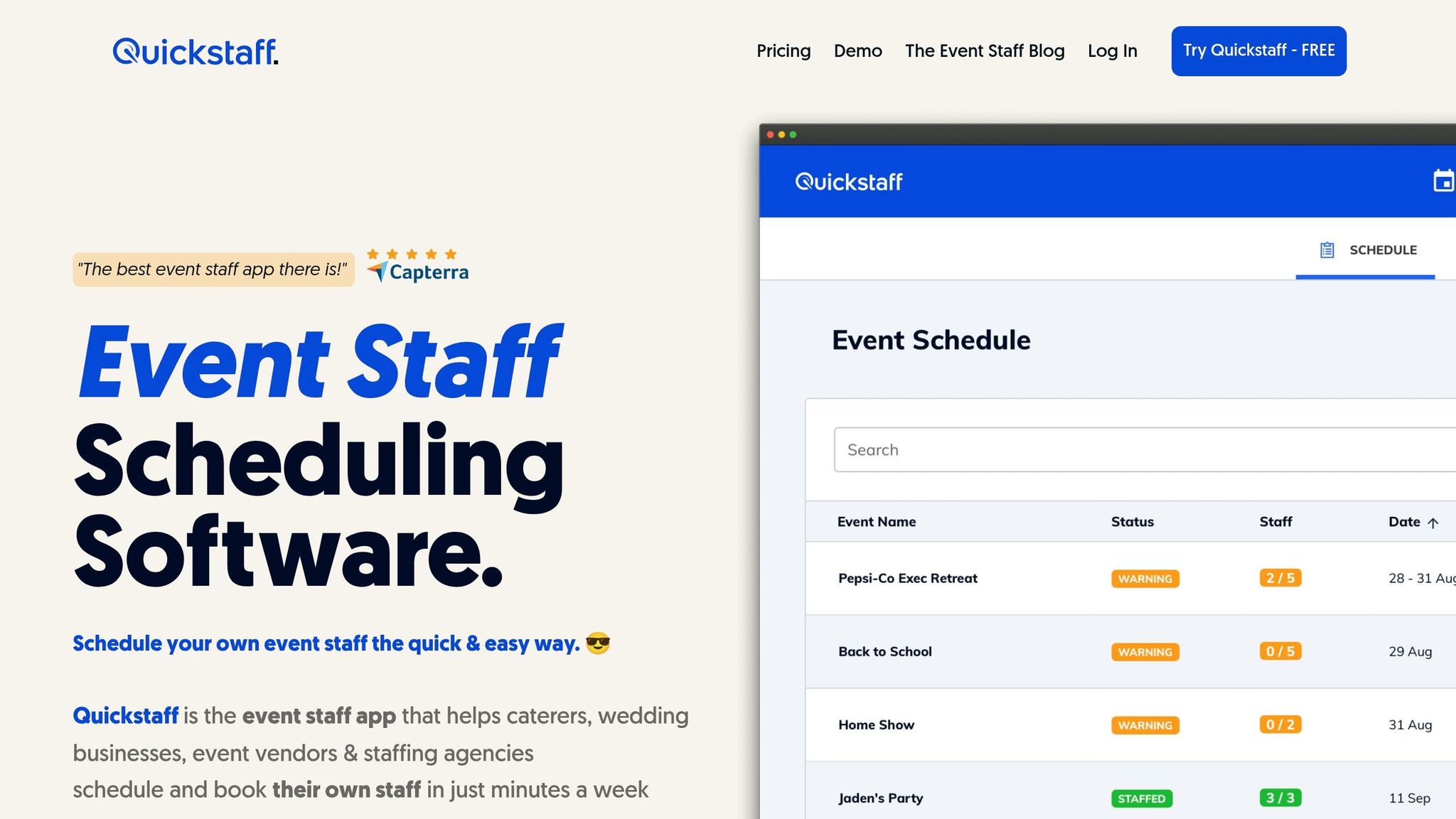
Distance-based staffing works best when you stick to the same rules every time you build a schedule: venue location, home base, travel time, shift length, arrival window, and role fit.
The key is consistency. Put those inputs into the same assignment process on every schedule to solve common scheduling problems so your team isn't guessing from one event to the next.
Use the same five inputs, rank qualified staff by distance, use shift length to decide how much travel makes sense, and review any high-travel assignment before publishing.
A central scheduling tool makes that easier to repeat. Quickstaff keeps scheduling, availability, waitlists, reminders, and event details in one place.
Use that same process on your next schedule.
Use Quickstaff to make an objective choice based on your current priorities.
If both staff members are eligible, balanced mode can help spread shifts more evenly and cut down on burnout.
If travel distance or late arrivals matter more, compare their home base, attendance history, real-time availability, and past performance to see who fits that venue better.
If no qualified staff are within your commute limit, don't force a bad assignment. Quickstaff can leave those shifts open and flag role or location gaps so they're easy to spot.
From there, you can widen the search by updating role or location tags and availability windows. You can also use waitlists or backup staffing to fill the gap. And if you're on the go, check live availability on mobile and invite only qualified staff to the open role and shift.
Update staff home base and travel data often so your rosters stay accurate as bookings and availability change. It’s also smart to run a weekly gap check against your capacity.
Keeping these details current in Quickstaff helps you maintain accurate records and compare forecast demand with your actual staff pool before scheduling issues show up.