Event Staff Onboarding Checklist by Role
September 25, 2026

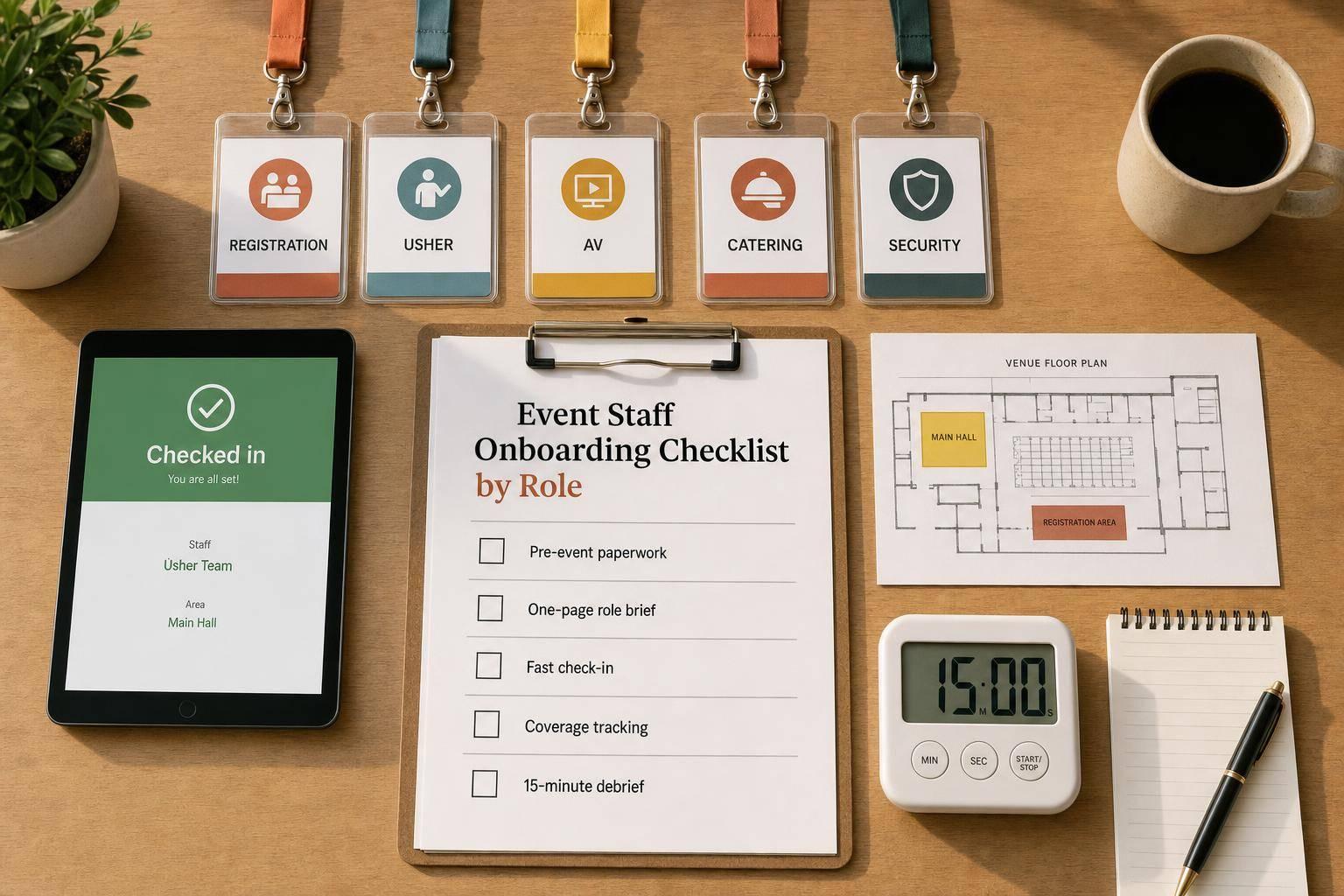
If event staff arrive without role details, check-in slows down, coverage slips, and guest issues stack up fast. I’d fix that with one role-based checklist for every job: duties, paperwork, uniform, arrival time, access, supervisor, backup contact, and shift notes.
Here’s the short version:
The article also breaks this down by role, including:
A few numbers stand out. For many event teams, a supervisor-to-staff ratio of 1:15 to 1:20 works well. For high-contact roles like VIP service, 1:10 is a better target. And keeping a standby pool of 5% to 10% above planned headcount can help cover no-shows.
I’d treat the whole process as one simple system: prep before arrival, clean check-in, clear coverage during the shift, and a fast closeout at the end.
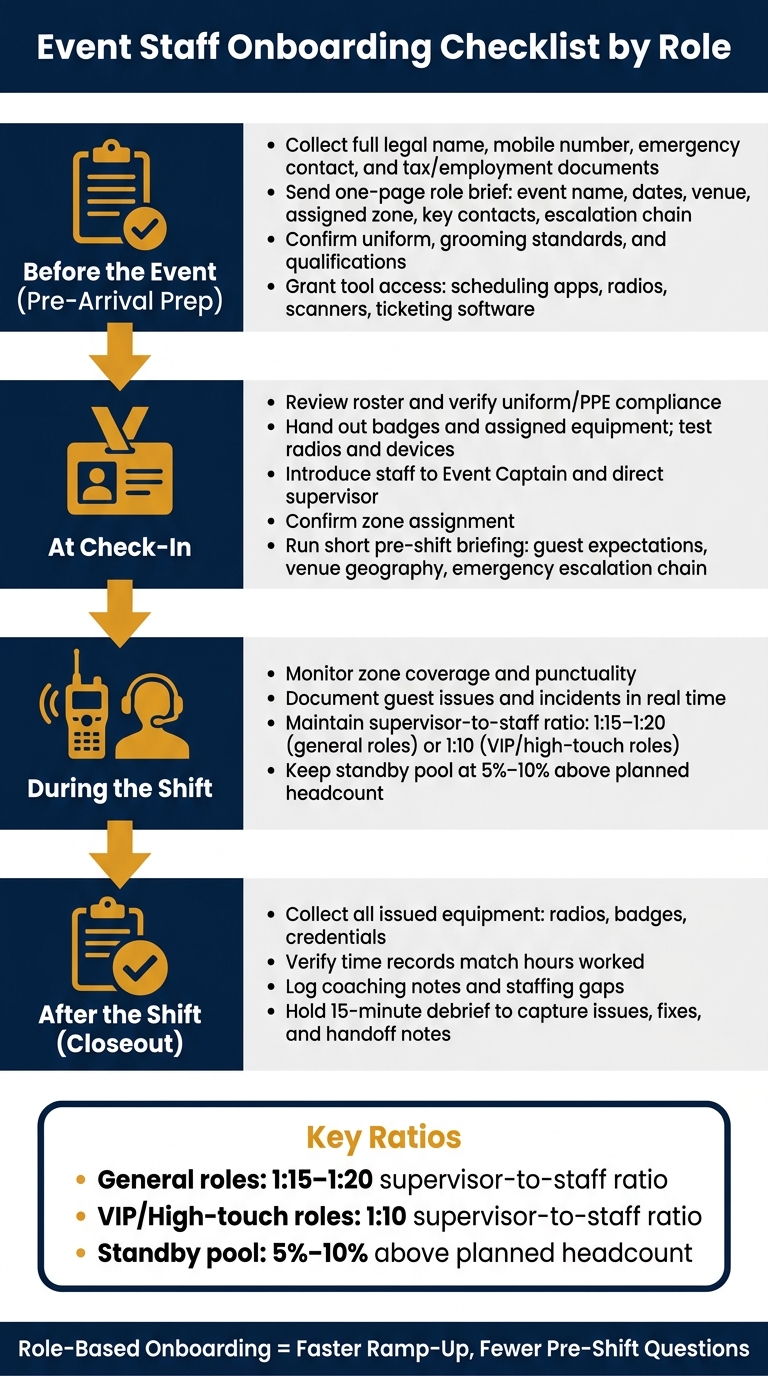
Event Staff Onboarding Checklist: From Pre-Event Prep to Post-Shift Closeout
Use the shared checklist above as your starting point, then layer in these steps for every event role.
Get the paperwork done before staff arrive. If you collect documents through tools like DocuSign or Workbright, your pre-shift briefing can stay centered on the event itself instead of turning into admin time.
Each staff member should send in their:
Do this well before the event date.
Once paperwork is cleared, send a short one-page event brief. It should include the event name, dates, venue, assigned zone, key contacts, escalation chain, and shift priorities. This gives people the basics without burying them in extra detail.
It also helps to confirm qualifications and uniform and grooming standards during the pre-hire phase, not on event day. That saves awkward last-minute fixes. After that, give staff access to the tools they need for the role, whether that's scheduling apps, communication tools, radios, scanners, or ticketing software.
Use Quickstaff to keep schedules, availability, reminders, and waitlists in one place.
When staff check in, confirm the basics before sending anyone to a zone. Review the roster, make sure each person's uniform or PPE matches the dress code, and hand out badges plus any assigned equipment. Test radios and devices before the shift starts. It's a lot easier to fix dead batteries at check-in than in the middle of guest traffic.
Introduce each staff member to the Event Captain and their direct supervisor, then confirm their zone assignment. Keep the pre-shift briefing short and sharp. Cover guest expectations, cultural courtesies, venue geography, the assigned zone, key contacts, and the emergency escalation chain.
A clear escalation chain matters for a simple reason: every staff member should know who to go to when something is outside their scope, and who that person goes to next. For most event setups, a supervisor-to-staff ratio of 1:15 to 1:20 works well for general roles, while high-touch positions like VIP hospitality call for a tighter 1:10 ratio. You can also use an event staffing needs analyzer to calculate the perfect count for your specific tasks.
Once staff are in place, keep the checklist centered on coverage, incident tracking, and handoff. During the shift, the main job is monitoring zone coverage and punctuality. If a guest issue or incident comes up, document it in real time. Don't leave it to memory at the end of a long shift.
When the shift wraps up, collect all issued equipment, including radios, badges, and credentials. Check that time records match the hours actually worked, and log any coaching notes or staffing gaps. Then hold a 15-minute debrief to capture issues, fixes, and handoff notes.
Start with the shared checklist above. Then layer in the items each role needs on top of it.
For these planning-heavy roles, the standard brief should include a few extra details: client tone, three measurable KPIs, what the first 30 minutes of the shift look like, the reporting line, and a must-not-do list.
For Event Managers, put extra weight on event flow and escalation. They need to know how the event should move from one phase to the next, where pressure points are likely to show up, and when to step in.
For Staffing Coordinators, the focus shifts to roster accuracy, attendance tracking, and event staff availability tracking. They should send final confirmations and reminders, and keep a standby pool of 5% to 10% above expected headcount to cover no-shows. They also need clear escalation paths across app, phone, and in-person channels so there’s no confusion when staffing issues hit at the worst possible moment.
Here, the checklist should move from planning into on-site execution. That means tighter instructions, less guesswork, and more clarity around guest interactions.
For setup crew, add a site orientation that covers:
For registration staff, include short training on guest greeting protocols, escalation steps, translation tools, emergency response, and prohibited behaviors. Run one brief scenario drill that covers agitated guests, language barriers, and VIPs at the wrong gate. That kind of quick practice can save a lot of scrambling later.
For guest services, brief staff on translation tools and courtesies such as eye contact and personal space norms. Small details matter here. A simple interaction can go smoothly or sideways based on how comfortable the guest feels.
These guest-facing and control roles need tighter rules around escalation, coverage, and issue ownership.
For catering and hospitality, the checklist should center on high-touch service, allergen escalation, and order accuracy. Be clear about who owns guest concerns and how allergy issues move up the chain. Professional appearance and conduct are required.
For security, ushers, and other crowd-facing staff, the checklist should spell out zone clarity, emergency response, prohibited behaviors, allergen escalation where it applies, and reporting lines from supervisor to Event Captain. Every role brief should also name one single point of accountability for unresolved issues, so staff know exactly where problems land when they can’t fix them on the spot.
Turn the role checklist above into a one-page brief and shift-day control sheet. Use the same format for every assignment.
That one-page limit matters. It forces you to strip out the fluff and keep ONLY the details people need for that shift.
Keep it to one page. That constraint forces you to include only what matters for that shift.
| Category | Required Fields |
|---|---|
| Logistics | Staff name, role, event date, venue, assigned zone, local time zone |
| Timing | Shift start, expected arrival, break window, shift end |
| Chain of Command | Immediate supervisor, escalation contact (Event Captain), radio, phone, or app |
| Operational Details | First task (first 30 minutes), required equipment, dress code, venue-specific reminders, two or three must-never-do items |
| Performance | Three measurable KPIs, client tone, non-negotiable behaviors |
Use Quickstaff to sync role briefs with current assignments, confirmations, and reminders in one place.
That way, the brief stays tied to the roster, and supervisors are all working from the same live information. If a shift changes, the brief changes with it. No guesswork. No old versions floating around.
Before anyone shows up onsite, they need the same basic information: paperwork, arrival time, uniform notes, tool access, duties, and key contacts. If any of that is missing, check-in slows down and the shift can start late. That simple setup is what makes role-based onboarding work.
Role-based onboarding helps people get up to speed fast without cutting out context they still need. That’s the whole point of a role-specific onboarding checklist. It leads to faster ramp-up and fewer pre-shift questions.
A structured process keeps onboarding fast and consistent. For event managers and staffing coordinators, that means each staff member arrives knowing their zone, their supervisor, and their first task. Quickstaff keeps role briefs, confirmations, and reminders connected to the live roster through efficient event staff scheduling. When the roster stays current, the checklist stays useful on event day.
A good checklist also helps staff make better calls, represent the client brand well, and resolve issues faster.
Use a clear timeline that starts 7 to 5 days before the first shift.
A standard flow looks like this:
In high-volume settings, this process may be compressed into 4 to 8 hours.
A one-page role brief should be clear, direct, and easy to scan.
Include the event name, date, purpose, location, assigned area, staff role, schedule, and key logistics such as site maps, parking, and equipment checklists.
It should also cover brand tone, the escalation chain, communication protocols, three measurable KPIs, what success looks like, the first 30 minutes of the shift, and prohibited tasks.
Keep a standby pool equal to 5% to 10% of your total team. That usually gives you enough coverage for last-minute cancellations, no-shows, or sudden schedule changes.
Quickstaff can help you manage backup waitlists and fill open spots fast with qualified replacements.