Event Protocol Gaps: 7 Fixes For Onboarding
July 23, 2026

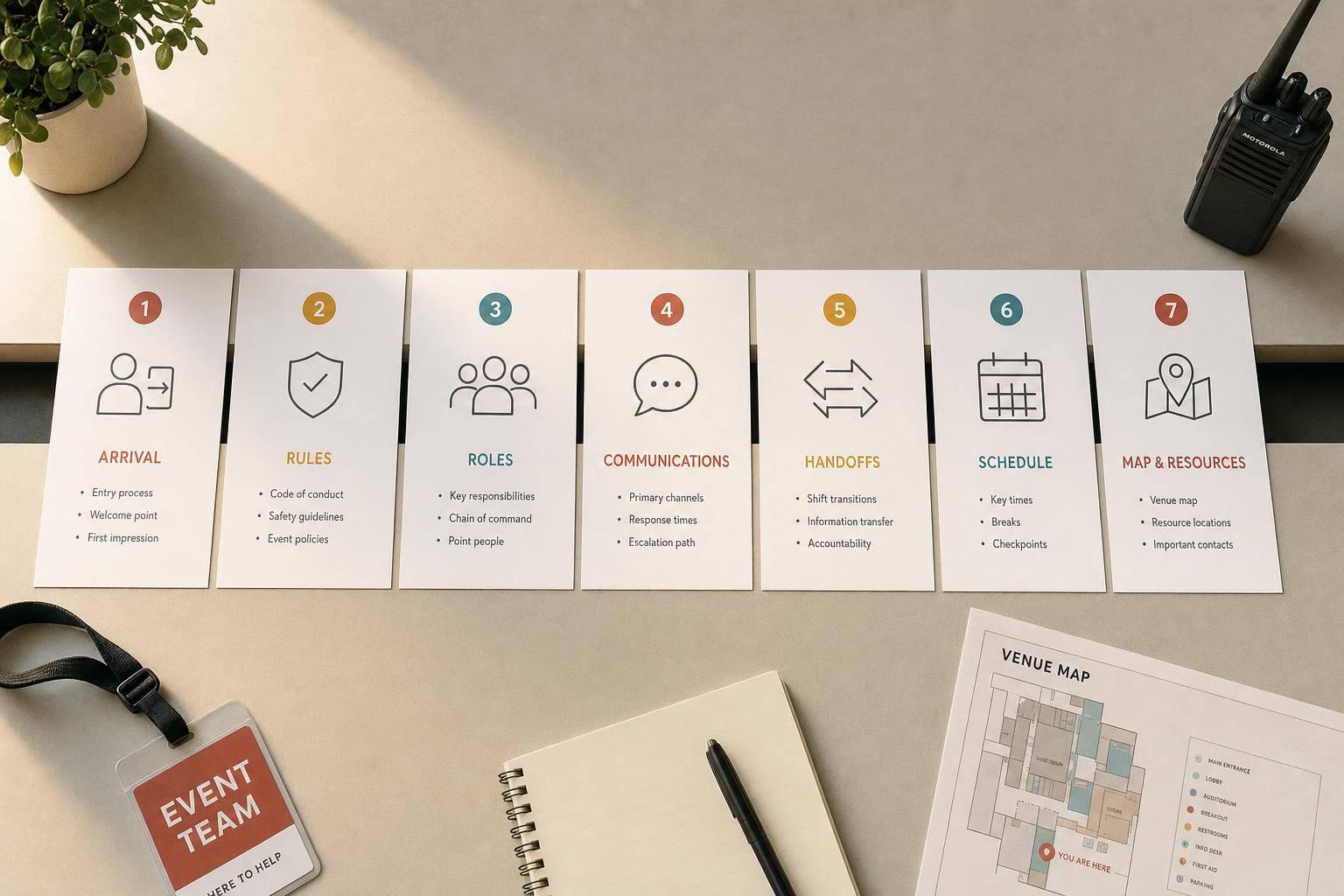
Most event shift problems start before the shift starts. In this piece, I’d sum up the fix like this: give staff 7 simple written tools before call time so they know where to go, what rules matter, who they report to, what the client wants, how updates work, and what to do once service starts.
If I had to boil the article down into one checklist, it would be this:
The core idea is simple: small misses create big event-day problems. A missing service entrance can delay setup. When gaps occur, having tools for last-minute scheduling ensures you can still fill shifts quickly. A skipped alcohol rule can create legal trouble. A buried client note can lead to comped items, overtime, or guest complaints. For teams that use temp staff, this matters even more because those workers can’t rely on site memory.
A scalable event scheduling process helps cut guesswork. And the article makes a clear split between HR onboarding and shift onboarding: paperwork gets people hired, but event protocol gets people ready to work the floor.
Quick Comparison
| Fix | Main gap | What it adds | When to use it |
|---|---|---|---|
| Arrival instructions | Staff don’t know exactly where to go | Address, entrance, parking, check-in, contact | At confirmation and again 24 hours before |
| Venue rules one-sheet | Rules are passed around by word of mouth | Dress code, access, safety, alcohol, house rules | 24–72 hours before shift |
| Written handoff notes | Mid-event crew changes lose context | Status, changes, open issues, incident notes | Last 15–20 minutes of outgoing shift |
| Roles and reporting map | Staff don’t know who owns what | Zones, job duties, supervisor line | 24–48 hours before event |
| Client preferences brief | Client details stay buried in emails | VIP notes, allergies, tone, non-negotiables | 48–72 hours before event |
| Event-day communication protocol | Too many people give directions | One contact, one channel, backup, escalation rule | At shift confirmation and pre-shift |
| First-shift follow-up | Leads assume silence means all is fine | Short supervisor check-in script | 20–30 minutes into shift |
I see the article’s main point as this: event onboarding should work like a repeatable floor process, not just a hiring step. When each handoff is written down and sent at the right time, teams make fewer mistakes, service stays on track, and supervisors spend less time putting out fires.
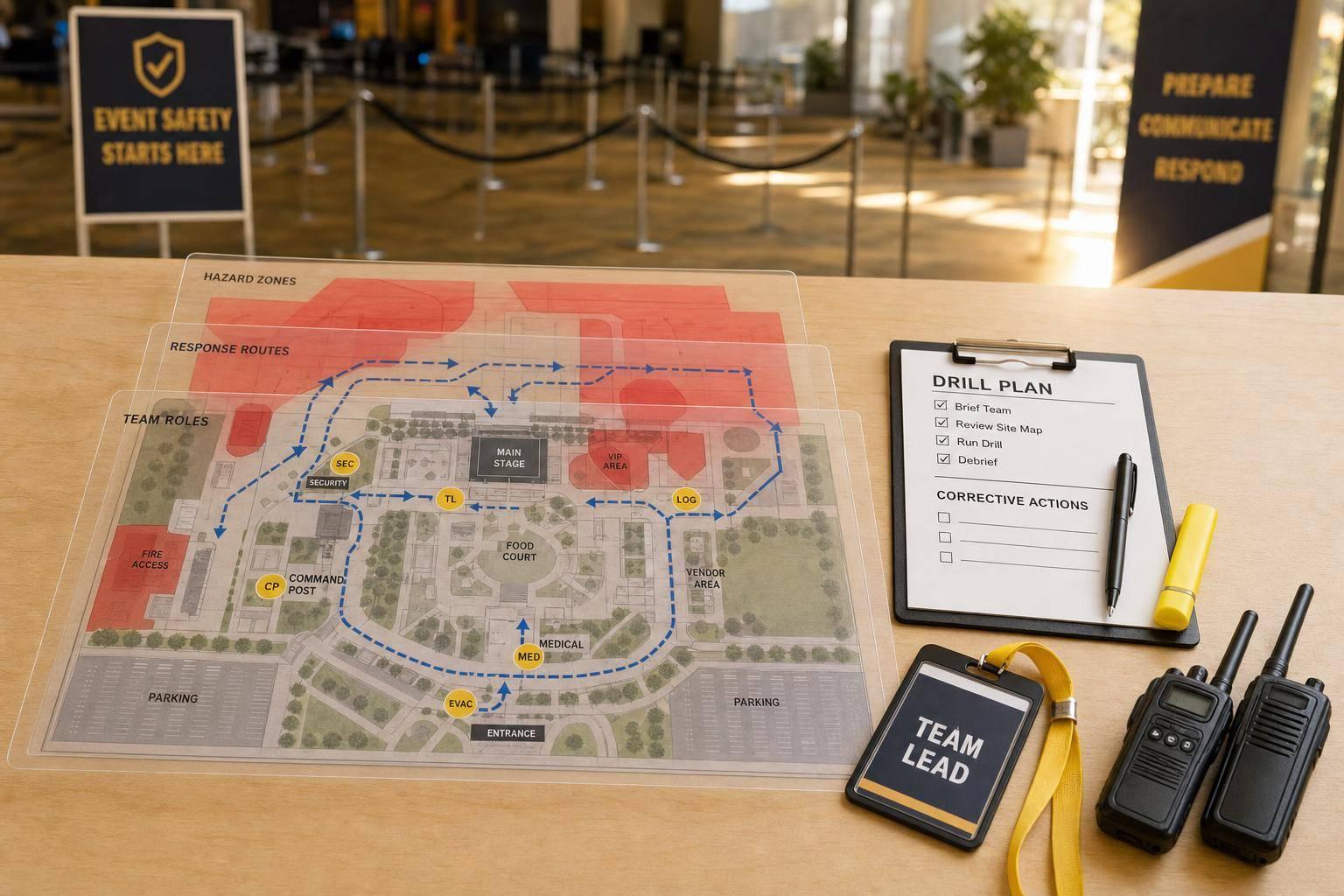
Treat event onboarding like an operations job, not a paperwork exercise. HR handles compliance. Operations handles what happens on the floor: who reports where, when they arrive, and how service is supposed to run. When onboarding gets stuck inside the HR process, details like door assignments, back-of-house traffic flow, and service timing slip into the background when they should be front and center.
That split matters most when the clock is tight. A ballroom event might have a 4:30 p.m. call time, doors at 6:00 p.m., and a hard out at 11:30 p.m. That leaves almost no room for mix-ups. If staff only get “Hotel Grand – 4:30 p.m.” instead of the service entrance, freight elevator, and check-in point, setup can stall before guests even walk in.
Venue rules create another kind of problem. If onboarding leaves out ID checks, bar cutoffs, and hosted-vs.-cash bar procedures, staff can break policy without meaning to. Then the venue has to step in during the event, which is the last thing anyone wants.
Weak handoff notes and fuzzy role assignments make it worse. A last-minute timeline change that never reaches the floor team means service keeps moving on the old schedule. If staff don’t know whether they’re covering the main dining room, the VIP lounge, or the silent auction area, they drift to wherever looks busiest and leave other zones uncovered. Once the event staff scheduling shifts, that confusion spreads fast.
Temporary staff feel these gaps first and hardest because they don’t have site history to lean on.
These are the gaps the next seven fixes close before call time.
Most arrival issues don’t happen because staff are careless. They happen because communicating with event staff is too thin. If someone gets a note that says only "Hotel Grand, 4:30 p.m.", they still have to guess the right entrance, where to park, and where check-in happens. That guesswork is where problems start.
The fix is simple: use one standardized arrival sheet for every event.
Clear arrival instructions help cut late arrivals, delayed setup, and that awkward pre-event confusion clients can see right away.
Use one reusable one-pager for every event. It should include:
Bold anything staff can’t miss. Add a fallback contact at the end. And keep the whole thing to one screen. If it feels too long, odds are people won’t read it.
Build the one-pager once the venue and schedule are confirmed. Finalize it 2 to 5 days before the event. Then send it twice: once at confirmation, and again 24 hours before call time.
Quickstaff can store arrival details for each event and send automatic 24-hour reminders, so every confirmed staff member gets the same instructions.
Once staff know where to report, they still need a written guide that shows them how to move, dress, and respond on site. Arrival details cover where to show up. A venue one-sheet covers how to work once they’re there. That’s the second gap that often turns a small onboarding miss into a shift-day problem.
When venue rules are shared only by word of mouth, people fill in the blanks. And that’s where things go sideways: wrong entrances, wrong parking, and missed last-call rules.
Missing venue rules create four kinds of shift-day risk: operational (staff blocking service corridors or using the wrong elevators), safety (not knowing where fire exits or first-aid kits are), legal (overserving alcohol or violating food-holding temperatures), and reputational (staff breaking rules in view of guests or venue managers).
A short written one-sheet helps cut down all four. It gives every staff member the same rules, including late arrivals and replacements who missed the briefing.
The one-sheet should stay to a single page and include only what staff need to work safely and professionally at that venue. A practical template looks like this:
Use bold text for anything non-negotiable. Keep it in bullets. Skip handbook-style wording. Busy staff don’t need a wall of text five minutes before call time.
Create or update the one-sheet when the event is booked and venue logistics are confirmed. If it’s a repeat venue, keep a master version and change only the event-specific details, like room names or any one-off safety notes for that day.
Send it 24–72 hours before the shift, then review the top three rules at huddle. In other words, send it before arrival and repeat the critical points in person. Quickstaff can help by attaching the one-sheet to the event so staff see venue instructions alongside their schedule and reminders.
When a crew change happens in the middle of an event, written handoff notes help the next lead step in with the full picture. Without them, things can go sideways fast.
Take a wedding reception. If the first shift confirms that dessert service is delayed by 30 minutes but never writes it down, the next shift may keep working off the first timeline. That means they start making calls without context, even though the room has already shifted.
Written handoff notes cut down on service mistakes, compliance misses, and client confusion. They keep incoming staff up to date on open issues, confirmed client changes, and any hazards or incidents the outgoing team already flagged.
Keep the handoff short: 3 to 5 minutes. Only include the fields below:
Specific notes work better than vague ones. For example:
"Bar line peaked at 8:15 p.m.; add a second bartender at station B"
That gives the next crew a clear next step. Set that standard from day one.
Outgoing shift leads should fill out the handoff template during the last 15–20 minutes of their shift, while the event details are still fresh. If there's a short overlap with the incoming lead, use that time to call out the top two or three items from the written notes.
But the conversation should back up the notes, not replace them.
Store finished notes in one set place, whether that's a physical event binder or a central digital system. Quickstaff lets teams attach notes and event details straight to each shift record, so incoming staff can review everything in one place before they clock in instead of digging through group texts or email threads. Use the handoff to confirm who owns each zone before the next shift starts.
Once arrival details and venue rules are set, the next thing that tends to break is floor ownership. People can show up on time and still waste the first 15 minutes figuring out who’s doing what. That happens when roles, zones, and supervisors aren’t spelled out.
A job title alone doesn’t do much. “Server” is too broad. Staff need plain direction, like “you own tables 1–6” or “report to Maria, the floor captain.” Without that, people guess. They drift toward busy spots, double up on the same task, and leave other areas untouched.
When roles overlap, coverage slips. One part of the floor gets too much attention while another gets none. Small issues also sit there longer than they should because no one knows who owns them.
It can also mess up communication. Staff may skip the supervisor and go straight to someone else, which slows decisions and jams up the floor. Clear roles, zones, and reporting lines stop that by making the chain of command plain before anyone walks in.
The main document here is a Roles, Zones, and Reporting Map. Keep it to one page.
That page should include three things:
Add names next to each assignment. For example: "Server: Alex – Tables 1–6; Supervisor: Maria – Floor Captain." That level of detail cuts out confusion.
In Quickstaff, you can set roles when creating events, assign staff to those roles, and use notes or descriptions to record their zone and supervisor.
Once roles are locked in, client-specific instructions are much easier to follow because people already know where they fit.
Build the Roles, Zones, and Reporting Map immediately after the floor plan and headcount are confirmed. Then send it to staff no later than 24–48 hours before the event.
That window gives staff time to read their assignments and gives managers time to spot coverage gaps. On event day, a 5–10 minute pre-shift huddle should reinforce what everyone already reviewed. The huddle confirms the map. It doesn’t replace it.
Once roles and zones are locked in, there’s still a common failure point: client details get buried in emails, proposals, and the BEO. The team may know where they’re working and what they’re doing, but not the client rules that shape the event.
That’s where things slip. Staff miss instructions the planner already covered, not because no one talked about them, but because the info never made it to the floor in a way people could use.
Missed preferences can get expensive fast. They lead to comped items, overtime, and bad reviews.
A bartender serves a full bar even though the client approved only beer and wine. Servers clear plates too soon because no one said the family wants a slower pace. And allergy mistakes can move from a service issue to a medical emergency.
The fix is a Client Preferences Brief: a one- to two-page, plain-English summary staff can scan during lineup.
At a minimum, it should include:
A simple “Do This / Never Do This” box at the top helps gig and seasonal staff take in the most important points in seconds.
Attach the brief to the event in Quickstaff so every invited staff member sees it next to their shift details.
Start collecting preferences during planning with a standard intake form. Then confirm and fine-tune them at the final details meeting, usually one to two weeks before the event.
After that, send the finished brief 48–72 hours before the event so staff have time to read it before they clock in.
On event day, the event captain should use two to five minutes at lineup to walk through the top non-negotiables and VIP details. A fast check helps: who are the VIPs, and what’s the rule on red wine?
That makes it easy to see who read the brief and who needs a quick reset. Once the team knows the client rules, they still need one clear channel for day-of updates.
On event day, staff can get pulled in different directions by the venue, the client, and the staffing lead. If the communication path wasn't set during onboarding, people usually follow the first person who replies, even when that person isn't the right one.
When communication is split, things get messy fast. You get duplicate work, missed updates, and slower action when something actually goes sideways. A guest complaint lands with the wrong person. A last-minute setup change never reaches the floor team. A staff member texts the client directly because nobody told them not to.
The fix is simple: one primary contact, one approved channel, and one clear escalation rule.
The asset here is a short Event Day Communication Protocol. It should be a one-page guide sent with shift confirmation, and it needs to spell out four things:
Keep it short. Staff should be able to scan it on a phone in the middle of a live shift without digging around. If you use event staff scheduling software, attach the protocol to the event so staff can open it alongside their shift details.
Introduce the communication path when the shift is confirmed. Then repeat it in the pre-event briefing and again right before arrival. A quick line like "All updates come from me today, through text - if it's urgent, call" takes about 15 seconds, and it cuts out one of the most common causes of mid-shift confusion.
Staff shouldn't have to guess who to contact or how to do it. Review the protocol during the first shift so you can make sure everyone uses the same path when the pressure hits.
Clear onboarding helps, but it doesn't solve everything. New staff still need one live check-in after service begins.
That’s where things often break down. The briefing ends at call time, staff get their notes, and then they’re expected to figure things out in the middle of a live shift. The problem is simple: some issues only show up on the floor. These unexpected challenges can quickly lead to event staff stress if not addressed immediately.
If there’s no planned check-in, supervisors can fall into the trap of thinking that silence means everything is fine.
Usually, it doesn’t. Staff may drift out of their assigned zones, skip steps they weren’t fully sure about, or respond to guest requests in ways that don’t match the client’s preferences. A short check-in helps catch those misses early, before they spread across the shift.
Use a supervisor check-in script 20–30 minutes into the shift. You don’t need a long conversation. Three questions cover most of it:
Keep a record of repeat points of confusion in one place. Quickstaff can add the follow-up task and reminder to the event record.
Run the first check-in once the shift is underway, then do a brief follow-up if needed. A second, lighter check-in at the 60–90 minute mark helps confirm that early fixes held and spots any workload imbalance.
Keep each check-in to 3–5 minutes.
The seven fixes above work best when they run as one repeatable workflow, from confirmation through post-event follow-up. Think of it like a relay race: each step hands clean information to the next, so nothing gets dropped along the way.
Before confirmation, the event brief should already spell out the event type, date, start and end times, location, expected guest count, role requirements, dress code, skill requirements, and any client-specific needs.
After shifts are assigned, send one arrival brief that covers the address, call time, entrance, check-in point, contact person, and what staff need to bring.
Twenty-four hours before the shift, send a reminder that repeats the report time, address, parking or entry instructions, uniform, role, point of contact, and any special venue restrictions.
Once the shift is live, keep that same structure in place. At the on-site huddle, review the timeline, assignments, reporting lines, venue rules, guest-service expectations, and escalation steps. During shift handoff, document current status, unresolved issues, client requests, supply counts, timing changes, and the next owner. After the event, capture what worked, what caused confusion, and what should change next time.
Quickstaff keeps schedules, reminders, role briefs, and event messages in one mobile place.
The goal is a process you can repeat and tighten after each event. That’s where the gap becomes easy to see in the side-by-side view below.
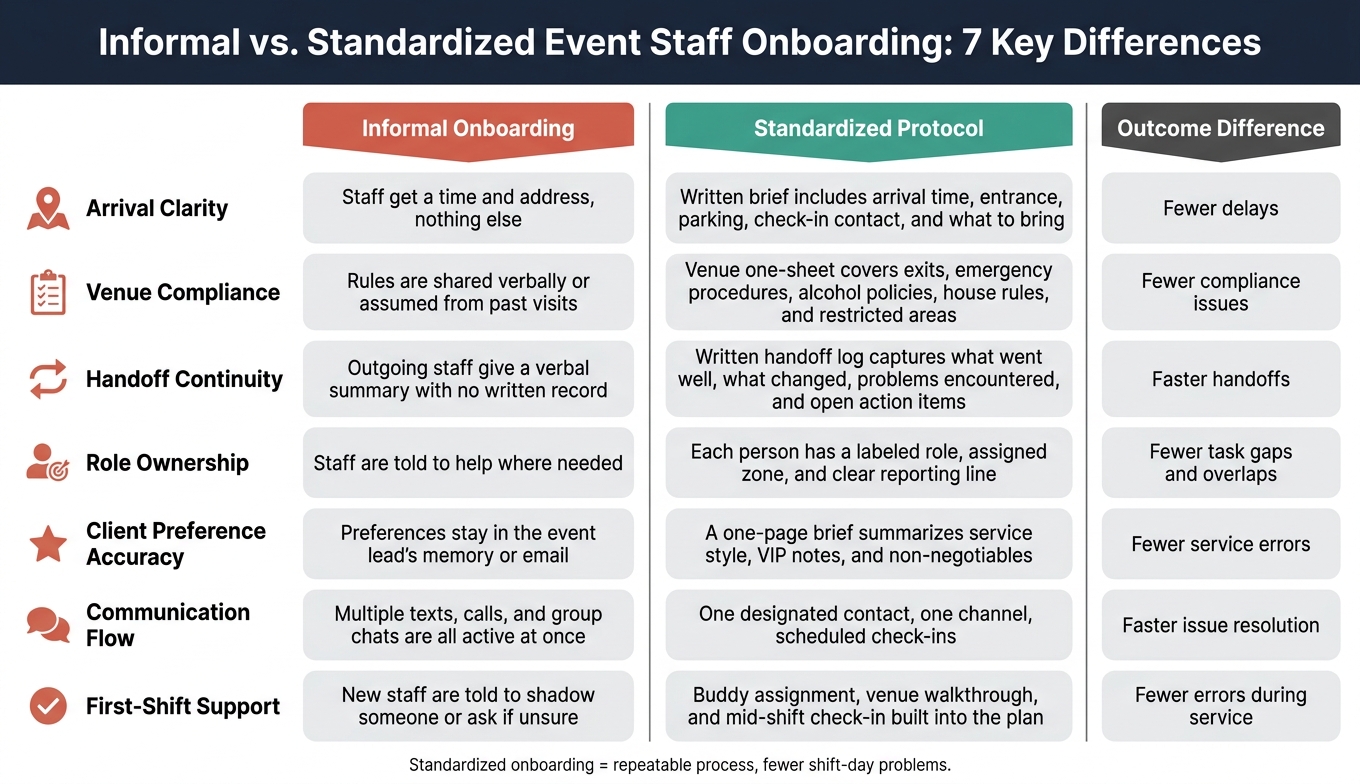
Informal vs. Standardized Event Staff Onboarding: 7 Key Differences
The difference between informal onboarding and a standard event protocol gets a lot easier to see when you put both approaches next to each other.
| Area | Informal Onboarding | Standardized Protocol | Outcome Difference |
|---|---|---|---|
| Arrival Clarity | Staff get a time and address, nothing else | Written brief includes arrival time, entrance, parking, check-in contact, and what to bring | Fewer delays |
| Venue Compliance | Rules are shared verbally or assumed from past visits | Venue one-sheet covers exits, emergency procedures, alcohol policies, house rules, and restricted areas | Fewer compliance issues |
| Handoff Continuity | Outgoing staff give a verbal summary with no written record | Written handoff log captures what went well, what changed, problems encountered, and open action items | Faster handoffs |
| Role Ownership | Staff are told to help where needed | Each person has a labeled role, assigned zone, and clear reporting line | Fewer task gaps and overlaps |
| Client Preference Accuracy | Preferences stay in the event lead's memory or email | A one-page brief summarizes service style, VIP notes, and non-negotiables | Fewer service errors |
| Communication Flow | Multiple texts, calls, and group chats are all active at once | One designated contact, one channel, scheduled check-ins | Faster issue resolution |
| First-Shift Support | New staff are told to shadow someone or ask if they are unsure | Buddy assignment, venue walkthrough, and mid-shift check-in built into the plan | Fewer errors during service |
The pattern is pretty clear. Informal onboarding leans on memory, verbal updates, and last-minute judgment calls. A standardized protocol puts key details in writing, assigns ownership, and gives staff one clear way to work the shift.
Research backs that up. Standardized onboarding - built on a defined plan and timeline - is consistently linked to clearer roles, better integration, and higher job satisfaction.
Set side by side like this, the seven fixes make the weak spots easy to spot before call time and a lot easier to manage once the shift starts.
The comparison above points to a pretty clear pattern: most shift issues begin with onboarding gaps. Think arrival details, venue rules, handoffs, roles, client preferences, communication, and support during that first shift.
A few simple tools can turn that messy handoff into a repeatable process: templates, one-page briefs, role maps, handoff notes, and a single communication channel. Start with standardized arrival instructions and a venue one-sheet. From there, layer in the other fixes as your process gets tighter.
Once that process is in place, the next move is keeping everything in one spot. Quickstaff can centralize schedules, reminders, event details, and staff messages so nothing slips through the cracks between booking and call time. That’s what turns onboarding into a working system instead of a one-time briefing. When onboarding becomes part of the event protocol, you get fewer delays, fewer errors, and far less guesswork.
Start with a master checklist. Keep the must-have details in one place: paperwork, safety protocols, venue logistics, role responsibilities, and brand standards. That way, every new hire gets the same key information from day one.
It’s a simple system, but it works. When onboarding follows the same repeatable process each time, fewer details get missed, even when different people handle it. Quickstaff can help with mobile-friendly digital checklists and real-time progress tracking.
Use a clear, repeatable system so every temporary staff member gets the same basics: paperwork, venue logistics, role duties, and safety rules. Skip the long manuals. Instead, give people simple, mobile-friendly guides, venue maps, and task checklists they can pull up on their phones.
A central platform like Quickstaff can send pre-boarding materials 48 to 72 hours before the event, assign roles, and push reminders. Then round things out with a short on-site walkthrough and a brief pre-shift huddle.
Event onboarding needs one clear owner. That keeps communication steady and helps prevent the gaps that often lead to turnover. HR should handle policy, documentation, and compliance. Day-to-day event execution, though, tends to work best when leadership and management share the load.
Quickstaff can help bring scheduling, role assignments, training resources, and real-time communication into one mobile-friendly place.