USERRA Compliance Checklist for Event Teams
September 21, 2026

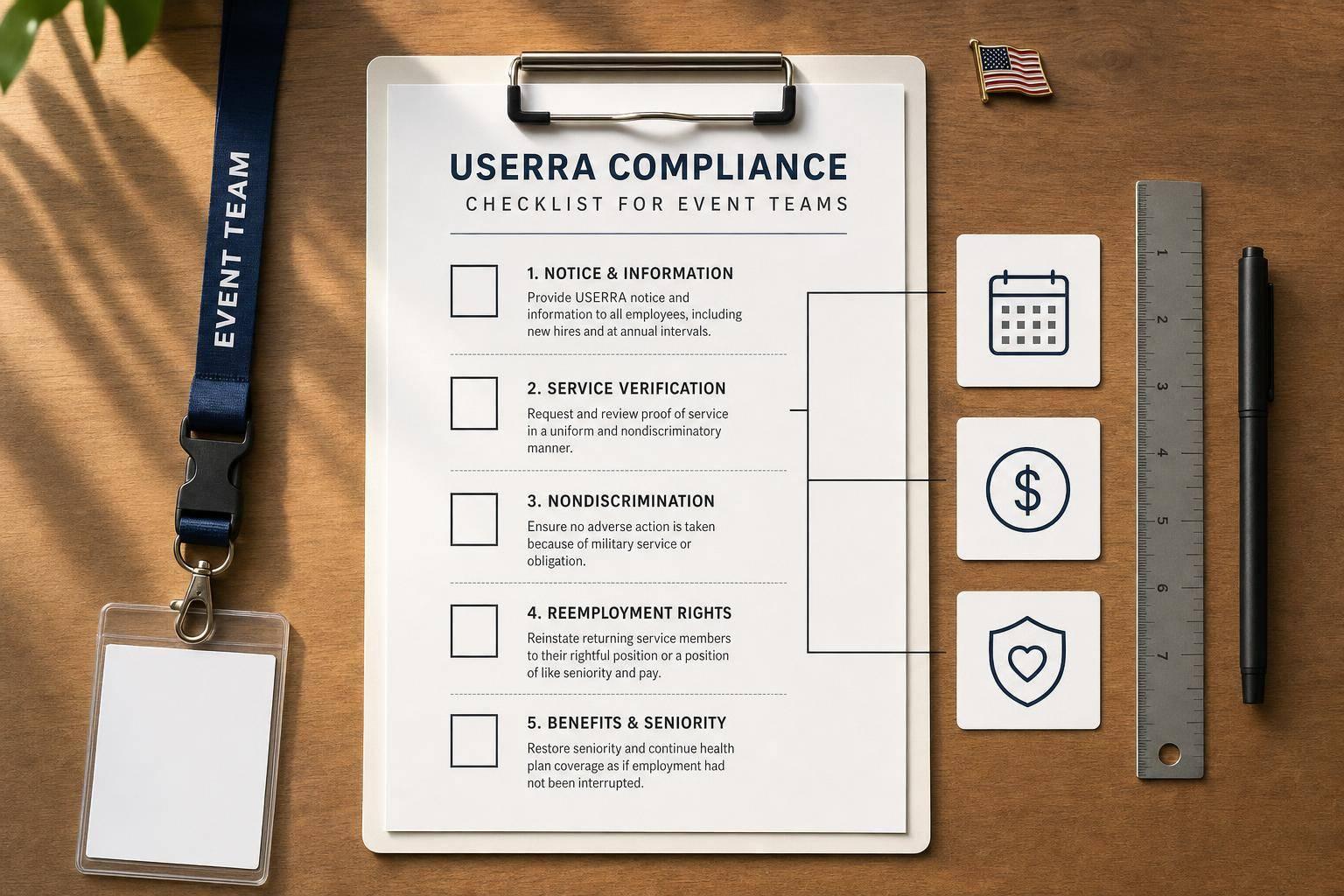
USERRA applies to most event employers, including teams that use temp, part-time, seasonal, and on-call staff. And with 1,256 complaints in FY 2025, up from 1,204 the year before, I’d treat military leave and reemployment as a set process, not a case-by-case call.
If I were running an event team, I’d keep the focus on seven steps:
A few points matter most. USERRA can cover workers many event teams assume are outside the law. Leave notice can be verbal or written. And reemployment is not always the same job left behind. It can be the job the person would likely have held if they had stayed at work.
Here’s the short version:
| Area | What I’d watch |
|---|---|
| Coverage | Temp, seasonal, part-time, and on-call workers may still be covered |
| Hiring | Don’t let military service affect shifts, promotions, or job offers |
| Leave intake | Accept informal notice and don’t wait for orders to start the process |
| Tracking | Log start date, end date, benefits choice, and five-year usage |
| Return to work | Apply the escalator rule for role, pay, and seniority |
| Benefits | Reinstate health and retirement rights tied to service |
| Management | Train schedulers using top scheduling tools, post notices, and audit files each year |
In short, I’d use one written workflow from hiring through return to work, so each event, manager, and leave case is handled the same way.
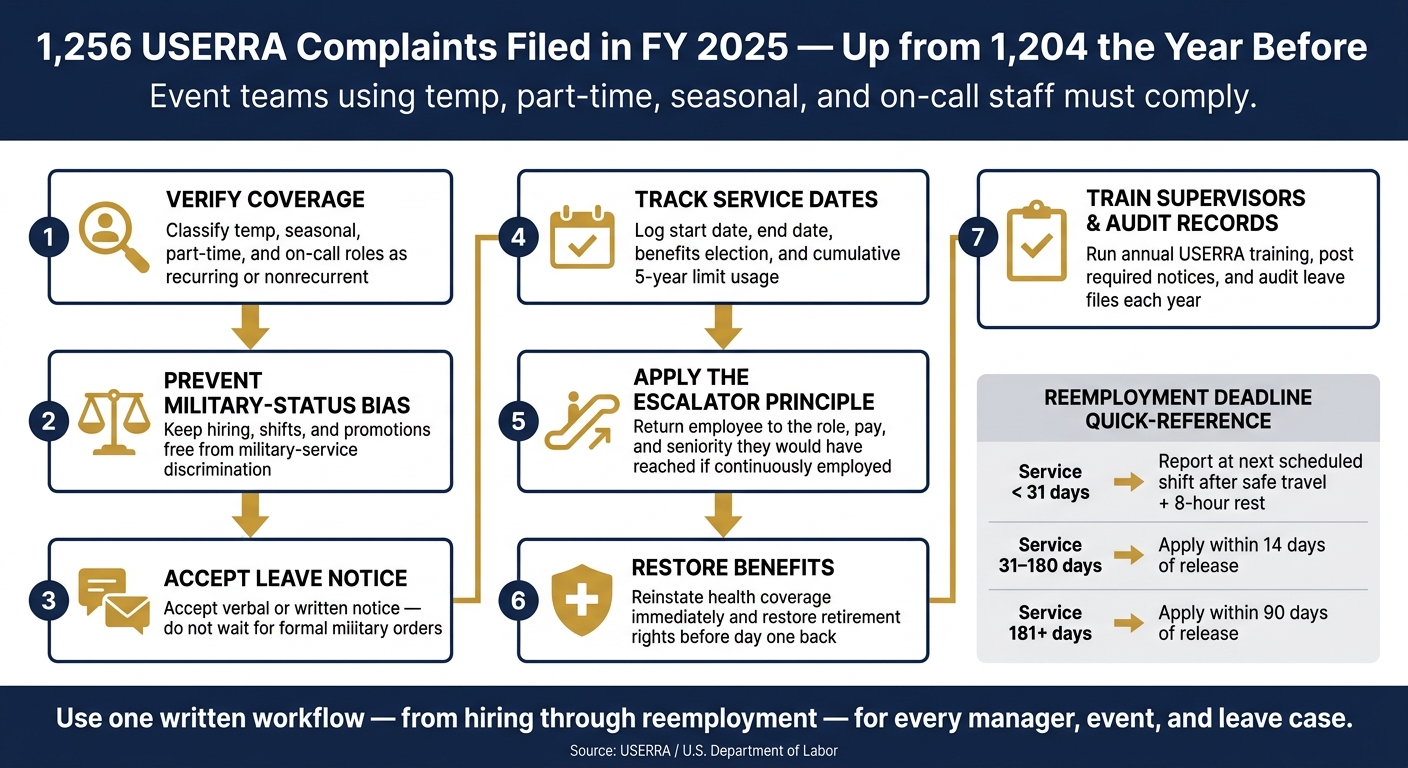
USERRA Compliance Checklist for Event Teams: 7-Step Process
Start with role classification. Getting job design right up front can cut down on discrimination claims and missing records later. The best place to begin is role history. Then compare your hiring rules against that history.
Event teams often bring back the same workers across seasons, so scheduling history matters a lot. In many cases, event roles are recurring. People get rebooked across months or seasons and stay on active rosters. That kind of pattern points to recurring employment, not short-term, nonrecurrent work.
| Role | Typical Scheduling Pattern | Kept on Roster? | USERRA View |
|---|---|---|---|
| Banquet server | Multiple events per month, year-round | Yes | Recurring - covered |
| Bartender | Weekly or biweekly events, peak seasons | Yes | Recurring - covered |
| Setup/breakdown crew | Event by event, consistent rehire | Usually yes | Recurring - covered |
| Event coordinator | Ongoing across event calendar | Yes | Recurring - covered |
| Driver | Scheduled per event, repeat use | Usually yes | Recurring - covered |
Once you classify roles, stick to the same standard for every hiring and promotion decision. Review classification once a year and any time your staffing model changes.
USERRA bars denying initial employment, retention, promotion, or any benefit of employment because of past, present, or future military service.
Common risk areas include passing over Guard or Reserve workers for premium shifts, using attendance rules that count military leave against staff, and asking interview questions that frame service as a drawback.
Use objective criteria for shifts and promotions. Don’t treat military leave as a negative in availability or attendance scoring. It also helps to say plainly in job postings that your organization complies with USERRA and welcomes Guard and Reserve members.
Make sure written role labels match actual scheduling history. If a job description says "one-time" but your records show repeat assignments, that record can undercut a brief, nonrecurrent defense.
Write descriptions that match what you do in practice. For recurring roles, note the expected frequency, such as multiple events per month during peak season from May through October, instead of wording that suggests a single isolated engagement. For one-off roles, spell out the limited scope and make sure your hiring pattern lines up with that description.
Quickstaff keeps role types, assignment histories, and scheduling patterns in one place, which makes it easier to line up job descriptions with actual staffing history.
With roles classified and records lined up, move to leave intake and tracking.
Once roles are classified and records match up, the next step is simple: use one clear process for military leave from start to finish. Begin with leave intake, then track each period of service the same way every time.
USERRA requires advance notice of military duty, but that notice does not have to be formal. It can be verbal or written, informal, and given either by the employee or by an appropriate military officer. The Department of Defense recommends giving at least 30 days' notice when possible.
That means you shouldn't hold up leave because orders haven't arrived yet. You also can't insist on a special form or treat a text message or phone call as not enough.
USERRA leave is usually unpaid. Still, employees may choose to use accrued PTO or vacation if your company policy permits it. What you can't do is force them to use that time off before taking military leave. Whatever the employee chooses, document it. Do the same for any health coverage election, including continuation of employer-sponsored coverage for up to 24 months.
USERRA protects reemployment rights for up to a cumulative five years of military service with one employer, but not every type of service counts the same way. The Department of Labor lists eight categories that do not count toward that cap, including periodic National Guard and Reserve training, involuntary active-duty extensions tied to war or a national emergency, and some initial enlistments that run longer than five years because the military requires it.
For each leave period, record:
Use the timeline below to set the next action date.
Use this table to track reemployment deadlines and protection periods.
| Service length | Documentation may be requested? | Reemployment application deadline | Post-return discharge protection |
|---|---|---|---|
| Less than 31 days | Generally no at the notice stage. | Report back by the start of the next regularly scheduled work period after safe travel home and an 8-hour rest period. | Varies by service length |
| 31 to 180 days | Yes, upon return. | Apply for reemployment within 14 days of release. | Varies by service length |
| 181 days or more | Yes, upon return. | Apply for reemployment within 90 days of release. | Varies by service length |
Use the table to set the right reemployment deadline and discharge-protection period. Before any discipline or termination, check that return-protection window first.
USERRA reemployment mistakes can lead to DOL action or lawsuits. So this process needs to be tight every single time a service member comes back.
Use the table below to match the employee's service length with the return deadline, the reemployment position, and any discharge-protection period.
USERRA's escalator principle means you put the employee in the job they would have held with reasonable certainty if they had stayed continuously employed.
That doesn't always mean the exact same seat they left. It may mean a different role, higher pay, or more seniority if coworkers moved up while the employee was away.
For service of more than 90 days, you may reemploy the employee in the escalator position or in a position with like seniority, status, and pay. You also must make reasonable efforts, including training or retraining, to help the employee qualify for that role.
If the employee has a disability incurred or aggravated by service, USERRA also requires reasonable efforts to accommodate that disability and help the employee become qualified for the reemployment position.
Before the first shift back, restore each benefit tied to reemployment:
Get these benefit changes ready before day one back.
After reemployment, discharge protection depends on the length of the employee's most recent service. Flag both the return date and the discharge-protection end date in the employee file. During that window, any discipline or termination must be for cause and documented.
| Service length | Return/application deadline | Reemployment position | Discharge protection after return |
|---|---|---|---|
| Less than 31 days | Report at the start of the next scheduled work period after safe travel home and 8 hours of rest | Escalator position | None under USERRA |
| 31–180 days | Apply within 14 days of release, unless impossible or unreasonable through no fault of the employee | Escalator position, with reasonable efforts to qualify the employee | 180 days, for cause only |
| 181 days or more | Apply within 90 days of release | Escalator position or a position of like seniority, status, and pay, with reasonable efforts to qualify the employee | 1 year, for cause only |
| Service-connected injury or illness | Up to 2 years while hospitalized or convalescing | Reasonable accommodation and training may be required | Based on the applicable service-length tier |
Once reemployment is documented, brief supervisors before the next schedule change. Then, after the employee is back on the roster, move the file to supervisor training and communication.
After reemployment, the goal is simple: make the next leave request easy to handle and hard to mishandle. Instead of treating each case like a one-off, set up a repeatable manager workflow for protected leave intake, roster changes, and reemployment placement.
Anyone who makes calls about bookings, assignments, attendance, or discipline should get annual USERRA training. That includes event schedulers booking staff for weekend weddings, catering leads managing on-call rosters, and venue supervisors handling shift discipline.
Training should cover four core areas:
Supervisors should know they must accept informal notice. They should also know that service verification can be requested only when the law allows.
Use examples that fit the job. A last-minute military notice before a high-value wedding or corporate event is a good test case. If a supervisor gets that kind of notice, they should mark the absence as protected and alert HR right away. Use the DOL's USERRA Online Pocket Guide and official fact sheets as the starting point for training.
Set a clear escalation path too. If a supervisor isn't sure whether a decision could look like military-status discrimination, they should stop and contact HR before doing anything else. HR should know when legal counsel needs to step in, especially for disputes about the five-year limit, the right escalator position and pay, service-connected disabilities, or reductions-in-force that affect servicemembers.
Post the official notice in break rooms, scheduling offices, and staff areas. Send it electronically during onboarding and through the scheduling platform.
It also helps to pair that notice with a short plain-English summary for your team. The point is to make sure staff understand that military leave is protected and that reemployment depends on the position, pay, and seniority they would have reached if they had stayed continuously employed.
Quickstaff can log standard pre-leave, during-leave, and post-return messages and reminders.
Use the same workflow for every leave case so the file lines up with what actually happened. Keep one file for each leave case and review it once a year. That file should match the leave dates, benefit decisions, and discharge-protection dates already tracked in Sections 2 and 3.
| Document | Purpose |
|---|---|
| Initial notice record (email, text, supervisor memo) | Confirms protected leave was properly initiated |
| Military orders or service verification | Confirms service when documentation is requested after a leave of 31 days or more |
| Leave dates and any date changes | Tracks service length for reemployment deadlines and the five-year limit |
| Benefits decisions (health, retirement) | Documents coverage elections and reinstatement actions |
| Escalator-position determination | Shows how reemployment position, pay, and seniority were calculated |
| Training and retraining records | Shows what retraining or skills updates were provided |
| Discharge-protection period dates | Tracks the period after return when additional protections apply |
Run a compliance audit at least once a year, and do extra reviews after major organizational changes, like entering new markets or making major staffing model shifts. Each audit should check a few basics: whether training is current, whether USERRA notices are posted and easy to access electronically, and whether recent leave files include the notice record, service verification when needed, leave dates, benefits decisions, reemployment determinations, and discharge-protection timelines.
In practice, reviewing a small sample of recent military leave cases against that checklist is often enough to spot weak points before they turn into complaints.
USERRA compliance is an ongoing process, not just something you handle at onboarding. In event staffing, where schedules, roles, and crews can change fast, the safest move is to use one written workflow from hiring all the way through reemployment. That means USERRA needs to be built into hiring, scheduling, leave, return-to-work, and recordkeeping.
USERRA enforcement is active, so event teams need one repeatable process for every leave and reemployment case. If the process changes from manager to manager, things can slip through the cracks.
Use the same sequence every time:
For event teams, one issue matters more than most: documenting how assignments changed while the worker was away. Track shift mix, pay progression, and promotion patterns during service so reemployment decisions are easier to defend.
Quickstaff can centralize staff data, leave flags, assignment history, and messages. But the base of the whole system is still one written workflow that every scheduler and supervisor follows.
Yes. USERRA protections can apply to employees, including seasonal and on-call staff, if they meet the reemployment eligibility requirements.
If your event business uses staff for recurring, scheduled shifts under your direction, those workers are generally treated as employees. That matters because USERRA focuses on the work relationship, not just the label on a schedule or payroll file.
To stay compliant, keep clear records of:
Good recordkeeping makes it much easier to handle questions if they come up.
Under USERRA, an employee does not need to give written notice or show military orders to get protection when asking for leave related to service. Verbal notice is enough to trigger your duties as an employer.
When that happens, document the conversation, the expected dates of absence, and the reason for the leave. Logging those details in Quickstaff helps you keep a reliable, time-stamped record for compliance and staffing needs.
Under USERRA, the employee should be put back into the job they would have reached if they had stayed continuously employed, as long as they’re qualified for that job.
If they’re not, the employer must make reasonable efforts to help them become qualified. If that still doesn’t work, the employee must be returned to their pre-leave job. And if they still aren’t qualified for that role, the employer should place them in the closest approximation to that position, based on the employee’s situation.