How to Track Catering Equipment for Events
March 29, 2026

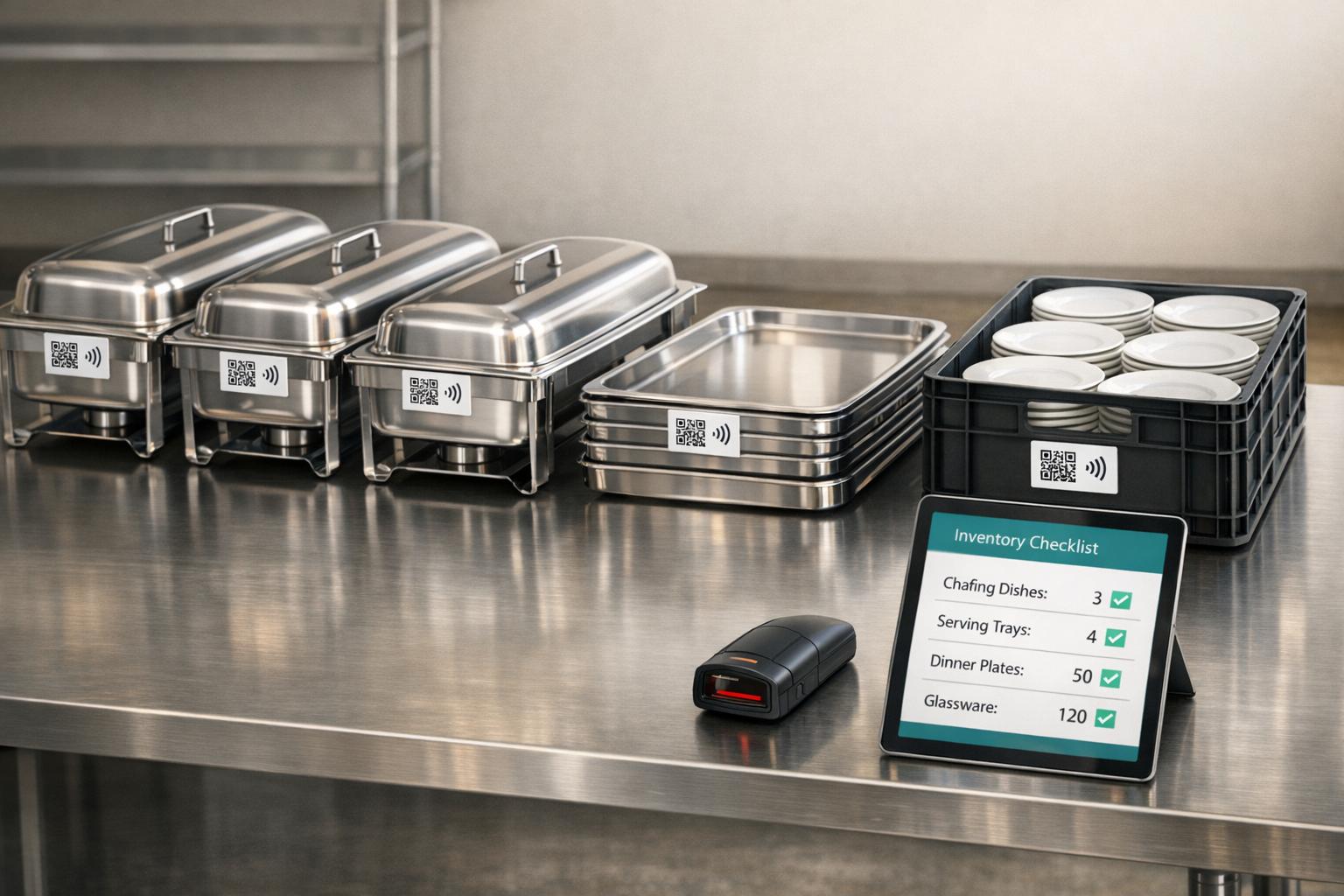
Managing catering equipment can be a challenge, especially when items get misplaced, damaged, or double-booked. Without proper tracking, businesses risk financial losses, scheduling issues, and event-day disasters. Here's how you can stay on top of your inventory:
Businesses that adopt these methods can reduce inventory losses to under 1% and save time while ensuring smooth operations. By combining organization, technology, and clear processes, you can protect your assets and deliver successful events.
Start by cataloging every catering item, noting details like its condition, purchase date, and current location. Assign unique IDs for high-value items (over $100) and track lower-value items, such as linens or cutlery, by quantity. For high-value equipment - like heat lamps ($70–$200), insulated transport containers ($200–$300), or specialized kitchen machinery - include serial numbers and maintenance logs. On the other hand, bulk tracking works better for items with lower individual value but high quantities, like utensils or napkins.
Organize your storage with zones and precise location codes, such as "Aisle A, Rack 3, Shelf B". Take photos of the organized storage setup and share these as reference guides, especially helpful for temporary or new staff.
"Inventory isn't just a list of what's in your fridge or pantry. It's your money sitting on shelves." - Derrick McMahon, Writer, Altametrics
Set up a regular counting schedule to maintain accurate records. Weekly counts can catch small discrepancies early, while monthly audits reconcile your physical inventory with digital records. For larger inventories (over 1,000 items), consider cycle counting - where 20% of items are counted weekly on a rotating basis. This avoids the disruption of pausing operations for a full inventory day.
Sort your equipment into logical categories based on their use during events. For example:
This grouping makes it easier to assemble an event planner kit for specific events - a corporate breakfast will require different items than a wedding reception.
To make navigation even easier, use color-coding. Assign colors to categories, such as blue for audio/visual equipment, yellow for lighting, and green for serving ware. This system helps even new team members quickly locate items in the warehouse.
For complex setups, like sound systems or bar kits, create kit sheets. These sheets should include photos of every component - like microphone clips, cable adapters, or bottle openers - to ensure all pieces return after the event.
Labeling is another key aspect. Use durable, weatherproof labels or QR codes placed in consistent locations on similar items. This simplifies scanning during load-in and load-out. Options like vinyl or metal labels cost between $0.20 and $2.00 per item and are worth the investment for long-term efficiency.
Once your equipment is organized and labeled, transitioning to digital tracking can take your system to the next level.
Spreadsheets, such as Google Sheets or Excel, are a cost-effective starting point but lack features like real-time updates or automated conflict detection.
"Spreadsheets work… until they don't. As operations grow, restaurant inventory management software provides automated counts and real-time visibility"
Dedicated inventory software solves these issues. Tools like Booqable (starting at $29/month) and Rentman come with features like native QR code, barcode, and RFID scanning, as well as mobile apps for real-time updates from anywhere. For example, RFID scanning can cut inventory tracking time by up to 40% by scanning entire racks in seconds.
These platforms also log repair histories and send reminders for servicing high-value equipment, like refrigerators or specialized kitchen tools. This helps prevent disruptions caused by failing equipment, such as a broken freezer or a burner that doesn’t light during an event. Adding a 1–5 condition rating scale in your digital records can further help monitor wear and tear, making it easier to plan for replacements when necessary.

Comparison of Equipment Tracking Methods for Catering Events
Once your inventory is set up, the next step is managing the movement of items between the warehouse, event site, and back. The rental industry faces annual losses of 3% to 5% of inventory value due to theft, damage, and misplacement.
To combat this, establish an accountability-based checkout system where every item is assigned to a specific individual or team. This creates a clear audit trail, reducing the chances of equipment going missing during chaotic event setups and breakdowns.
"In short, no system = chaos." - InvyMate
Your tracking method should align with the event's scale. For smaller events with fewer than 200 items, manual tracking may suffice. Larger events, however, benefit from digital tools that offer real-time updates. Building on a solid inventory foundation, these methods ensure smooth tracking from start to finish.
For smaller events, a detailed sign-out sheet and scheduling checklist can be a game-changer. This sheet should include:
"A well-structured sign-out sheet fosters a culture of responsibility." - Rentman
For setups involving multiple components, like coffee stations or bar kits, kit sheets are essential to ensure all items are accounted for.
Durable labels placed consistently across similar items make it easier for staff to identify and check off equipment during busy periods. High-value items (over $100) should be tracked individually by serial number, while lower-value items can be grouped and monitored in bulk.
When the complexity of an event increases, digital tracking methods can provide the efficiency needed.
Digital tools are a powerful way to reduce the risk of misplaced equipment. Inventory software with real-time updates eliminates delays and human error often associated with paper systems. These tools can show whether items are available, in use, or overdue, giving you the transparency needed to manage bookings and respond to client inquiries.
On-site staff can use smartphones or tablets to scan barcodes or QR codes, check equipment in and out, document condition changes with photos, and update the system instantly. Automated alerts flag overdue items, prompting immediate follow-up to prevent further issues.
Scanning technologies like barcodes, QR codes, and RFID tags streamline processes and minimize errors:
| Tracking Method | Best For | Pros | Cons |
|---|---|---|---|
| Manual Checklists | Small events (<200 items) | Low cost; no tech required | Prone to human error; no real-time updates |
| Barcodes (1D) | Standard inventory | Inexpensive; widely supported | Requires direct line-of-sight |
| QR Codes (2D) | On-the-go teams | Stores more data; scannable by smartphones | Requires mobile device/app access |
| RFID Tags | Large-scale events | Scans multiple items at once; no line-of-sight | Higher implementation cost |
Digital tools not only improve visibility but also provide insights into usage patterns and help schedule maintenance.
"Tracking rental equipment not only informs you of item locations, it also helps you track rental inventory usage patterns, identify wear and tear early, and schedule preventive maintenance." - Nathan Crossley, Rental Software Strategist, Booqable
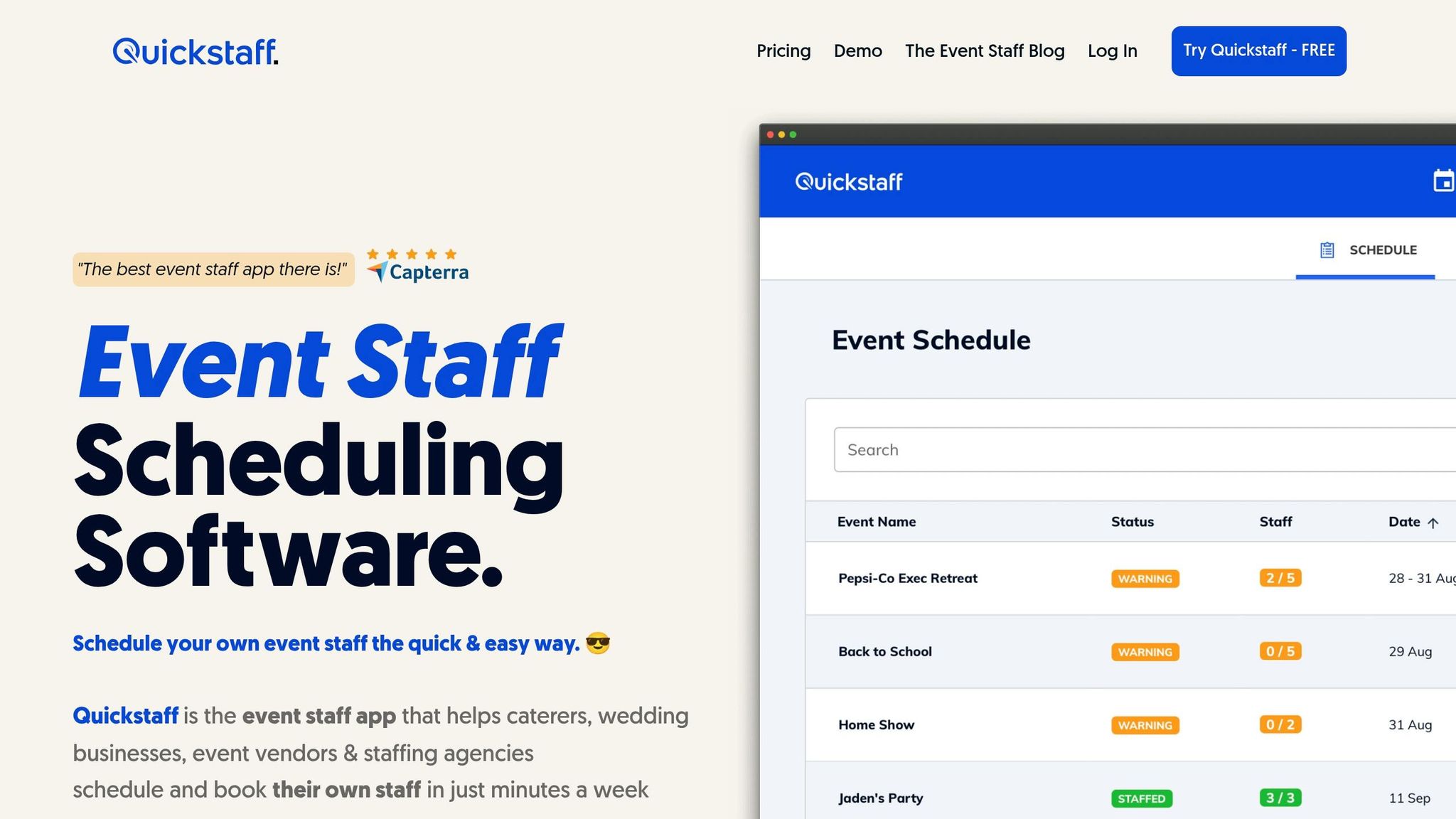
Keeping track of equipment is one thing, but ensuring it’s assigned to the right staff for the right event? That’s a whole other challenge. Quickstaff simplifies this process by directly linking equipment needs to event schedules and staff assignments. This creates a streamlined system that reduces the risk of misplaced gear or scheduling mix-ups. With its centralized dashboard, managers can easily oversee events, staffing, and equipment checklists, keeping everything organized and in one place.
Quickstaff makes it easy to attach important files, notes, and instructions to events during the setup process. For instance, when you’re creating a new event, you can upload your equipment checklist directly into the "Attached Notes & Files" section. This way, staff automatically receive all the necessary documents along with their work invitations. For recurring events - like a weekly corporate lunch or a monthly gala - the event duplication feature is a huge time-saver. It carries over all the equipment lists and staffing details, while still giving you the flexibility to make quick updates. This seamless digital workflow ensures on-site operations run smoothly.
"Prior to Quickstaff, I was using Excel spreadsheets to track my employees and their shift availability. My life changed the day I started using Quickstaff!" - Jaime S, VP, Lisa's Catering
Quickstaff’s mobile-friendly system takes convenience to the next level. Staff can access equipment lists, event notes, schedules, and reminders on their smartphones during load-in, setup, or teardown. Automated reminders ensure staff have all the files they need, minimizing the chances of no-shows or unprepared arrivals. Real-time messaging also allows staff to accept or decline work invitations instantly, giving managers immediate updates on staffing assignments.
"The time that we have been able to save by using this staff scheduling software has allowed us to tackle the other issues that we face thereby improving our overall events!" - Kelly, The Abbot KC
After the dust settles and the event wraps up, post-event audits become essential for maintaining equipment accountability. These audits, conducted right after teardown, help identify missing items, assess damage, and update inventory records. With robust tracking systems, inventory loss can be reduced to less than 1%. Acting promptly upon equipment return ensures no detail is overlooked.
Start with a physical count of every piece of equipment, comparing the results with your pre-event records. This process isn’t just about confirming quantities - you’ll also need to evaluate each item's condition to spot any damage sustained during the event. For high-value items (over $100), tracking by serial number is critical for documenting specific damage. On the other hand, bulk tracking works better for smaller, low-cost items like linens or cutlery.
A standardized count sheet is a helpful tool for this process. Include columns for "Expected Quantity", "Actual Quantity", "Condition Notes", and "Action Needed" (e.g., repair, replace, or clean). For more complex equipment sets, such as bar kits or sound systems, kit sheets with photos of each component make it easier to identify missing or damaged parts during check-in. If any discrepancies are found, dig deeper to determine the cause - was the item misplaced, stolen, or simply not scanned during teardown?. Update inventory records immediately to avoid unknowingly booking damaged gear for future events.
Once issues are identified, move quickly to address them. This includes scheduling repairs or maintenance to get your equipment back in working order.
For any items flagged as damaged, initiate a maintenance workflow right away. Take photos of the damage and attach them to the inventory record. This not only provides a clear reference for repairs but also supports any necessary insurance claims. Encourage your team to report damaged equipment during teardown to speed up the repair process.
Regular maintenance can significantly extend the lifespan of equipment. For example, commercial kitchen equipment can last 30–50% longer with consistent care. Restaurants that prioritize preventive maintenance often see a 15–25% boost in overall profitability. To stay organized, consider cycle counting (e.g., inspecting 20% of your inventory weekly) and set automated reminders for overdue maintenance or repairs. This ensures damaged items don’t end up double-booked or forgotten.
"Tracking rental equipment not only informs you of item locations, it also helps you track rental inventory usage patterns, identify wear and tear early, and schedule preventive maintenance to extend the life of your assets."
– Nathan Crossley, Rental Software Strategist, Booqable
Handling equipment for large-scale events can be a logistical puzzle. With multiple teams and a sea of gear, the risk of losing track of items is high. To tackle this, advanced tools like RFID and GPS tracking have become essential for keeping operations smooth and efficient.
RFID technology offers a smarter way to monitor equipment at busy events. Unlike barcodes, RFID readers don’t require a direct line of sight, meaning they can scan items packed away in flight cases or stacked on pallets without unpacking them. Modern UHF readers can even process over 1,000 tags per second.
For catering operations, passive RFID tags (priced between $0.05 and $15 per tag) are perfect for tasks like inventory checks and tracking equipment during check-in and check-out. These tags have a read range of 1 to 30 feet. On the other hand, active RFID tags (ranging from $15 to $100 per tag) are better for high-value, mobile assets like specialty ovens, as they offer real-time tracking within a range of 100 to 300 feet. When dealing with metal items like chafing dishes or stainless steel carts, metal-mount tags are crucial. These tags include a spacer layer to prevent signal interference caused by metal surfaces.
"RFID asset tracking can identify hundreds of tagged items simultaneously. A single technician walking through a warehouse with a handheld RFID reader can verify thousands of assets per hour." – CPCON Group
Fixed RFID readers, which cost between $3,000 and $10,000 per unit, can be installed at key transition points like loading docks or van entrances. These devices automatically log equipment movements, eliminating manual scans at critical junctures. This setup can slash physical inventory count times by 75–95% while achieving accuracy rates of over 99%.
Technology alone isn’t enough - effective teamwork and clear communication are just as important. Assigning a logistics manager to oversee equipment flow is a smart move, as is training staff on how to use handheld scanners and properly tag items before the event. Consistency is key, so make sure asset tags are placed uniformly on similar items. This makes it easier for crew members to quickly scan and identify them during setups and teardowns.
For events involving multiple vendors, shared digital platforms are invaluable. These tools provide real-time updates on equipment status, ensuring everyone stays on the same page. Group chats and centralized event management software can help teams coordinate as items move between zones. Tools like Quickstaff go a step further by linking equipment lists to event schedules, offering mobile access for on-the-go updates. This way, your team knows exactly who is responsible for each piece of equipment.
Before rolling out RFID across thousands of items, it’s wise to start small. Test the system with 500 to 2,000 items to ensure read accuracy and fine-tune antenna placement. Conduct a site survey to identify potential sources of RF interference, such as areas with lots of metal or liquids, and adjust the reader setup accordingly. This preparation will help prevent unexpected issues when managing equipment across multiple event zones.
Keeping track of catering equipment efficiently can save businesses from costly mistakes. By establishing a solid inventory system - organizing items into categories and utilizing digital tools - you can drastically reduce inventory loss. In fact, businesses with robust tracking systems experience losses of less than 1%. This kind of preparation also makes post-event evaluations much smoother.
Digital tools like Quickstaff make a huge difference by simplifying equipment tracking and catering staff scheduling tools. These platforms link equipment lists directly to event schedules and staff assignments, allowing your team to update statuses in real time from the venue floor. This centralized approach eliminates confusion, ensuring everyone knows their responsibilities and cutting down on those "mysterious" equipment disappearances that often happen during busy seasons. For context, users of catering-specific software report spending 39% less time on operational paperwork and 42% less time creating event proposals. That adds up to over eight hours saved every week!
Post-event audits are another critical step. They help catch damage early, schedule repairs before equipment fails at a crucial moment, and pinpoint which items are actively used versus those collecting dust. Standardizing tagging locations and performing regular cycle counts keeps your inventory accurate and avoids major disruptions.
For large-scale events, advanced tools like RFID tags and GPS tracking, combined with clear staff coordination and shared digital platforms, take efficiency to the next level. These practices ensure everything runs smoothly, even during the most complex events.
When it comes to labeling, the key is to keep it clear and durable. Opt for labels that are easy to read and designed to handle the conditions of your workspace. Use materials that can endure tough environments while remaining visible. Place these labels in noticeable spots on your equipment to make identification, organization, and tracking straightforward. This approach not only streamlines inventory management but also minimizes the risk of losing or misplacing items.
Switch to QR/barcode or RFID tracking when managing large amounts of equipment becomes overwhelming or prone to mistakes with manual checklists. These tools enhance visibility, traceability, and efficiency, making them especially useful when you need to identify items quickly or when the chances of misplacing equipment grow. It's a smart move when manual processes can no longer keep up with your operational demands.
Quickstaff simplifies event planning by combining equipment lists and staff schedules into one centralized system. With its event management and scheduling tools, it helps ensure that staff assignments and equipment needs are seamlessly coordinated. This reduces the chances of errors, like misplaced items or overlooked resources, during events.