Ultimate Guide to Conflict-Free Staff Scheduling
May 13, 2026


Managing staff schedules without conflicts is essential for smooth operations, especially in event management. Overlapping shifts, no-shows, or double bookings can lead to chaos, unhappy clients, and financial losses. Having an event day checklist can help mitigate these risks. Here's how to prevent these issues:

Manual vs. Automated Staff Scheduling: Key Differences & Benefits
Scheduling conflicts don’t just appear out of thin air - they usually stem from scheduling problems and solutions. These challenges highlight why modern, centralized scheduling tools are so important for managing event staff effectively.
Event managers often juggle multiple events at once. Think about a holiday weekend packed with back-to-back weddings, a corporate dinner happening alongside a private festival, or two catering jobs scheduled for the same Saturday afternoon. When staff availability is spread thin across simultaneous events, it’s easy to double-book employees. For example, a server or bartender might be assigned to two events at the same time, leaving one event short-handed while the other scrambles to adjust.
This kind of understaffing creates a domino effect: rushed service, unhappy clients, and potential damage to your reputation. To avoid these issues, you need systems that can handle the complexity of balancing multiple events seamlessly.
A lot of conflicts come down to simple human error. Off-the-record communication, like informal shift swaps or verbal agreements, often leads to scheduling issues when updates aren’t reflected in a centralized system.
"Scheduling conflicts aren't a fact of life, they're a fixable systems issue." - Patrick Hussey, Productivity and SaaS Content Author
This quote drives home the importance of having integrated communication tools within your scheduling system. Relying on memory or scattered updates creates gaps that can easily leave you short-staffed or scrambling at the last minute.
Manual scheduling methods, like spreadsheets or group text messages, might work for small-scale operations, but they quickly fall apart as your business grows. These methods lack features like automatic conflict detection, real-time updates, or tools to flag double bookings, making them more of a liability than a solution.
Here’s a quick look at how manual scheduling compares to using a tool-based approach:
| Manual Approach | Tool-Based Approach | Benefit |
|---|---|---|
| Checking multiple calendars or asking people | Automated two-way calendar sync | Reduces overlapping schedules |
| Manual reminders (often forgotten) | Automated email/SMS reminders | Improves attendance, fewer no-shows |
| Guesswork for availability | Real-time availability tracking | Faster confirmations |
| No automatic buffers | Built-in event buffers | Ensures on-time starts, less spillover |
When you rely on a manual system, every update becomes a potential source of confusion. One person might update their version of the schedule, while someone else works from an outdated copy. By the time the event rolls around, you’re left with a mess of miscommunication and staffing gaps. Centralized tools eliminate this chaos, providing a single source of truth for everyone involved.
Creating a scheduling system that avoids conflicts requires a mix of reliable tools and straightforward practices. By addressing the root causes of scheduling issues, you can prevent problems before they arise. Combining technology with clear processes ensures conflicts are spotted and resolved early, keeping operations smooth.
To minimize errors, event templates are a game-changer. Starting every schedule from scratch increases the likelihood of mistakes, but templates allow you to reuse proven schedules for similar events. This saves time and cuts down on errors by sticking to a tested framework.
Role-based scheduling adds another layer of precision. Instead of simply filling shifts with available staff, you assign roles based on qualifications. For instance, bartenders, servers, and chefs are scheduled according to their specific expertise. Abby Fertz, Director of Product at Louder Than Ten, highlights the importance of this approach:
"One of the primary causes of scheduling conflicts we see most often is individuals being assigned an unrealistic amount of work and pushing our definitions of what full capacity or utilization is."
By combining templates with role-based assignments, you reduce the risk of conflicts and ensure events run more smoothly.
When staff availability is scattered across different systems, it’s easy for things to fall through the cracks. A centralized availability system solves this by consolidating real-time updates into one place. Staff can update their availability directly, and managers gain instant visibility, avoiding accidental double-bookings or scheduling someone who’s unavailable.
Take Atrium Health Carolinas Simulation Center as an example. By allowing staff to manage their own availability and providing instant alerts for managers, they cut their scheduling time in half. This kind of system eliminates guesswork and improves efficiency.
Once availability is centralized, the next step is to establish clear scheduling policies.
Even the best tools need structure to work effectively. Written scheduling policies provide clarity for everyone involved. These rules might include how far in advance shifts need to be confirmed, the notice required for time-off requests, or the process for handling last-minute changes. Clear guidelines ensure that team members know what’s expected, and managers can enforce consistent standards. This reduces confusion and limits the need for on-the-spot decisions, keeping the system fair and predictable for all.
Once you’ve established a solid scheduling system, the next step is to focus on habits and tools that actively prevent conflicts before they happen.
Publish schedules early. Teams that release schedules at least two weeks ahead see 20–30% fewer last-minute callouts compared to those that finalize schedules only days before an event. This extra lead time allows staff to identify potential conflicts early, avoiding last-minute chaos.
Include buffer time between shifts. Emily Demirdonder, Director of Operations at Proximity Plumbing, shares her approach:
"I block 30 minutes of buffer time between every scheduled job... this practice costs the company nothing, but it allows each plumber time to properly complete the previous job without rush."
This principle applies to event staffing as well. Adding a 10–15 minute overlap during shift handovers ensures smoother transitions. For more complex setups, like large-scale corporate events or multi-venue catering, a buffer of 20–30 minutes might be necessary. Additionally, avoid scheduling at full capacity. Keeping a 10–15% staffing surplus above the minimum coverage can prevent one unexpected absence from derailing the entire event. To find your baseline, use an event staffing needs analyzer to calculate the ideal headcount for your specific attendance levels.
Proactive planning becomes even more effective when you involve your team in the scheduling process.
When employees have the option to choose or bid for shifts, they are more likely to commit to showing up. In fact, allowing staff to manage shift swaps and claim open slots can resolve 60–70% of schedule changes without requiring a manager’s direct involvement.
The key is to maintain a structured and transparent process. For example, all shift swap requests should go through a single approved channel rather than informal group chats. The Turnozo Staff Scheduling Guide emphasizes this point:
"If trading shifts requires a 3-day approval process, people just call out instead."
A self-service portal with manager approval can streamline this process, ensuring swaps are quick, documented, and reliable. Tools like Quickstaff enhance self-scheduling by combining flexibility with accountability, reducing the burden on managers while keeping operations smooth.
Automation adds another layer of reliability by continuously monitoring for potential issues. Instead of relying on memory or manual checks, automated systems provide real-time synchronization, flagging problems like overtime triggers or unfilled roles before the schedule goes live.
| Scheduling Challenge | Manual Approach | Automated Approach |
|---|---|---|
| No-shows | Inconsistent manual reminders | Automated SMS/email reminders |
| Shift swaps | Unorganized group chats | Self-service portal with manager approval |
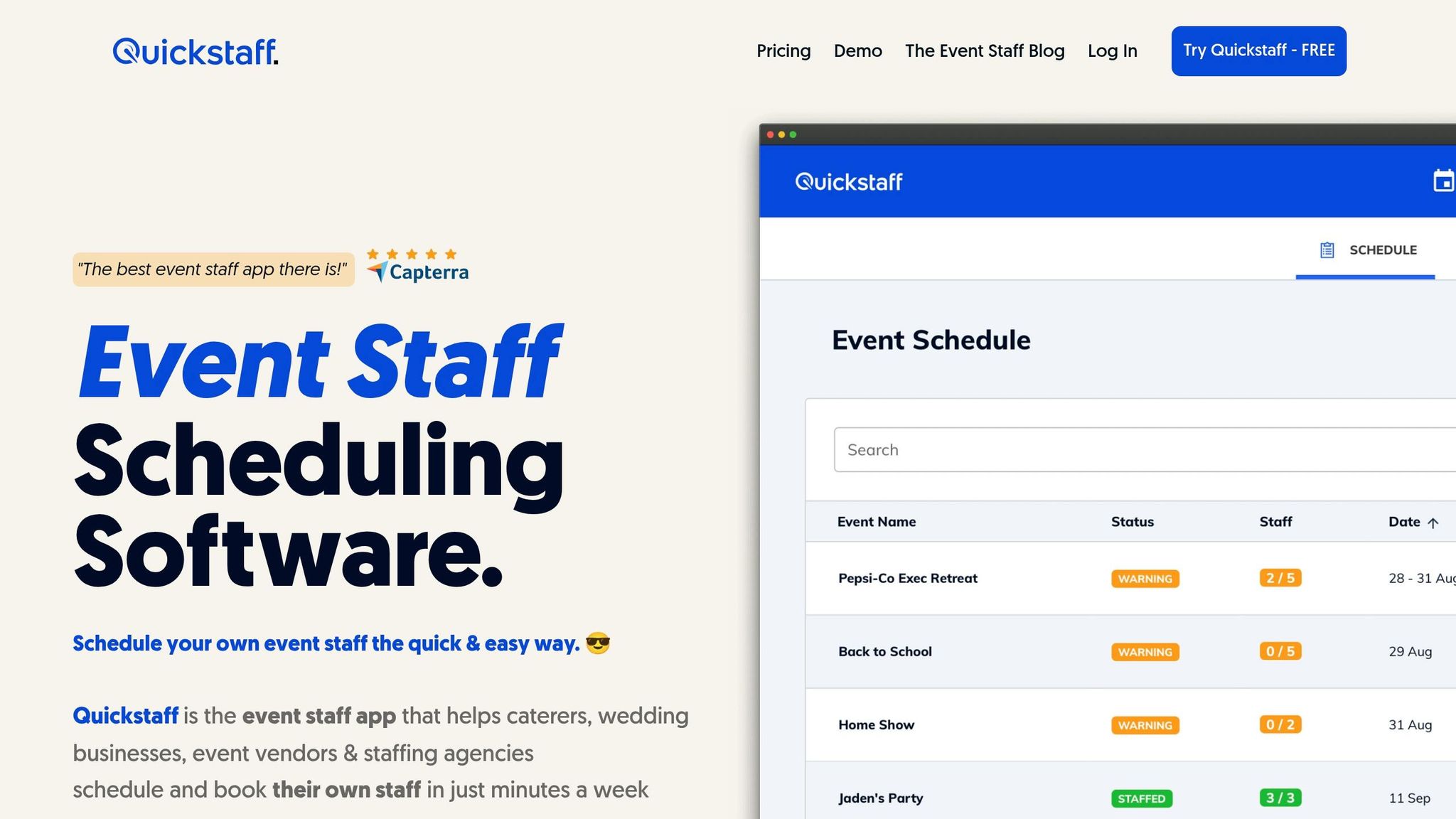
Quickstaff simplifies event staffing by using automated conflict detection and self-scheduling tools. It’s purpose-built for businesses like caterers, wedding vendors, and staffing agencies, where temporary teams and ever-changing schedules are the norm. With Quickstaff, scheduling conflicts become a thing of the past thanks to several ways it makes scheduling easier.
Manually creating schedules for every event can be a huge time sink. Quickstaff eliminates this hassle with its template duplication feature. As they explain:
"Duplicate past events... and just update the details and you can schedule weeks of events in minutes!"
This feature not only saves time but also ensures every shift is organized by role - whether it’s a Server, Event Bartender, or Photographer. By matching roles with the right number of staff, Quickstaff helps you maintain efficient and conflict-free coverage.
Quickstaff makes it easy to stay on top of staff availability without the guesswork. Employees can mark unavailable dates directly in the platform, and these updates sync automatically with your scheduling view. According to Quickstaff:
"Eliminate conflicts. Know who is available to be scheduled before you even schedule them."
Once you send out shift invitations, employees can accept or decline via email. A centralized dashboard tracks their responses in real time, so you’ll always know which events are fully staffed and where you might need extra help. Jaime S., VP at Lisa's Catering, shared her experience:
"Prior to Quickstaff, I was using Excel spreadsheets to track my employees and their shift availability. My life changed the day I started using Quickstaff!"
Even with availability tracking, last-minute changes can happen. That’s where Quickstaff's automated waitlists and messaging tools come in handy. The "Automagic Waitlists" feature automatically fills open shifts, cutting down on manual follow-ups and keeping your events fully staffed.
Need to fill a specific role quickly? The messaging tool lets you send targeted messages to only the relevant team members. For instance, if you’re short a bartender for a Saturday event, you can notify just your available bartenders instead of spamming the entire team. Jennifer Manley, a Staffing Coordinator, highlighted the impact:
"My time spent scheduling has shrunk majorly, leaving me more time to focus on recruiting, on-boarding and training."
Quickstaff offers a 14-day free trial (no credit card required), so you can see how these scheduling tools work in your own workflow before making a commitment.
Conflict-free scheduling isn't about achieving perfection - it's about creating a process that identifies potential issues early and keeps your events running smoothly. The key principles? Standardize your setup, centralize your data, and maintain clear communication. When combined with thoughtful planning, these habits turn scheduling conflicts from inevitable headaches into preventable problems.
Taking this approach a step further means upgrading your tools. Shifting from manual to automated scheduling can cut schedule-building time by 20–50% and reduce labor costs by 3–10%. Instead of relying on scattered tools like spreadsheets, emails, and texts, a unified system - where availability, assignments, and event details are all in one place - makes this transformation possible.
For U.S.-based event businesses managing multiple venues and time zones, attention to detail is critical. Clear time formats (e.g., "Saturday, June 14, 2026, 5:00–11:00 PM CT") and publishing schedules 7–14 days in advance can minimize no-shows, last-minute changes, and overtime - expenses that typically account for 50–60% of operating costs.
Start by auditing your manual scheduling over the past 1–3 months. Look for patterns of double-bookings, last-minute swaps, and overtime. This review will highlight where time and money are being lost, giving you the insights needed to make immediate changes, like using role-based event templates. From there, adopting automated tools like Quickstaff becomes a natural next step.
Quickstaff offers features like templates, availability tracking, automated conflict detection, and waitlists to streamline scheduling. Plans start at $49/month for teams of up to 35 staff, and you can try it out with a 14-day free trial to see how it works for your events before committing.
To keep things running smoothly and avoid misunderstandings, it's essential to have clear, written scheduling policies. These should cover rules for shift swaps, coverage responsibilities, and required notice periods. Make sure to also set expectations for how team members should update their availability. Publishing schedules at least two weeks ahead of time gives everyone enough notice to plan.
Having these policies in place helps reduce last-minute issues, keeps things transparent, and creates a more organized workflow. Plus, it can lead to a happier, more cooperative team.
Allocating 5-15 minutes of buffer time between event shifts is often a smart move. For shorter transitions, around 5 minutes might be enough, but for longer or more intricate events, 10-15 minutes (or even more) could be necessary. This extra time helps prevent scheduling conflicts, ensures transitions go smoothly, and gives staff a chance to travel, set up, or take a quick break. The exact time should be tailored to the event's complexity and the needs of your team.
To strike a balance between flexibility and control, consider using scheduling software that allows employees to choose shifts based on their availability while still requiring manager approval. Establish clear guidelines, such as limits on the number of shifts an employee can take or specific approval processes, to maintain oversight.
Make sure the software supports real-time updates, so you can track changes as they happen and avoid scheduling conflicts. Regularly review the scheduling rules to ensure they remain fair and efficient. Use built-in reporting tools to monitor adherence to policies and quickly address any issues that arise.





