Real-Time Matching for Last-Minute Staffing
July 11, 2026

A same-day staffing gap can turn into a guest-facing problem in a few hours. My takeaway is simple: the fix is to spot gaps early, sort them by risk, filter for the right staff, and send shift offers fast from one live system.
Here’s the short version:
If I had to boil the article down to one workflow, it would be this:
What matters most is not just finding anyone. It’s finding someone who is available now, fits the role, can get to the venue on time, and won’t cause a conflict with another shift.
A live staffing system helps because it keeps these details in one place:
So the core idea is straightforward: scheduling problems and solutions do not come from the gap alone; they come from slow, messy fill processes. When I use live availability, short response windows, and a fixed same-day workflow, event coverage stays on track and guests are less likely to feel the problem.
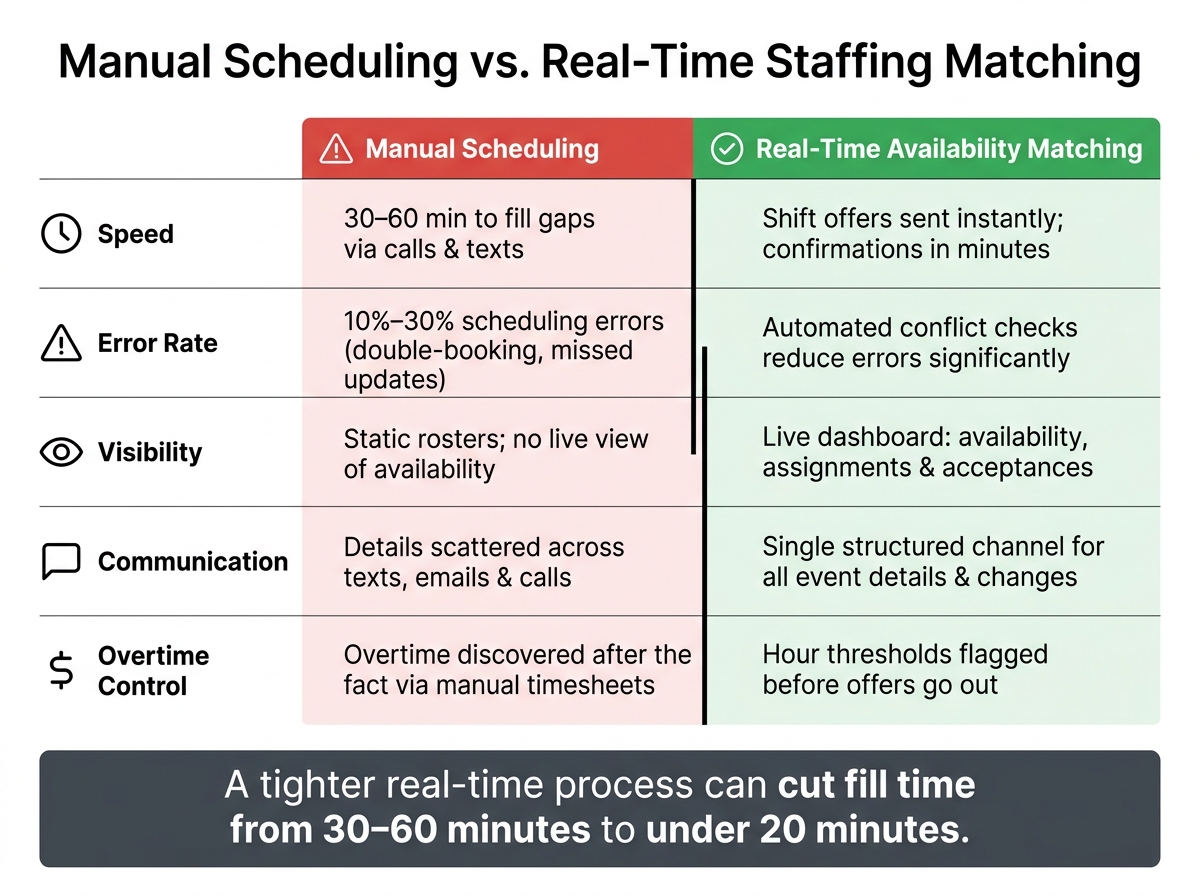
Manual Scheduling vs. Real-Time Matching: Key Stats & Differences
A Tuesday schedule can look fine on paper and still be wrong by Saturday. Late RSVPs, walk-ins, or one more ballroom added at the last minute can change staffing needs after the roster is already set. Suddenly you need more servers, bartenders, or coat check staff. Using an event staffing needs analyzer beforehand can help prevent these gaps.
It gets messier when two events pull from the same labor pool. Managers end up moving people around by hand, often without a live view of who is already committed somewhere else. That’s where static event staff scheduling starts to break. The plan stops matching what’s happening on the ground.
When a gap opens on event day, most teams fall back on the same routine: calls, texts, follow-ups, and more waiting. It feels fast because everyone is rushing. In practice, it usually isn’t. If a manager has to contact 15 to 20 people to find three replacements, that outreach can eat up 30 to 60 minutes. During setup, guest arrival, or active service, that lost time hurts.
Then come the mistakes.
Without one place to see who has accepted and who hasn’t, double-booking is easy. Someone may cancel by texting a personal number instead of the group thread, and the manager never sees it. Small details also get scrambled fast - start time, venue address, dress code. One person hears one version, someone else gets another. Manual scheduling error rates often land between 10% and 30%, and in event staffing those errors don’t stay hidden. They show up live, on the floor, in front of guests.
| Aspect | Manual Scheduling | Real-Time Availability Matching |
|---|---|---|
| Speed | 30 to 60 minutes to fill gaps through individual calls and texts | Shift offers sent to multiple qualified staff at once; confirmations in minutes |
| Visibility | Static rosters; no live view of who is available or confirmed | Live dashboard showing current availability, assignments, and acceptances |
| Error Risk | 10% to 30% error rates; double-booking and missed updates are common | Automated conflict checks and centralized records reduce scheduling mistakes |
| Communication Clarity | Details spread across texts, emails, and calls; inconsistent messaging | Event details and changes pushed through a single, structured channel |
| Overtime Control | Overtime often discovered after the fact when manual timesheets are tallied | Hour thresholds can be flagged before offers go out, helping avoid unplanned overtime |
Real-time matching cuts out much of that scramble. Instead of chasing replies one by one, managers get live availability, instant shift offers, and fast confirmations.
Real-time availability matching uses live data on availability, role, and location to surface qualified candidates fast. In plain English, it turns an open shift into a short list of people who can step in right now. That only works if you first know exactly who can take the shift at this moment.
A manager’s first need is simple: a live view of who can actually show up. Not just who sits on the roster, but who is free now, qualified for the role, and close enough to get there on time.
A useful real-time view should show each staff member’s name, primary and secondary roles, current status (available, busy, in transit, or unavailable), and any confirmed assignments that could overlap.
On active event days, event staff availability tracking apps make that view much more accurate. For example, a server who finishes a brunch shift at 2:00 PM can mark themselves available and immediately show up as a candidate for a 4:00 PM–10:00 PM wedding reception across town. As shifts end and new ones begin, live status updates keep the candidate list current instead of stale.
Of course, availability alone doesn’t mean someone is the right fit. A bartender with craft cocktail experience isn’t the same as a general server, especially at a high-end corporate event. Role-based matching helps weed out bad fits before an offer goes out.
Time windows matter too. You’ll want to filter out staff whose earlier shift ends too close to the new start time, or whose next-day call could create overtime risk. Location matters just as much, especially in dense cities where traffic can wreck an on-time arrival. Good matching logic can flag those conflicts automatically, which saves managers from finding out too late.
Once that shortlist is clean, offers can go out right away.
After the right candidates are identified, speed matters most. Instead of working through a contact list one person at a time, real-time matching lets managers send shift offers to several qualified candidates at once. Each person gets a notification with the key details - role, venue, start and end time, pay rate - and can accept or decline with a single tap.
With live availability data, some roles can be confirmed in 2–6 hours and filled within 24 hours.
Managers see confirmations as they happen, the schedule updates on its own, and the gap closes without a long back-and-forth text chain. From there, the process moves straight into filter, notify, and confirm.
Filling a same-day gap still needs the same sequence every time: prioritize, filter, confirm, review. Stick to one workflow so the team can move fast when the pressure is on.
Run a roster check 60–90 minutes before shift start and flag any unassigned or at-risk roles. Start with guest-facing jobs like bartenders, servers, and registration staff. If those spots are empty, guests feel it right away.
After you spot the gap, sort it before you do anything else. Ask: Is this a compliance risk, a service risk, or a cost risk?
A few common examples help here:
Handle compliance gaps first because they can stop service completely. Next come service-critical roles. Cost risks still matter, but you can usually manage them for a short stretch. Give each gap a clear label: compliance-critical, service-critical, or cost-driven.
Once the gap is labeled, move straight to filtering. First, narrow the staff pool by role and required certifications. Then check availability for the exact time window, including setup and breakdown. After that, sort by proximity. Nearby staff who already know the venue should go to the top.
Coordinators using Quickstaff can apply these filters across their staff pool in one view and see only qualified, available candidates.
When you're ready to notify people, start with a small group of qualified staff, not the whole pool. That keeps replies cleaner and makes it easier to lock the shift fast. Include:
Staff can accept or decline with one tap through a mobile notification. Once someone is confirmed, lock the headcount and send a final reminder 30–60 minutes before doors open.
Once the shift is covered, move right into the post-event review.
After the event ends, spend 10–15 minutes reviewing three numbers:
Also track overtime, manager coverage, and floor roles. If one event type keeps creating the same staffing hole, fix the forecast before the next booking. And if certain people answer fast and show up ready, tag them as your rapid-response pool for the next gap. That record helps the next same-day fill move with less friction.
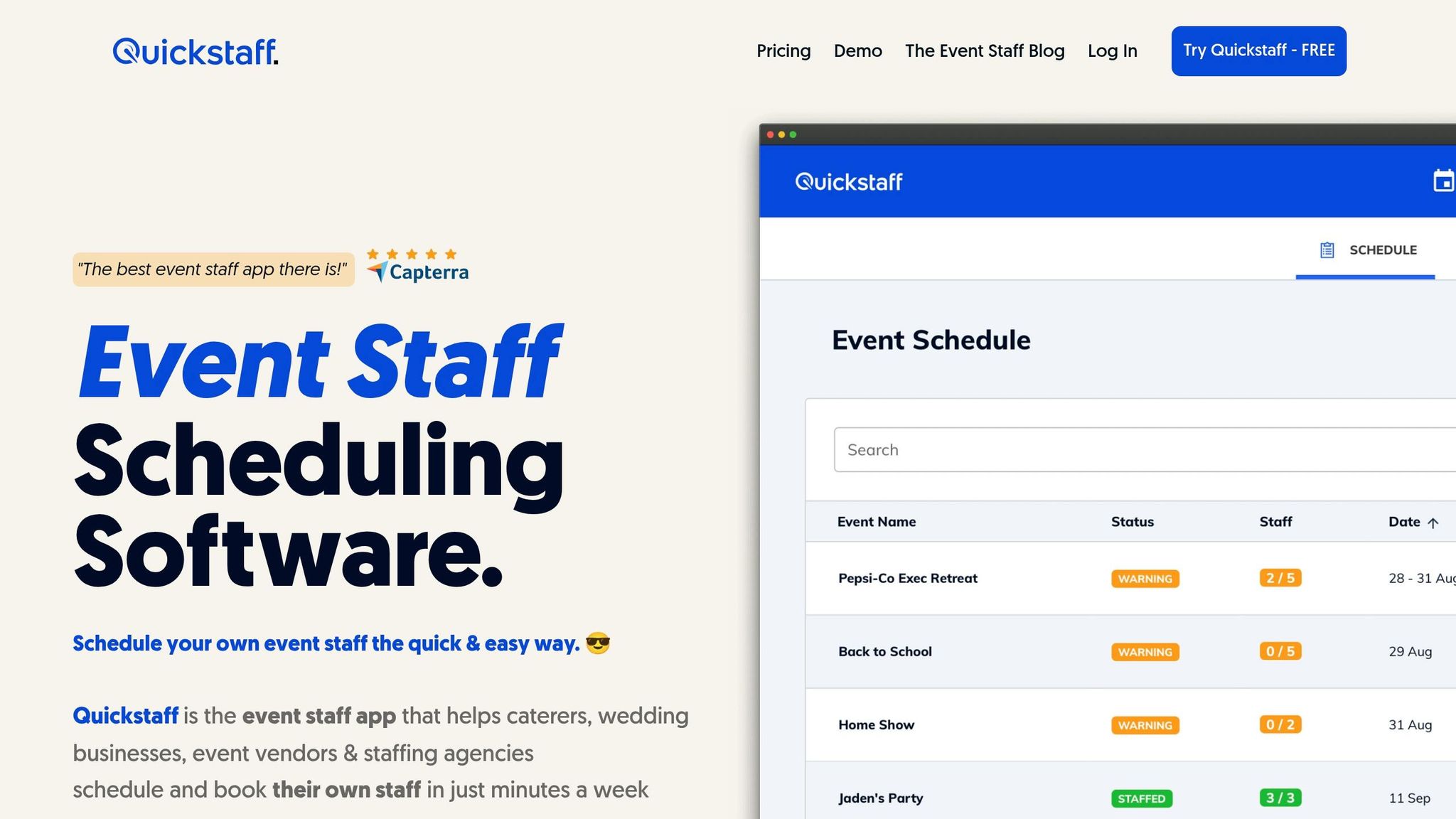
Quickstaff supports this workflow by keeping availability, waitlists, and confirmations in one live system. It keeps real-time matching moving by putting availability, roles, and event details into a single live view.
Quickstaff keeps every event, role, and staff member in one place. You build the roster, then watch fill status update live. Managers can spot open roles right away. They can also filter by role, time window, and proximity the moment a cancellation comes in.
That matters when time is tight. Instead of bouncing between spreadsheets, texts, and call logs, managers can see what’s open and who may be a fit in one screen.
From there, backups and confirmations stay organized through waitlists and mobile replies.
Quickstaff's waitlist turns backups into instant replacements. When a gap opens, the waitlist can turn a backup name into a confirmed shift fast. Move a waitlisted staff member into the confirmed roster, and they already have the event details, call time, and expectations needed to step in.
Quickstaff also sends automated reminders to cut down on no-shows without manual follow-up.
When a last-minute gap does appear, mobile confirmations help staff respond fast. They get a notification with the role, venue, shift time, dress code, and pay rate, then tap to accept or decline. Each response is timestamped for later review of fill rate and response time - connecting directly to the post-event metrics covered in Step 3.
Last-minute staffing gaps drive up labor costs, put pressure on the rest of the team, and chip away at the guest experience. The gap itself isn't the main issue. The slow fill is.
Real-time availability matching shortens fill time by showing who's free, narrowing by role and shift window, and sending offers right away. A process that used to drag past an hour can drop to under 20 minutes. For guests, that often means the problem never shows up at all.
But speed alone doesn't fix the bigger issue. What matters is having a process you can use again and again without falling into scramble mode. Current availability, waitlists, and mobile confirmations help managers stay in control instead of chasing texts and calls. Quickstaff supports that workflow with centralized events, roles, availability, waitlists, and mobile confirmations.
When coverage stays current, events stay on schedule.
Real-time matching cuts same-day fill time by replacing manual tools like spreadsheets, phone calls, and text chains with one automated, centralized workflow.
Managers can see available, qualified staff right away, send targeted invites fast, and alert the right people the moment a cancellation comes in. Add waitlists and live status updates, and teams can fill coverage gaps with far less back-and-forth.
A live staffing system should keep a close eye on real-time staff availability. That means showing who’s free, who has submitted time-off requests, and who still has open hours for the week.
It should also keep staff profiles in one place, including:
On top of that, the system should track what’s happening across each event and shift. That includes event details, shift confirmations, check-ins, labor costs, overtime trends, no-shows, and overall shift fill rates.
Managers can cut overtime by using scheduling platforms that flag it before a shift gets assigned. These tools compare shift needs with available, qualified staff in real time, so managers can fill gaps without piling on too many people.
They also make it much easier to reassign current team members and find the lowest-cost available replacement fast. That matters, because rushed staffing calls often lead straight to unplanned overtime.





