Event Safety Certificate Requirements
September 22, 2026

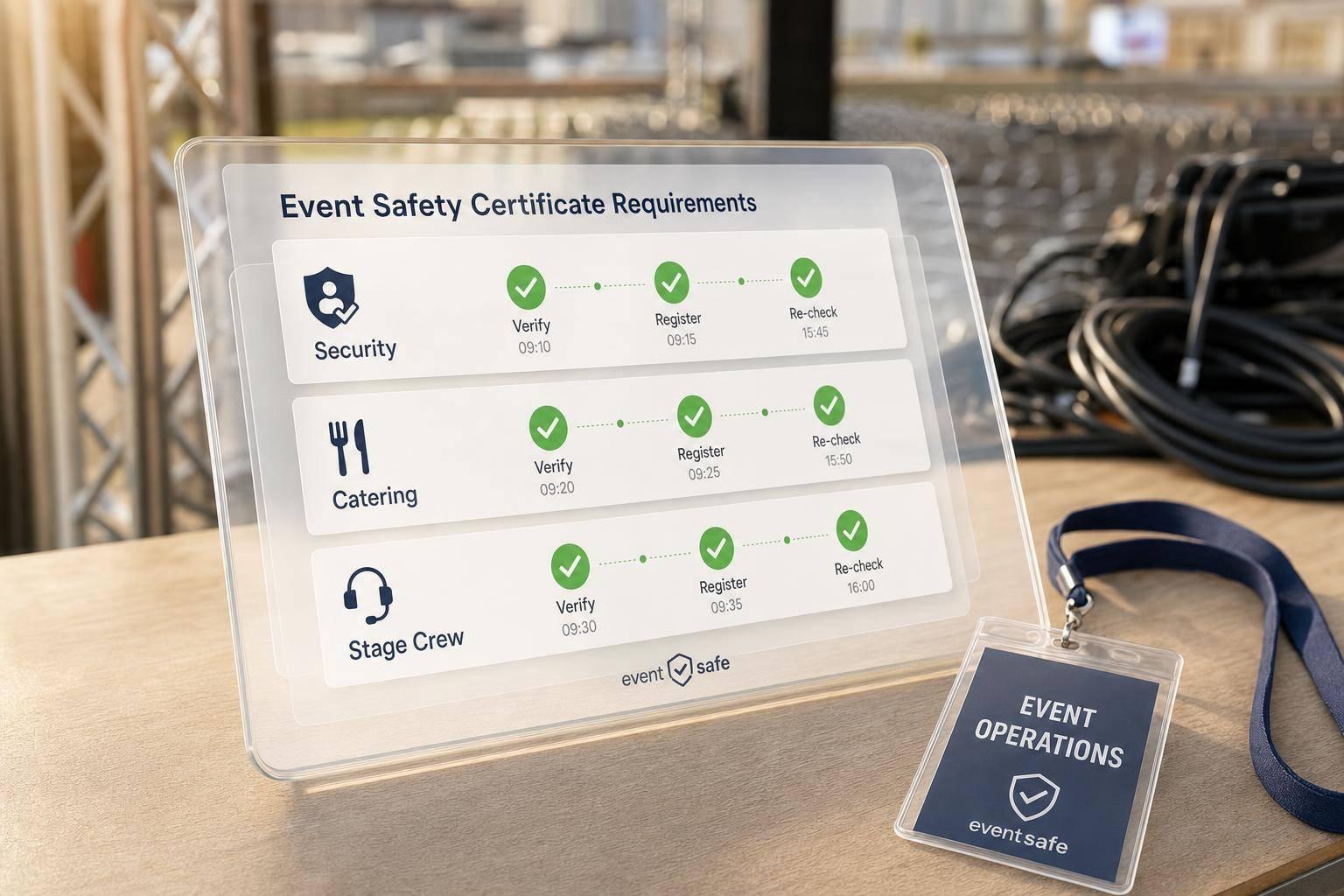
There is no single U.S. event safety certificate. If I’m staffing an event, I have to match the event setup, location, and each worker’s job to the right training or permit before anyone is scheduled.
Here’s the short version:
A few details matter more than most people think. For example, a common NFPA benchmark calls for 1 trained crowd manager, plus 1 more for every 250 occupants above 250. Some alcohol-server rules also have hard deadlines: Utah requires training before the first shift, while California gives 60 days from hire for training and the state exam. That means timing, state acceptance, and job duties can change who I can assign.
What I need to watch most:
If I had to boil the full article down to one line, it would be this: I should treat event certificates as a role-by-role compliance check, not as a one-time hiring file.
Event Safety Certificate Requirements by Role: A Quick-Reference Guide
Before you open even one shift, pin down the event basics. Write down the location, venue type, approved occupant load, expected attendance, hours, alcohol service, food prep and service, temporary structures, production equipment, and the emergency plan. Those details tell you which certificates or training records you need to check.
Once you have that map, line up each required credential with the people who will actually do the work.
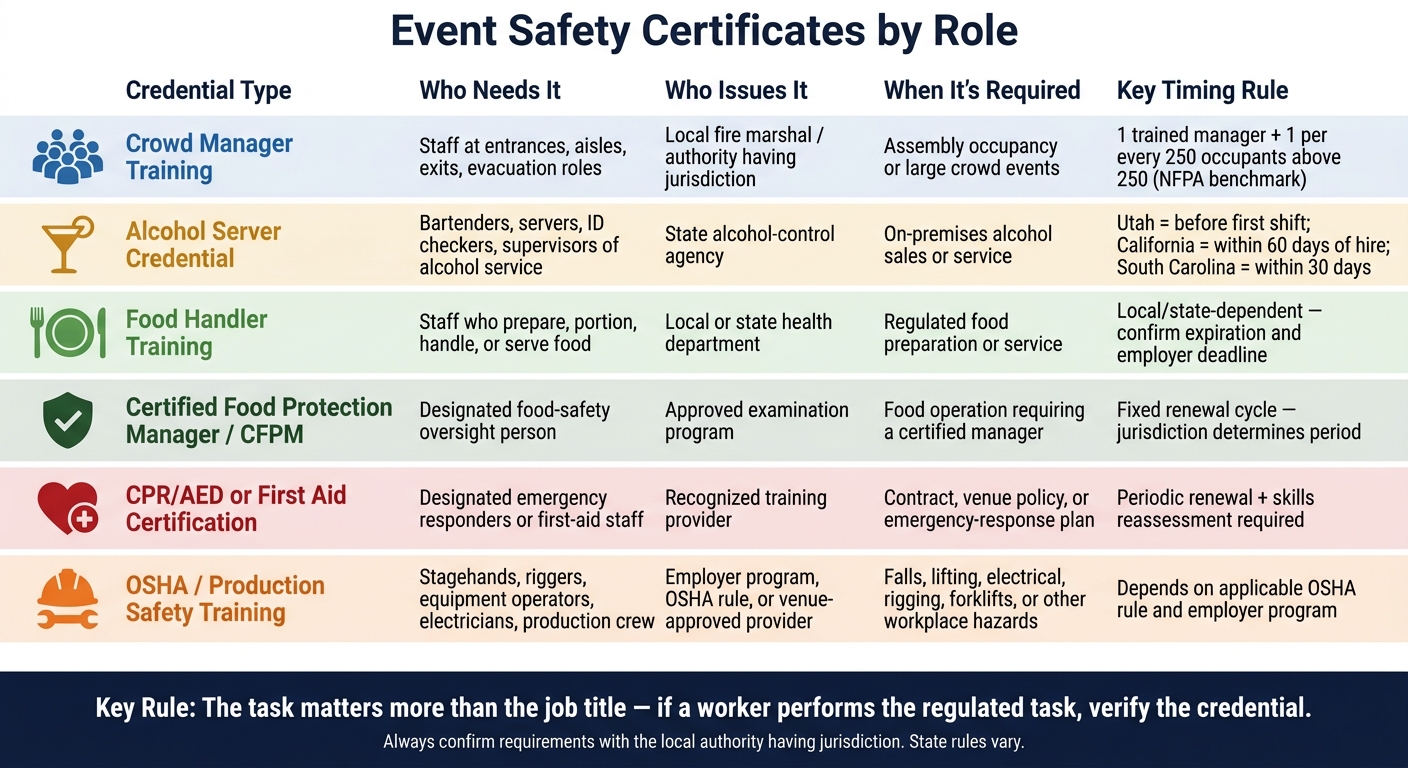
The rule here is simple: the task matters more than the job title. If someone pours drinks and checks IDs, that person may need the same alcohol-service credential as the lead bartender.
The table below ties the main credential types to common duties. Still, you should confirm each rule with the local authority.
| Credential type | Covered role or duty | Issuing or approving authority | Typical trigger | Renewal rule |
|---|---|---|---|---|
| Crowd-manager training | Staff monitoring entrances, aisles, exits, crowd movement, or emergency evacuation | Local fire marshal, authority having jurisdiction, or approved training provider | Assembly occupancy, large crowd, assembly event, or local permit condition; a common NFPA benchmark calls for one trained crowd manager plus one more for every 250 occupants above 250 | Jurisdiction-dependent; verify local course expiration or retraining interval |
| Alcohol-server credential | Bartenders, servers who pour or serve, employees checking IDs, and supervisors of alcohol service | State alcohol-control agency and approved providers | On-premises alcohol sales, service, or supervision | Varies by state. Utah requires completion before the first shift and renewal every 3 years. California requires training and a state exam within 60 days of hire. |
| Food-handler training | Staff who prepare, portion, handle, or serve food | Local or state health department, or approved provider | Regulated food preparation or service | Local or state-dependent; confirm expiration and any employer deadline |
| Certified Food Protection Manager (CFPM) | Designated person responsible for food-safety oversight | Approved examination program recognized by the jurisdiction | Food operation requiring a certified manager | Commonly renewed on a fixed cycle, but the jurisdiction determines the period and accepted programs |
| CPR/AED or first-aid certification | Designated emergency responders or staff in a first-aid role | Recognized training provider; venue or client may set higher standards | Contract, venue policy, risk assessment, or emergency-response plan | Provider-dependent; typically requires periodic renewal and skills reassessment |
| OSHA or production-safety training | Stagehands, riggers, equipment operators, electricians, and production crew | Employer program, OSHA rule, qualified trainer, or venue-approved provider | Falls, lifting, electrical work, rigging, forklifts, or other workplace hazards | Depends on the applicable OSHA rule, employer program, equipment, and venue policy |
A good working rule is this: if a worker performs the regulated task, verify the credential, no matter what their title says.
After you've pinned down which credentials are needed, check each document before you put anyone on the schedule.
Before you lock in any assignment, check three things.
Timing: Some credentials must be active before a worker starts the first shift tied to that task. Others give a short window after hire. Utah's alcohol-server rule requires training to be done before the first shift. South Carolina allows qualifying workers to finish approved training within 30 days of employment. When rules differ, use the stricter one. In plain English: don't assign regulated work until the credential is active.
Reciprocity: Don't assume an out-of-state or online credential will count where the event takes place. This comes up a lot with alcohol service, food protection, and crowd management. Check with the state or local authority at the event location to confirm that the exact provider or exam is accepted, not just something with a similar label.
Worker status: Temp staff, agency workers, and vendor crews aren't carved out from these rules. OSHA guidance puts shared responsibility on both the host employer and the staffing or contracting parties to spot required qualifications and make sure hazard-specific training is done before the assignment begins. That means agencies and vendors should send credential records before scheduling, and that duty should be written into the service agreement.
Next, verify each certificate before any shift is assigned.
A credential counts only after you verify it. That check should happen every time before you place someone in a restricted-role shift.
For each worker assigned to a regulated task, confirm:
Also record any role-specific conditions, such as age limits, required supervision, equipment limits, or venue-specific rules.
The name match matters. If the legal name on the credential doesn't match and there's no documented reason, mark the credential as pending. A documented legal name change is fine. If the credential includes an ID number, check it in the issuer's online verification database yourself. Don't rely only on a photo or screenshot sent by the worker.
A credential issued in one state does not automatically meet the rules in another state. Before you schedule anyone into a regulated role, confirm with the state or local authority where the event is being held that the exact provider or exam is accepted.
Just as important, log the review itself, not just the certificate. Your verification log should include the reviewer's name, the date and time checked, the source used, the result, and any exceptions or follow-up steps. If a document is missing, expired, unreadable, or issued by an unapproved provider, mark the worker as pending or blocked. Do not assign that person to the restricted role until the issue is fixed. Use the same checklist every time so nothing slips through the cracks, or consider using budget-friendly staff scheduling tools to automate these checks.
Different people may ask for different proof, but one verification record should support all of them.
| Who checks or requests the credential | Proof they may request | When the check usually happens |
|---|---|---|
| Event manager or staffing agency | Certificate copy, identity match, issuing body, jurisdiction, dates, restrictions, reviewer log | Before scheduling and during the final roster check |
| Venue operator | Role-specific certificates, food or alcohol credentials, safety training, insurance-related documentation | During vendor onboarding, before load-in, or at venue check-in |
| Health inspector or local health authority | Food-handler or manager credentials and records required by the applicable jurisdiction | During routine inspection, complaint investigation, or event inspection |
| Fire official or fire marshal | Documentation tied to crowd management, fire watch, emergency procedures, or other required qualifications | During permit review, pre-opening inspection, or on-site inspection |
| State or local alcohol-control authority | Alcohol-service credentials, permits, server records, and evidence of compliance with local rules | During licensing review, compliance inspection, or an enforcement visit |
| OSHA representative | Required safety-training certifications, employee identity and training dates, and other applicable safety records | During an inspection, investigation, or requested records review |
| Client, insurer, or auditor | Contract-required credentials, verification log, roster, and incident-related records | Before the event, during an audit, or after an incident |
OSHA inspection materials identify training records as documents that may need to be available to a compliance officer during an inspection. In some circumstances, records do not have to be physically kept at the worksite, but the employer must know where they are located and be able to provide them. Keep the log easy to retrieve during an inspection.
Once you've checked each credential, put the result into one register linked to assignments. That's the key. A single, searchable register gives managers one place to find what they need and match workers to roles fast. It also cuts out the usual mess of scattered spreadsheets, email attachments, and paper files.
Each credential record should include:
For recurring events, add a renewal reminder date and set it early enough to allow for renewal processing and training schedules. If a credential doesn't list an expiration date, note no expiration date listed, save the issuer's confirmation, and check whether law, client rules, venue rules, or company policy still call for periodic renewal.
Keep the worker's role, issuer, dates, jurisdiction, verification status, and restrictions together in one record. For verification status, use clear labels: pending, verified, verified with restrictions, rejected, or expired. That way, any authorized manager can read the file and know what to do right away.
Set up the register by record status and source. These categories work well:
Vendor-submitted documents need a closer look. A vendor's submission is something to review, not automatic proof that every worker can do every task. Your register should show the company in charge, the contact person, the submission date, and whether your team checked the documents on its own.
Don't delete or overwrite expired or withdrawn records in a way that erases the audit trail. Mark them clearly and make sure they don't show up in the pool of workers who can be assigned.
Access should stay limited to authorized managers and compliance staff. Use role-based permissions and keep an access log.
Scheduling software can bring records, reminders, and assignments into one place, so checked credentials stay connected to the right jobs. Platforms like Quickstaff can support this process and make it easier to match verified qualifications to the right roles across a recurring event series. Quickstaff does not replace official federal, state, local, venue, or issuer requirements. Compliance decisions still rest with the manager and the applicable authorities. That makes the final roster check faster and cleaner.
Use the register to flag qualified staff before final roster approval.
With a clean, checked register in place, the last step is turning that data into an approved roster and keeping the paper trail.
Do the last compliance check before you approve the roster. Then do it again at check-in if there are substitutions or role changes.
Start by confirming the permit terms, occupancy limit, event date, and assigned duties. Next, pull the register and filter for credentials that are valid on the event date, accepted in that jurisdiction, and matched to the actual duty. Block any worker whose credential is expired, unverified, or limited to a different jurisdiction from restricted roles. That includes food service, alcohol service, crowd management, and first aid.
Calculate crowd-manager coverage using the occupant-load rule that applies, and record the source you used. If the event location changes, or if a worker switches roles, check food-handler and alcohol-service credentials again. Small changes can create big problems if the role no longer matches the credential.
Last, confirm that designated CPR/AED or first-aid staff will cover the full event window. Also make sure equipment locations and emergency contacts are written into the event plan.
Treat the final roster as a compliance record, not just a staffing list. Save it with the credential-verification log, emergency plan, and any approved substitutions. Each roster entry should show:
If a scheduled worker cancels, verify the replacement before assignment, update the roster, and keep both versions. That way, if the venue later asks who handled alcohol service, the event file can show the final worker, the rule that applied, the verification evidence, and the manager who approved the change.
Attach incident or near-miss notes to the same file. Record the date, time, location, people involved, immediate actions taken, and any corrective actions. OSHA field guidance also describes documenting the scenario, actions, participants, and debrief after an emergency or exercise. Keep the final roster, verification log, permits, emergency plan, and incident notes in one event file.
Match training and certificates to the risks and legal rules tied to each role. Entry-level staff may need OSHA-10, while supervisors or team leads managing hazardous work may need OSHA-30.
Some jobs call for extra credentials or permits. That often includes rigging, electrical work, bartending, and equipment operation. A role-based training matrix can make this much easier to track, and you should always check state laws and venue rules.
It depends on the state and the venue where the event happens. In some places, workers need site-specific or local training. That means a general out-of-state or online certificate might not count.
The rules can also change based on the role and the venue. So it’s smart to check the requirements for each event location before you schedule staff.
Quickstaff can help by keeping staff profiles and certifications in one place, so you can see who meets each job site’s rules.
Keep clear records for every event. That includes pre-event safety training, hazard and equipment communication, emergency procedures, staff certifications, safety roles, and briefing attendance.
You’ll also want records for:
This kind of paperwork can feel tedious. But when something goes wrong, good records can save a lot of stress. They show who was trained, what was covered, and what steps were taken before, during, and after the event.
Quickstaff can help centralize staff certifications and event history, which makes recordkeeping a lot easier.