How Customizable Platforms Simplify Event Staffing
December 30, 2025

Coordinating event staff can feel overwhelming, but customizable platforms like Quickstaff make it easier. These tools centralize scheduling, automate tasks, and improve communication, saving time and reducing errors. Here's how they help:
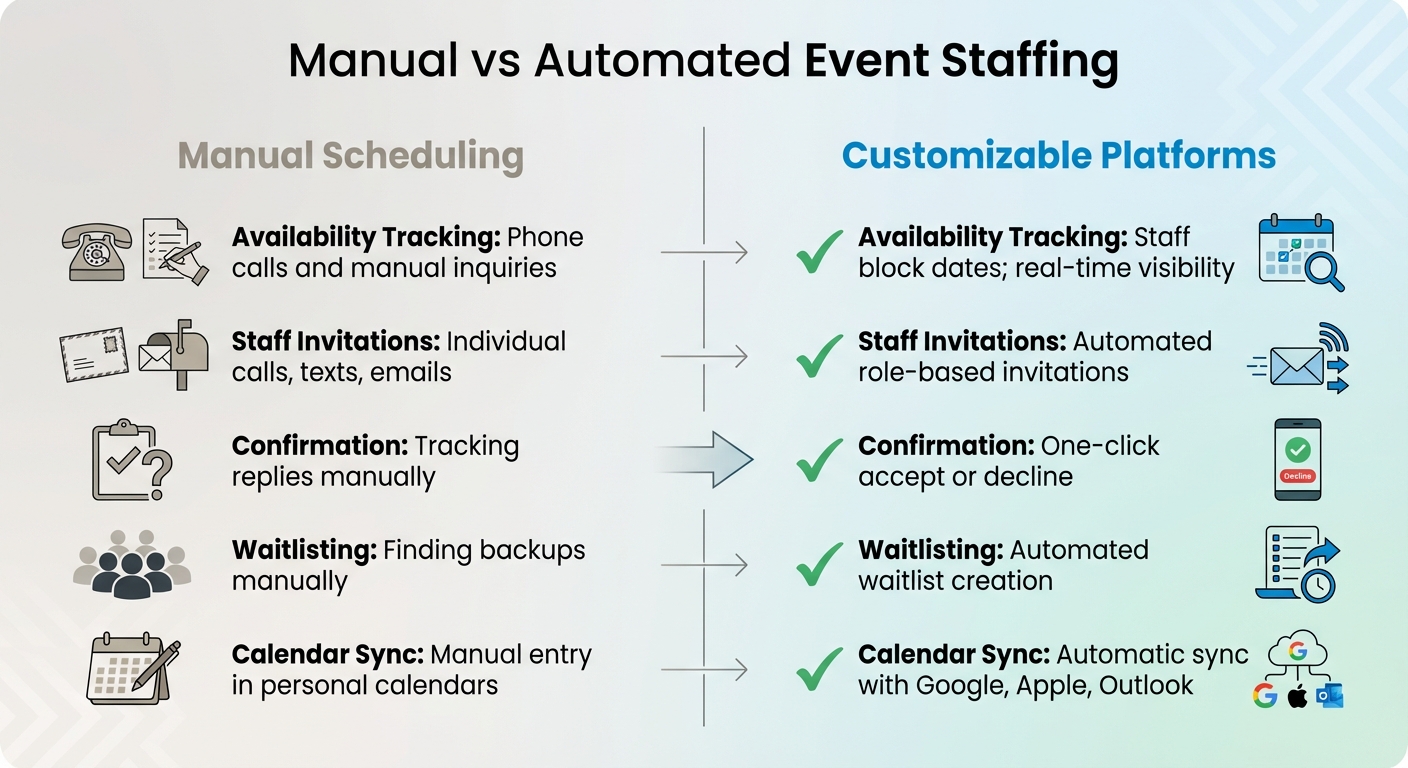
Manual vs Automated Event Staffing: Feature Comparison
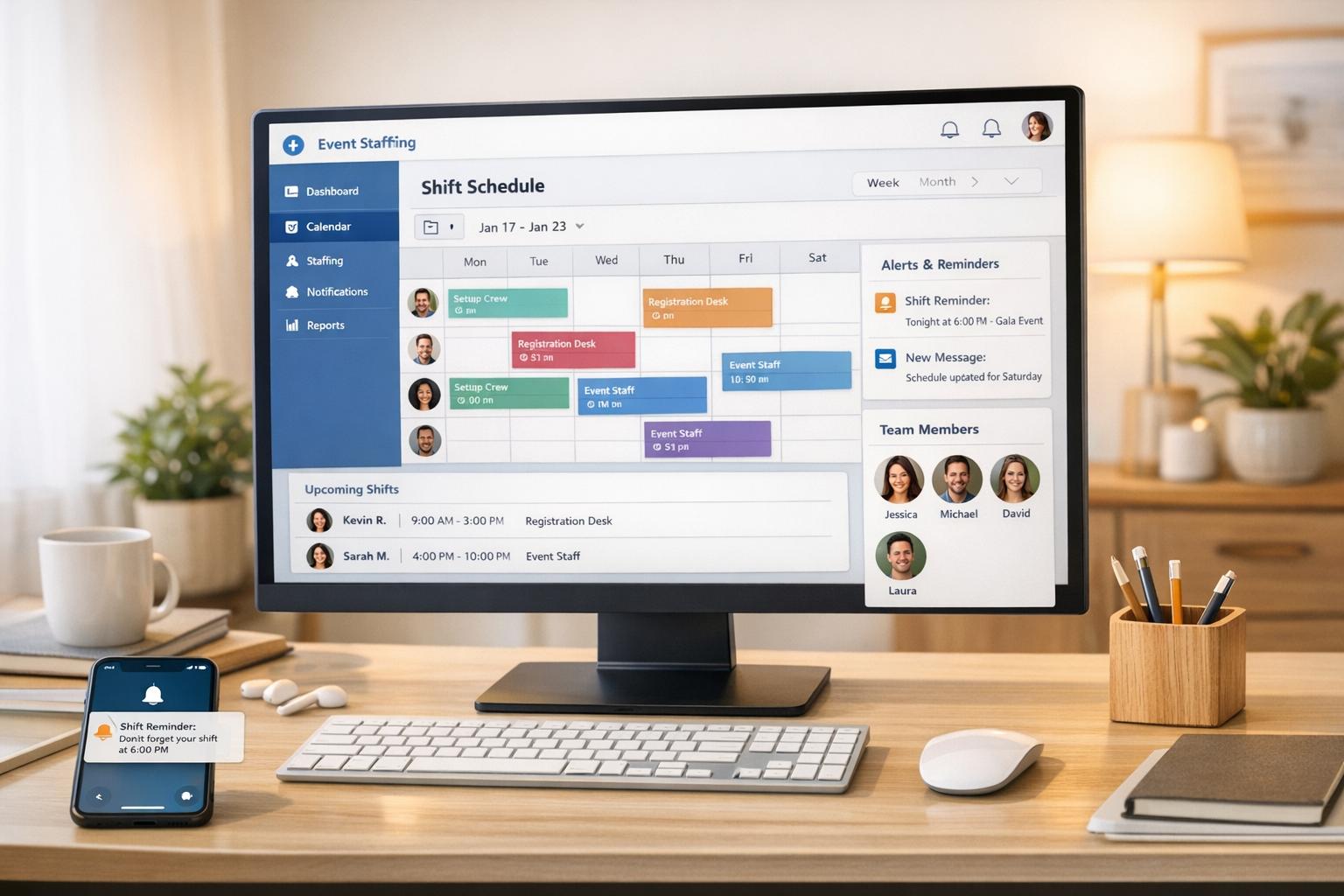
Gone are the days of juggling spreadsheets and endless phone calls. Centralized digital platforms bring everything together in one dashboard. Staff profiles, schedules, and real-time availability updates are all synced, eliminating confusion and reducing the risk of double-bookings or scheduling conflicts.
Efficiency takes center stage. Kelly from The Abbot KC shared:
"The time that we have been able to save by using this staff scheduling software has allowed us to tackle the other issues that we face thereby improving our overall events!"
Automation minimizes errors: Staff can block out dates they’re unavailable, ensuring managers only see eligible workers when scheduling. Role-specific invitations streamline the process, targeting only the staff needed - whether servers, bartenders, or kitchen staff - avoiding unnecessary back-and-forth with unqualified candidates.
Collaboration becomes seamless when everyone works from the same source of truth. Staff can access event details, dress codes, and location notes directly on their phones. Managers can send updates to specific roles or events, ensuring the right people get the right information without overwhelming inboxes. Plus, calendar integration with Google, Apple, and Outlook consolidates all commitments in one view.
Building schedules no longer has to be a logistical headache. Instead of calling each team member to check their availability, managers can simply create an event, specify the roles needed, and send out invitations. Staff receive an email and can confirm or decline with a single click.
The platform automatically tracks responses, making it easy to see who’s confirmed, who’s unavailable, and who hasn’t responded yet. Workers can also block out dates in advance for vacations or other commitments, ensuring only available staff are invited.
Backup coverage is built in. If more staff accept a shift than required, the system creates an automated waitlist. This ensures pre-approved replacements are ready to step in if someone cancels last minute. Integration with major calendar providers like Google Calendar, iCal, and Outlook prevents double-bookings, giving staff a clear view of their work shifts alongside personal plans.
| Feature | Manual Scheduling | Customizable Platforms |
|---|---|---|
| Availability Tracking | Phone calls and manual inquiries | Staff block dates; real-time visibility |
| Staff Invitations | Individual calls, texts, emails | Automated role-based invitations |
| Confirmation | Tracking replies manually | One-click accept or decline |
| Waitlisting | Finding backups manually | Automated waitlist creation |
| Calendar Sync | Manual entry in personal calendars | Automatic sync with Google, Apple, Outlook |
Once schedules are finalized, effective communication ensures everyone stays informed.
Scheduling is just the start - keeping everyone on the same page is equally important. Centralized messaging simplifies communication, replacing scattered texts and emails. Managers can send updates to the entire team or filter messages by role. For example, if only bartenders need to know about a venue change, the system ensures the message reaches them - and only them.
Automated reminders help reduce no-shows by notifying staff 24 to 48 hours before their shift. These reminders include essential details like event notes, directions, and dress codes, ensuring workers show up prepared. And with a mobile-friendly interface, staff can easily check event details on the go.
Event-specific communication keeps things organized. Managers can attach files or notes directly to an event, restricting access to assigned staff only. This ensures sensitive client or venue-specific information stays secure while keeping everyone informed.
The real-time dashboard gives managers a clear view of staffing across events, helping them quickly identify gaps and address them before they become issues.
Last-minute cancellations no longer mean chaos. Automated waitlists make it easy to find replacements instantly.
Real-time availability tracking prevents scheduling conflicts from the start. When staff block out unavailable dates, only eligible team members are invited, reducing the chance of double-bookings or overlooked commitments.
Quick updates are possible with targeted messaging. If a venue changes its start time or parking instructions, managers can send an instant message to the assigned staff. These updates are delivered directly to their phones, even if they’re already en route.
With all event details - like dress codes, location info, and client requests - centralized, last-minute replacements can step in confidently, knowing they have all the information they need.
| Feature | Impact on Last-Minute Changes |
|---|---|
| Automated Waitlist | Ensures immediate replacements |
| Date Block-outs | Prevents scheduling conflicts |
| Targeted Messaging | Sends urgent updates to the right staff |
| One-Click Confirmation | Speeds up filling urgent shifts |
Mobile access ensures staff stay connected no matter where they are, enabling quick responses to urgent scheduling needs and ensuring they’re always in the loop.
Quickstaff simplifies event staffing with its intuitive "Create, Choose, Confirm" model. This process eliminates common scheduling problems and the usual headaches of organizing staff. Managers log into the mobile-friendly dashboard, hit "Create Event", and fill in the essentials: event name, date (MM/DD/YYYY), location, and roles like servers or bartenders. From there, the platform takes over, notifying staff and tracking responses - no need for managers to spend hours chasing confirmations.
Creating your first event is all about defining your needs. Say you're planning a wedding on 06/15/2026 for 200 guests. You'd input the event details, specify roles (e.g., 10 servers, 5 bartenders), and set the time (5:00 PM–12:00 AM EST). You can also use an event staffing needs analyzer to determine the ideal headcount for your guest list. The platform also allows you to include notes like dress codes, parking details, or client preferences, ensuring your staff is ready for every detail.
Setting up staff profiles is just as simple. Under "Staff Management", you can add team members, listing their skills, certifications (like food handler permits), and availability. For instance, "Server Jane Doe" might have skills in plating and customer service, with her calendar showing she's free on June weekends. The platform automatically tags staff with matching skills for similar future events, cutting setup time dramatically.
Custom roles make the process even smoother. You can define specific positions - like kitchen assistant, photographer, or guest coordinator - and the system ensures only qualified staff receive invitations. This eliminates the hassle of contacting people who aren't a good fit for the job.
With your events and staff profiles in place, scheduling becomes a breeze.
Once your staff profiles are ready, scheduling is practically effortless. From the event dashboard, you input your staffing needs by role and shift times, then let the automated scheduler do the heavy lifting. It instantly filters candidates based on availability, skills, and even location, filling shifts in just minutes instead of hours.
Availability calendars help avoid scheduling conflicts. Staff can mark dates they’re unavailable, and the system only shows eligible workers during scheduling. If someone cancels, the automated waitlist immediately notifies backups in order of priority. Staff can view their shifts alongside personal plans in one convenient view, and automated reminders - sent 24 to 48 hours before their shifts - help reduce no-shows significantly.
The platform also provides tools to monitor and refine your event staffing. The centralized dashboard gives a real-time overview of staffing across all events, so you can quickly spot any gaps or issues. Performance metrics help you fine-tune your planning. You can track fill rates (e.g., 98% coverage), attendance stats, and role-specific performance scores to identify top performers. This ensures you're better prepared for future events, with enough reliable workers on hand for key dates.
Historical data becomes your secret weapon. For example, if last year’s festival needed 50% more security than expected, you’ll have that insight ready for the next event. The system also tracks staff confirmations and declines, building a reliability profile for each team member. This makes it easier to prioritize dependable workers for critical events and avoid over-hiring, which can directly affect your bottom line.
Jaime S., VP at Lisa’s Catering, summed it up perfectly:
"Prior to Quickstaff, I was using Excel spreadsheets to track my employees and their shift availability. My life changed the day I started using Quickstaff!"
Once you've streamlined your staff scheduling, and learned how to keep the best event staff, it's time to pick a pricing plan that aligns with your team size and workload. Quickstaff provides three straightforward tiers: Boutique, Growing, and Large. Each plan is designed to accommodate different team sizes and comes with full access to all features. Here's the breakdown:
All plans include valuable features like automated reminders, waitlists, unlimited events, and unlimited manager accounts - without any hidden fees.
Quickstaff's flat-rate pricing means your costs remain consistent, even during peak times. And if your team grows beyond your current plan's limits, upgrading is simple. For businesses with over 175 staff members, custom plans are available to meet your specific needs.
Want to see how it works? Start with a 14-day free trial, no credit card required, and experience how Quickstaff can simplify your scheduling process. If you're satisfied, switching to annual billing can save you the equivalent of two months' subscription costs. Here's a quick look at the available plans:
| Plan | Monthly Price | Staff Limit | Key Features |
|---|---|---|---|
| Boutique | $49 | Up to 35 | All features, unlimited events, unlimited managers, assisted onboarding |
| Growing | $99 | Up to 70 | All features, unlimited events, unlimited managers, assisted onboarding |
| Large | $249 | Up to 175 | All features, unlimited events, unlimited managers, assisted onboarding |
| Custom | Contact us | 175+ | Tailored pricing for large-scale operations |
If you manage a larger team, reach out to Quickstaff for a custom plan tailored to your unique requirements.
Event staffing doesn't have to be a headache anymore. Tools like Quickstaff have transformed the process, offering a centralized dashboard that makes managing staff availability, confirmations, and communication seamless. Since its launch in 2013, Quickstaff has helped event vendors and caterers efficiently schedule staff for over 20,000 events, proving just how impactful automation can be.
Jennifer Manley, a Staffing Coordinator, sums it up perfectly:
"My time spent scheduling has shrunk majorly, leaving me more time to focus on recruiting, onboarding and training".
By eliminating the need to chase staff through endless phone calls or juggle multiple spreadsheets, Quickstaff allows you to redirect your energy toward growing your business. From improving training programs to enhancing customer service and strategic planning, the time you save can be invested where it matters most.
Features like automated reminders, one-click accept/decline options, and real-time availability tracking help reduce miscommunication and no-shows. Plus, clear event details and synchronized communication ensure everything runs smoothly.
Simplifying staffing operations means you can focus on delivering exceptional events. Want to see the difference for yourself? Quickstaff offers a 14-day free trial - no credit card needed. Whether you're managing a team of 35 or 175, there's a plan tailored to your needs. The right tools can transform how you plan and execute events, saving time and boosting efficiency.
Customizable tools like Quickstaff make event staffing a breeze by consolidating scheduling and communication into a single, user-friendly platform. Forget juggling spreadsheets, emails, and phone calls - Quickstaff lets you create events, assign roles, and notify your team effortlessly, all from any device. This efficient approach not only saves time but also helps reduce mistakes, giving you more bandwidth to focus on executing a successful event.
One standout feature is its ability to prevent scheduling conflicts. With real-time updates on staff availability, team members can log their schedules directly in the app, and managers can instantly see who’s available. Plus, automated reminders and calendar syncing ensure everyone stays aligned, cutting down on no-shows and last-minute surprises.
Quickstaff’s straightforward interface eliminates the need for special training, making it easy for both managers and staff to get started right away. By automating repetitive tasks and centralizing communication, it frees up your time to concentrate on what matters most - delivering a flawless event.
Quickstaff simplifies last-minute staffing adjustments with its real-time dashboard, giving you an instant view of who's available. From there, you can easily send out shift invitations, manage waitlists, and send mobile reminders - all without switching between tools.
Whether you're at your desk or on the move, Quickstaff works on any device, making it effortless to stay organized and handle staffing changes without the usual chaos.
Quickstaff streamlines communication by automating event invitations, confirmations, and reminders. Through its centralized online dashboard, team members receive real-time notifications, keeping everyone aligned during the event planning process.
The platform also allows staff to quickly access key details like schedules, updates, and last-minute changes. This reduces misunderstandings and boosts coordination. By simplifying how teams communicate, Quickstaff makes managing event staffing easier and less stressful for all participants.