Ultimate Guide to Trade Show Staff Training
June 15, 2026

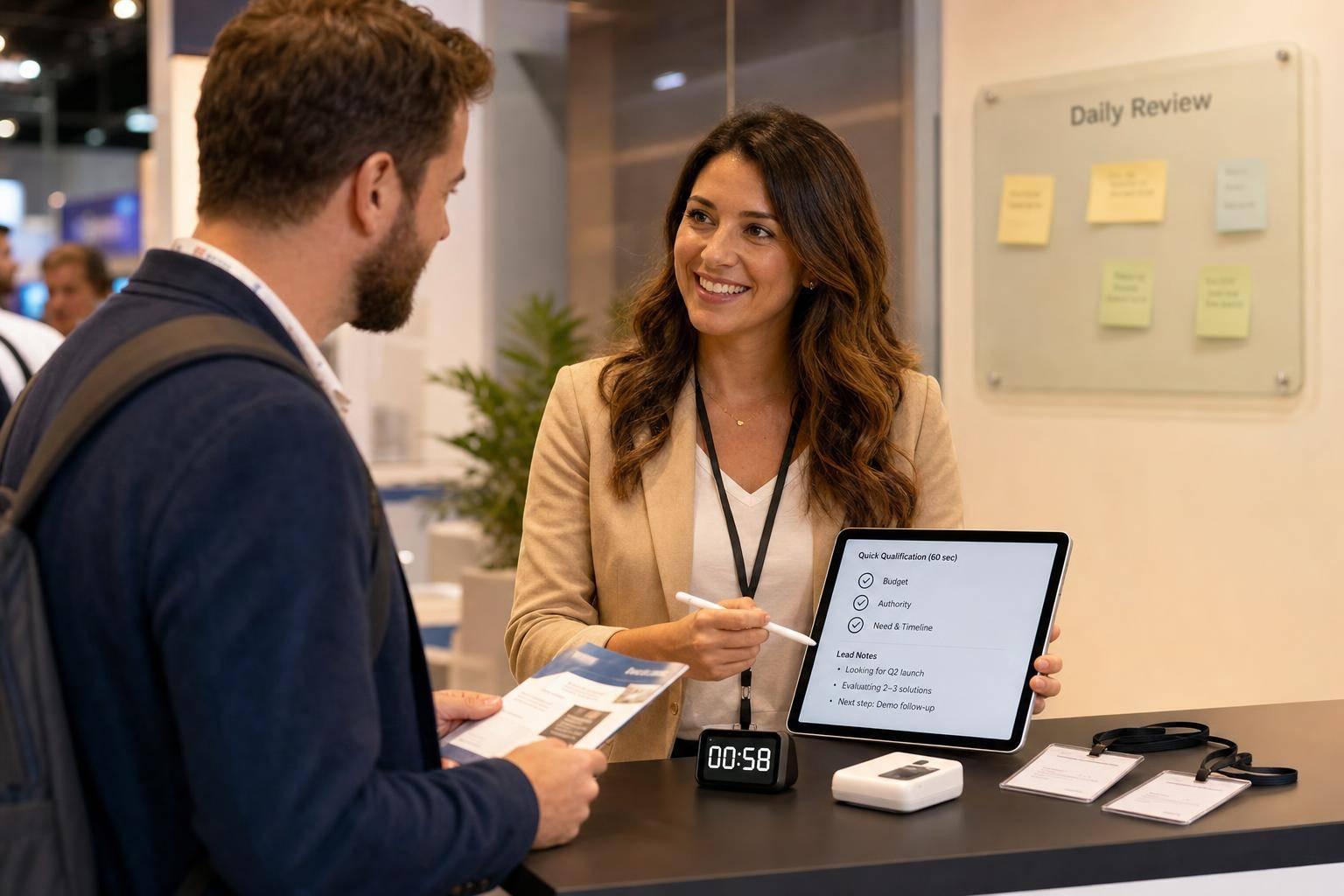
A trade show team can make or waste your booth ROI in under 8 minutes. From what I see in this guide, the fix is simple: train staff to greet fast, qualify in 60–90 seconds, log clean lead notes, and review performance every day.
If I had to boil the full article down, it comes to this:
A few numbers stand out:
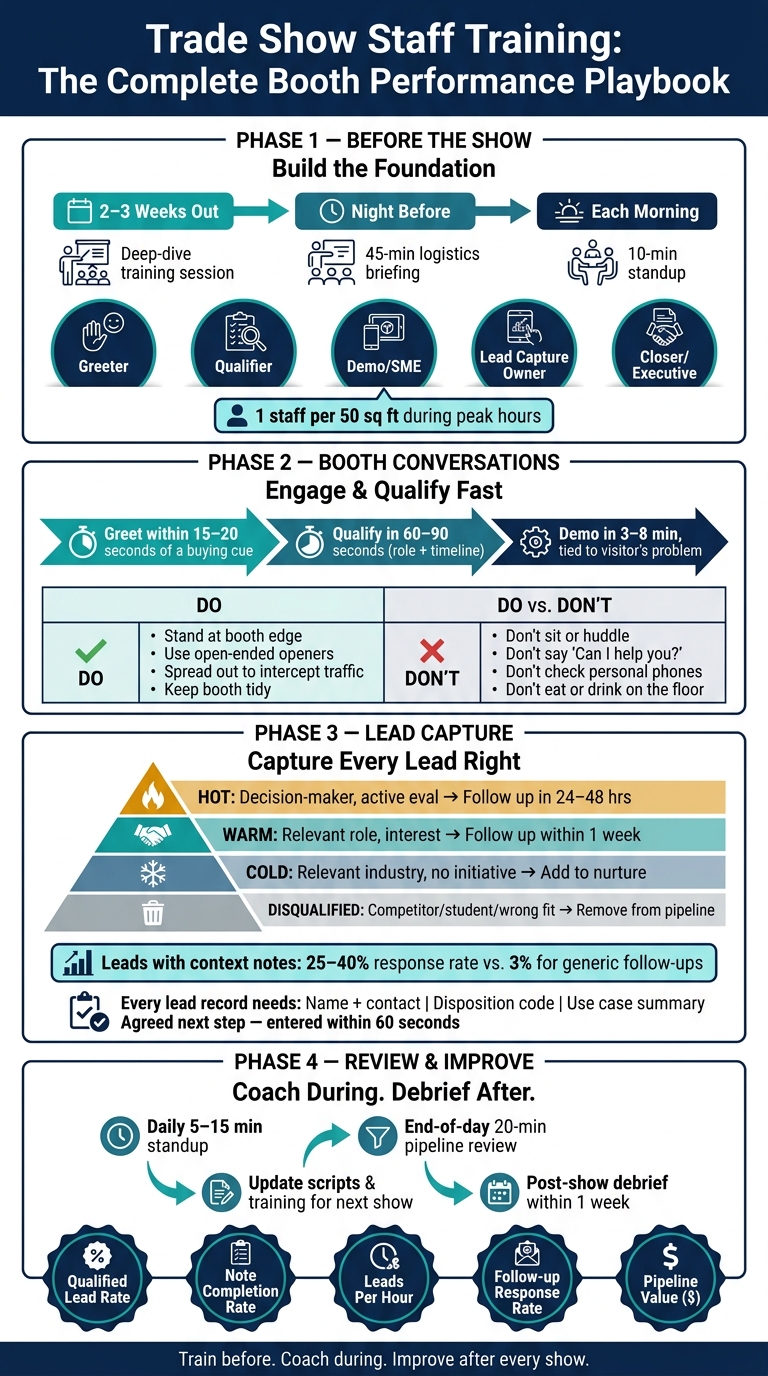
Trade Show Staff Training: The Complete Booth Performance Playbook
| Area | What I should focus on | What success looks like |
|---|---|---|
| Goals | Match training to lead, demo, or meeting targets | Staff know what to aim for |
| Roles | Assign greeter, qualifier, SME, lead note owner, and executive coverage | Fewer missed visitors and smoother handoffs |
| Training | Use short modules, role-play, checklists, and floor walkthroughs | Staff can use the process under show-floor pressure |
| Booth behavior | Stand at the aisle, engage early, stay off phones | More conversations start |
| Lead handling | Add tier, use case, and next step to every lead | Sales gets follow-up-ready records |
| Review | Check KPIs daily and debrief after the event | Each show improves the next one |
I’d treat this article as a simple playbook: train before the event, coach during the event, and use lead data after the event to fix what didn’t work.
Start with the event goal. Then build roles, shifts, and training to support it.
Each trade show goal should tie to a KPI you can track. If the goal is lead generation, watch qualified leads per staff member per hour and pipeline value. If the goal is product education, track demo completion rate. If the goal is meetings, track scheduled meetings.
Train each staff member to figure out a visitor’s role and buying timeline within 60–90 seconds. A simple two-question qualification rule works well here.
Badge scans should count as contact capture, not the finish line. Staff should add notes that record the visitor’s role, need, and timeline. Judge training by note completeness and 48-hour follow-up response, not by scan volume alone.
Once those targets are clear, assign clear ownership for each one.
When roles are fuzzy, people tend to bunch up in one spot or miss visitors altogether. A useful benchmark is one staff member for every 50 square feet of booth space during peak hours.
| Role | Main Responsibilities | Required Skills | Key KPIs |
|---|---|---|---|
| Greeter/Reception | Aisle engagement; initial greeting; routing visitors | High energy; approachable body language; opener fluency | Total scans; visitor-to-qualifier handoff rate |
| Qualifier | Initial conversation; identifying ICP; filtering out tire-kickers | Active listening; qualification script mastery; quick thinking | Qualified leads per hour; disposition code accuracy |
| Demo Staff/SME | Technical deep-dives; product presentations; answering complex FAQs | Deep product knowledge; presentation skills; technical expertise | Demo completion rate; technical question resolution |
| Lead Capture Owner | Ensuring every interaction has a structured record with notes | Detail-oriented; tech-savvy with lead apps/CRM | Note field completion rate; CRM sync status |
| Closer/Executive | High-level commercial talks; VIP hosting; finalizing next steps | Negotiation; authority to commit resources; relationship management | Meetings scheduled; pipeline value generated |
After roles are set, shape shifts and breaks around booth coverage.
Plan a 20-minute off-floor break every two hours, and don’t keep anyone on the floor for more than 90 minutes without a break. Restroom and lunch breaks should happen away from the booth.
Training works best in stages:
Use Quickstaff to assign shifts, track availability, manage waitlists, and send reminders. That way, training attendance and backup coverage stay in one place.
Use that same schedule to confirm who completed training and who can step in if someone is out.
With roles and event staff scheduling in place, the next step is to turn them into training people can use on the show floor.
Before you write any modules, define what “good” looks like for each skill. A competency framework gives your team a shared standard. That way, coaching is tied to a clear level of performance, not a fuzzy sense that someone is “doing fine.”
The goal isn’t general confidence. It’s observable behavior that helps the booth perform better.
| Skill | Basic Proficiency | Intermediate Proficiency | Advanced Proficiency |
|---|---|---|---|
| Approach | Makes eye contact and smiles at passersby. | Uses open-ended questions to initiate dialogue. | Adjusts the opener based on body language and persona. |
| Qualification | Asks at least one qualifying question about the visitor's role. | Uses BANT or a similar framework to identify role and timeline. | Redirects unqualified visitors quickly and politely. |
| Product Knowledge | Delivers a 30-second elevator pitch and identifies core products. | Tailors the value proposition to the visitor's industry or use case. | Handles technical deep-dives and complex procurement questions. |
| Lead Capture | Scans badges consistently. | Records a disposition code and agreed next step. | Records use case, pain points, and next step for follow-up. |
| Professionalism | Follows dress code; stays off the phone while in the booth. | Keeps conversations brief and hands off at the right time. | Proactively manages booth flow and coordinates handoffs with teammates. |
Then map each role to the level you expect. Qualifiers need strong approach and qualification skills. Subject matter experts need advanced product knowledge. Lead capture owners need disciplined scanning and note-taking.
This gives you a minimum standard for every booth role, which makes training a lot easier to run and a lot easier to judge.
Keep live modules between 20–60 minutes and video lessons between 3–7 minutes. Short sessions are easier to fit into busy schedules, and people tend to remember more when training comes in small chunks instead of one long info dump.
A practical curriculum should cover:
You should also train against the four booth killers: sitting, eating, phone use, and huddling. These habits make it harder for visitors to stop, look in, and start a conversation. If you’ve ever walked past a booth where everyone was glued to a phone, you already know the damage. Call these behaviors out directly during training.
No single format does the whole job. The strongest programs mix live sessions, short videos, written checklists, and on-site practice.
| Format | Strengths | Limits | Best Use Case |
|---|---|---|---|
| Live Workshops | High engagement and immediate role-play feedback. | Hard to schedule for busy teams; high time commitment. | Core skill-building 2–3 weeks before the show. |
| Video Modules (3–7 min) | Scalable; staff watch on their own time; easy to revisit. | Passive; no real-time practice. | Product knowledge refreshers and lead capture tool tutorials. |
| Written Checklists | Quick floor reference; easy to carry. | Easily ignored if too long; lacks conversational nuance. | Booth etiquette, dress code, and lead capture reminders. |
| Mock Walkthroughs | Builds spatial awareness; clarifies handoff positions. | Requires venue access. | The evening before the show opens. |
A simple way to think about it: use live workshops for core skills, videos for refreshers, checklists for quick floor reference, and walkthroughs for on-site practice.
Next, turn this framework into booth conversations, qualification, and lead handoffs.
The first few seconds at a booth matter more than many exhibitors think. 80% of visitors form their overall impression of a brand from that short interaction with the booth team. So posture, eye contact, and the first words a staff member says can shape the whole exchange.
Greeters should open the conversation, qualifiers should probe a bit, and SMEs should be ready to step in. Train staff to stand at the front edge of the booth and face the aisle. They should watch for entry cues like eye contact, slowing down, or a glance at a certain display, then start the conversation within 15 to 20 seconds.
Skip “Can I help you?” It often leads straight to “just looking” and the conversation dies there. A better move is to use openers built around curiosity, like asking what brought someone to the show or what problem they’re trying to solve this year.
Here are the main habits to reinforce in training:
| Behavior | Do | Don't |
|---|---|---|
| Posture | Stand at the booth edge, smile, and maintain eye contact | Cross your arms, sit, or turn your back to the aisle |
| Devices | Use tablets or scanners only for active lead capture | Check personal phones or text while on the floor |
| Interaction | Spread out to intercept separate traffic | Form staff huddles or hold side conversations |
| Booth upkeep | Keep the space tidy and store boxes out of sight | Eat, drink, or leave trash on counters |
Once staff can start conversations fast, the next step is teaching them how to qualify visitors just as fast.
Once a visitor engages, staff usually have about 90 seconds to figure out whether the conversation should go deeper. That means qualification needs to feel smooth, not robotic.
A simple two-question framework works well. First, ask about role and context: what are you using for [category] now? Then ask about timing: what’s driving the timing of looking at this now? Those two questions can surface role, pain point, and urgency without making the visitor feel like they’re being screened.
If the visitor qualifies, move into a short demo. Booth conversations usually last 3–8 minutes, so the demo should be practiced ahead of time and tied closely to the problem the visitor just mentioned.
When objections come up, honesty matters most. If a staff member doesn’t know the answer, they shouldn’t guess. They should acknowledge the question and commit to a specific follow-up.
After qualification, the lead handoff and lead record need to happen before the visitor walks away.
Every qualified conversation should end with a lead record that includes four things: name and contact info, a disposition code, a one- to two-sentence use case summary, and an agreed next step. Those details should be entered within 60 seconds.
Use four lead tiers to keep follow-up clean and organized:
| Tier | Criteria | Follow-Up Timeline |
|---|---|---|
| Hot | Decision-maker, active evaluation, short timeline | Within 24–48 hours |
| Warm | Relevant role, expressed interest, unclear timeline | Within one week |
| Cold | Relevant industry/company, no active initiative | Add to nurture sequence |
| Disqualified | Competitor, student, or wrong industry | Remove from sales pipeline |
Handoffs between a Qualifier and an SME need a clear floor process so the visitor doesn’t feel passed around. Train staff to make eye contact and use a direct verbal cue that brings in the SME by name and role.
Use these rules on the floor, then review them in daily briefings so the team keeps the same standard from open to close.
Start each morning with a short standup before the floor opens. Keep it to 5 to 15 minutes. The goal isn't a long meeting. It's to get everyone aligned fast.
Use three simple questions to move things along:
Stick with the same KPIs you set earlier. That way, the briefing supports the training system instead of turning into a basic logistics check-in. Use yesterday's lead data and today's staffing plan to decide where coaching should go before attendees start coming in.
At the end of the day, set aside 20 minutes to review the lead pipeline. Flag the talks that need follow-up first thing the next morning. Pull out any script tweaks the full team should hear. If rotations need to shift, change them so coverage stays even and the team doesn't fade halfway through the day.
Use Quickstaff to keep schedule changes, availability, messages, and reminders in one place in real time.
Track performance every day, not just during the final debrief. Sync lead data to your CRM after each show day so the next morning's standup runs on actual numbers, not guesswork. That data shows who is bringing in more qualified leads, where note completion is dropping off, and whether demos are leading to scheduled meetings.
Numbers help, but they don't tell the whole story. Floor observation matters too. A team lead walking the booth can spot clustering or slow engagement while it's happening. That's the moment to step in. Give clear feedback during the show instead of saving it all for the end.
Use lead notes and handoff data from the floor to track these numbers each day. The table below turns booth activity into coaching signals you can act on.
| KPI | Measurement Method | Data Source | Influence on Future Training |
|---|---|---|---|
| Qualified Lead Rate | % of scans classified as "Hot" or "Warm" | Lead Capture App / CRM | Adjusts qualification scripts and ICP definitions |
| Note Completion Rate | % of leads with a completed "Use Case" field | Lead Capture App | Indicates need for better lead capture discipline training |
| Leads Per Hour | Total leads ÷ staff hours on floor | Staff Schedule + Lead App | Informs shift length and staff density adjustments |
| Follow-up Response Rate | % of leads responding to first post-show outreach | CRM Tracking | Evaluates whether staff captured enough context for relevant follow-up |
| Pipeline Value ($) | Estimated value of qualified opportunities | CRM Sales Data | Validates ROI and justifies future training budgets |
These numbers come straight from the notes, lead tiers, and next steps recorded on the floor.
After the show, roll the daily data into one formal debrief. Hold it within one week of the show closing while details are still fresh. Keep the discussion centered on four things: actual lead counts vs. target lead counts by tier, what worked in the qualification script, what didn't work, and one clear change to make before the next event.
The teams that get better fastest treat each show like a feedback loop. If note completion rates were low, add a short practice block on lead capture to the next training cycle. If one staff member posted a much higher qualified lead rate than the rest, look closely at what they said and build that language into the next role-play script.
Document the opening lines that worked, the objection responses that held up, and the handoff language that moved conversations forward. Then store it all in a reusable script library.
It depends on your booth size, show length, and the amount of traffic you expect, not just how many employees are free to attend. If you pack too many staff into the space, the booth can feel cramped, and that can push visitors away.
A simple rule of thumb:
It also helps to add one extra person for breaks and shift rotations, especially if you're working a multi-day show.
Staff should log more than basic contact details. Add the qualification result, such as the lead’s tier, and the exact problem or use case the visitor brought up.
It also helps to record any commitments made during the conversation, like a demo, a content request, or a follow-up call. On top of that, include the rep’s overall read on the visitor’s intent and how ready they seem to move forward.
Set clear, numeric goals before the event starts. That can include a total lead target for the show and daily goals for each team member, so everyone knows what they’re aiming for.
During the event, pay more attention to lead quality than raw badge scans. A big scan count might look good on paper, but it doesn’t tell you much by itself. What matters is how many people had qualified conversations and shared details like intent, budget, and authority.
A short 15-minute daily debrief can help keep the team on track. Use that time to review results, spot problems, and make adjustments while the show is still in progress.
After the event, hold a final review to recognize top performers and note what the team should do better next time.





