Ultimate Guide to Role-Based Scheduling for Events
April 13, 2026


Role-based scheduling assigns event staff based on their specific skills and expertise rather than just availability. This approach ensures tasks are handled by qualified professionals, reducing errors and improving event outcomes. It’s particularly useful for high-stakes events like the Super Bowl halftime show, where precise coordination across roles like AV technicians, logistics teams, and safety personnel is critical.
Key benefits include:
To implement, assess staff skills, match roles to event needs, use scheduling tools for automation, communicate clearly, and review performance after each event. Tools like Quickstaff simplify this process by automating assignments and tracking availability. By focusing on role alignment, you can avoid event staff scheduling challenges and deliver more organized events.

Traditional vs Role-Based Scheduling: Key Differences for Event Management
Role-based scheduling focuses on assigning event staff based on their skills, certifications, and expertise, not just their availability. Using availability tracking apps can help streamline this data collection. This approach ensures that the right people are matched to the right tasks, addressing operational needs more effectively than scalable event scheduling methods.
Traditional scheduling often prioritizes filling shifts without considering whether staff members have the qualifications for specific tasks. For instance, assigning someone without technical knowledge to handle AV equipment or someone unfamiliar with vendor coordination can lead to inefficiencies and errors. This one-size-fits-all strategy can create gaps in performance and complicate event execution.
Role-based scheduling takes a different path. It starts by identifying specialized roles - like registration team lead, tech support specialist, or attendee engagement coordinator - and then assigns individuals with the relevant training and experience to those positions. As Isabella Galeazzi, COO of Eleven8 Staffing, explains:
"Behind every successful event is a team of skilled professionals who work to ensure everything runs smoothly".
For example, assigning a certified AV technician to manage sound and lighting minimizes the chance of technical issues. Similarly, having trained staff at registration counters ensures a seamless check-in process for attendees. By aligning expertise with job requirements, this method reduces risks and enhances the overall success of events.
Here’s a quick comparison of these two approaches:
| Feature | Traditional Scheduling | Role-Based Scheduling |
|---|---|---|
| Primary Focus | Filling shifts based on availability | Matching skills and expertise to tasks |
| Staff Assignment | Generalist approach | Specialists assigned to specific roles |
| Operational Risk | Higher due to skill mismatches | Lower as tasks are handled by qualified professionals |
| Staff Clarity | Roles often unclear or overlapping | Clear responsibilities and expectations |
| Event Outcome | Adequate but prone to challenges | Smoother operations and better results |
Modern event management tools have also embraced this concept through Role-Based Access Control (RBAC). With RBAC, sensitive actions - like editing contracts or managing budgets - are limited to qualified roles, such as Department Scheduler or Super Admin. This ensures that only authorized personnel can make critical changes, protecting the integrity of your event schedule.
By aligning staff skills with specific responsibilities, role-based scheduling improves efficiency, enhances event outcomes, and strengthens financial performance.
Role-based scheduling ensures tasks are assigned based on individual strengths, maximizing performance. For example, instead of placing a highly skilled assistant manager in a basic server role, this method ensures their expertise is used where it’s most impactful.
A good target is a 70–80% staff utilization rate, calculated as:
(actual hours worked / total available hours) × 100. From 2014 to 2023, professional services maintained an average billable utilization rate of 71%. This demonstrates that effective role alignment keeps teams productive without overloading them. Adjusting staffing levels to match demand using an event staffing needs analyzer - like adding servers during dinner rushes and scaling back for quieter weekday lunches - helps avoid both idle time and understaffing.
Efficient staff allocation not only reduces labor costs but also creates a foundation for seamless event execution.
When team members are assigned tasks that match their expertise, errors decrease, and operations run smoothly. For instance, having an AV technician manage sound systems or a trained registration lead welcome attendees ensures each area operates without confusion or overlap.
Organizations using dedicated management tools for logistics and attendee coordination can save over 200 hours. Additionally, these streamlined workflows result in participants being 10 times happier compared to manual management methods. Clear role delegation eliminates operational chaos, ensuring both smooth execution and higher attendee satisfaction.
Role-based scheduling doesn’t just improve operations - it also delivers significant financial benefits.
By avoiding overstaffing and addressing scheduling inefficiencies, businesses can cut turnover costs, which often run 3–4 times an employee’s annual salary when factoring in lost expertise and morale. Advanced scheduling systems can prevent up to 90% of scheduling problems and solutions, while aligning staffing levels with actual demand can lead to 10% to 15% labor savings.
Posting schedules at least two weeks in advance and considering employee preferences also boosts retention by supporting a better work-life balance. When experienced staff leave, they take with them critical "tribal knowledge" - unwritten insights about venues or client preferences - that can benefit competitors. By reducing stress and ensuring proper coverage through role-based scheduling, you can retain top talent and maintain a more engaged, reliable team.
Defining specific roles for event staff is crucial for smooth operations, especially when paired with role-based scheduling. With the global event staffing market for hospitality projected to hit $6.4 billion in 2024, it's clear this is a booming industry. Yet, 40% of event planners cite a shortage of skilled labor as a significant challenge. This makes it even more important to assign roles thoughtfully and strategically.
"The biggest staffing mistakes I see at events are not about numbers. They are about roles. When staff are placed in the wrong positions, small operational gaps quickly turn into visible guest experience problems." – Daniel Muersing, CEO, EventStaff
Here’s a breakdown of key event roles, their responsibilities, and suggested staffing ratios to ensure a successful event.
Registration and Check-In Staff
These team members are the face of your event, managing ticket scanning, badge distribution, guest list verification, and resolving check-in issues. Aim for 1 staff member per 75–100 guests for general check-ins, or 1 per 50 guests for credentialed events.
Catering and food service teams
This group includes servers, bartenders, bussers, and food runners. For plated dinners, assign 1 server per 10–15 guests, while cocktail receptions typically require 1 server per 25–30 guests. Bartenders should be staffed at a ratio of 1 per 50–75 guests.
Hospitality and Guest Services
These roles shape the attendee experience. Hosts and greeters provide directions and maintain service standards, while VIP attendants cater to high-profile guests, with a suggested ratio of 1 attendant per 25 VIPs. Interestingly, 66% of consumers are more likely to buy a product after engaging with a brand at a live event.
Technical Crew
This team ensures that sound, lighting, and stage production run seamlessly.
Crowd Management and Safety Personnel
Crowd management staff handle guest flow, wayfinding, and queue control, typically staffed at 1 per 100–150 guests in high-traffic areas. Security personnel, on the other hand, focus on access control, venue monitoring, and emergency response.
Production and Operations Teams
These teams manage the physical setup and teardown of events. Load-in and load-out crews arrange furniture and equipment, event runners transport materials between zones, and operations coordinators oversee logistics like sound checks and equipment unloading (part of a comprehensive event day checklist).
Brand Ambassadors
These individuals engage attendees through product demos, lead capture, and storytelling. Assigning one ambassador per activation station ensures quality interactions.
Event Coordinators and Managers
Coordinators handle vendor schedules and logistics, while managers oversee the entire event process, serving as the strategic leaders of the team.
Across all these roles, key qualifications include strong customer service skills, effective communication, flexibility for evening and weekend work, and the physical stamina for long shifts. While festival crews often prioritize sound and crowd control, corporate events tend to focus more on audio-visual needs and seating arrangements.
To make the most of your team’s talents while saving on costs, follow these five steps for role-based scheduling. This approach ensures staff skills align with the specific needs of an event. Research indicates that hiring based on skills is five times more predictive of job performance than hiring based on education and over twice as predictive as work experience. Here's how to create a system that delivers results.
Start by building a comprehensive inventory of your team’s skills. Go beyond job titles by using methods like self-assessments, manager reviews, and peer feedback to get a well-rounded understanding of each employee’s abilities. Interestingly, only 14% of business executives feel their organizations fully utilize their workforce’s skills and capabilities.
Develop a skills matrix to categorize competencies. Include technical skills (like operating sound equipment or food safety certifications), language abilities, communication strengths, and leadership qualities. Use a proficiency scale - such as beginner, intermediate, and expert - for consistency. This matrix can then be integrated with your scheduling software to automate role assignments. Be sure to update it regularly to reflect new training or certifications.
With this foundation, you’ll be ready to match team members to the roles that suit them best.
Every event has unique staffing needs. For instance, conferences often require session monitors and wayfinding staff, while brand activations need engaging ambassadors. Calculate staffing ratios based on the event type. For example, assign 1 bartender for every 50–75 guests at a busy bar or 1 crowd management staff member for every 100–150 guests in high-traffic areas.
Adjust staffing levels to account for peak times, ensuring smooth guest flow. Provide staff with detailed briefs, including schedules, dress codes, and specific service expectations, so they know exactly what’s required of them.
Once you’ve matched roles to event needs, automate the scheduling process to save time and reduce errors. Automation can cut manual mistakes by 37% and boost productivity by 29%. Tools like Quickstaff let you store skill data within employee profiles, automatically assigning roles based on certifications and experience.
Integrate your scheduling tool with communication platforms to streamline the process. Use event-driven triggers to notify staff of their assignments, eliminating the need for manual reminders.
Even with automation, clear communication is crucial to avoid misunderstandings. Share detailed role descriptions, including expectations, required attire, arrival times, and specific duties. For example, train brand ambassadors on campaign messaging, while registration staff should be familiar with digital check-in tools and credentialing systems.
Make schedules accessible through mobile-friendly platforms where staff can view their assignments, confirm availability, and receive updates. Share schedules well in advance - 72% of people prefer personalized scheduling experiences, like role-specific notifications or customized booking pages. Include essential details like venue maps, parking instructions, and emergency contacts in your communications.
Post-event reviews are key to refining your scheduling process. Collect feedback from staff to understand whether their roles matched their skills and if they felt adequately prepared. Analyze performance metrics such as service speed, guest satisfaction, and any bottlenecks that occurred.
Look for patterns in successful role assignments and areas that need improvement. Use this data to update your skills matrix and fine-tune staffing ratios for similar events. Offering development opportunities based on these reviews can also boost retention - companies that provide clear growth paths see 34% higher employee retention rates.
These strategies help improve efficiency and ensure events run smoothly.
Training your staff to handle multiple roles gives you more flexibility when unexpected situations arise. For example, cross-trained employees can step into different roles if someone is absent, ensuring your event stays on track. Plus, this approach can ease job-related stress - an issue faced by 66% of employees with unpredictable work hours.
To make this work, consider establishing core hours for peak activity while allowing some flexibility during less busy times. Since labor laws often don’t cover such arrangements, it’s essential to have clear agreements with your team about when flexibility applies.
Automation can further enhance this flexibility by simplifying scheduling tasks.
Automation takes flexibility to the next level by reducing the time and effort spent on scheduling. Instead of manually updating spreadsheets or sending individual messages, scheduling tools can handle assignments, notifications, and updates automatically. This reduces the risk of errors like double-bookings or miscommunications, which can disrupt your event.
You can also configure scheduling tools to monitor task completion. If a task isn’t completed, the system can alert the next team member or a manager to address it promptly. This keeps everything running smoothly without unnecessary delays.
Providing schedules well in advance helps avoid last-minute confusion. When team members know their assignments ahead of time, they can plan for potential conflicts, arrange transportation, and prepare for their tasks.
Make schedules mobile-friendly and include essential details like venue maps, parking instructions, and emergency contacts. Automated reminders and real-time communication channels can also help manage any last-minute changes on the day of the event.
Incorporating these practices into your role-based scheduling system can help your team perform better and ensure your event’s success.
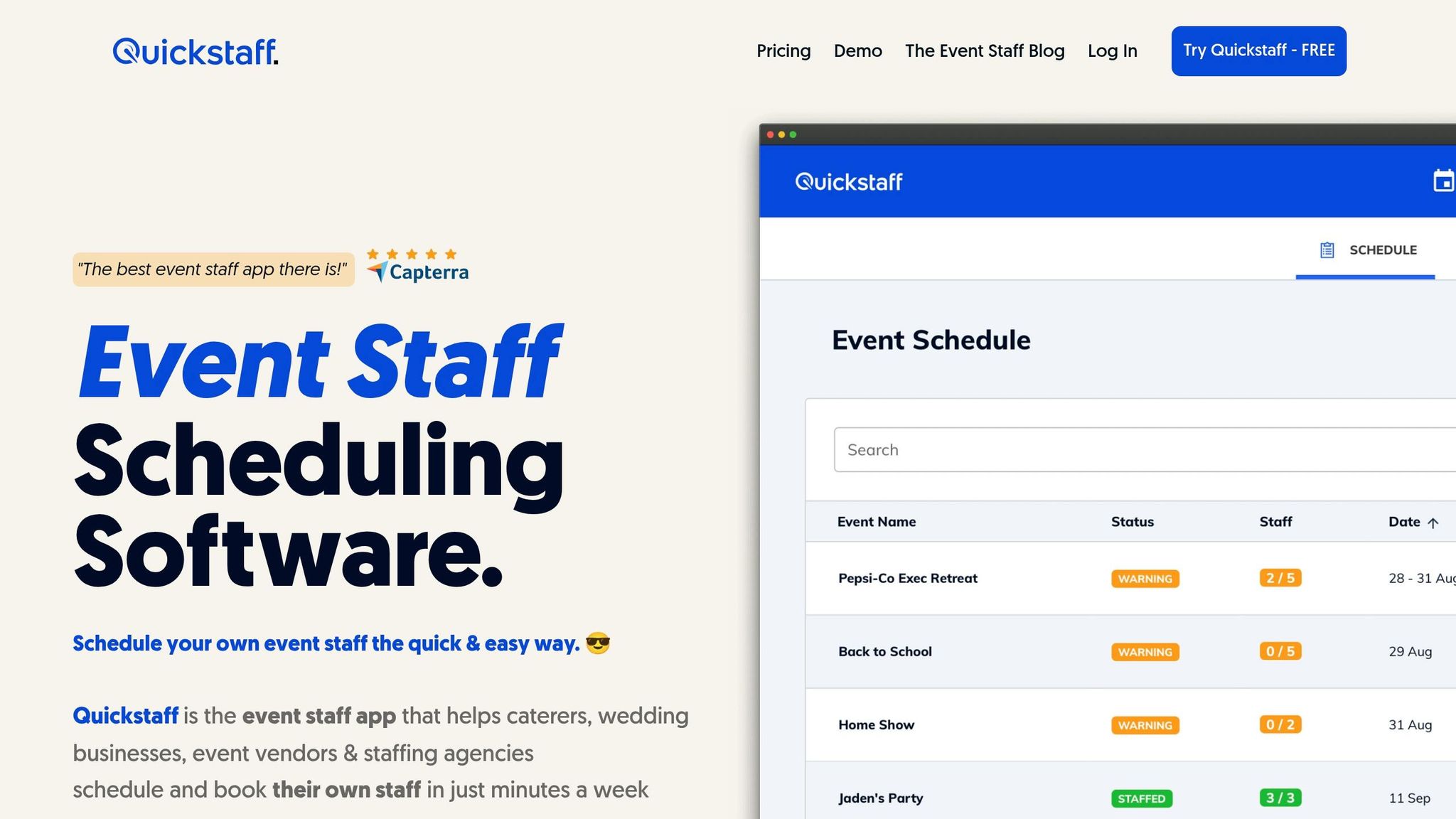
Quickstaff takes the hassle out of managing event staff by offering a streamlined way to handle role-based scheduling. Designed with event managers in mind, this platform simplifies everything from assigning roles to tracking confirmations, freeing you from repetitive manual tasks through digital automation.
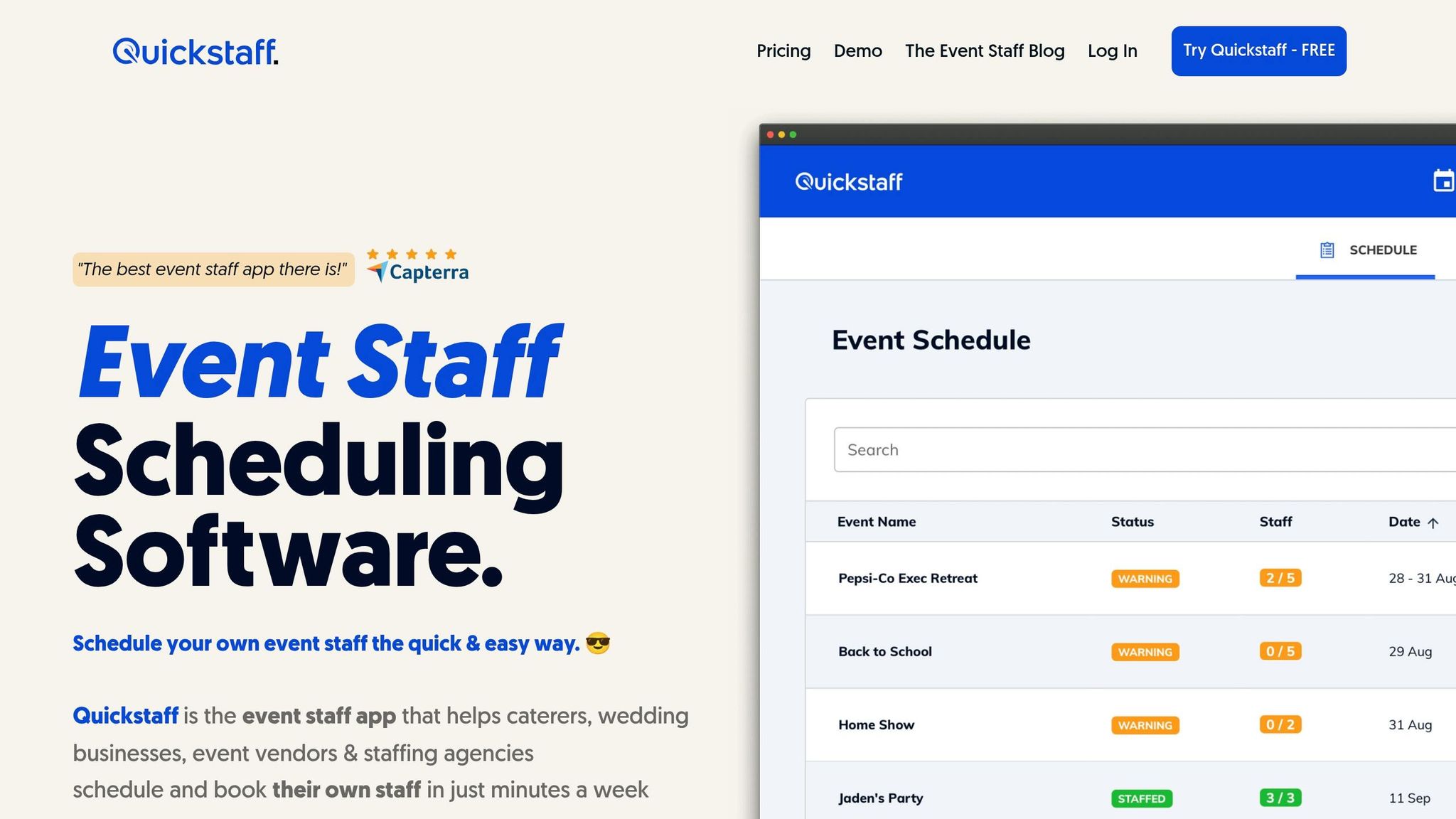
Quickstaff is all about precision. It allows you to schedule staff by specific roles and attach important details - like notes, PDFs, or dress codes - to each position. This ensures every team member knows exactly what’s expected before they even show up.
One standout feature is availability tracking. Staff can mark themselves unavailable, and the platform automatically filters them out, so you’re only working with those who can take the job. Invitations are sent via email, and with just one click, team members can accept or decline, cutting out the need for endless phone calls or text messages.
Another game-changer is the automated waitlist. If your first-choice staff decline, the system seamlessly offers the role to waitlisted team members, fixing common scheduling conflicts and keeping your event fully staffed without extra effort. The centralized dashboard provides a clear overview of all staffing levels, flagging any unfilled positions so nothing slips through the cracks.
"I used to be on the phone all the time to schedule staff. Now, within a few minutes, I can schedule all the staffing I need for my events. Quickstaff is easily the best event staff app out there."
– Steven Townsend, Event Manager
Communication is also simplified. With Quickstaff’s mobile-friendly platform, you can send targeted updates to specific groups. For instance, if only servers need to know about a last-minute menu change, you can send that message to just them, avoiding unnecessary clutter for the rest of the team.
Packed with tools to handle every aspect of event staffing, Quickstaff adapts to teams of all sizes, offering flexible plans to suit your needs.
Quickstaff keeps things straightforward with three pricing tiers based on team size. Every plan includes the same robust features, unlimited events, and a 14-day free trial - no credit card required and no strings attached.
| Plan | Price | Staff Limit | What's Included |
|---|---|---|---|
| Boutique | $49/month | Up to 35 staff | All features, unlimited events, assisted onboarding, customer support |
| Growing | $99/month | Up to 70 staff | All features, unlimited events, assisted onboarding, customer support |
| Large | $249/month | Up to 175 staff | All features, unlimited events, assisted onboarding, customer support |
"Prior to Quickstaff, I was using Excel spreadsheets to track my employees and their shift availability. My life changed the day I started using Quickstaff!"
– Jaime S, VP, Lisa's Catering
Role-based scheduling transforms how event staff management is handled by aligning the right people with the right tasks. This eliminates the chaos of last-minute staffing issues, optimizes skills, reduces mistakes, and ensures events run smoothly.
The benefits are clear: better use of staff, higher success rates for events, and noticeable cost savings. As Cadmium highlights, "Efficient delegation and leadership ensure that tasks are completed effectively and timely".
Getting started is simple. Begin by evaluating your team's skills, align those skills with the specific needs of your event, and let automation handle repetitive tasks. Tools like Quickstaff make this process easier by automating role assignments and sending notifications.
With centralized oversight, you can track staffing levels in real time, communicate changes to targeted groups, and adapt quickly to on-site challenges. Event management software provides planners "a clear view of their schedule, allowing them to identify potential time gaps for additional tasks or breaks", leading to greater overall productivity.
Whether you're running a small catering business or managing events with over 175 staff members, role-based scheduling combined with the right tools ensures a smooth and organized execution. By focusing on precise role assignments and leveraging automation, you can consistently turn complex events into well-coordinated successes.
Putting together a skills matrix doesn’t have to be a daunting task. Here’s how you can streamline the process:
By following these steps, you’ll have a clear view of your team’s capabilities and can allocate resources more effectively.
If certified staff aren't available, it's important to clearly define roles and assign tasks to the team members you do have. This ensures all responsibilities are covered. Tools like Quickstaff can simplify scheduling, track who's available, and help manage roles effectively. For any critical gaps, you might want to bring in temporary or freelance staff to handle key duties and keep the event running smoothly.
To gauge how well your scheduling efforts are working, focus on a few key metrics. Look at attendee engagement, track attendance rates, and determine if the event achieved its primary objectives - like generating leads or increasing social media activity. It's also crucial to evaluate the ROI and dig into the data to back up your approach. These findings not only highlight the event's impact but also provide valuable direction for refining your scheduling and planning strategies in the future.





