Push Notifications for Event Staff Scheduling
March 16, 2026

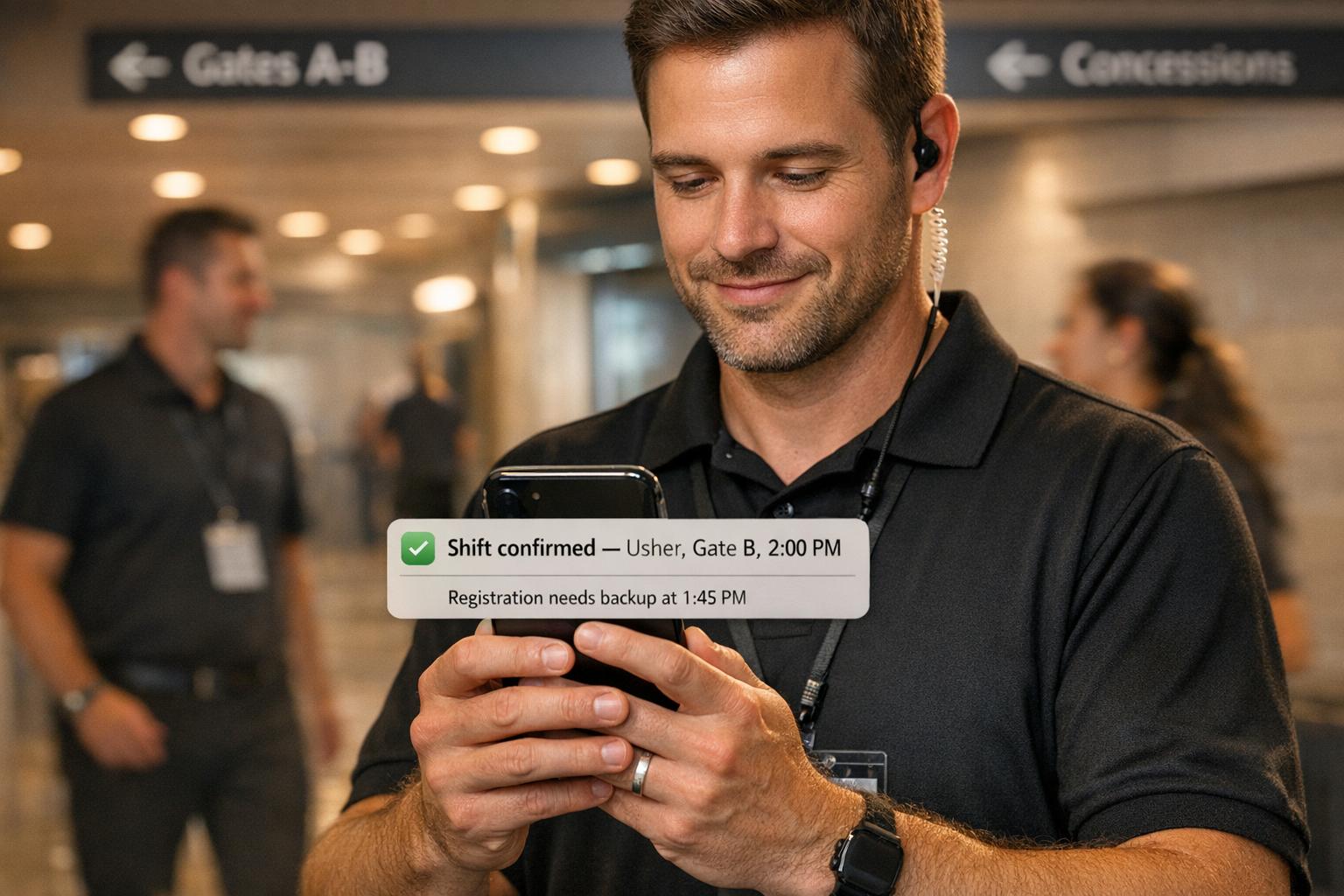
Push notifications have simplified event staff scheduling by delivering instant updates directly to team members' mobile devices. This eliminates the need for phone calls and manual tracking, ensuring real-time communication for shift changes, event updates, and task details. Managers can quickly notify staff about schedule adjustments, while employees can confirm shifts, block unavailable dates, or respond to last-minute requests - all from their phones. This reduces no-shows, resolves conflicts, and keeps operations smooth.
Key benefits include:
Quickstaff integrates push notifications with scheduling tools, automating tasks like shift assignments and waitlist management. By enabling notifications on the app, staff and managers stay connected, saving time and avoiding misunderstandings. For businesses handling events, this streamlined approach ensures better coordination and communication.
Event scheduling often requires quick decision-making and seamless coordination. Imagine a bartender calling in sick just 30 minutes before a wedding reception or a client suddenly increasing the guest count for a corporate dinner. Relying on traditional communication methods in these moments might not cut it. Push notifications solve this problem by sending urgent updates straight to staff members' phones, even if they don’t have the scheduling app open. These instant alerts help reduce errors and improve engagement, as highlighted below.
Schedules in the event industry can shift without warning. A catering manager might need to shuffle servers between venues, or a wedding planner could extend setup hours due to unexpected weather. Push notifications ensure these changes are communicated immediately to the right team members. Whether it’s about adding a new event, adjusting a shift, or flagging issues like understaffing or double-booking, these alerts keep everyone on the same page. This instant communication also helps managers arrange backups and ensures compliance with labor regulations.
Static schedules can be easy to overlook, but push notifications keep staff actively engaged. They allow team members to accept or decline shifts, request time off, or claim assignments directly from their phones. Automated reminders reduce the chances of absenteeism while saving managers the hassle of constant follow-ups. Liz Strikwerda, Content Strategist at WorkforceHub, shares:
"Push notifications increase engagement because they capture the user's attention".
No-shows can throw event operations into chaos, causing delays and poor service. Push notifications help minimize these disruptions by streamlining confirmations. Staff can confirm their availability right away, reducing the risk of conflicts and last-minute cancellations. Employees can also block out unavailable dates, which prevents scheduling overlaps. Integration with tools like Google Calendar, Apple Calendar, or Outlook ensures reminders are synced across devices. Additionally, real-time check-in notifications let managers know the moment staff arrive at the venue, keeping everything running smoothly.


How to Set Up Push Notifications in Quickstaff - 3 Step Guide
Quickstaff makes it easy to incorporate push notifications into your event scheduling process. Once set up, these notifications are sent automatically, keeping everyone in the loop. Here's how to get started by enabling notifications on staff mobile devices.
Staff members need to download the Quickstaff mobile app on their iOS or Android devices and log in with their credentials. During the first login, the app will prompt them to allow push notifications. By tapping "Allow", they’ll start receiving real-time alerts for shift assignments, schedule updates, and event reminders. If notifications were previously turned off, they can be re-enabled through the device's Settings. Simply find Quickstaff in the app list and toggle on "Allow Notifications."
Quickstaff organizes team members by roles, such as waiter, bartender, or cook, during the onboarding process. Assigning these roles upfront allows managers to send notifications to specific groups instead of the entire team. Additionally, staff can use the "block out dates" feature in their profiles to indicate when they’re unavailable. This helps reduce unnecessary notifications for shifts they won’t be able to cover.
Push notifications are seamlessly tied to Quickstaff’s scheduling tools. Here’s how it works: create an event, assign staff based on their roles, and Quickstaff will handle the rest - sending out invitations and confirmation requests automatically. Managers can also use the "Send Messages" feature for targeted updates. The real-time staffing dashboard keeps track of which events are fully staffed and flags those that need attention. This lets managers send follow-up notifications as needed, ensuring smooth communication and better staff engagement.
Push notifications can be a great way to keep your team informed, but there’s a fine line between being helpful and being annoying. Overloading staff with too many alerts - or sending them at the wrong times - can frustrate users to the point where they disable notifications altogether. To avoid this, it’s important to deliver alerts thoughtfully and strategically.
Timing is everything when it comes to notifications. The best times to send non-urgent updates are during 7:00 AM – 9:00 AM (morning routines), 12:00 PM – 2:00 PM (lunch breaks), or 7:00 PM – 9:00 PM (evening downtime). Notifications sent during these windows can increase engagement by as much as 30–40%.
For urgent updates, however, timing rules don’t apply. Critical alerts - like last-minute shift changes - should bypass these schedules to ensure staff sees them immediately. On the other hand, less pressing updates, such as weekly schedules, can wait for quieter moments. Avoid sending non-urgent notifications late at night or during busy work hours when staff are less likely to engage.
One-size-fits-all notifications don’t work for everyone. Tailoring alerts based on roles ensures that staff only receives updates that are relevant to them. For instance, managers might get notifications about understaffed shifts or overtime risks, while general staff are informed about their own schedules, shift changes, or open shifts they qualify for.
Here’s an example: if a bartender position opens up, there’s no need to notify your entire team. Using Quickstaff’s role-based system, only bartenders will see that alert. This targeted approach reduces unnecessary interruptions and keeps notifications meaningful. For emergencies requiring immediate action, SMS notifications are a better option since they have a 98% open rate. However, these should be reserved for critical situations to avoid becoming intrusive.
Automation takes the hassle out of managing notifications, especially for repetitive tasks. For example, when a staff member declines a shift or calls out, Quickstaff can automatically alert the next available person using event staff availability tracking apps with waitlist features - no need for managers to manually follow up.
You can also automate reminders for shift confirmations, clock-out alerts for breaks, and even certification renewal deadlines. These automated systems handle routine updates behind the scenes, freeing up managers to focus on more urgent staffing concerns. It’s an efficient way to keep everyone informed without adding extra work to your plate.
Push notifications make managing shift assignments much easier. When a new or open shift is posted, notifications go straight to the relevant staff members' devices. For example, a bartender shift notification will only go to bartenders. Staff can quickly accept or decline shifts right from the notification, and managers are instantly updated on any gaps or no-shows. This real-time "invite and confirm" process eliminates the need for endless phone calls or text messages, keeping everything efficient and in sync with the overall schedule.
Push notifications are a lifesaver when common scheduling problems occur. Whether it’s an unexpected call-out or a sudden rush of guests, these alerts ensure available staff are contacted immediately. If someone declines or doesn’t show up, the system automatically notifies the next person on the waitlist, filling the gap fast. For urgent situations, like needing extra hands at a busy bar, notifications provide all the event details and direct staff to the location. This quick communication reduces the chances of missed messages and ensures smooth operations.
Timely reminders keep everything on track. Push notifications alert staff about upcoming shifts and flag expiring certifications. For example, if a food handler certification is about to expire, the system sends an alert to the staff member and notifies managers if a shift lacks someone with the necessary credentials. With Quickstaff, these reminders work seamlessly alongside event scheduling, helping to keep labor costs under control while ensuring compliance.
Push notifications have completely changed the game when it comes to event staff scheduling. Gone are the days of juggling manual event schedules and endless back-and-forth communication. With push notifications, staff get instant updates, shift invites, and reminders right on their phones, ensuring everyone stays informed. Meanwhile, managers benefit from real-time visibility into staffing, helping them avoid last-minute gaps and stay organized.
Quickstaff’s mobile-friendly platform makes it easy for staff to respond quickly, while managers can monitor everything from a single, centralized dashboard. This means fewer no-shows, quicker responses, and more time to focus on running successful events.
By automating tasks like role-specific alerts, availability tracking, and managing waitlists, Quickstaff takes the hassle out of scheduling. It’s designed to help you concentrate on delivering exceptional events without getting bogged down by logistics.
Ready to see the difference? Try Quickstaff with a free 14-day trial - no credit card needed. Experience how push notifications can simplify event staffing and save you valuable time.
Push notifications work best for quick, time-sensitive updates like schedule changes or urgent staffing alerts. On the other hand, messages are ideal for more detailed communication, such as event instructions or confirmations. Push notifications are great for grabbing attention instantly, while messages provide the space needed for thorough explanations.
You can fine-tune notification settings in your scheduling platform to cut down on unnecessary alerts. By adjusting your preferences, you can focus on critical updates and avoid information overload. For example, consolidate multiple alerts into summaries (if the platform offers this feature) and enable tools like conflict checks and automated reminders. Tailoring these settings ensures your team gets the updates they need - without feeling bombarded.
Yes, you can tailor your push notification settings to target specific roles or locations. This way, the right team members get updates that are relevant to their responsibilities or assigned work sites.





