Multi-Venue Shift Planning: Travel Time Between Jobs
November 13, 2026

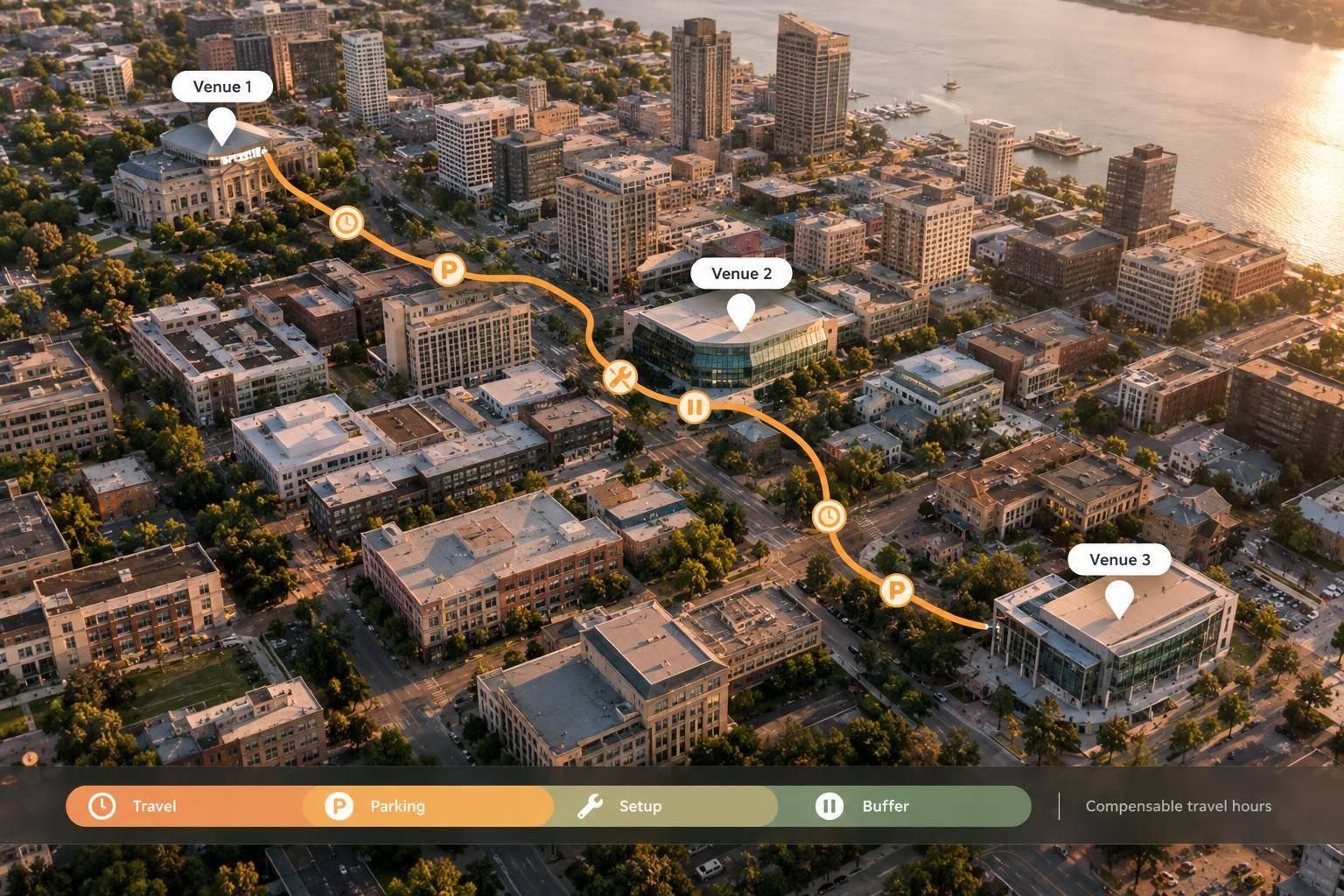
Shifts that don’t overlap can still conflict. Before approving a multi-venue schedule, check whether staff have enough time to finish at one site, travel, park, enter, and prepare at the next - with a buffer for delays. A 45-minute gap falls 15 minutes short when the full transition takes 60 minutes.
A travel-ready schedule should:

Between-Venue Travel Time: Why a 45-Minute Gap Isn’t Enough
Required gap = departure tasks + travel + parking/access + setup + contingency buffer. For venue-to-venue handoffs, count only unscheduled minutes. Don’t count time already included in either shift. Use this calculation to flag scheduling problems staff can’t reach on time.
Convert travel estimates into minutes before comparing them with the shift gap. Check the route for the actual departure day and time, using the staff member’s transportation method. Account for traffic, weather, road closures, construction, major events, and venue congestion.
Record distance in miles, but base scheduling decisions on minutes. Note the estimate’s source and date.
FHWA warns that average travel time can miss delays staff may face. Add a buffer for changing conditions.
Allow time for checkout, handoffs, garage/loading-zone access, security, and elevators. Record the staff entrance and final work area - not just the venue’s address. Also confirm whether the staff member must bring equipment. Reaching the curb isn’t the same as reaching the workstation, and these transfer tasks can make even nonoverlapping shifts impossible to reach on time.
Specify whether briefings and setup happen before or within the next shift. Count them in the gap only if they happen outside that shift. Otherwise, reserve time within it. Required pre-shift work should be scheduled and paid as applicable under company policy and wage-and-hour requirements.
Use the worksheet to set the minimum gap for each venue pair. Here, 45 minutes falls short, while 60 minutes covers the required time, including contingency.
Scenario Scheduled gap Departure tasks Estimated travel Parking/access Setup Contingency Required gap Shortfall 45-minute gap 45 min 0 min 25 min 10 min 15 min 10 min 60 min 15 min 60-minute gap 60 min 0 min 25 min 10 min 15 min 10 min 60 min 0 min
Use these minimum gaps to flag conflicts before publishing the schedule. This proactive approach is a key part of scalable event scheduling for growing teams. Recalculate when departure times, transportation, weather, event size, parking, setup duties, or entry procedures change. If delays keep happening, increase the estimate or buffer.
Use the minimum gaps from the prior step to check one shared roster across all venues. Separate venue views can miss cross-site conflicts. Subtract the required transition time from the available gap. A negative result shows the shortfall in minutes.
Pass when the gap covers the full venue-to-venue handoff requirement plus your buffer. Warn when little time remains, estimates are uncertain, or parking, entry, or transportation details are missing.
Block publication when the gap is too short, report times overlap, or the staff member would need to leave early. Record the status, shortfall, and responsible manager. Check uncertain inputs before clearing a warning.
For each flagged assignment, store the shift end, release time, required report time, and setup deadline in separate fields. Assign setup to the correct window and count it only once. Measure the gap from release to required report - not event start.
Before publishing, check availability tracking apps, approved time off, qualifications, transportation, and equipment-carrying requirements. Recalculate daily and weekly hours, including compensable travel. The U.S. Department of Labor generally treats travel between job sites during the workday as hours worked.
Covered, nonexempt employees generally must receive overtime at no less than one and one-half times their regular rate for hours over 40 in a fixed seven-day workweek. Travel time can turn an otherwise valid shift into an availability or overtime conflict.
Check applicable scheduling requirements and rerun the check after any assignment change. Move blocked assignments into the revision step before publishing.
Resolve blocked assignments before publishing the schedule. Fix coverage, not commute assumptions. Before reassigning work, check that drive time, parking, and entry access leave enough time for the handoff. Use float staff only if they can meet both report times.
If coverage allows, release the employee earlier or push the next report time back. Otherwise, use separate staff or have a nearby crew handle unloading and setup. When needed, allow a 15- to 30-minute handoff overlap. Make clear who handles keys, equipment, and unfinished tasks, and count the overlap toward labor hours.
Confirm that the revised handoff works for the next assignment before publishing.
Use Quickstaff to update assignments, send change notices, and track replacements. Managers still need to verify route, parking, and access times.
Send revised handoff details right away. Include the exact venue address, staff entrance, parking location, security or check-in steps, required report time, setup duties, and on-site contact. Explain how staff should report delays and name the manager who serves as the backup contact.
Require acknowledgment. After any change to the venue, schedule, role, equipment, or traffic conditions, recheck the travel margin, total hours, and the employee’s full assignment chain - not just the edited shift.
Hidden travel time can create conflicts between venues. After flagging conflicts, check the full transition before approval - not just the gap between shifts. Calculate the time from release at one venue to arrival at the next, including a buffer. Flag tight margins for review, and hold assignments until timing or coverage changes.
Include travel between venues in paid hours and overtime checks before approval.
Save the travel check on the assignment record, and confirm that the employee has clear arrival instructions. No assignment should publish unless the staff member can finish at one venue and reach the next on time without rushing or relying on ideal traffic.
Use 30–45 minutes as a starting point for cross-town trips in metro areas. Allow 45–60 minutes for city-to-suburb routes or trips near an airport. During rush hour, add a 20%–30% buffer to estimated drive times.
Also factor in parking, walking, security checks, and elevator delays. If staff work at multiple venues in one day, leave at least 60–90 minutes between shifts to give them time to get from one location to the next.
Act now: Check your live roster or check-in view for late staff, then message them directly to confirm their status. At the same time, contact qualified, available backups on your waitlist.
Follow your predefined escalation steps to reassign tasks or call in replacements without delay. Software with check-in tracking and automated alerts can help you address coverage gaps before they affect the event.
Follow the labor and break laws where the work takes place. Check requirements for travel time pay, overtime, and mandatory rest periods. Build these into the schedule, along with distance and extra time for travel delays.
Quickstaff helps flag potential conflicts and manage regional labor compliance, taking differences in time zones, pay structures, and regulations into account.