Guide: Cybersecurity for Event Staff Training
August 27, 2026

One missed step can shut down check-in, card payments, or attendee access. If I were setting up training for event staff, I’d keep it simple: train people before they get accounts or devices, split lessons by role, run short refreshers at each event phase, and tie completion to scalable event scheduling.
Here’s the full article in plain terms:
The core idea is simple: no training, no access. If someone will touch attendee data, payment tools, or event systems, I’d make training a gate before they get credentials, badges, or devices.
The rest of the article explains how to build that plan, assign ownership, train by role, and connect completion records to staffing.
Before you build topics or slides, set the frame for the training program. Decide who's covered, what success looks like, who owns each piece, and which policies every staff member must acknowledge before their first shift.
That means covering everyone with event-system access across registration, AV, IT, and payment workflows. A simple way to handle scope is the baseline-plus-role-specific model: give everyone the same core training, then add short role-based pieces where risk is higher. To keep things clear, use a one-page role brief that spells out the first 30 minutes, reporting line, and 2–3 prohibited actions.
Start with measurable goals tied to day-to-day event operations. Then map the program to the higher-risk functions your event actually uses, especially registration, AV, IT, and payments.
The outcomes should match the event. A trade show, a conference, and a live entertainment event won't all need the same depth in the same areas. The point is simple: train for the work people will actually do, not for a generic checklist.
A training program doesn't stay current by accident. It stays current because each part has a clear owner.
Assign a named person to each area:
For staffing ratios, use an event staffing needs analyzer or aim for 1:15 to 1:20 for general roles and 1:10 for data-, device-, or payment-heavy roles.
Require digital acknowledgment of the baseline brief before the first shift. For higher-risk roles, add 5- to 10-minute micro-modules. Also document the chain of command in the brief, so staff know exactly who to contact and when.
Keep administrative sign-offs in a digital workflow. That way, acknowledgments and contracts are collected before staff arrive on-site, instead of eating up time during setup or check-in.
Use the table below to assign each control.
| Control | Implementation Step | Owner | Evidence Retained |
|---|---|---|---|
| Baseline policy acknowledgment | One-page role brief and digital sign-off before first shift | Event Captain (shift lead) | Digital acknowledgment logs |
| Role-specific training | 5- to 10-minute micro-modules for high-risk roles | Shift Supervisor | Training scorecard |
| Escalation protocol | Defined chain of command documented in the role brief | Event Captain (shift lead) | Incident report logs |
| Administrative compliance | Digital document workflow for contracts and policy sign-off | HR / Staffing | E-signatures on contracts and policies |
Collect acknowledgments digitally before arrival so on-site time stays focused on scenarios and hands-on practice.
With scope, owners, and policy rules set, move to the cybersecurity topics each role needs.
Use a baseline-plus-role-specific approach so staff train on the systems they actually use. That keeps the training short, practical, and tied to what happens during an event.
Every staff member - no matter their role - should get a short, practical foundation before their first shift. The core topics to cover are phishing and social engineering, password hygiene and MFA, safe Wi-Fi, secure device use, badge access and restricted-area control, recognizing suspicious behavior, and basic incident reporting.
Keep it grounded in event work. Use one event-specific example for each topic, like a fake vendor email or an unauthorized access request. That kind of job-based training helps people stop, check, and escalate before they act.
Then add higher-risk modules for staff who handle registrations, devices, or payments.
Staff with elevated system access need more than the baseline. The extra training doesn't need to be long, but it should match the risk that comes with the role.
Use these topics to assign the right module to each role. The table below works well as a checklist. Baseline belongs in the standard pre-shift module. Advanced belongs in the role-specific module.
| Training Topic | Front-of-House | Registration | AV/Production | IT/Security | Catering/Payment |
|---|---|---|---|---|---|
| Phishing & social engineering | Baseline | Baseline | Baseline | Baseline | Baseline |
| Password hygiene & MFA | Baseline | Baseline | Baseline | Baseline | Baseline |
| Safe Wi-Fi & secure device use | Baseline | Baseline | Baseline | Baseline | Baseline |
| Badge access & restricted-area control | Baseline | Baseline | Baseline | Baseline | Baseline |
| Attendee data handling | - | Advanced | - | - | - |
| Incident reporting & escalation | Baseline | Baseline | Baseline | Baseline | Baseline |
| Secure data exports | - | Advanced | - | - | - |
| Production network isolation | - | - | Advanced | - | - |
| PCI DSS awareness | - | - | - | - | Advanced |
| Vendor & third-party access controls | - | - | - | Advanced | - |
Use this matrix to assign modules before onboarding new event staff and pre-event scheduling. Next, place each module on the onboarding and pre-event calendar.
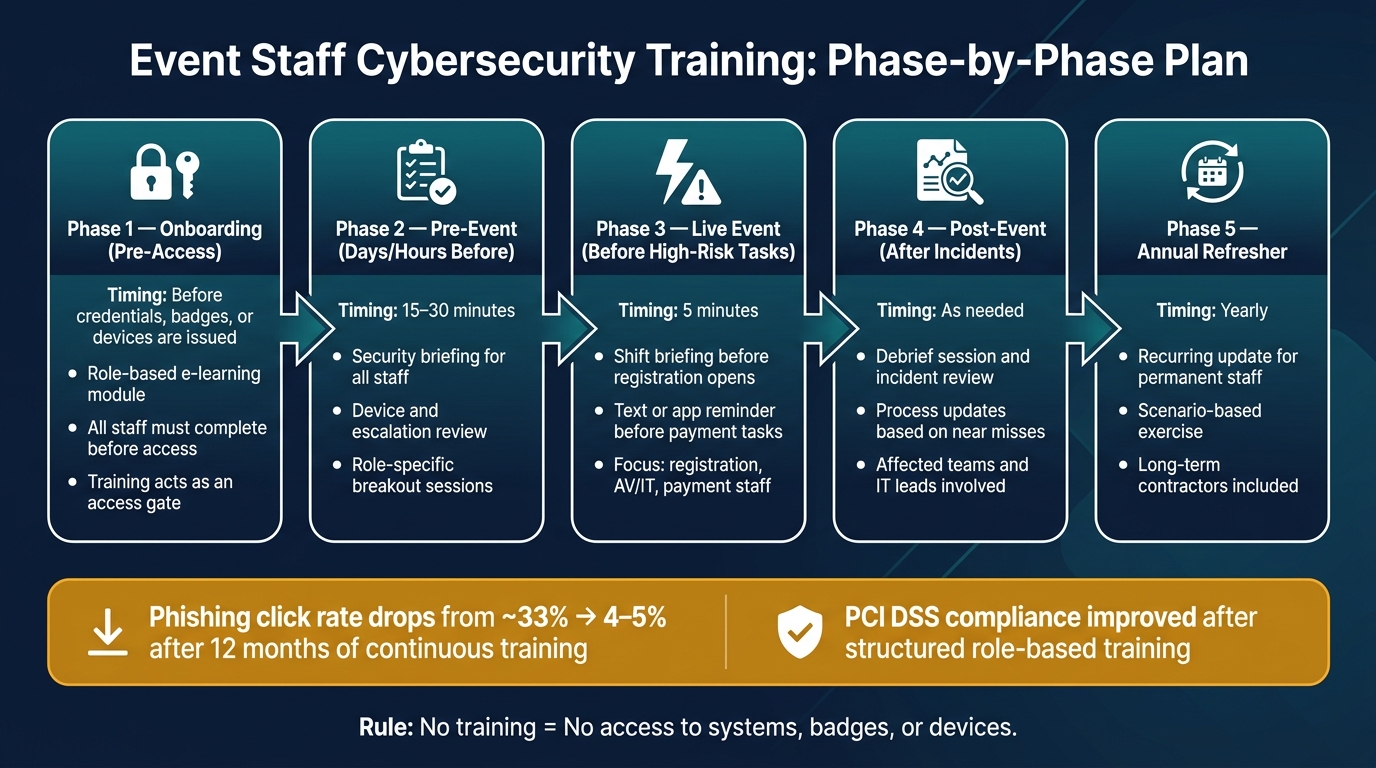
Event Staff Cybersecurity Training: Phase-by-Phase Plan
Once roles are set, put training on the event calendar by phase.
A common mistake is treating cybersecurity training like a one-and-done box to check. It works better when you spread it across the event lifecycle: registration, check-in, payments, and production. Each phase has a different job to do, and different people need different guidance.
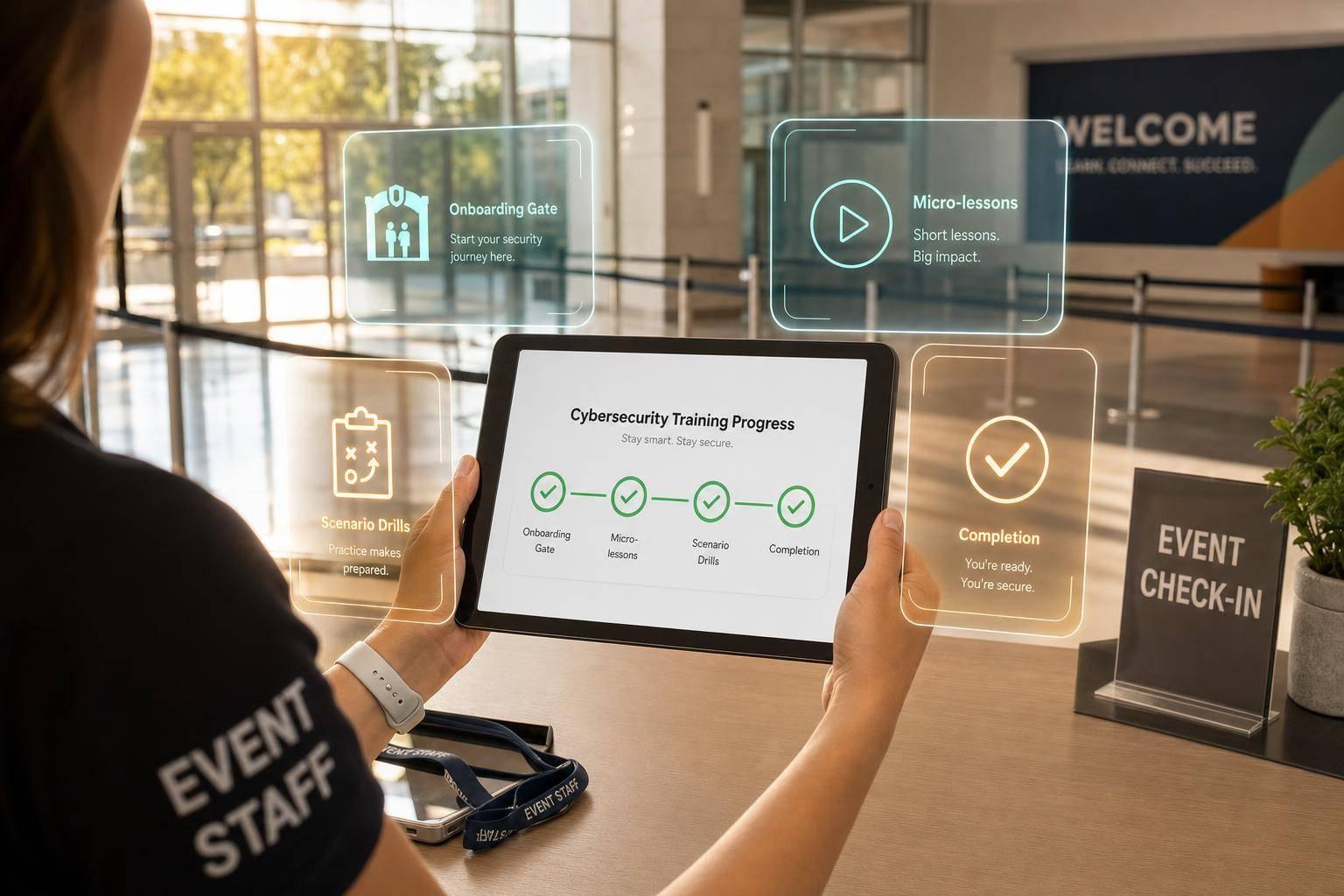
Before any credentials, badges, or device access are issued, every staff member should finish a short, role-based onboarding module. Think of onboarding as a gate: no account, badge, or device access until training is done.
| Event Phase | Recommended Training Activity | Staff Groups Involved |
|---|---|---|
| Onboarding (pre-access) | Role-based e-learning module | All staff |
| Pre-event (days/hours before the event opens) | 15–30 min security briefing; device and escalation review | All staff, with role-specific breakouts |
| Live event (before high-risk tasks) | 5-minute shift briefing; text or app reminder | Registration, AV/IT, payment, front-of-house |
| Post-event (after incidents or near misses) | Debrief session; incident review; process update | Affected teams; supervisors; IT leads |
| Annual refresher | Recurring staff: annual update + scenario exercise | Permanent staff; long-term contractors |
Pre-event briefings should fit into production meetings that already exist. Keep them to 15–30 minutes. Focus on the exact systems people will touch that day: badge printers, check-in iPads, payment terminals, or AV/IT systems.
During the live event, timing beats length. A 5-minute shift briefing right before registration opens, or a short text before payment reconciliation, can nudge people toward the right move at the exact moment it matters. After any incident or near miss, run a short review and update the process.
Match the format to the access level and the time people have.
| Delivery Method | Depth | Time Required | Best Use Case | Suitability for Temporary Staff |
|---|---|---|---|---|
| Instructor-led briefing | High | 15–60+ min | Pre-event huddles, high-risk role prep | Moderate |
| E-learning module | Medium to high | 10–30 min | Onboarding, annual refreshers, policy training | High |
| Tabletop exercise | High | 30–90 min | Managers, registration leads, AV/IT, incident response | Low to moderate |
| Phishing simulation | Low to medium | 1–5 min per exercise | Ongoing reinforcement, measuring susceptibility | High |
| Micro-lesson / just-in-time reminder | Low | 2–5 min | Before high-risk tasks, live-event shifts | Very high |
Not everyone needs the same format. A tabletop exercise makes sense for IT and registration leads. A temp usually needs a short module, then a quick reminder before a risky task. Annual-only training tends to fall flat; short, repeated reinforcement works better.
For temporary and seasonal staff in particular, a short role-based e-learning module during onboarding, plus a micro-reminder before their first high-risk task, is often more workable than one long session.
Phishing simulations work well across both permanent and temporary staff. They also give you hard numbers, like click rates and reporting rates, so follow-up training can go where it’s needed most.
Generic security training fades fast. Training tied to real event workflows tends to stick because staff can picture the moment in front of them and know what to do.
Four scenarios are especially useful in short drills or tabletop sessions. A compromised badge printer - where the template has changed or an unknown login prompt appears - teaches staff to stop printing, avoid workarounds, and escalate to IT instead of unplugging gear or making it up as they go. A suspicious speaker email asking a coordinator for login help or a password reset drives home a simple rule: verify identity through a known contact method, never share passwords, and use official support processes.
A venue Wi-Fi abuse alert - unusual traffic flagged on event devices - lets AV/IT staff walk through isolating the affected network, notifying the event lead, and recording the impact. A missing check-in iPad with attendee data on it gives front-of-house staff a clear sequence: search right away, notify IT to disable or remote-wipe the device, inform the supervisor, and log the incident.
Keep escalation steps short and the same across every scenario. Staff should know:
Post that contact list in staff-only areas, and make sure people can pull it up on mobile. The aim is simple: spot the issue, stop the risky action, and escalate fast.
Once training is done, the next job is to show that it changed how people act.
Completion data is the starting point. It doesn't tell you whether people learned anything. Phishing simulation benchmarks show baseline click rates average about 33% for untrained staff, then fall to roughly 4%–5% after 12 months of continuous training - an 86% drop. If you track your own team's click rate, reporting rate, and quiz scores over time, you get a much clearer view of progress tied to lower event-day risk.
A simple review cadence helps keep this manageable:
Keep records in one centralized, access-controlled log. At a minimum, record the person's name, role, event, date, module, result, and any follow-up. That matters in day-to-day operations, but it also helps when a corporate client asks for proof of completion by role and date for staff who handled registration or payment data. If your logs are easy to export, those requests are much less of a scramble.
Training content should change when the work changes. Update modules after policy, system, or process changes, and after major incidents or near misses. Give each module a version number and an effective date, then log which version each staff member completed. That paper trail can matter a lot if you ever need to show accountability to a client, insurer, or auditor.
Training records don't mean much if they never affect assignments.
The simplest rule is clear: baseline training should be required before anyone gets a sensitive role. No completion, no access to the registration platform, payment terminals, or AV/IT systems. It's a plain gate, but it works.
Managers can keep a shared training status list and update it after each module is completed. Then, during scheduling, they can check that list before assigning roles. Staff who are cleared can be moved into registration or payment duties first. Staff who still haven't finished training can get a reminder before the event instead of being placed into a high-risk spot at the last minute.
Quickstaff can centralize schedules, availability, and reminders so managers can confirm training status before assigning high-risk roles.
With tracking and scheduling tied together, the program becomes something the team can repeat without reinventing it each time.
The core setup is straightforward: assign role-based risks, require policy acknowledgment, train people before access, document completion, and review results after each event or incident. When those steps are built into onboarding, scheduling, and pre-event briefings, cybersecurity training becomes part of normal operations instead of one more box to check. That also gives clients and insurers more confidence that the team knows what to do when something goes wrong.
There’s no single ideal length for cybersecurity training. The best approach is to keep it short and easy to fit into a busy workday, so people are more likely to stay focused and remember what they learned.
For live workshops, 20–60 minutes tends to work best. For video lessons, aim for 3–7 minutes so the material doesn’t feel heavy or packed with too much at once.
Instead of relying on long sessions every so often, use regular micro-training. You can reinforce those lessons with daily standups or 15-minute briefings when needed.
If a temporary worker hasn’t completed the required cybersecurity training, do not give them system access. Training is mandatory for anyone who handles candidate or client data.
Track training status in your scheduling software and confirm completion before the shift starts. If the worker isn’t ready, reassign the shift to a qualified waitlisted staff member.
Keep documented proof of training on file, including:
Cybersecurity training should begin during onboarding for all event staff. After that, staff should get refreshers at least once a year so the guidance stays current.
If you want tighter protection, go beyond the yearly baseline. Add quarterly sessions, monthly micro-training, and regular phishing simulations. Training should also be updated right away after any major change to policy, systems, features, the organization, or a security incident.