Top 5 Tools for Centralized Event Communication
July 23, 2026

Centralized communication is the backbone of successful event management. It eliminates miscommunication, streamlines updates, and ensures everyone - teams, attendees, and vendors - stays informed. Here are five tools that can help you manage event communication effectively:
Quick Comparison:
| Tool | Starting Price | Key Features | Best For |
|---|---|---|---|
| Quickstaff | $49/month | Staff scheduling, role-based updates | Caterers, wedding planners |
| Whova | 3% + $0.99/ticket | Real-time updates, gamification | Networking-heavy events |
| Eventee | €1,499/event | Live Q&A, attendee apps | Mid-sized events |
| Cvent | Custom quote | CRM integrations, venue sourcing | Large corporate events |
| RingCentral Events | $99/month | AI tools, virtual & hybrid events | Virtual/hybrid gatherings |
Choose a tool based on your event’s size, communication needs, and budget. Each platform helps simplify coordination and improve attendee experience. For those managing high-volume operations, implementing a scalable event scheduling system is essential for long-term efficiency.

Event Communication Tools Comparison: Features, Pricing & Best Use Cases
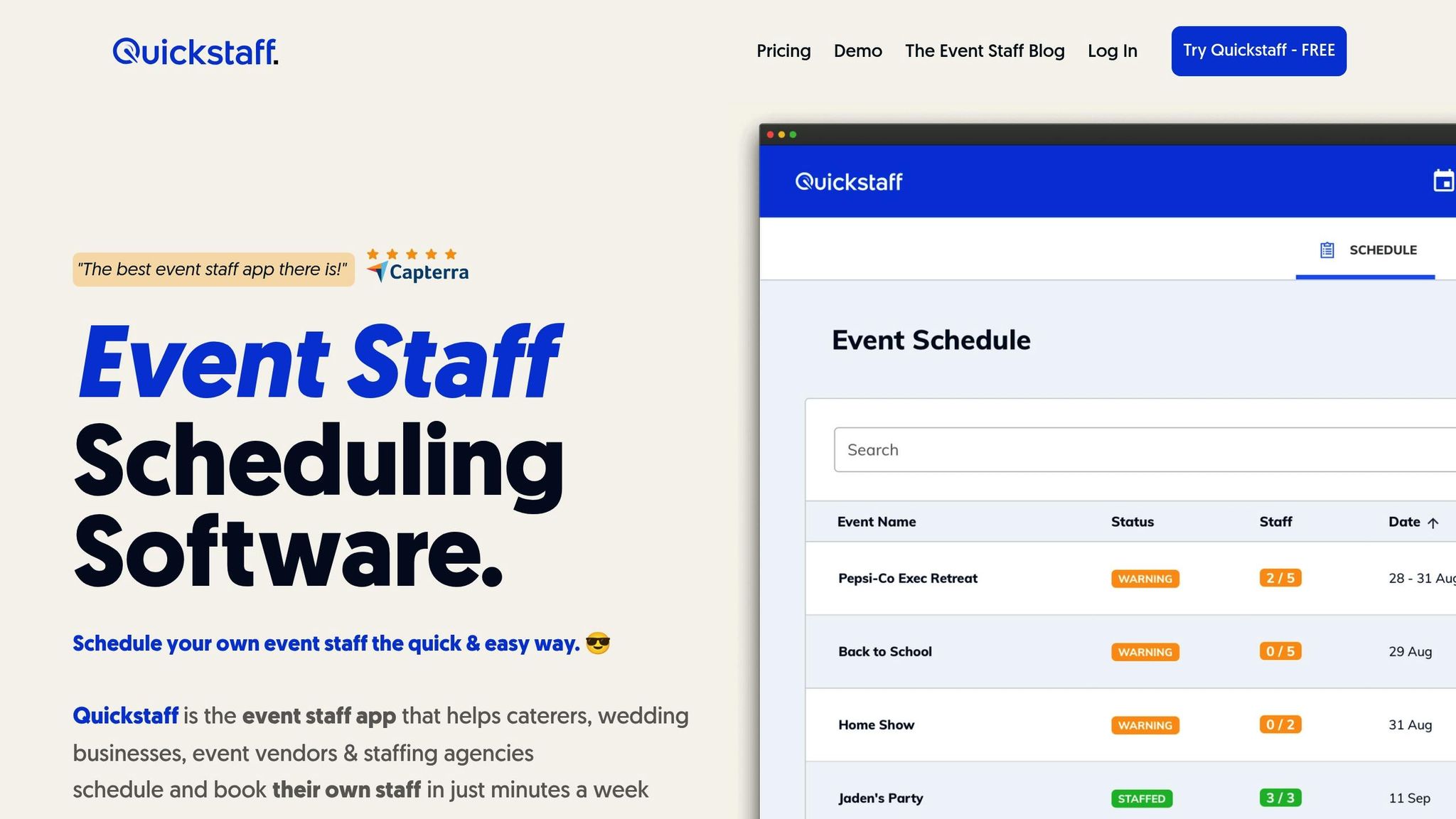
Quickstaff is a scheduling platform designed for caterers, wedding planners, vendors, and staffing agencies that rely on temporary staff and want to keep the best event staff. Since its launch in 2013, Quickstaff has helped organize staffing for over 20,000 events, replacing the hassle of spreadsheets, sticky notes, and endless phone calls with a streamlined, centralized dashboard.
Quickstaff simplifies communication by cutting out the back-and-forth. Managers can send messages to the entire team or filter by specific roles, like servers or bartenders, ensuring only the right people get updates. Staff receive automated invitations that include all event details, as well as reminders and notes, which help reduce no-shows.
"I used to be on the phone all the time to schedule staff. Now, within a few minutes, I can schedule all the staffing I need for my events. Quickstaff is easily the best event staff app out there." - Steven Townsend, Event Manager
Managers can also attach event-related documents, keeping everything in one place. To avoid double-booking, the platform syncs with major calendar providers, making it easier for everyone to stay on the same page.
These communication tools work seamlessly with Quickstaff's event-specific scheduling features.
Quickstaff goes beyond communication by offering tools tailored to event planning. Managers can assign roles and invite staff based on specific needs for each event. Staff members can block off dates when they’re unavailable, preventing scheduling conflicts. For recurring events, the "duplicate past events" feature allows managers to save time by only updating the necessary details.
The platform also includes an "Automated Waitlists" feature, which steps in when extra staff are needed. If someone declines a shift, the system automatically reaches out to the next available person, ensuring every role is filled. This flexibility is ideal for the fast-paced and ever-changing hospitality industry.
Quickstaff’s centralized dashboard is built to handle events of any size. Whether you’re organizing a small wedding or staffing multiple large-scale events, the dashboard gives you a clear overview of staffing levels across all upcoming events. Features like unlimited messaging and role-based filtering keep communication efficient, no matter the scale.
"The time that we have been able to save by using this staff scheduling software has allowed us to tackle the other issues that we face, thereby improving our overall events!" - Kelly, The Abbot KC
Quickstaff keeps pricing simple with three flat-rate plans and no hidden fees or per-user charges. The Boutique plan is $49 per month for up to 35 staff members, the Growing plan costs $99 per month for up to 70 staff, and the Large plan is $249 per month for up to 175 staff. A 14-day free trial is available, no credit card required, and users can cancel at any time.
Whova has supported 50,000 events across 170 countries, connecting with 15 million users worldwide. Its platform is used for a variety of events, including corporate conferences, academic symposiums, government gatherings, and trade shows. Clients include major organizations like Google, Microsoft, the UN, and NASA.
Whova stands out with its strong communication tools, offering real-time updates and group messaging capabilities. The Announcements feature is particularly impactful, with 90% of events utilizing it and achieving an impressive 80% open rate through email and in-app notifications. Organizers can simultaneously send updates via both channels, and the mobile app makes it easy to manage announcements on the go.
The platform also includes dedicated messaging portals for speakers, exhibitors, sponsors, and presenters. These tools automatically categorize recipients based on registration data, ticket types, or session roles - like moderators or panelists - eliminating the hassle of maintaining external mailing lists. The Community Board serves as a hub for attendees to join group chats, arrange ride-shares, and discuss event-related topics. By integrating all communication into a single system, Whova ensures smooth and efficient event management.
"The speaker messaging center consolidates all communications, displaying timestamps, message counts, and response statuses. So it's one of those game changers." - Alex Smith, Creative Director, Southern Plains Tribal Health Board
This streamlined connectivity enhances Whova’s overall event management capabilities.
Whova goes beyond communication by automating many event logistics. Its Speaker Management Hub simplifies the process of collecting bios, photos, and session materials. Automated reminders are sent to speakers with incomplete profiles, and any updates made in the Speaker Center or registration system sync automatically across the event app and website.
The platform also automates tasks like generating name badges, collecting online waivers, and distributing certificates. Brenda Rigdon, Executive Director of the Michigan Historic Preservation Network, shared that Whova reduced her team’s workload by over 200 hours by centralizing logistics. Other engagement tools include gamification with leaderboards, photo contests, live polling, and a "Social Wall" for real-time attendee interaction.
Whova can handle events of all sizes, from small workshops to large international conferences, without any performance issues. The platform allows organizers to send targeted messages to specific attendee groups, ensuring efficient communication even during large-scale events.
"Whova significantly improved our ability to communicate with participants. The app allowed for instant communications across the entire venue." - Jennifer Wilhelm, Organizer, Steel City Codefest
Whova operates on a quote-based pricing model, which adjusts based on the event’s specific needs and the number of participants or speakers. It boasts a 4.8/5 rating on G2 and has received accolades like the Silver People's Choice Award for Favorite Event Technology Supplier at the Event Technology Awards. Additionally, their customer support is highly responsive, typically answering inquiries within 30 minutes during business hours.
Eventee keeps everyone on the same page by syncing content across its mobile app, web app, and event website, ensuring real-time updates are consistent everywhere. Impressively, the platform achieves a 90% app adoption rate, with attendee engagement levels three times higher than traditional event-focused social media channels.
Organizers can send real-time push notifications, manage an interactive newsfeed, and oversee a moderated Social Wall to keep updates flowing seamlessly. For direct interaction, tools like live Q&A - complete with question upvoting - and real-time polling allow attendees to connect with speakers in meaningful ways.
"As the Administrator, I enjoyed the ability to send out alerts and communications in real time." – Leanne Ross, Administrator
Networking gets a boost with swipe-based matchmaking (think Tinder-style) and private 1:1 chat, helping attendees form an average of 45 connections each. To keep attendees on schedule, the app also allows bookmarking sessions and sends reminders 10 minutes before they begin.
These communication tools are just a part of what makes Eventee a comprehensive event solution.
Eventee simplifies event app creation, letting organizers build a professional app in just 10 minutes - no coding or IT expertise needed. It even includes an AI-powered color generator to create a matching color scheme based on your logo. With native iOS and Android apps, attendees can access schedules and event details offline, perfect for areas with unreliable internet.
Gamification features add an extra layer of engagement, boosting participation by up to 352% compared to events without an app. Organizers can assign higher point values to specific actions, like visiting sponsor booths or rating sessions, to prioritize key interactions. Real-time analytics give insights into session engagement, attendee feedback, networking activity, and sponsor ROI.
"We have completely stopped giving out paper conference programs to our attendees, and we only encourage them to use Eventee as a source of the schedule." – Petr Joachim
Eventee adapts to events of all sizes, whether in-person, virtual, or hybrid, at every pricing tier. Here’s how the plans break down: the Solo plan supports up to 500 attendees, the Business plan handles up to 1,000 attendees, and the Enterprise plan accommodates up to 3,000 attendees. Need more capacity? Add-ons for an additional 100 attendees range from €100 to €200 (about $108–$216). The platform also earns high marks, with a 4.8/5 star rating and a 9.5/10 score for ease of use on G2.
Eventee offers a free trial so organizers can build and test their event before going live. Pricing starts with the Solo plan at €1,499 per event, covering up to 500 attendees and including features like engagement tools, custom branding, and a custom domain. The Business plan costs €2,999 annually, covering six events with up to 1,000 attendees each. For larger needs, the Enterprise plan is €4,999 per year, supporting 12 events with up to 3,000 attendees. Optional add-ons include White Label branding (€2,000), Gamification (€500), and Check-in tools (€500 per event). Plus, the attendee app is available in over 12 languages, including English, German, French, Spanish, Portuguese, and Chinese.

Cvent offers a comprehensive suite of tools designed to simplify and enhance event management, making it a go-to platform for organizers handling in-person, virtual, or hybrid events.
Cvent streamlines communication with automated email marketing that handles invitations, reminders, and confirmations, all personalized through over 40 mail-merge fields. Its Attendee Hub acts as a central hub, enabling attendee messaging, push notifications, live chats, and Q&A sessions.
The platform’s AI tool, CventIQ, assists with creating event descriptions, emails, social media posts, and speaker bios. For speakers and exhibitors, Cvent provides dedicated resource centers, allowing them to manage tasks, documents, and logistics efficiently - eliminating the need for constant back-and-forth coordination. Meanwhile, the OnArrival feature sends SMS alerts for check-ins and delivers real-time updates during events.
"The app is also a good tool for letting guests know who the hosts are and encouraging them to go speak with them. It opens the conversation to your products and services without being too salesy." – Charlotte Olivencia, Assistant Team Lead, Marketing Europe, Cvent
With over 7 million events managed and 315 million registrations processed, Cvent has built a reputation for reliability. The platform integrates seamlessly with CRMs like Salesforce and HubSpot, along with marketing automation tools, to improve lead follow-up and build detailed attendee profiles. Additionally, its supplier network includes nearly 340,000 venues worldwide, making it easy for organizers to source locations directly through the platform.
Cvent’s impact is evident in real-world examples. Siemens more than doubled event registrations and achieved an 83% attendance rate, saving $400,000 in costs. Deutsch Family Wine & Spirits achieved 100% mobile app adoption and a 75% survey response rate, reducing labor costs by $200,000. Supporting these successes is Cvent’s 24/7 customer success team of around 1,800 members, with 87% of Fortune 100 companies relying on the platform for their event needs.
Cvent caters to events of all sizes with three tier options:
Cvent follows a pay-per-user subscription model, with pricing based on the number of licenses and annual registration volume. While the platform is considered a premium option, its ability to consolidate multiple tools into one system makes it highly recommended - 85% of reviewers suggest it to others. It also boasts over 1,000 5-star ratings on G2 and a 4.5/5 average across major review platforms. Non-profits can benefit from discounted rates upon request.
RingCentral Events brings together virtual, hybrid, and in-person gatherings, offering built-in communication tools to enhance every part of the experience.
The platform's integrated activity panel is a hub for interaction, combining event-wide and session-specific chats with threaded conversations, emojis, GIFs, real-time polls, and a Q&A tab for seamless engagement. Organizers can broadcast announcements, pin key messages, and highlight posts, while attendees can connect through one-on-one direct messages, instant video calls, or scheduled private meetings for up to 19 participants.
Communication is tailored to different event areas:
The platform also features an AI Writer to streamline event planning by auto-generating event copy, email templates, and schedules. It even organizes Q&A by grouping similar questions.
For in-person events, tools like kiosk mode for self-check-in, badge printing, floor plans, and lead retrieval simplify management.
"Attendees loved the number of speakers, the engagement component, and the event chat. We were very pleased with the return on our investment in the platform." – Oliver Muoto, Head of Marketing, VetsinTech
Post-event, the Content Hub provides recordings and AI-generated highlights on branded webpages, encouraging ongoing engagement. With CRM integrations for platforms like HubSpot, Marketo, and Salesforce, the platform automates registration, follow-ups, and attendee data management.
RingCentral Events is designed to handle everything from small gatherings to massive conferences with thousands of participants. It adapts to peak attendance, supports concurrent sessions, and offers unlimited registrations and events on paid plans. For events surpassing 20,000 attendees, a dedicated Customer Success Manager ensures everything runs smoothly.
The platform’s reliability speaks for itself:
With a 99.999% uptime guarantee and support for ticketing in over 135 currencies, RingCentral Events ensures a seamless experience.
"It really does feel like you're there in person. We rely heavily on the high production of the video quality and that personal connection between everyone who's logged in remotely." – Matt Wasowski, Director of New Business Development and Events, SAE International
RingCentral Events offers flexible pricing to fit events of all sizes. Plans are based on a pay-per-organizer model:
For smaller events, an entry-level option is available at $750 annually for up to 100 attendees. A 30-day free trial provides access to Events Enterprise features for up to 1,000 registrations.
RingCentral Events maintains a stellar reputation, holding a 4.5/5 rating on G2 (935 reviews), Capterra (325 reviews), and Software Advice (325 reviews).
| Plan | Annual Price (per organizer/month) | Key Features |
|---|---|---|
| Events Pro | $99 | Unlimited events, registrations, AI Writer, AI Clips |
| Events Pro+ | $199 | Adds onsite tools, 40+ integrations, dedicated CSM |
| Events Enterprise | $299 | Custom domains, content hubs, lead retrieval, public APIs |
This breakdown highlights how each platform's features and pricing cater to different event needs, making it easier to find the right fit for your specific requirements.
Quickstaff focuses on simplifying staff scheduling and bookings, particularly for caterers, weddings, and event vendors. Plans start at $49/month for up to 35 staff members, offering unlimited events and messaging.
Whova shines when it comes to attendee engagement, thanks to features like community boards and gamification. It charges 3% + $0.99 per paid ticket and supports over 50,000 events in 170 countries, boasting a 99.9% uptime guarantee. Whova is ideal for networking-heavy conferences.
"Using Whova cut our labor by over 200 hours" – Brenda Rigdon, Michigan Historic Preservation Network
Eventee is a good match for mid-sized events with simpler needs, while Cvent caters to large, complex corporate events. With advanced CRM integration and venue sourcing tools, Cvent is a premium solution offering custom quotes. However, it has a longer implementation time - averaging 3 months - and some users find its learning curve challenging. G2 ratings for Cvent range between 4.3 and 4.5.
RingCentral Events targets large-scale virtual and hybrid events. Pricing is flexible and available upon request, with options like pay-per-organizer. It provides robust features, including virtual venues, breakout rooms, and expo environments, making it a strong choice for fully virtualized events. It holds a G2 rating of 4.5/5.
The following table summarizes the pricing models and standout features for quick comparison:
| Tool | Starting Price | Pricing Model | Best For | G2 Rating |
|---|---|---|---|---|
| Quickstaff | $49/month | Flat monthly fee | Event staffing & scheduling | N/A |
| Whova | 3% + $0.99/ticket | Per-ticket fee | Networking & conferences | 4.8/5 |
| Eventee | Custom quote | Varies | Mid-sized events | N/A |
| Cvent | Custom quote | Annual license + per-registrant fee | Enterprise logistics | 4.3–4.5/5 |
| RingCentral Events | Contact for pricing | Flexible pricing (pay-per-organizer) | Virtual & hybrid events | 4.5/5 |
Each platform emphasizes centralized communication, streamlining event coordination for a more efficient planning process.
Choose a centralized communication tool that aligns with your event management priorities. If coordinating staff is your main hurdle, focus on solving common scheduling problems, focus on platforms designed for shift scheduling and real-time updates to cut down on administrative tasks. Use a shift assignment software checklist to evaluate your options. If attendee engagement is your goal, look for features like social walls or gamification. For large-scale events with intricate logistics, prioritize tools that offer strong CRM integration and adhere to security standards.
It’s also important to think ahead. Can the platform scale with your needs? Chris Federspiel, CEO of Blackthorn.io, emphasizes this point:
"Finding an application that can meet your current event management needs but has the technology to scale alongside your organization in the future is essential to sustainable growth".
A tool that handles 50 attendees today should seamlessly accommodate 500 tomorrow without requiring a complete system overhaul.
Don’t overlook integration capabilities. Platforms with open APIs that connect to your existing systems, like your CRM, email tools, or invoicing software, can eliminate data silos and reduce manual work. For example, in July 2025, Amigo Informatics helped an international event service provider integrate fragmented systems into a unified Zoho CRM setup, cutting manual tasks by 60%. These kinds of integrations are key to creating a streamlined, centralized communication system.
Test before you commit. The RingCentral Team offers a simple but crucial reminder:
"If you choose a difficult tool to use, nobody will use it".
Run a small-scale event with the platform to gauge its usability and ensure it fits seamlessly into your workflow.
Ultimately, the right tool will reflect your main objectives - whether that’s simplifying staff coordination, enhancing attendee interaction, or managing complex logistics. A well-chosen platform not only improves efficiency but also frees you to focus on making your events truly successful.
When selecting an event communication tool, think about the size of your event, the venue, and your specific communication requirements. For smaller gatherings, simple messaging tools may suffice. However, larger events often require tools with greater range, noise-canceling features, and support for multiple users. Consider factors like the level of background noise, how your team is organized, and whether real-time updates are essential. These elements play a key role in ensuring smooth coordination and clear communication throughout your event.
To keep event updates organized, focus on integrating tools that enhance communication, collaboration, and automation. Choose software that works seamlessly with messaging apps for instant updates, event management platforms for easy data sharing, and systems that provide SMS alerts for quick notifications. These integrations simplify processes, maintain clear communication, and keep all event information aligned in one central hub.
To gauge how well a platform might work for your needs, consider running a small test event or pilot program. Choose a platform with an easy-to-use interface to make the experience smoother for everyone involved. This trial run lets you see how users engage, spot any potential problems, and collect valuable feedback. Be sure to set clear goals for the test and closely observe how both attendees and staff interact with the platform. This way, you can confirm whether it aligns with your requirements before committing to a full rollout.





