AV Contingency Checklist for Live Events
August 3, 2026

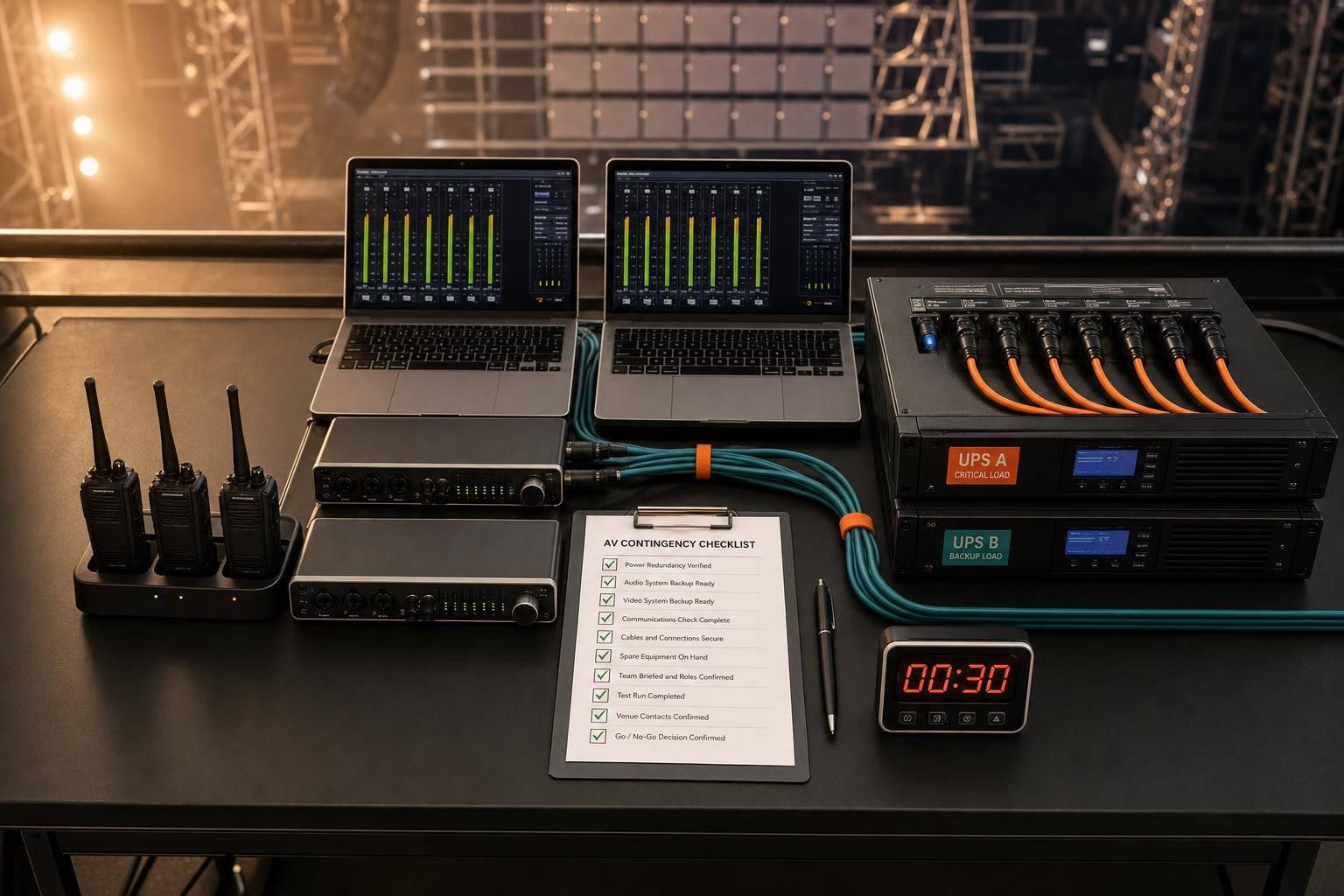
If one mic, one laptop, or one circuit fails, the show needs a backup path in seconds - not minutes. I’d boil this guide down to four jobs: test the main setup, stage a working backup, assign who makes the call, and rehearse the switch before doors.
Here’s the short version:
The article also sets clear response goals, including:
What I like here is the format: primary, backup, escalation. In other words, I’m not just asking, “Do we have a spare?” I’m asking, “Is it patched, tested, labeled, and owned by someone on the crew?”
A few points stand out:
For me, the main takeaway is simple: the backup plan only counts if the crew can use it fast under pressure. This checklist is less about gear lists and more about making sure the team can swap, speak, and escalate without guesswork.
If you run conferences, concerts, weddings, or hybrid shows in the U.S., this gives you a clean show-day framework to keep audio, power, control, and crew coordination from turning one fault into a full stop.
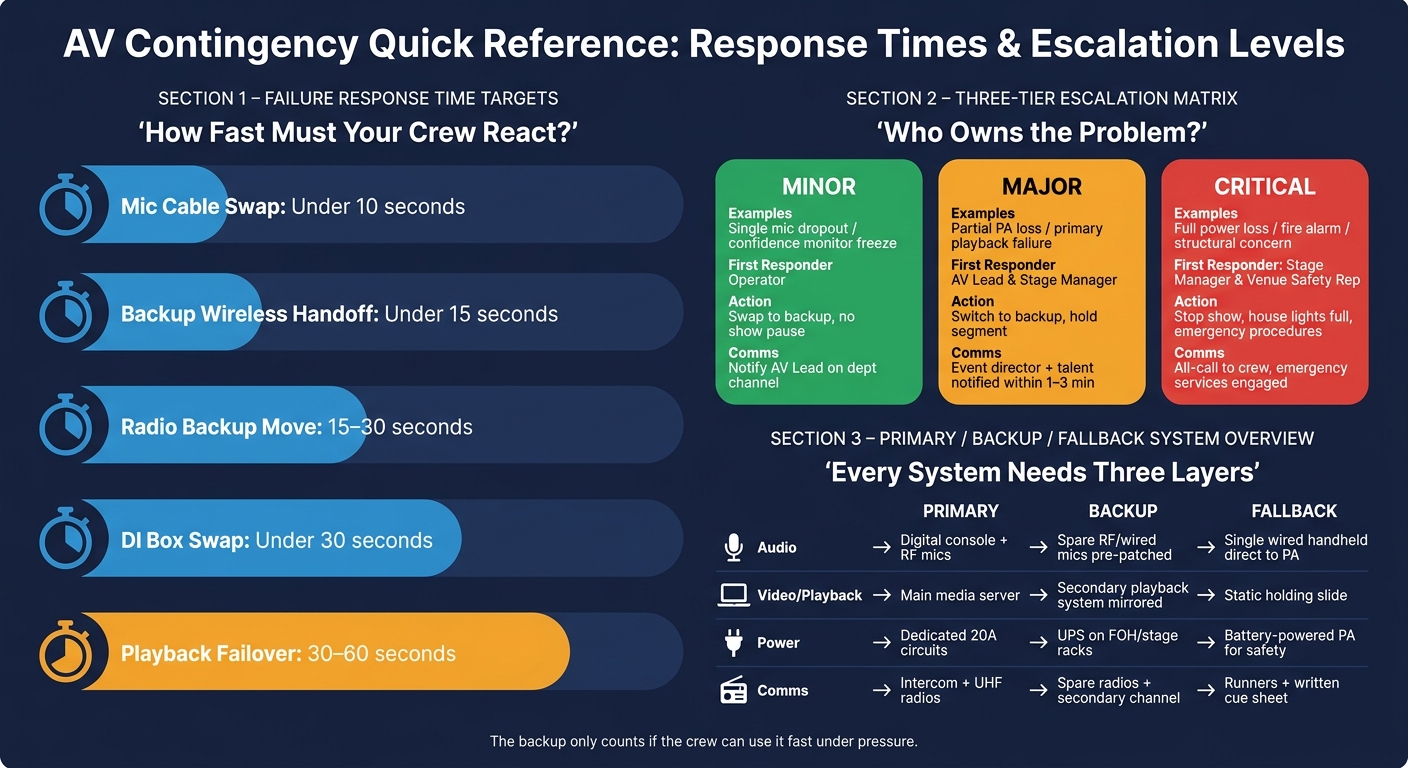
AV Contingency Response Times & Escalation Levels for Live Events
Audio failures at microphones, cables, or RF channels can stop a show fast.
Before doors open, every critical input needs its own backup. That includes lead vocals, MC or presenter mics, keynote lavaliers or headset mics, and any solo instrument the show depends on. The rule is simple: one backup for each critical input, fully tested and placed where a tech can grab it right away.
For example, a wired SM58 clipped to the lectern can cover a failed presenter wireless. A spare headset or lav pack, already frequency-coordinated and labeled, should sit in a case at monitor world for the keynote speaker. Spare handhelds belong on a clearly labeled stand at stage right, not buried in a road case backstage.
Change all wireless mic and IEM batteries before doors. Don’t wait for low-battery alerts. Keep at least three full battery sets per wireless device for the show day, and store them in labeled fresh and used bins. On all-day conferences or festivals, tie battery swaps to the schedule, like lunch and the start of the evening program, and log each change with the device name, time, and tech initials.
Keep labeled cable kits at FOH and backstage. Stock:
Every cable should be tested, coiled the right way, and labeled with both its function and length so it can be read in low light. A small FOH rescue kit should also stay close by with spare XLRs, a stereo DI box, and a 3.5 mm-to-dual-XLR adapter.
A patch map that lists only primary inputs won’t help much when something fails. A field-ready patch map should show the channel number, source name, stage position, device type, and backup assignment for every critical input. In plain terms, it needs to show both the primary input and the backup for each critical channel.
Use the patch map as the swap sheet during a failure.
| Channel | Role/Source | Device | Stage Position | Backup |
|---|---|---|---|---|
| CH 1 | Keynote – Lav | Wireless Lav | Downstage Center | CH 21 – Podium Mic |
| CH 2 | MC – Handheld | Wireless Handheld | Stage Right | CH 22 – Spare Handheld |
| CH 3 | Lead Vocal | Wireless Handheld | Center Stage | CH 23 – Wired SM58 |
Print this sheet in large text and post it at FOH and backstage. Keep a digital copy too, such as a PDF or image on a tablet or laptop. Add a short swap instruction right on the map. If Presenter A’s wireless fails, move to the podium mic, unmute CH 21, and mute CH 1.
A steady offset pattern helps a lot here. If backup channels always sit 20 channels above their primary, the whole team builds muscle memory. Add RF channel numbers and receiver locations to the map as well, so an RF tech can chase interference while FOH handles the swap at the same time.
Line check has to cover both the primary path and the backup path. For each channel, the stage tech speaks or plays through the primary mic while FOH checks level, tone, routing, and labeling. Then do the same thing on the backup path. If a backup channel hasn’t been tested and gain-matched, it’s not ready.
Write down every result on a line check sheet: channel, pass or fail, and any notes. For example:
CH 7 – DI noisy, swapped to spare DI #2
CH 21 backup podium mic slightly dark, EQ adjusted
Keep that sheet at FOH for the whole show. Touring engineers often time-box line check to 30 to 45 minutes for a 32-channel band, and they won’t open doors until all critical channels are marked pass.
Hot-swap drills belong in technical rehearsal, not during the show. Simulate a dead cable, a noisy DI, a failed RF channel, and a stage box input issue. Time each response. The targets are:
Once audio passes, move to power and control redundancy.
Once audio backup is locked in, the next risk layer is infrastructure. A dead console, a tripped breaker, or a frozen playback laptop can stop a show just as fast as a dead mic.
Start with a power advance sheet. List every AV device by category - audio, video, lighting, playback, and networking - along with its wattage or current draw. Then total the load for each circuit and add a 20–30% safety margin on top.
Put critical AV loads - FOH console, DSPs, video switchers, media servers, and comms racks - on dedicated circuits. Keep them separate from catering warmers, coffee urns, bar coolers, and decorative lighting. Don’t trust panel labels at face value. Check labels against the actual circuits, then use a clamp meter to confirm the real draw.
Test every UPS by briefly disconnecting mains and making sure the device stays online. For outdoor or generator-fed events, confirm the generator’s kW rating against the full calculated load, check fuel levels, verify grounding, and walk through the transfer process under load during tech rehearsal. Any cable run that crosses a walkway needs cable ramps with high-visibility tape at the leading edges. Label every feed at both ends with its circuit ID and destination, like "Panel A – Ckt 12 – FOH Rack."
Once the circuits check out, load and verify the show files.
Treat show files like part of the live control path, not just stored backup data. Every console and processor should have a primary show file loaded on the device and saved to a dedicated USB at that position, plus a backup copy on a second USB or a laptop in the rack. Use one naming format across the board: CLIENT_EVENTNAME_v1_primary and CLIENT_EVENTNAME_v1_backup. Bump the version after every change. The lead operator owns the job of updating both locations before doors open.
Playback content should sit in a clean folder structure on the primary machine’s local SSD, mirrored to at least one USB 3.0 drive and a backup laptop. That backup laptop needs the same fonts, codecs, and software versions. Its input should already be patched and labeled on the switcher. Keep spare wireless clickers fully charged, test their USB receivers on both machines, and stash spare HDMI, DisplayPort, and USB-C adapters in the presenter-ready area.
Set a target failover time of 30–60 seconds when switching to backup playback. Everyone on the crew should know the exact move: which input to take, which holding slide to push, and who talks to the MC. In the moment, small gaps turn into dead air fast.
Run at least one simulated failure for each critical subsystem during tech rehearsal. That means a console reboot, a playback laptop crash, and a projector or main display input loss. Have the stage manager trigger each one at a planned moment, then use a stopwatch to track how long it takes to get the show back to an acceptable state.
After each drill, do a quick debrief right away. If the team stalled because the backup laptop input wasn’t labeled on the switcher, add that to the checklist before the next event. Log the drill times and note every failure.
Use hash checks to confirm that the primary and backup playback machines contain verified identical files. A backup file that hasn’t been checked is just a file - not a real contingency.
After power and playback pass, move to radios and crew escalation.
If the backup path works but the crew can’t coordinate the swap, the show still stops. When audio, power, or playback goes down, comms becomes the way back.
Give each department its own channel and keep the show-call channel clean. A setup many U.S. live events use looks like this: Ch 1 – Show Call / Stage Management, Ch 2 – Audio & RF, Ch 3 – Video & Projection, Ch 4 – Lighting, Ch 5 – Venue Ops / Security, and Ch 6 – Backup/Emergency. Post that channel map at FOH, monitor world, backstage, and inside the comms case. Then go over it during crew briefing.
Every radio should be charged, labeled by role, and tested on its assigned channel before the show starts. Keep spare radios, spare batteries, and a spare earpiece for each critical role close by.
Radio calls need to be short and direct. Call the person or team first, wait for acknowledgment, and require read-back for any instruction that changes the show. The all-call channel is for timing, safety, or show-altering messages ONLY. Day-to-day tech chatter stays on department channels. If needed, move to all-call after that.
If there’s an emergency, skip codes and use plain language. Start with "Emergency, Emergency, Emergency from [role]" on the assigned channel. Once that happens, all other radio traffic stops until the incident is cleared.
Print a crew contact sheet and keep a digital copy too, whether that’s a PDF or a shared doc people can open on their phones. Each entry should include name, role, cell number, radio call sign, site location (such as FOH, backstage left, or control room), and shift times. Put copies at FOH, stage management, and backstage.
Role ownership also needs to be spelled out with no gray area:
Use the same primary, backup, escalation flow here too. The point is simple: when something breaks, the crew shouldn’t have to stop and argue about who owns it.
| Severity | Typical Example | First Responder | Immediate Action | Communication Step |
|---|---|---|---|---|
| Minor | Single mic dropout, confidence monitor freeze | Operator (Audio or Video) | Swap to backup mic; restart monitor feed | Notify AV lead on dept channel; no show pause needed |
| Major | Partial PA loss, primary playback failure | AV Lead & Stage Manager | Switch to backup outputs or playback; hold the segment | Event director notified; talent informed of hold; client briefed |
| Critical | Full power loss, fire alarm, structural concern | Stage Manager & Venue Safety Rep | Stop show; house lights to full; initiate emergency procedures | All-call to crew; venue/emergency services engaged; scripted audience announcement |
For minor issues, the crew fixes the problem inside the tech team. No show pause. No client update. For major incidents, the AV lead, stage manager, and event director should all be in the loop within the first 1–3 minutes. That way, talent and client get one aligned message instead of three different versions. For critical incidents, the stage manager or safety officer calls the stop at once, and the event director works with venue management and emergency services on what happens next.
Update this table before call time so it matches the venue’s power backup setup, in-house PA, and emergency authority.
On show day, speed matters. A one-page sheet gives every department head a clear plan when something goes sideways. Keep it split into Audio, Power/Control, and Comms so people can find the right action fast. This should be the show-day version of your earlier system checks.
Keep it to one page so it works on paper or on a phone.
Audio
Pre-event:
During the show:
Failure response:
Power / Control & Content
Pre-event:
During the show:
Failure response:
Comms
Pre-event:
During the show:
Failure response:
Pre-show timing:
Update trigger conditions and response times so they fit your venue and your show.
| System | Primary | Backup | Fallback | Trigger Condition | Response Target |
|---|---|---|---|---|---|
| Audio | Digital console, RF mics on channels 1–16, IEMs on 17–24 | Spare RF handhelds and wired mics pre-patched on unused channels; spare analog console in parallel for critical feeds | Single wired handheld to PA via direct input; voice-only announcements | RF dropout longer than 3 seconds on a key mic, or console freeze | Mic swap: 10 sec; console switch: 60–120 sec |
| Video & Playback | Main media server feeding switcher with timecode | Secondary playback system mirrored to switcher inputs; alternate show file on USB | Static holding slide or looped walk-in video from a simple player | Primary playback crash or timecode loss longer than 2 seconds | Switch input and resume: 30 sec |
| Power | Dedicated 20A circuits per major rack, house power tested and labeled | UPS on FOH, stage racks, and network switches; alternate circuit mapped and accessible | Battery-powered PA for critical safety announcements | Breaker trip on an AV circuit or UPS alarm | Circuit swap: 60–120 sec; emergency PA: 30 sec |
| Comms | Intercom for stage/FOH plus UHF radios for the wider crew | Spare radios, preconfigured secondary channel, wired comms where possible | Preassigned runners and a written cue sheet protocol | Loss of comms to stage manager or radio interference on the primary channel | Backup channel: 15–30 sec; runner pattern: 2–3 min |
Once the tech sheet is locked, give each contingency role a named owner. That means every role - A1, A2, systems tech, playback operator, and stage manager - should be assigned, confirmed, and covered across load-in, rehearsal, doors, show, and strike.
Use Quickstaff to assign contingency roles, track availability, and keep backup coverage clear across load-in, rehearsal, doors, show, and strike.
After each show, log every contingency that came up and update the checklist before the next event.
Focus on the critical signal paths and any single point of failure that could stop the event in its tracks. Put the most attention on key speaker microphones, primary playback devices, and the power circuits those pieces depend on.
A simple risk assessment helps you spot the weak links before show time. From there, map out backup signal paths and keep spare cables and extra adapters on hand for those exact needs.
Before the event, get the backup playback laptop ready for show use. Update the operating system and any needed drivers, clean the air vents, clear out storage junk you don’t need, and make sure it has a dependable backup power source.
These basic checks can help lower the chance of a failure during critical show moments.
To avoid last-minute confusion, name one person to make the final call before the event starts.
In most cases, the Show Director or Show Caller leads the event flow. The Incident Commander has final authority during incident management. And the Safety Officer can stop any activity that looks unsafe.
Write these roles down ahead of time, along with the escalation path, so it’s clear who owns each decision and when issues need to move up the chain.





