Ultimate Guide to Mobile Solutions for Staffing Agencies
July 9, 2026

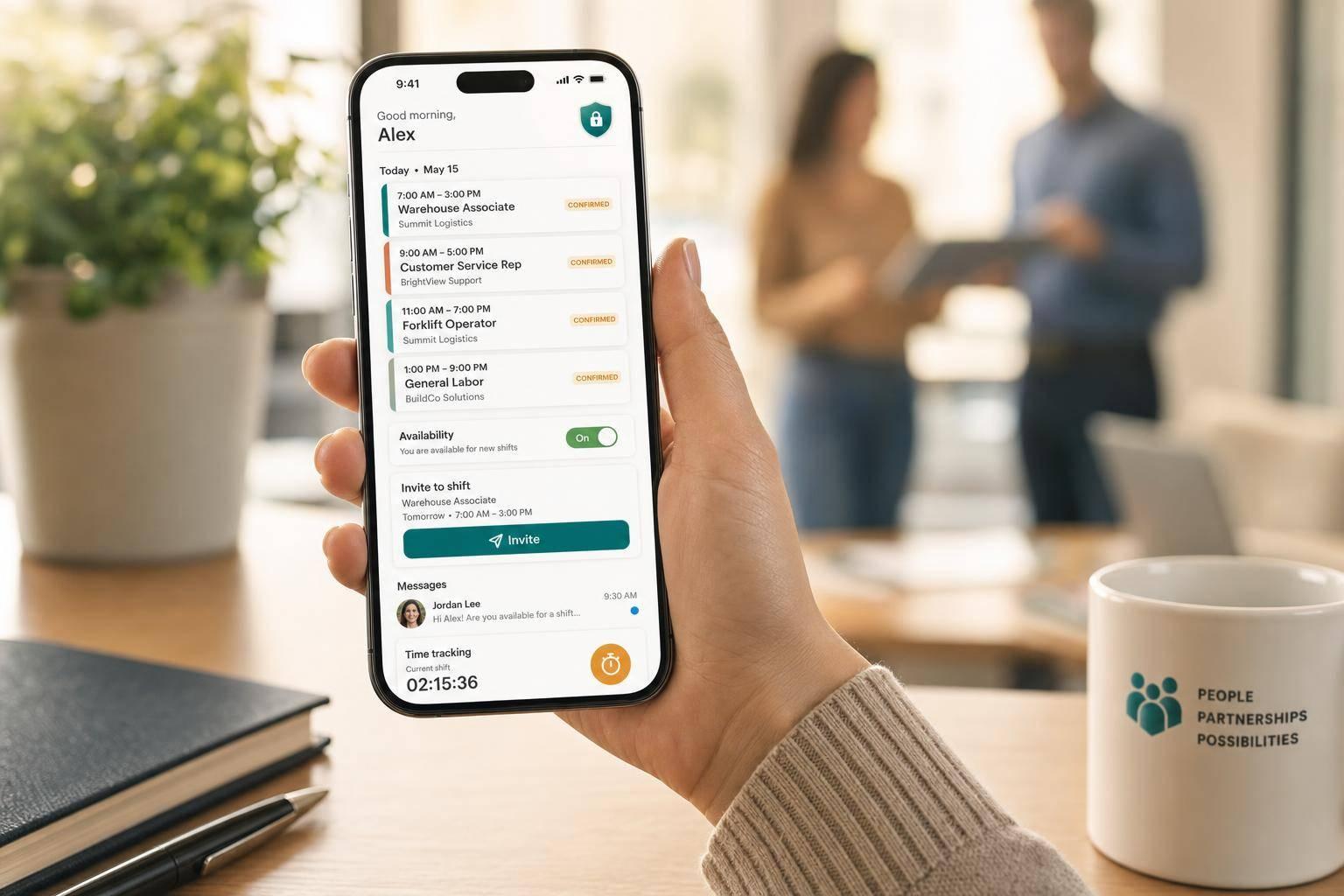
If your agency still uses spreadsheets, calls, and group texts to fill shifts, mobile tools can cut that mess fast. In event staffing, where callouts happen late and venues change by the hour, the right mobile setup helps you fill roles, confirm staff, send updates, track time, and keep event-day details in one place.
Here’s the short version:
Quickstaff fits this type of workflow with mobile shift invites, waitlists, role-based messaging, event notes, document sharing, and plans from $49/month to $249/month for small to midsize teams.
The bottom line: if I were choosing a mobile staffing system, I’d focus first on faster fills, fewer no-shows, clean event communication, and clear time records - then build from there.
Once mobile staffing becomes the standard, the next move is simple: pick the features that help you avoid missed shifts and day-of-event messes. The best tools cut down last-minute changes, help fill open roles fast, and give coordinators a clear view of what’s happening on event day.
At the center of a solid mobile setup is role-based scheduling. It lets agencies assign people to specific jobs, like server, bartender, or event lead, instead of dropping everyone into one general pool. That matters because event staffing falls apart fast when roles aren’t clear.
Pair that with availability tracking, and the schedule gets a lot easier to trust. When staff block off dates they can’t work, coordinators spend less time texting or calling people who were never free in the first place.
Accept/decline workflows also speed things up. Staff get a mobile-friendly invite and can respond with a quick tap. If someone backs out at the last minute, an automated waitlist can pull from a backup list and help cover the shift without the usual scramble.
"I used to be on the phone all the time to schedule staff. Now, within a few minutes, I can schedule all the staffing I need for my events." - Steven Townsend, Event Manager
Clear communication keeps events from going sideways. Role-based messaging lets coordinators send updates only to bartenders or only to servers, which cuts down noise and makes each message more useful. For bigger updates, broadcast messages work well for things like a parking change, a new start time, or a last-minute dress code reminder.
Automated reminders also help reduce no-shows. And when parking instructions, venue maps, and dress code PDFs are attached right inside the event, staff show up with fewer questions and fewer surprises.
Mobile clock-in and clock-out gives managers a live view of who is on site. For events spread across more than one location, GPS-based check-in helps confirm that staff arrived at the right place and builds payroll records at the same time.
Mobile onboarding forms and policy acknowledgments also help with compliance. Staff can review and sign event-specific policies before they arrive, so expectations are clear up front. On the management side, reporting on fill rates, no-shows, and overtime helps teams make better staffing calls over time.
These tools support a handful of day-to-day workflows that agencies rely on constantly.
| Capability | Benefit | Event Staffing Use Case |
|---|---|---|
| Mobile Document Sharing | Reduces confusion and enforces professional standards | Sending PDF floor plans and dress codes for a corporate event |
| In-App Messaging | Replaces slow phone tag with instant targeted updates | Broadcasting a parking change to all staff before a 7:00 PM start |
| GPS Check-In/Out | Verifies attendance and improves payroll accuracy | Tracking hours for staff across multiple festival zones |
| Event Calendar View | Shows staffing gaps at a glance | Spotting under-staffed events across a busy 3-month forecast |

Quickstaff Pricing Plans: Which Mobile Staffing Plan Is Right for You?
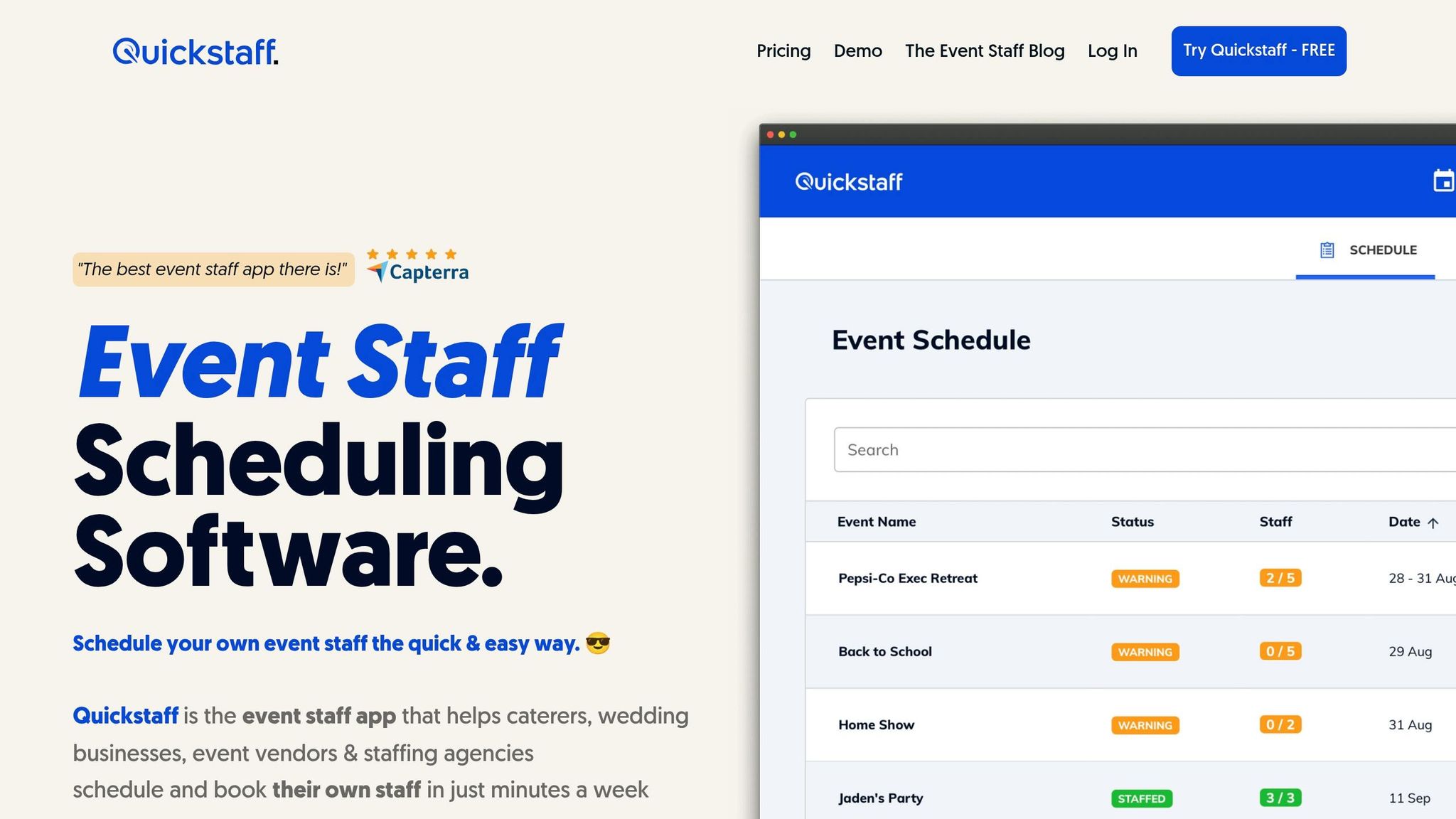
Quickstaff is built for event staffing teams that need to move fast without losing track of who’s available, who accepted, and where coverage still falls short. In a staffing workflow, that usually comes down to three things: fast scheduling, clear status updates, and mobile communication that staff will actually use.
The event duplication feature helps teams book repeat work faster, especially for weddings, catering jobs, and recurring events. A coordinator can create an event, duplicate a past one, update the details, and jump straight into staffing.
From there, coordinators assign staff by role, send accept-or-decline invites, and use automated waitlists to cover open spots. Staff get those invites on mobile and can accept or decline with one tap. They can also use block-out dates, while event notes, PDFs, directions, and reminders help keep everyone on the same page.
A single dashboard and calendar show staffing status across events in real time. When a shift is accepted, it updates the staff member’s calendar automatically. Messaging is unlimited and can be sent to specific groups, which makes a big difference in practice. If a coordinator needs bartenders, they can message bartenders only instead of blowing up the entire roster.
That kind of setup matters most when crews shift at the last minute and coordinators need a live view of coverage.
For smaller agencies, cost and setup time often decide whether a mobile scheduling tool gets used or ignored. Quickstaff offers three plans, and each includes unlimited events, assisted onboarding, and customer support.
| Plan | Monthly Price | Staff Limit | Best Fit |
|---|---|---|---|
| Boutique | $49 | Up to 35 staff | Small catering teams or boutique event vendors |
| Growing | $99 | Up to 70 staff | Expanding agencies managing regional event rosters |
| Large | $249 | Up to 175 staff | Midsize staffing agencies running high-volume weekend rosters |
If a team is still relying on group texts or spreadsheets to schedule shifts, that lower monthly starting price makes testing easier. It gives smaller teams room to try the tool before rolling it out across the whole agency.
"Prior to Quickstaff, I was using Excel spreadsheets to track my employees and their shift availability. My life changed the day I started using Quickstaff!" - Jaime S, VP, Lisa's Catering
Assisted onboarding also helps lean teams get set up without a long, messy ramp-up.
Once you know which capabilities matter, use this rollout process to pick a tool your team will actually use.
Before you compare platforms, get clear on where your current process breaks. For most teams, the biggest issues are duplicate data entry, slow confirmations, weak after-hours response, and poor visibility into availability. Those problems aren't minor annoyances. They cost time, lead to missed coverage, and can force last-minute overtime.
After that, split features into two buckets: what you need now and what can wait. For most small and midsize agencies, the core set is pretty straightforward:
Things like advanced analytics, automation, integrations, and custom reports are useful, but they don't need to come first. Get the main workflow working well before you add more layers.
| Feature category | Example capability | Operational impact |
|---|---|---|
| Must-have | Mobile scheduling & shift assignment | Cuts spreadsheet handoffs |
| Must-have | Real-time availability tracking | Prevents scheduling conflicts |
| Must-have | One-tap mobile confirmations | Speeds up fill times |
| Must-have | Automated reminders & messaging | Reduces no-shows |
| Must-have | Mobile document access | Prepares staff before arrival |
| Must-have | Time tracking | Supports day-of visibility and reporting |
| Must-have | Role-based permissions | Protects data and controls access |
| Nice-to-have | Waitlist automation | Fills gaps when primary staff decline |
| Nice-to-have | Calendar sync (Google, Apple Calendar, Outlook) | Gives staff visibility into personal conflicts |
| Nice-to-have | Advanced analytics & reporting | Optimizes operations after basics are stable |
A simple way to think about it: if a feature removes a blocker, it belongs in the first phase. If it helps later, it can wait.
Once feature fit looks good, compare tools based on ROI and adoption risk.
Look at the subscription cost next to the time you expect to save, the drop in no-shows, and any reduction in overtime. A lower monthly price doesn't help much if the team avoids the tool or falls back to manual work.
Start the rollout with one high-friction workflow, like weekend events or last-minute coverage. That gives you a controlled pilot. You can spot training gaps early, fine-tune permissions and messaging rules, and get a clean before-and-after view before rolling it out to the rest of the team. This works especially well for weekend events and fast-turn coverage.
"My time spent scheduling has shrunk majorly, leaving me more time to focus on recruiting, on-boarding and training." - Jennifer Manley, Staffing Coordinator
Training should be short and tied to daily tasks. Coordinators need to know how to create events, assign shifts, check availability, and send reminders. Field staff need to know how to accept a shift, update availability, clock in, and read event notes. That's enough for day one. Mobile-friendly quick reference guides and live support in the first few weeks can help people get comfortable fast.
Track adoption in three stages. In the first 30 days, watch login rates, shift acceptance rates, and whether coordinators still fall back to manual workarounds. By 60 days, check response times to shift requests and whether staff are keeping availability up to date. At 90 days, look at the bigger outcomes: fewer no-shows, lower overtime, and less time spent on scheduling admin. Those checkpoints show whether the rollout is working or whether you need to adjust course.
Once the system is live, security and uptime protect the staffing process you've built.
Once the workflow is live, security and uptime become the base that everything else rests on. A data exposure, app outage, or time-record error can throw off events and payroll fast.
Mobile staffing tools hold some of your most sensitive data: full names, phone numbers, addresses, Social Security numbers, pay rates, tax forms, and location data tied to check-ins or time tracking. Any platform you use should encrypt data in transit and at rest. Encryption alone isn't enough, though. Role-based access control matters just as much. Coordinators, payroll staff, and field workers should only see what they need for their role.
Use push or SMS MFA for admins and payroll staff. Add device PINs, biometrics, session timeouts, and a strict no-shared-logins rule.
It also helps to work with vendors that offer redundant hosting and disaster recovery. Even then, outages happen, and event venues can have shaky Wi-Fi or weak LTE. Before each event, export rosters, save a PDF or CSV contact list, and assign one offline lead to handle changes. Those steps help protect staff data and keep event-day operations moving.
Set clear internal ownership for the platform, usually an operations director or an HR/IT lead. That person should handle access control, account management, and checking the vendor's status page before large events.
| Risk/Issue | Why It Matters | Mitigation Approach |
|---|---|---|
| Unauthorized data access | Exposure of staff PII or pay data creates legal and reputational risk | Use RBAC with least-privilege permissions and review access regularly |
| Weak authentication | Shared or weak credentials can allow unauthorized entry | Require MFA for admin and finance roles, use strong passwords, and enforce automatic session timeouts |
| Event-day app outage | Staff can miss shift details, leading to no-shows and operational disruption | Print rosters in advance and assign an offline backup lead |
| Location data misuse | GPS tracking without clear consent can undermine trust and create privacy concerns | Limit location tracking to check-in and check-out workflows and provide transparent consent policies |
| Time-record disputes | Inaccurate time records can conflict with state labor requirements | Keep clear time records and review state rules before rollout |
| Data retained too long | Keeping old schedules, pay data, or location logs increases breach exposure | Set retention limits and automatically purge data no longer needed |
For compliance, use a clear privacy notice, limit SSN and tax-data access to HR and payroll, document consent for location tracking, and keep retention limits tight. Make sure mobile workflows produce clear records of hours worked and communications sent. If you operate across multiple states, talk with counsel about state-specific privacy and wage-and-hour rules.
The main idea behind mobile tools for staffing agencies is simple: faster scheduling, clearer communication, and better visibility on event day. Everything else grows from that.
Start with the workflows that create the most friction, like slow confirmations, last-minute no-shows, or coordinators stuck in endless back-and-forth messages. Pick a tool your field staff will actually open on their phones, not one that looks slick in a demo and then gets ignored. Track the basics:
Those numbers will show whether the tool is doing its job.
Once the core is stable, add more features like waitlists, reminders, and reporting as your team gets more comfortable. Agencies that work this way often see a snowball effect: better staff adoption leads to more accurate availability data, which leads to faster fills, which leads to fewer last-minute scrambles. Security and reliability help keep that progress on track. Build the base well, measure what matters, and scale from there.
Start by pinpointing the scheduling problems that hit your team most often. Maybe it’s last-minute cancellations, double-bookings, or slow communication that leaves people guessing. Once you know where the friction is, put your attention on the features that cut those risks first, such as availability-based auto-assignment, conflict detection, and real-time mobile notifications.
Next, put mobile self-service at the center of the setup. Staff should be able to update availability, confirm shifts, and receive automated reminders without needing extra back-and-forth. Leave advanced analytics or AI forecasting for later, after the core scheduling issues are under control.
With Quickstaff, rollout is quick and simple. Since it runs in the cloud and is built for fast-moving event staffing, managers can start creating events and scheduling staff almost right away.
Setting up one event, including roles and shift details, takes less than five minutes. And for repeat work, templates can cut setup time by 70% to 80%, which helps teams schedule weeks of events in just minutes.
A staffing app should include hard-lock constraints that stop invalid assignments before they happen.
That means blocking shifts for people who are missing required certifications or licenses. No workarounds. No “fix it later.” If someone isn’t cleared for the role, the app shouldn’t let the assignment go through.
It should also enforce work-hour caps, block consecutive shifts when they break policy, and require enough rest time between shifts. Those checks matter because fatigue can lead to mistakes, especially in high-risk roles.
A central staff profile system helps tie all of this together. It keeps credentials in one place, flags scheduling conflicts, and shows who is both qualified and available. That way, managers can assign ONLY the right people to the right shifts, without guessing or digging through scattered records.