Employee Availability Form Template
July 5, 2026

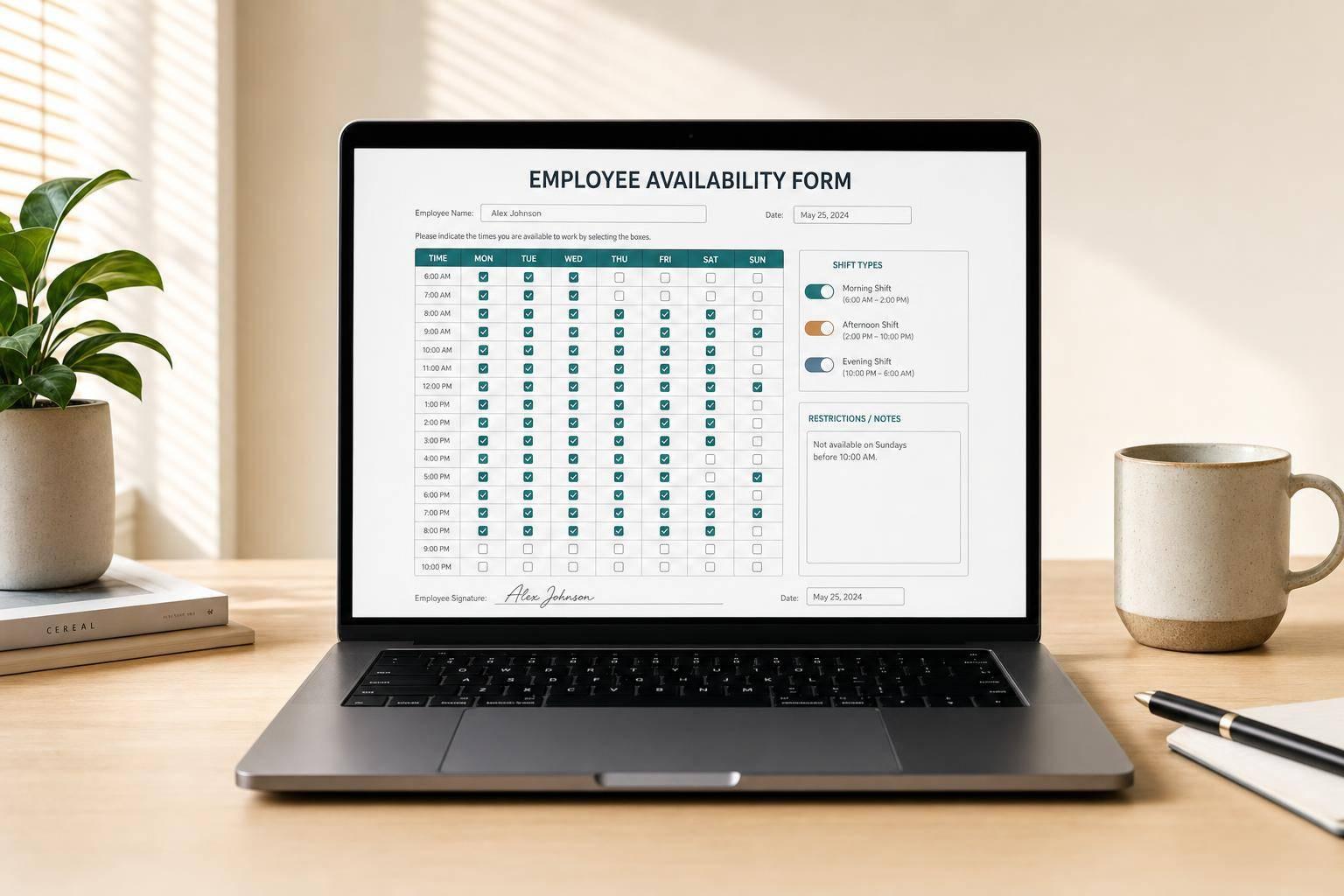
A well-made employee availability form template can save hours of back-and-forth scheduling. Instead of chasing incomplete details by email or text, employers can collect consistent information in one organized format. This tool helps you build a form that looks professional, reads clearly, and fits the way your business schedules staff.
Whether you're hiring new team members, updating current employee schedules, or managing both, this generator lets you choose the fields that matter most. You can include weekly availability by day, unavailable times, preferred shifts, weekend and holiday options, temporary schedule changes, and even transportation or location limits.
A strong work availability form should be easy for employees to complete and easy for managers to review. That’s why the generated layout keeps sections logical and clean. If needed, you can also add school schedule conflicts, second job notes, custom fields, and manager sign-off lines.
This employee availability form template is ideal for restaurants, retail teams, healthcare offices, service businesses, and growing companies that need a reliable scheduling document. It’s fast, customizable, and ready to copy directly into your workflow.
It’s built for employers, managers, team leads, HR staff, and small business owners who need a simple way to collect work availability. It works well for new hire onboarding, schedule updates from current employees, or a single form that covers both situations.
Yes. You can choose which days appear, switch between 12-hour and 24-hour time formatting, and add fields for unavailable times, preferred shifts, maximum hours, transportation limits, school conflicts, or second job restrictions. That makes it easy to match the form to how your team actually schedules staff.
The tool creates a complete, copy-ready employee availability form template with organized sections for employee details, weekly availability, optional restrictions, and acknowledgment or approval lines if you include them. The result is displayed directly on the page in a clean format that’s easy to copy into documents, emails, or internal systems.





