Free Event Scheduling Templates for Small Businesses
April 20, 2026

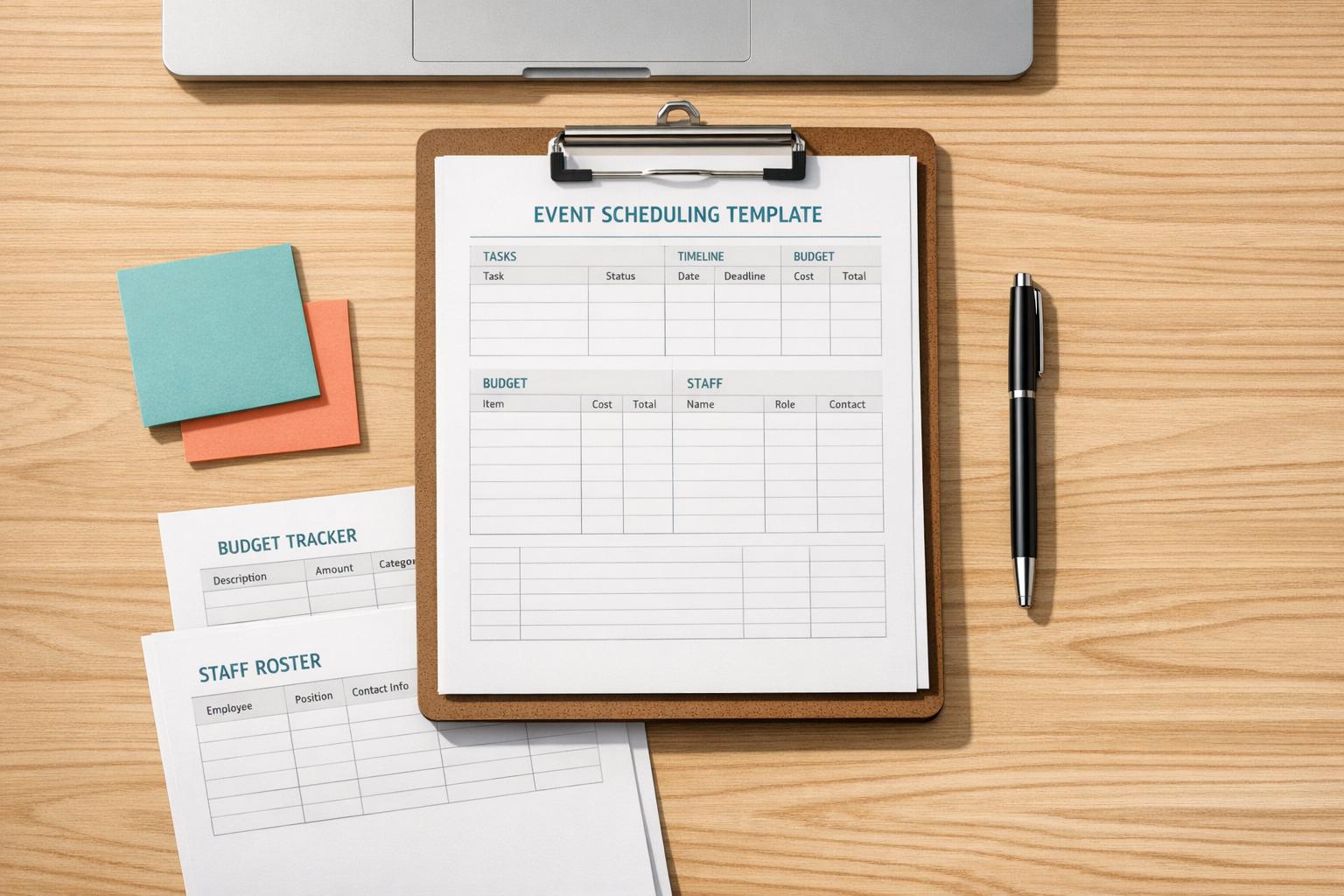
Managing events can be overwhelming. From juggling vendor contracts to tracking budgets, even small oversights can lead to big problems. Free event scheduling templates simplify this process by offering ready-to-use frameworks to organize tasks, timelines, and responsibilities.
These templates not only reduce stress but also ensure smooth coordination. Whether you're planning a wedding, conference, or community event, there's a template to fit your needs. Ready to get started? Dive into the details and find the right tool for your next event.

Comparison of Event Scheduling Template Types for Small Businesses
Excel templates are a go-to solution for small businesses looking to streamline event planning. These templates bring together tasks, timelines, budgets, and guest lists into a single, easy-to-use spreadsheet. Say goodbye to scattered emails and documents - Excel provides a centralized hub where all event details are neatly organized. As Daniel Smith explains:
An event planning template is a pre-structured spreadsheet that helps organizers systematically plan and manage all aspects of an event.
One standout feature is the built-in formulas that automatically calculate differences between estimated and actual costs, which is a game-changer for staying on budget. Considering that 75% of event planners cite cost control as a top concern, this functionality is invaluable. You can also separate fixed costs (like venue fees) from variable ones (like catering per guest), making it easier to adjust spending as your guest list grows or shrinks. This organized format not only simplifies planning but also sets the stage for the customization options discussed next.
Excel templates are highly adaptable, even for those without technical expertise. Want to add your company logo? Easy. Need to tweak time blocks from hourly to 30-minute intervals? No problem. You can even create custom columns for specific details like dietary preferences or equipment needs. Many templates also use conditional formatting, which color-codes tasks - red for urgent, green for completed - making it simple to identify priorities at a glance.
For small teams, accountability is a major advantage. Templates often include columns for "Assigned To", "Priority", and "Status", ensuring everyone knows their responsibilities and deadlines. Some advanced templates go even further, incorporating multiple tabs for different aspects of planning. For instance, one tab might handle your task list, another tracks the budget, and a third manages guest details. These tabs often feed into a dashboard that shows your overall progress. Financial experts also recommend setting aside 5% to 10% of your total event budget as a contingency fund, and Excel’s variance tracking makes it simple to monitor whether you’re dipping into that reserve. These features make Excel a powerful tool for event planners.
Several templates stand out for their ability to meet diverse event planning needs. Spreadsheet Daddy's Event Planning Template combines task management, budget tracking, and guest lists in one place. You Exec's 10-Sheet Event Planner takes it up a notch with dashboard visuals, seating charts, ticket sales calculators, and even hourly agendas - no wonder over 1.3 million professionals use You Exec’s tools. For detailed scheduling, ProjectManager's Event Schedule Template allows you to break down your event day into 30-minute segments, tracking speakers, activities, and venues.
If you need something more specialized, ProjectManager's Event Budget Template categorizes costs into seven areas - venue, staff, marketing, and more - with automatic tracking of estimated versus actual expenses. Meanwhile, Smartsheet's Staffing Plan Template is perfect for managing volunteer shifts and staff roles, offering fields for shift times, departments, and supervisors. For risk management, Smartsheet also provides a template to help you identify potential issues, evaluate their likelihood, and plan mitigation strategies to prevent disruptions.
While Excel templates are great for managing data, Word and PDF formats shine when you need professional, polished schedules that are ready to print. These templates are ideal for small businesses looking to share schedules with vendors, clients, or staff. Unlike spreadsheets, which focus on data tracking, Word and PDF templates are all about presentation. They maintain consistent formatting across devices and can be customized with your logo, time blocks, or sections like "Speaker", "Location", or "Assigned Lead." This makes them perfect for creating final versions of agendas and checklists without requiring design skills. They bring a professional touch that can elevate event communication and organization.
One standout advantage of Word and PDF templates is their printability. Designed for A4 and US Letter sizes, they ensure your schedules look consistent whether printed or viewed digitally. For events like trade shows or weddings, having printed schedules means everyone stays on track - even without digital access. PDFs, in particular, lock in your formatting, making sure your schedule looks the same on a smartphone, a printed sheet, or a vendor's screen.
These templates also allow for easy segmentation of schedules. For example, you can break down a wedding schedule into sections like pre-ceremony, ceremony, and reception. Need different versions for different groups? No problem. You can create tailored schedules for volunteers, guests, or vendors, ensuring everyone has the details they need. As SampleTemplates.com aptly puts it, event planning often involves a:
long and meticulous planning process
The flexibility to update and redistribute these templates quickly ensures everyone stays informed, even if plans change at the last minute.
Word and PDF templates complement Excel by providing a polished, client-ready format. They’re particularly useful for corporate events like conferences, product launches, or board meetings, where a clean, professional appearance is key. Social events - such as weddings, anniversaries, or milestone celebrations - also benefit from these templates, as their aesthetic appeal and print-friendly design ensure high-quality materials for guests.
Academic events like workshops and symposiums rely on these templates for structured itineraries that keep participants organized. They’re also invaluable for vendor and staff coordination. Community events, such as 5K races or volunteer shifts, can use these durable, printable guides as a reliable on-site reference - no need to rely on digital devices. While spreadsheets excel at tracking data like budgets, Word and PDF templates are the go-to for creating the final, polished documents that help your event run smoothly.
If your small business operates with remote teams or relies on mobile workflows, cloud-based templates can simplify your processes. While Excel and Word/PDF templates are useful, Google Workspace takes things further by enhancing collaboration and accessibility. With Google Docs and Google Sheets templates, you can avoid messy email chains and version mix-ups - your team can update schedules from any device, anytime.
One of the standout features of Google Workspace templates is real-time collaboration. Multiple team members can work on the same schedule at the same time, with updates appearing instantly. These templates also include sections for key contact information, making it easy to access vendor phone numbers, client emails, or staff details when needed. By centralizing this information, you reduce the risk of miscommunication and keep everyone on the same page. Plus, transitioning to specialized templates within Google Workspace is seamless.
Google Sheets and Docs templates cater to a variety of event planning needs. Here are a few examples:
Getting started is simple. Just click "Edit in Google Sheets" or "Edit in Google Docs" on the provider's site. You'll be prompted to "Make a copy", which saves an editable version to your Google Drive. From there, you can tweak the colors, fonts, and layouts to align with your branding. Replace placeholder text with your event details, then share the link with your team. Once everything is finalized, export the schedule as a PDF for easy printing or email distribution.
Calendars and timelines are incredibly effective for managing multi-day events, especially when it comes to spotting overlaps, tracking deadlines, and balancing workloads. They offer a quick, clear view of where tasks intersect, which deadlines are approaching, and whether your team is stretched too thin.
These tools act as a central hub for marketing, A/V, and catering teams, helping to avoid costly last-minute chaos and miscommunication. The stats back this up: 79% of event professionals already use detailed timelines to stay on track. With event costs projected to rise by 12% while budgets only grow by about 11%, staying on top of your timeline is no longer optional - it's a necessity.
Another big advantage? Visual scheduling makes it easier to identify bottlenecks. For instance, mapping out your timeline can highlight tight deadlines for venue selection or delays in receiving speaker confirmations before they turn into bigger problems. Nina Lopez, a writer for Add to Calendar PRO, emphasizes this point:
A well-built timeline is more than a schedule; it's a powerful risk management asset.
Assigning specific task owners directly within the timeline ensures accountability and reduces the risk of missed deadlines. Below are some examples of timeline and calendar templates that simplify even the most complex event schedules.
If you're looking for free templates designed for multi-day events or overlapping schedules, there are several great options available:
For events with overlapping tracks - like multiple speakers in different rooms - templates with swimlanes are a great choice. They help visually separate categories while keeping everything on a single timeline. For multi-day programs, consider breaking schedules into timed blocks for setup, sessions, breaks, and teardown. Dedicate separate sections for each day, and always work backward from your event date to ensure you have enough time for every phase. Adding a 10-15% buffer to major deadlines can also help account for vendor delays or unexpected hiccups.
Internal timelines help your team stay on track, but program and agenda templates are what keep attendees, speakers, and on-site staff informed. These templates provide a clear breakdown of session times, locations, speakers, and instructions. A well-organized program eliminates confusion about room assignments, transitions between sessions, and break schedules. As Asana points out:
When events go off track, it's rarely due to one big issue. It's the dozens of little things that get overlooked. From misaligned agendas to missed setup deadlines, even a slight delay can ripple throughout your entire event day.
Digital templates simplify event management by centralizing timelines and updates. Assigning ownership to each agenda item also ensures better accountability. Asana highlights this benefit:
A conference agenda template lets you easily plan and organize your upcoming conference. Plus, a digital conference agenda template keeps your vendors, speakers, and teammates on the same page about the timeline and event details - so you never have to worry about last-minute changes slipping through the cracks.
For events with tightly scheduled segments, "Run of Show" templates are particularly useful. These templates focus on precision and smooth transitions, offering something distinct from backend scheduling tools. While backend tools manage logistics, program and agenda templates prioritize the attendee experience. This structured approach not only improves communication but also allows for customization to suit different types of events.
The benefits of these templates are evident in the wide range of free options available. For example:
When choosing a template, think about your audience. Printable templates in Word or PDF work well for attendee handouts, while Google Docs or Sheets are better for real-time updates shared with staff. For events spanning multiple rooms or venues, make sure your template includes a "Location" column to reduce confusion. Finally, don’t forget to customize your templates with your company logo and brand colors to reinforce your branding. Up next, we'll explore how to adapt these templates to meet the specific needs of your event.
Customizing templates can turn them into highly effective tools for managing events. Start by adjusting time increments to match the rhythm of your event. For example, professional conferences often require 15-minute intervals to manage tightly packed sessions, while wellness retreats might benefit from broader 1-hour segments for a more relaxed pace. Adding event-specific categories can also make a big difference. Wedding planners might need sections for "Apparel", "Photography", and "Gifts", while conference organizers may rely on fields like "AV Requirements" and "Speaker Rehearsals."
Incorporating custom fields can simplify tracking. Columns for "Dietary Requirements", "Session Owner", or "Vendor Status" allow for quick filtering of essential details. Conditional formatting can further enhance usability - color coding, for instance, can help highlight deadlines or prioritize tasks.
For events that span multiple days, using a 5-day schedule template can help avoid overlaps and downtime. If you're organizing virtual or hybrid events, consider adding a "Tech Setup" section that includes embedded platform links. Similarly, for large conferences, a "Risk Management" section can outline potential issues and strategies to address them.
After tailoring your template, make sure to integrate it with your existing tools for smoother event management.
Linking your templates to tools you already use can drastically improve efficiency. Syncing deadlines with Google Calendar or Outlook ensures that important dates remain front and center for your team. This integration prevents crucial tasks from being overlooked in spreadsheets. You can also connect templates to communication platforms like Slack to receive real-time updates on task progress.
Automating notifications for task updates or approvals can save time and keep your workflow moving. Attach key documents - like vendor contracts, floor plans, and branding kits - directly to the template to centralize information and minimize the need to switch between apps. Don’t forget to enable offline mobile access so you can make updates on-site when needed.
These strategies are especially helpful when paired with event staff scheduling tools like Quickstaff, which focuses on simplifying task management for small businesses.
Free event scheduling templates simplify planning for small businesses by cutting out the need for costly tools or hours of manual scheduling. With a pre-built structure, these templates save you from starting with a blank slate, letting you focus on what truly matters - coordinating vendors, managing staff, and ensuring everything runs smoothly on the big day.
Beyond their ease of use, these templates act as a centralized hub for organizing every detail of your event. By consolidating budgets, contracts, guest lists, and deadlines in one place, they help avoid the chaos of missed details. As Asana puts it:
When events go off track, it's rarely due to one big issue. It's the dozens of little things that get overlooked.
Templates ensure those little things don’t slip through the cracks.
They also enhance team coordination by providing a shared view of task assignments, deadlines, and dependencies. Visual tools like Gantt-style timelines make it easier to spot scheduling issues and reduce miscommunication early in the process.
Once you’ve tailored a template to fit your needs, it can be saved and reused for future events. This not only saves time but also ensures a consistent level of professionalism across all your events. For small businesses juggling multiple events throughout the year, this repeatability becomes a game-changer.
When picking the right template for your event, it all comes down to what you need. If you're juggling a lot - like schedules, budgets, and tasks - a template that covers all those bases is a smart choice. On the other hand, if managing vendors and keeping track of detailed checklists is your main focus, structured frameworks might be more your speed. For smaller events or simpler needs, a basic spreadsheet can get the job done without any fuss. Think about the size of your event and the logistics involved to find a template that keeps things running smoothly and efficiently.
To personalize a template quickly, start by downloading it in your preferred format, such as Excel, Word, or Google Docs. Open the file and take a moment to review its layout. Replace any placeholder text with your event-specific details, like names, dates, and locations. Update schedules, times, or tasks as necessary. You can use tools like drag-and-drop or copy-paste to make edits faster. Once you're done, save your customized version under a new name to keep the original intact for later use.
To keep staff schedules aligned, consider using a centralized scheduling tool. Look for features like calendar synchronization and real-time updates. These tools can also include automated reminders and workflows, ensuring everyone stays informed about the latest schedule changes. A centralized platform simplifies coordination, helping the entire team stay organized and on the same page.





